Screenshot 2026-09-27 195723.png
Screenshot 2026-09-27 195744.png
Screenshot 2026-09-27 195804.png
Description
AutoSkip automatically handles repetitive NPC interactions and distractions so you can focus on playing the game. Whether you're blasting through campaign quests, skipping to the furthest boss in a raid, or just tired of sitting through the same cinematic on your fifth alt, AutoSkip takes care of it.
Features:
• Pause Key — Hold Alt, Shift, or Ctrl while interacting to temporarily pause all automation
• Gossip Skip — Automatically clicks through NPC gossip frames so you never have to
• Quest Automation — Auto-accepts and turns in quests, including from gossip frames, quest greeting windows, and embedded gossip quest options
• Campaign Skip — Detects and selects <Campaign Skip> options, with confirmation dialog support
• Raid/Dungeon Teleports — Inside raid and dungeon instances, automatically selects the furthest available boss teleport
• Cinematic Skip — Instantly skips in-game cinematics and full-screen movies the moment they start
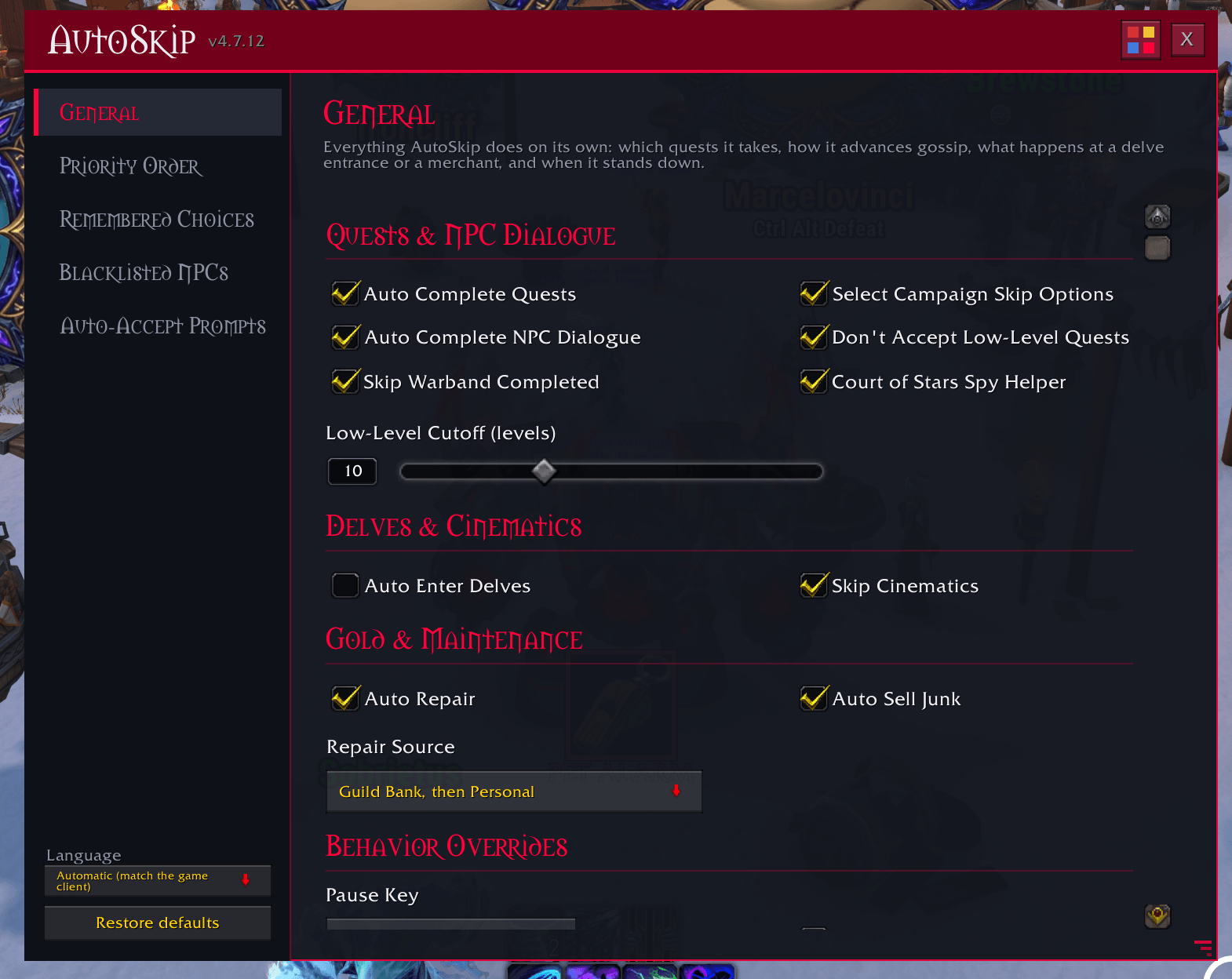
• Auto Enter Delves — Instantly enter delves at your most recently selected tier for rapid farming runs. Hold your modifier key while approaching to temporarily disable and choose a different tier.
• Low Level Quest Filter — Skips quests from older expansions you've long outgrown, with full zone and expansion awareness through Midnight
• Skip Warband Completed — Skips quests your warband has already completed so you don't waste time repeating content
• Court of Stars Helper — Automatically broadcasts spy clues discovered from nobles directly to party or instance chat
• Auto Repair — Automatically repairs using Guild Repairs first if available, then personal funds if necessary
• Auto Sell Junk — Automatically sells all gray-quality items and automatically confirms vendor prompts. Sells before repairing to maximize available repair funds.
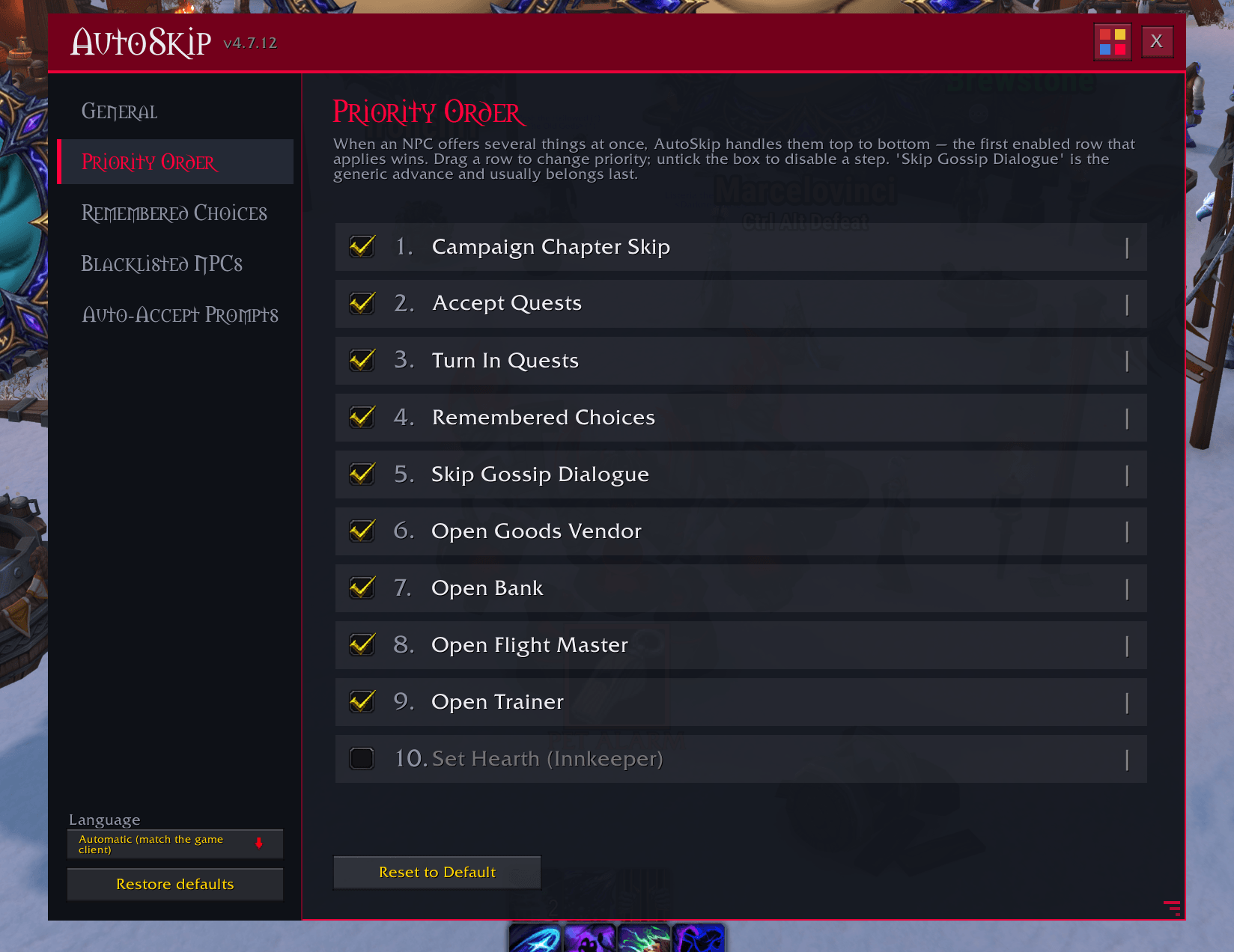
• Smart Service Detection — Automatically opens Vendor, Banker, Flight Master, Trainer, and optional Innkeeper services instead of getting stuck in flavor dialogue
• Priority System — Fully customizable automation priority order. Choose whether AutoSkip prioritizes campaign skips, quest turn-ins, quest pickups, services, or dialogue skipping first.
• Per-Feature Scope Controls — Configure individual automation features to work everywhere, only in the open world, or only inside instances
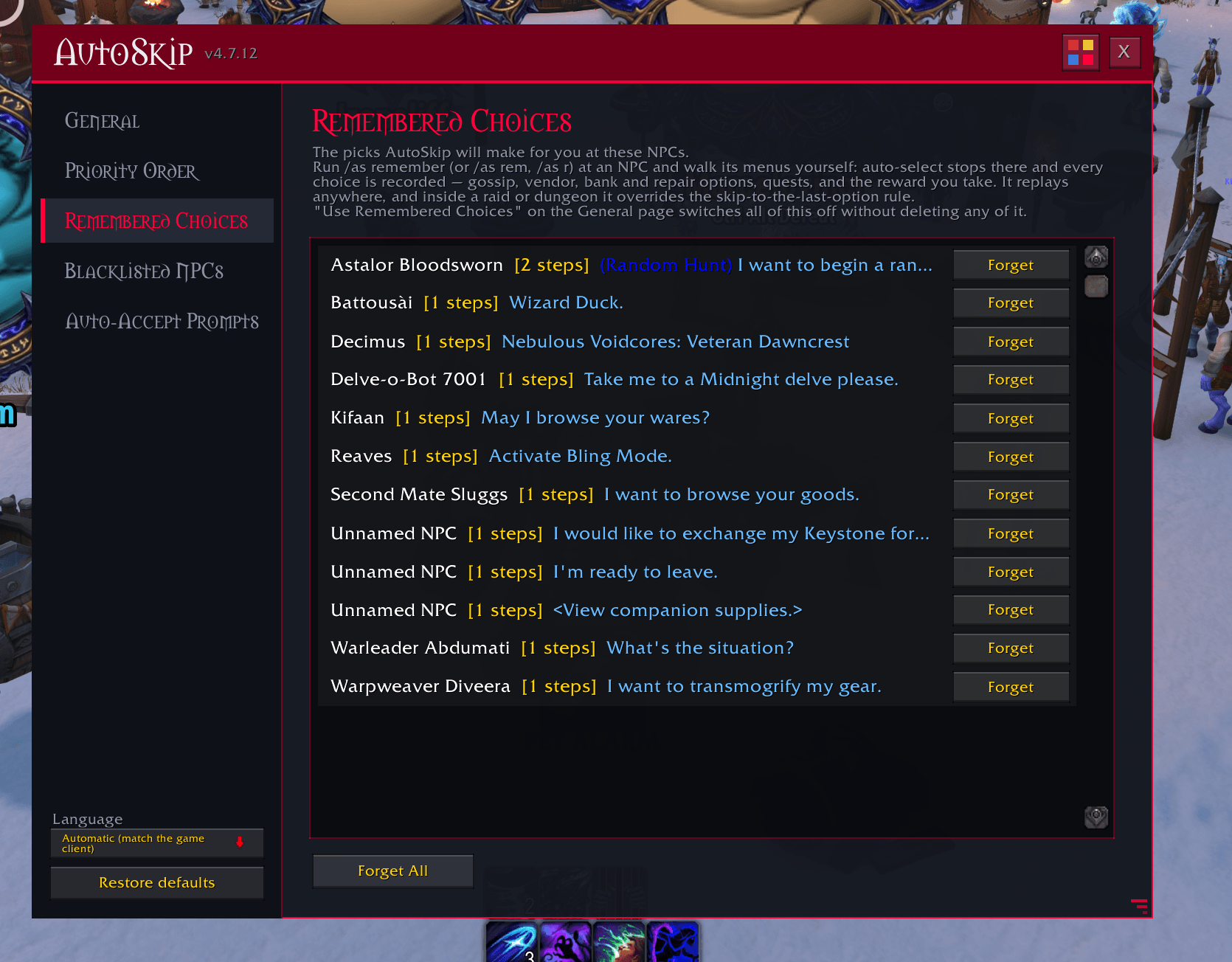
• Remember My Choices — Run /as remember at any NPC and walk its menus yourself. Auto-select stops there and every pick is recorded: gossip options, vendor, bank and repair services, quests to accept and turn in, and the reward you take from a multi-reward quest. Multi-level NPCs replay level by level, and a remembered path works anywhere.
• NPC Blacklist — Blacklist specific NPCs to leave their gossip AND their quests entirely alone. Blacklist by name, by exact NPC version, or — inside an instance where no name is available — by the NPC's greeting or its dialogue. A blacklisted NPC stays untouched for the whole conversation, including sub-menus. Lindormi and Reaves are blacklisted by default, but can be removed if desired.
• Auto-Accept Prompts (optional, off by default) — A separate mode that answers the game's confirmation popups for you: resurrections, soulbind and need-roll confirmations, summons, ready checks, queue pops, invites, duels, and purchase warnings. Every category is opt-in on its own, a destructive-prompt guard keeps delete/abandon/leave confirmations out of it, and prompts that ask you to type something are never answered. It resets to off every login unless you say otherwise, announces everything it clicks in chat, and shows an on-screen banner naming exactly which categories are armed. There's an auto-off timer too.
• Reverse Mode — Automation is paused until you hold down your chosen modifier key
Commands:
/as or /autoskip — Type alone to open the settings window, or see the full command list with /as help
/as remember (also /as rem, /as r) — Record your choices at the NPC in front of you
/as accept — Configure the optional prompt auto-accept mode
/as blacklist — Leave the targeted NPC alone entirely
Configuration:
Everything is managed from AutoSkip's own settings window, which opens instantly with /as and works in combat. Pages cover general options, feature priority order, remembered choices, the blacklist, and the prompt auto-accept mode, with scope controls, delve settings, quest filters, and repair/sell options alongside.
AutoSkip Team