SearchBar
- By
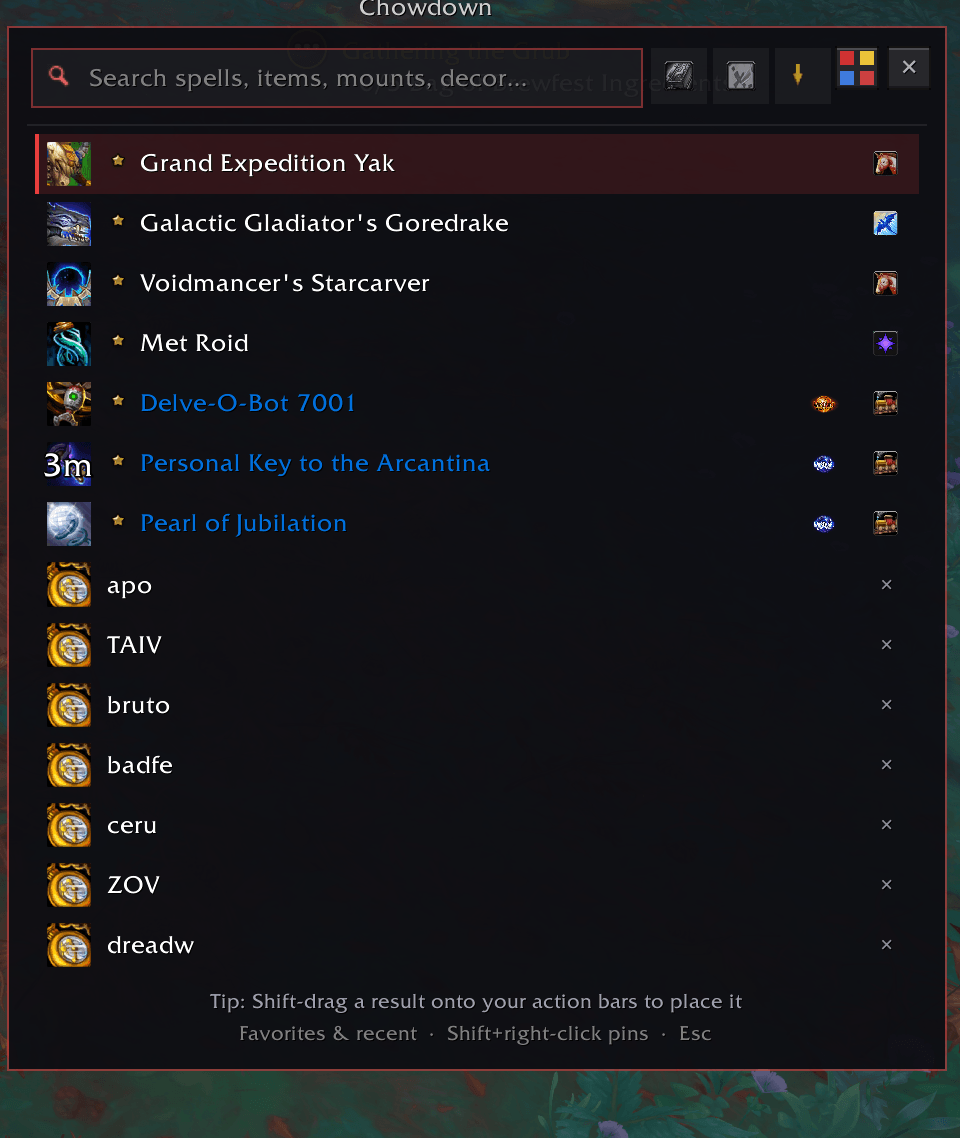
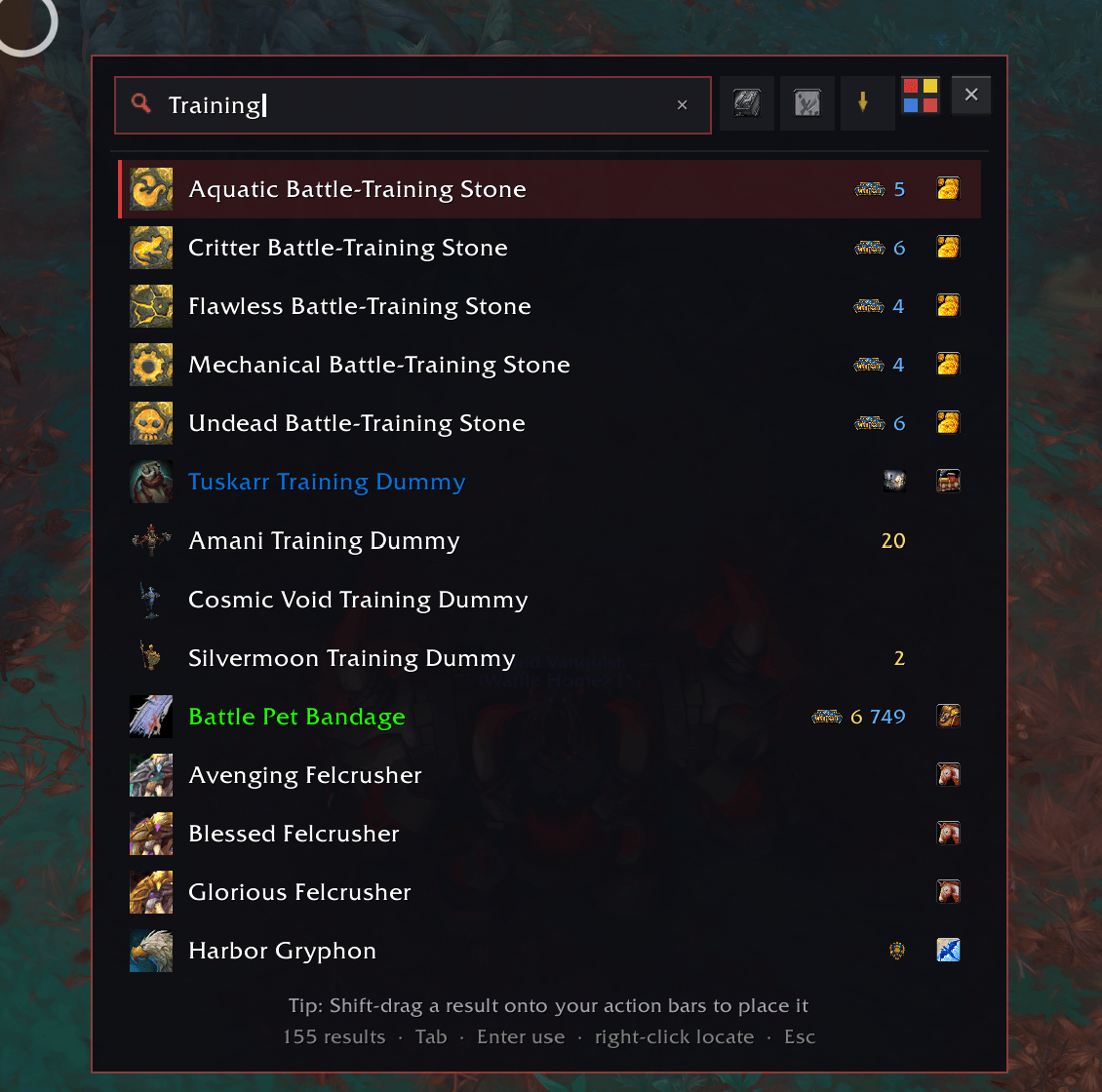
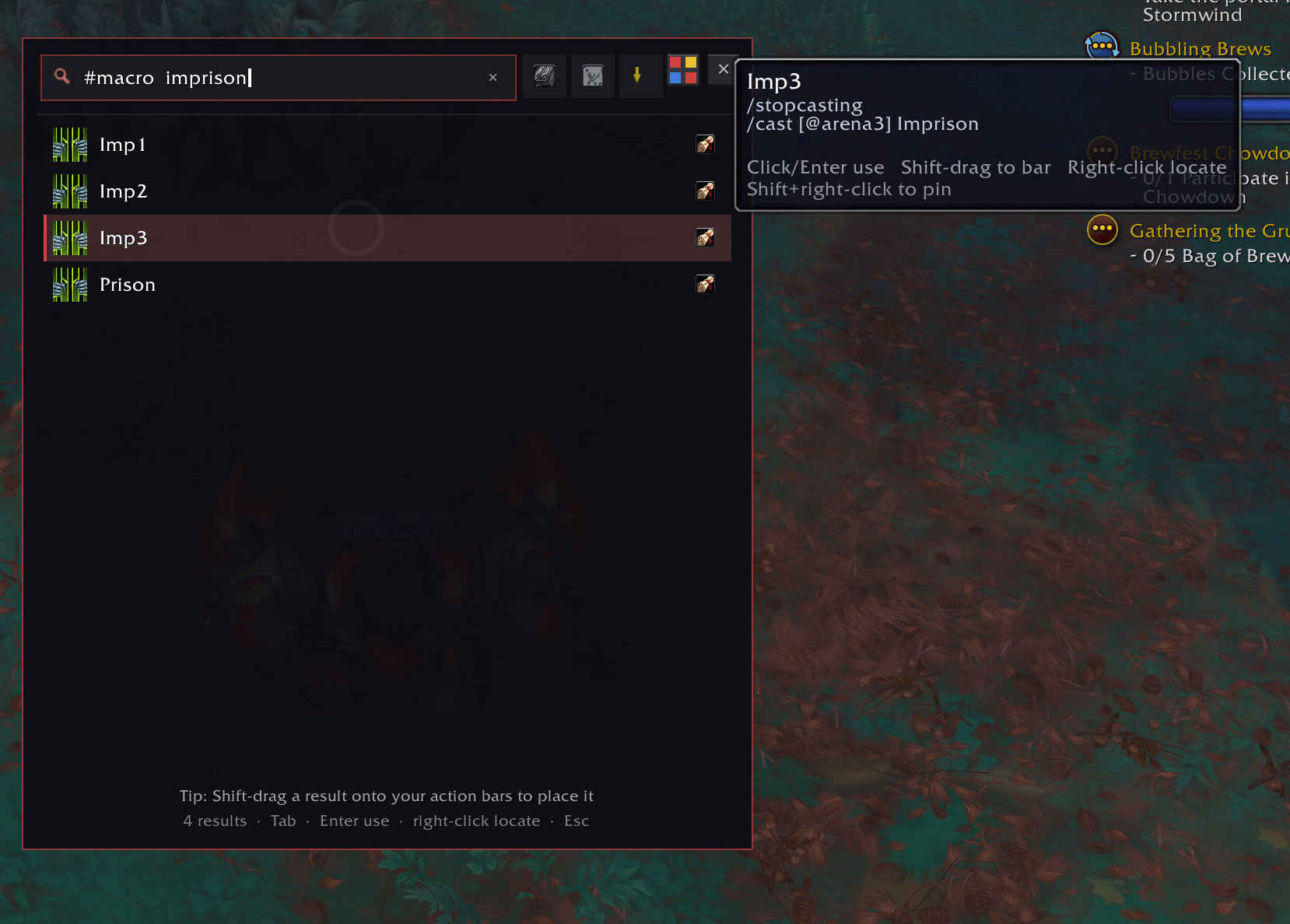
Adds a search bar you can bring up with a keybind that allows you to search all your panels. Items, Macros, Spells, Mounts.
Screenshot 2026-09-27 201144.png
Screenshot 2026-09-27 201203.png
Screenshot 2026-09-27 201557.png
Screenshot 2026-09-27 201624.png
Screenshot 2026-09-27 201703.png
Description
SearchBar – The ultimate one-box search for everything you can act on in World of Warcraft.
Overview
Press a single key (or type /searchbar) to open a sleek, fast search bar that instantly finds and lets you use almost anything in the game from one place.
Search across spells, bag items, bank items, mounts, battle pets, toys, equipment sets, housing decor, macros, and even live map objectives from your current continent — then cast, use, summon, equip, track, or locate them immediately.
No more digging through spellbooks, journals, bags, or the map. Just type what you want and go.
Core Features
One search box for nearly everything
SearchBar indexes and searches:
- Spells — current-spec, castable spells from your spellbook
- Bag items — backpack, equipped bags, and reagent bag
- Bank items — personal bank, reagent bank, bank bags, and Warband bank tabs (cached after visiting a bank)
- Mounts — all collected mounts
- Battle pets — collected pet species
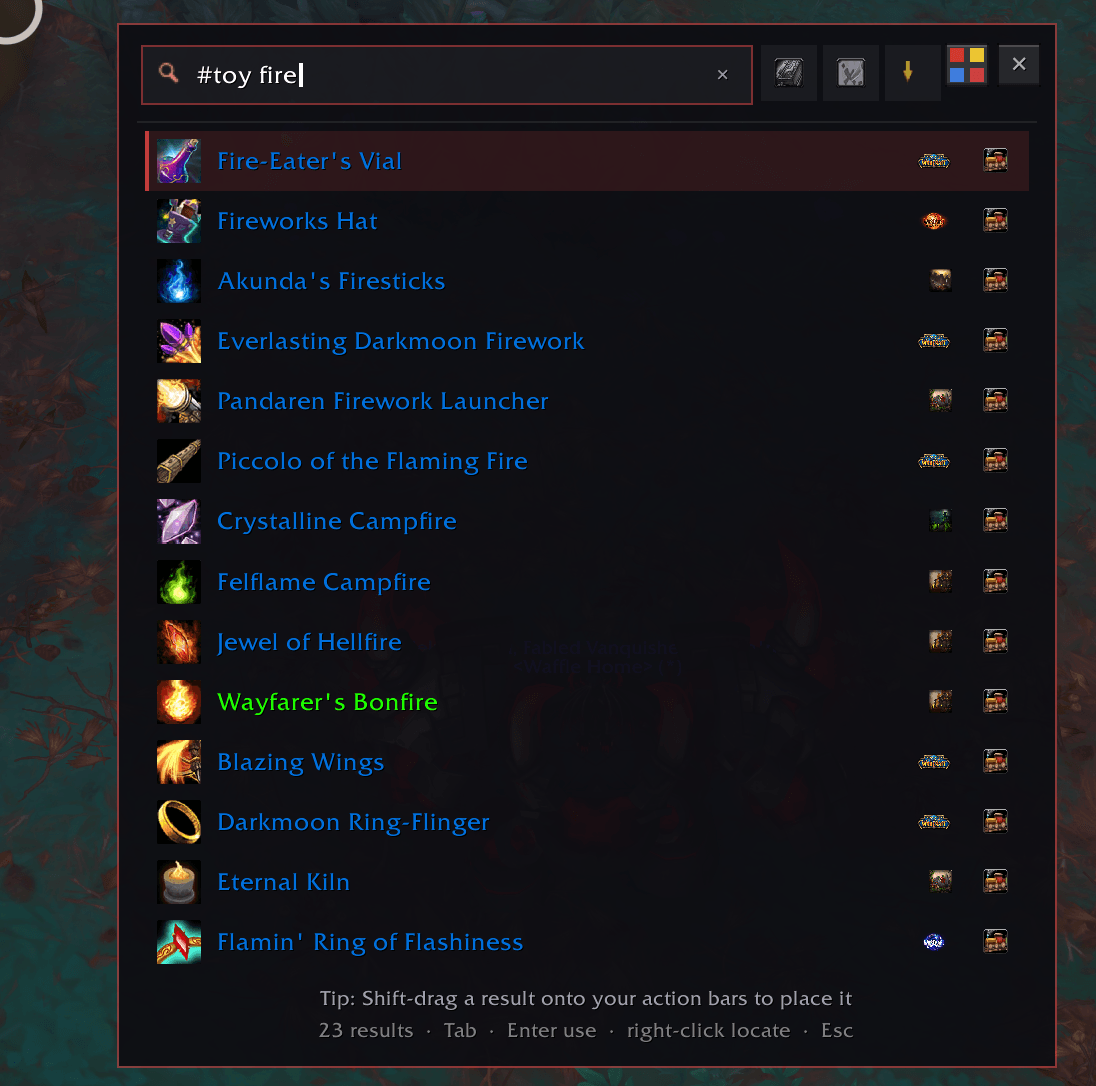
- Toys — all collected toys
- Equipment sets — saved gear sets
- Housing decor — owned housing decor for Midnight / 12.0
- Macros — both account and character macros, including macro body text
- Map results — quests, world quests, rares, events, delves, POIs, and other tracked map points from your current continent
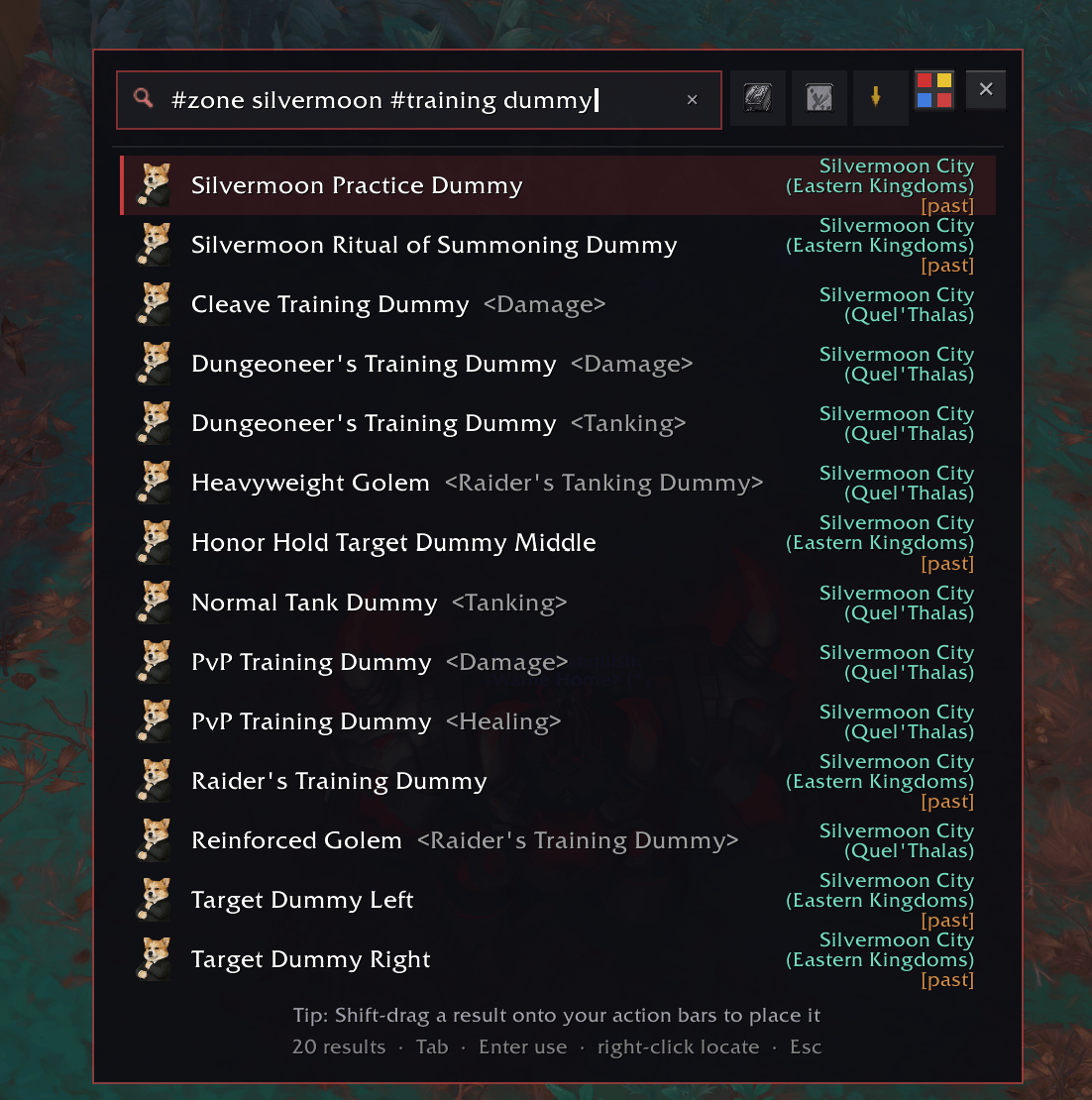
- NPC's — this is a new function that is a work in progress, it has every NPC pre midnight but any current midnight NPC's may need to be seen at least once before being able to be searched. I am currently working to expand the Midnight+ DB but until then, there is a name harvester which will get their location data and add it to the list for you to view.
Live fuzzy search
Results update instantly as you type with typo-tolerant matching, so searches like “hearthstoen” still find Hearthstone.
Searches don’t just match names — SearchBar also looks through extra context such as:
- spell tooltip text
- macro bodies
- mount descriptions and source text
- item tooltip text, type, quality, and set info
- map objective names and descriptive text
- Titles/subnames
This makes it easy to find things even when you only remember part of the tooltip or what the item does.
Rich result display
SearchBar adds a lot of polish to results:
- Colored item names by quality
- Live cooldown swirls on spells, items, and toys
- Bag vs Bank counts shown directly in the list
- Category icons for quick scanning
- Decor ownership counts displayed for housing decor
- Zone labels on map results so you can see where a map objective is located
Smart actions
SearchBar isn’t just a search list — results are fully actionable:
- Left-click / Enter → Cast, use, summon, equip, run, or track the result
- Right-click → Locate the result
- bag items open your bags and highlight the exact slot with glows and red arrows
- mounts, pets, toys, macros, and other categories open the appropriate Blizzard UI
- map results can open the world map to the exact objective
- Shift-drag / Ctrl-drag / Alt-drag → Pick up supported results and place them on action bars
Favorites & recent searches
Pin commonly used results with Shift + Right-click.
When the search box is empty, SearchBar shows:
- your Favorites
- your Recent searches
so your most-used actions are always one click away.
Category filtering
Filter results instantly with multiple category tags at once such as:
#spell#mount#toy#item#bank#pet#set#decor#macro#map/#zone#npc
Short forms are supported too, so you can quickly narrow the search to exactly what you want.
In addition to typed filters, SearchBar also includes category toggles in its options UI, letting you fully disable categories from appearing in results if you don’t want them included.
Map search integration
A major upgrade in the current version is map support.
SearchBar can now search live map content from your current continent, including:
- tracked quests
- world quests
- rares and events
- vignettes / active map activities
- points of interest
- delves
- timed events
- dungeon and raid entrances
Map results are actionable too:
- Left-click to super-track the target for routing
- Right-click to track it and open the world map to it
This turns SearchBar into not just an inventory/journal launcher, but also a fast world navigation tool.
Combat aware
SearchBar is built to behave safely in combat:
- if results were armed before combat, you can still use them during combat where allowed
- while in combat, the result list safely freezes instead of trying to rebuild insecurely
- the search window won’t forcibly close after use during combat
Commands
/searchbaror/sbar— Toggle the search bar/searchbar <text>— Open the search bar pre-filled with text/searchbar config— Open the options panel/searchbar rescan— Rebuild search indexes/searchbar bind <key>— Bind a key to open SearchBar instantly
Why use SearchBar?
SearchBar turns “where is that thing again?” into a single keystroke.
Whether you need to:
- cast a spell
- use an item from your bags
- find something stored in the bank
- summon a mount or battle pet
- run a macro
- equip a gear set
- pull up a housing decor piece
- or track a rare, quest, or POI on the map
- that one NPC you forget where they were
…it’s all in one fast, searchable command box.
Fast, powerful, typo-tolerant, and built to replace digging through half the game’s UI.
Part of the CorgiKane addon suite.
SearchBar Team