Absolute Olympus
- By
A cleaned-up, bug-fixed fork of the Olympus guild addon for WoW Forever. One folder, the Absolute navy/orange look, resizable windows, and full compatibility with guildmates on the original.
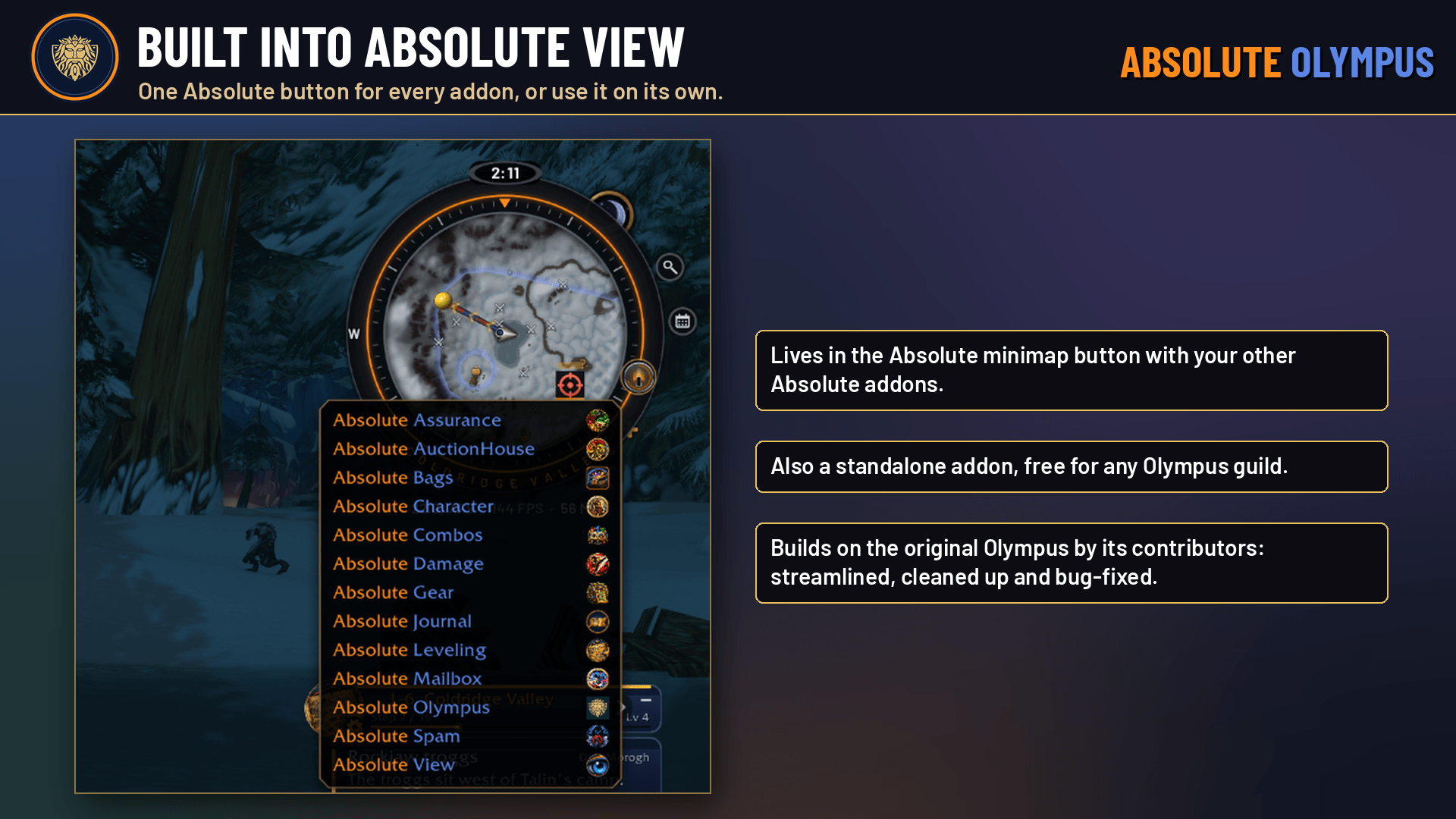
AbsoluteOlympus_Screenshot_1_Integration.png
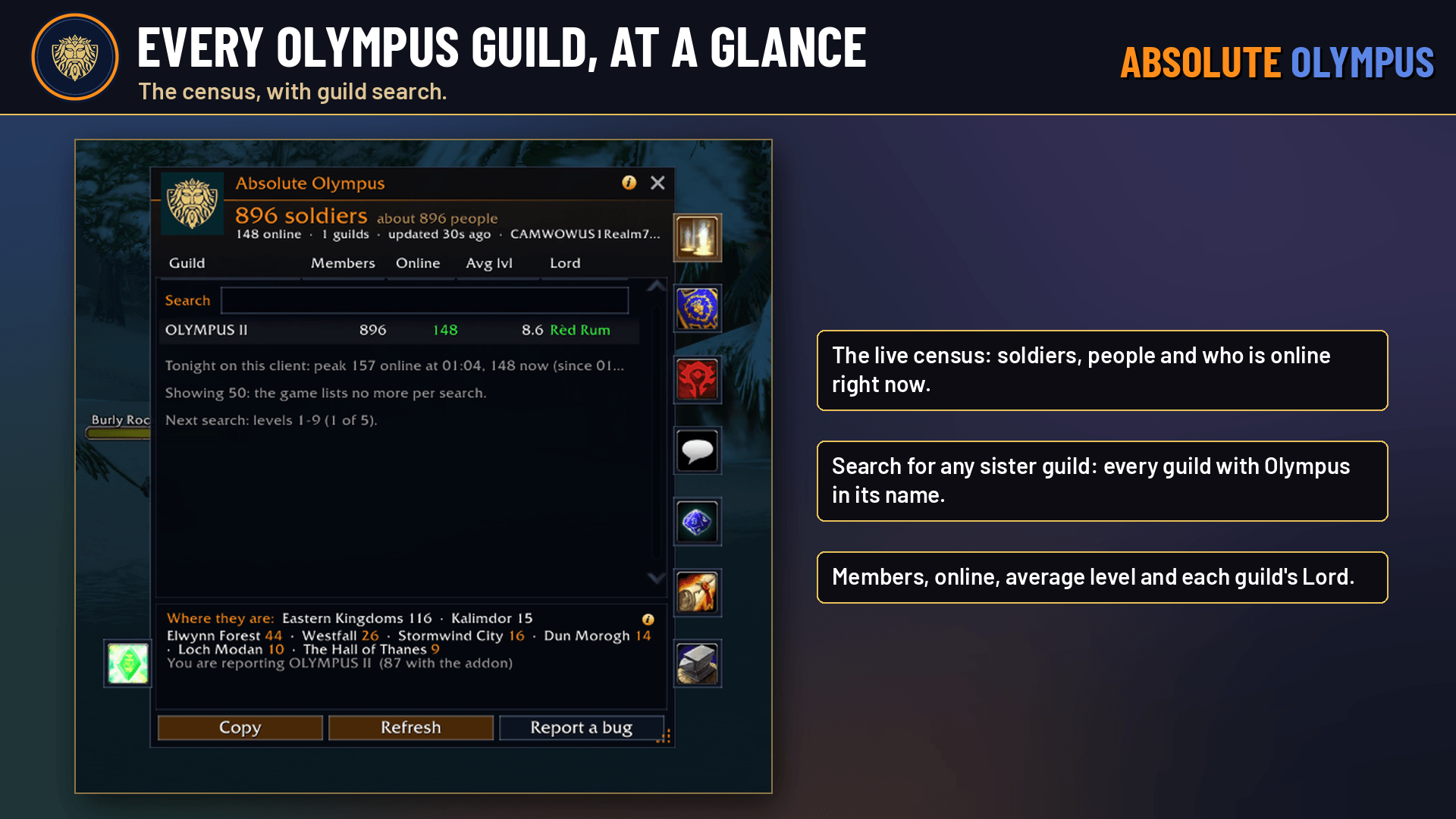
AbsoluteOlympus_Screenshot_2_Census.png
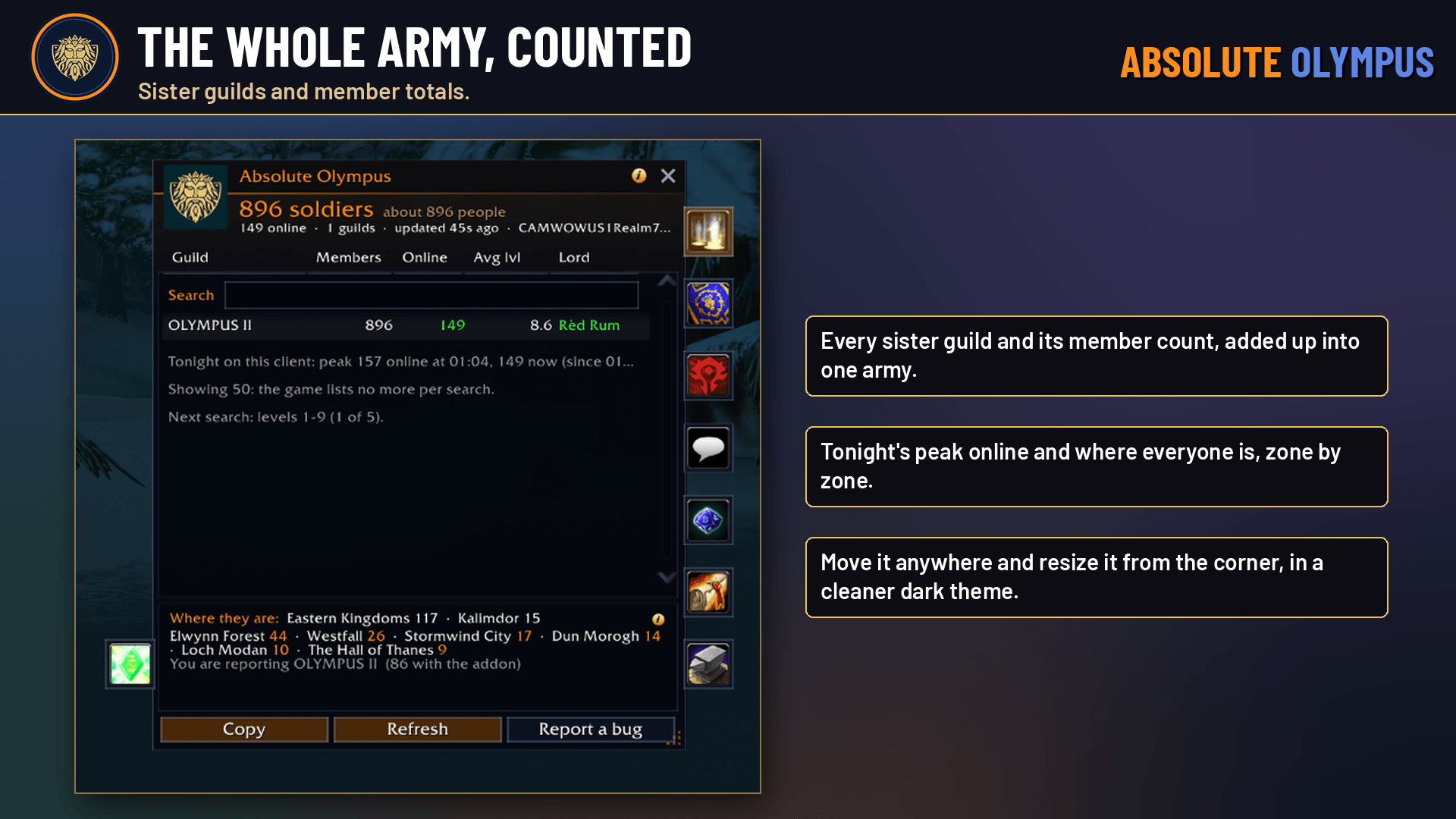
AbsoluteOlympus_Screenshot_3_SisterGuilds.png
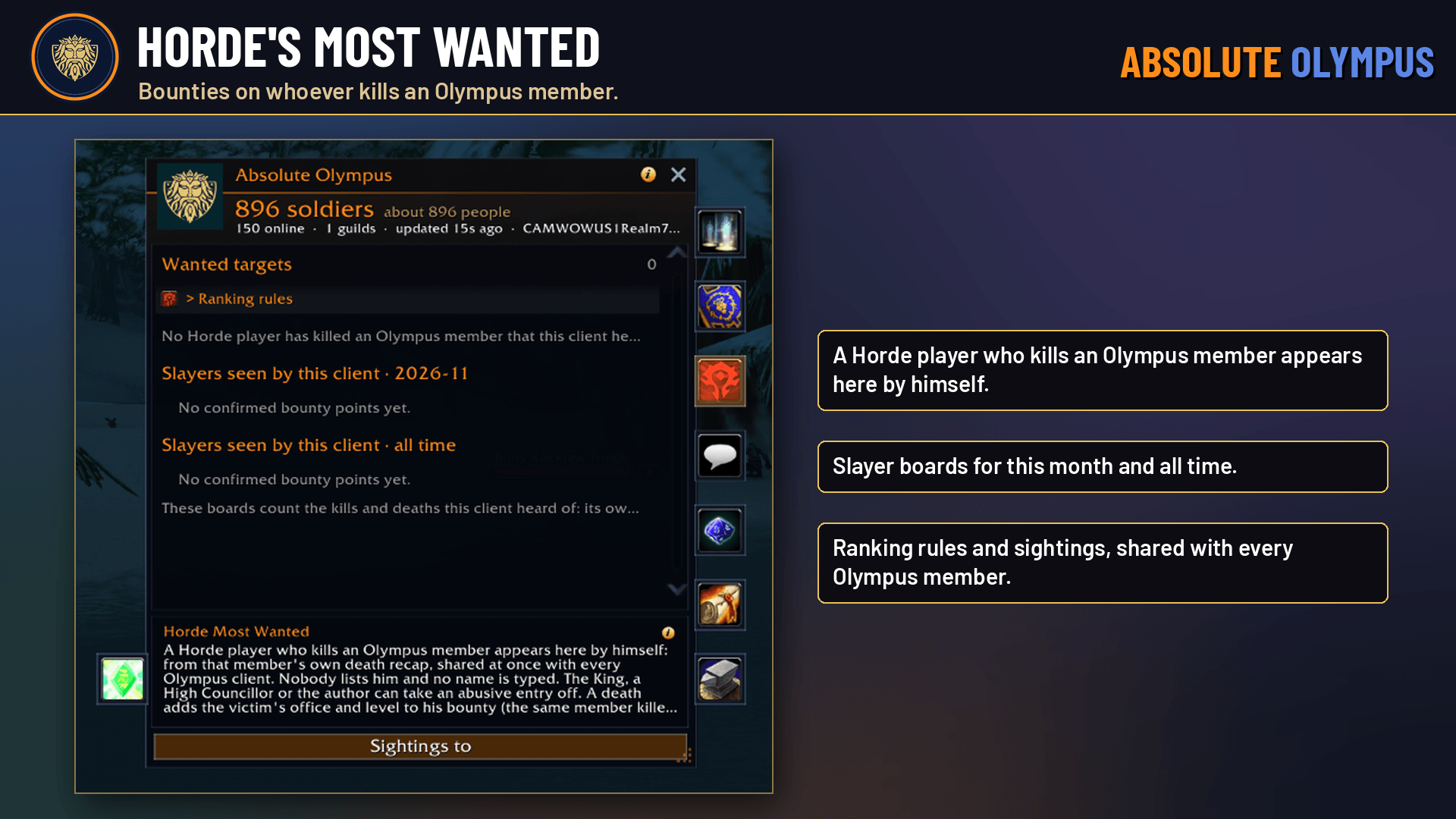
AbsoluteOlympus_Screenshot_4_Wanted.png
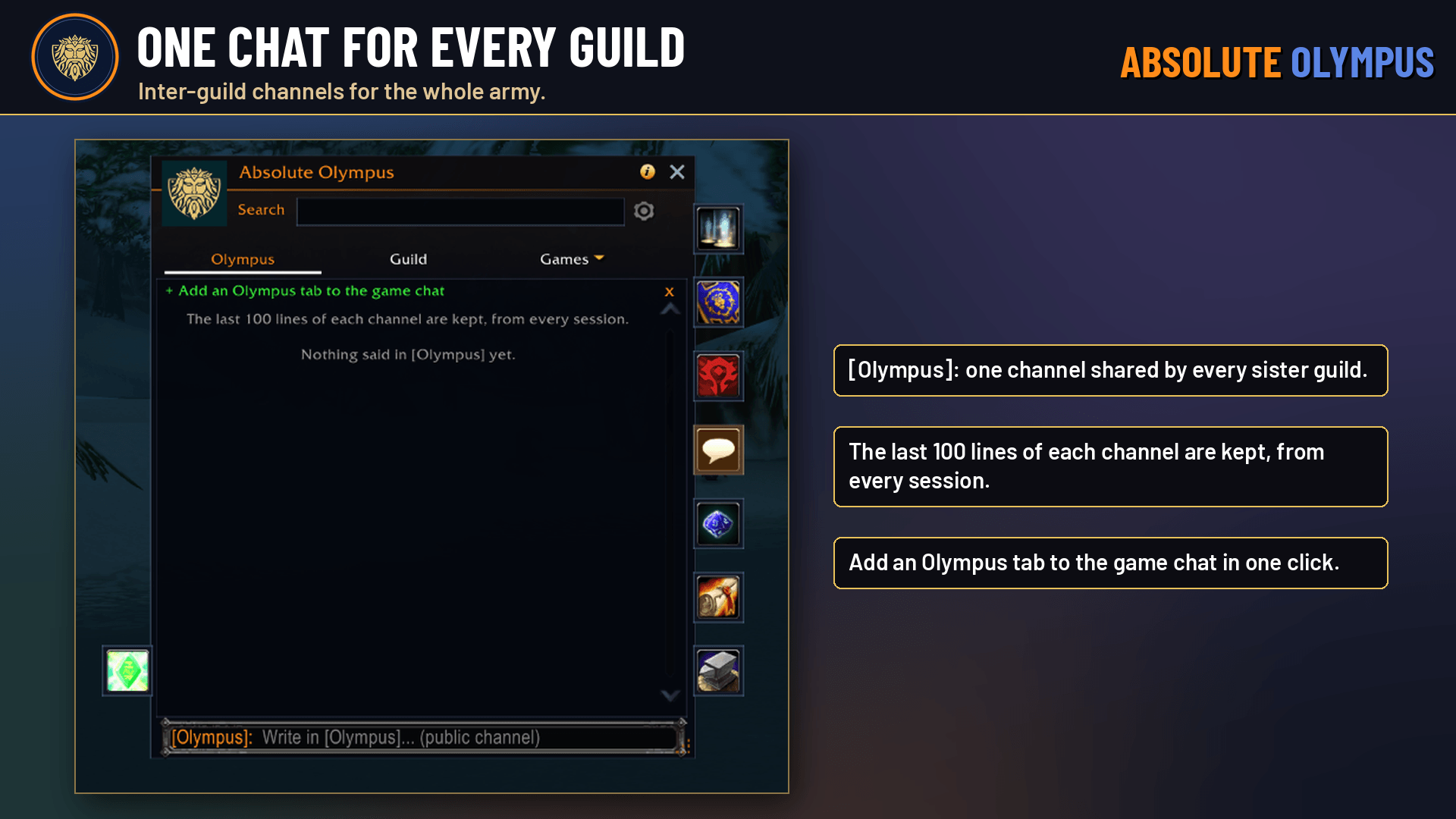
AbsoluteOlympus_Screenshot_5_Chat.png
Description
# Absolute Olympus
A fork of Olympus, streamlined for the Absolute addon family.
Link to Original Addon: https://www.curseforge.com/wow/addons/olympus-guild
Absolute Olympus is the Absolute Gaming edition of **Olympus**, the guild addon for WoW Forever. It is a fork of the original: the same addon, reworked to fit in with the rest of the Absolute addons, with bugs fixed and the code cleaned up along the way.
It is not a replacement for the original's community. Absolute Olympus speaks the Olympus protocol unchanged, so you can play alongside guildmates running the original and they see you as an up-to-date Olympus player.
> Based on Olympus by the Olympus addon contributors (MIT licence). Full credit to them for the original addon; this edition streamlines and maintains it for use with our addons.
---
## What's different from the original
**One addon instead of four**
- Olympus, Olympus Arena, Olympus Link and the Site Aggregate export are combined into a single `AbsoluteOlympus` folder. Nothing to enable separately, nothing to keep in step.
- The Arena screens still load only when you first open the arena or one of its games.
**The Absolute look**
- Every window is navy glass with the orange accent, matching the other Absolute addons: the main window, chat, whispers, letters, dialogs, cards, popups, the Arena window, the Farkle table and the Lottery board.
- Every window can be dragged and resized from the grip in its bottom-right corner. The Arena window, Farkle table and Lottery board scale instead, so their artwork stays sharp.
- Sizes, scales and positions are remembered. `/oly resetwindows` puts them all back.
- Dice, honours, emblems, icons and portraits are untouched.
**Fits with your other Absolute addons**
- No separate minimap icon. Olympus is listed in the **Absolute minimap button** with the rest of your Absolute addons, and in the game's addon list.
- Click to open, Shift-click for the Chat tab, right-click to show or hide Olympus on the map.
**Bug fixes and cleanup**
- Bugs fixed and code cleaned up throughout while folding everything into one addon.
- Updates come from Absolute Gaming, so you are no longer told to "update Olympus" when the original releases.
---
## Everything you know from Olympus still works
- The live census of every Olympus guild, guild chats, decrees, the Blood Arena, Farkle (Bones), the Lottery and the Discord link.
- All the same slash commands: `/oly`, `/olympus`, `/ol`, `/olc`, `/oll`, `/ola`, `/ogarmy`, `/olysite`. Type `/oly help` for the full list, so any guild instructions you already have still apply.
---
## Install
1. Copy the `AbsoluteOlympus` folder into your `Interface\AddOns` folder.
2. **Disable the original Olympus** and its Olympus Arena, Olympus Link and Site Aggregate addons.
3. Restart the game.
Don't run both at once. If the original Olympus is also enabled, Absolute Olympus switches itself off for that session and tells you in chat.
Your settings start fresh, because the saved variables have new names. Guild keys and the census come back from your guild within a few minutes of logging in.
---
## Bugs and support
Found a bug? Type `/oly bug`, copy the report, and post it in the **Absolute Olympus** channel on our Discord:
**discord.gg/a8nM6yvMQM**
Or email **support@absolutegaming.store**. Please send Absolute Olympus reports to us, not to the original Olympus author.
---
By **ApeTheory - Admin for Absolute Gaming LLC** · [absolutegaming.store](https://absolutegaming.store)
Absolute edition changes © 2026 Absolute Gaming LLC. Olympus © the Olympus addon contributors, used under the MIT licence.
Absolute Olympus Team