Absolute Mailbox
- By
A translucent, resizable replacement for the mailbox with a compact view that slides open, built-in gold checks on every letter, and blocked senders whose mail returns itself. Forever & Retail.
AbsoluteMailbox_Screenshot_1_Inbox.png
AbsoluteMailbox_Screenshot_2_Compact.png
AbsoluteMailbox_Screenshot_3_MailAssurance.png
AbsoluteMailbox_Screenshot_4_Blocked.png
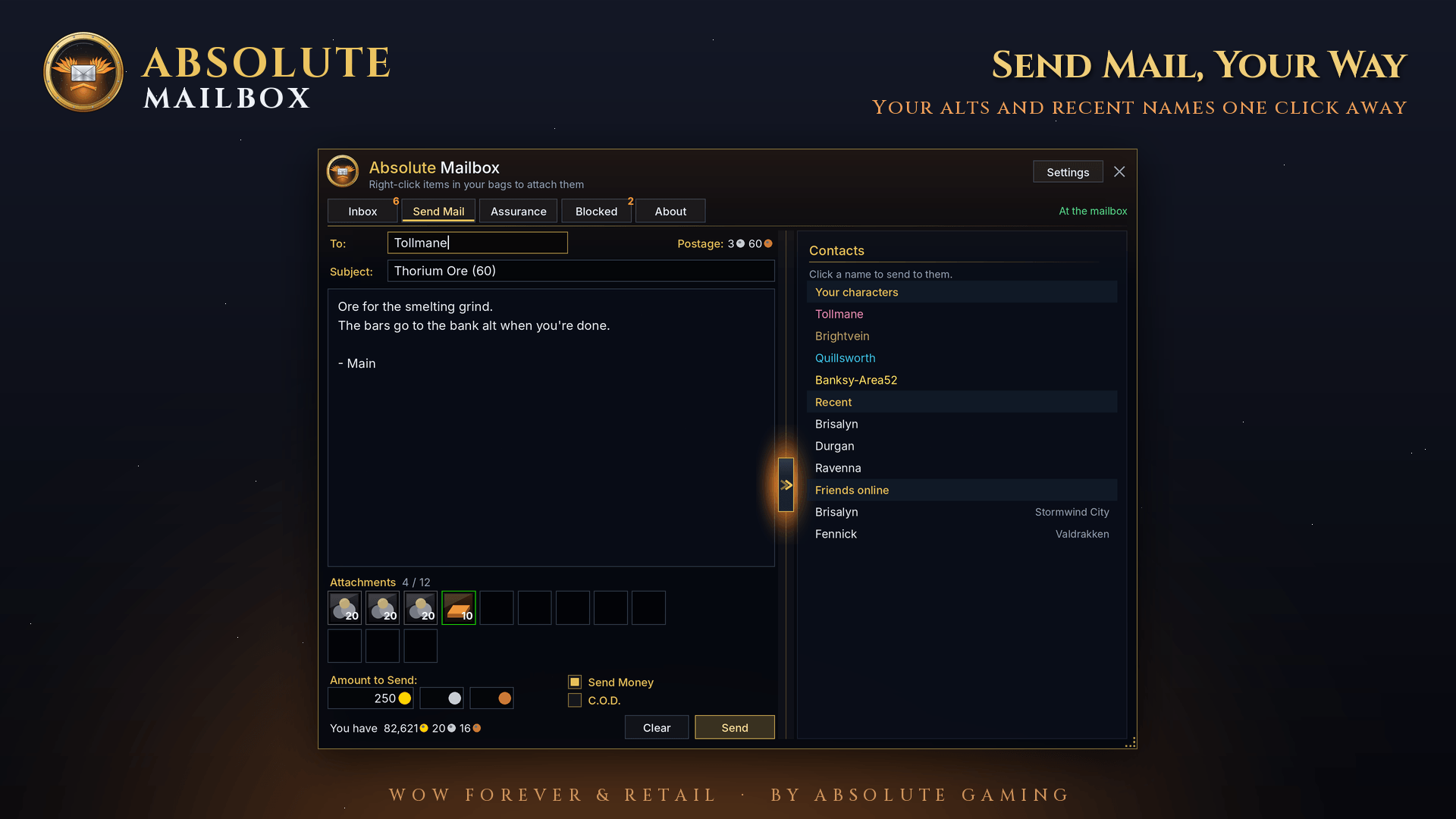
AbsoluteMailbox_Screenshot_5_SendMail.png
Description
# Absolute Mailbox
**A complete replacement for the World of Warcraft mailbox, in the Absolute style. For WoW Forever and Retail.**
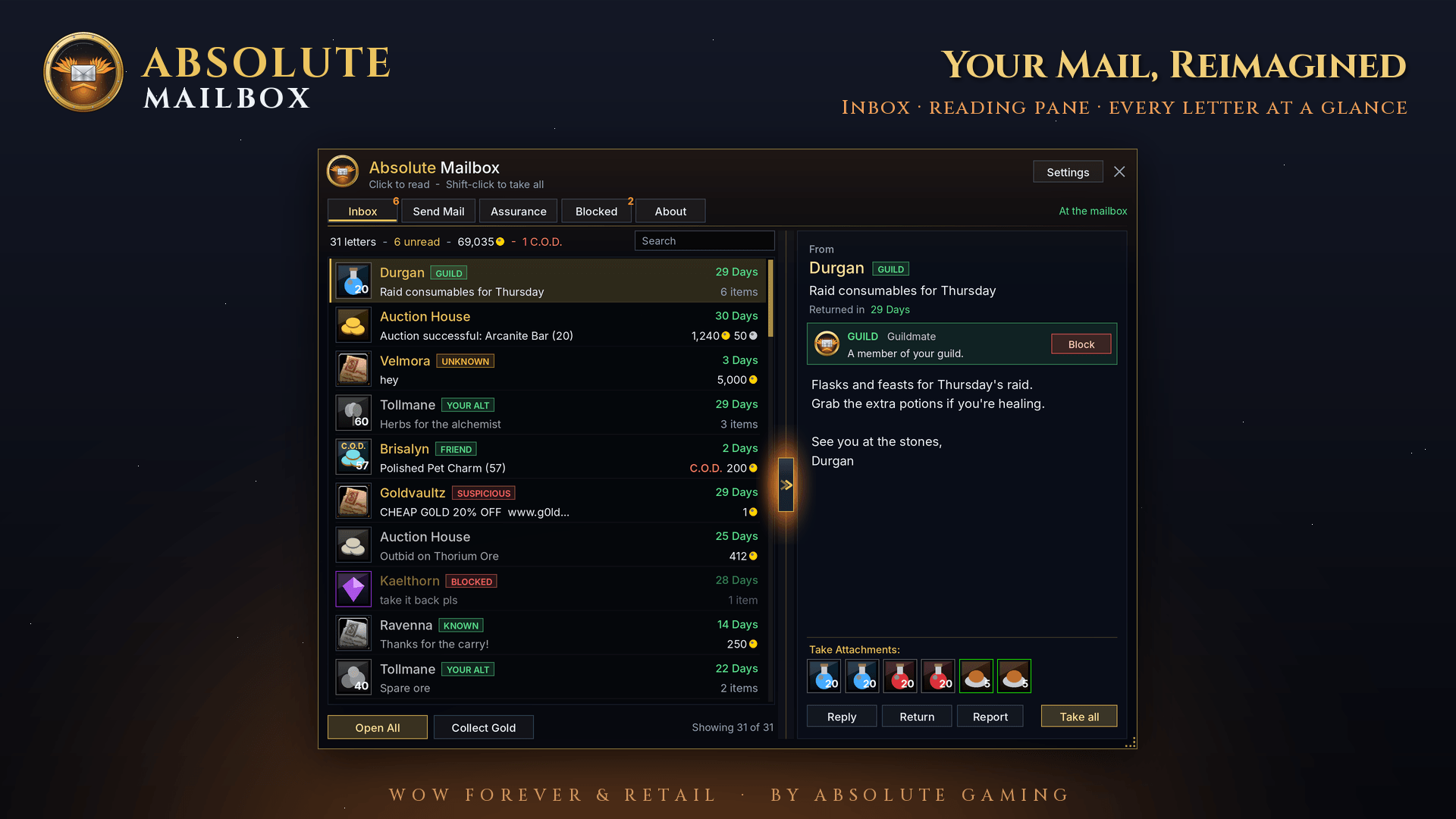
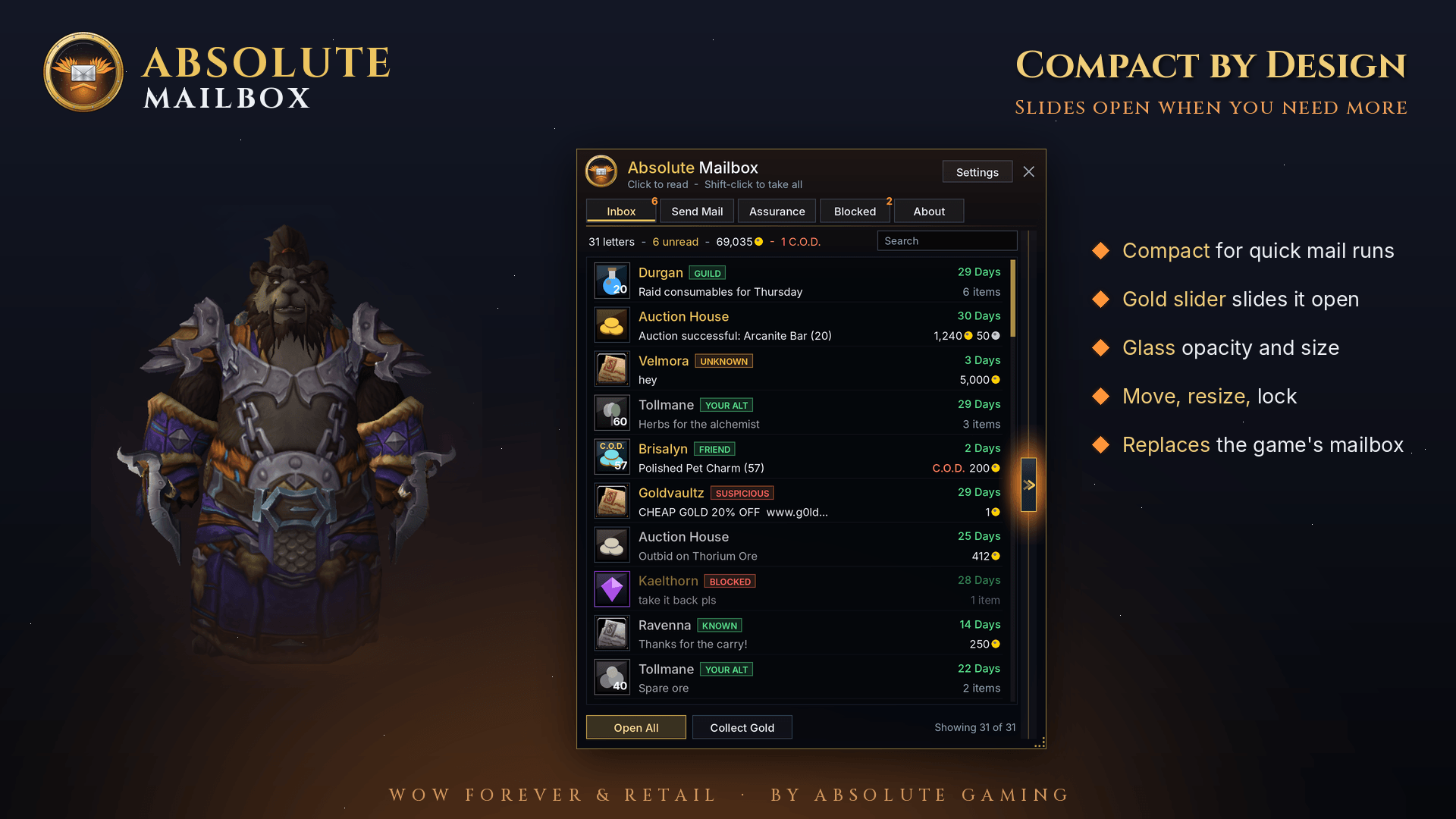
Walk up to any mailbox and Absolute Mailbox opens in place of the game's window. It's a translucent glass window you can move, resize and fade to taste. It starts compact. Click the glowing gold handle, or open a letter, and it slides open to the full view with the reading pane and more detail.
## Everything the mailbox does
- **Inbox**: every letter in one scrolling list. You see sender, subject, time left, gold, C.O.D. and item counts, with unread mail highlighted.
- **Reading pane**: the full letter, auction house invoices (sold, bought, pending funds) and crafting-order mail.
- **Take attachments**: one at a time, or **Take all**. Shift-click any letter to loot it, like the game.
- **C.O.D.**: shows the price before you pay and asks first. It warns you when you can't afford it.
- **Reply, Return, Delete, Report**, plus a permanent copy of a letter.
- **Open All** and **Collect Gold**, one safe step at a time. C.O.D. and Game Master mail are left for you.
- **Send Mail**: the game's own name completion, subject, letter, 12 attachment slots, Send Money or C.O.D., live postage and your balance.
- **Right-click bag items** to attach them, or drag and drop.
- **Search** your inbox by sender or subject.
## Mail Assurance: know who sent the gold
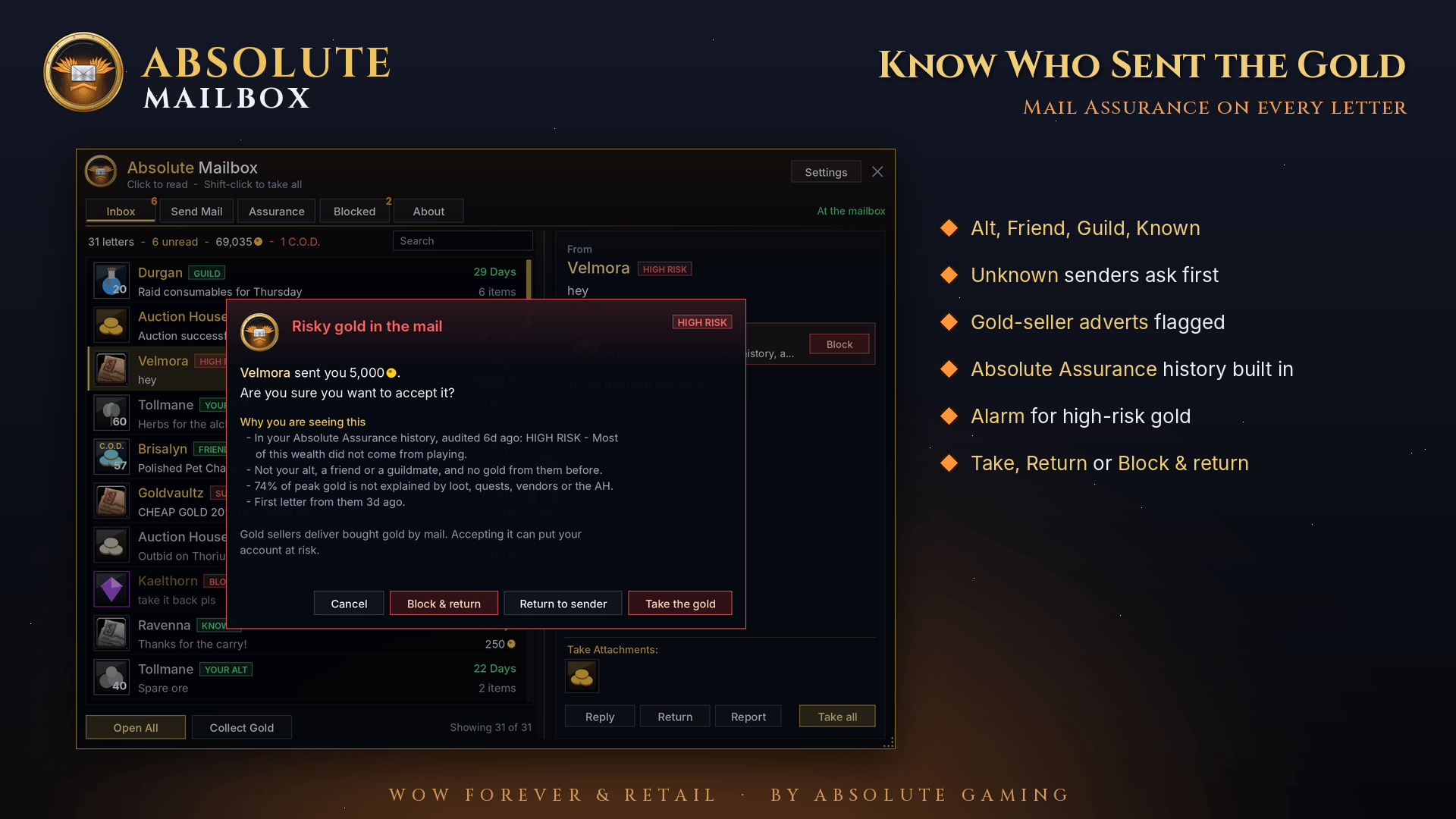
Every letter is rated the moment it arrives:
- **Your alt, Friend, Guild, Known**: people you can trust.
- **Unknown**: a player you have no history with.
- **Suspicious**: the letter carries gold-seller adverts (web links, "cheap gold", discount codes, off-game contacts).
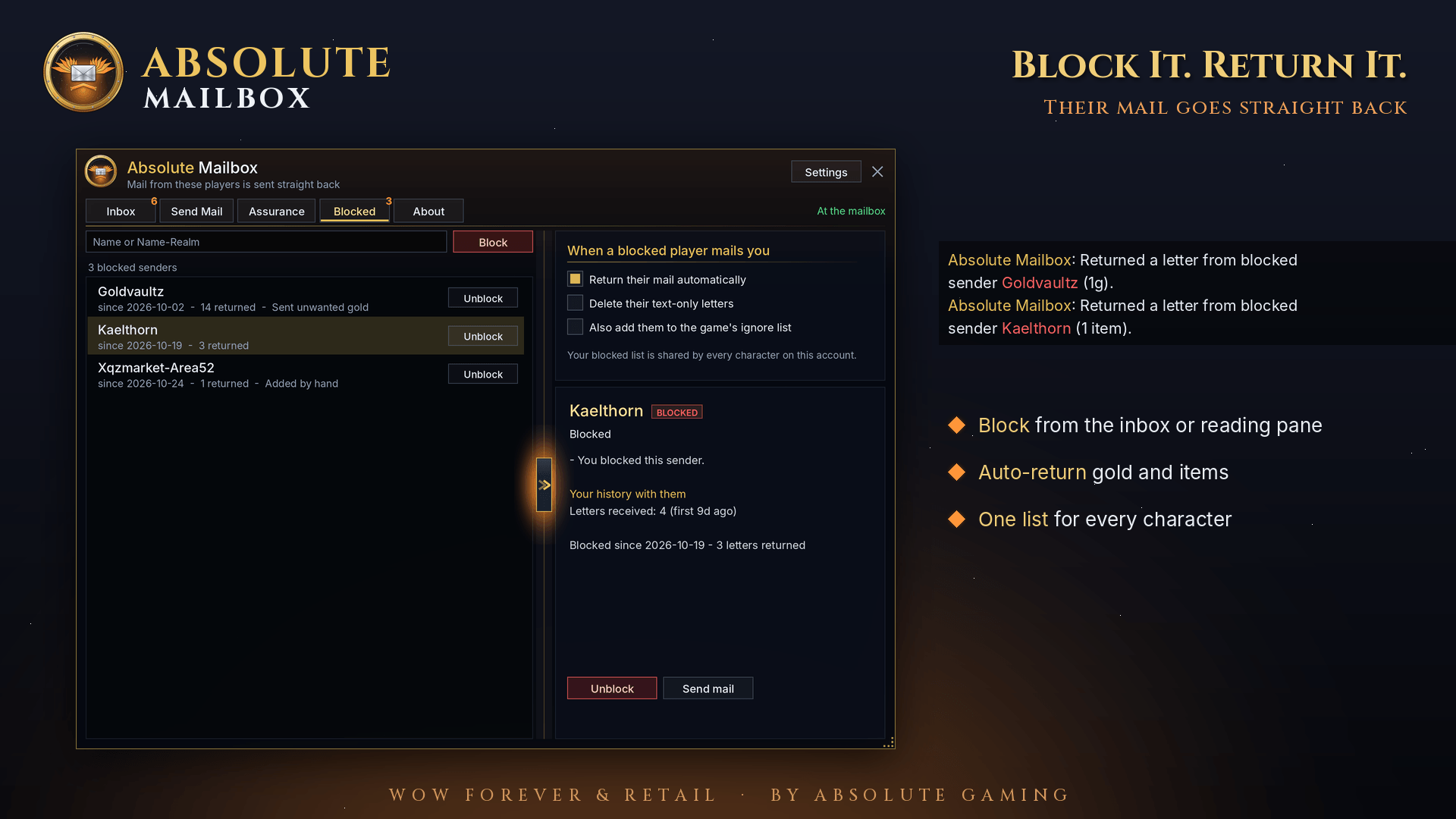
- **Blocked**: someone you've blocked.
Before you take gold from an unknown or risky sender, Absolute Mailbox stops and asks. It shows who they are, why they were rated that way, and your history with them. Then you choose **Take the gold**, **Return to sender** or **Block & return**. High-risk gold sounds an alarm and flashes a screen warning.
**Works with Absolute Assurance.** If you also run Absolute Assurance, the Mailbox uses its gold-provenance audits and your flags in every rating. Target a sender and click **Audit** to check where their gold came from.
## Block senders, return their mail automatically
Block anyone from the inbox, the reading pane or the Blocked tab. Their letters, gold and items go back to them automatically every time you visit a mailbox. Text-only letters can be deleted too. Your blocked list is shared across every character on your account.
## Gold log
Every copper you take from the mail is logged with the date, the sender and their rating at that moment. You get a running paper trail of who has paid you.
## Compact or expanded, your choice
- Compact window for quick mail runs. Slide it open for the reading pane, contacts (your alts, recent recipients, friends online) and sender details.
- The same animated gold slider as Absolute Character, with a breathing ember glow and nudging chevrons.
- Glass opacity, window size, lock position and sounds in Settings.
- Turn off **Replace the game's mailbox** at any time to use the game's window. Blocking, auto-return and gold warnings keep working either way.
## Commands
`/amail` open or close · `/amail send` · `/amail log` · `/amail blocked` · `/amail block <name>` · `/amail unblock <name>` · `/amail compact` · `/amail replace` · `/amail reset` · `/amail about`
---
**Website:** https://absolutegaming.store · **Support:** support@absolutegaming.store
Copyright © 2026 Absolute Gaming LLC. All Rights Reserved. Not affiliated with or endorsed by Blizzard Entertainment.
Absolute Mailbox Team