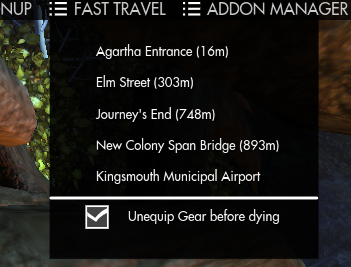
View of the Fast Travel menu in Kingsmouth
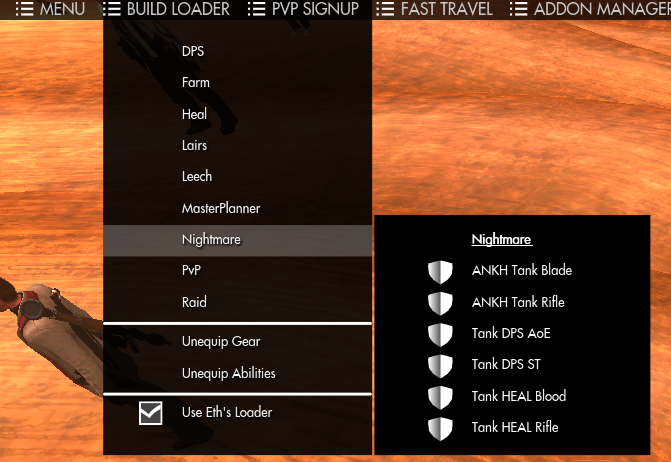
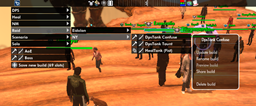
Example of the sub-menu organisation

View of the Top Menu
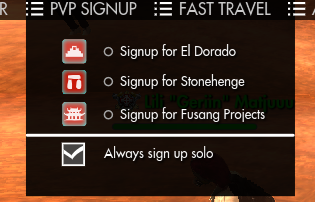
View of the Signup menu outside of PvP Areas
Description
TopMenu+ is replacing the game's top menu (the black bar) and thus won't work if you already have another mod doing it.
Build Loader
An easy to access menu to quickly change builds. To make sorting easier now that the game allows up to 100 builds per characters, the first word (separated by spaces) of a build's name is used as its category to separate builds in different submenus.
Also, by toggling the option at the bottom of the menu you can switch between the game's build loader and the one I wrote when Funcom one wasn't reliable enough.
PvP Signup
Quickly sign up as group or alone for all the battlegrounds, without having to switch to the PvP screen.
Fast Travel
Quickly travel to another anima well in the same zone. The addon will type /reset, ask you to press enter to kill you, select the destination well and send you there. As an addon bonus you can toggle the option on (in the menu itself) to unequip your gear before typing /reset
Addon Manager
Hooks on other addons to let you access them or their settings window from top menu, including the TopMenu+ settings. You can choose to hide other addons' icons in those settings, to clean up your screen.
Addons have to be added inside TopMenu+'s code, so if there is one you'd like to see in that menu, suggest it in comments and I'll have a look at it.
Known Issues
- If your gear setup includes a missing item, it will leave the currently equipped item. Not sure if it's really an issue (especially now that you can save builds without gear), that's the best way to deal with that situation that I found
- If you save a build without abilities, the addon will most likely leave you with an empty ability bar when loading it (so load the gear first and the abilities next if they're in separate builds)
- If you have any abilities currently recharging, they won't be swapped but you'll get the "build loaded succesfully" message
- The hover effect becomes persistant in the menus sometimes, but it's just a visual bug and they'll keep working as intended
Installation Instructions
- Extract the content of the Flash folder into The Secret World\Data\Gui\Customized\Flash\ folder
- Restart the game
You should have those files installed in your game directory
- ...\The Secret World\Data\Gui\Customized\Flash\TopMenuPlus\CharPrefs.xml
- ...\The Secret World\Data\Gui\Customized\Flash\MainMenuWindow.swf
Uninstallation Instructions
Delete the above files and /reloadui or restart the game
The TopMenu+ Team


Owner