Wear any look over your real gear.
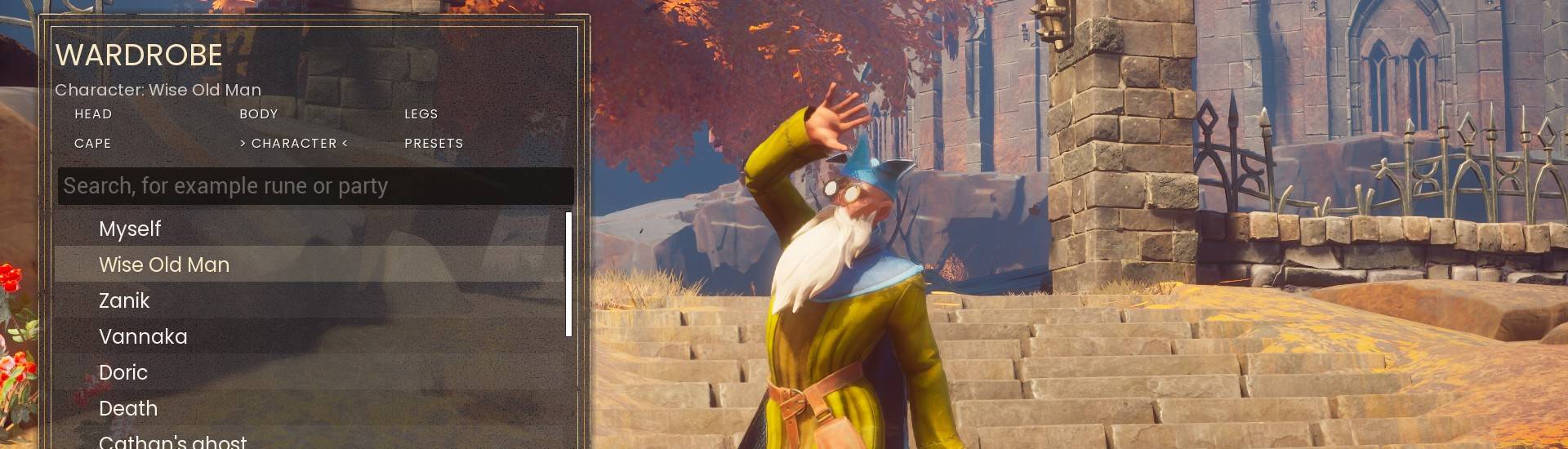
Pick a look for your head, body, legs and cape from every wearable in the game, or turn into a character like the Wise Old Man. Your real gear stays on and keeps doing its job. Only you see it.
What it does
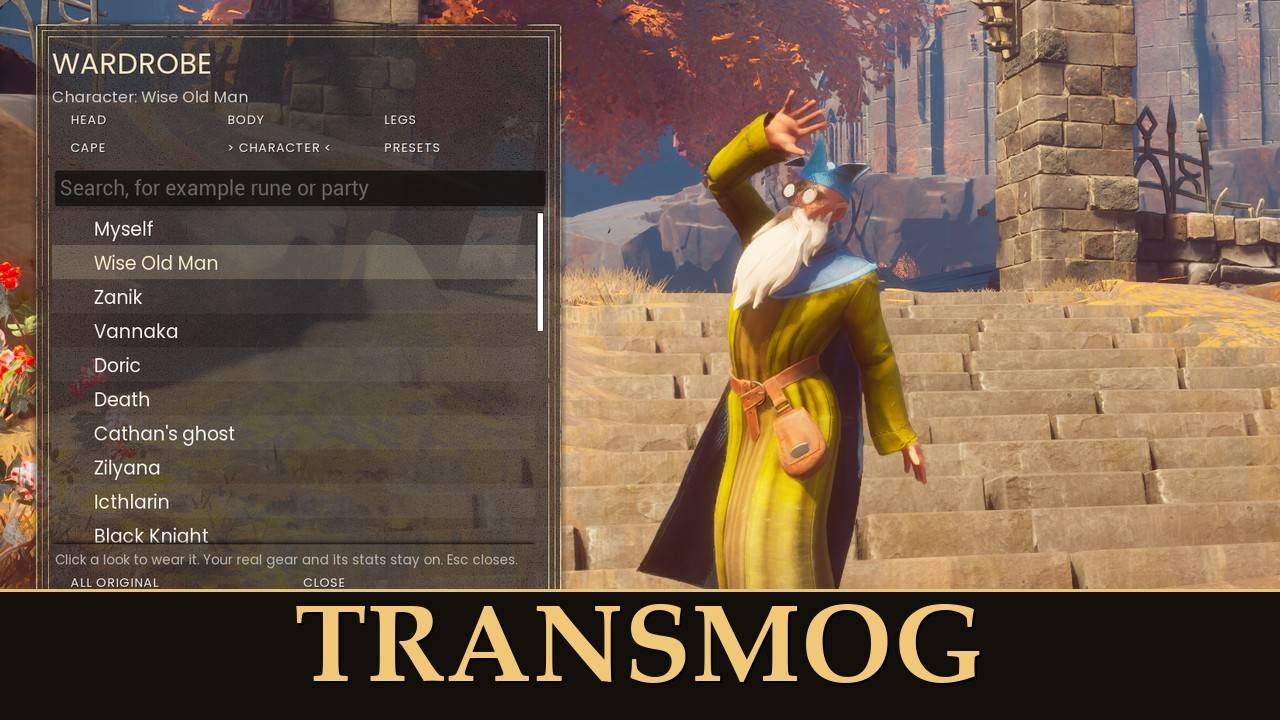
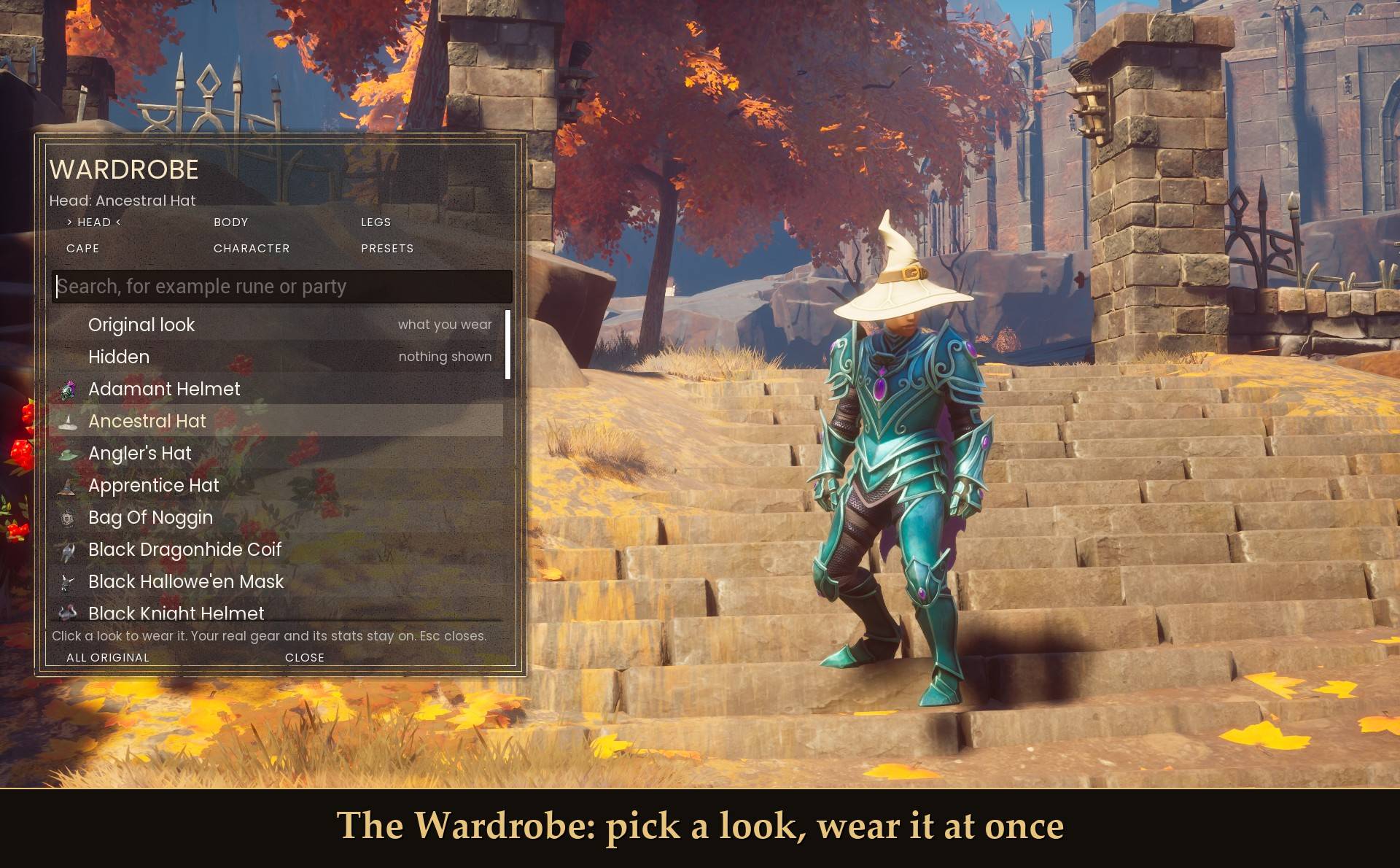
- A Wardrobe window: press T to open it. Tabs for Head, Body, Legs, Cape, Character and Presets, a search box and item icons. Click a look and you wear it right away.
- Every head, body, legs and cape item in the game, including items other mods add, like hats from my Party Hats.
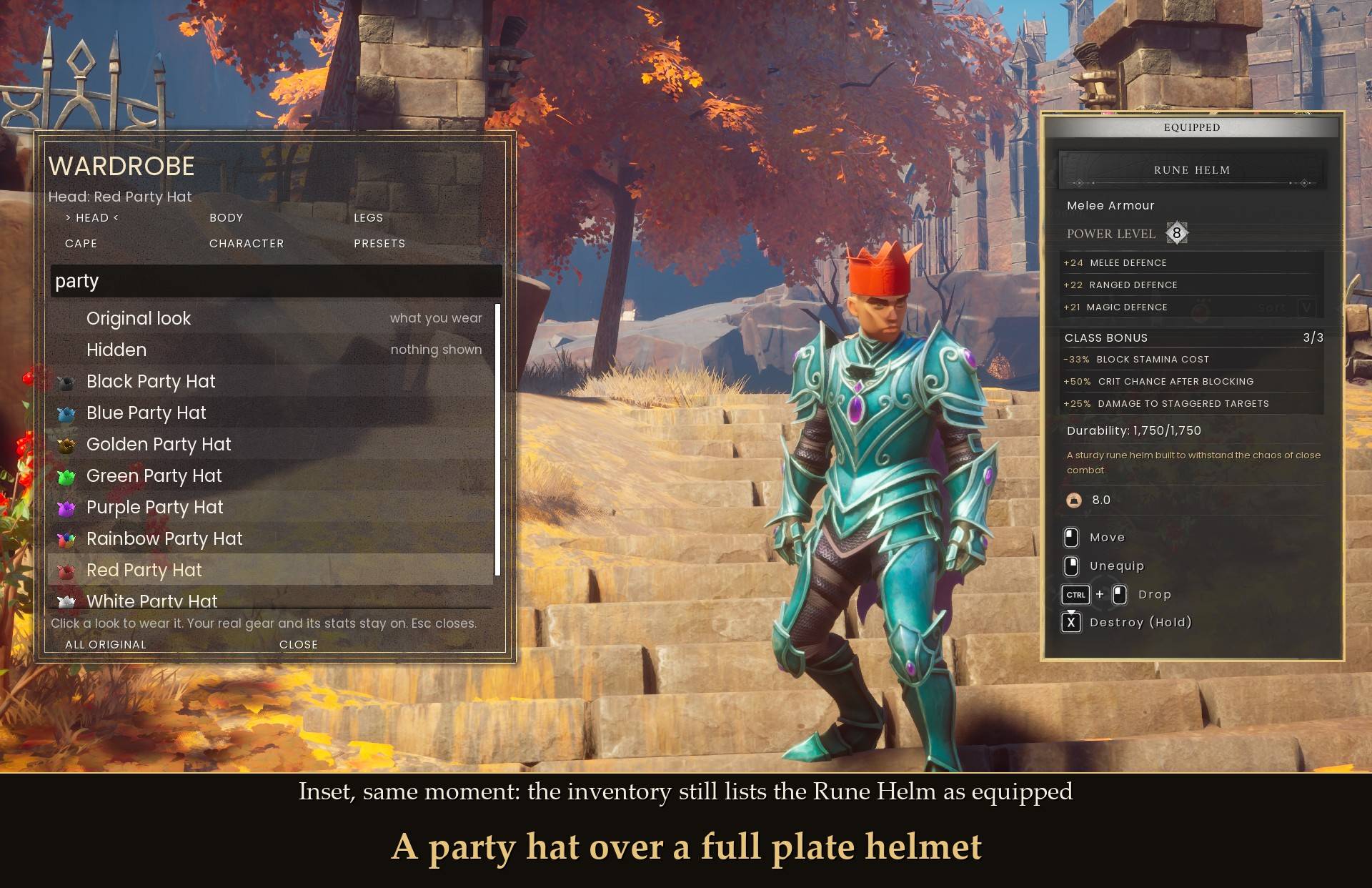
- Your real gear stays equipped. Armor, set bonuses and durability work as normal. Only the look changes.
- Hidden: show nothing in a slot, so you can hide a helmet or a cape.
- Become a character: 30 of them, like the Wise Old Man, Zanik, Vannaka, Doric, Death and the Black Knight. They move with you, and your gear still counts.
- Presets: save up to 8 outfits and put one on with a click.
- Works on a controller through Mod Menu: every look, character and preset is there too.
- Remembered: your looks are still on after you restart the game.
The Wardrobe
Press T while you play. The window has six tabs:
- HEAD, BODY, LEGS, CAPE: every look for that slot, with its icon. Click one to wear it. Off shows what you really wear, Hidden shows nothing in that slot.
- CHARACTER: turn into a character (see below).
- PRESETS: your saved outfits.
Click the search box and type to filter the list, for example "rune" or "party". ALL ORIGINAL puts your real gear back on every slot at once. CLOSE or Esc closes the window.
Rings are not in the lists, since they have no model to show. Deluxe Edition items are left out too.
The Wardrobe window is mouse and keyboard. On a controller, use the Mod Menu page (see Settings).
Party hats and masks
With my Party Hats (1.0.1 or newer) installed, every party hat shows up in the Head tab. Wear your best helmet and pick a party hat as the look: you keep the helmet's armor and see the hat.
Become a character
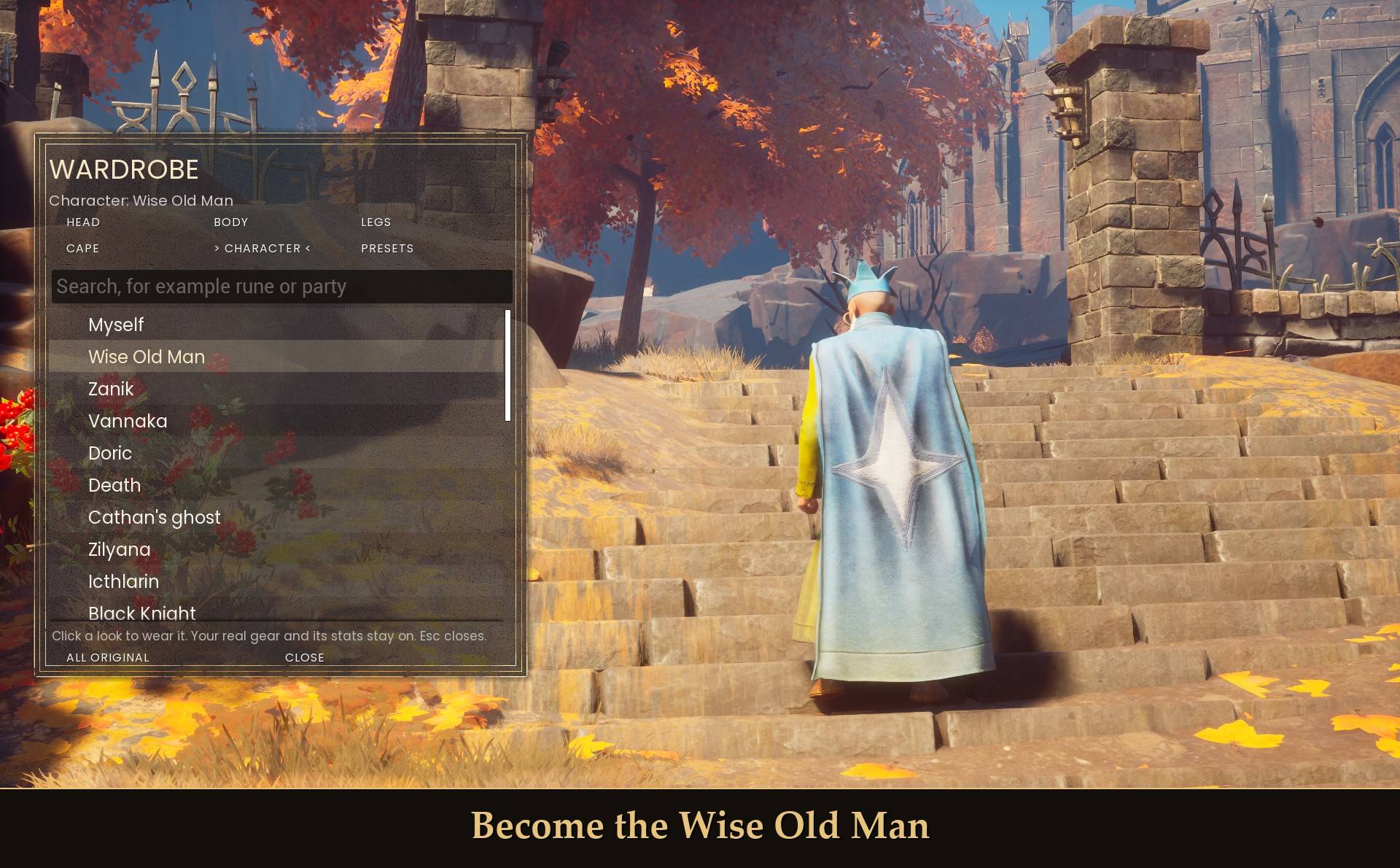
Pick one in the Character tab and your whole character takes that look. The Wise Old Man even comes with his cape. They move with your animations, and your gear still counts for armor and set bonuses. Their faces don't move.
The 30 characters: Wise Old Man, Zanik, Vannaka, Doric, Death, Cathan's ghost, Zilyana, Black Knight, Black Knight (female), Black Knight Titan, Zamorak mage, Zamorak acolyte, Lesser demon, Demon lord, Goblin, Goblin archer, Goblin runt, Skeleton, Skeleton mage, Skeleton archer, Goblin skeleton, Zombie, Moon Garou, Kot'Haar Ket, Kot'Haar Xil, Beast druid, Beast elder, Beast hunter, Beast berserker and Beast thane.
If you also use my First Person POV, you see your own arms in first person and the character in third person.
Presets
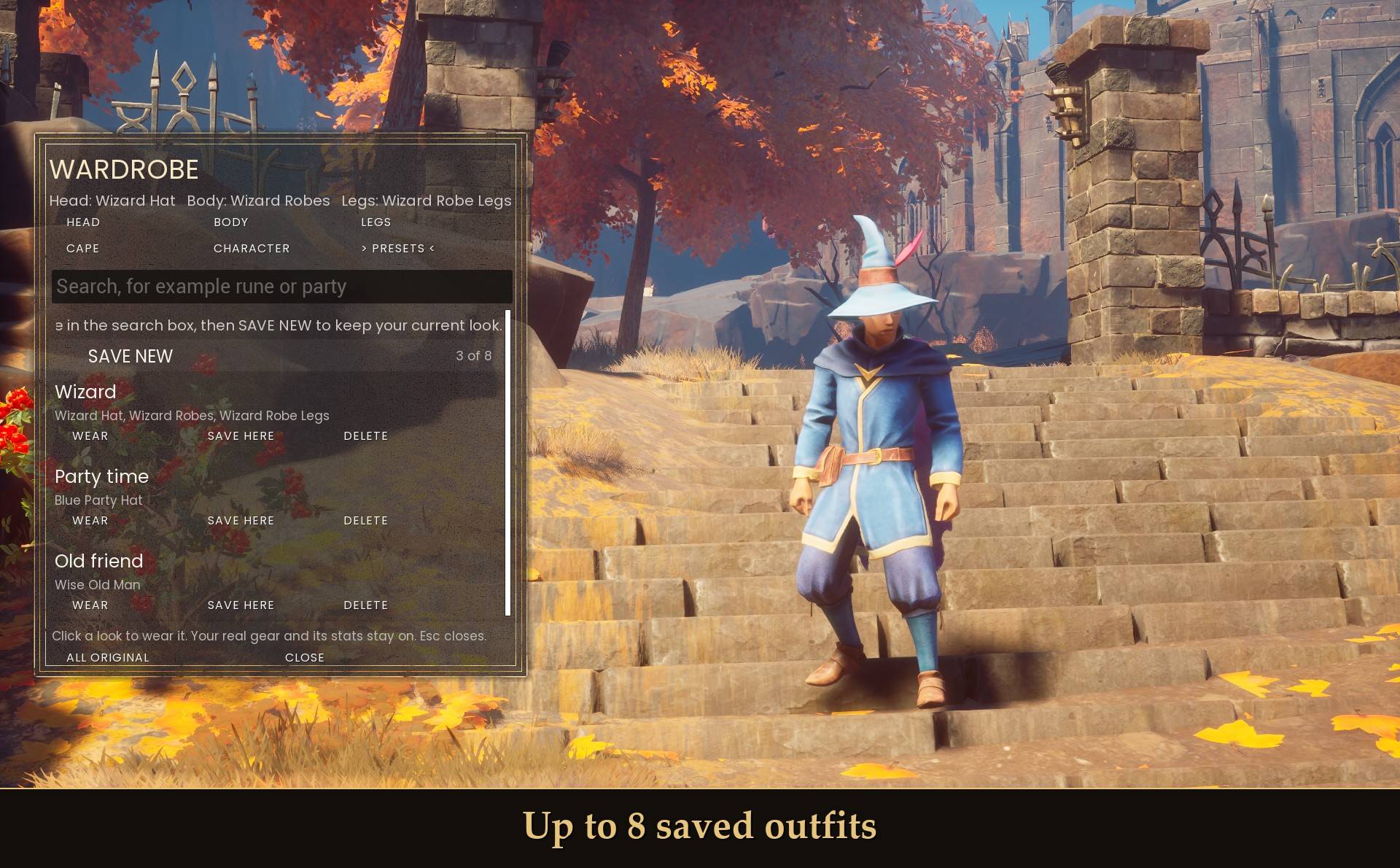
A preset keeps your character pick and all four slot looks together. You can have up to 8.
- Save one: type a name in the search box on the Presets tab, then click SAVE NEW.
- WEAR puts that outfit on.
- SAVE HERE replaces that preset with what you wear right now.
- DELETE removes it.
Settings
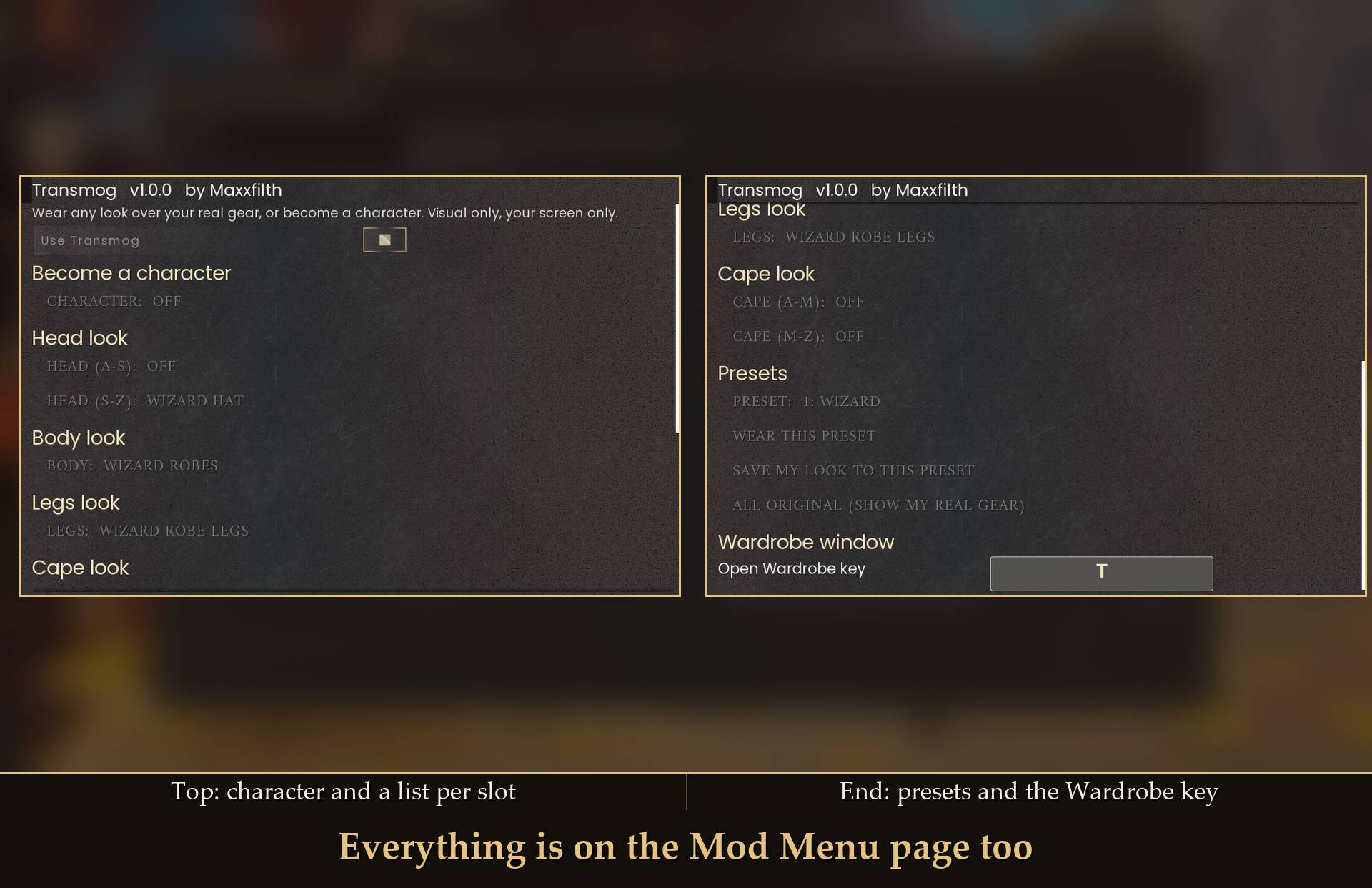
All live in Mod Menu (Esc > MODS > Transmog), or in config.txt in the mod folder (restart the game after editing it).
- Use Transmog (default on): off shows your real gear again.
- Character (default Off): Off or one of the 30 characters.
- Head, Body, Legs, Cape (default Off): Off shows what you wear, Hidden shows nothing in that slot, or pick any look. Mod Menu lists hold 48 looks each, so a long slot (like Cape) is split into two lists by name, for example Cape (A-M) and Cape (M-Z). The list you changed last wins.
- Preset (8 slots), with the buttons Wear this preset and Save my look to this preset. Name your presets in the Wardrobe.
- All original (show my real gear): a button that sets every slot and the character back to Off.
- Open Wardrobe key (default T): the key that opens the Wardrobe window. Applies after a restart.
Your picks are shared by every character you play. Presets are kept in presets.txt in the mod folder.
Install
- Install UE4SS for RSDragonwilds (free, from the UE4SS for RSDragonwilds page on Nexus Mods).
- Drop the
Transmog folder into RSDragonwilds/Binaries/Win64/ue4ss/Mods/
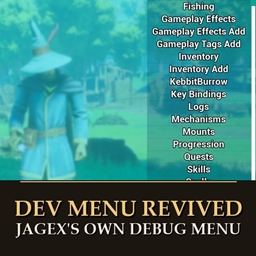
- Optional: install Mod Menu to pick looks on a controller and change settings in game.
- Optional: install Party Hats 1.0.1 or newer for party hat looks.
On Game Pass: use the BE version of UE4SS with the SCO signature, the normal build does not load there. Game Pass also installs the game under Binaries/WinGDK/ instead of Binaries/Win64/, so the Transmog folder goes in RSDragonwilds/Binaries/WinGDK/ue4ss/Mods/. If you install with Vortex, check that is where it ended up.
To uninstall, delete the Transmog folder. Your real gear shows again.
Good to know
- It only changes how you look. It never adds, removes or changes an item. The gear you really wear is what counts in a fight.
- Only you see it. It runs on your own PC and is built so other players keep seeing your real gear (co-op is not tested yet).
- Not in 1.0: weapon and tool looks, dyes or colors, and different looks per character.
- Typing in the search box: other mods that use a single letter as their key (for example U, N or E) can still react while you type.
- The lists come from what the game has loaded, so they grow when you add mods with new wearables.
- Not sure it is running? UE4SS.log shows a line starting with
[Transmog] v1.0.1 loaded. If something goes wrong, set Verbose = true in config.txt, play until it happens, and attach UE4SS.log to your bug report.
Tested on RuneScape: Dragonwilds 1.0 with UE4SS 3.0.1 (Steam), single player, with Party Hats installed: the Wardrobe window and all six tabs, a party hat look over a real helmet, the Wise Old Man, real gear staying equipped under a look, Hidden slots, saving, wearing and deleting presets, first person with First Person POV, the Mod Menu page on a controller, and restarting the game with looks on. Not tested yet: co-op (host or guest, and what other players see), Game Pass.
Links
Also on Nexus Mods: Transmog on Nexus Mods. Party Hats is on Nexus Mods: Party Hats. First Person POV is on Nexus Mods: First Person POV.