Set your own waypoints and hop to lodestones you've found
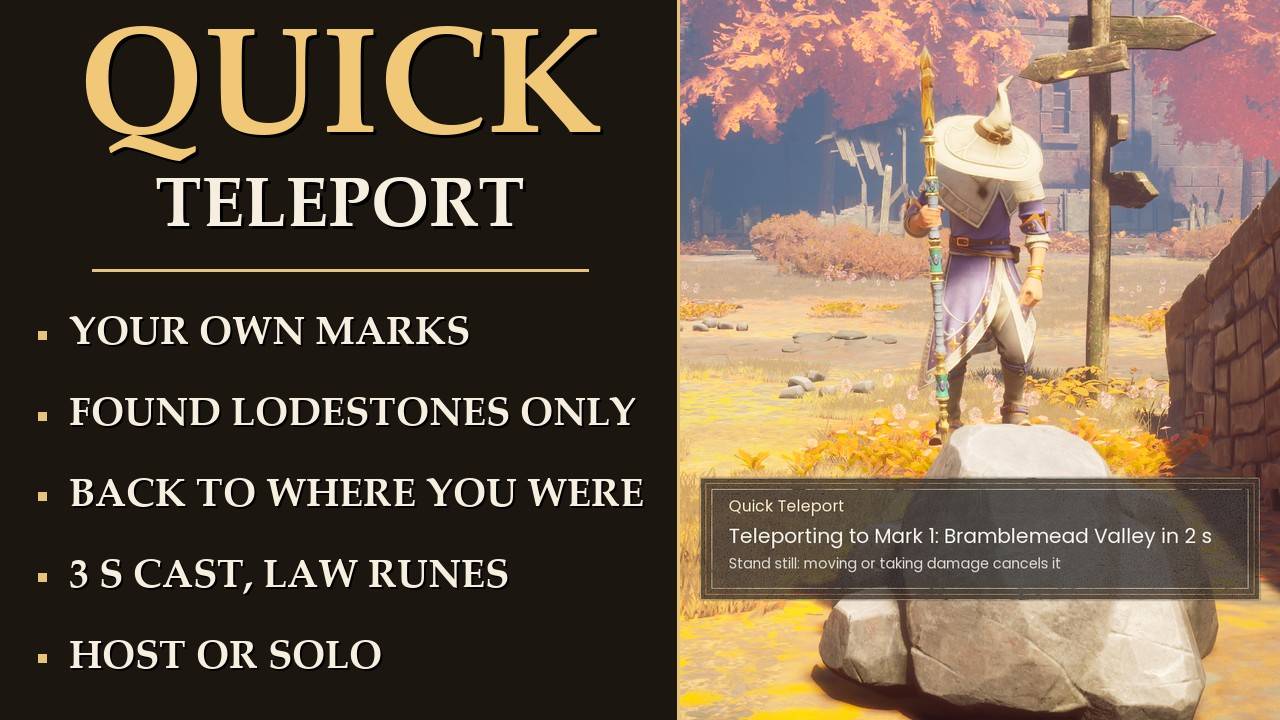
Up to 3 marks of your own, a BACK button, and travel to any lodestone your world has already unlocked, from wherever you're standing. It's a short cast and it costs Law runes like the game does.
Needs UE4SS. Mod Menu is optional. On a server you join, the server needs the mod too.
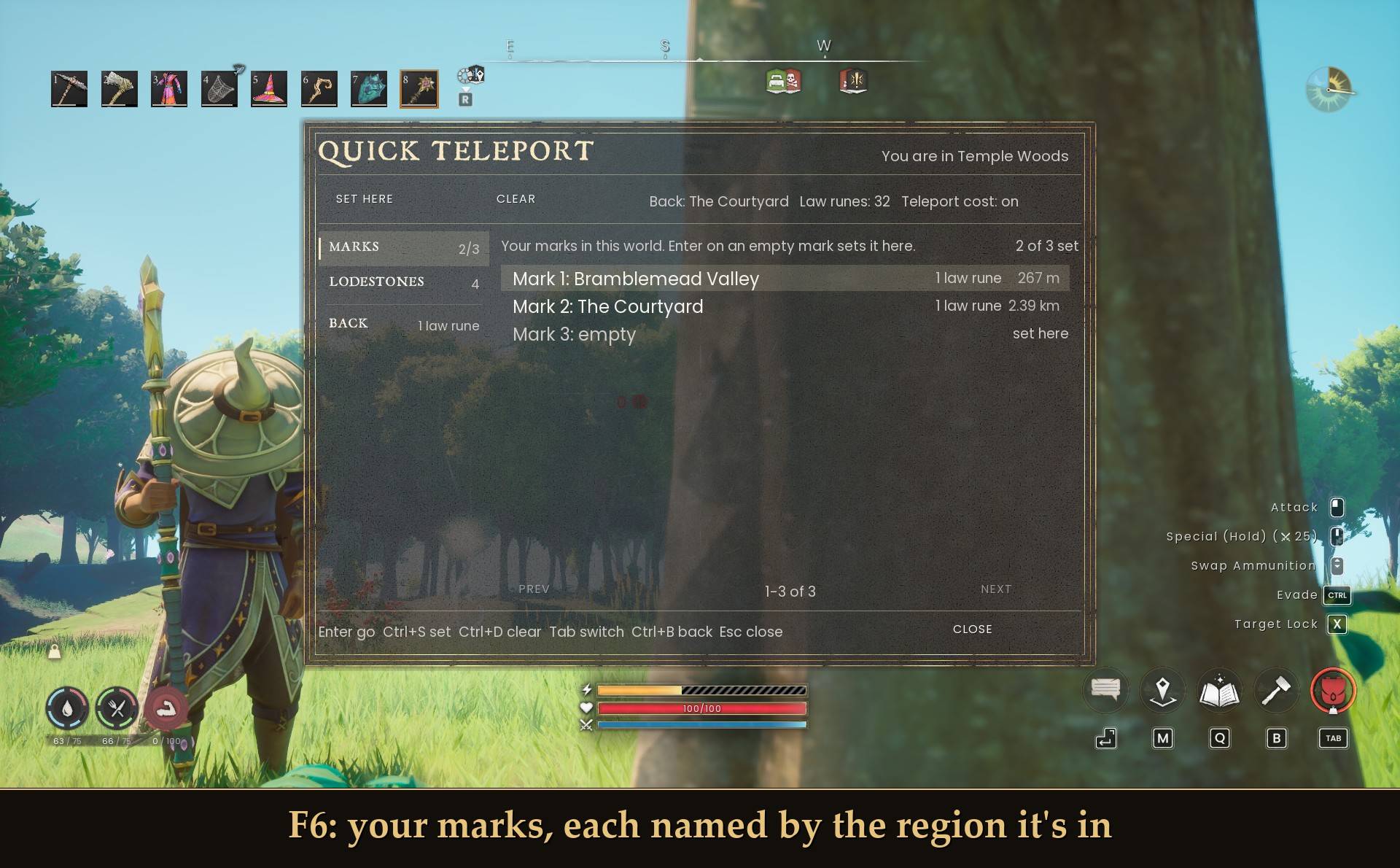
F6: your marks, each named by the region it's in
In the base game you get around by lodestone: walk up to one, use it, pick another on the map, and pay Law runes if your world charges for it. A lodestone gets added to your world when you get near it, and the game saves that.
I kept running back to the same handful of spots, and walking to a stone first every time got old. I wanted my own marks and my found lodestones usable from anywhere, but not a teleport-anywhere cheat. So this only goes places you've already been, takes a few seconds to cast, and charges what the game charges.
What it does
- Marks: 3 per world (1 to 5 in the settings). Stand somewhere, set a mark, and it's named after the map region you're in, like "Mark 1: Bramblemead Valley". Caves and other spots outside every region show as "Unmapped spot". Marks are still there after you quit and come back.
- BACK: takes you to where you stood before your last teleport. Use it twice and you bounce between two spots. BACK isn't saved, it's gone when you quit.
- Lodestones: every lodestone your world has already unlocked, named "<Region> Lodestone" (numbered if a region has two), nearest first.
- The game's price: a lodestone hop costs what the game charges for that trip. A mark or BACK is 1 Law rune by default. If lodestone travel is free in your world, all of it is free.
- Panel on F6, an entry in the pause menu for controller players, or a one-line text picker if you'd rather.
What it won't do
This is the fair part, so I'll be exact.
- No lodestones your world hasn't unlocked. Go find it first. Once the game adds it, it's in the list the next time you open the panel.
- It never unlocks anything. It only reads the world's lodestone list. It never writes to it, and it never calls the game's own unlock or lodestone teleport functions.
- It doesn't touch your save. Marks go in a small text file in the mod folder.
- Marks are spots you've stood on. You can't type in a place or pick one off the map.
How a teleport goes
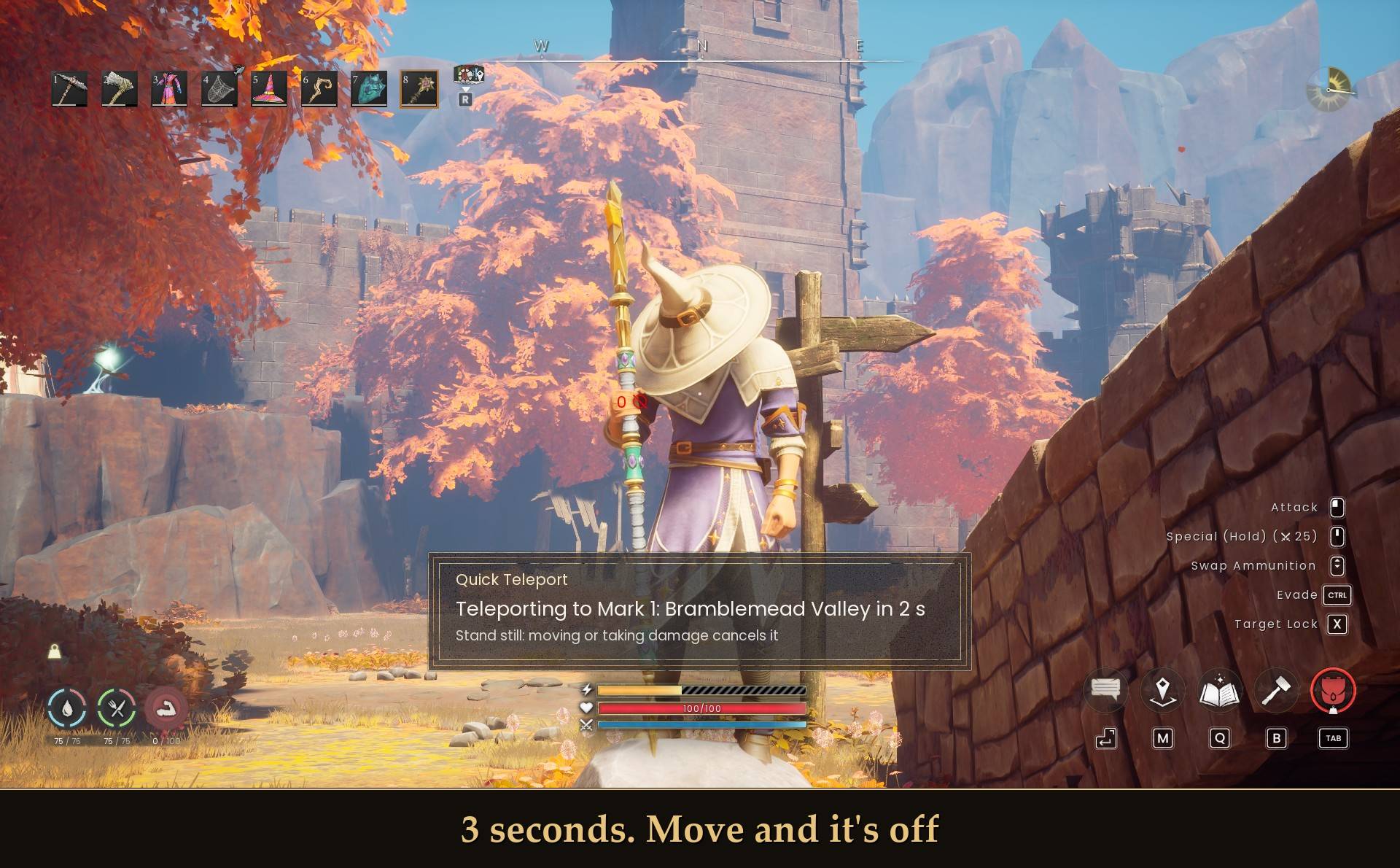
3 seconds. Move and it's off
- Pick a mark, BACK or a lodestone. It checks the cooldown, your runes and whether you're already there first. If something's off it tells you and nothing happens.
- The cast: "Teleporting to Mark 1: Bramblemead Valley in 3 s" counts down, with "Stand still: moving or taking damage cancels it" under it. Move more than half a meter or lose any health and it's cancelled. Healing doesn't cancel it. Open the pause menu and the countdown waits for you.
- The runes come out at the end of the cast, right before you move. A cancelled cast costs nothing.
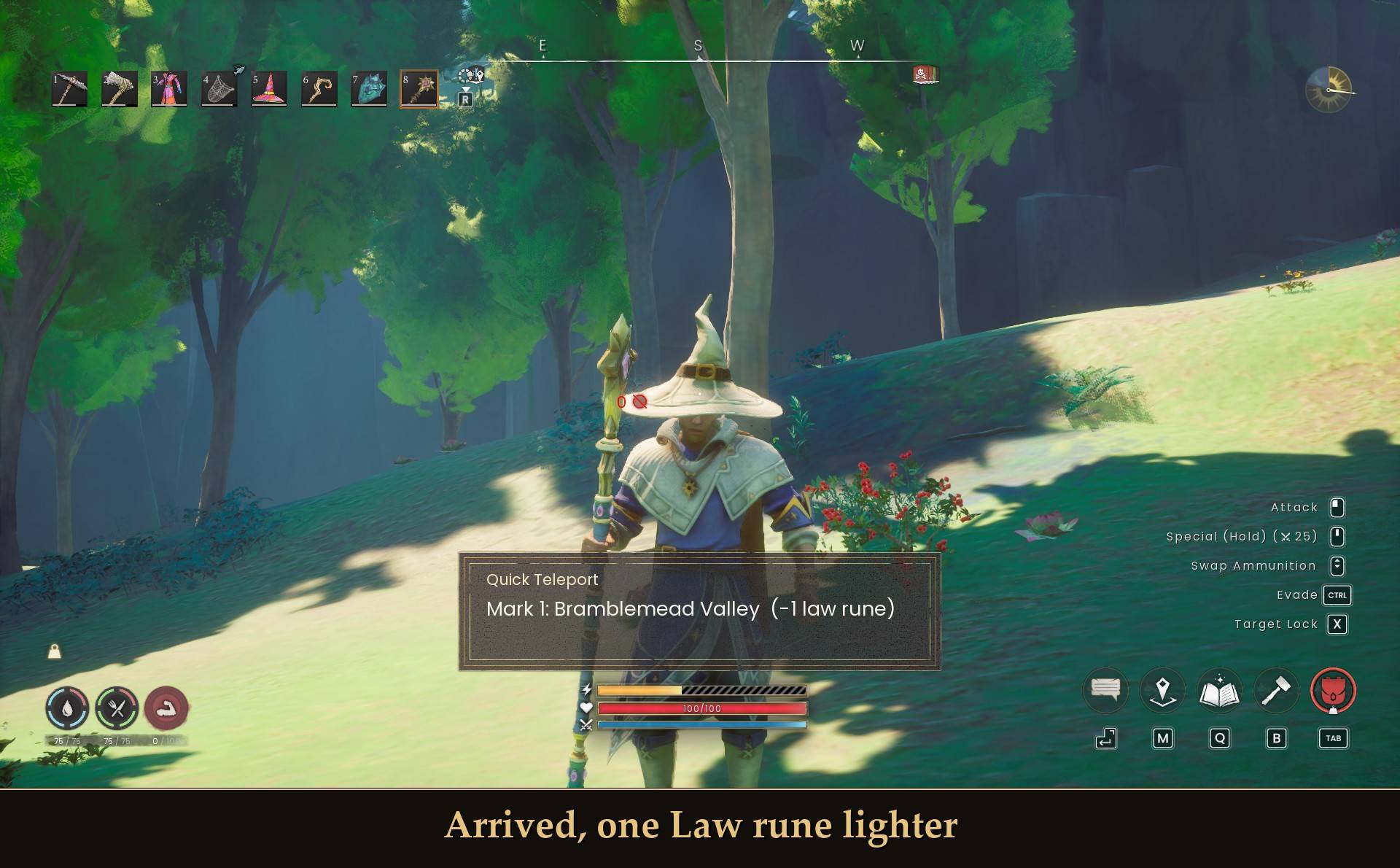
- You land with a small message like "Mark 1: Bramblemead Valley (-1 law rune)", then it's 30 seconds before the next one ("Ready in 12 s" if you try early).
Fall guard: for 10 seconds after you land, if you drop more than 20 m below the landing spot, it puts you back where you cast from and gives the runes back ("No ground at <place>. Moved you back, runes returned"). BACK and the cooldown go back to how they were, so a bad landing costs you nothing.
At a lodestone you land on the respawn spot the game keeps for that stone, right on the platform. If that spot is missing or more than 30 m away, you land 3 m east of the stone.
Lodestones and what they cost
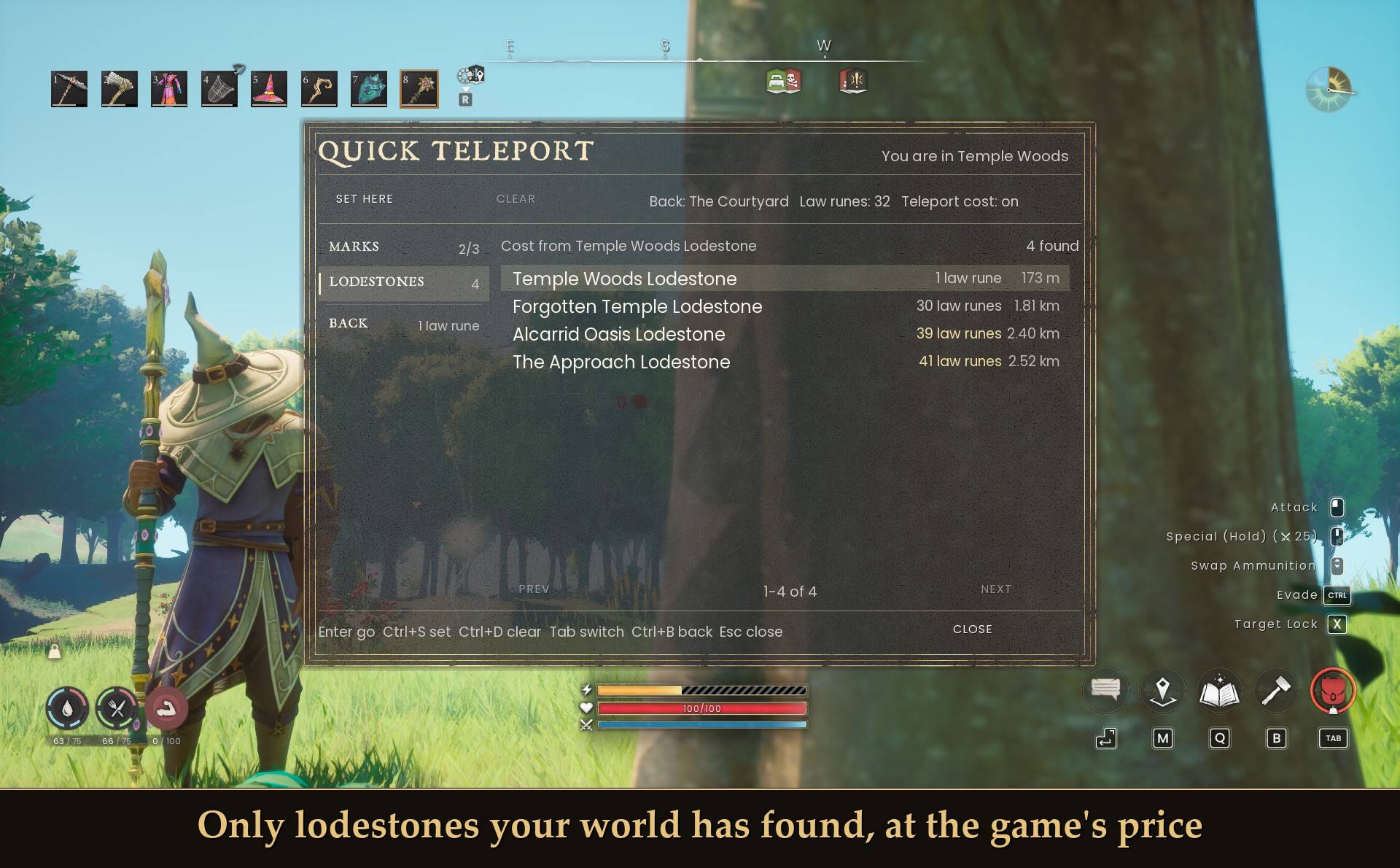
Only lodestones your world has found, at the game's price
- Lodestone hop: whatever the game charges for that hop from the unlocked lodestone nearest you. The panel names that stone at the top of the list ("Cost from Temple Woods Lodestone") and every row shows its price before you go. There's no price list in the mod, it asks the game each time you open the panel. Don't go by a fixed number either: the same hops came out a few runes different between two of my test sessions, so the panel is the one to trust.
- Mark or BACK: 1 Law rune by default, 0 to 5 in the settings.
- Free worlds stay free: every row says "free", the list says "Teleport cost is off in this world.", and the panel shows "Teleport cost: on" or "off" so you know which one you're in.
- Can't afford it? The cost shows in amber and you get "Needs 3 law runes (you have 1)". Only Law runes in your inventory count, not ones in a chest. Runes split over two stacks are fine.
The panel
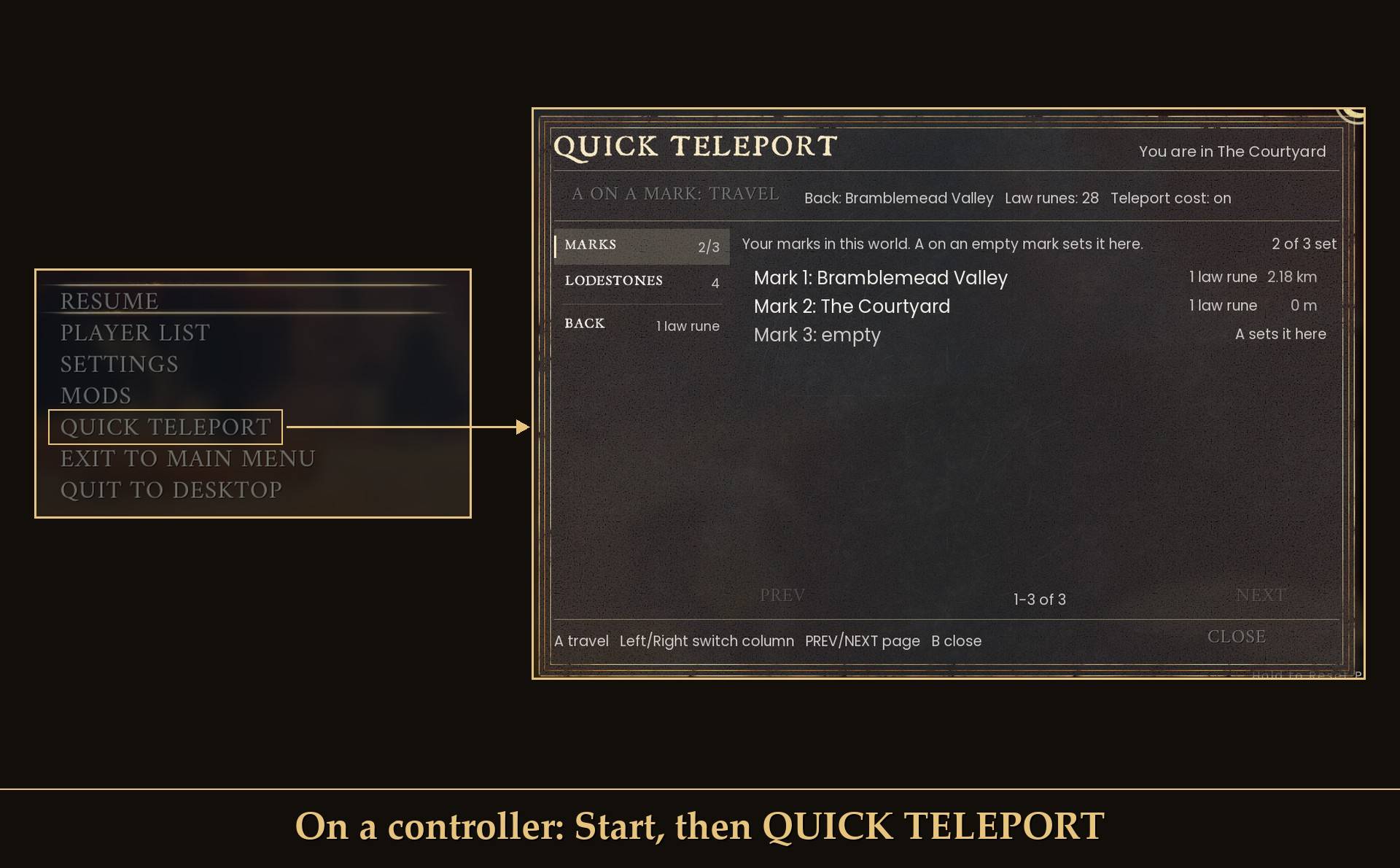
On a controller: Start, then QUICK TELEPORT
Two groups, MARKS and LODESTONES, plus a BACK button. Each row shows cost and distance. The strip along the top shows your BACK spot, your Law runes and whether teleport cost is on, and during the cooldown the header counts it down ("COOLDOWN 29 s").
- Keyboard: F6 opens and closes it. Up/Down to pick, Page Up/Page Down jump 11 rows, Enter travels (or sets an empty mark where you stand), Tab / Shift+Tab switch groups, Ctrl+S sets the selected mark here, Ctrl+D clears it, Ctrl+B goes back, Esc closes. Your character doesn't move or look around while it's open.
- Without opening it: Home sets Mark 1 where you stand, End travels to it. BACK can get its own key too, it has none by default.
- Mouse: click rows and groups, SET HERE / CLEAR act on the row you last hovered, PREV/NEXT to page, CLOSE.
- Controller: Start, then QUICK TELEPORT in the pause menu. A on a row travels, B closes. On a mark, the "A ON A MARK: TRAVEL" button switches A between TRAVEL, SET HERE and CLEAR. Pick a trip and the pause menu closes and the cast starts.
- Text picker: set Picker style to text and F6 gives you one line instead, with a count on top like "Quick Teleport 2 / 8". Up/Down to browse, Page Up/Page Down jump to the next section (BACK, marks, lodestones), Right goes (or sets an empty mark), Left clears a mark, Esc closes. Arrows only, since Ctrl is Evade and Enter opens chat.
When it won't go
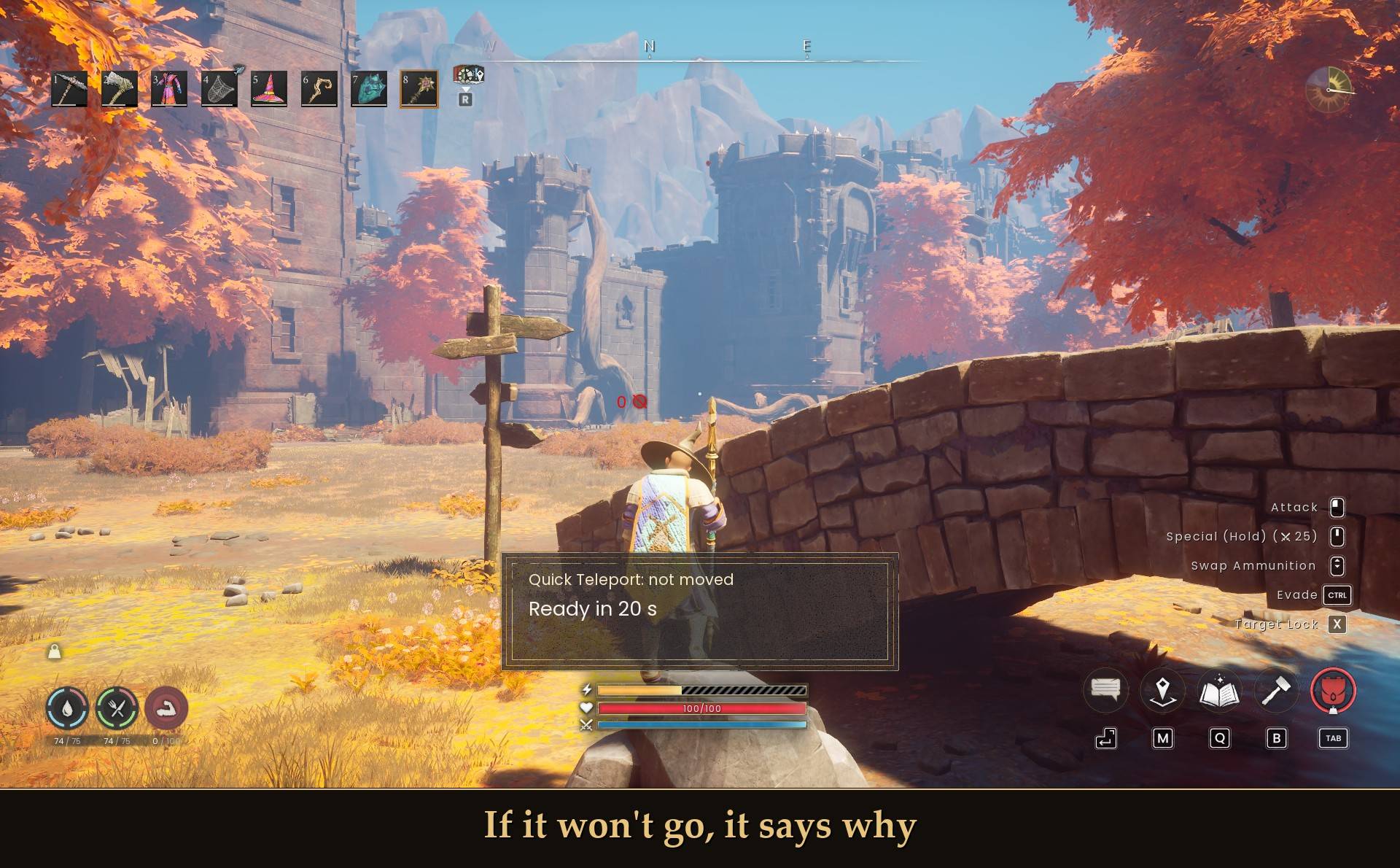
If it won't go, it says why
It always tells you why: "Ready in 12 s", "Needs 3 law runes (you have 1)", "Already casting a teleport", "You are already there", "Mark 2 is not set in this world yet", "Nowhere to go back to yet", "Land first: you are falling" (no marks mid-air) or "The server did not move you. It needs Quick Teleport too". On a fresh world the LODESTONES group says "No lodestones found in this world yet. Walk near one to unlock it."
Settings
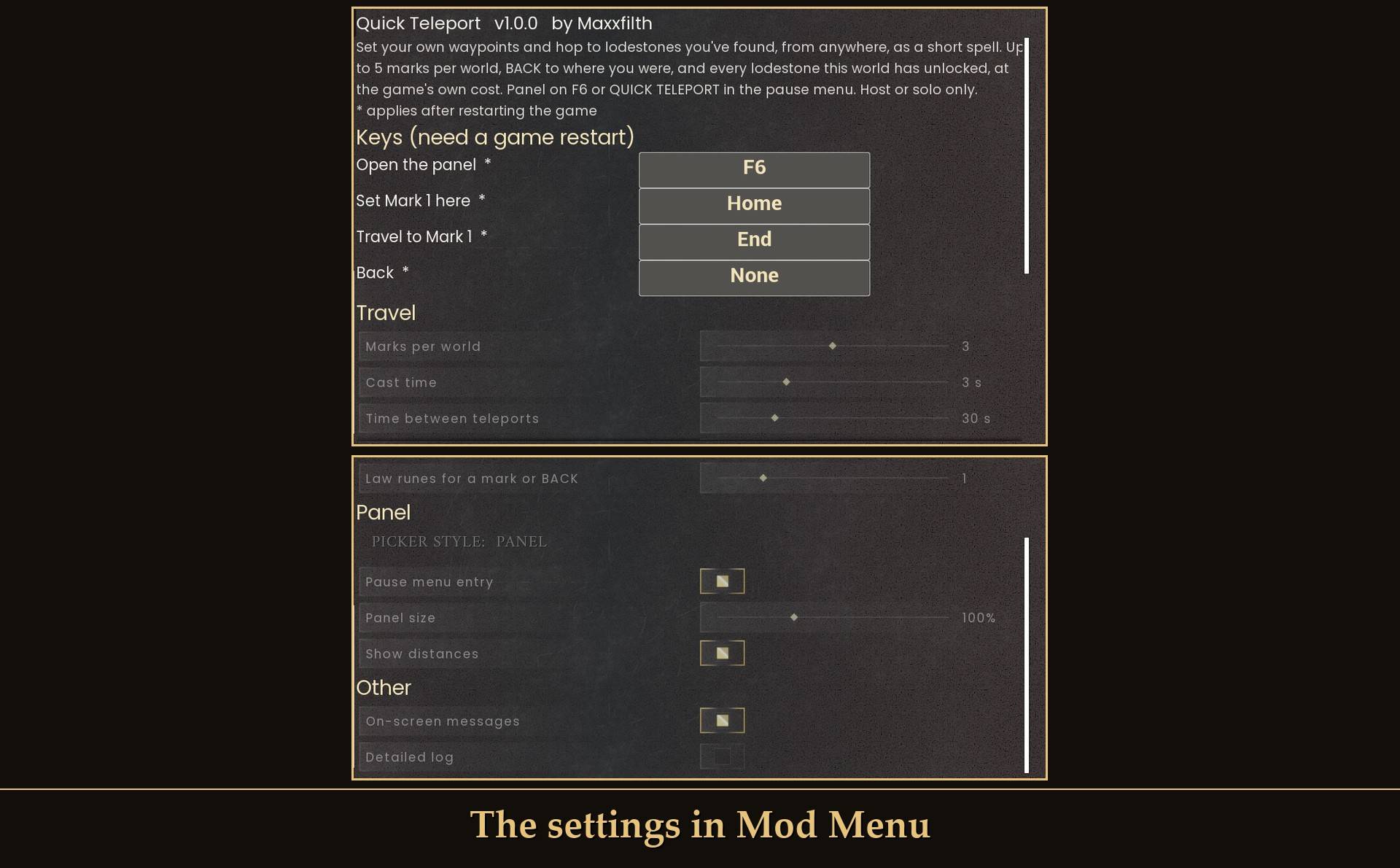
The settings in Mod Menu
All live in Mod Menu (Esc > MODS > Quick Teleport), or in config.txt in the mod folder. Keys need a game restart, everything else applies right away.
- Open the panel: F6. F10 and F11 aren't allowed (UE4SS console, fullscreen) and fall back to F6. Arrows, Page Up/Down, Enter, Tab and Esc belong to the panel.
- Set Mark 1 here: Home.
- Travel to Mark 1: End.
- Back: none. Set
none in config.txt on any of these three for no key.
- Marks per world: 3 (1 to 5). Lower it and the higher marks hide, raise it and they come back.
- Cast time: 3 s (0 to 10, 0 is instant).
- Time between teleports: 30 s (0 to 120).
- Law runes for a mark or BACK: 1 (0 to 5). Only used when your world charges for teleports. Lodestones always cost what the game says.
- Picker style: panel (or text).
- Pause menu entry: on. Adds QUICK TELEPORT to the pause menu (panel style only).
- Panel size: 100% (50 to 200).
- Show distances: on. Measured from where you stood when you opened the panel.
- On-screen messages: on. The arrival message, or why it refused.
- Work in worlds you join: on. New in 1.1.
- Detailed log: off. Extra lines in UE4SS.log if something isn't working.
Dedicated servers and joined worlds
- The server needs it too. New in 1.1: Quick Teleport works when you join a dedicated server, if the server has Quick Teleport installed as well. Your copy asks, and the server's copy takes the law runes and moves you.
- The server sets the price and the cooldown. A mark or BACK costs the server's
RecallLawRunes, and a lodestone costs what the game charges. A server has no menu: set RecallLawRunes and Cooldown in config.txt in the QuickTeleport folder on the server. It re-reads the file every 10 seconds.
- No mod on the server? You are told after 5 seconds ("The server did not move you. It needs Quick Teleport too") and nothing is taken.
- On by default. The setting is "Work in worlds you join" in Mod Menu (
WorkWhenJoined in config.txt).
- Tested on the Windows dedicated server: marks, BACK and found lodestones. You arrive about a tenth of a second after the cast ends, with the same position and rune count on the server and on my side.
- Joining a friend's world that they host from inside the game uses the same route when the host has the mod. I only have one account, so I have not tried that one with a second player.
Install
- Install UE4SS for RSDragonwilds.
- Drop the
QuickTeleport folder into RSDragonwilds/Binaries/Win64/ue4ss/Mods/
- Optional: install Mod Menu to change the settings in game.
On Game Pass: use the BE version of UE4SS with the SCO signature, the normal build does not load there. Game Pass also installs the game under Binaries/WinGDK/ instead of Binaries/Win64/, so the QuickTeleport folder goes in RSDragonwilds/Binaries/WinGDK/ue4ss/Mods/. I haven't tested Game Pass.
To uninstall, delete the QuickTeleport folder. Your marks live in spots.txt inside it, so they go too. The download never ships a spots.txt, so copying a new version over the old folder keeps your marks.
Good to know
- Servers and worlds you join: works when the server or the host has the mod too, see Dedicated servers and joined worlds above.
- It waits 40 seconds after you load in. Press something before that and nothing happens, then you get "Pressed while loading. Ready now".
- Marks are per world, kept by the world's save name.
- It's light. The lodestone list and prices are read when you open the panel, not all the time. The first open after loading in takes a fraction of a second longer.
- Mounts and swimming: I haven't tried a cast on a mount or in deep water yet. Drifting more than half a meter cancels a cast, so water might do that.
- Plays fine with Mod Menu, and Quick Save's key is F5, so no clash with F6.
- Controller: pick QUICK TELEPORT in the pause menu and press A. Every pause menu entry can be reached with the D-pad, even with many mods installed.
- Not sure it's running? UE4SS.log shows
[QuickTeleport] loaded v1.0.0.
What I tested
Tested on RuneScape: Dragonwilds 1.0 (Steam, build CL-245400) with UE4SS 3.0.1 stable and Mod Menu, solo, on a test character and world: marks (kept after a restart), BACK, hops to 4 found lodestones with cost on and off, runes from one or two stacks, the 40 s wait, the cast and its cancels, pausing mid-cast, the cooldown, the fall guard, real keyboard and mouse, the pause menu panel, the text picker, and 20 open/close cycles plus about 18 hops with no errors. 1.1 on a Windows dedicated server: see Dedicated servers and joined worlds. Not tested yet: real co-op with a second player (host or guest), Game Pass, a mount, swimming, and comparing prices with the game's own map card.