Key Unlocker
Settings > Controls lets you change most keys, but not the ones people actually complain about. The quick access wheel that 1.0 put on R is not in the list at all, and neither is Target Lock, Repair mode, Open Chat, or the chest window shortcuts. The game simply never offers them.
This lets you move every one of those to any key you like, or turn the wheel key off completely.
What you can change
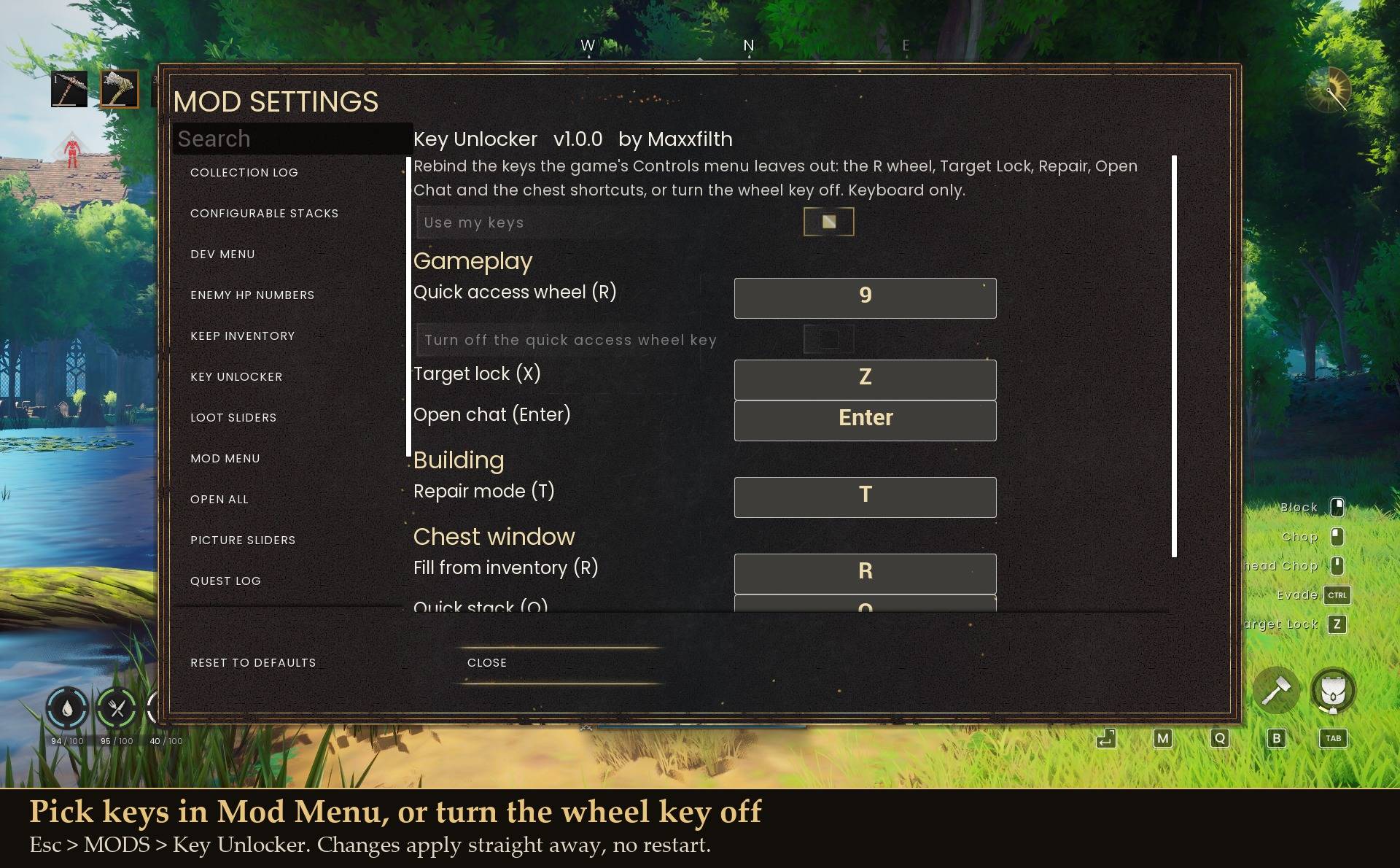
- Quick access wheel (R), or switch it off entirely
- Target lock (X)
- Repair mode while building (T)
- Open chat (Enter)
- Chest window: fill from inventory (R), quick stack (Q), take all (F)
How it behaves
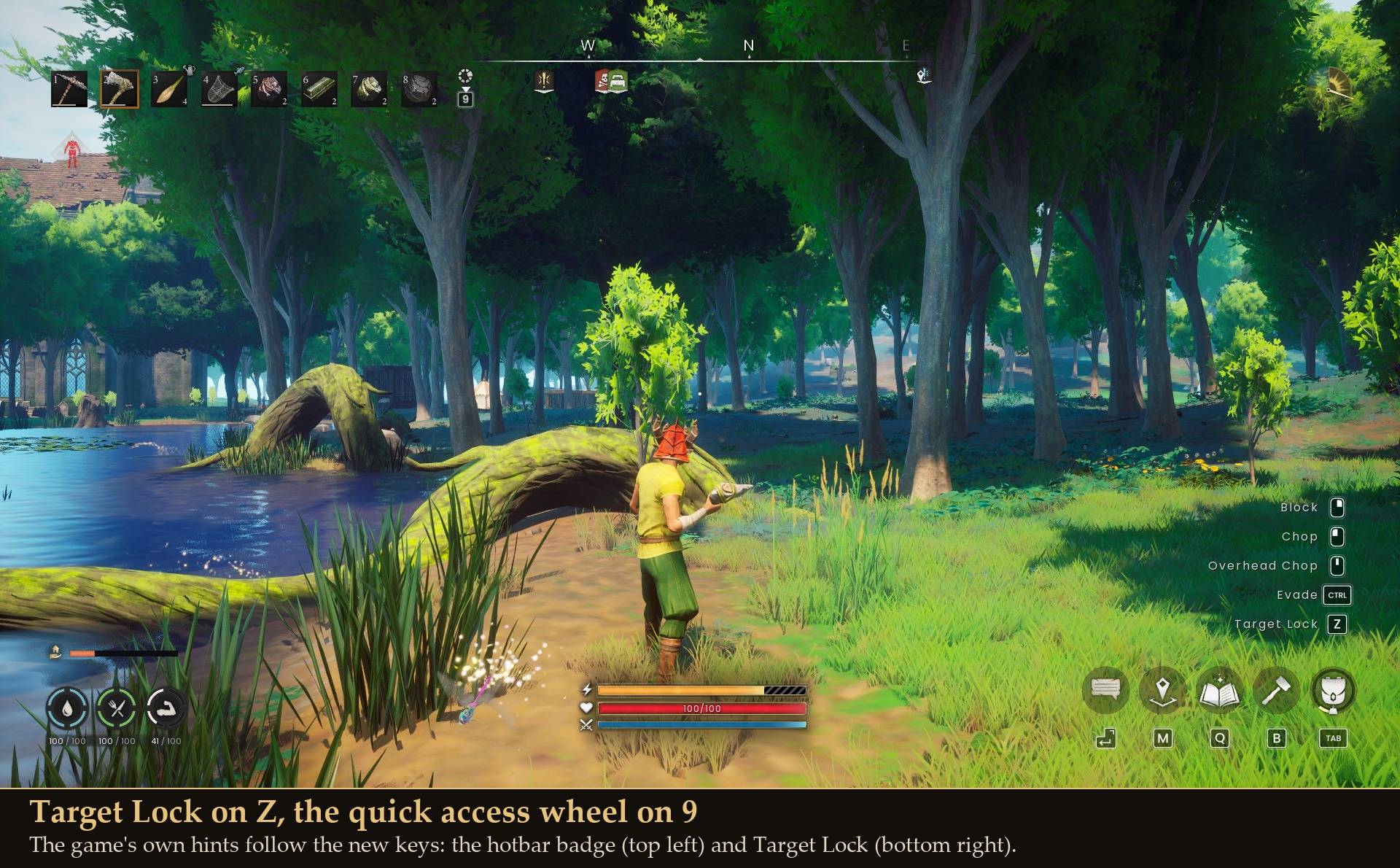
- The game's own button hints follow your new keys. The hotbar wheel badge and the Target Lock prompt show whatever you picked
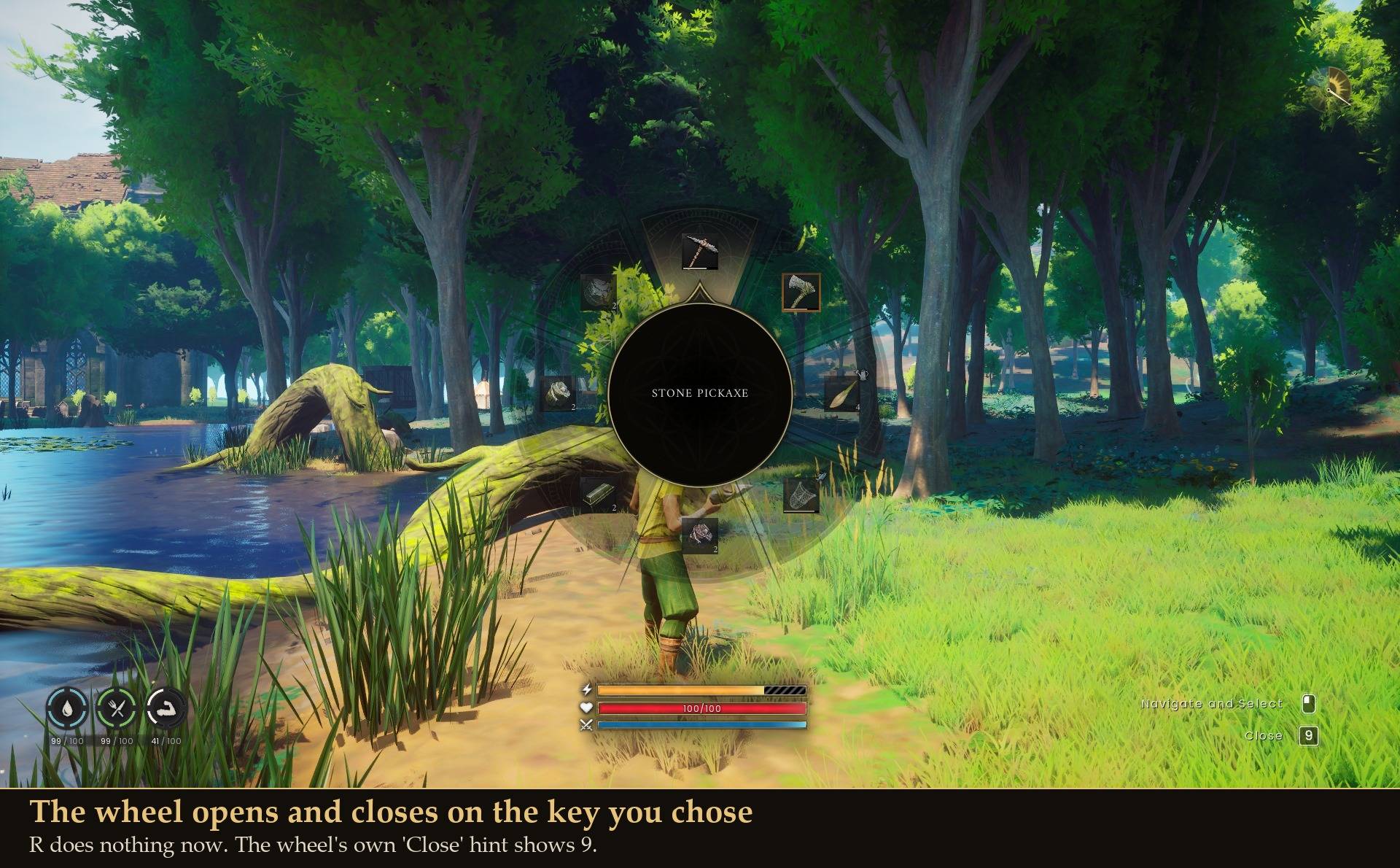
- The wheel opens and closes on your key. The game binds those separately, and the mod moves both
- Changes apply the moment you make them in Mod Menu, no restart
- Keyboard only. Your controller bindings are never touched
- Nothing is written to your keybind save. Remove the mod and every key is back to the game's own
Install
- Install UE4SS for RSDragonwilds (free, from the UE4SS for RSDragonwilds page on Nexus Mods)
- Drop the KeyUnlocker folder into
RSDragonwilds/Binaries/Win64/ue4ss/Mods/
- Set your keys in Esc > MODS > Key Unlocker, or in config.txt
On Game Pass: use the BE version of UE4SS with the SCO signature, the normal build does not load there. Game Pass also installs the game under Binaries/WinGDK/ instead of Binaries/Win64/, so the KeyUnlocker folder goes in RSDragonwilds/Binaries/WinGDK/ue4ss/Mods/. If you install with a mod manager, check that is where it ended up.
Config
Everything is in config.txt in the mod folder, and in Mod Menu if you have it:
Enabled = true
QuickWheelKey = R
DisableQuickWheel = false
TargetLockKey = X
RepairKey = T
OpenChatKey = ENTER
ChestFillKey = R
ChestFlushKey = Q
ChestTakeKey = F
Keys use UE4SS names: letters (R), digits as words (NINE), F keys (F7), numpad (NUM_SEVEN), PAGE_UP and so on. none turns a key off.
Good to know
- Keys the game leaves free: I, L, N, O, U, Z, 9 and 0. Avoid F10 (the UE4SS console) and F11 (fullscreen)
- If you pick a key the game already uses in the same place, both actions fire. The log tells you when that happens
- Target Lock is the one key the game rebuilds from your saved keybind profile, which silently puts the old key back. The mod tells the game to skip the profile for that one binding while you have it changed, and hands it back when you set it to the default again
- Pause (Esc) is left alone on purpose, so you can never lock yourself out of your own menus
Tested
With real key presses on a test character: the wheel moved to 9 (R did nothing, 9 opened and closed it), the wheel turned off (neither R nor 9 opened it), Target Lock moved to Z (Z locked onto a target and X no longer did), and switching the mod off put R and X back straight away. A real click on the "turn off the wheel key" switch in Mod Menu saved to config.txt and took effect live. The chest, repair and chat keys were checked by reading the new binding back, not by pressing them in a chest or build mode. My keybind save was byte-identical before and after every run.