Six hallowe'en masks you can craft and wear
Adds six felt demon masks to the Crafting Table, in the style of RuneScape's hallowe'en masks. You can make them from the start and wear them like any helmet.
Needs UE4SS, RuneSchema, Cosmetic Kit and Hallowe'en Masks (RuneSchema items), the second half of this mod.
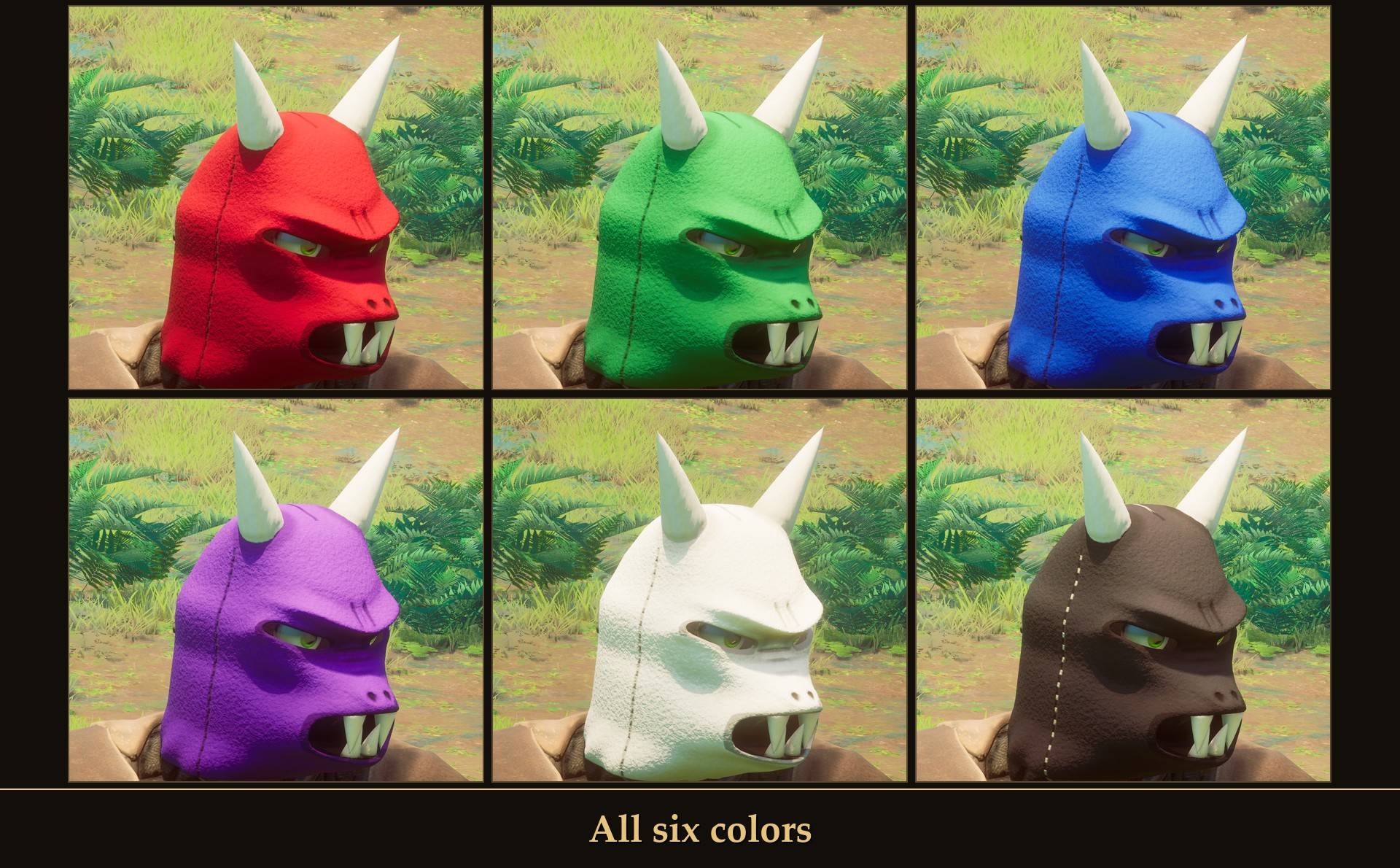
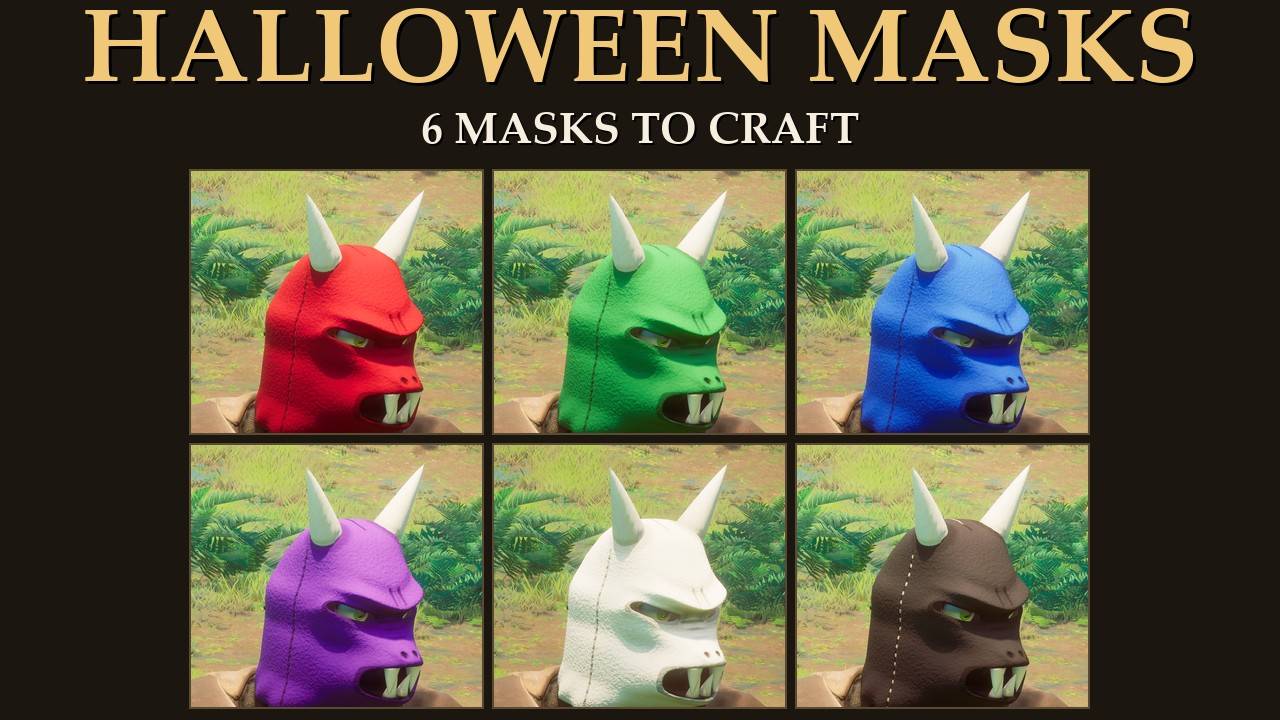
All six colors
The hallowe'en mask is a classic RuneScape holiday item, and Dragonwilds doesn't have one. So I made some for October.
It's the sibling of my Party Hats mod (link at the bottom of this page) and works the same way: new items with their own recipe, and nothing in the game gets replaced.
Updating from 1.0
From 2.0.0 the masks are drawn by Cosmetic Kit, so install that first, then this update. Same masks, same recipes, same look, and the masks on your character and in your chests stay: the item files are the same as 1.0.0, and the RuneSchema items project doesn't change. The fit settings that were in this mod's config.txt are now the Fit sliders in Cosmetic Kit (see Settings).
Why two projects?
The mod has two halves. This project has the mask model, the textures, the icons and the pack file that tells Cosmetic Kit which mask goes with which item. The items, their stats and the Crafting Table recipes are added through RuneSchema, and CurseForge keeps RuneSchema files in their own section, so that half is a separate project: Hallowe'en Masks (RuneSchema items). You need both.
What it does
- Six new masks: Black, Blue, Green, Purple, Red and White. Each one is its own item ("Red Hallowe'en Mask" and so on) with its own inventory icon.
- Made at the Crafting Table: they have their own "Halloween Masks" section there.
- Open from the start: each mask costs 10 Wool Cloth, 6 Coarse Thread and 4 Wool Thread. You don't have to unlock anything first.
- Wear it like any helmet: it goes in the head slot. Take it off and your normal head comes back.
- The look: a felt demon hood with a heavy brow, a snout that juts forward and an open, snarling mouth. Four fangs sit at the front of the snout, two pointing down and two pointing up. Two straight bone horns grow out of the hood, the eye holes are slanted and the seams are stitched. Your character's eyes show through the eye holes.
- Nothing pokes through: while a mask is on, your hair and beard are hidden the way the game's Steel helmet hides them, and your eyebrows are hidden too.
- Basic stats: a basic head item, power level 1, with +1 melee, ranged and magic defense, durability 1,250 and weight 2.0. You wear it for the look, not the armor.
- The old examine line: the flavor text is "Aaaarrrghhh ... I'm a monster.", same as RuneScape's hallowe'en masks.
- It stays on: save, quit, load back in, and you're still wearing it.
- Works next to Party Hats: install both and you can swap between a mask and a party hat whenever you like.
Crafting them
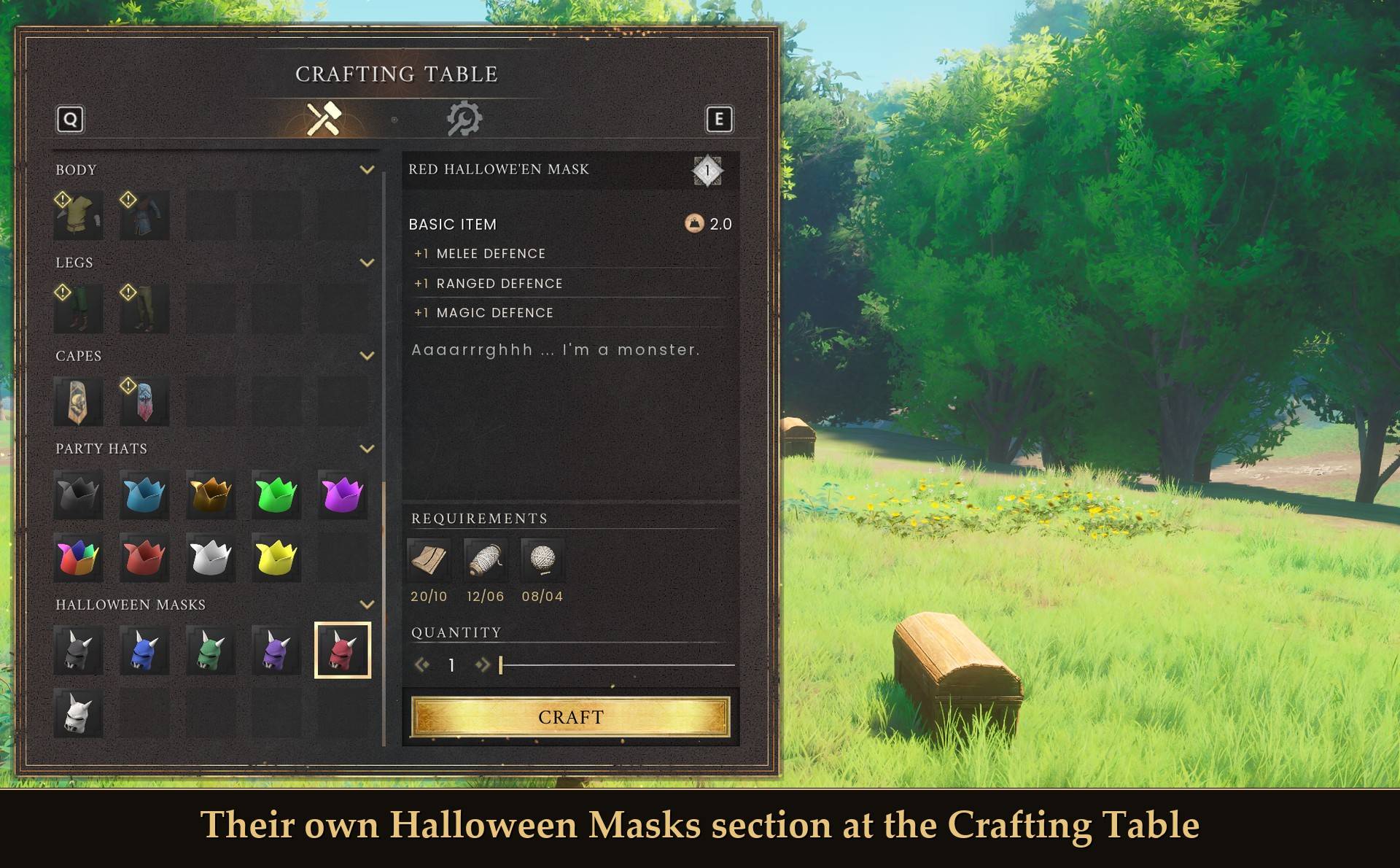
Their own Halloween Masks section at the Crafting Table
Open the Crafting Table and scroll all the way down. "Halloween Masks" is the last section, and all six are there. They're not in the Head section.
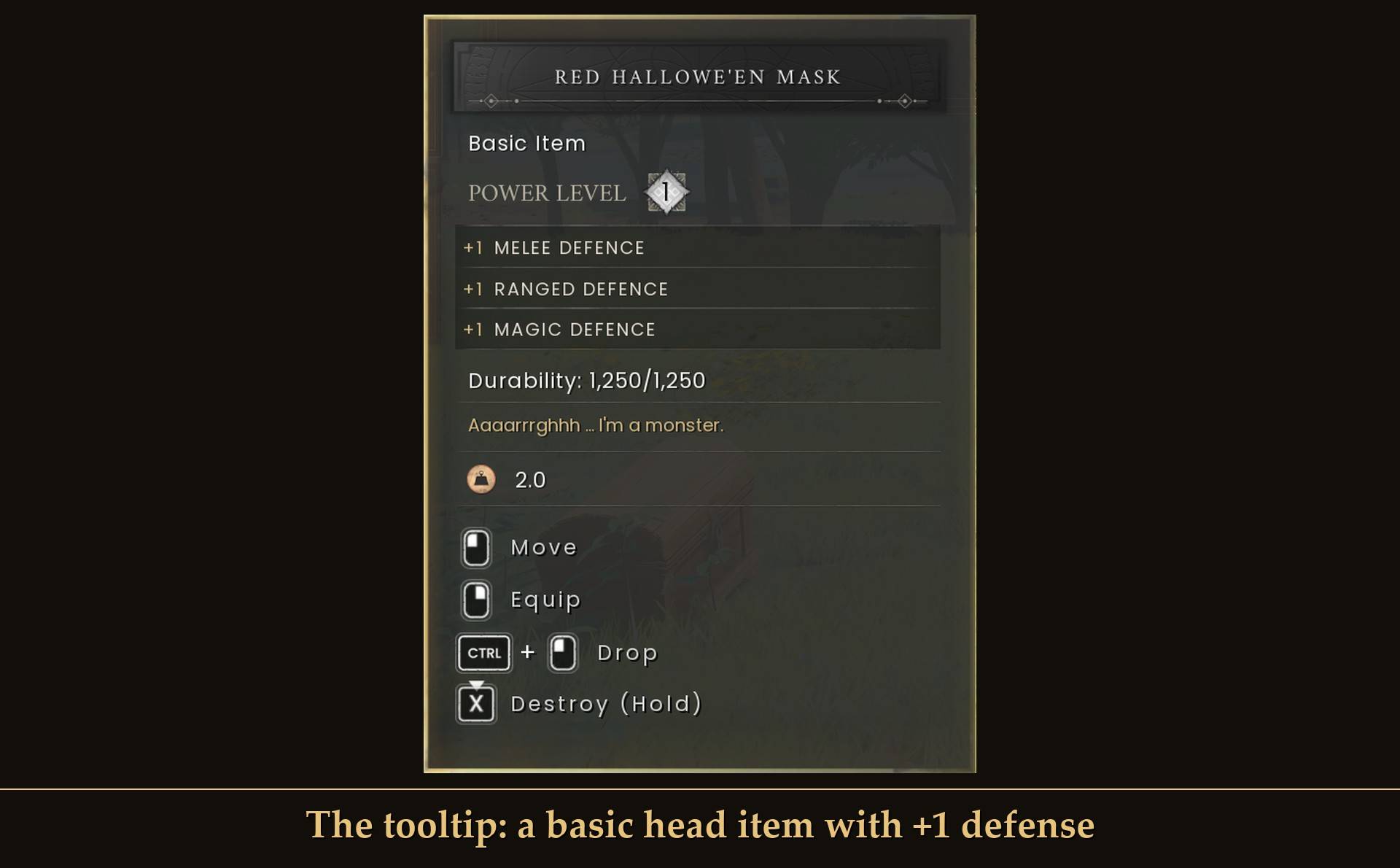
The tooltip: a basic head item with +1 defense
A closer look
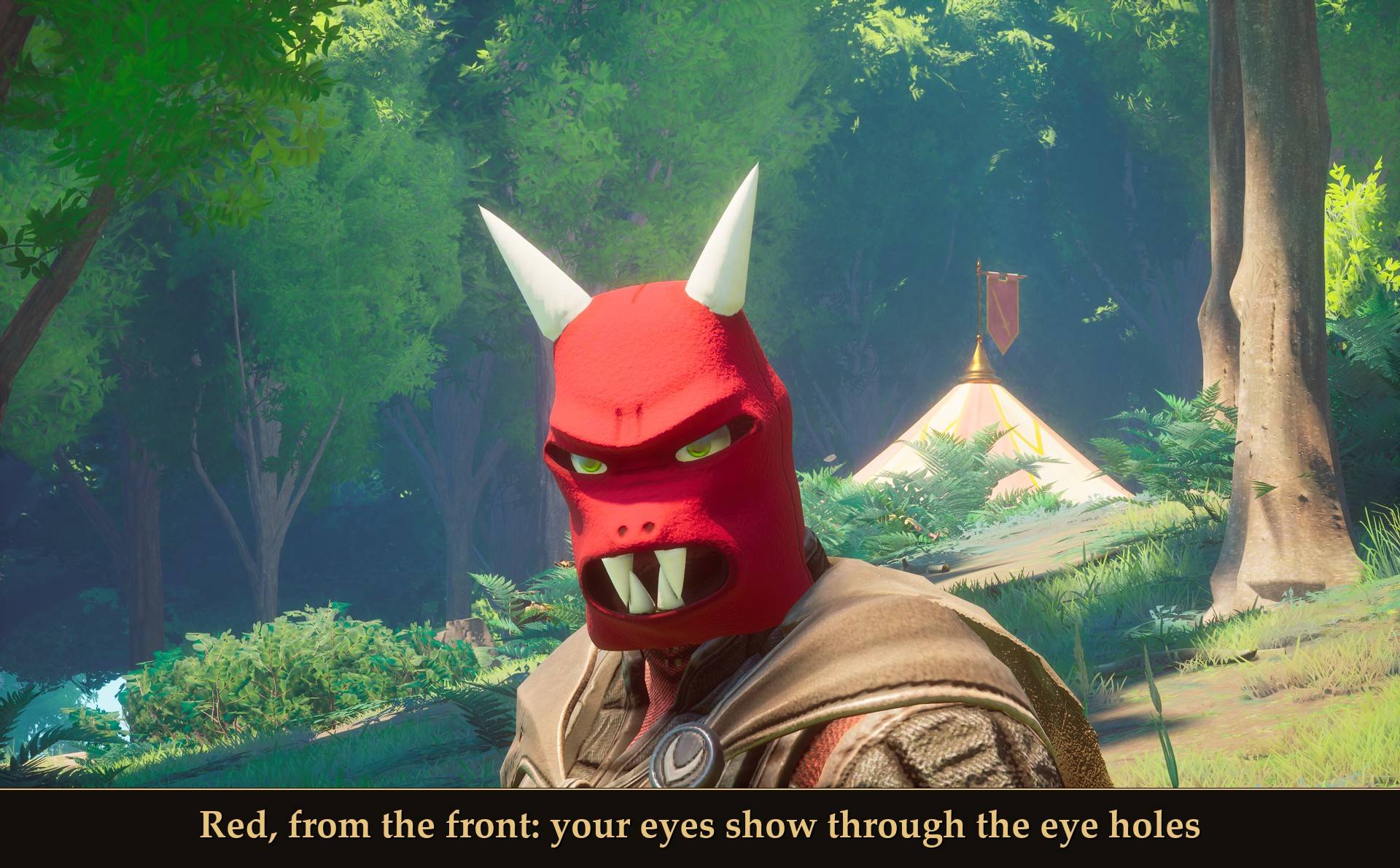
Red, from the front: your eyes show through the eye holes
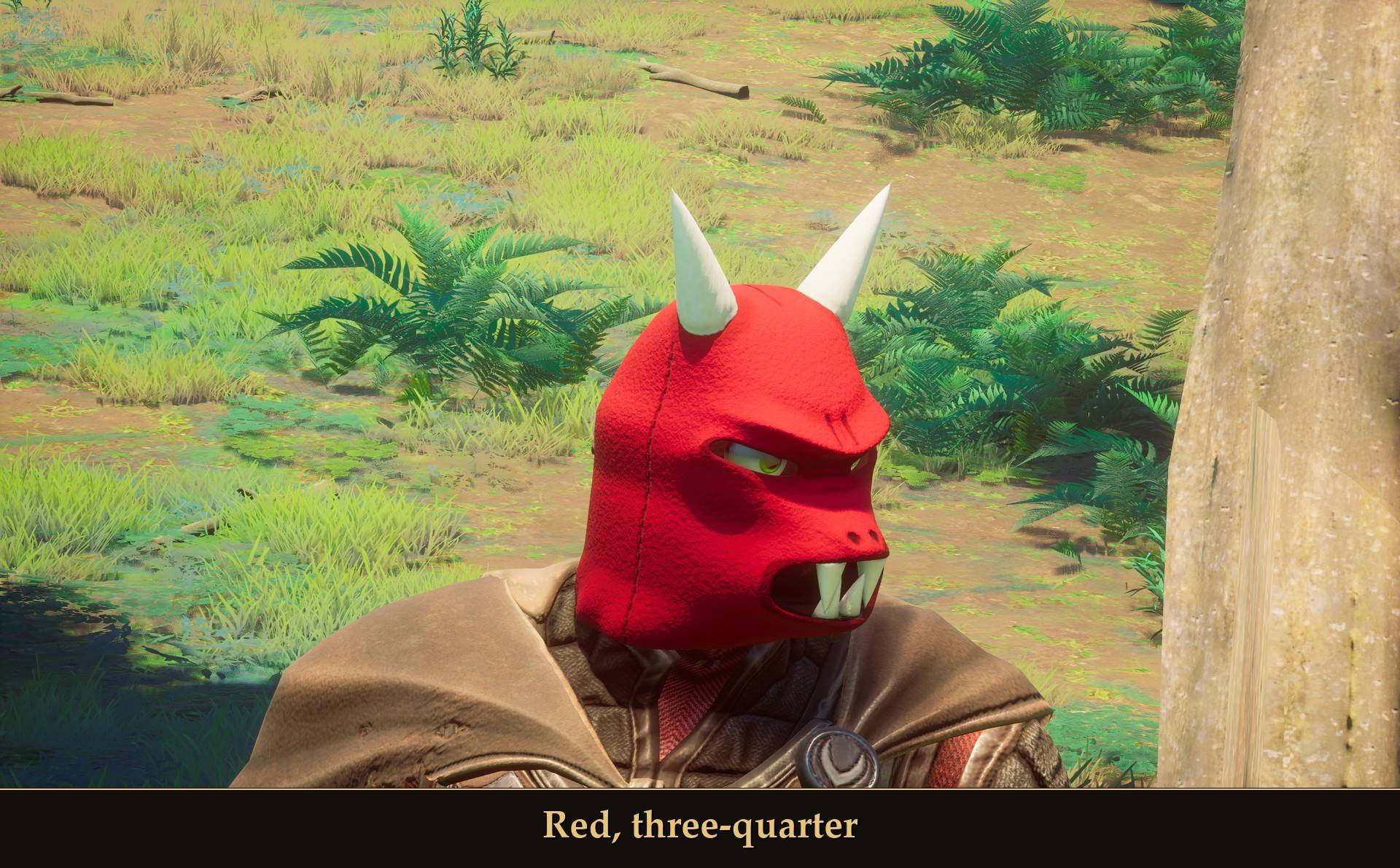
Red, three-quarter
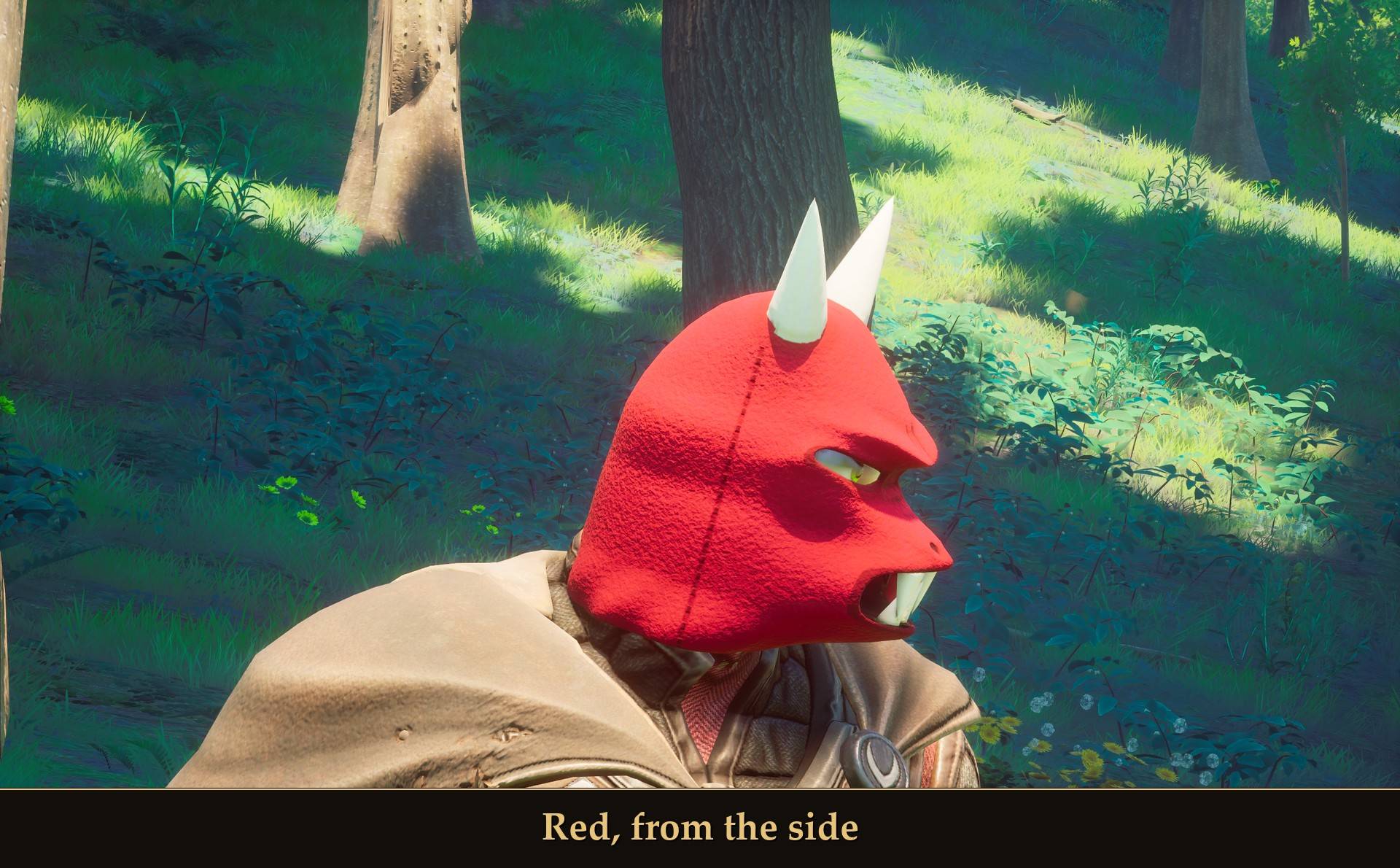
Red, from the side
Settings
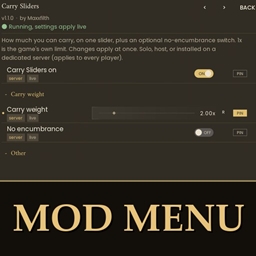
This mod has no settings of its own. The masks sat right on my test character as they are, so you probably won't need to change anything. If a mask sits a bit off on yours, use Cosmetic Kit's Fit sliders in Mod Menu (Esc > MODS > Cosmetic Kit), or config.txt in the CosmeticKit folder.
- Up: 0 cm (-10 to 10). Moves the mask up or down your head.
- Forward: 0 cm (-10 to 10). Moves the mask toward your face.
- Side: 0 cm (-10 to 10). Moves it left or right.
- Tilt: 0 degrees (-45 to 45). Leans the mask back, or forward.
- Size: 1.0x (0.5 to 2). Makes the mask bigger or smaller.
- Reset fit: puts it back where it started.
The sliders move the mask while you watch, and 0 means where 1.0 put it by default. The same fit applies to every hat and mask you wear, and Show cosmetics in Cosmetic Kit turns them all off and on.
Install
- Install UE4SS for RSDragonwilds. RuneSchema needs the UE4SS 3.0.1 "latest" build (f6d5f942), and that's the one I tested with.
- Install RuneSchema (link at the bottom of this page), version 0.8.0 or newer. That's the version I tested 2.0.0 with.
- Install Cosmetic Kit. Updating from 1.0? Update Cosmetic Kit first, then this.
- Extract this project's zip into your game folder (the one that has
RSDragonwilds inside). It puts two folders in place:
HalloweenMasks into RSDragonwilds/Binaries/Win64/ue4ss/Mods/. It holds the script, enabled.txt and the pack file cosmetics.txt that Cosmetic Kit reads.- the pak
HalloweenMasks folder into RSDragonwilds/Content/Paks/~mods/, the same place 1.0 used.
- Extract the zip from Hallowe'en Masks (RuneSchema items) into
RSDragonwilds/Binaries/Win64/ue4ss/Mods/RuneSchema/mods/. It holds one HalloweenMasks folder. If you already have it from 1.0, it's the same file.
Installing by hand over 1.0 is fine: the new files replace the old script, and the pak goes back in the folder it came from. An old config.txt left in the HalloweenMasks folder isn't read any more, so you can delete it.
On Game Pass: use the BE version of UE4SS with the SCO signature, the normal build does not load there. Game Pass also installs the game under Binaries/WinGDK/ instead of Binaries/Win64/, so the two Binaries folders go under RSDragonwilds/Binaries/WinGDK/. If you install with Vortex, check that is where they ended up.
To uninstall, delete all three HalloweenMasks folders. If RuneSchema stays installed, its save cleanup removes the masks from your character the next time you load it, and putting the mod back won't bring them back.
Good to know
- Nothing in the game is replaced. The masks are new items. Your other hats and helmets stay as they are.
- Both projects are needed, plus Cosmetic Kit. This one has the mask model, textures, icons and the pack file that tells Cosmetic Kit which mask goes with which item. The items project adds the items and recipes through RuneSchema.
- The pack file is cosmetics.txt here. On Nexus Mods it's cosmetics.json; CurseForge doesn't take .json files in this section, so it's named cosmetics.txt in this zip. Cosmetic Kit reads it under either name.
- Same files I tested. The two CurseForge projects hold the same files as the version I tested, split in two. Once both are extracted, every file sits where it did in my test.
- One head slot. A mask and a party hat both go on your head, so it's one or the other.
- No mask showing? UE4SS.log says
[HalloweenMasks] 2.0.0: Cosmetic Kit is NOT installed when Cosmetic Kit is missing. When all is well it says [HalloweenMasks] 2.0.0: drawn by Cosmetic Kit from cosmetics.json (the line reads the same whichever name the pack file has).
- Two masks at once? The old 1.0 script is still there. Install this update over it.
- Single player only, so far. I haven't tried it in co-op.
- Credits: RuneSchema by the RSDW Modding Community (jonesing4space), which adds the items and recipes, and UE4SS.
What I tested
Tested on RuneScape: Dragonwilds 1.0.1 (Steam) with UE4SS 3.0.1 latest (f6d5f942) and RuneSchema 0.8.0.0, single player, on a throwaway character. 2.0.0 with Cosmetic Kit 1.0.0: all 15 cosmetics (these six masks and the nine Party Hats) loading with 0 errors, swapping from a party hat to the Green mask (eyebrows hidden), taking it off (eyebrows back), and the Fit values, Reset fit, Write fit and Show cosmetics off and on. I set those through Mod Menu's settings with a test script, not by clicking with a mouse. With Cosmetic Kit removed, the mask doesn't draw and UE4SS.log shows the "NOT installed" line. The 1.0 version was tested earlier, on RuneSchema 0.7.6.8 with mouse and keyboard: crafting Red and Green at the Crafting Table, wearing all six colors, swapping masks, taking one off, swapping to a party hat and back, and saving and reloading with a mask on. Not tested yet: co-op, a controller, Game Pass, installing through Vortex, a female character, a mask on a character with a beard, and what happens to a character wearing the masks when you uninstall.
Links