The Dwarf multicannon, and the quest that earns it
The Dwarf multicannon, set up at a base
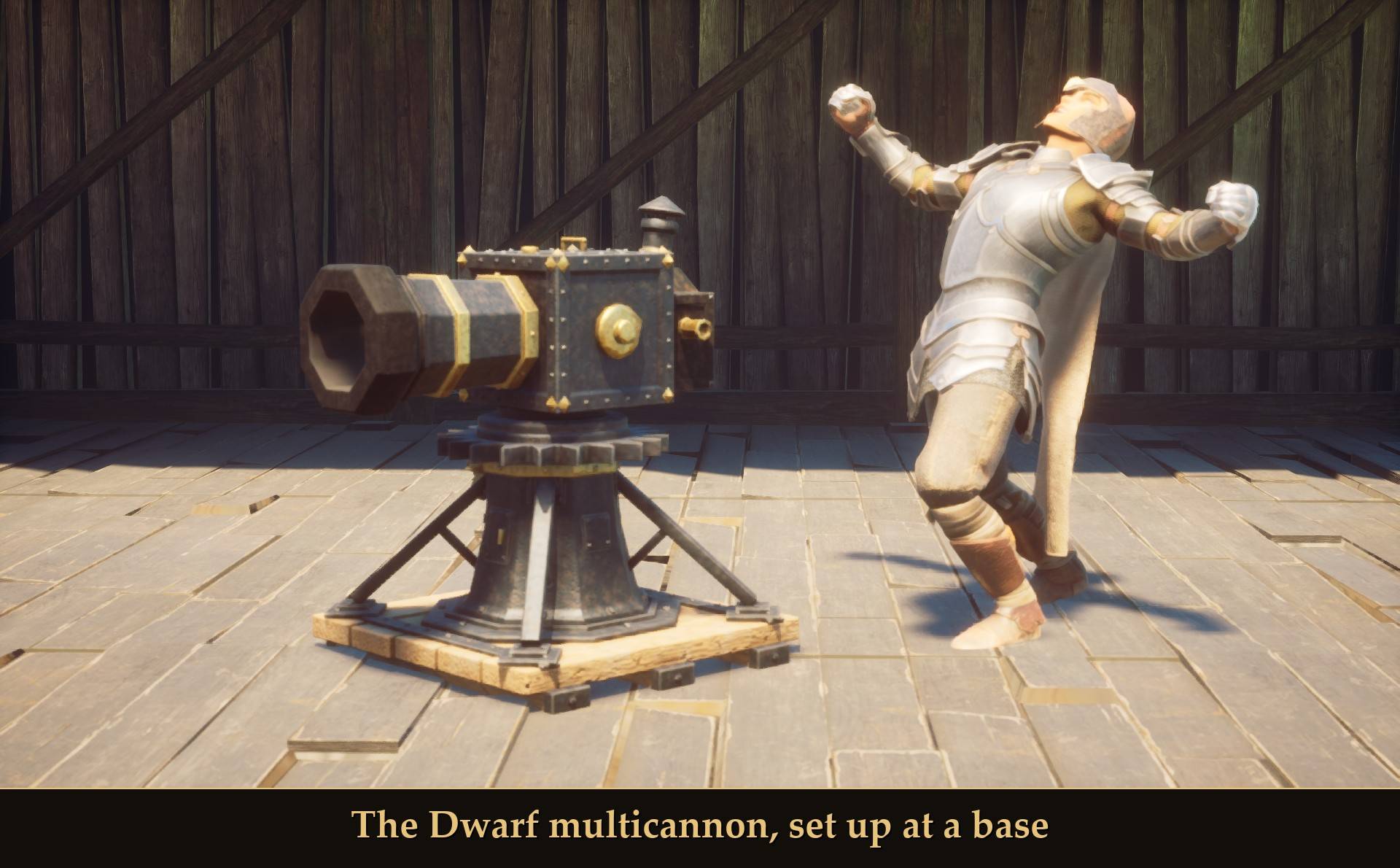
RuneScape's Dwarf multicannon for your base. Find what's left of the Black Guard outpost, do the Dwarf Cannon quest, and the cannon you repair is yours. It runs on steel bars, and it turns and fires at whatever is after you.
Needs UE4SS. One download with everything in it. Mod Menu is optional. So is RuneSchema: with it, the cannon is a real backpack item and a piece in the build menu, and cannonballs are an item you craft.
Dwarf Cannon is the RuneScape quest where Captain Lawgof of the Black Guard has you fix his fence, look for his missing men and repair his cannon. This is my retelling of it for Dragonwilds.
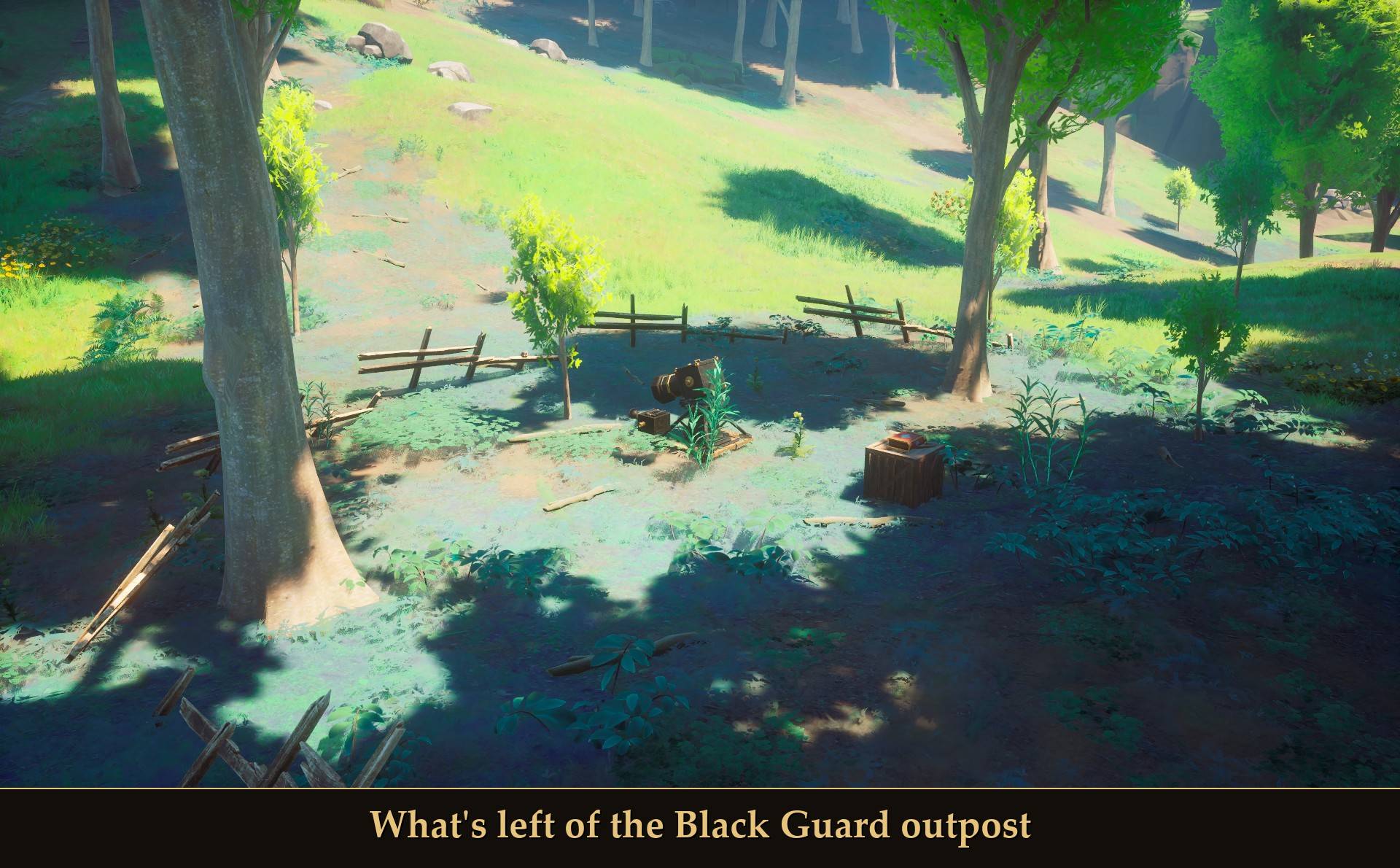
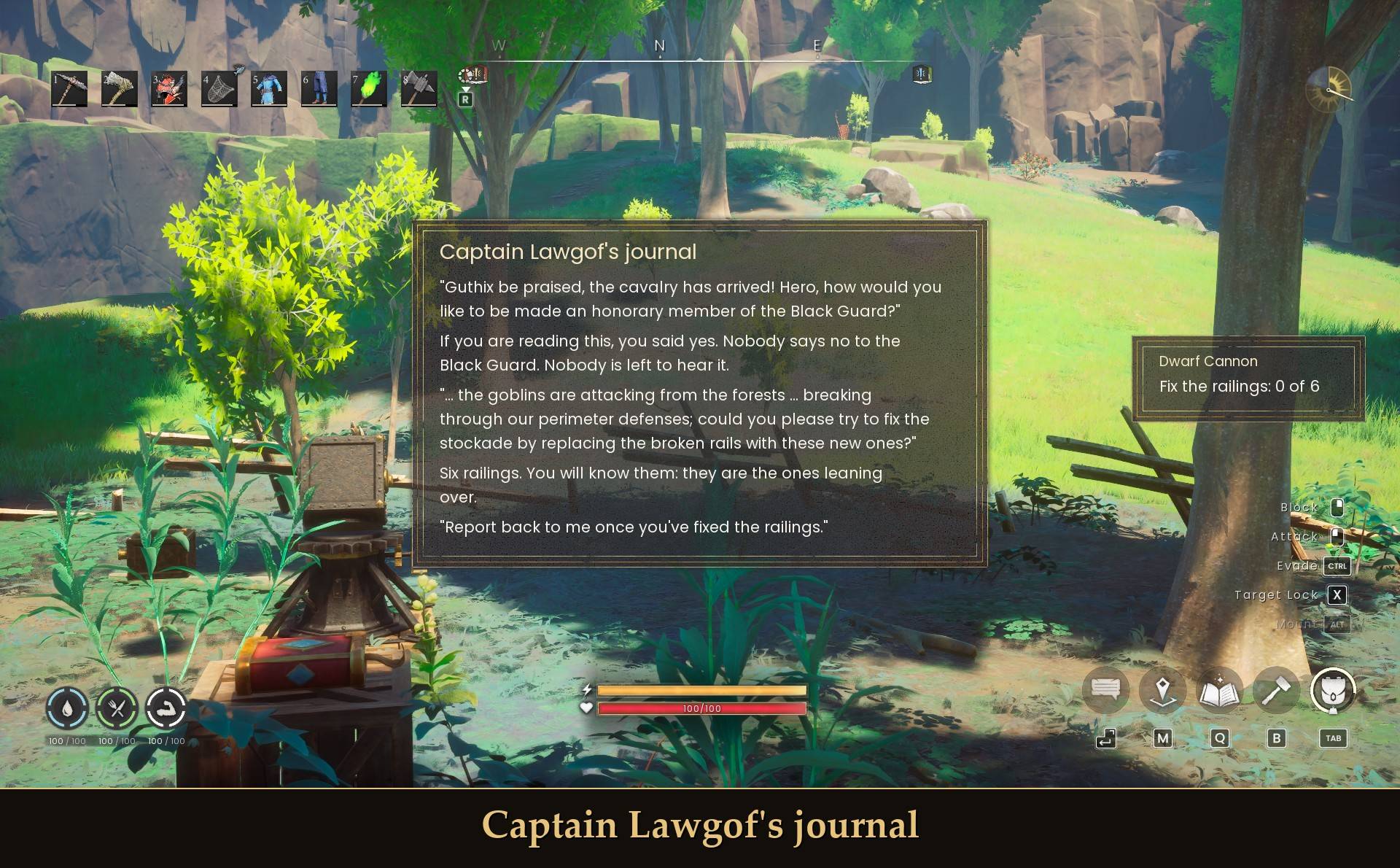
Here the Black Guard are gone. What's left is a wrecked outpost, six leaning railings, a broken cannon and the Captain's journal. He wrote it in advance, for the hero he was sure would turn up. His lines are RuneScape's own:
- "Guthix be praised, the cavalry has arrived!"
- "What? I'll have you jailed for desertion!"
- "Don't just do something! Stand there!"
What it does
- A quest in six short steps: told through what the dwarves left behind. Nobody is home. You read, repair and search with the game's own interact prompt.
- The cannon you repair is yours: finish the quest and you can pick it up and take it home.
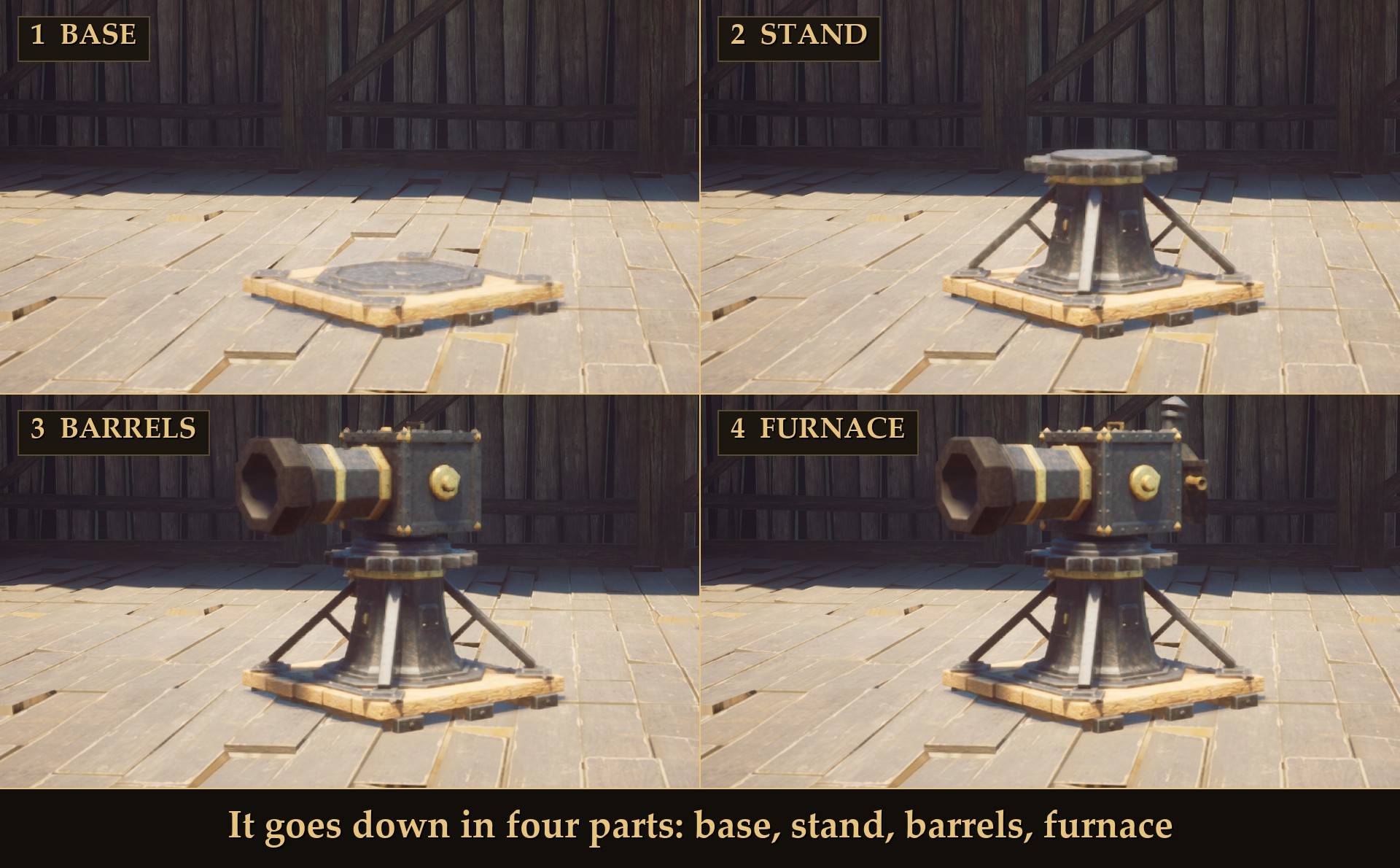
- It goes in your base: with RuneSchema you place it from the game's build menu. Without RuneSchema, Page Down sets it up on a floor or a foundation you've built. Either way it goes down in four parts, as in RuneScape: base, stand, barrels, furnace.
- Steel bars are the ammo: one bar makes four cannonballs and the cannon holds 30. You can top it up at any time. With RuneSchema you make the cannonballs at the blacksmith bench and load those. Without it the cannon takes the bars directly, a whole bar at a time.
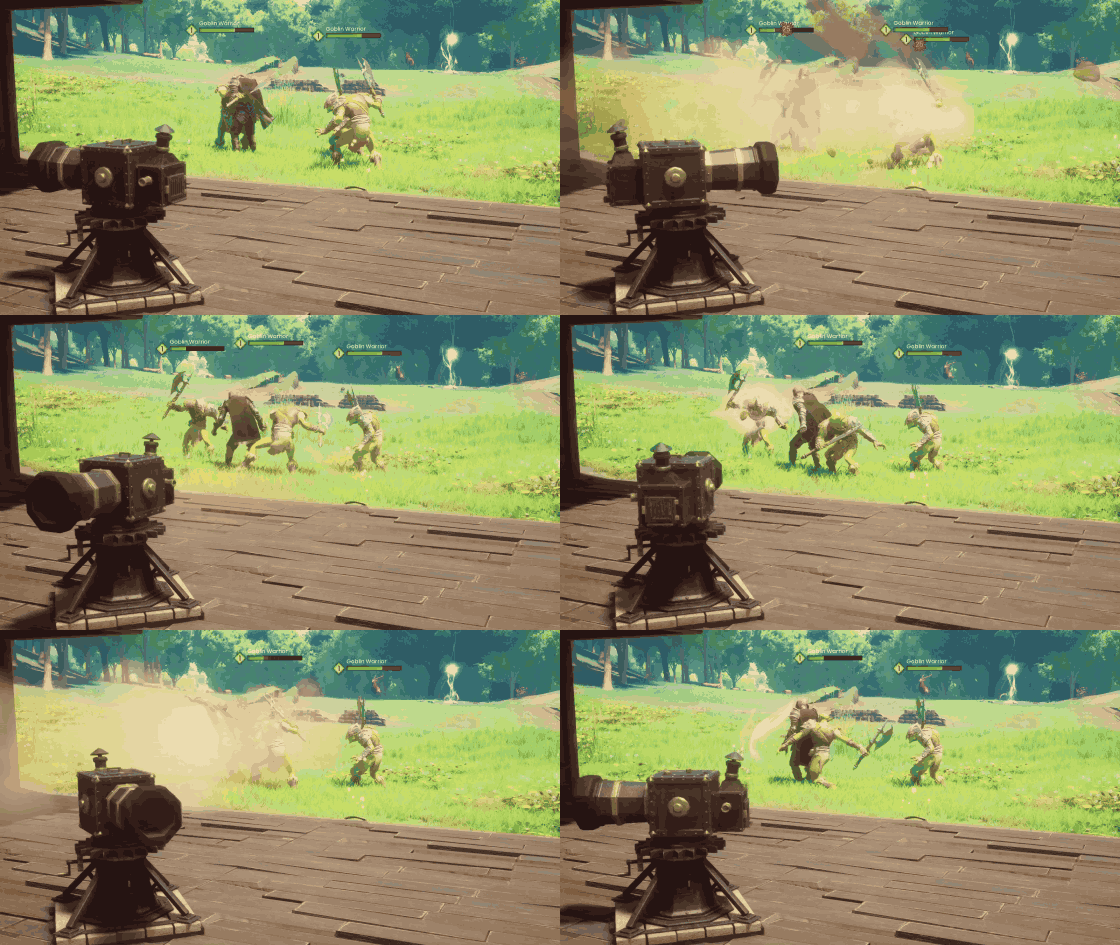
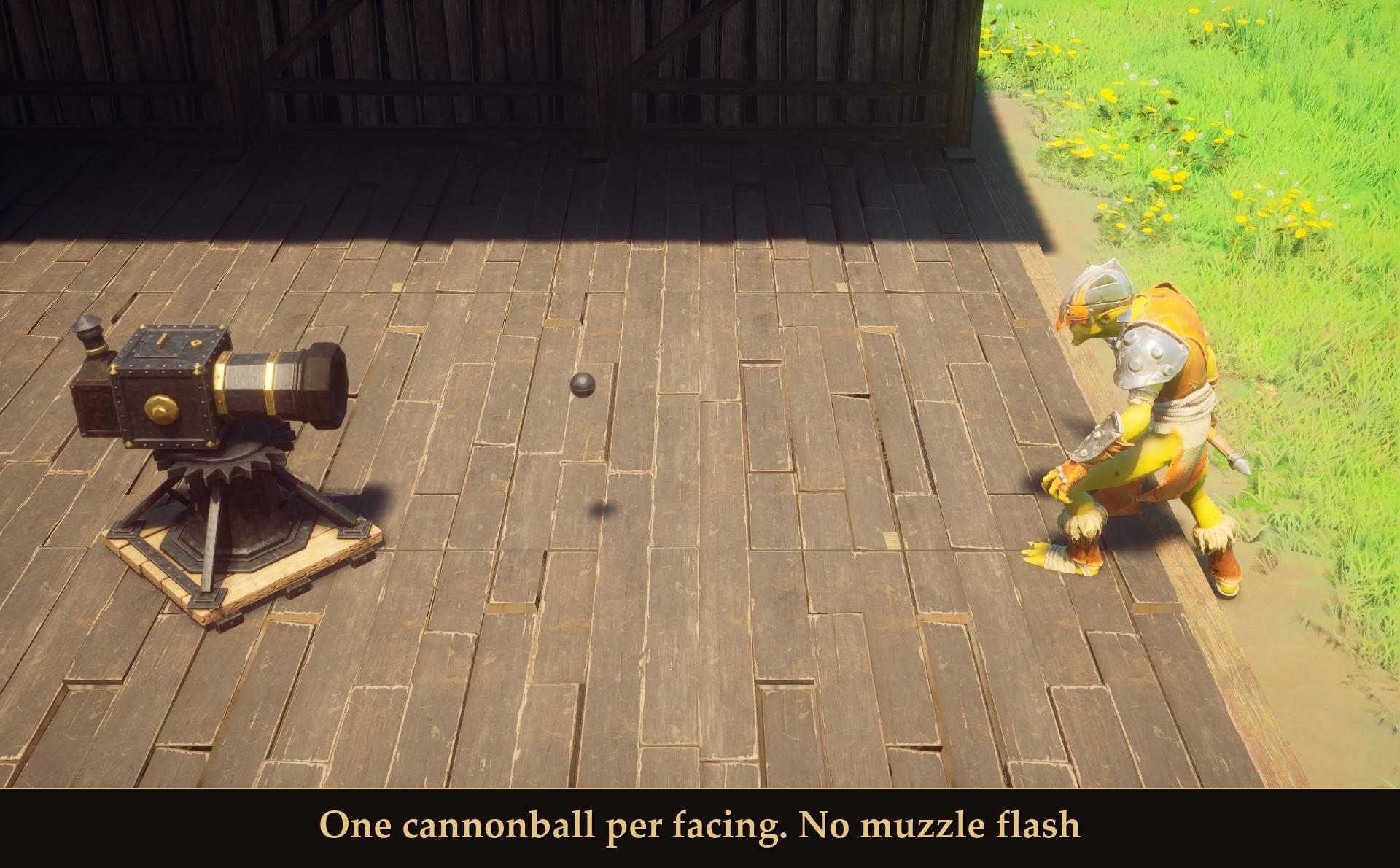
- It turns on RuneScape's beat: eight facings, 45 degrees every 0.6 seconds, a full turn in 4.8 seconds. It fires one cannonball per facing, at a hostile creature in line with the barrel and with a clear line of sight.
- Kills count as yours: you get the loot and half the Ranged XP.
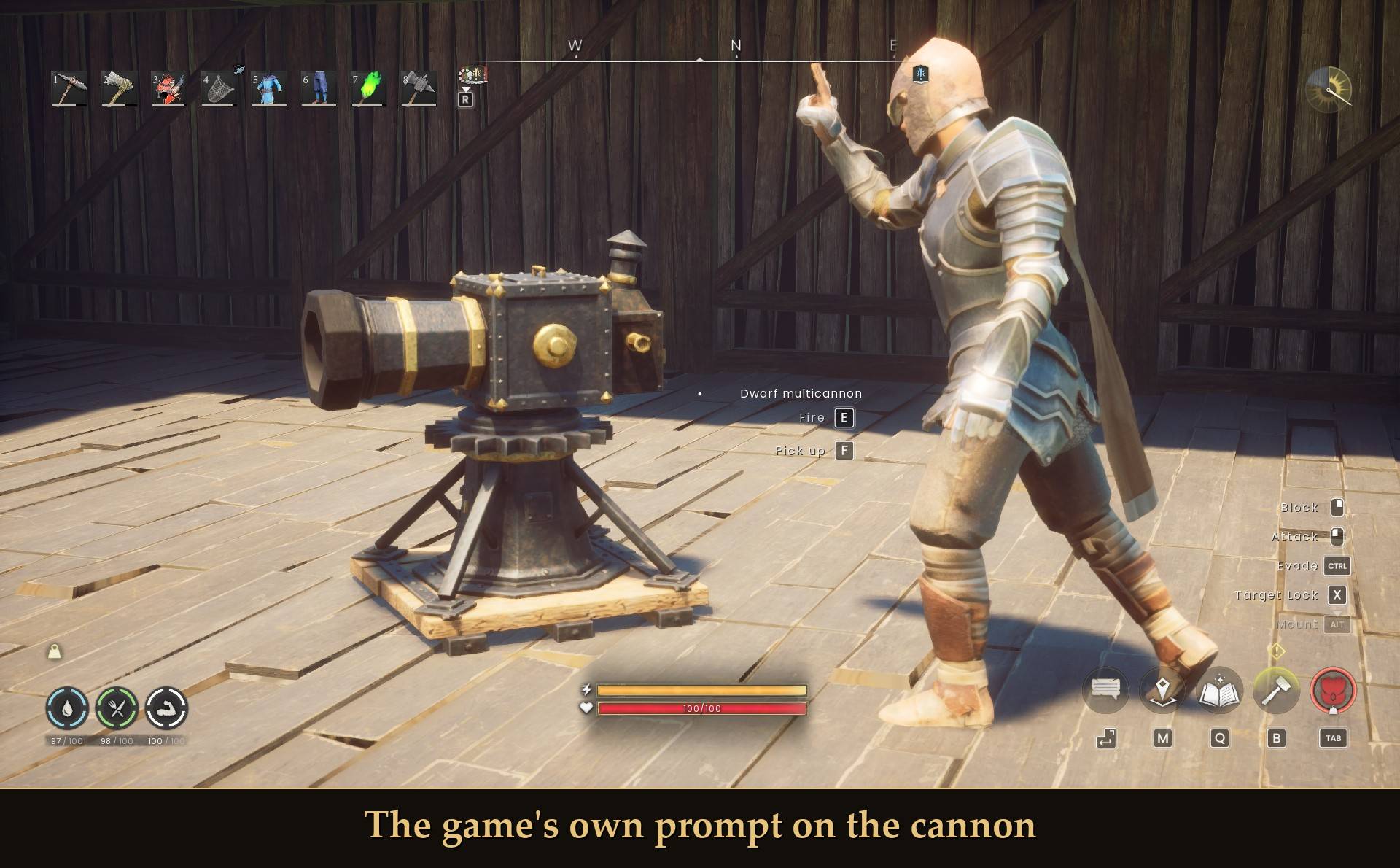
- The game's own prompt: Fire, Stop, Load and Pick up are on the normal interact prompt, like a chest or an NPC.
- My own model: built for this mod after the Old School RuneScape cannon. It comes in the pak.
- A real item and a build piece with RuneSchema: optional. With RuneSchema installed, the cannon is an item in your backpack and a piece in the build menu, and cannonballs are an item you make at the blacksmith bench. Without RuneSchema the mod still works, with Page Down and steel bars.
- Don't want the quest? Turn on Start with the cannon and it's yours right away.
The quest
What's left of the Black Guard outpost
The same six steps as RuneScape's quest, each one short:
- Find the wrecked Black Guard outpost and read Captain Lawgof's journal.
- Fix the six railings round the outpost. You'll know them: they're the ones leaning over.
- Check on the watch tower and bring back what you find there.
- Search the goblins' hideout. It's guarded.
- Repair the cannon. You get three tools and three broken parts. Which goes where is for you to work out.
- Find Nulodion's workshop for his notes and the ammo mold, then go back to the journal.
I'm not telling you what's in the crate or what the journal's last page says.
Captain Lawgof's journal
- Where it is: the outpost is in Temple Woods, the starting region, in the woods north-east of the Derelict Windmill. The other three places are about 110 m (the hideout), 130 m (the watch tower) and 190 m (the workshop) from it in a straight line. I haven't walked the routes yet, so I can't give you the distance on foot. All three are just over the border in Bramblemead Valley. The game's data lists it as a power level 2 area, one above the starting region, so I'd expect the game's own goblins there to be tougher than the ones by the start. I haven't fought them to check.
- Finding your way: a goal line on screen says what's next, and the mod puts the game's map marker there. The marker stands a few meters back from the thing you're looking for (3.5 m in most places), so it doesn't sit on top of it. The game only has one marker, so it takes the place of one you set yourself. Turn Quest map marker off and the goal line gives a direction and a distance instead, like "Check on the watch tower (east, 130 m)". Both point in a straight line. There are cliffs on those lines (measured, not walked yet), so expect to walk around.
- The journal: Read is on the game's prompt. The pages open in a reading panel. It closes when you press Interact again, when you walk 5 m away, or after two minutes.
- The railings: the broken ones lean over at about 40 degrees, so they show above the grass. A try can fail, the way it does in RuneScape. In RuneScape that costs a little health. Here it doesn't cost you any health.
- What goes in your bag: the remains, the tool kit, the notes and the mold are part of the story and are told in text. None of them is an item. Without RuneSchema the quest puts nothing in your bag. With RuneSchema it gives you one item, the cannon itself, at the end.
- The end: the quest is done when you read the journal's last page. You don't need any steel bars to finish it. With RuneSchema, picking up the repaired cannon after that is what puts the Dwarf multicannon item in your bag.
- Per character: each character does its own quest and owns its own cannon.
With RuneSchema: real items and a build piece
RuneSchema is optional (link at the bottom of this page), and I recommend it. These parts of the mod need it: the Dwarf multicannon item in your backpack, the cannon as a piece in the build menu with the game's own placement ghost, and cannonballs as an item you craft. Without RuneSchema the mod still works. What's different then is in the last point of this list and in the next section. If a character has ever had the cannon's RuneSchema items, keep RuneSchema installed for that character.
- One item: the cannon is a single item called Dwarf multicannon. You get it by picking up the repaired cannon at the outpost, after the journal's last page.
- It's in the build menu: General collection, Decoration page, called Dwarf multicannon. The game's own placement ghost shows where it will go.
- The price is the cannon itself: placing the piece takes the Dwarf multicannon item from your bag. That's its only cost. The cannon then goes down in its four steps.
- Taking it down: take the piece down in build mode and you get the cannon item back, along with the cannonballs that were loaded: "Your cannon has come down. Its cannonballs are back in your pack." Pick up on the cannon's own prompt doesn't move it. It answers "The cannon is a building now. Take it down in build mode."
- No item, no cannon: place the piece without the cannon item on you and it's removed again, with the line "You are not carrying the cannon."
- One cannon per character: place a second one while yours stands and the new piece is removed again, with RuneScape's line: "It is only possible to operate one cannon at a time." The first one stays.
- Page Down with RuneSchema: the key and the Mod Menu button don't place the cannon then. With no cannon standing they answer "Build the Dwarf multicannon from the build menu. It takes the cannon from your pack."
- A full bag: if there's no room when the cannon comes back, the mod holds it and hands it over as soon as there is room. It says "No room in your pack. The cannon will follow as soon as there is room."
- Cannonballs are an item: you make them at the blacksmith bench. One steel bar makes four, and there's no mold to carry: the ammo mold is part of the quest's story only. The recipe is built so you can make as many at a time as you have bars. I haven't tried more than one batch at a time yet.
- Load: takes cannonballs from your bag, any number that fits, up to 30. Steel bars don't go in directly.
- Lost the cannon? With no cannon standing and none in your bag, press Page Down (or the Mod Menu button) and you're given another, at most once a minute: "You seem to have lost a cannon, which takes some doing: here is another." If you did the quest, reading the Captain's journal at the outpost is built to do the same. I haven't tested the journal.
- Start with the cannon: puts the cannon item in your bag, once per character.
- Already have the cannon? A character that earned it without RuneSchema is built to get the item the first time it plays with RuneSchema. If the cannon is standing then, you get the item when you pick it up. I haven't tested that switch.
- Without RuneSchema: there are no items and no build piece. Page Down (or the Mod Menu button) sets the cannon up on a floor or a foundation you've built, and Pick up on its prompt takes it back. The mod keeps the cannon for you (that's what this page means by "your pack"), and it loads steel bars directly.
Setting it up
It goes down in four parts: base, stand, barrels, furnace
- With RuneSchema: you place the cannon from the build menu, as described above. The rest of this list is the set-up without RuneSchema.
- Set up: press Page Down (the place key). The cannon goes down one part every 0.6 seconds. The first time the cannon is yours, the mod tells you the key and how to load it: with steel bars, one bar makes four cannonballs.
- It needs footing: a floor or a foundation you have built. On bare ground you get "The cannon needs solid footing: a floor or a foundation you have built."
- Pick up: the second line of the prompt. The cannonballs stay in it. The place key is built to do the same while you stand within 6 m of the cannon. I haven't tested that with the key.
- One at a time: with a cannon already standing somewhere else, the place key gives you RuneScape's line: "It is only possible to operate one cannon at a time."
- If its footing goes: when the piece under the cannon is destroyed, the cannon is back in your pack within about 15 seconds, cannonballs and all. You get "Something has knocked your cannon off its footing."
Placement preview and size
Placement preview: this is for the Page Down set-up, so for playing without RuneSchema. With RuneSchema the build menu shows the game's own ghost. It's on by default. The set-up key (or the Mod Menu button) first shows a see-through cannon where you look. Press the key again, or pick Set up here on the game's prompt, and the cannon goes down there. Cancel on the prompt, walking 10 m away or waiting 30 seconds ends the preview. With the preview off, the cannon goes down at once, 2.5 m in front of you. In my test the see-through cannon and its prompt showed, and Cancel and the 30 seconds ended it. Setting the cannon up from the preview on a floor built by hand is not tested yet.
Size: one slider makes the whole cannon smaller or bigger, along with its cannonball and its prompt. Range, damage and the turning beat stay the same.
- Size (Mod Menu, or Scale in config.txt): 1.0 (0.75 to 1.75, steps of 0.05). The cannon's size. 1.0 is as modeled.
- Placement preview (Mod Menu, or PlacePreview in config.txt): on. Off sets the cannon up at once, 2.5 m in front of you.
Loading and firing
The game's own prompt on the cannon
The prompt reads "Dwarf multicannon / Fire [E] / Pick up [F]". The first button changes with the cannon. It reads Load when the cannon is empty, and whenever you carry ammo that would fit, also while the cannon is turning. Without RuneSchema that means a whole steel bar, with RuneSchema any cannonball. Otherwise it reads Fire, or Stop while it's turning. So with ammo on you, stopping a turning cannon can take two presses: Load, then Stop.
- Load: without RuneSchema it takes whole steel bars from your bag, four cannonballs a bar, as many bars as fit. The cannon holds 30, so from empty a full load is 7 bars and 28 cannonballs: "You load 28 cannonballs. Steel bars used: 7." You can top it up at any time. A bar is only taken when all four of its cannonballs fit, so nothing is lost. Once no whole bar fits, the button reads Fire or Stop again. The mod's line for that is "The cannon is full." With an empty cannon and no bars you get "You have no steel bars. One bar makes four cannonballs." With RuneSchema, Load takes cannonballs from your bag: any number that fits, up to 30. Steel bars don't go in directly. With no cannonballs on you it says "You have no cannonballs. A steel bar makes four at the blacksmith bench."
- Fire: the cannon starts to turn, clockwise, one facing every 0.6 seconds. Each time the barrel comes round to a hostile creature within range (20 m by default) with nothing in the way, it fires one cannonball.
- What it shoots: creatures that are after you. A chicken that wasn't after me stood in the open 5 m away. The barrel swept past it three times and never fired. An animal turns hostile once you've hit it (a chicken did in an earlier test), so I'd expect the cannon to shoot it after that. I haven't tried that with the cannon.
- Walls block it: with a wall between the barrel and the target it held its fire, and it shot as soon as I took the wall away. That wall was a block I put there for the test. The cannon is built so anything in the line blocks the shot, and I haven't tried a rock or a building.
- Out of ammo: when it has fired its last cannonball it stops with "Your cannon is out of ammo!" and the prompt says Load.
One cannonball per facing. No muzzle flash
There's no muzzle flash, and that's on purpose. I tried the game's explosion and smoke effects at the muzzle and every one of them hid the cannon. A shot is the sound, the barrel kicking back and the cannonball you can see in the air, with dust and rock chunks where it lands.
What it's worth
- 25 damage a cannonball: a goblin from the starting area (70 health) took three: 70, 45, 20, dead. A wolf has 60 health, so that's three as well by the numbers. I haven't shot a wolf with it.
- One cannonball per turn on one target: the barrel only passes a creature once every 4.8 seconds. That goblin took about 10 seconds from the first cannonball to the third.
- The cost: three cannonballs is three quarters of a steel bar per goblin. Without RuneSchema a full load from empty is 7 bars and 28 cannonballs: nine goblins at best, with one cannonball left over. With RuneSchema you can load all 30, which is ten goblins at best.
- The XP: cannon kills pay half the Ranged XP. Every other cannonball pays, so it evens out over a few kills: two goblins of 70 health paid 12 and 7 Ranged XP, 19 for the pair, with no XP mods installed. With every cannonball paying, one goblin paid 19. No other skill got XP. The loot is the same either way and drops where the creature died.
- It doesn't scale: 25 is 25 everywhere, so it counts for less against tougher creatures. There's a Damage setting if you want it different.
- It helps, it doesn't win: you have to press Fire, it only shoots what's already after you, and when it runs out it waits for you to load it again. I haven't tested it against a raid, with or without my Raid Maker mod, so I can't tell you whether it shoots raiders that are busy with your walls and haven't noticed you.
Settings
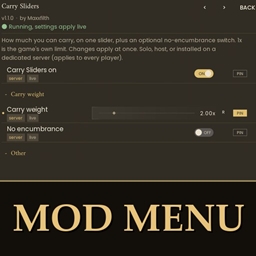
The settings in Mod Menu
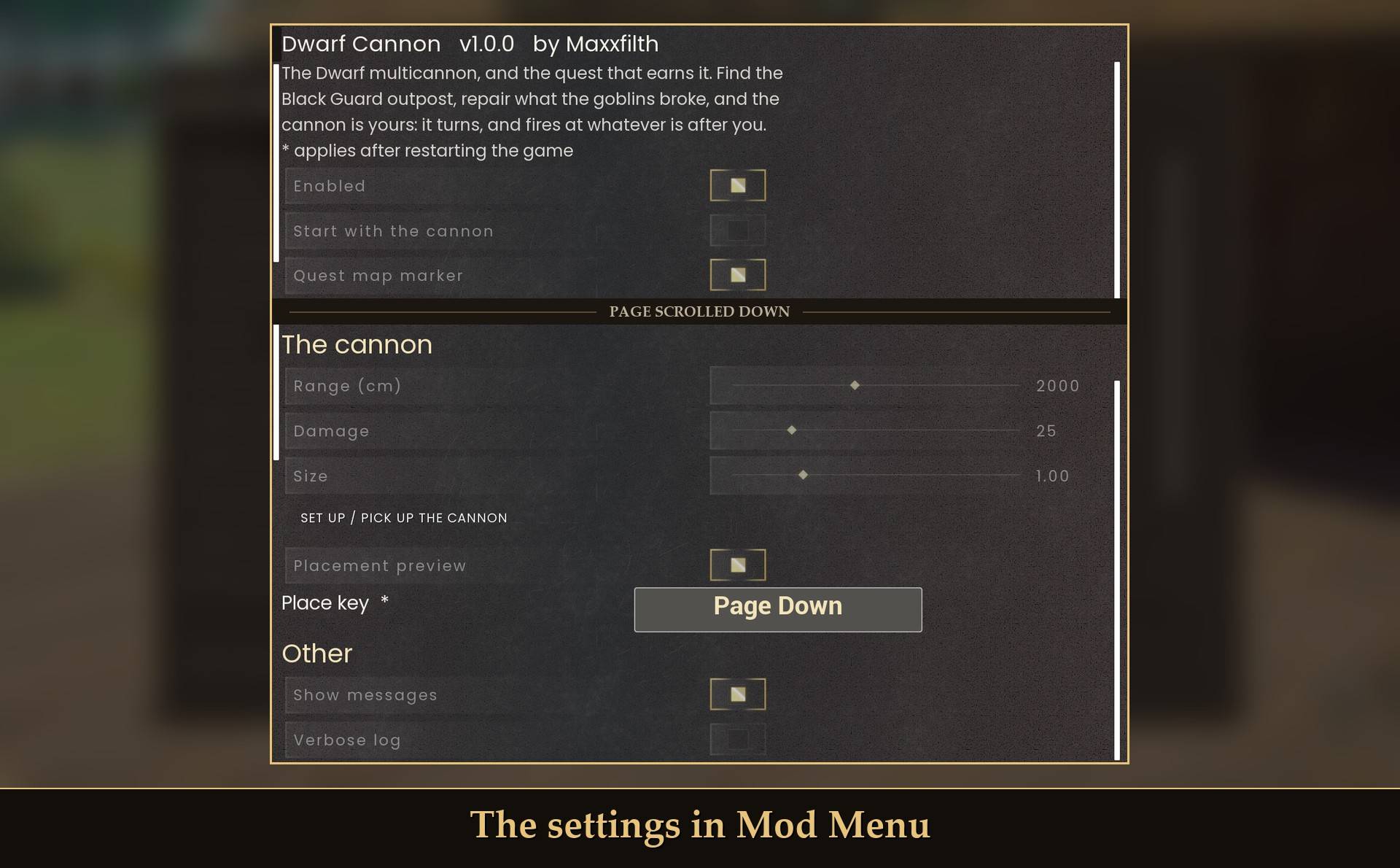
All live in Mod Menu (Esc > MODS > Dwarf Cannon), or in config.txt in the mod folder. Changes in Mod Menu apply within a few seconds, except the place key, which needs a restart. Edits to config.txt get picked up the next time you start the game.
- Enabled: on. Off means no cannon, no quest and no keys.
- Start with the cannon: off. Normally you earn the cannon by doing the quest. On skips it: the cannon is yours right away and the quest is switched off. With RuneSchema it puts the cannon item in your bag, once per character.
- Quest map marker: on. The quest puts the game's map marker on its next goal, in place of a marker of your own. Off: no marker, and the goal line gives the direction and distance instead.
- Range (cm): 2000 (500 to 4000, steps of 100). How far the cannon shoots. 2000 is 20 m.
- Damage: 25 (5 to 100, steps of 5). Damage per cannonball.
- Set up / pick up the cannon: a button. It does what the place key does once you close the menu. It's there for controller players.
- Place key: Page Down. Sets the cannon up, or picks it up when you stand next to it. With RuneSchema the cannon is placed from the build menu, and the key only tells you so. Needs a restart.
- Show messages: on. The lines on screen and the quest's goal line. The mod's lines show centered, in the lower middle of the screen. The journal's pages, faults and answers to the place key always show. Leave it on for the quest: the railing and repair lines are messages.
- Verbose log: off. Extra lines in UE4SS.log, for bug reports.
A few more are in config.txt only:
- RequirePlatform: true. False lets the cannon stand on bare ground. It only matters for the Page Down set-up.
- Ammo: 30 (1 to 100). How many cannonballs it holds. Without RuneSchema bars only go in whole, so from empty 30 fills to 28.
- XpShare: 0.5 (0 to 1). The share of cannonballs that pay Ranged XP. 1 is full XP, 0 is none. Damage and loot stay the same.
- BallSpeed: 2500 (cm per second). How fast the cannonball flies.
- ImpactScale: 0.3. Size of the dust where a cannonball lands. 0 turns it off.
- Darken and Spec: 0.95 and 0.3. How dark the iron is and how much it shines.
Install
It's one download: one zip, laid out like the game's own folders. It holds the UE4SS mod, two pak folders and the RuneSchema add-on. Without RuneSchema you only need the UE4SS mod and the Cannon pak folder. The CannonBuild pak folder and the add-on are for RuneSchema.
- Install UE4SS for RSDragonwilds.
- Extract the zip into your game folder (the one that has
RSDragonwilds inside). It puts everything in place:
- the
DwarfCannon folder into RSDragonwilds/Binaries/Win64/ue4ss/Mods/
- the
Cannon folder (three files: Cannon_P.pak, Cannon_P.ucas and Cannon_P.utoc) into RSDragonwilds/Content/Paks/~mods/
- the
CannonBuild folder (three files: CannonBuild_P.pak, CannonBuild_P.ucas and CannonBuild_P.utoc) into the same ~mods folder. It's the build-menu piece, only used when RuneSchema is installed
- The RuneSchema add-on is a separate small download here on CurseForge, because this category does not accept its .json files: Dwarf Multicannon - RuneSchema Add-on. Extract it into
RSDragonwilds/Binaries/Win64/ue4ss/Mods/RuneSchema/mods/ so you get a DwarfCannon folder there. It is only used when RuneSchema is installed. Without it you still get the quest and the cannon, set up with Page Down.
- Optional: install Mod Menu for the settings in game.
- Optional, recommended: install RuneSchema for the backpack item, the build-menu piece and the cannonballs (link at the bottom of this page).
- With RuneSchema: nothing more to do. In my test RuneSchema added the line
DwarfCannon : 1 to its runeschema.txt by itself the first time it saw the add-on. If the items don't show up, that file is the place to look (1 turns an add-on on, 0 turns it off).
- Start the game. If it was running while you installed, close it and start it again: a relaunch is needed after installing.
When it's done you have RSDragonwilds/Binaries/Win64/ue4ss/Mods/DwarfCannon/, RSDragonwilds/Content/Paks/~mods/Cannon/ and RSDragonwilds/Content/Paks/~mods/CannonBuild/, plus the add-on in RSDragonwilds/Binaries/Win64/ue4ss/Mods/RuneSchema/mods/DwarfCannon/. The mod is built to tell you on screen if the Cannon pak is missing: "The cannon's files are missing (Paks\~mods\Cannon)." I haven't tested that by taking the pak out.
Did RuneSchema pick it up? A little after you enter a world, UE4SS.log has a line that starts item mode ON, then one that starts build mode ON. If it says item mode off, the mod is running without RuneSchema's items: check that the add-on is installed and look at RuneSchema's runeschema.txt and restart the game.
On Game Pass: use the BE version of UE4SS with the SCO signature, the normal build does not load there. Game Pass also installs the game under Binaries/WinGDK/ instead of Binaries/Win64/, and the zip is laid out for Steam. So on Game Pass move the DwarfCannon folder to RSDragonwilds/Binaries/WinGDK/ue4ss/Mods/ by hand. The RuneSchema add-on has to sit inside your RuneSchema folder, so move that one too if you use it. As far as I know the Cannon and CannonBuild folders stay in RSDragonwilds/Content/Paks/~mods/. If you install with Vortex, check that every folder ended up where it belongs. I haven't tested Game Pass.
Read this before you uninstall, if you play with RuneSchema. The game won't load a character whose save lists an item it no longer knows. It sends you back to the main menu, and nothing is lost. If your character ever held the cannon or cannonballs, removing this mod does exactly that to that character. Putting the mod back fixes it: in my test the character loaded again and the cannon was back with its cannonballs, no duplicate. I don't know a clean way to take the items out of a save, so treat this as a mod you keep on that character. Without RuneSchema none of this applies, the mod puts no items in your save.
To uninstall, delete the DwarfCannon folder, the Cannon and CannonBuild folders, and the add-on's DwarfCannon folder inside RuneSchema's mods folder. I tested the case that worried me: with a cannon placed, I took out the build piece's files (the CannonBuild folder and the add-on's buildings file) and started the game. The world loaded, the placed cannon was gone and the cannon item was back in my bag. The rest of the mod was still installed then, and it's the mod that hands the item back. Your progress is kept in %LOCALAPPDATA%\RSDragonwilds\Saved\ as DwarfCannon-<character>.txt, one small file per character. Delete that too if you want to start the quest over.
Good to know
- Host or solo only. The cannon and the quest work in a world you host, or alone. In a friend's world, as a guest, the mod is built to do nothing and tell you so once: "The cannon and its quest run on the host's game only." I haven't joined anyone's world to see that line come up.
- Only you see your cannon. It lives on your PC. Other players in your world don't see the cannon, the cannonball or the quest. From how it's built I expect them to bump into it anyway, and to see creatures take damage from nothing. With RuneSchema the placed cannon is also a real build piece, and I don't know what other players see of that. I haven't had a second player in to check, and I haven't tested multiplayer at all.
- RuneSchema in multiplayer. RuneSchema's own advice is that every player should use the same mod set when a mod adds items or recipes. This add-on adds both, so with RuneSchema every player in the world needs it too. I haven't tested that.
- What the game saves. Without RuneSchema the cannon isn't in your world save. The mod remembers where it stood and puts it back on its platform about 12 seconds after you load in, once you're within 80 m of the spot, with the cannonballs it had. A cannon you left turning starts turning again. With RuneSchema the placed cannon is a build piece, so the game saves it with your base, and the mod puts the working cannon back on it the same way. The cannon item and the cannonballs in your bag are real items, so the game saves those itself.
- Progress is per character, in a small file. It sits next to the game's saves, but Steam Cloud only carries the save folders, not this file. On another PC you'd do the quest again, or turn on Start with the cannon.
- One cannon, one place. The file remembers one cannon per character, not one per world. Without RuneSchema, if you left it set up in another world, the place key is built to call it back to your pack first, and the next press sets it up. I haven't tested that, and I haven't tried a second world with RuneSchema either.
- What ends up in your save. The cannon, the cannonball and the quest's props are put there by the mod each time. They aren't meant to end up in your world save, and my test runs checked it. For the cannon: after quitting to the menu with it out, and after killing the game, nothing of it was left in the world. For the quest: with its progress wiped, leaving the world and coming back left none of its props or guards behind. Removing the mod in the middle of the quest hasn't been tested. The map marker is the game's own. The mod takes it off the map when the quest is done. If you remove the mod before that, I'd expect the last marker to stay on your map until you clear it yourself. Those checks ran without RuneSchema. With RuneSchema the cannon item, the cannonballs in your bag and the placed cannon piece are real, and those are in your save like any other item or build piece.
- It's not a guard. It only fires after you press Fire, and it only shoots what's after you. It won't defend the base while you're away.
- It doesn't decay. RuneScape's cannon decays if you leave it set up too long. This one stays until you pick it up or take it down, or until its footing goes.
- It's solid. You can't walk through it. I walked into it from the front, the side and the back and didn't get stuck. The chimney tops out at about 1.3 m, chest high.
- The sounds are the game's own cannon sounds: the shot, the impact, the lever and the reload. In my test run the game reported the first three as playing. I haven't checked them by ear yet.
- The textures. The iron is a plain dark gray. Darken and Spec in config.txt change how dark it is and how much it shines.
- Controllers. I haven't tested a controller. Fire, Stop, Load and Pick up are on the game's own prompt. Without RuneSchema, setting up is on a keyboard key, so the Mod Menu page has a button that does the same. With RuneSchema you place it from the game's own build menu.
- A base on a quest spot. If you've built right where one of the quest's places is (within 15 m), the mod is built to use a second spot nearby. I haven't tested that.
- Can't see it? With the default camera your character can hide a cannon that's right in front of you. The prompt still shows. Tilt the camera or step to the side.
- Performance. I timed 20 seconds each with the cannon firing at two goblins, turning with no target, and not set up at all. The differences were smaller than the spread between runs.
- Quest Log. My Quest Log mod doesn't list this quest. The goal line and the journal are how you follow it.
- Not sure it's running? UE4SS.log shows
[DwarfCannon] v1.0.0 loaded (loop running): PAGE_DOWN sets the cannon up or picks it up. A little after you enter a world it adds a line that starts item mode ON (the RuneSchema items were found) or item mode off. When the build-menu piece is found too, a line that starts build mode ON follows.
What's RuneScape's and what's mine
- RuneScape's (Jagex): the Dwarf multicannon and how it works (four parts, eight facings on a 0.6 second beat, 30 cannonballs, four to the steel bar, one cannon at a time), the Dwarf Cannon quest, its six steps and its characters. Every line of Captain Lawgof's is theirs, word for word from the quest, cut to fit a journal page, with US spelling.
- Mine: telling it with nobody home, the journal and the lines that connect his, what you find in the crate, the 3D model and the code. Also the rules RuneScape doesn't have: the floor or foundation, the build-menu piece, cannonballs from the blacksmith bench with no mold (that's with RuneSchema), steel bars straight from your bag with no cannonball item (that's without RuneSchema), and the cannon being yours at the end. In RuneScape the quest only lets you buy one.
- Somewhere in between: a few of the cannon's short messages ("You add the stand." and the like, and "Your cannon is out of ammo!") are RuneScape's as best I remember them. I couldn't find them quoted anywhere to check, so take them as close, not exact.
What I tested
Tested on RuneScape: Dragonwilds 1.0 (Steam, build CL-247068) with UE4SS 3.0.1 (build f6d5f942) and RuneSchema 0.7.6.8. Tested in game on one PC, solo: the quest from start to end, placing the cannon from the build menu, the cost rules (placing takes the cannon item, taking the piece down gives it back with the loaded cannonballs, a piece placed without the item or as a second cannon is removed again), firing and kills, saving and relaunching with a cannon placed, removing the build piece's files with a cannon placed, removing the whole mod and putting it back (see the uninstall note), the build menu by real key presses, and the placement preview on a built floor (in the mode without the build piece, started by a test command, not the Page Down key itself). Not tested yet: co-op, a controller, and the sounds by ear. Other things I haven't tried are marked where they come up on this page, Game Pass and raids among them.
Links