Early Access / Previews / Private Discord ↓


Downloads & community ↑
A fresh take on Enhanced Vanilla Minecraft
OdarIs is my take on an Enhanced Vanilla resource pack.
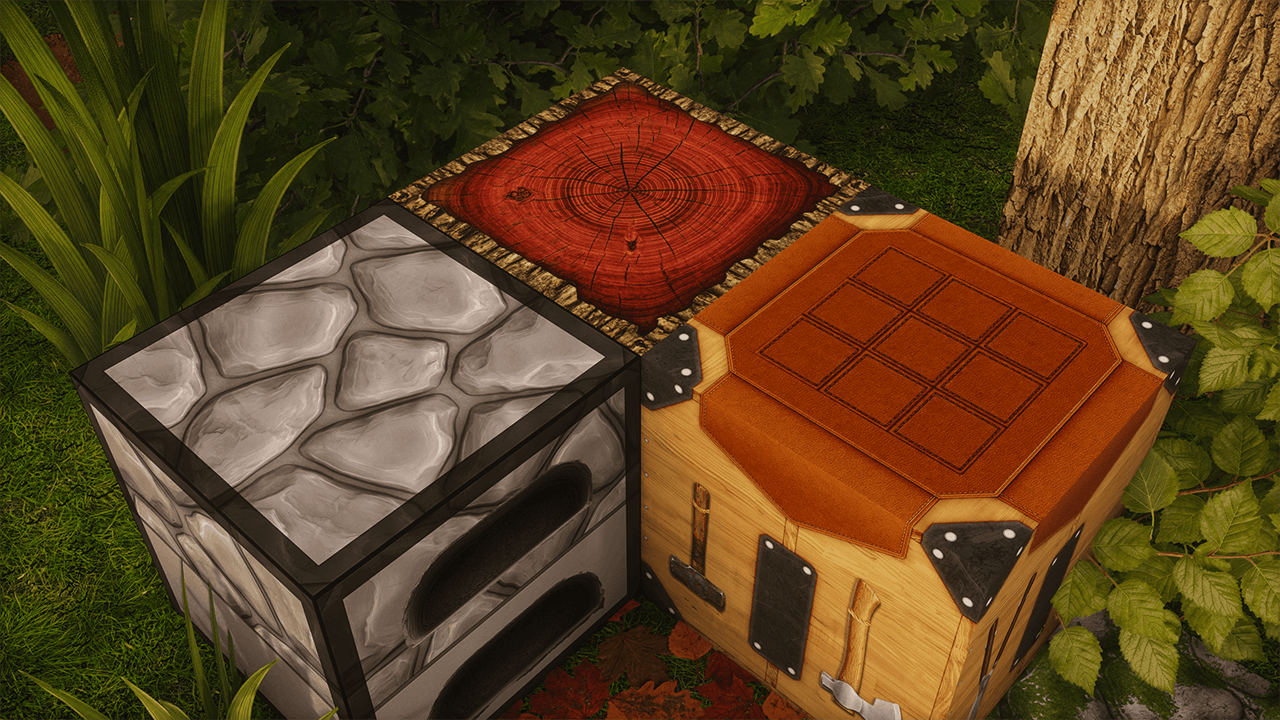
I wanted Minecraft to look more detailed and natural, but I never wanted it to stop feeling like Minecraft. I try to keep the original colors, shapes, and overall character of each block, then build more material detail on top of that.
The pack is available in 7 resolutions, from 32x to 2048x, so you can choose the version that works best for your setup.
Alpha 0.1
Alpha 0.1 is the first public release of OdarIs.
It mostly focuses on blocks you come across near the beginning of a survival world, so this is still a small part of what I eventually want the pack to cover.
- 89 custom textures covering 56 complete blocks
- 7 resolutions: 32x, 64x, 128x, 256x, 512x, 1024x, and 2048x
- High-resolution interface elements
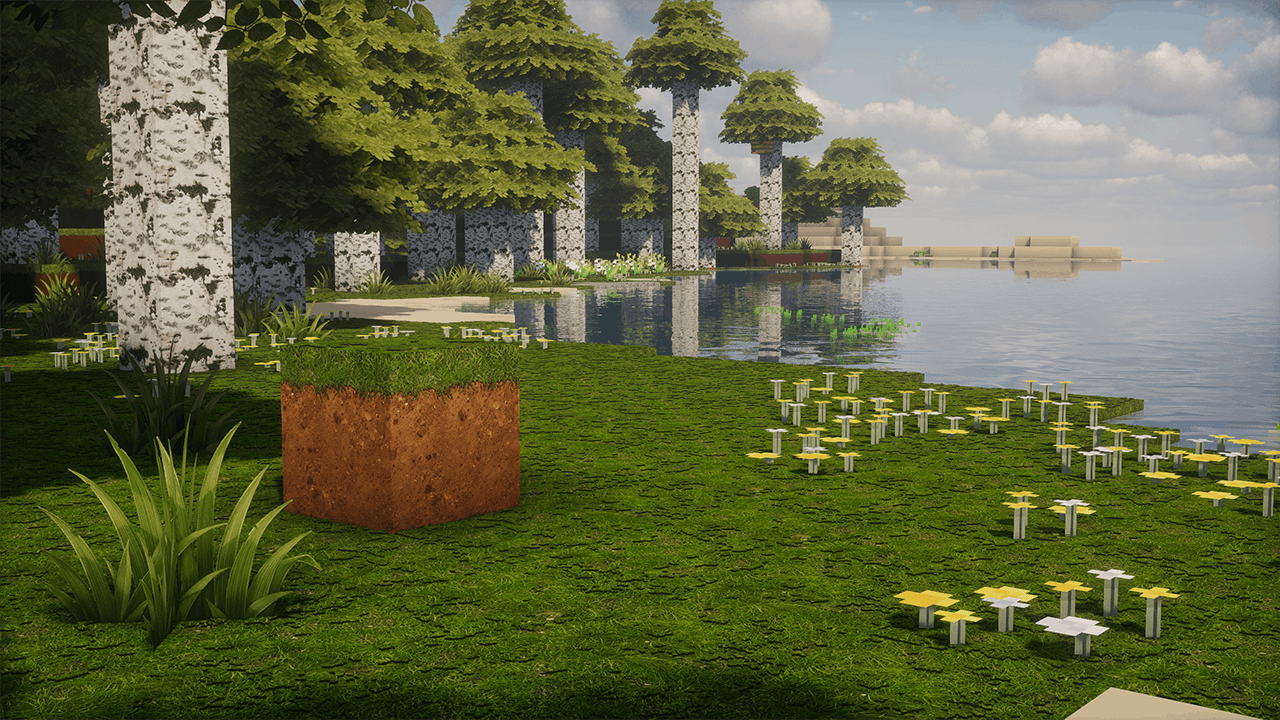
- Textures built using photos and real materials as references
- Seamless terrain textures
- Works with vanilla Minecraft and shaders
- No required mods
I do use real materials as references, but OdarIs is not meant to be photorealistic.
If a texture becomes more detailed but stops looking like the Minecraft block it is supposed to represent, then I consider that the wrong direction. Keeping the vanilla identity is more important to me than simply adding as much detail as possible.
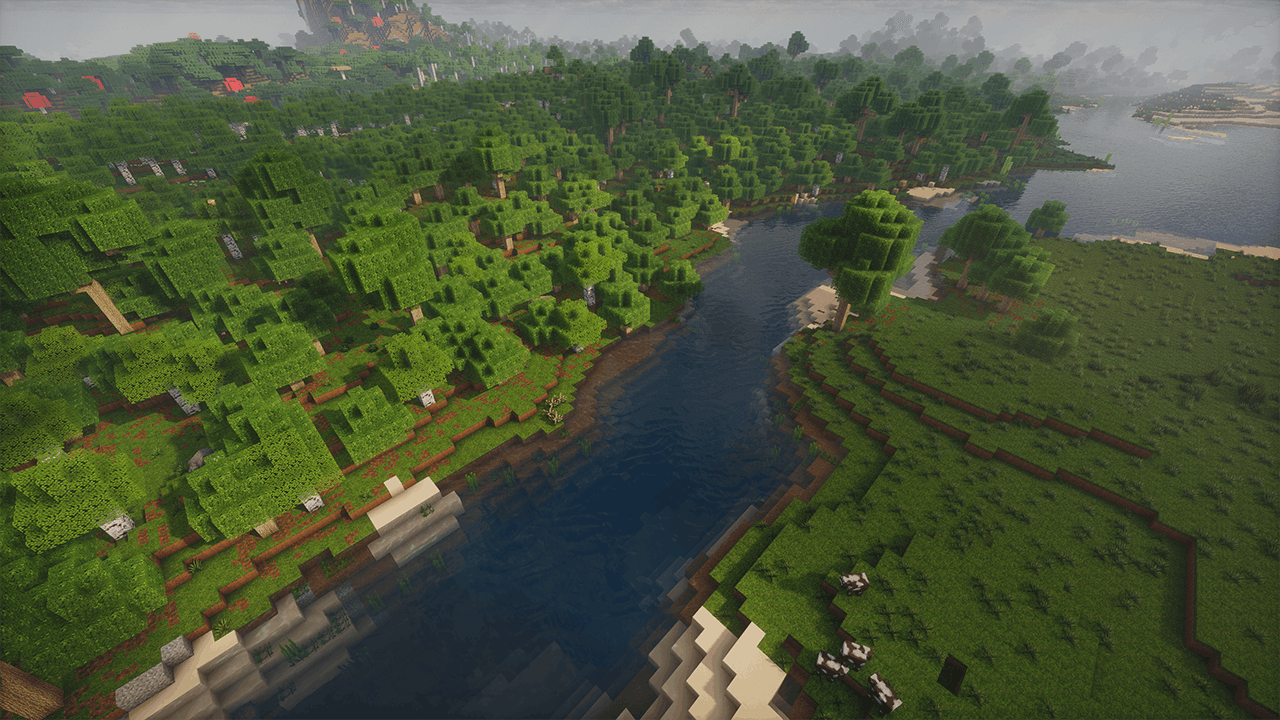
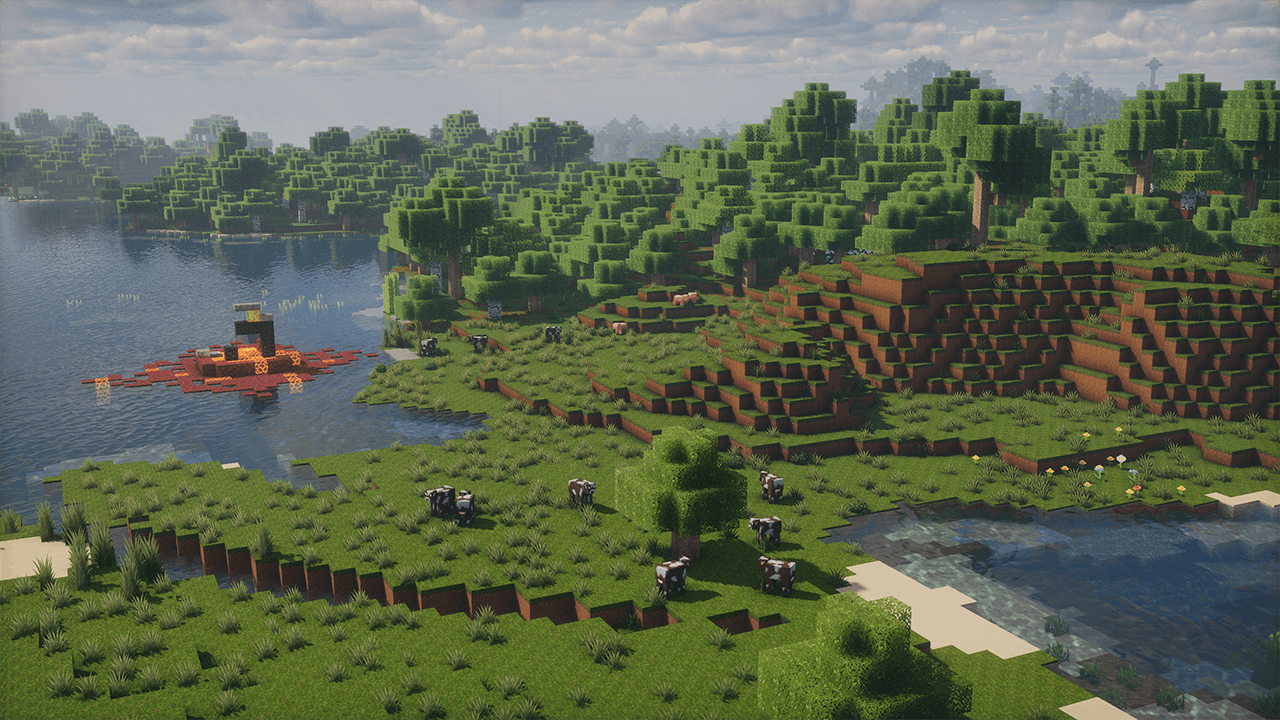
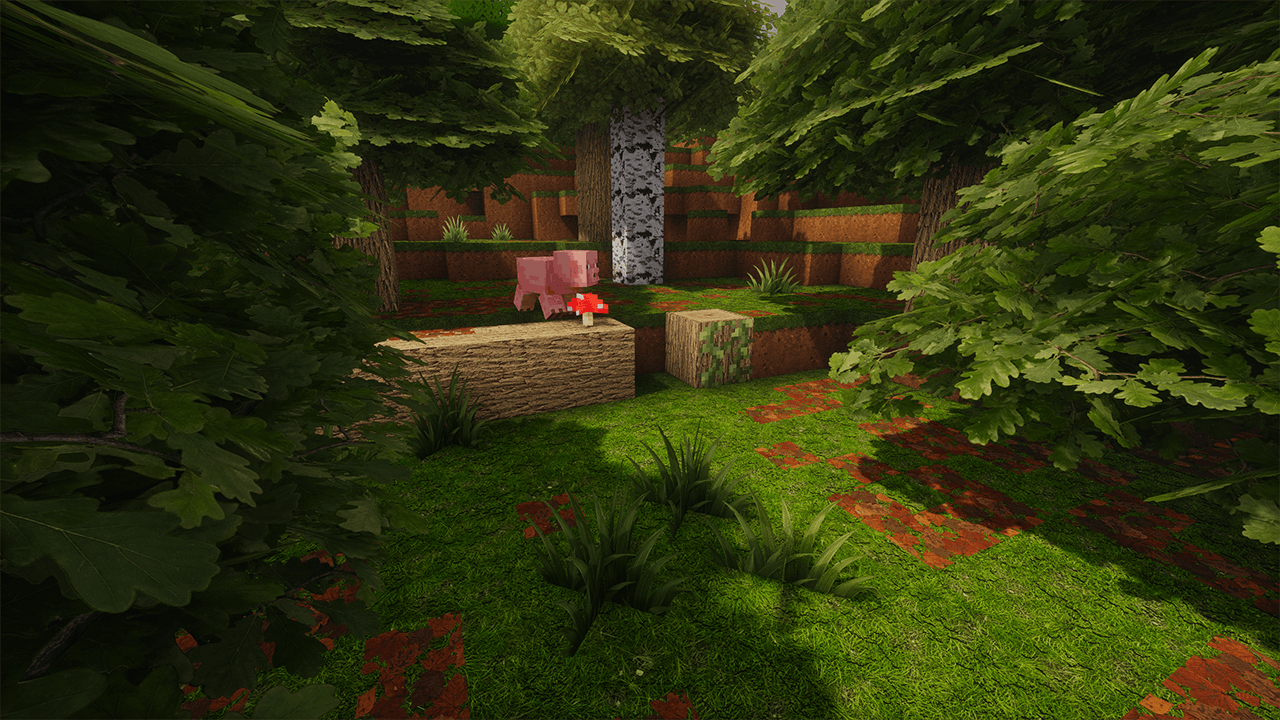
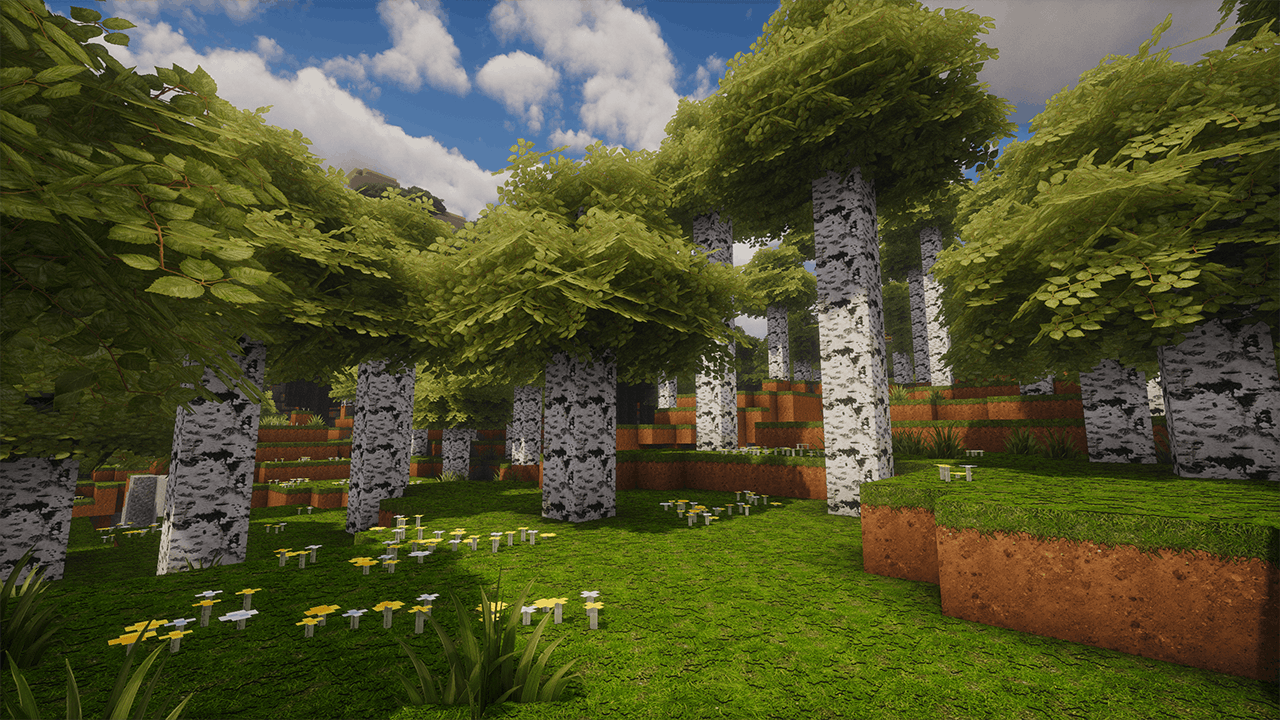
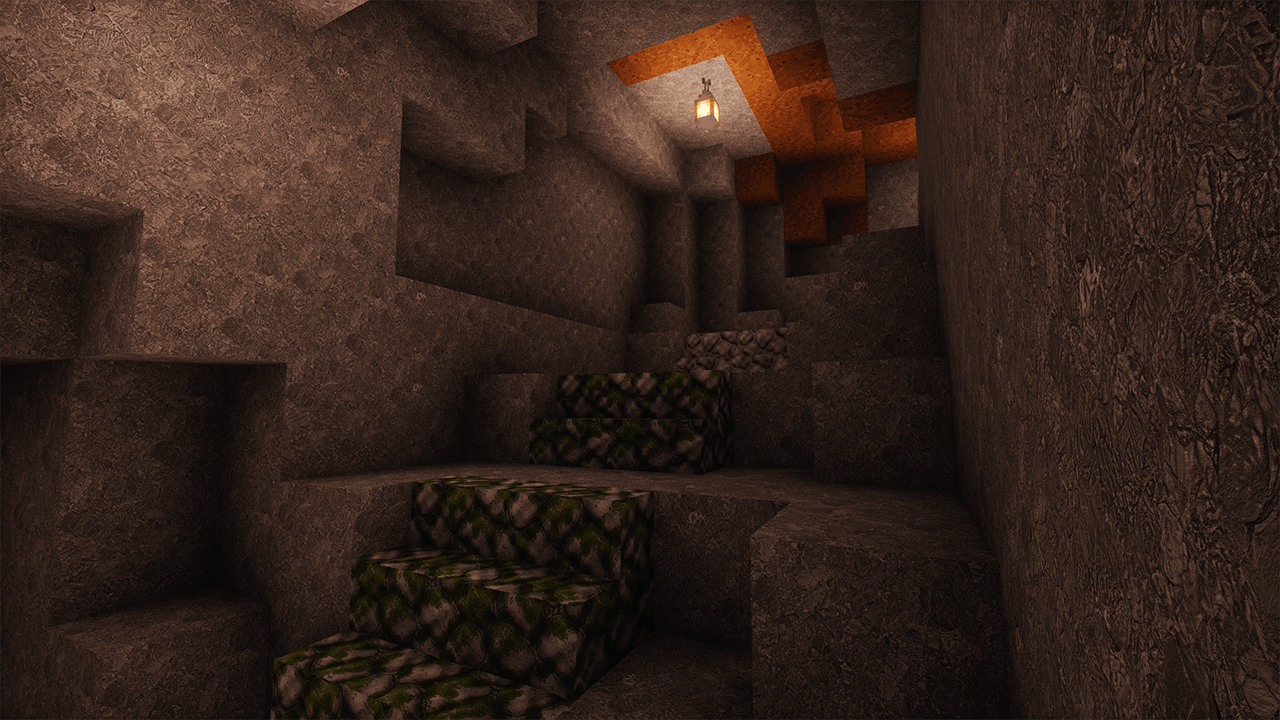
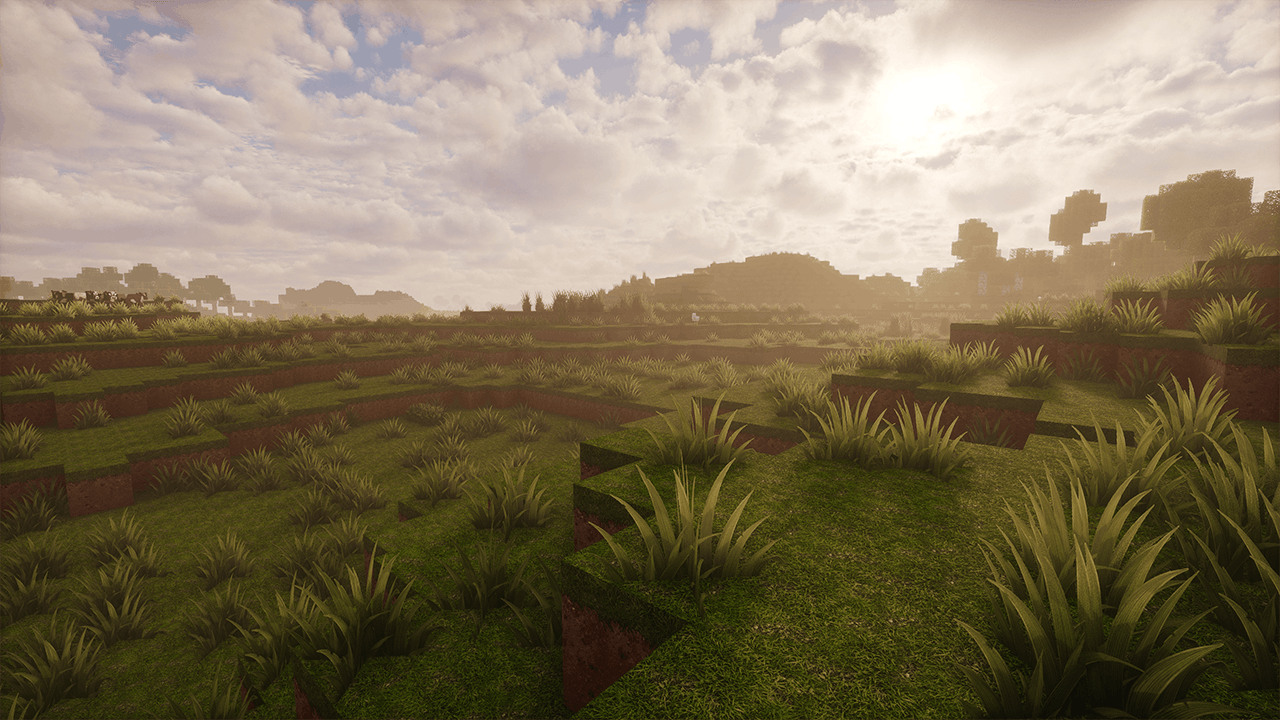
Gallery screenshots were captured with Photon Shaders. Some images also show optional OdarIs add-ons.
Optional Add-ons
The Base Pack works completely on its own. The add-ons are optional and are there for people who want more variation or extra detail.
The number at the beginning of each pack name shows the intended load order. Lower numbers go at the bottom of the resource-pack list, with higher numbers above them.
You do not need to use every add-on. Just enable the ones you actually want.
About OdarIs
I started OdarIs because I wanted a version of Minecraft that felt richer and more detailed without replacing the original art direction.
Part of the inspiration goes back to the old Super Duper Graphics Pack. After that project was cancelled, the idea of making my own higher-detail version of Minecraft stuck with me.
I eventually started learning how resource packs actually work, making textures, testing them in-game, rebuilding things that didn't work, and figuring out how far I could push the resolution without losing the Minecraft look.
A lot of the work is slower than it probably looks from the outside. I regularly test textures at full resolution and then again at much smaller sizes, because something that looks good at 2048x can completely fall apart at 64x or 32x.
Alpha 0.1 is the first public result of that process. It is nowhere near complete, but it gives me a solid base to continue building from.
Content Included
Alpha 0.1 currently covers terrain, vegetation, wood, and some of the basic blocks you encounter early in the game.
VEGETATION & FOLIAGE
Birch Leaves • Acacia Leaves • Spruce Leaves • Pale Oak Leaves • Oak Leaves • Cherry Leaves • Tall Grass • Short Grass • Bush • Leaf Litter
WOOD & PLANKS
Oak Log • Stripped Oak Log • Oak Planks
Spruce Log • Stripped Spruce Log • Spruce Planks
Birch Log • Stripped Birch Log • Birch Planks
Acacia Log • Stripped Acacia Log • Acacia Planks
Jungle Log • Stripped Jungle Log • Jungle Planks
Dark Oak Log • Stripped Dark Oak Log • Dark Oak Planks
Mangrove Log • Stripped Mangrove Log • Mangrove Planks
Cherry Log • Stripped Cherry Log • Cherry Planks
Pale Oak Log • Stripped Pale Oak Log • Pale Oak Planks
Crimson Stem • Stripped Crimson Stem • Crimson Planks
Warped Stem • Stripped Warped Stem • Warped Planks
TERRAIN & STONE
Grass Block • Dirt • Coarse Dirt • Rooted Dirt • Dirt Path • Podzol • Stone • Smooth Stone • Smooth Stone Slab • Cobblestone • Mossy Cobblestone
UTILITY BLOCKS
Crafting Table • Furnace
Performance and Compatibility
OdarIs is made for Minecraft Java Edition and does not require OptiFine or any other mod.
Shaders are completely optional. I test the pack both with normal Minecraft lighting and with shaders, but different shader packs can change the final look quite a lot.
Lower resolutions such as 32x, 64x, and 128x should be comfortable on a much wider range of computers.
The larger versions use more VRAM and system memory, especially when combined with shaders, high render distances, or other high-resolution resource packs.
Allocating more memory to Minecraft may also help when using the largest resolutions.
In my own testing, even the 2048x version has run well on surprisingly modest hardware, including an older laptop. I have spent quite a bit of time trying to keep the files optimized, but performance will still depend heavily on your hardware and settings.
If one of the larger versions gives you problems, I recommend dropping down one or two resolution levels first.
A Bedrock Edition version is something I may look at later, but I would rather adapt it properly than rush out a broken conversion.
Installation
1. Open the Files section and download the resolution you want.
2. Open Minecraft.
3. Go to Options → Resource Packs.
4. Click Open Pack Folder.
5. Move the downloaded OdarIs `.zip` into the folder. Do not extract it.
6. Return to Minecraft and enable the pack.
Using Optional Add-ons
Download the add-ons you want and place their `.zip` files in the same resource-pack folder.
Enable them above the Base Pack.
Example load order:
40 - OdarIs Foliage
31 - OdarIs Random Overlay
30 - OdarIs Overlay
20 - OdarIs Random Blocks
10 - OdarIs Base
Future Updates
Alpha 0.1 is only the beginning of the pack.
I am gradually working through more terrain, stone, building materials, vegetation, utility blocks, ores, and other parts of Minecraft while also going back and improving older textures when needed.
I don't want to lock the project into a strict roadmap or promise a specific number of blocks every month. Some materials take much longer than others, and sometimes an existing texture needs more work before I am happy with it.
The general direction is simple: keep expanding OdarIs while making sure everything still feels like part of the same pack.
The core idea will stay the same - more detail, more natural materials, but still Minecraft.
Support OdarIs
OdarIs will remain free to download.
Patreon is there for people who want to follow development more closely and support the time that goes into the project.
Early Access members get access to:
- pre-release builds
- development previews
- upcoming textures and blocks
- early access to new and updated add-ons
- behind-the-scenes development posts
- private Early Access areas in the OdarIs Discord
Public releases will continue to be available to everyone.
Feedback
Feedback is genuinely useful, especially while the pack is still this early in development.
If something looks wrong, performs badly, tiles strangely, breaks with a shader, or simply feels out of place, I'd rather know about it.
When reporting a problem, please include:
- Minecraft version
- OdarIs resolution
- shader pack, if used
- any other visual mods or resource packs
- screenshots when possible
The OdarIs Discord is the best place for bug reports, performance feedback, suggestions, and general discussion.
Thanks for checking out OdarIs.