Zepholume Shaders
- By
⚡ A performance-conscious Minecraft shader pack bringing atmospheric lighting, polished visuals and richer environments without blindly sacrificing FPS.
Description
Minecraft Java Edition Shader Pack
ZEPHOLUME SHADERS
Atmospheric lighting. Polished visuals. Practical performance.
A performance-conscious Minecraft Java shader pack built to give survival worlds richer lighting, stronger depth and a more cohesive atmosphere without casually setting the GPU budget on fire.
CURRENT PROJECT RELEASE • V1.0.5
Release file: Zepholume-Shaders-1.0.5.zip • Based on the Phase 10 candidate. CurseForge file availability may lag behind this description; check the Files tab for the version actually available.
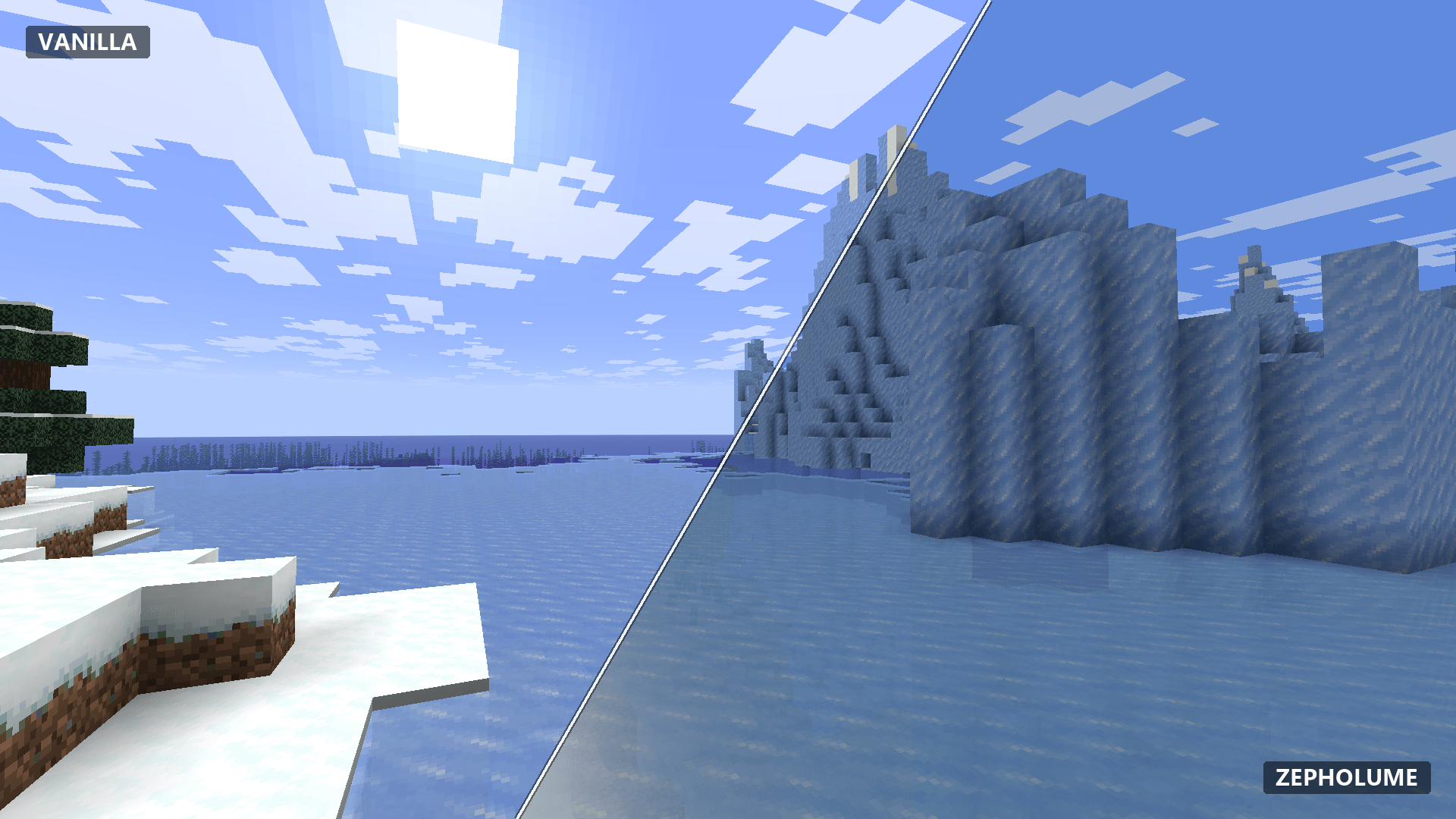
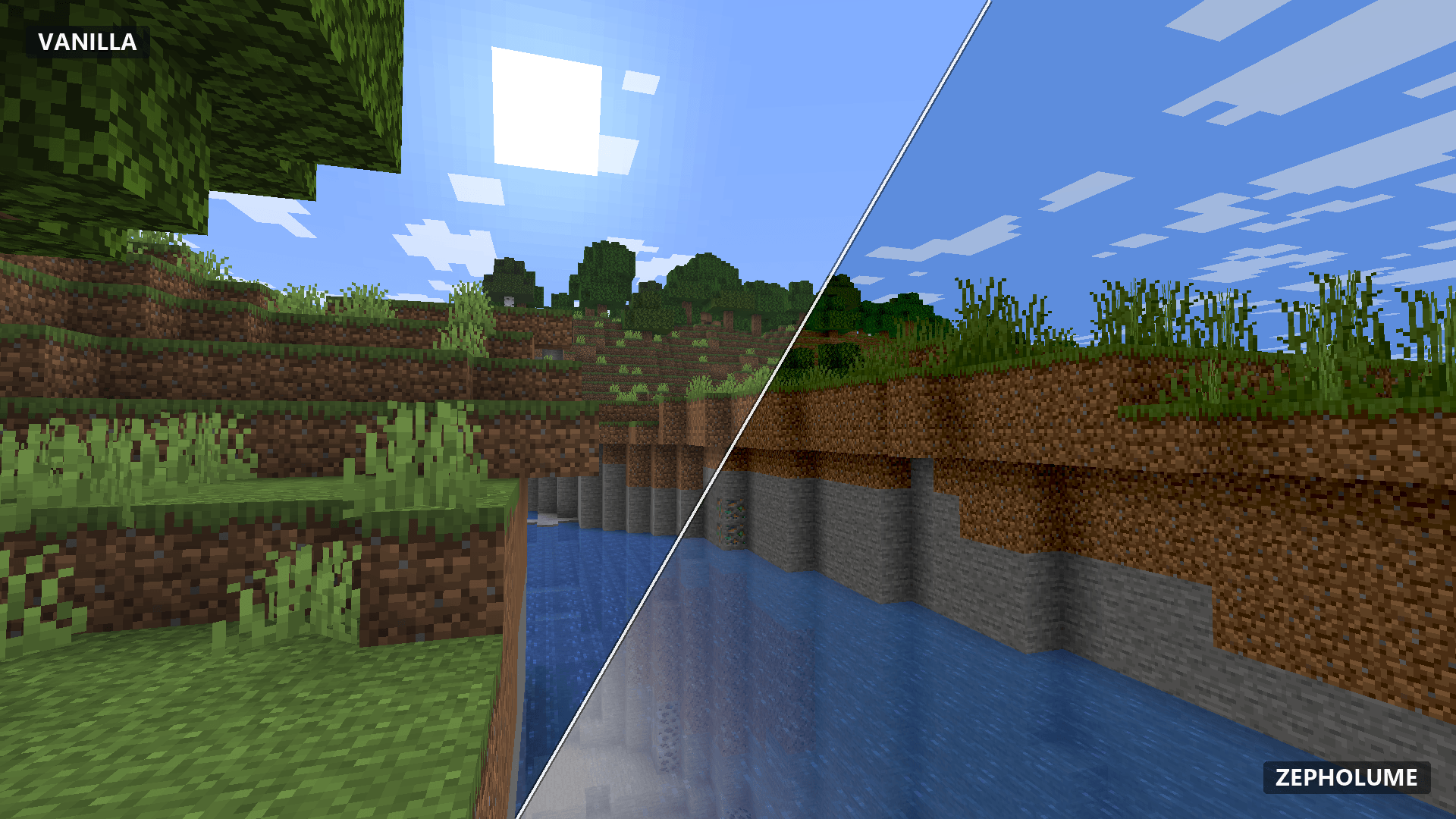
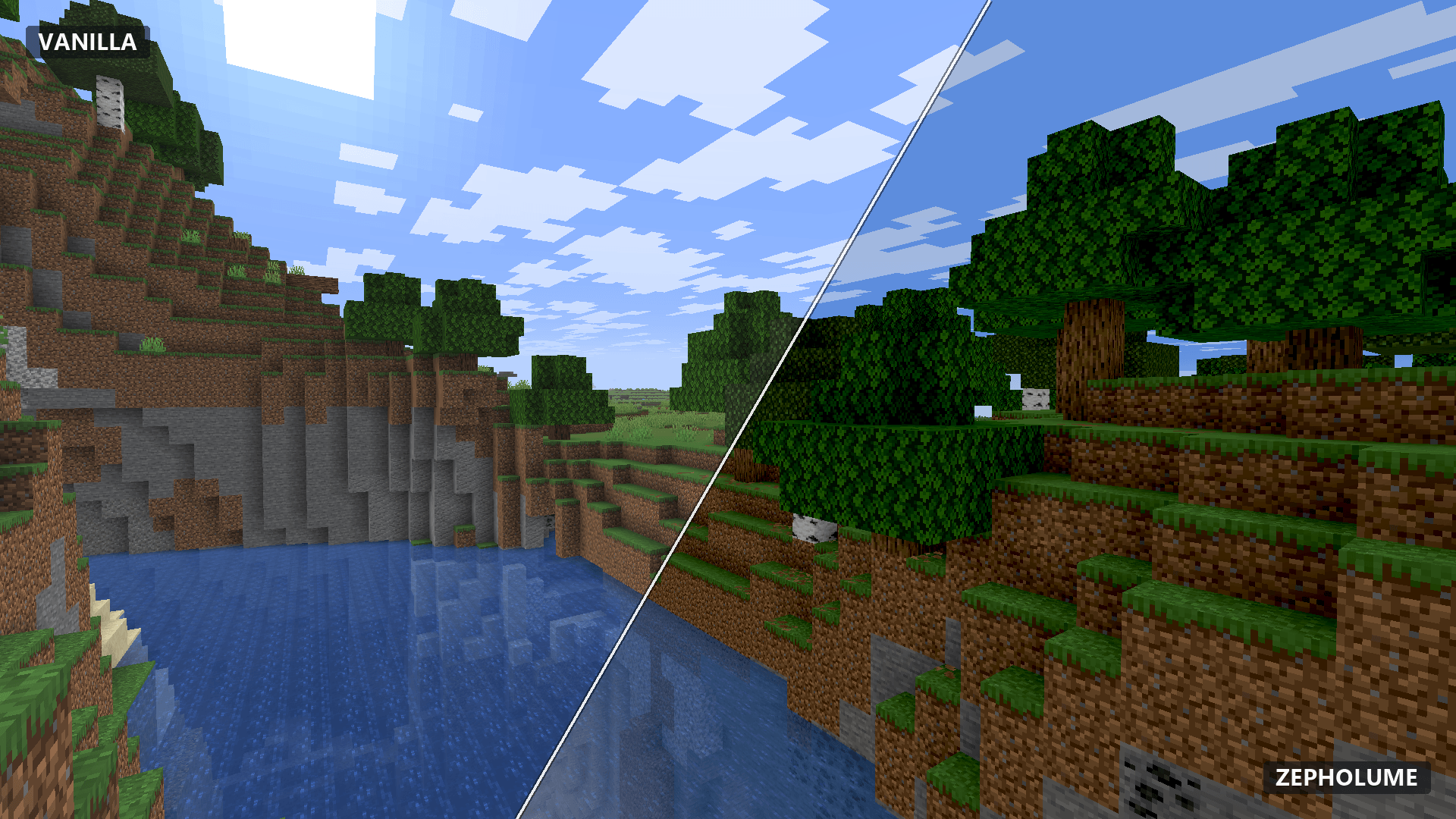
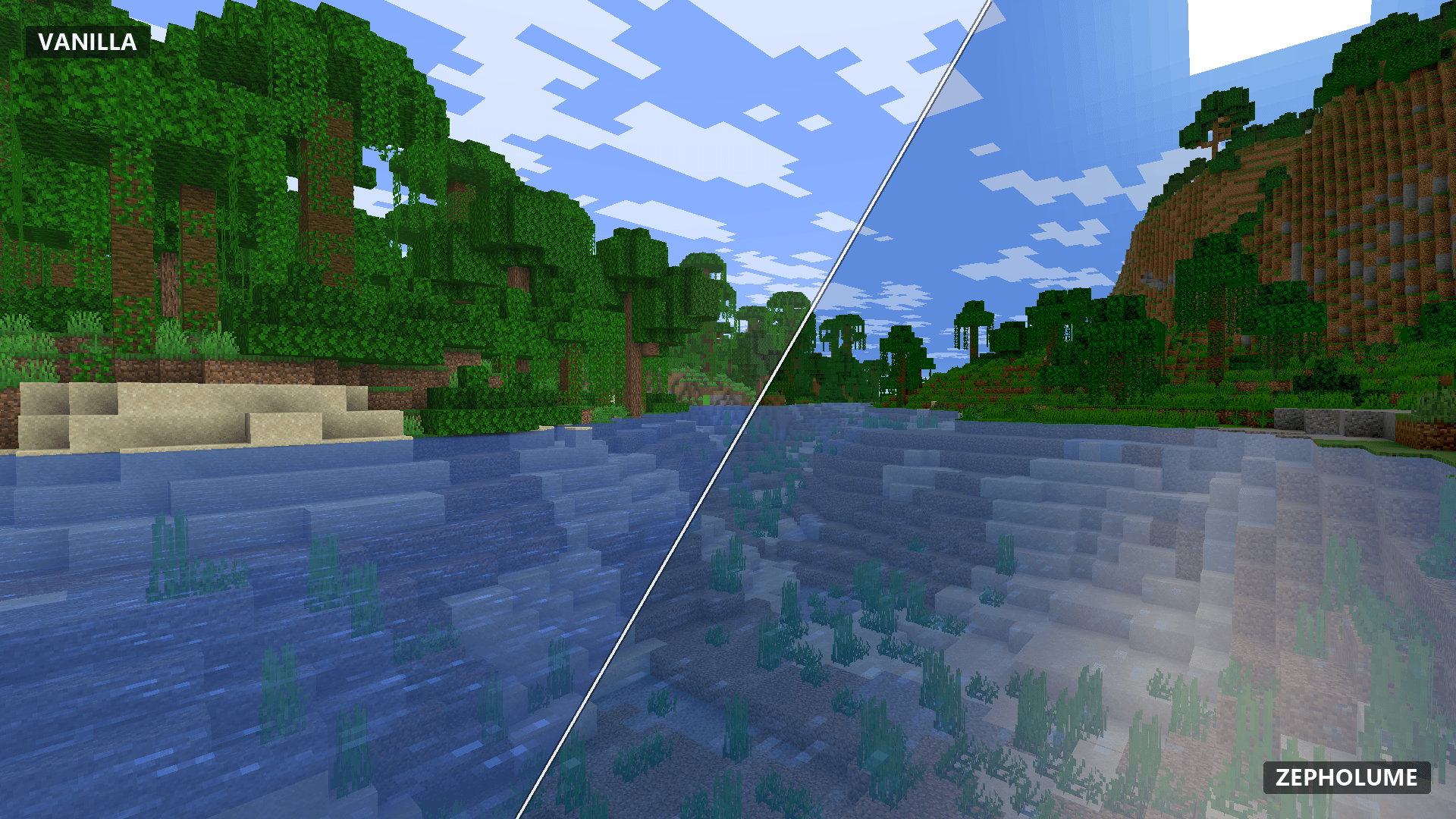
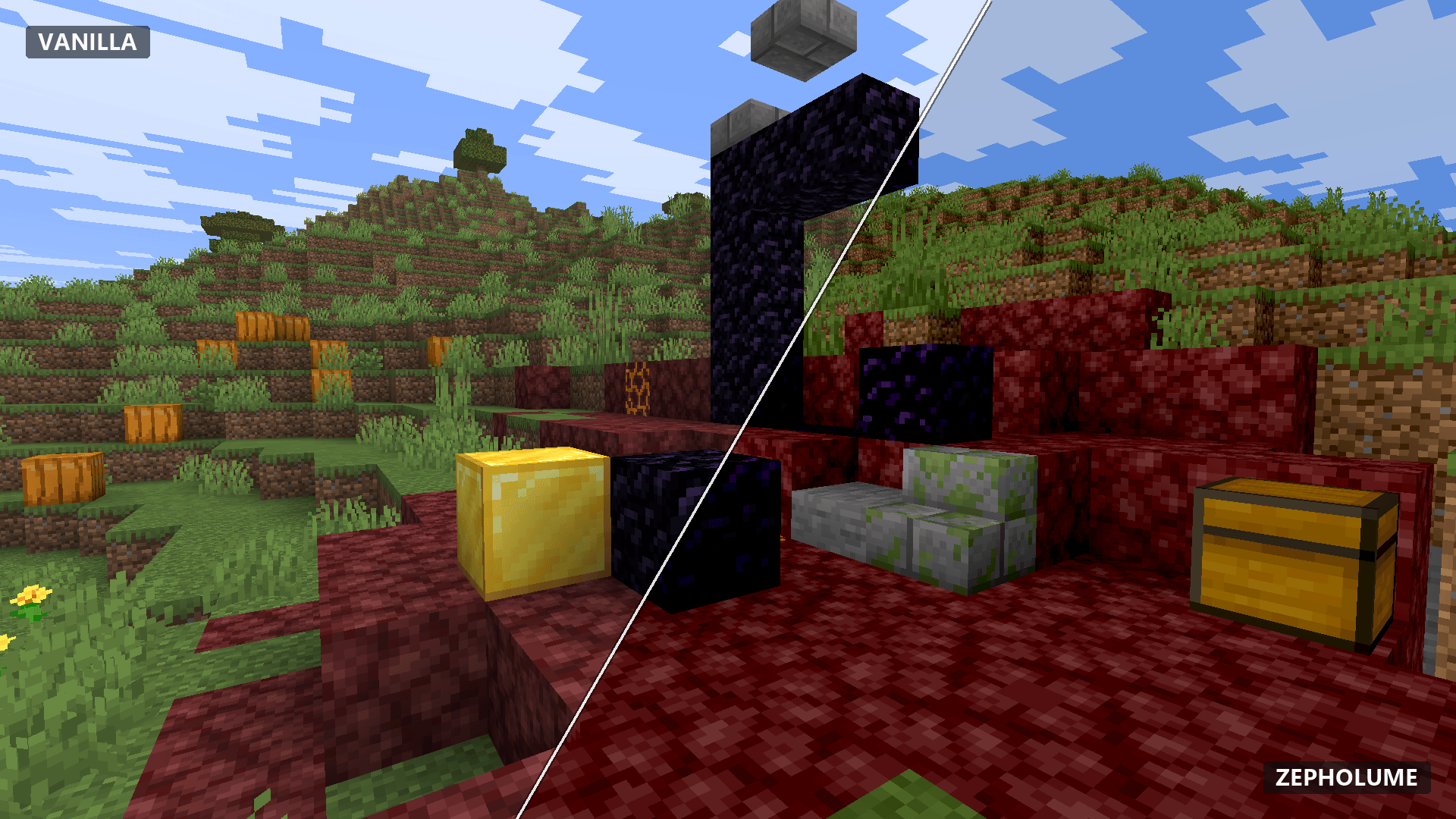
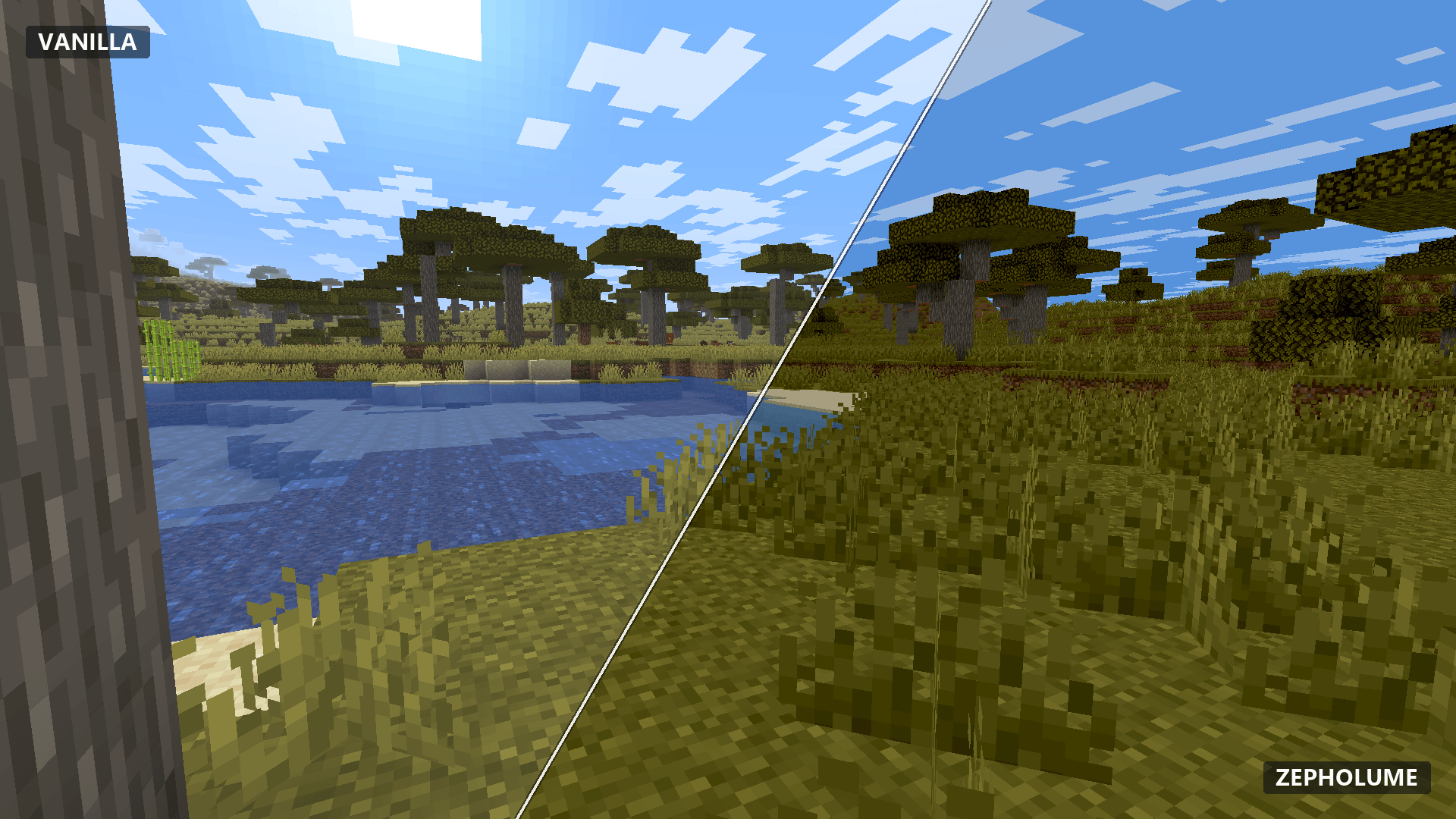
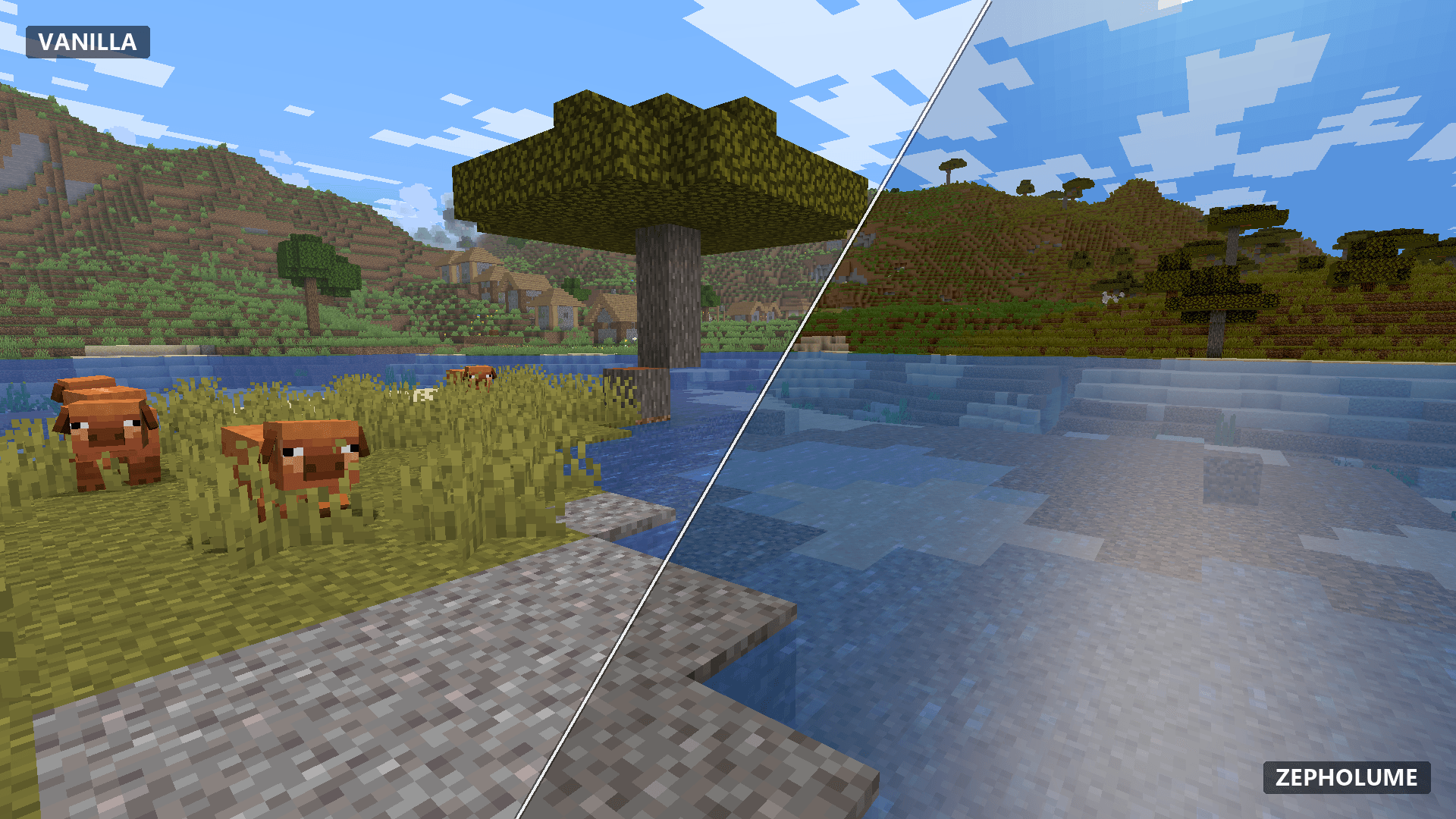
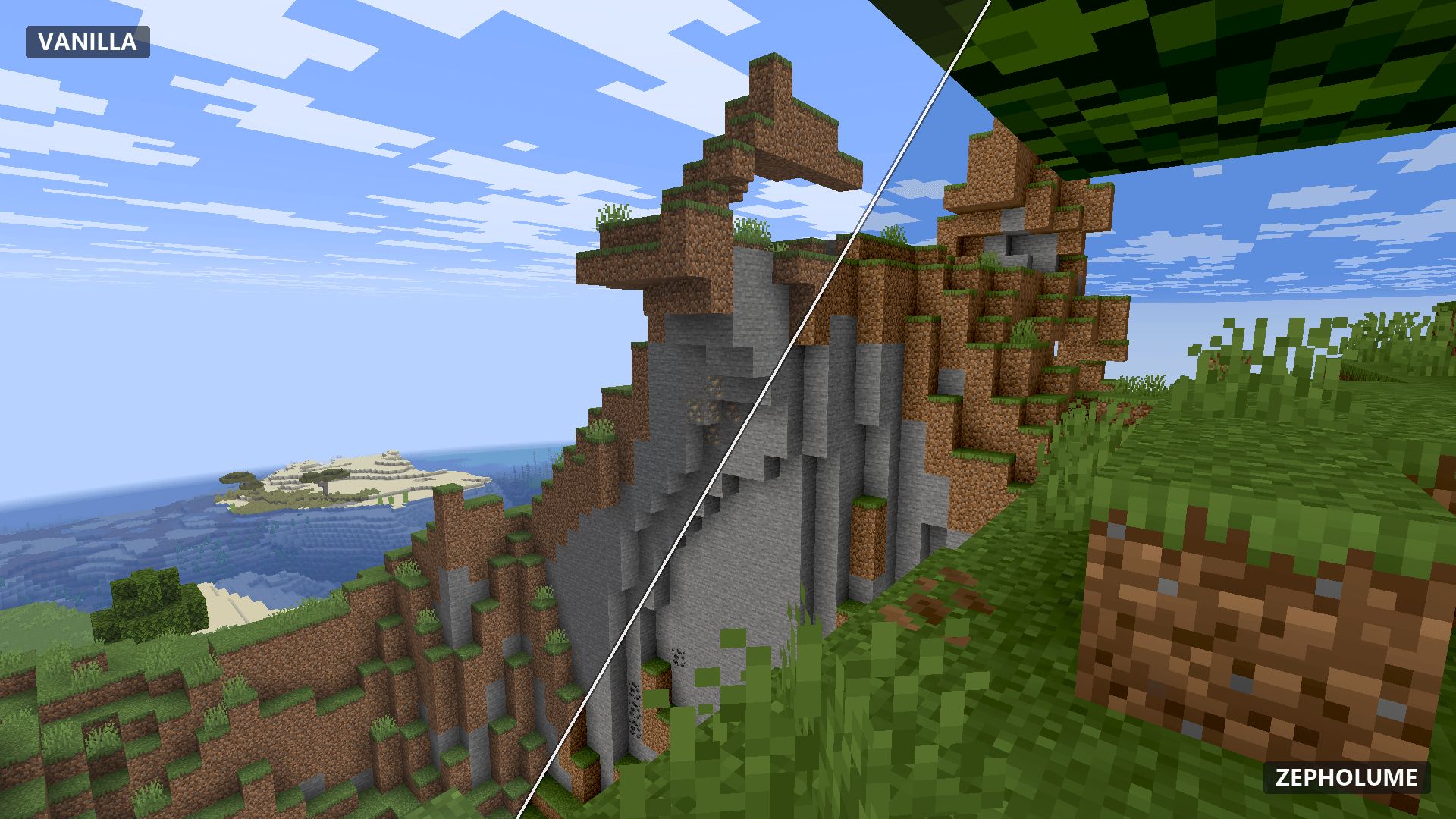
Vanilla ↔ Zepholume • Comparison 01
Why Zepholume?
Better atmosphere without forgetting the FPS counter.
Zepholume is built around a deliberately simple idea: Minecraft does not need a gigantic cinematic rendering pipeline to look substantially better.
The project spends its rendering budget on controlled lighting, environmental colour, sky and horizon treatment, fog, clouds, weather, water and scene depth while keeping the rendering route deliberately bounded.
The goal is not to win a checklist competition against heavyweight shaders. The goal is to make normal Minecraft exploration, building and survival feel richer while respecting frame time, portability and maintainability.
Improve the scene, not the renderer's résumé.
Zepholume prefers techniques with a clear visual payoff over expensive systems added merely because a feature list looks lonely without them.
V1.0.5 • Lighting & Configuration
Correct the light. Keep the renderer lean.
V1.0.5 builds on the Phase 10 development candidate with source-level lighting corrections, more reliable shader-settings metadata and expanded automated checks. It targets the overly bright or overly harsh scenes reported during development without replacing Zepholume's restrained direct-path renderer.
- Corrected lightmap sampling. A source-level fix addresses missing lightmap sampling in affected generic fragment paths, a root cause of scenes behaving as though environmental light levels were ignored.
- Adjusted skylight treatment. Lighting calculations were reviewed to avoid unintended duplicate skylight effects and preserve environmental attenuation.
- Refined colour handling. Low-light values and above-range highlights receive more deliberate treatment to address excessive contrast and loss of darker scene detail.
- Fixed Iris option-tooltip keys. Phase 10 corrects shader-setting tooltip definitions to match the documented Iris format and adds a regression check.
- Kept the five intended quality profiles. Potato, Low, Balanced, High and Ultra remain the design targets; actual Potato-menu visibility still needs hands-on confirmation.
- Expanded validation. Phase 10 reports 272 standalone GLSL stage checks, 420 link checks and 630 mocked portability cases, alongside settings regression checks.
- Preserved the lightweight approach. No new shadow pipeline, SSR, temporal buffers or heavyweight post-processing system is introduced as part of this release.
Important: source corrections are not a visual sign-off
The Phase 10 tests support shader-source and configuration correctness, but Iris/Oculus in-game visual recovery was not confirmed. Brightness, contrast and Potato preset visibility remain areas for runtime verification. No measured FPS improvement is claimed for V1.0.5.
This public release is based on Zepholume-Shaders-1.0.5-dev-phase10.zip, distributed as Zepholume-Shaders-1.0.5.zip. The development archive's recorded SHA-256 is 4B3803CF87AF43952CF91D145BB634C3346DEF6FC8C7008C37368058DC75DC91.
Visual Direction
Atmosphere that behaves like one system.
Day, night & twilight
Terrain, sky, clouds and fog share continuous environmental behaviour so sunrise, sunset, daylight and night transition as parts of the same world rather than unrelated colour presets.
Sun, moon & directional light
Zepholume uses separate loader-provided sun and moon directions for bounded celestial lighting. Skylight grounding prevents that directional response from behaving as though caves have developed transparent ceilings.
Sky & horizon
The analytical sky uses controlled elevation and horizon behaviour, loader-provided scene colour, restrained twilight warmth and celestial glow. Horizon treatment is coordinated with fog to reduce visible atmospheric seams.
Fog & dimensional atmosphere
Fog is treated as part of the scene. The Overworld gains atmospheric depth, underwater views gain restrained tinting on supported profiles, and the Nether and End use independent ambient treatment rather than carrying unnecessary Overworld celestial maths.
Block lighting
Interior warmth is driven by the relationship between block light and skylight. Artificial lighting gains richer warmth where block light actually dominates instead of indiscriminately painting strongly sky-lit surfaces orange.
Weather
Rain and storms soften directional lighting and adjust atmospheric colour without requiring a separate heavyweight weather renderer.
Water
Water combines bounded sky/transmission response with tuned grazing reflectance. Low and Balanced retain the lighter fourth-power artistic response; High and Ultra use a refined fifth-power Fresnel-Schlick-shaped curve. Balanced and higher profiles add bounded vertex-driven water movement. The exact-zero celestial-specular gate introduced in V1.0.4 is retained, avoiding inactive sun/moon lobe work without introducing SSR, depth reconstruction or another framebuffer pass.
Colour & scene depth
Exposure, contrast, saturation, temperature, material orientation and highlight compression are designed to give Minecraft depth without overly aggressive grading. V1.0.5 adjusts lighting and colour handling in response to reported full-bright scenes and heavy contrast; the final visual outcome still needs in-game review.
Quality Profiles
Five profiles. Real capability boundaries.
The selected profile establishes a feature baseline. Lower overrides can reduce work without intentionally enabling effects above the chosen tier. The five tiers are defined in the pack; Potato preset visibility in the live options menu is still awaiting verification.
Potato
The compatibility and minimum-work tier. Potato keeps the direct scene grade and loader sky/fog behaviour while compiling out analytical face, material, cloud, water, weather and analytical-sky work. Underwater fog colour remains loader-provided instead of enabling Zepholume's additional tint.
Low
The lightweight target. Low enables restrained directional face/cloud response, basic analytical water, weather treatment and subtle underwater fog tinting while keeping water vertex movement disabled.
Balanced Default & recommended starting point
The intended everyday Zepholume experience. Balanced adds material response, atmospheric depth, continuous time transitions and animated low-amplitude two-wave water without changing the underlying direct-path architecture.
High
Raises bounded face, cloud, water and weather detail for systems with more headroom. Water also moves to the refined fifth-power grazing-response curve while staying inside the same one-colour-target renderer.
Ultra
The highest analytical Zepholume tier. Ultra maximises the current bounded direct-path effects without adding shadows, SSR, temporal history, volumetrics, bloom or extra colour buffers.
Ultra Lite remains available as a deprecated compatibility alias for Low. And if Balanced looks excellent while running better, use Balanced. Selecting Ultra is still not a moral achievement.
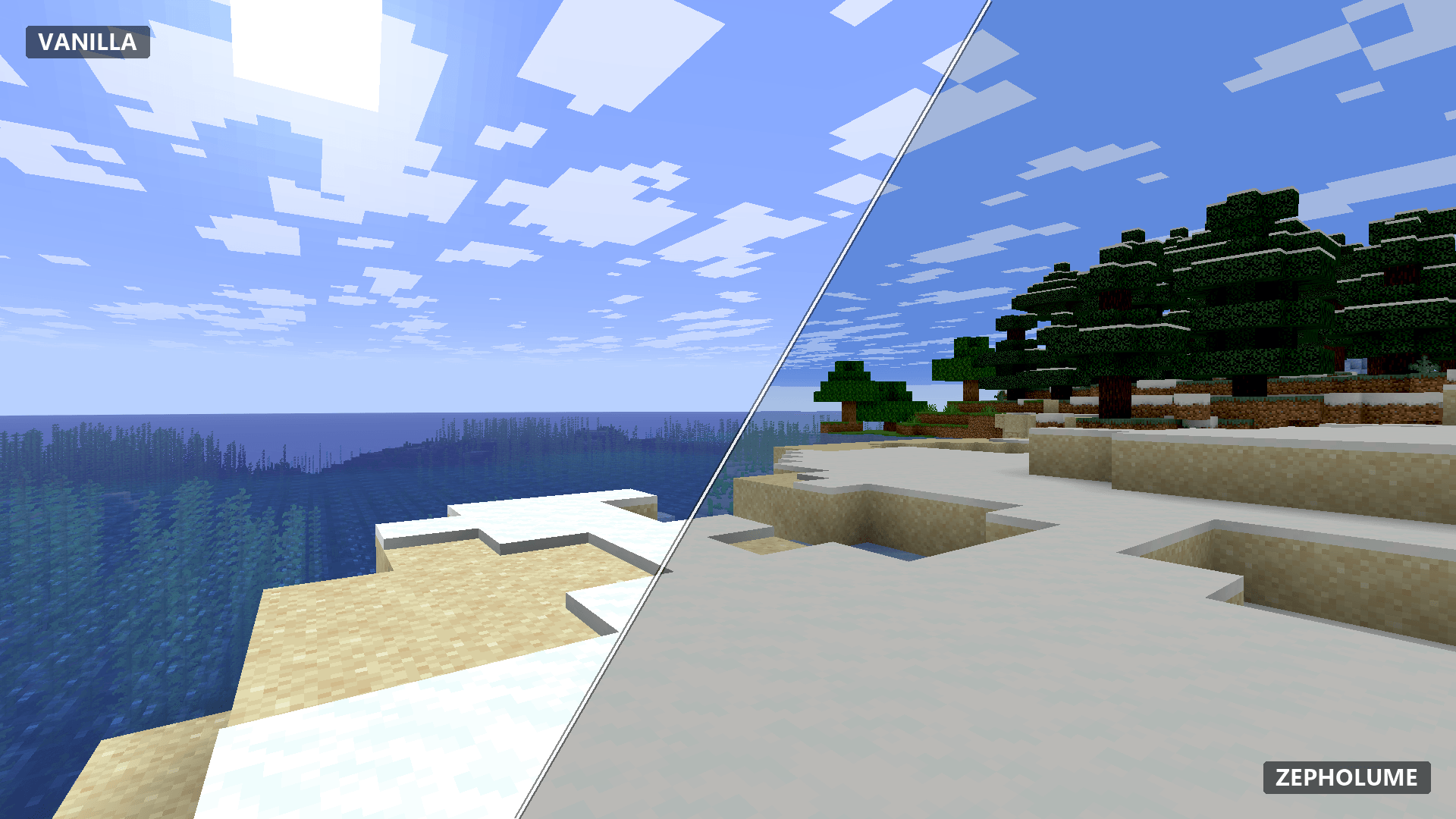
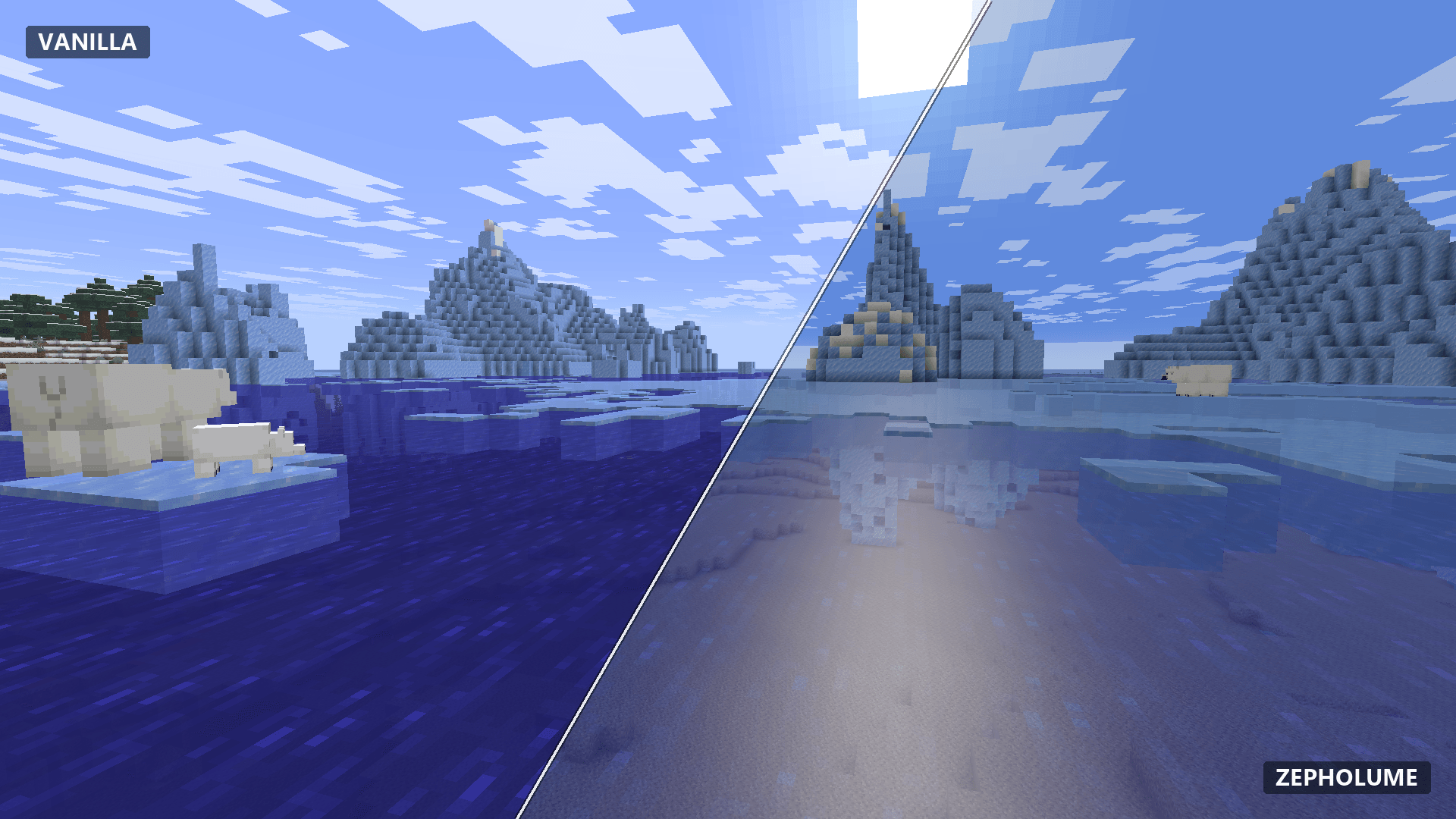
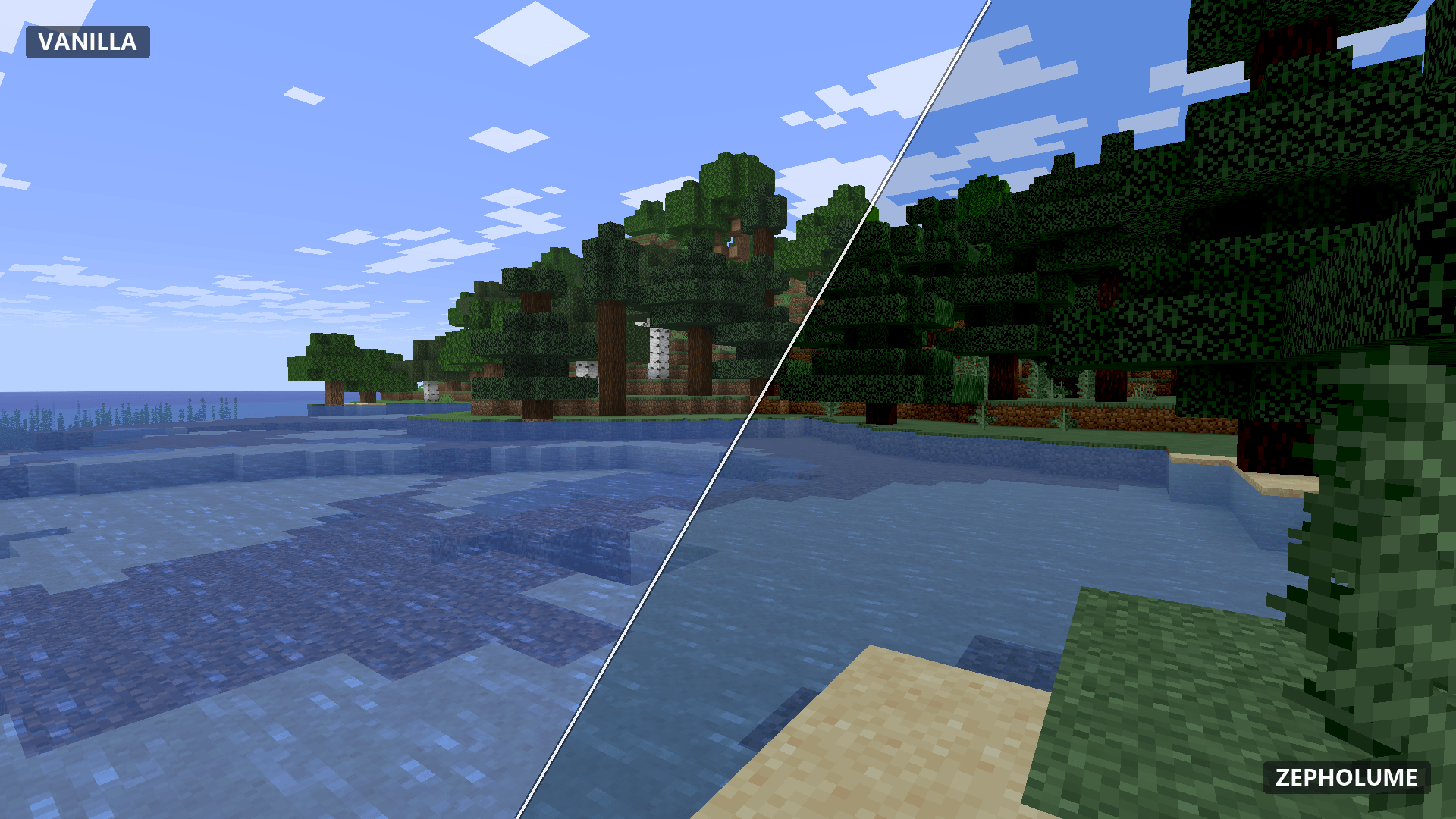
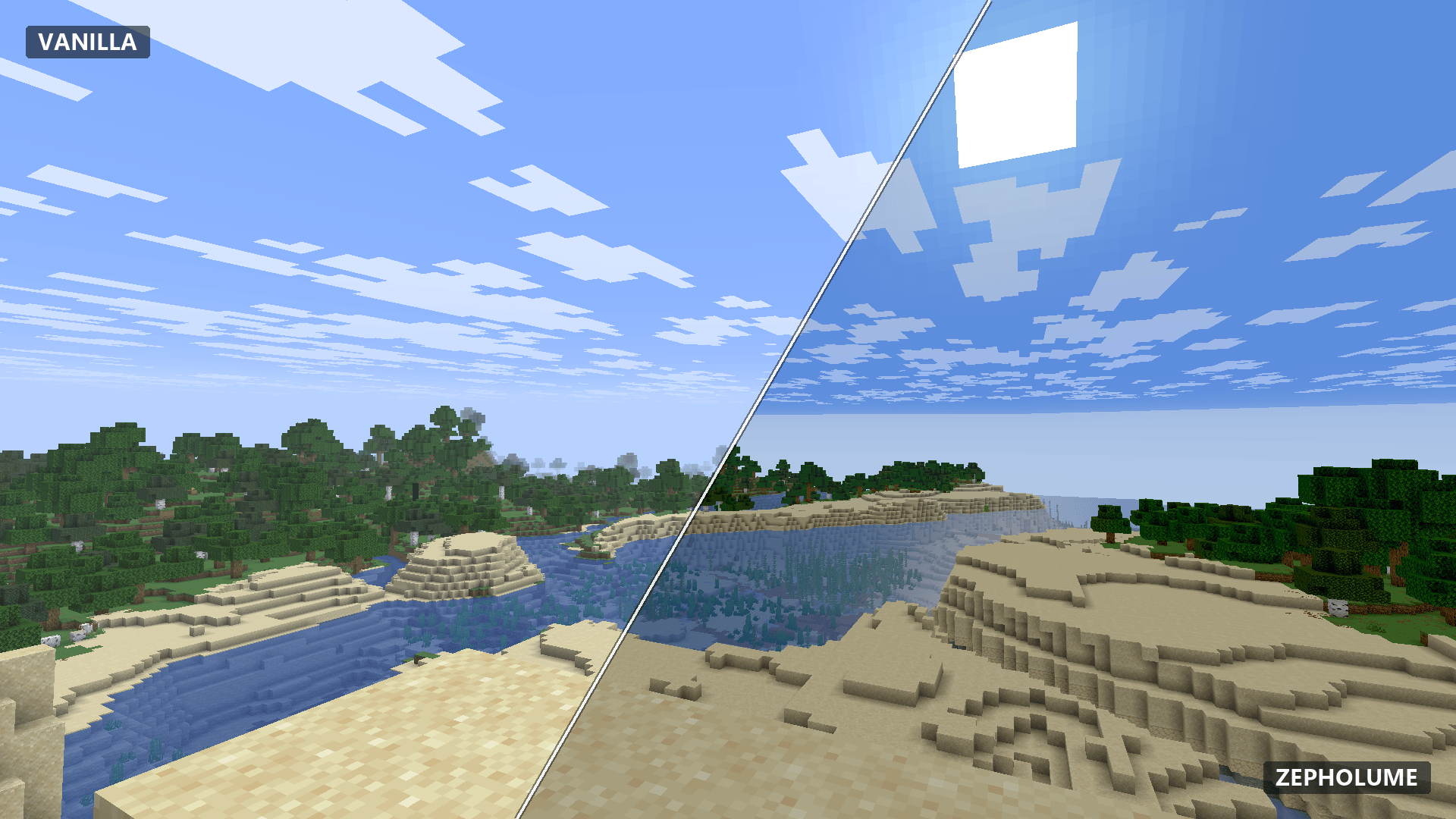
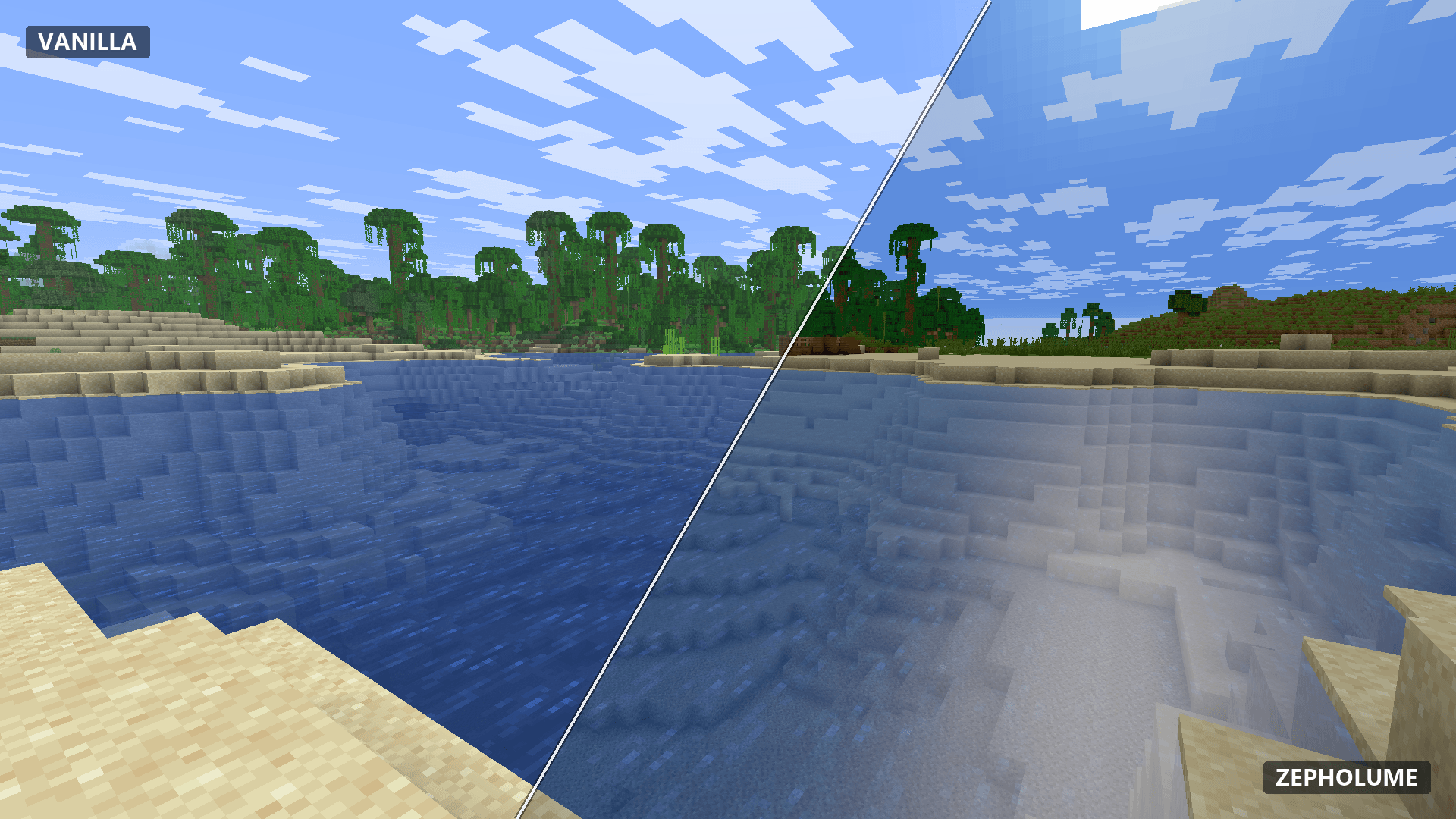
Vanilla vs Zepholume
Same world. Different atmosphere.
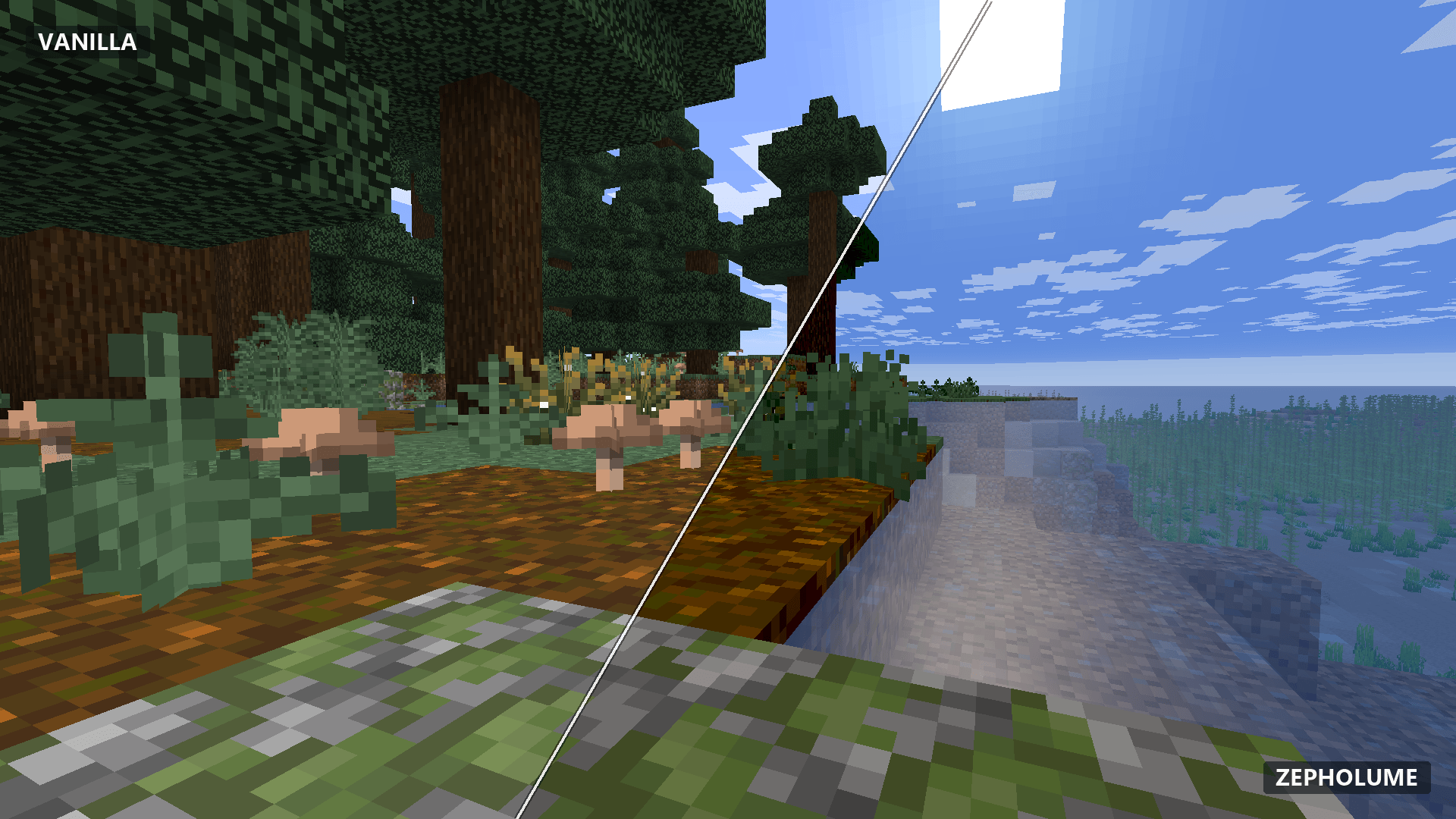
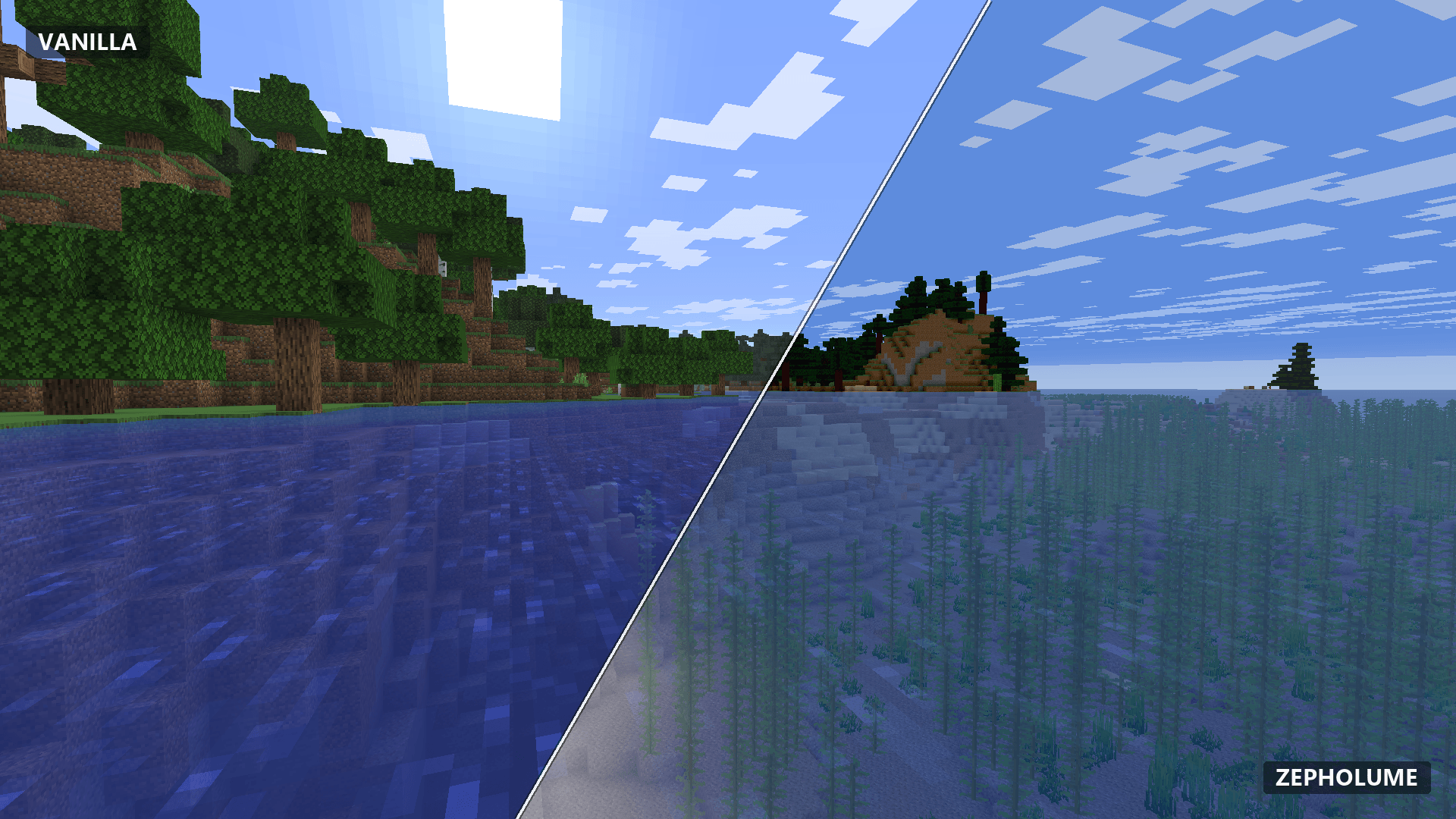
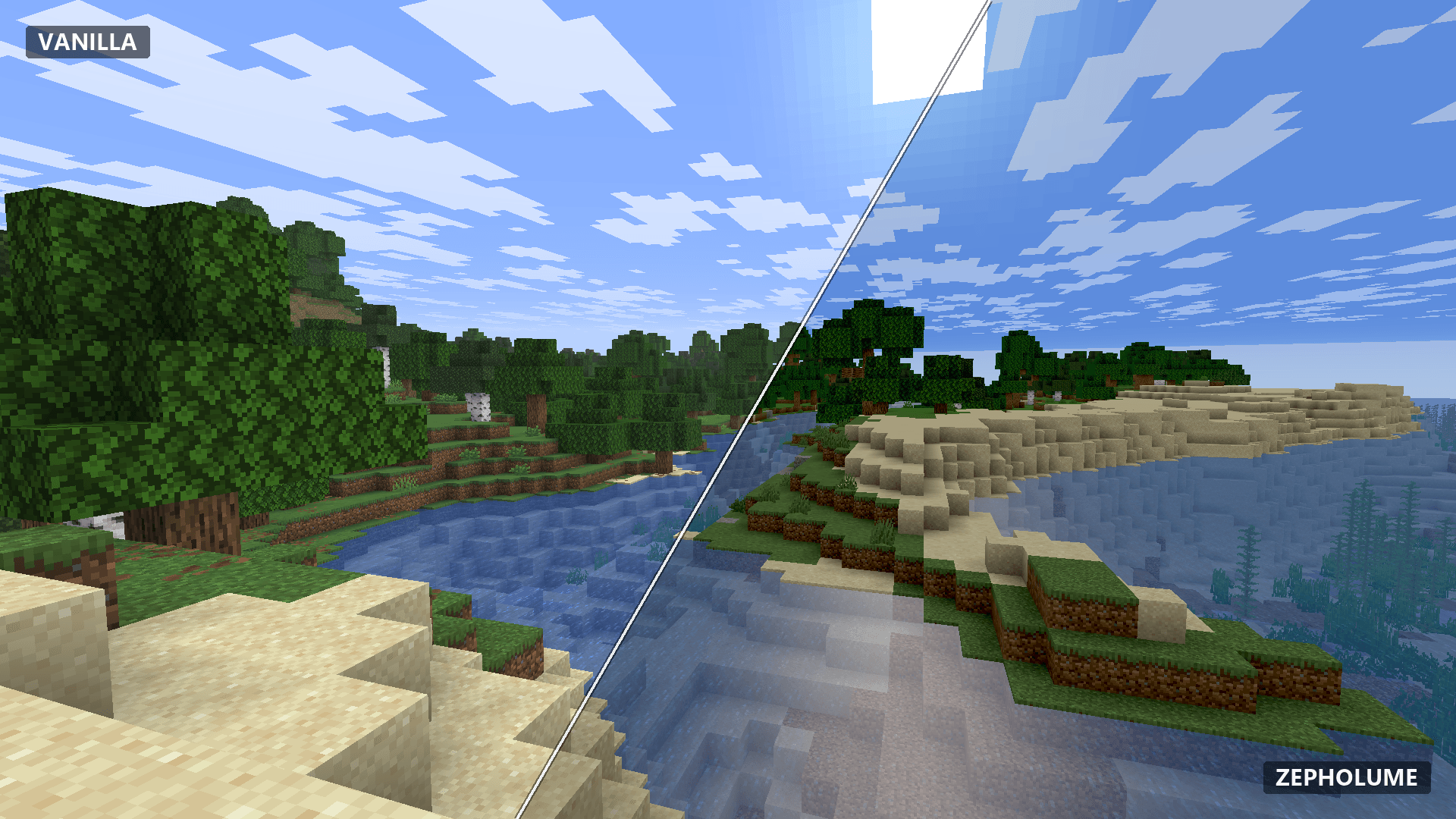
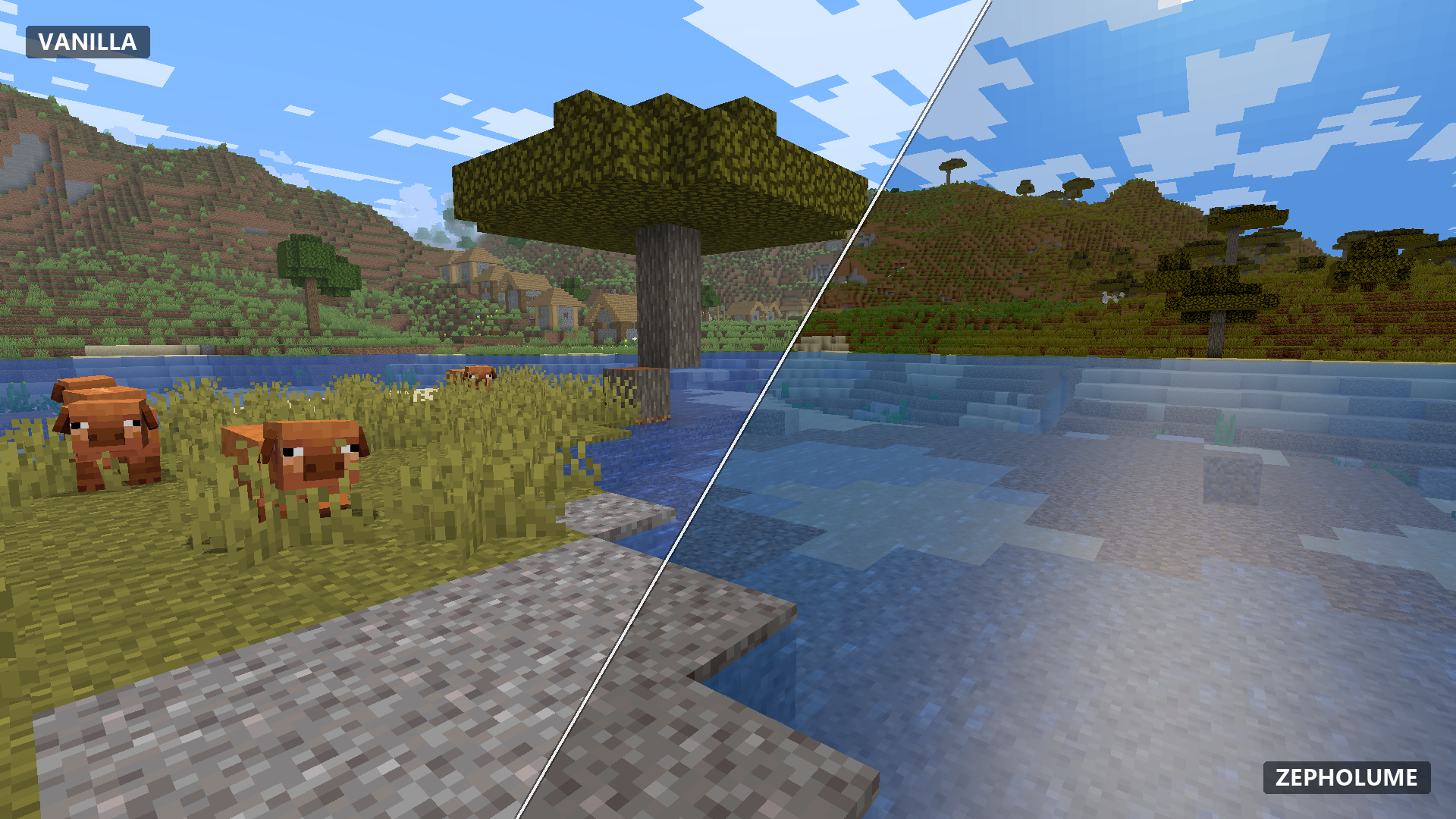
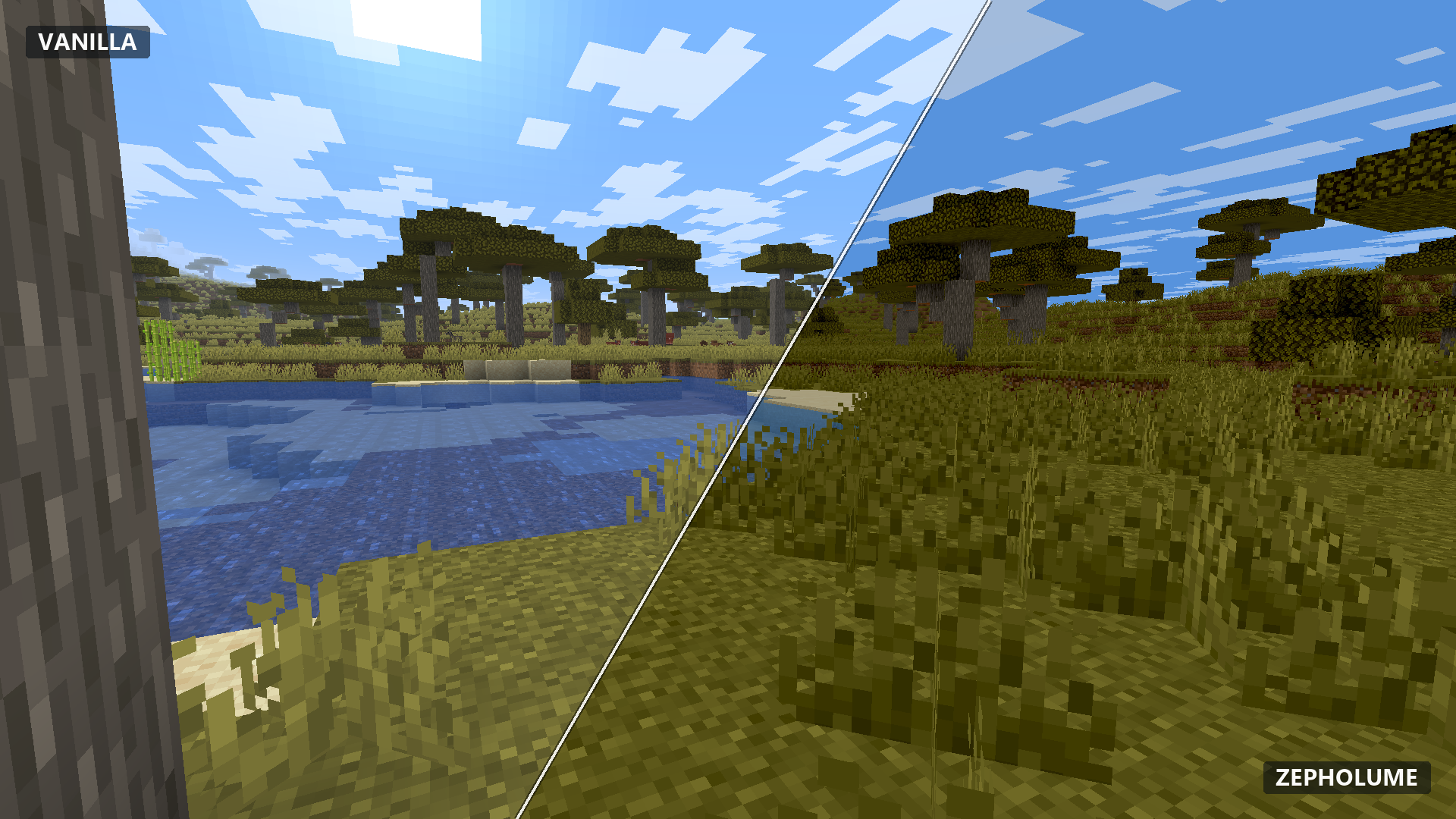
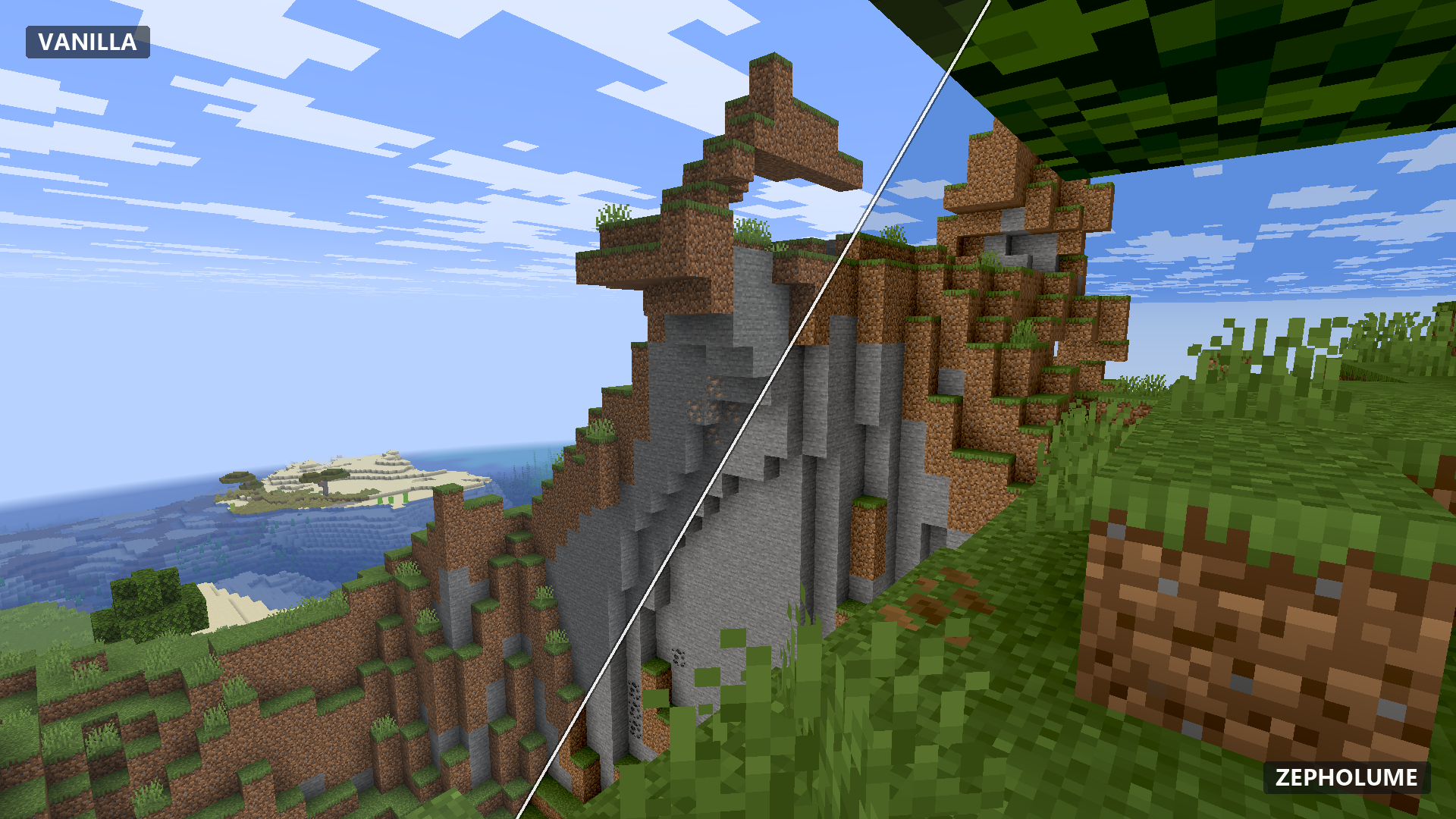
These archived comparisons show the project's visual direction at the time they were captured. They are not V1.0.5 before-and-after validation images and should not be treated as proof of the current lighting corrections.
Comparison 02
Comparison 03
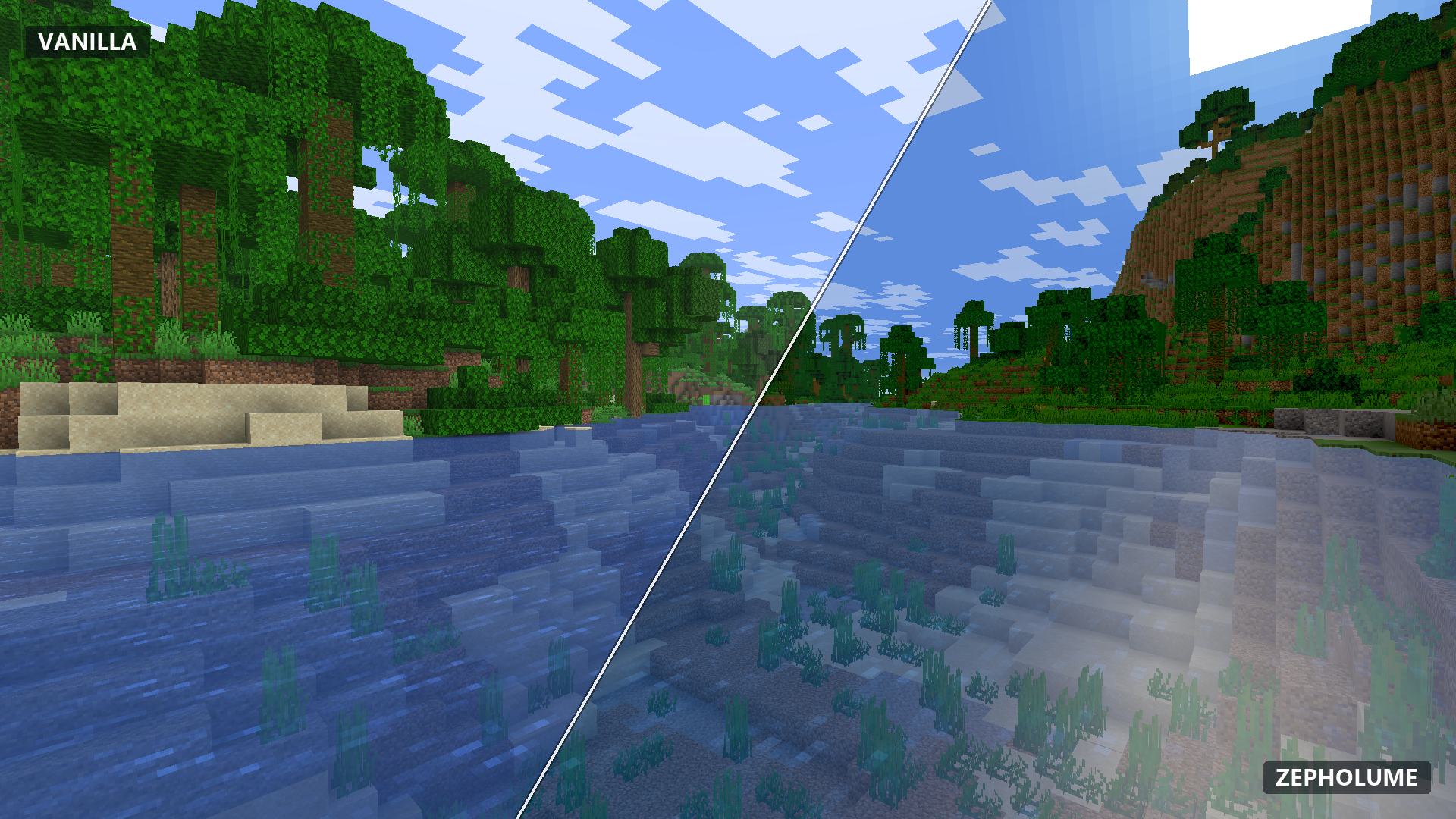
Comparison 04
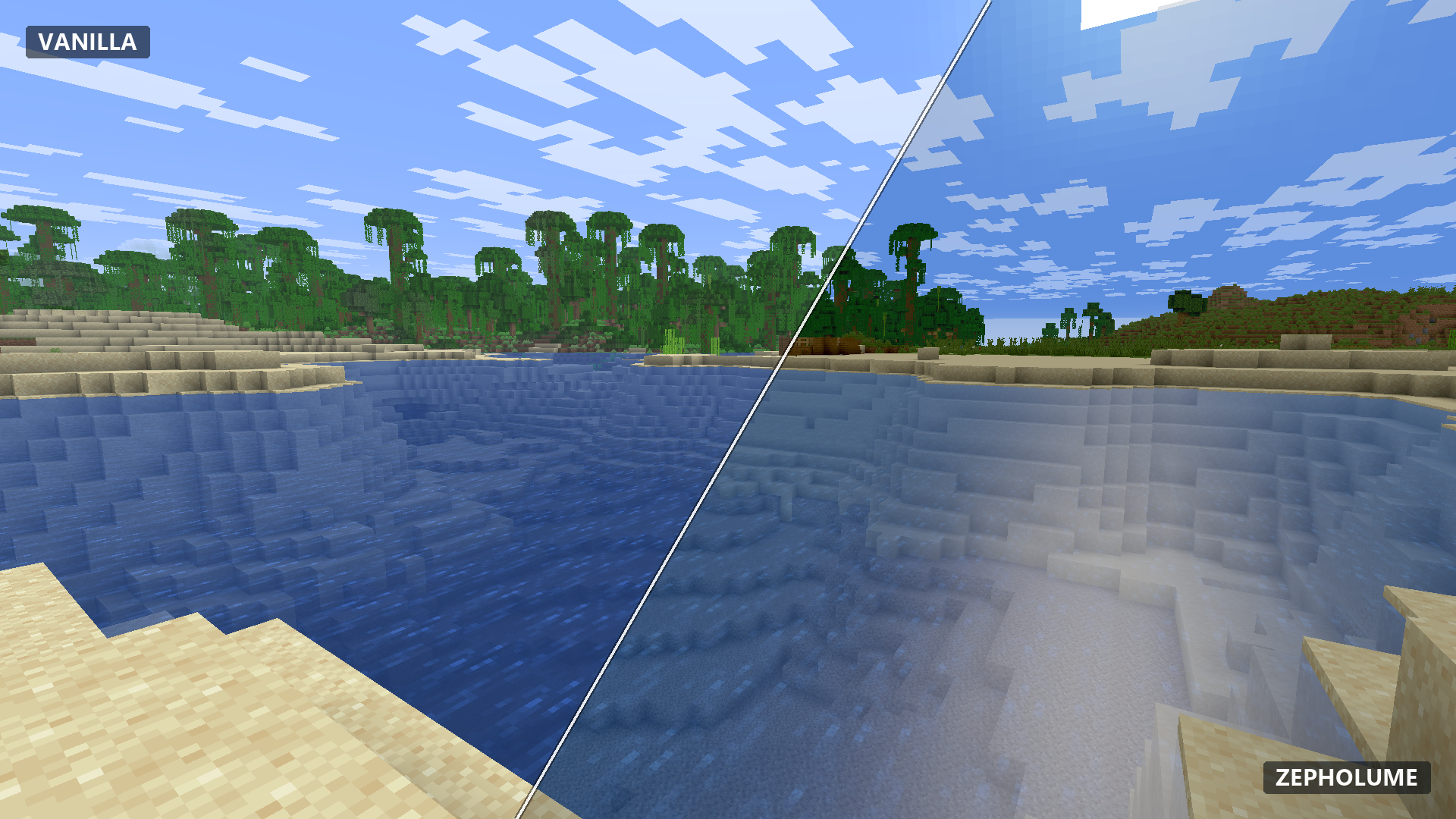
Comparison 05
Performance Philosophy
Performance is part of the visual experience.
A beautiful still image means very little if playing the game feels awful.
Zepholume therefore treats shader cost, frame-time behaviour, stability, portability and maintainability as design constraints from the beginning. Lower profiles compile out optional work while higher tiers increase bounded analytical quality instead of activating an entirely different renderer.
Direct-path by design
The pack contains 24 GLSL vertex/fragment program pairs and writes to one colour target. High and Ultra increase analytical detail inside that architecture rather than adding framebuffer choreography behind the user's back.
V1.0.5 makes no specific FPS or frame-time uplift claim. Its direct-path architecture and retained water zero-gating aim to avoid unnecessary work, but only controlled in-game GPU measurements can establish real performance differences.
What Zepholume deliberately does not do
The current architecture intentionally avoids heavyweight systems whose cost or complexity does not fit the project's goals:
- no shadow-map pipeline;
- no screen-space reflections;
- no SSAO pipeline;
- no bloom pipeline;
- no temporal-history or TAA system;
- no volumetric-lighting pipeline;
- no ray tracing;
- no compute-shader passes;
- no geometry or tessellation shader stages;
- no SSBO/image pipeline;
- no collection of unnecessary full-resolution intermediate colour buffers;
- no heavyweight post-processing chain.
These are intentional architectural boundaries. Zepholume aims for strong visual return from a restrained renderer instead of treating GPU time like an unlimited credit card.
Architectural efficiency is not the same thing as measured FPS. Real performance still depends on GPU, resolution, render distance, driver, loader, mods, resource packs and the scene being rendered.
Validation
Test what can be tested. Label the rest honestly.
The Phase 10 candidate expands Zepholume's automated source, configuration and portability checks. These results help catch compilation and configuration regressions before a shader pack reaches users; they are not a replacement for an actual Minecraft render test.
- 272 GLSL stage checks passed in the standalone automated validation workflow.
- 420 link checks passed for evaluated program combinations.
- 630 mocked portability cases passed across the maintained static configurations.
- Phase 10 adds regression checking for documented Iris tooltip-key formatting.
- Quality-profile and dimension paths are exercised using generated source/configuration variants.
- Structural safeguards continue to check the restrained shader program architecture.
- The development release archive was reported with 135 entries; the published file is a renamed Phase 10 release candidate.
Important: Standalone GLSL compilation, static loader modelling and mocked portability cases do not establish successful Iris/Oculus shader activation, correct in-game contrast/brightness, live Potato preset visibility, real-vendor compatibility or an FPS gain.
Compatibility & Runtime Status
Separate static evidence from actual runtime evidence.
V1.0.5 targets the Iris/Oculus-style shader ecosystem. The project has separate static validation targets and staged runtime test lanes; none should be mistaken for full in-game qualification of this release.
- Minecraft 1.20.1 • Fabric: Iris 1.7.6 + Sodium 0.5.13 are staged in the documented test environment. Phase 10 visual rendering and profile-menu checks remain unverified.
- Minecraft 1.20.1 • Forge: Oculus 1.8.0 + Embeddium 0.3.31 are staged in the documented test environment. Phase 10 visual rendering and profile-menu checks remain unverified.
- Minecraft 26.2 • Fabric / NeoForge: Iris 1.11.2 appears in the project's documented static-validation targets; V1.0.5 has not been qualified through live rendering on these configurations.
- Minecraft 26.2 • Forge: Oculus Community Port 0.3.0-beta.1 remains experimental; documented partial
gbuffers_*support does not justify a full Zepholume compatibility claim. - Other Minecraft versions, including 26.3: no broad V1.0.5 compatibility claim is made without version-specific validation.
- Java: Java 17 is used in the documented Minecraft 1.20.1 runtime test environments.
- OptiFine: not supported or tested for V1.0.5.
V1.0.5 runtime qualification is incomplete.
The Phase 10 record reports successful automated checks but no qualifying Iris/Oculus screenshots or completed visual recovery test. Confirmation of lighting behaviour, Potato menu visibility, shader reloads and GPU-specific performance remains outstanding.
Compatibility depends on the exact Minecraft version, shader loader, graphics driver and mod combination. A game's version appearing in project metadata is not proof that this particular ZIP has passed its runtime test.
Please report clear reproduction steps, the exact loader version, and screenshots when you encounter rendering problems.
Installation
From ZIP to shader menu.
- Use a compatible Minecraft instance with an appropriate Iris or Oculus-style shader setup.
- Download
Zepholume-Shaders-1.0.5.zip. - Place the ZIP directly inside that Minecraft instance's
shaderpacksdirectory. - Launch Minecraft and open the shader-pack menu.
- Select Zepholume Shaders.
- Start with Balanced. Move to Low/Potato when reducing GPU cost, or High/Ultra when you have comfortable headroom.
Do not extract the release ZIP. For compatibility testing, a disposable or isolated Minecraft instance is strongly preferable to turning your 300-mod survival installation into a laboratory experiment.
Having problems?
Debug the stack, not random checkboxes.
For low FPS or frame-time trouble, move down one Zepholume profile first and compare the same scene using the same graphics settings. Also check resolution, render distance, simulation distance, resource packs and other rendering-heavy mods.
For shader loading, compilation, missing profiles, excessive contrast or visual corruption:
- verify that you are actually testing Zepholume-Shaders-1.0.5.zip;
- verify your exact Minecraft and Iris/Oculus versions;
- check Sodium/Embeddium and Fabric/Forge/NeoForge versions where applicable;
- confirm the ZIP is inside the correct instance's
shaderpacksdirectory; - check the GPU driver if the problem appeared after a driver update;
- reproduce the problem in the smallest practical instance without unrelated rendering mods or resource packs;
- test shader reloads and dimension transitions when reporting intermittent problems;
- for V1.0.5, report whether Potato appears in the options menu and capture the affected scene if brightness or contrast looks wrong;
- when testing a newer Minecraft version, distinguish a source/static-validation target from a version that has actually completed runtime qualification.
Useful bug-report evidence
Minecraft version • Iris/Oculus version • Fabric/Forge/NeoForge version • Sodium/Embeddium version • Zepholume version and profile • GPU • driver version • graphics API • Java version • complete latest.log • relevant rendering/resource-pack mods • screenshot or short video for visual problems • whether the issue reproduces in a minimal instance.
Open Development
Inspect the source. Inspect the evidence. Report the weird stuff.
Zepholume is developed in public. The repository contains the maintained shader source, changelog, validation tooling, architecture documentation, profile definitions, performance-development evidence, compatibility documentation and manual runtime-test protocols.
GitHub Repository • Changelog • Architecture • Profiles • Compatibility • Issues
Screenshots are archival examples of Zepholume at capture time, not confirmed V1.0.5 results. Visual tuning, optimisation and compatibility work can continue between releases.
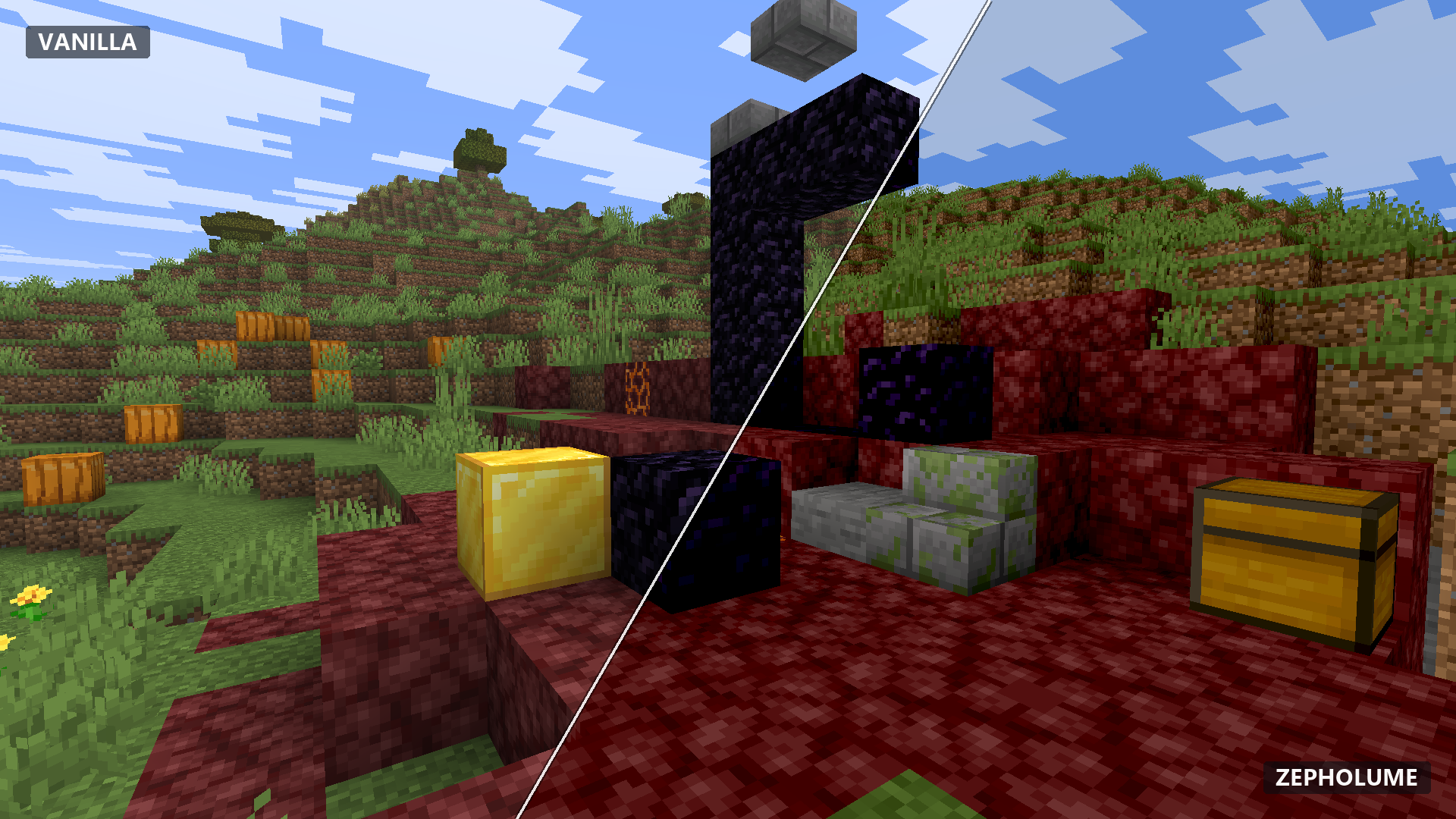
Comparison 06
ZEPHOLUME SHADERS
Atmospheric visuals • Restrained rendering • Practical performance
Copyright © 2026 Soumyajit Biswas
Licensed under the Apache License 2.0.
Licensed under the Apache License 2.0.
Zepholume Shaders Team