World Edge Smoother - Chunk Border Blending & Cliff Fixer 🏞️
- By
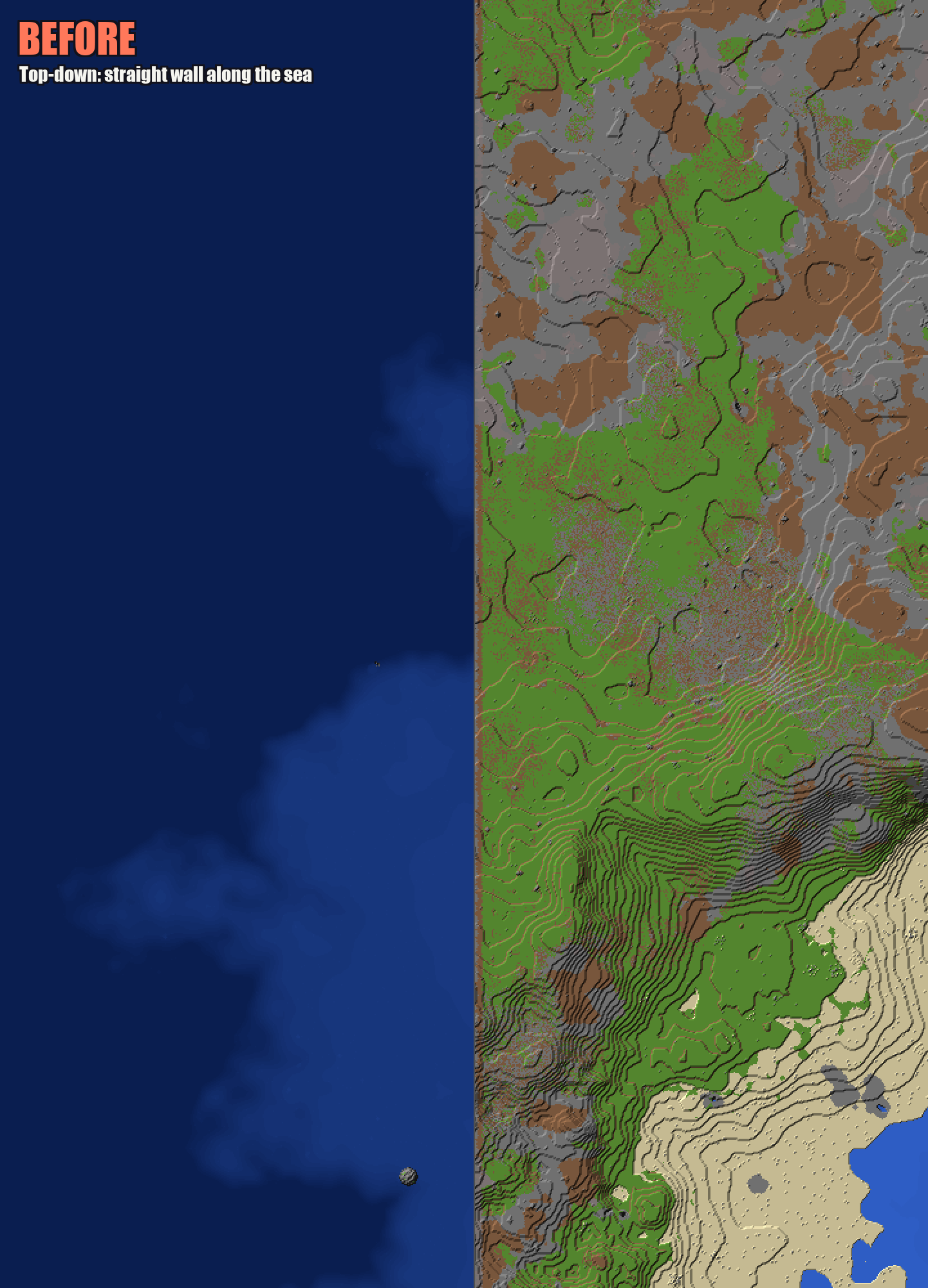
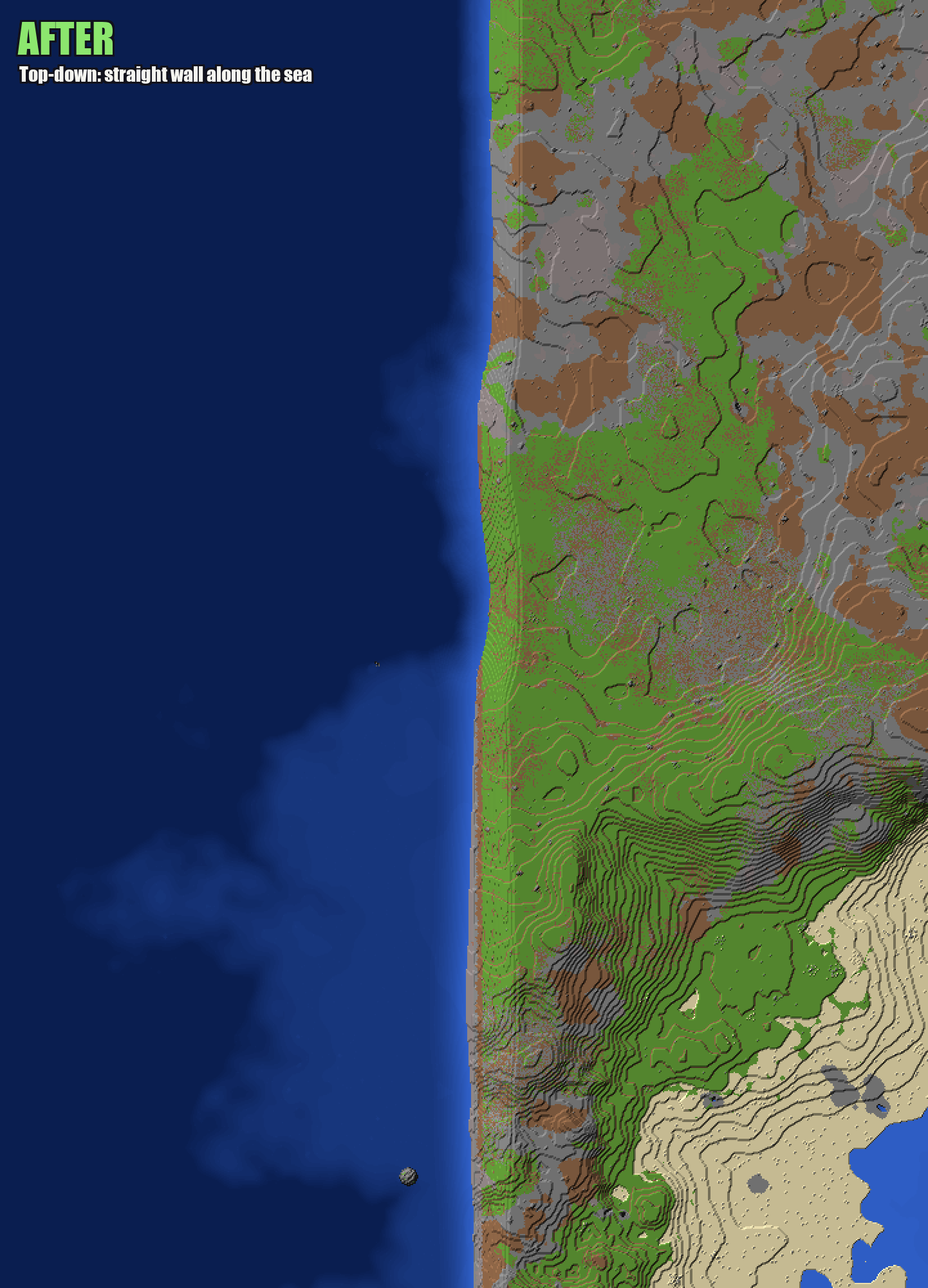
Smooths the tall, flat cliffs on chunk borders where old and new terrain meet after updating a terrain mod like Lithosphere. Works on existing chunks: no trimming or regenerating.
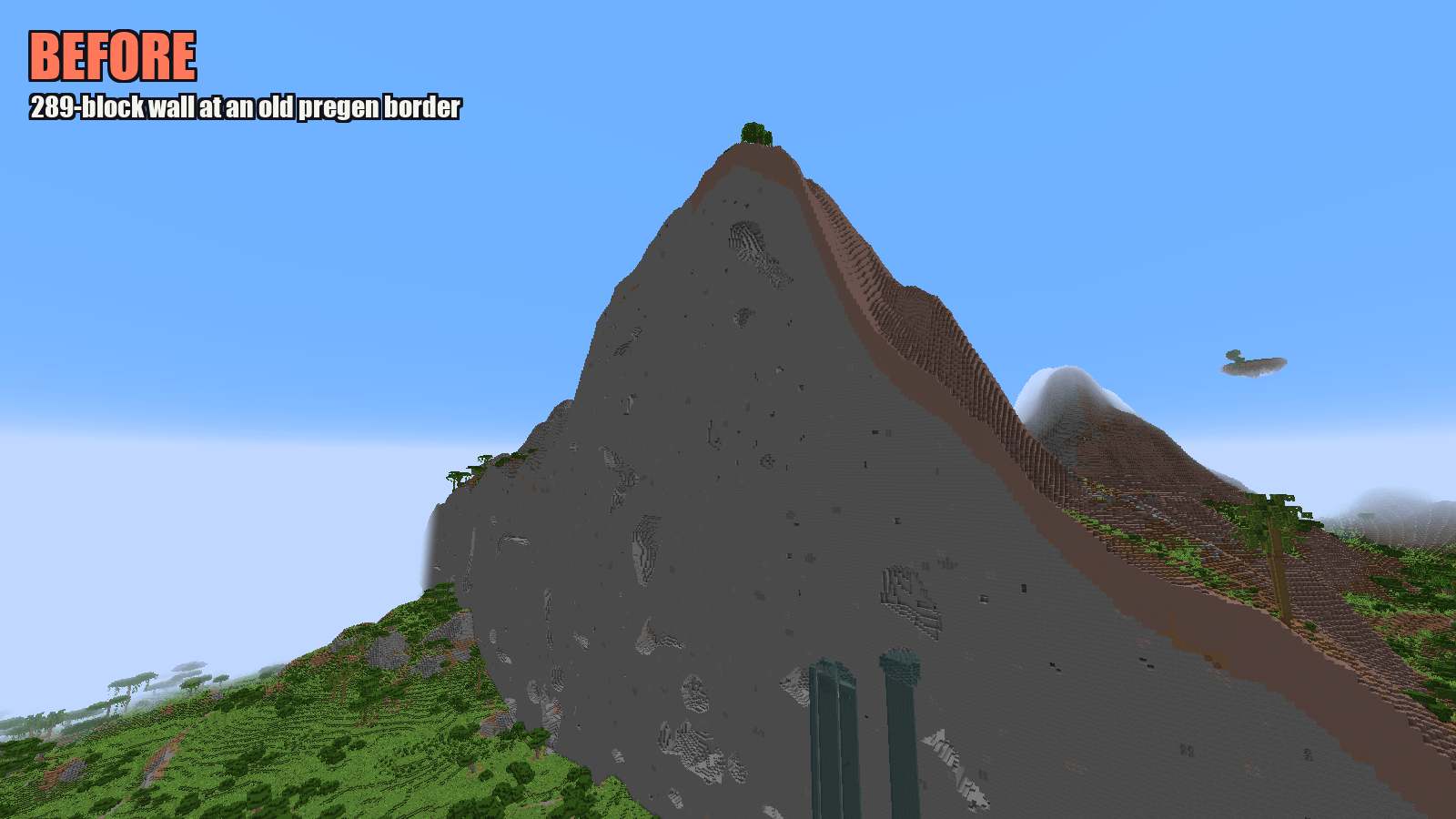
01a_mountain_wall_before.png
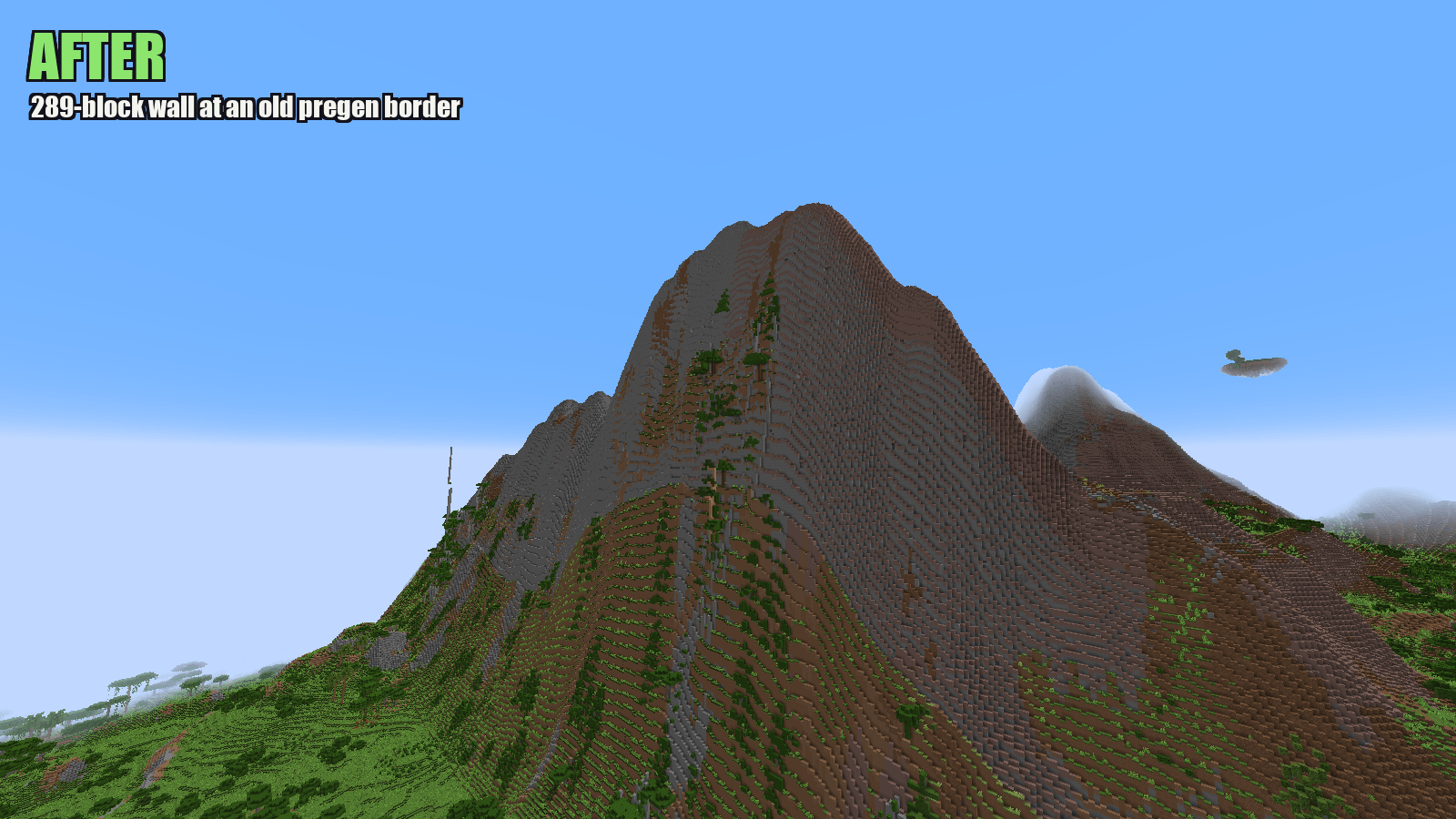
01b_mountain_wall_after.png
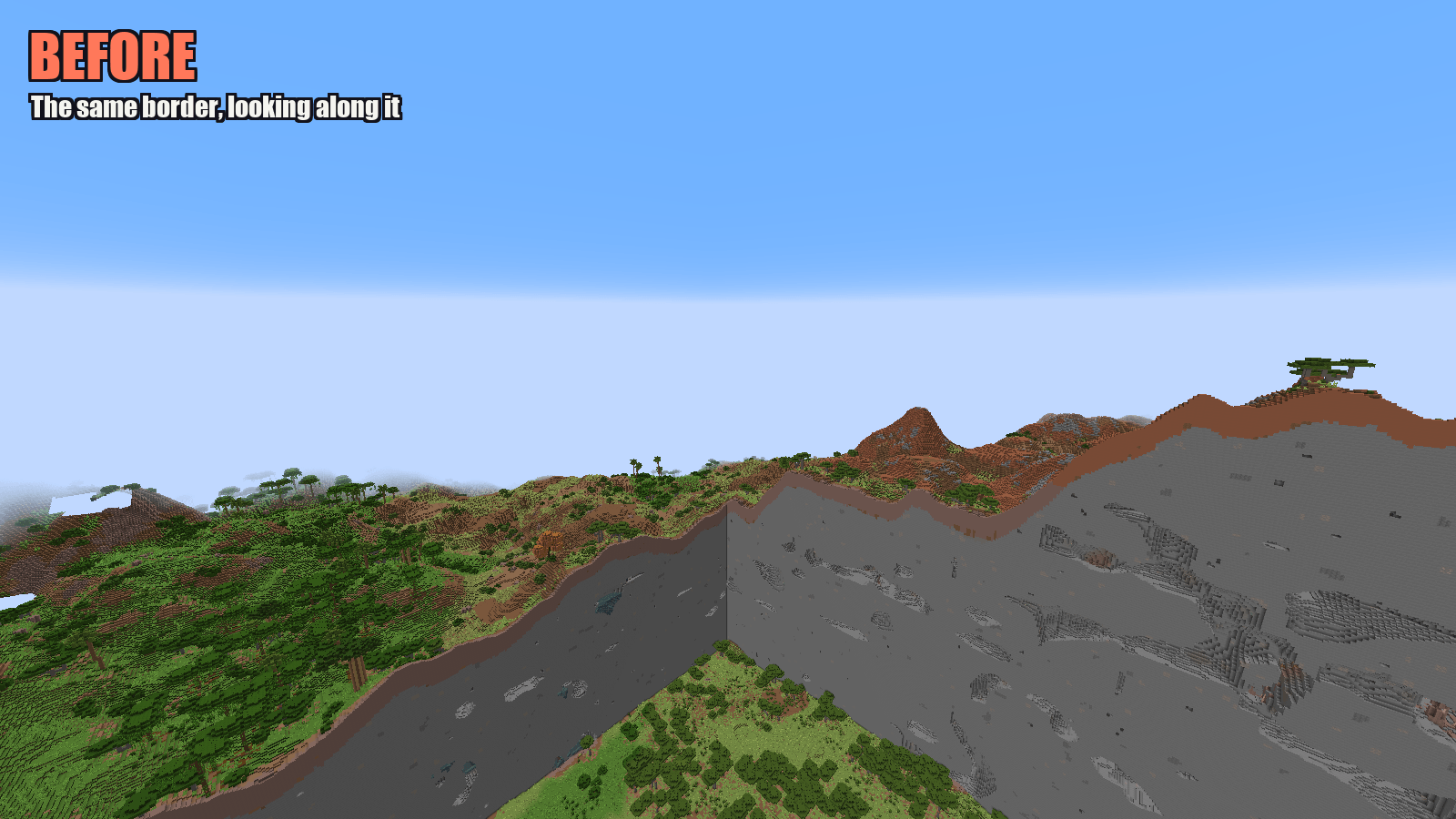
02a_long_wall_before.png
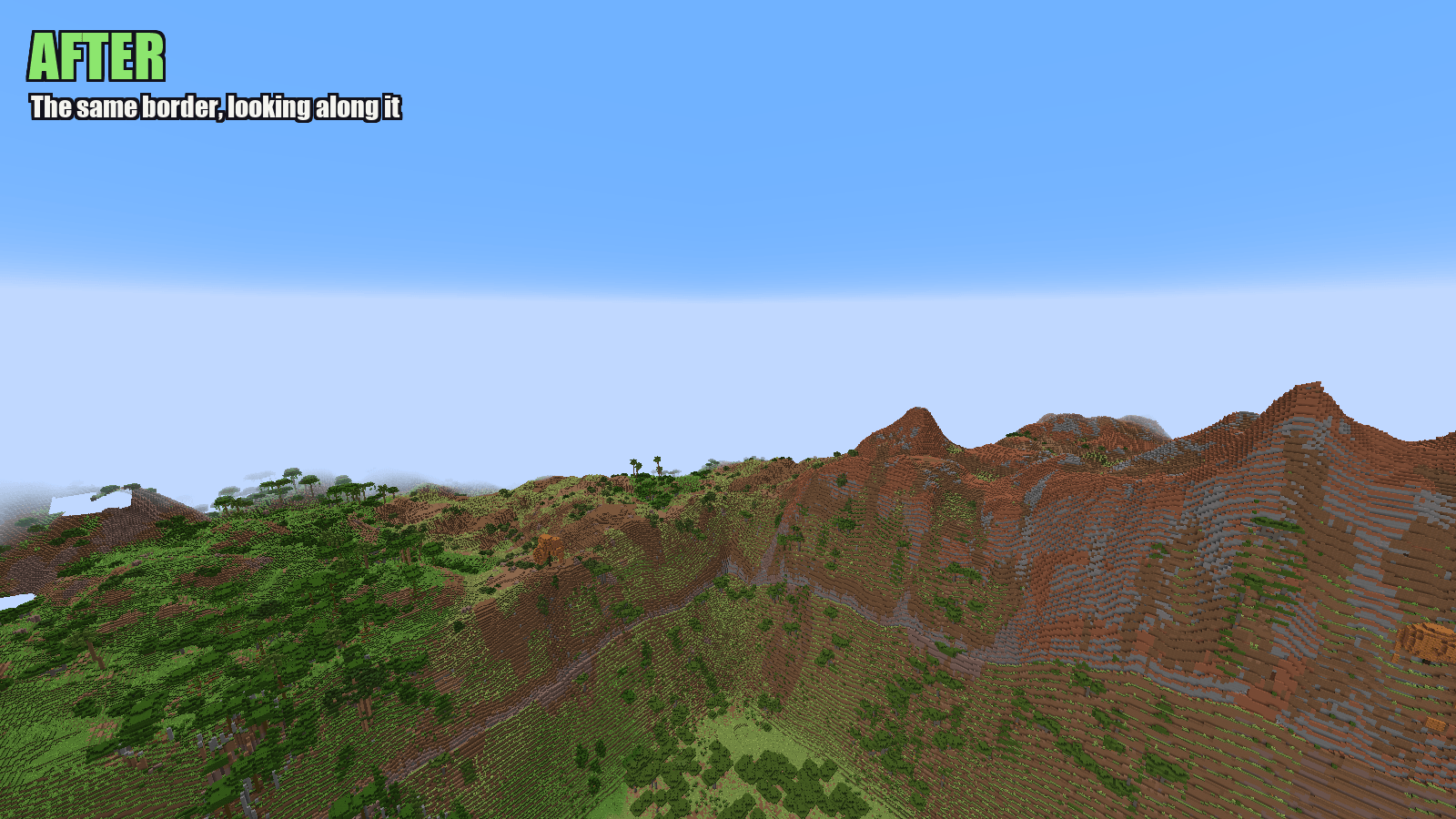
02b_long_wall_after.png
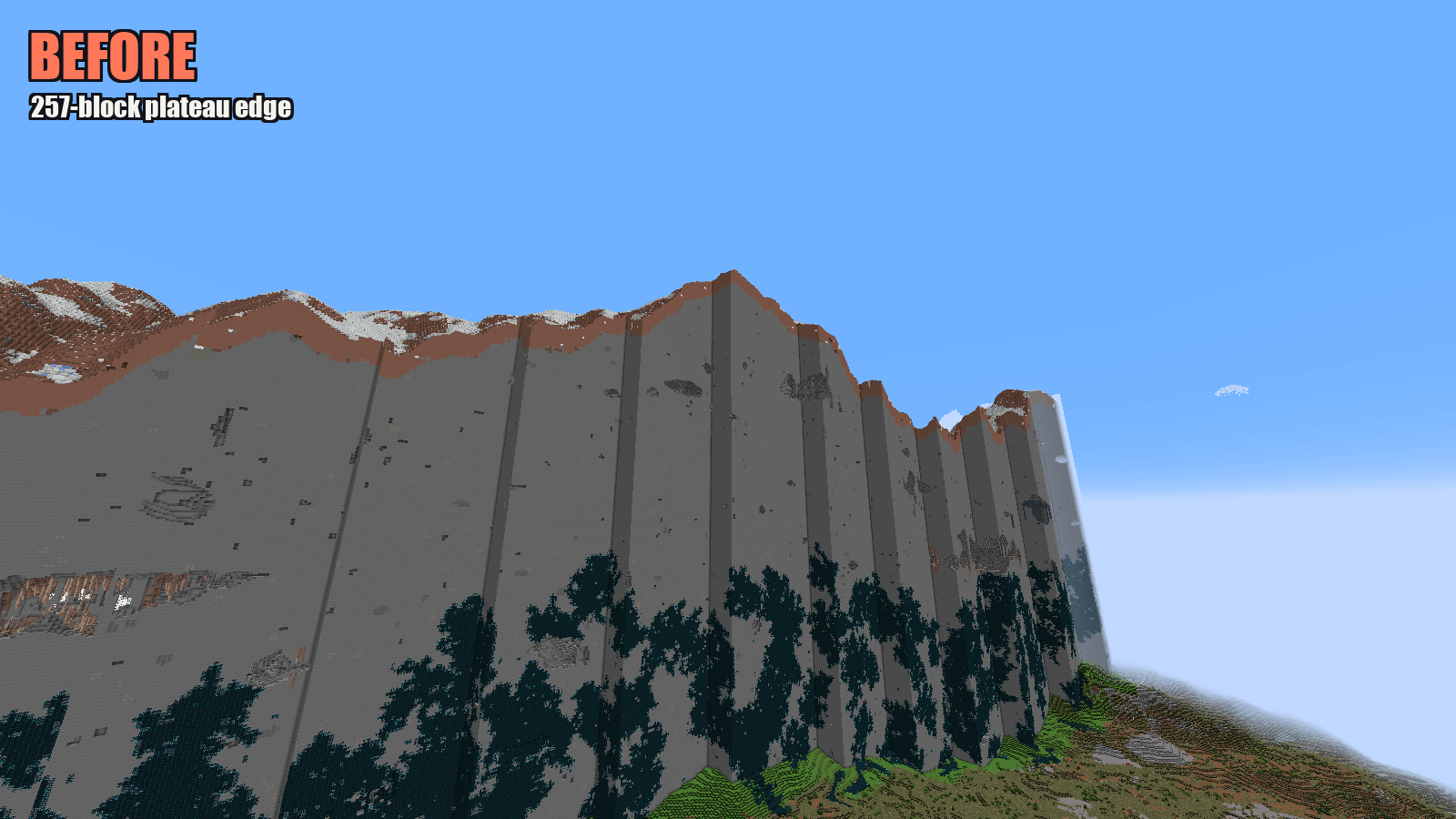
03a_mesa_before.png
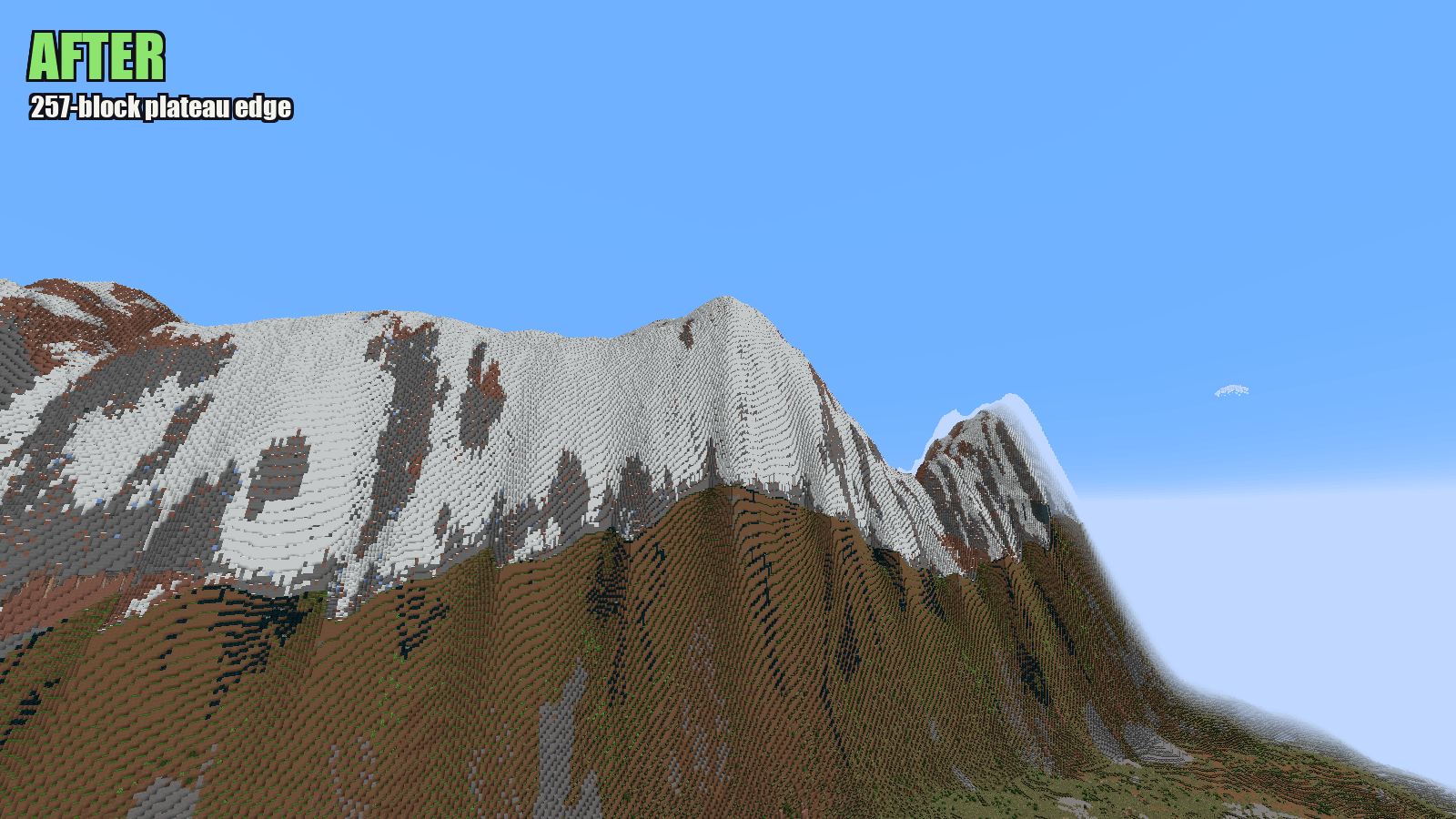
03b_mesa_after.png
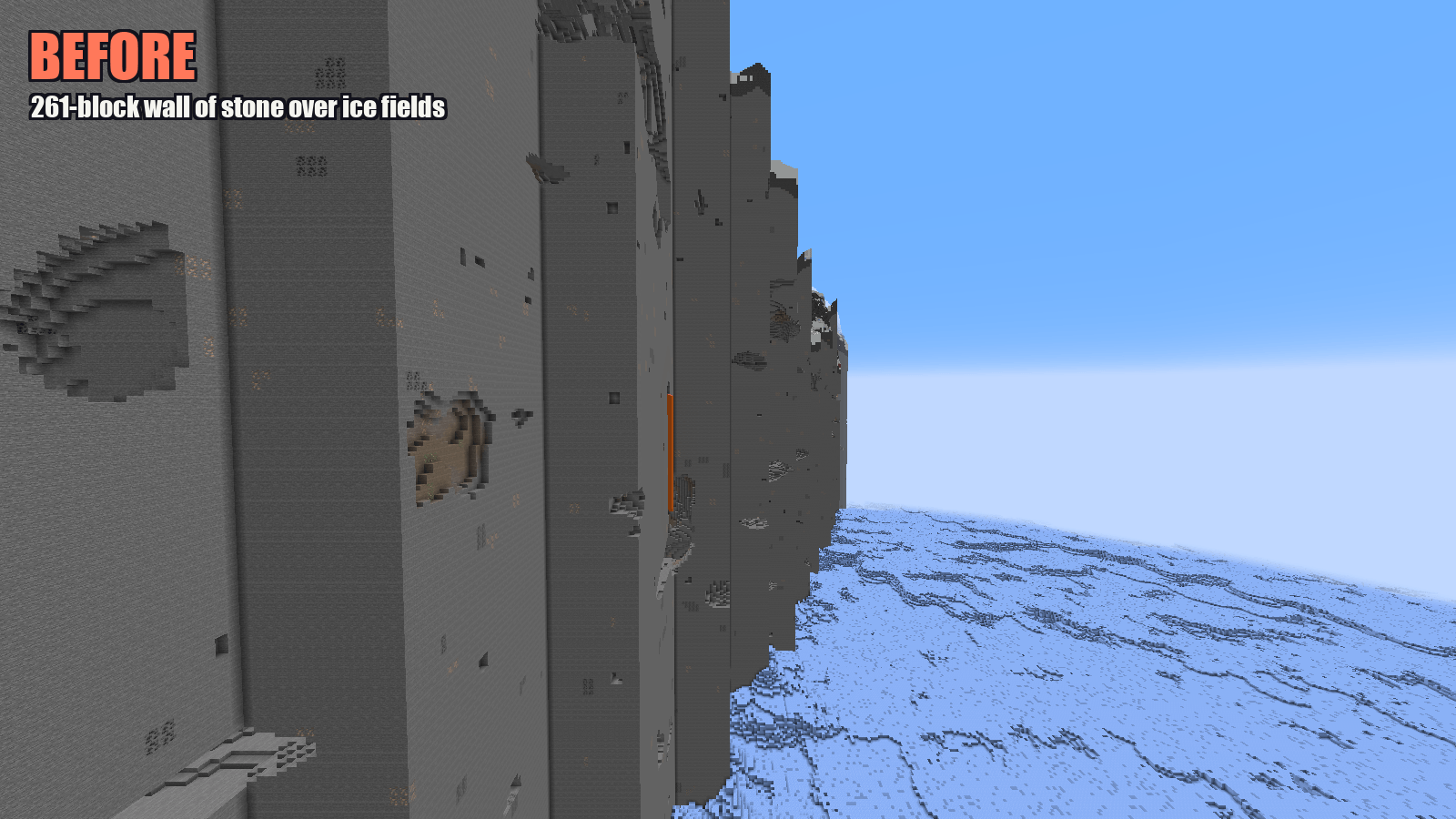
05a_ice_cliffs_before.png
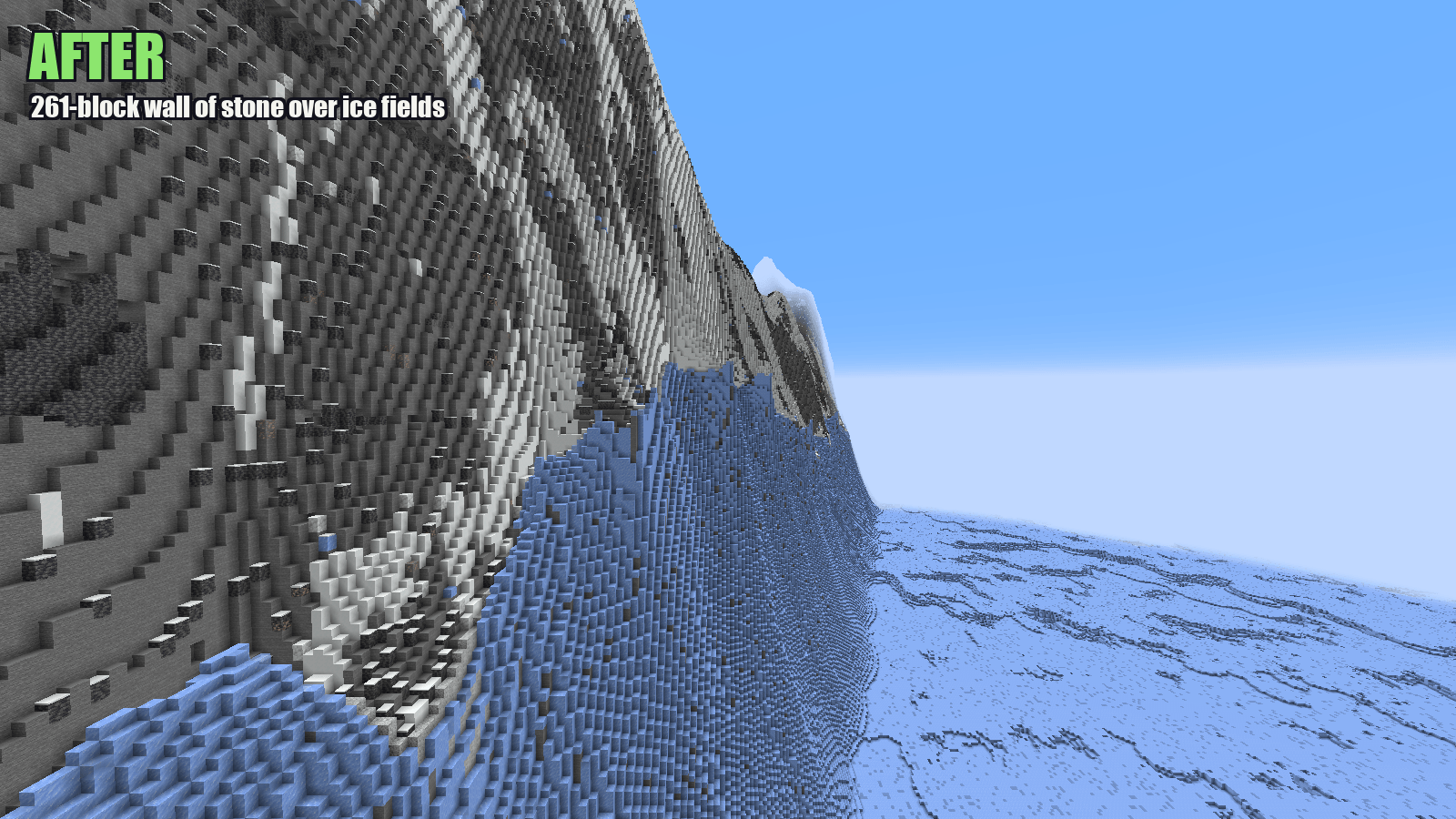
05b_ice_cliffs_after.png
FunkyMonkey95 | World Edge Smoothe...
Create a server, get 25% off your first month

Description
World Edge Smoother
⚠ Beta: this mod edits your world files. Take a full backup of your world before you use it, just in case. It has been tested on a 117 GB server world, but every world and modpack is different.
Every time I updated Lithosphere on our server, the newly generated land didn't match the old land next to it. You'd be walking along and hit a sheer, flat wall of stone, dead straight, sometimes over 250 blocks tall, running exactly along a chunk line. I got tired of looking at them, so I made this.
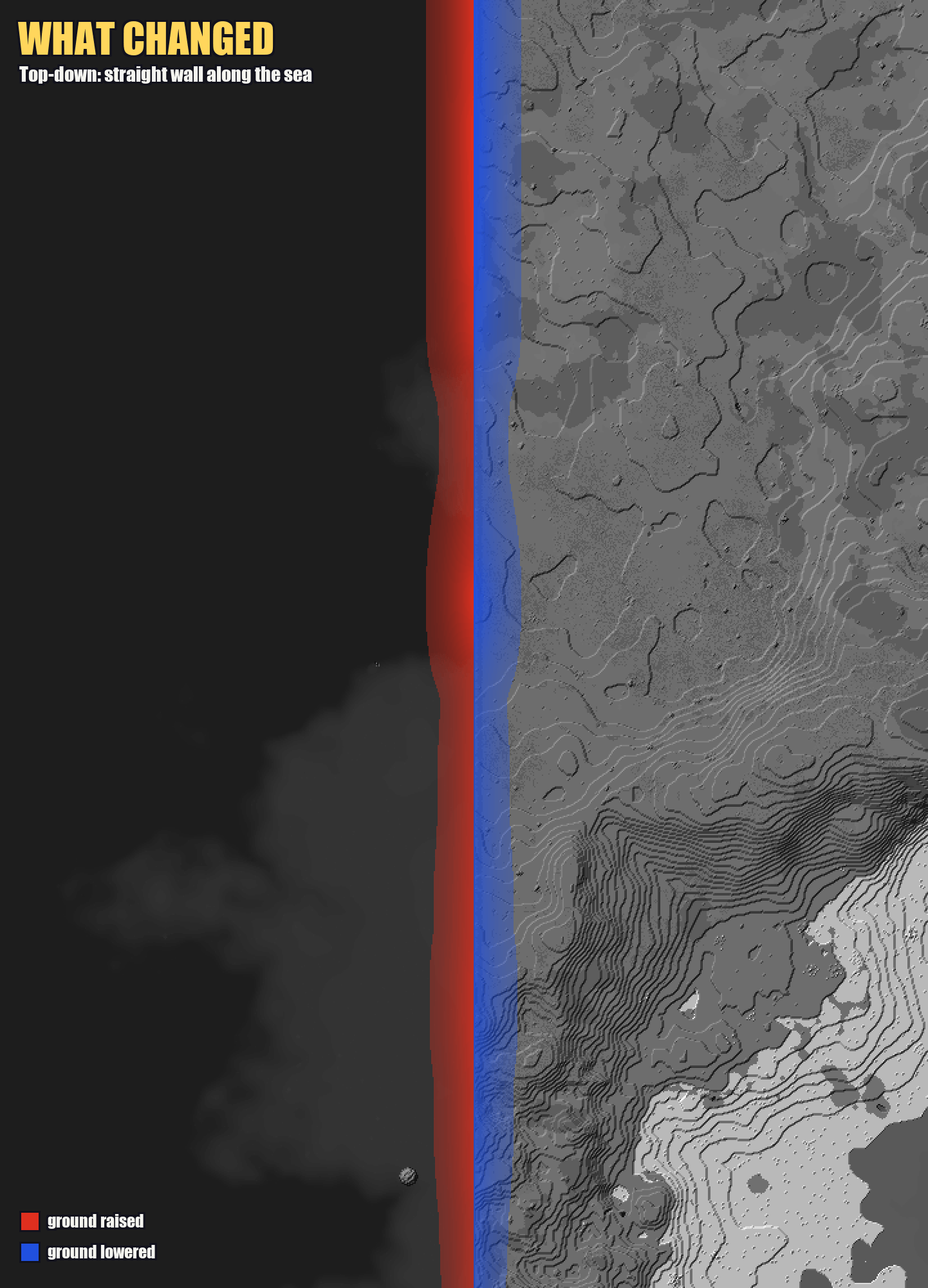
World Edge Smoother finds those walls and turns them into natural slopes. The ground on both sides is raised or lowered so they meet in the middle. Grass, trees, snow and rock spires go along with it, and coastlines slope down into the sea.
It fixes the cliffs you already have
The usual fix is to trim your world: delete the new chunks and let the game generate them again, hoping it blends better the second time. Anything built or explored there is lost.
This mod doesn't need any of that. It works on the terrain that's already there, with both sides of the wall already generated. Nothing is deleted or regenerated, and you don't have to mark which chunks are old and which are new. It finds the walls itself.
How to use it
- Take a full backup of your world. The mod also backs up every file it changes, but a full copy is your real safety net.
- Optional: do a dry run first. Put the jar in your
modsfolder, setdryRun=trueinconfig/world_edge_smoother.properties, and start the server. Nothing is changed. You get a report and before/after maps of every wall it found, inworld/edge-smoother/. - Smooth for real. Set
dryRun=false(or skip step 2) and start the server. Before the world loads, it smooths the walls and shows its progress in the console. It only runs once per world.
- Singleplayer works too: put the jar in your
modsfolder and open the world. It runs while the world is loading. The loading screen will look frozen while it works. That's normal. Leave it running, and the world opens once it's finished. On a big world that can take a few minutes. Its progress goes to the client/game's console/log (logs/latest.log).
How long it takes
It reads every chunk in the world once, so bigger worlds take longer:
- A small world takes a few seconds.
- Our 117 GB server world (8.7 million chunks) took about 9 minutes on a 16-thread PC and used about 1.5 GB of memory.
This happens once, on the first start with the mod. The server waits until it's done, so don't worry if startup is slow that one time; the console shows progress every few seconds. In singleplayer, the "Loading world" screen just sits still until it's finished, so don't close the game.
It also needs free disk space for its backups, about the size of the region files it changes. On our world that was 18 GB.
What it leaves alone
- Your builds. Ground with player-made blocks on it isn't moved, and neither are a few blocks around it.
- Natural cliffs. It only goes after walls that line up with chunk borders, which world generation doesn't make on its own.
- Places your players spend time in. Where it can, it reshapes the newer side of the wall instead.
Good to know
- For Minecraft 1.21.1 on NeoForge or Fabric. The Fabric version needs Fabric API. On a server, only the server needs it; players don't.
- Tested on our own world, generated with Lithosphere and Still Life in a modpack of about 300 mods. It should help with any terrain mod or update that leaves walls along chunk lines.
- To undo it, copy the backed-up files from
world/edge-smoother/back into the world folder. - To run it again, delete
world/edge-smoother/done.txt. To check for new walls every time the server starts, setrunOnce=false. - Pre-generate past the edge of your old terrain first (Chunky is great for this). Then every wall exists and gets fixed in one go.
- It fixes the shape of the ground, not the blocks on top. If one side is snowy and the other grassy, that line stays.
- Very tall walls (200+ blocks) become a steep mountainside rather than a gentle slope.
- It's also a standalone program, for when you'd rather not install it: stop the server, then run
java -jar world-edge-smoother.jar <world folder>. Add--dry-runto only look, or--helpfor the options. - It's a beta, so expect some terrain oddities. If something looks wrong, please report it with your
report.txtand the before/after maps. It really helps.
Modpacks and reuploads
- Modpacks and server packs are welcome, no need to ask. Keep the jar unchanged, keep the pack free to download, and link back to this page.
- Videos, streams and reviews are fine too, monetized or not.
- Please don't reupload the mod anywhere else or share modified versions. Link to this page instead.
- The mod is All Rights Reserved apart from the above. For anything else, just ask.
World Edge Smoother - Chunk Border Blending & Cliff Fixer 🏞️ Team