Squall - Realistic Rain, Puddles & Thunder
Shader-like storms without a shader pack: puddles that fill up and mirror the world, water streaming down walls, splashes when you walk through puddles, lightning in the clouds and thunder rolling in after the flash. Client-side.
Description
Squall
Storms worth staying in for, without a shader pack.
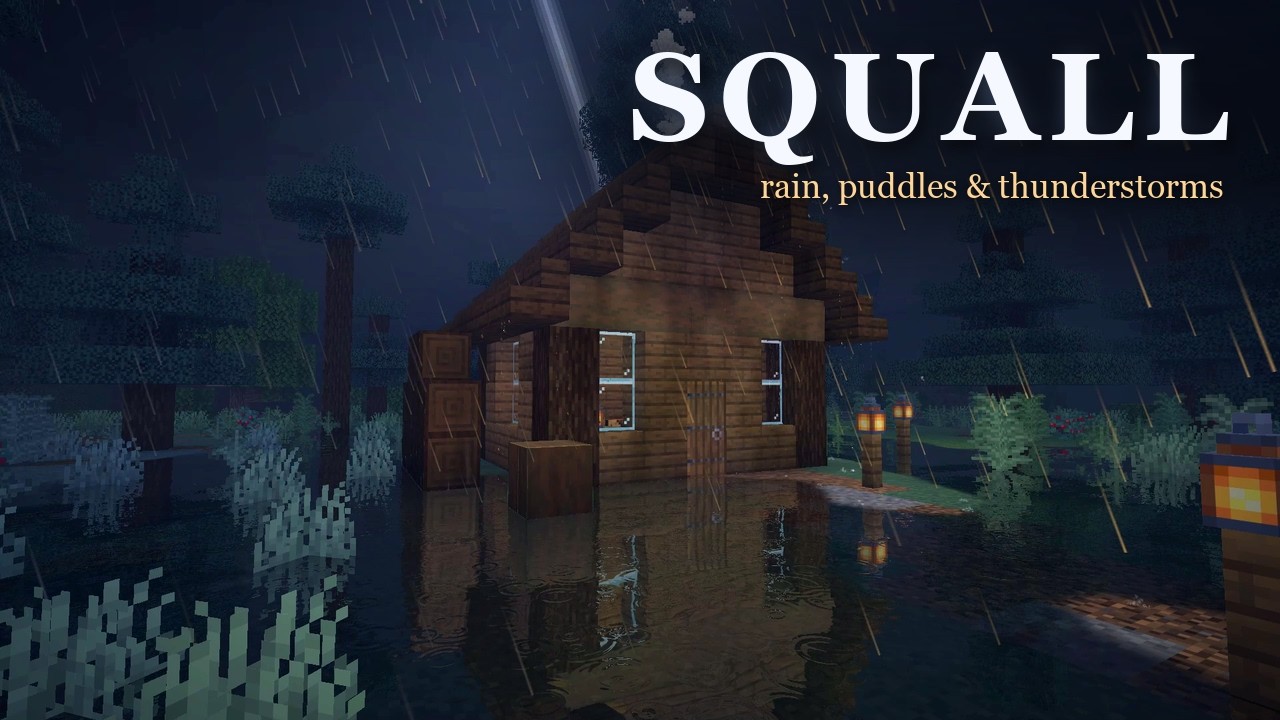
Squall turns Minecraft's rain into a real storm. The sky darkens and turns heavy, lightning flickers inside the clouds, and thunder rolls in a few seconds after each flash. Rain falls in fine streaks, puddles slowly fill up and mirror the world around them, water runs down walls and drips off the roofs, and every step through a puddle splashes and sends waves across it. From inside your house you hear the rain on the roof.
Squall is not a shader pack and does not need one. It is a lightweight client-side mod that keeps Minecraft's own look and adds the weather on top. Nothing needs to be installed on the server, it works in singleplayer and on any server, and every effect can be switched off on its own.
The storm
- Storm sky - the sky darkens and turns heavy as a storm builds, and clears again after.
- Lightning in the clouds - flashes flicker inside the cloud deck and light up the world below. A slider sets how often.
- Storm clouds - the clouds darken in a storm and light up from inside when lightning flashes.
- Close strikes - when lightning hits nearby, the whole world flashes up in a few sharp strokes, puddles and all, and the thunder follows the flash as late as real thunder would: a crack right overhead when it hit close, a long roll when it was further off.
- Rain haze - grey, wet air swallows the distance while it rains, thicker in a thunderstorm.
Rain
- Realistic rain - fine streaks that come and go in gusts, in place of Minecraft's rain sheets.
- Splashes - drops burst into tiny sprays on stone and wood, softer on grass and sand.
- Ripples - rings spread across water and puddles where the drops land.
- Rain on windows - drops bead up on glass panes and glass blocks and run down in wobbly lines. Looks best from inside.
Puddles and wet ground
- Wet ground - open ground darkens as it gets soaked, and the edge under roofs and trees fades softly from wet to dry. The inside of your house stays dry.
- Puddles - start small in the dips and grow the longer it rains. Water runs off ledges and gathers at the foot of steps, and runs on under roofs, lanterns, fences, cauldrons and hoppers instead of stopping at them.
- Reflections - puddles and water mirror the world around, and ripple under the drops.
- Wet walls - walls out in the rain darken and shine, and where rain from the ground above runs over the edge, streams of water trickle down the face and pour into the puddle at its foot.
- Wet leaves - tree tops turn darker and glossy, with tiny drops catching the light.
- Drips - water drips off the edges of roofs and ledges, in a line of drops when it pours, and keeps dripping for a while after the rain.
- Splashes underfoot - walking through a puddle splashes, throws drops ahead of you and sends waves across the water that ripple its reflection. Mobs splash too, and anything dropped into a puddle lands with a splash of its own.
- Drying - after the rain the ground dries in patches and the puddles shrink back from their edges, quicker in the sun than at night.
Snow
- Snow cover - in a snowfall the ground first gets a light dusting, then patches that grow and join until everything is white. It drifts against walls, stays thin under roofs and trees, and blankets the tree tops.
- Frosted windows - in the cold, frost creeps over the glass from the edges in, thickest at night.
- A hushed snowfall - no rain on the roof, just a soft wind, and thunder muffled by the falling snow.
Cozy
- Light glow - lanterns, windows and campfires glow softly through the rain.
- Warm reflections - wet stone and puddles shimmer with the light of nearby lamps and fires.
- Warm rain - drops falling near a fire or a lantern catch its light.
- Dark edges - the edges of the screen darken a little, like looking out from under a roof.
Sound
- Rain on the roof - under a roof you hear the rain patter on it, and the outside rain sounds muffled.
- Rain on the leaves - under trees the rain hisses on the leaves above you.
- Rolling thunder - distant thunder follows each flash a few seconds later, quieter the further away it was. Strikes close by crack and boom.
- Drips and trickles - drops plink into puddles and tick on stone, and runoff trickles where it pours off a step.
- Splashing steps - a slosh with every step through a puddle.
Settings
Open the settings with the key bind, from Mod Menu (Fabric) or from the Mods list (NeoForge / Forge).
- Turn each effect on or off on its own: wet walls, wet leaves, drips, splashing steps, detailed reflections, drip sounds, snow cover, frosted windows and close strikes each have their own switch.
- Set the strength of the storm, how often lightning flashes, how dense the rain is and how many puddles form.
- Quality (Low, Medium, High) trades reflection detail and wet ground range for frame rate.
- Detailed Reflections can be turned off for more speed on slower graphics cards.
Compatibility
- Shader packs - Squall is made for playing without a shader pack. Shader packs replace all of Minecraft's rendering and most realistic ones bring their own rain and puddles, so when an Iris shader pack is on, Squall turns itself off and leaves the weather to the pack. You can keep both installed and switch between them.
- Sodium - works.
- Particle Rain - works. Particle Rain draws the falling rain, Squall adds the puddles, wet ground, glow and sound.
- Improved Transparency - works.
Supported versions
| Loader | Minecraft |
|---|---|
| Fabric | 1.20.1 - 26.3 (needs Fabric API) |
| NeoForge | 1.21 - 26.3 |
| Forge | 1.20.1 |
The full storm (rain, puddles, reflections, windows, snow, glow, sound, clouds, close strikes) needs Minecraft 26.3. On older versions you get the storm sky and lightning flashes, and vanilla rain.
FAQ
Is this a shader pack? No. Squall is a normal mod. You don't need Iris, OptiFine or any shader pack, and it keeps Minecraft's own look.
Does it work on servers? Yes. Squall is client-side only. Install it on your own game and join any server. The server doesn't need it, and other players don't need it either.
Will it slow my game down? Squall is made to stay light. If your frame rate drops in a storm, set Quality to Low or turn off Detailed Reflections.
Does it work with resource packs? Yes. Reflections use the textures of whatever pack is loaded.
Why does nothing change when I use a shader pack? When an Iris shader pack is on, Squall steps aside so the pack's own weather isn't drawn twice. Turn the shader pack off to see Squall's storm.
Can I use it in my modpack? Yes, of course! A link back would be appreciated!
Found a bug?
Report it on the issue tracker with your Minecraft version, loader, and what you saw. A screenshot helps a lot.
Squall - Realistic Rain, Puddles & Thunder Team