What Changed? - Modpack Update Changelog
- By
Automatic modpack changelog: after every update see exactly which mods, items, mobs, recipes, biomes, structures, enchantments and dimensions were added, removed or changed.
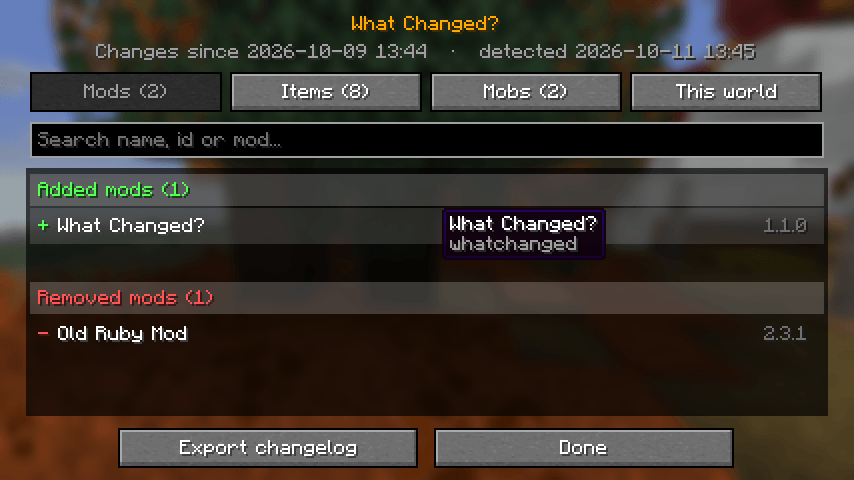
2-mods-tab.png
3-items-tab.png
1-title-screen-notice.png
4-this-world-tab.png
5-in-game-chat-notice.png
Description
What Changed?
The automatic changelog for every modpack update.
Your modpack just updated and you have no idea what's new? What Changed? remembers your modpack between launches and shows you exactly what changed. No changelog to write, no setup - it works with any mods.
What it detects
- Mods - added, removed and updated (old → new version), plus Minecraft version changes
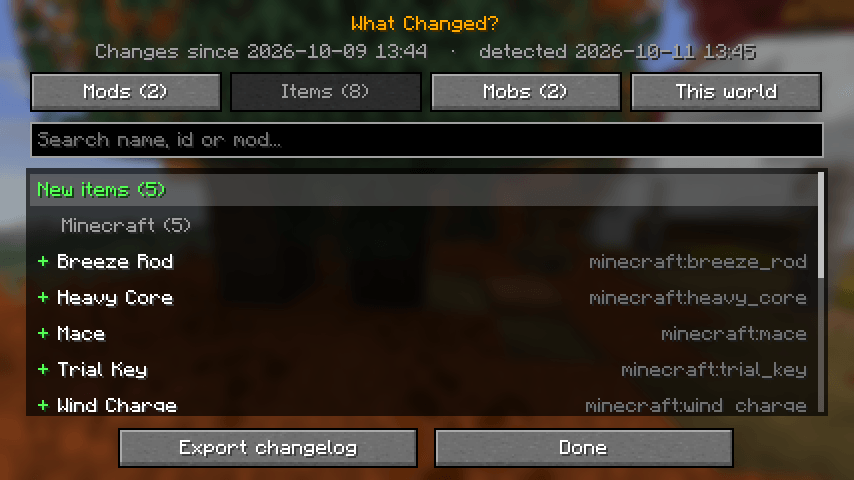
- Items - every new item and every removed item. Removed items vanish from chests, so you know before you lose them
- Mobs & entities - new and removed
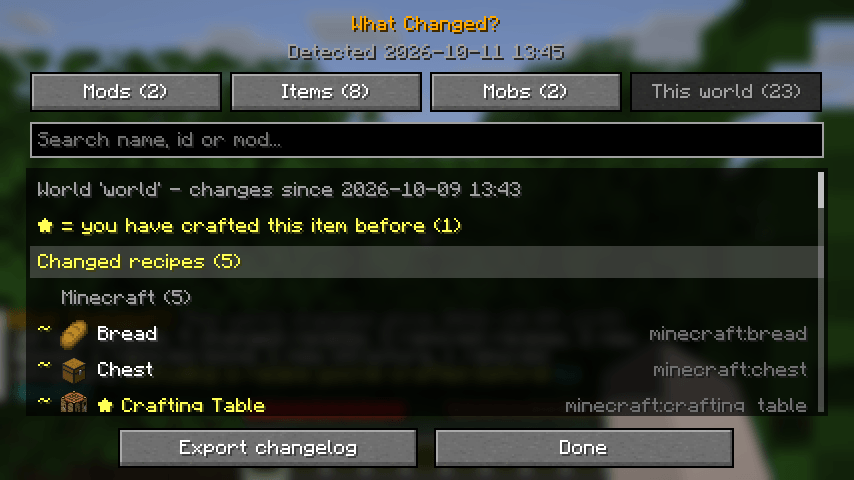
- Recipes (per world) - new, changed and removed recipes, including modded and datapack recipes
- Your crafts - changed or removed recipes for items you have crafted before are marked with ★
- Biomes, structures, enchantments & dimensions (per world) - new and removed
How it works
- Install it and play - the first launch quietly saves a snapshot.
- Update your modpack.
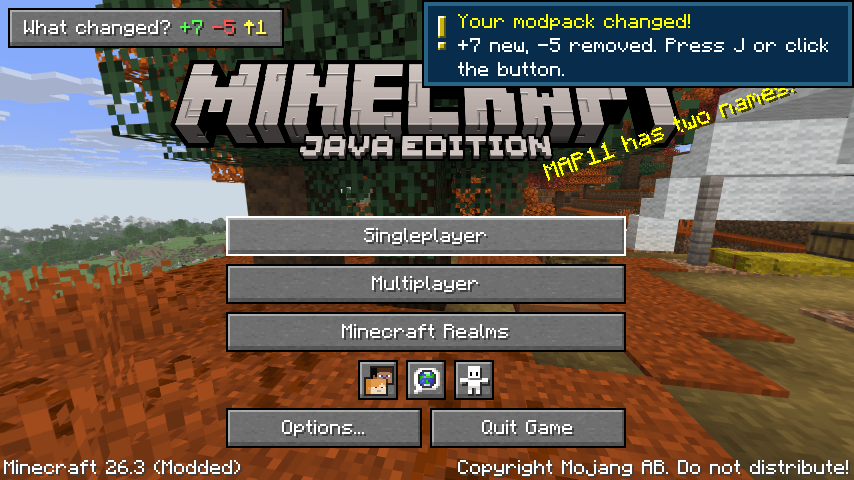
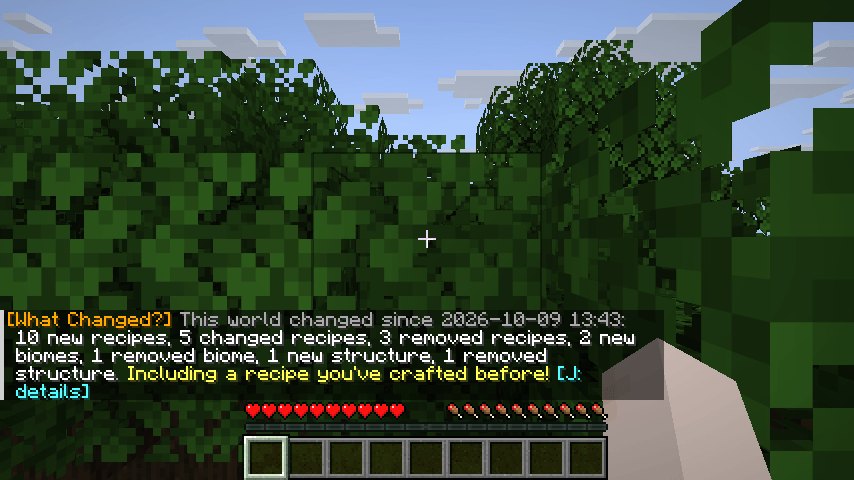
- On the next launch a "What changed?" button and a toast appear on the title screen, and you get a one-line summary in chat when you join a world (click it to open the details).
- Press J any time (or type
/whatchanged) to open the full, searchable list with tabs: Mods, Items, Mobs, This world.
Several updates before you look? They add up - the list always shows everything since you last looked.
For modpack makers
Click Export changelog: a ready-to-paste Markdown changelog (with links to the updated mods' pages) is copied to your clipboard and saved to config/whatchanged/changelogs/. Paste it on your CurseForge or Modrinth page, or on Discord. Add What Changed? to your pack and your players always know what an update brought.
Servers
Install it on the server too and it tracks the server's recipes, biomes, structures, enchantments and dimensions. Players get a short summary in chat when they join, a Markdown changelog is written to the server's config/whatchanged/changelogs/, and ops can use /whatchanged, /whatchanged export and /whatchanged reset.
Loaders & versions
Fabric, NeoForge and Forge, every Minecraft version from 1.21.8 to 26.3. Fabric needs Fabric API.
Details
- Works with any mods, zero configuration; fully translatable (lang file)
- Lightweight: the whole check runs in well under a second, file writes happen in the background
- Everything is stored locally in
config/whatchanged/and in each world'swhatchanged/folder /whatchanged reset(client) forgets the history and starts from the current state- Config:
config/whatchanged/config.json- title button + position, chat notices, toasts, version-only mod updates, hiding recipes of new items - Keybind J (change it in Controls → What Changed?). The title-screen button, the chat link and
/whatchangedwork without the key.
What Changed? - Modpack Update Changelog Team