Time Orbs
- By
Time Orbs 2.0 brings Solar/Lunar Orbs, reusable Wands, explosive Sun/Moon Blocks and the Grandfather Clock to 12 Minecraft versions from 1.2.5 to 1.21.5, with Forge, Fabric and NeoForge builds.
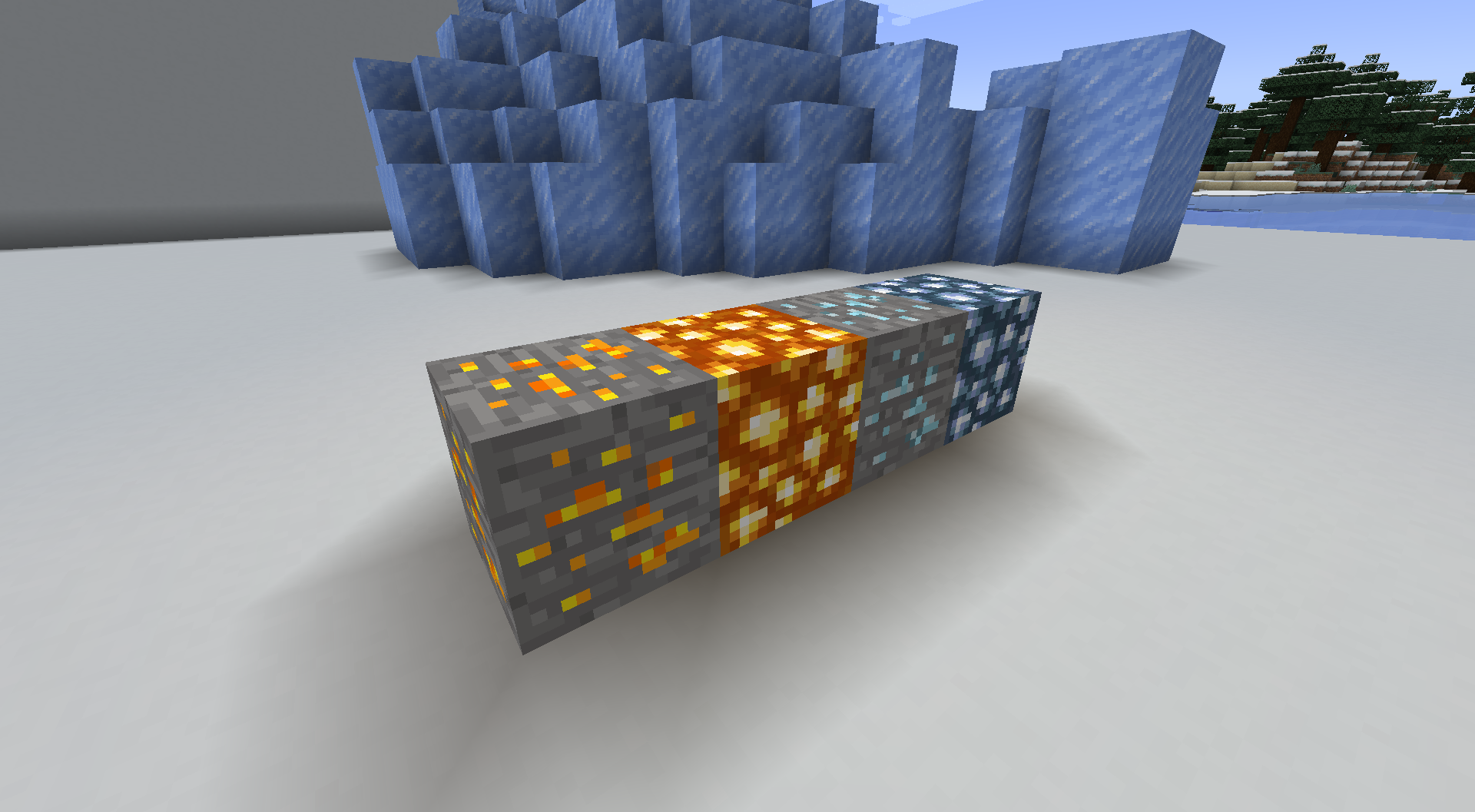
Shows all the regular blocks
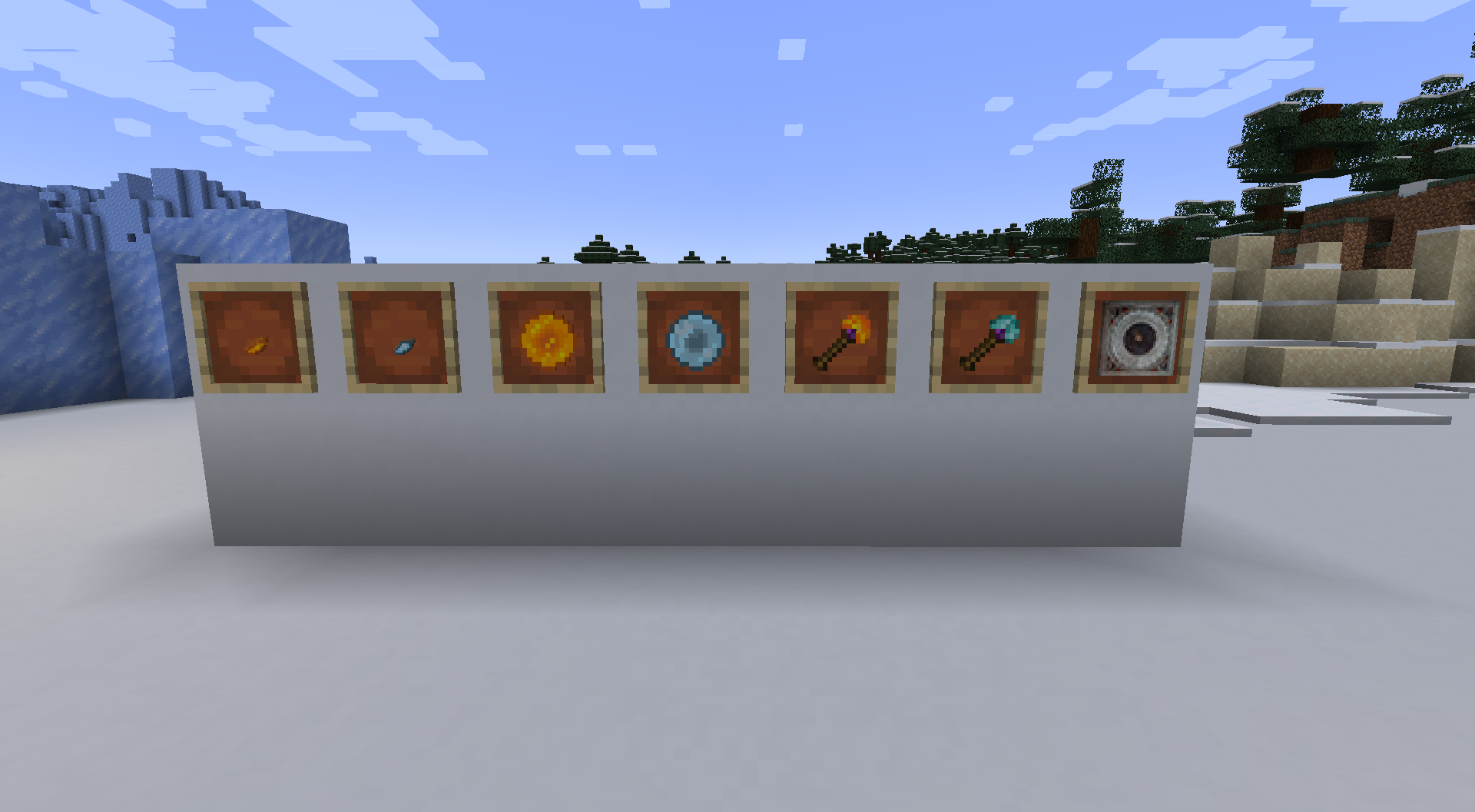
Shows all the items
Description
Time Orbs
Make time for your next adventure.
Bring on the dawn, settle into the night, or give your base a magical centerpiece. Time Orbs adds craftable orbs, reusable wands, and a working Grandfather Clock that put the day–night cycle in your hands.
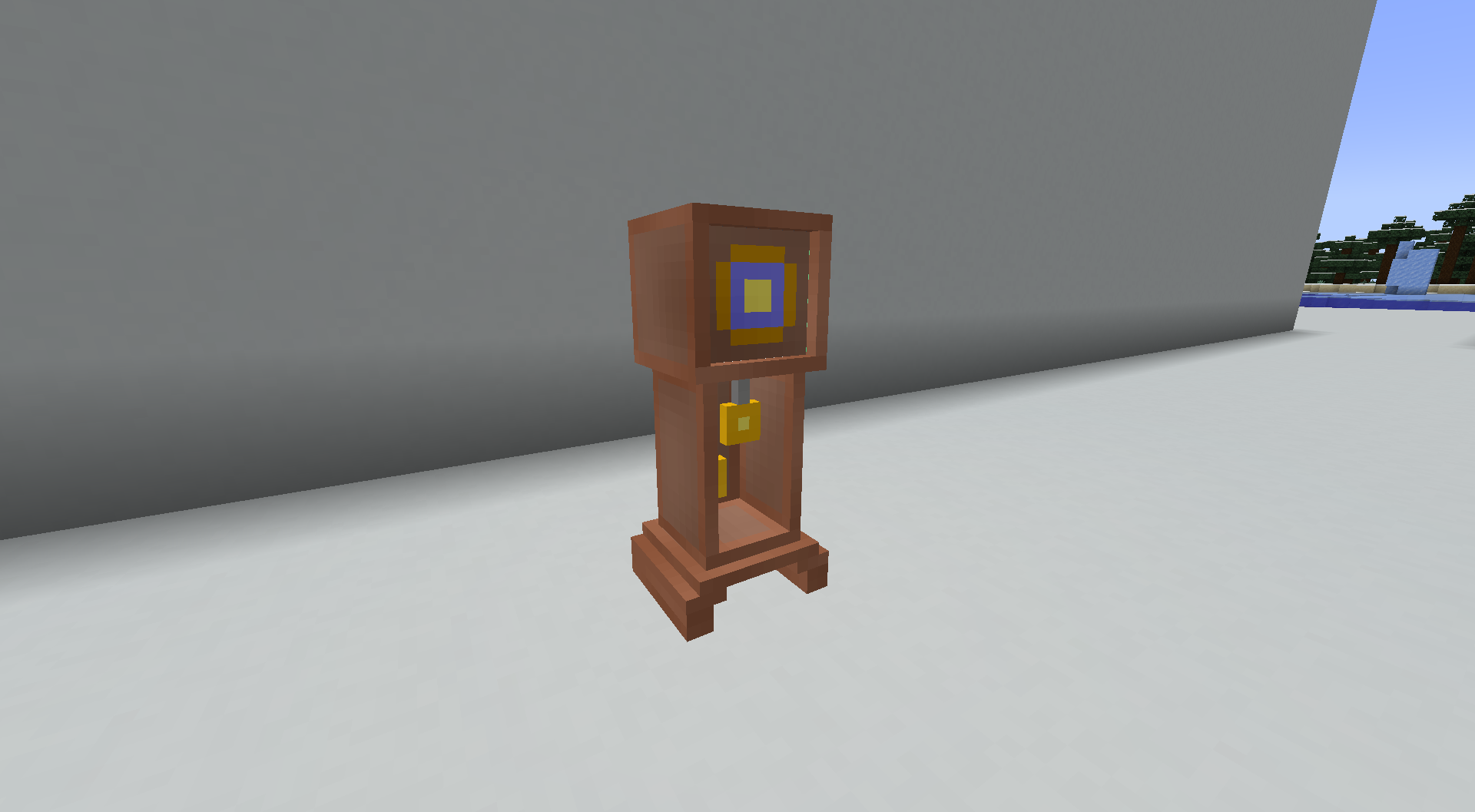
A clock worth building around
The Grandfather Clock is the centerpiece of your time-controlling toolkit. Build it for your workshop, tower, or home, then use it to choose noon, midnight, sunset, or moonset—as often as you like.
Carry the sun and moon
Keep a little time magic in your inventory:
| Item | What it does | Uses |
|---|---|---|
| Solar Orb | Brings the world to dawn | Single use |
| Lunar Orb | Brings the world to night | Single use |
| Solar Wand | Brings the world to dawn | 16 uses |
| Lunar Wand | Brings the world to night | 16 uses |
| Grandfather Clock | Offers four time presets | Reusable |
Start with a shard
Explore the Overworld for Solar Ore and Lunar Ore, then turn your discoveries into something more powerful.
- Collect Solar Shards or Lunar Shards.
- Combine nine matching shards into an orb.
- Combine nine matching orbs into a Sun Block or Moon Block.
- Craft a Clock Core using Sun Blocks, Moon Blocks, and a vanilla clock, then build your Grandfather Clock.
The 1.21.1 editions include recipe-book entries, with Fortune and Silk Touch support for the ores.
A more dramatic way to change the time
Activate a Sun Block or Moon Block to begin a three-second ritual, followed by lightning and a large explosion. Sun Blocks bring noon; Moon Blocks bring midnight.
Give these blocks plenty of space. Their explosions can damage your surroundings.
Supported Minecraft versions
Time Orbs 2.0.0 is available for these exact Minecraft versions. Choose the file matching both your Minecraft version and mod loader.
| Minecraft | Mod loaders | Java |
|---|---|---|
| 1.2.5 | Forge — separate client and dedicated-server files | 8 |
| 1.4.7 | Forge | 8 |
| 1.6.4 | Forge | 8 |
| 1.7.10 | Forge | 8 |
| 1.12.2 | Forge | 8 |
| 1.16.5 | Forge, Fabric | 8 |
| 1.18.2 | Forge, Fabric | 17 |
| 1.19.2 | Forge, Fabric | 17 |
| 1.20.1 | Forge, NeoForge, Fabric | 17 |
| 1.21.1 | NeoForge, Fabric | 21 |
| 1.21.4 | NeoForge, Fabric | 21 |
| 1.21.5 | NeoForge, Fabric | 21 |
Installation
Install Time Orbs on both the client and server. For Minecraft 1.2.5, use the Forge Client JAR on the client (including singleplayer) and the matching Forge Server JAR on a dedicated server. The other 2.0.0 builds use one JAR for both sides.
Fabric builds require Fabric API for the same Minecraft version. Forge and NeoForge builds use their matching loader.
The 2.0.0 builds are beta releases. The original 1.0.0 Fabric build for Minecraft 1.19.4 remains available as a legacy alpha download.
Time changes preserve your world's accumulated days. Back up existing worlds before upgrading from an older Minecraft version.
Created by TLPEuan / EuanHoll.
Also on Modrinth.
Time Orbs Team