SLM: Codex
- By
Add a Codex system with Skills, Passives, Actives, Lore, etc. for Items, Weapons, Armor & Curios
📖 SLM: Codex
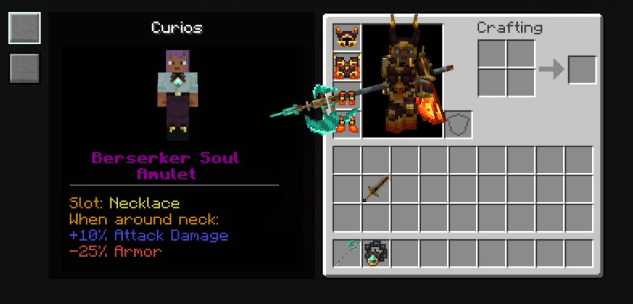
This mod introduces a Codex system that enhances how items are displayed and understood, providing detailed and organized information directly in-game.
It supports Items, Weapons, Armor, and Curios.
⚙️ Features
Each supported item can include a complete Codex entry with:
- 🧩 Passives
- ⚔️ Skills
- 📜 Description / Lore
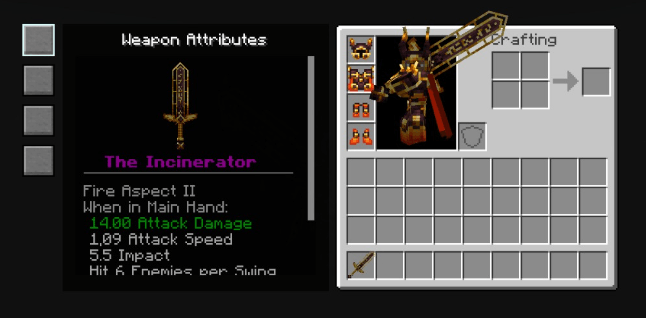
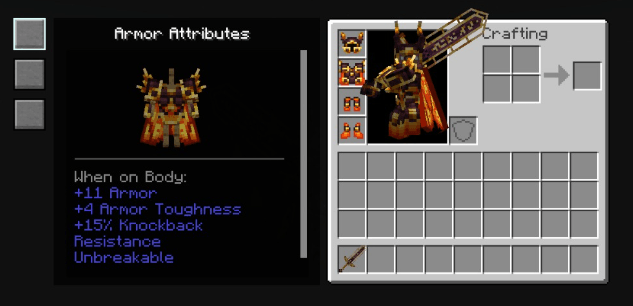
- 📊 Attributes / Stats
All information is presented through a clean, tab-based interface.
🗂️ Supported Categories
The Codex system is divided into multiple sections:
- 🗡️ Weapons
- 🛡️ Armor
- 🎒 Curios
- 📦 Items
Each category has its own specialized layout and data handling.
🧠 Skill Integration
- Supports Innate Skills integration
- Can display and redirect skills from compatible systems (such as Epic Fight)
- Provides a unified view of abilities tied to equipment
📘 Codex JSON Guide
The Codex system allows you to define custom entries for items, weapons, armor, and curios using JSON.
You can use translation keys or raw text for any visible field:
- Translation keys enable multi-language support
- Raw text is useful for quick definitions or testing
🧩 Common Fields (All Entries)
| Field | Description |
|---|---|
nameKey |
Item name. Supports translation keys or plain text. |
| nameColorKey | Adding a color to the item name supports standard Minecraft styles and hexadecimal as a string. |
descriptionKey |
Main description shown in the codex. |
overwritteTooltip |
If true, replaces the default tooltip with the codex one. |
passiveSkills |
List of passive abilities. |
activeSkills |
List of active abilities. |
The entries for Passive Skills or Active Skills are not mandatory; if you don't include them or leave them blank, they won't appear in the codex! And your file will still work.
⚙️ Skills Format (Passive & Active)
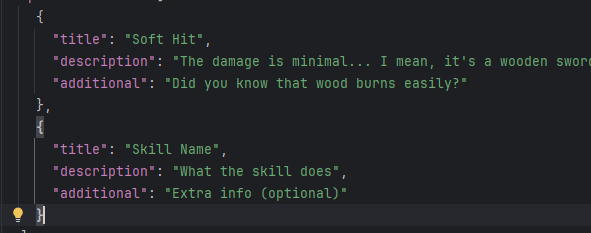
Both passiveSkills and activeSkills use the same structure (Supports multiple entries):
Parameters
| Field | Description |
|---|---|
title |
Skill name |
description |
Main effect or explanation |
additional (optional) |
Extra details, conditions, or notes |
🔽 More Details (Advanced) | ⚔️ Weapon / Item Codex
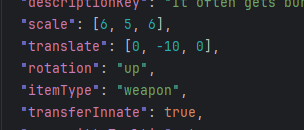
Path: data/<item_namespaces>/renderable_codex/<item_name>.json
| Field | Description |
|---|---|
itemType |
Defines the type. Supported: weapon, item |
scale |
Controls the rendered size of the item in the codex |
translate |
Adjusts the position [x, y, z] in the display |
rotation |
Controls orientation |
🔄 Rotation Values
Supports predefined directions:
"up", "down", "left", "right",
"up_left", "up_right",
"down_left", "down_right"
You can also use custom numeric values as strings, for example:
"4.15"
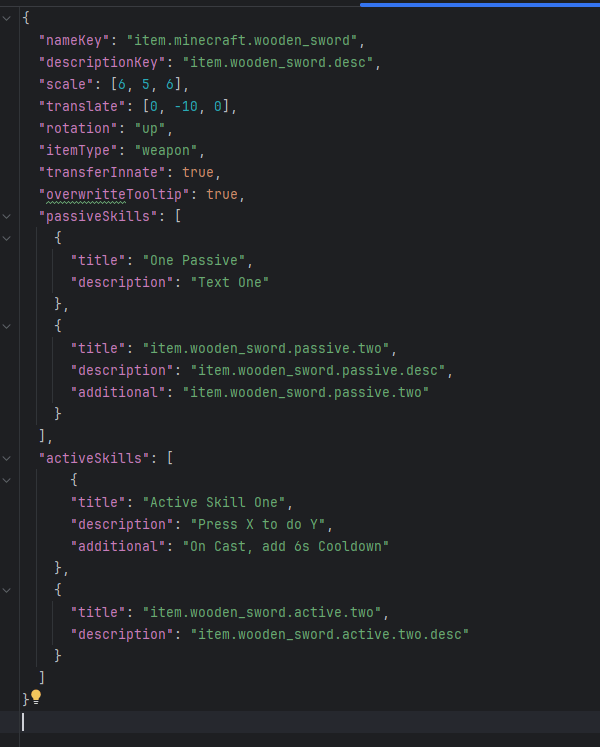
Final Example for Weapon & Item Codex
🔽 More Details (Advanced) | 🛡️ Armor Codex
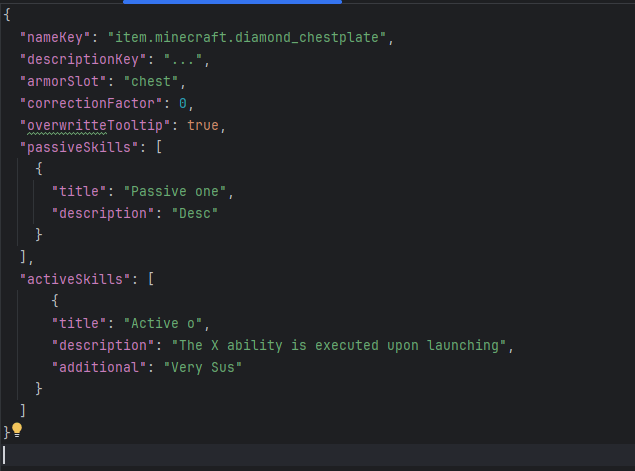
data/<item_namespaces>/armor_codex/<item_name>.json
| Field | Description |
|---|---|
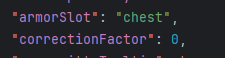
armorSlot |
Armor piece type |
Supported values:
head→ Helmetchest→ Chestplatelegs→ Leggingsfeet→ Boots
| Extra Field | Description |
|---|---|
correctionFactor |
Adjusts rendering alignment (fine-tuning value) |
Final Example for Armor Codex
🎒 Curios Fields
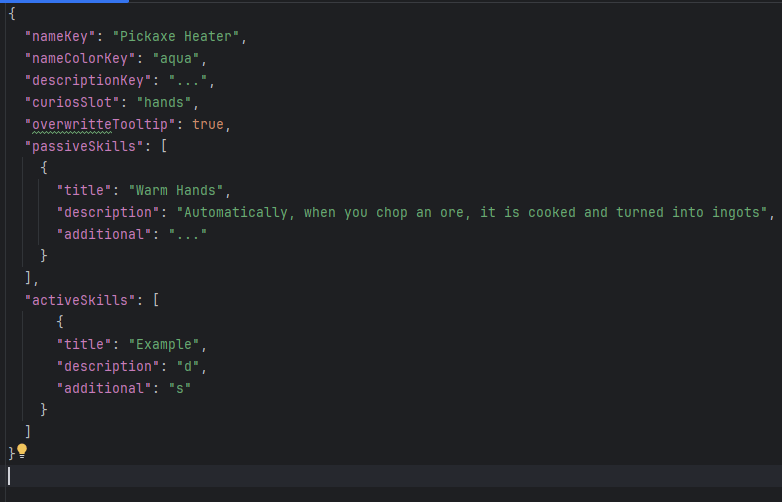
data/<item_namespaces>/curios_codex/<item_name>.json

| Field | Description |
|---|---|
curiosSlot |
Slot where the item is equipped |
Final Example for Curios Codex
🖥️ User Interface
- Interactive Codex panels accessible in-game
- Tab-based navigation for different data types
- Scrollable sections for large amounts of information
The SLM: Codex Team


Owner