Sky’s Terrain Smoother
- By
Smooth new terrain and cave floors with slabs, steps and corners, choose from three smoothing levels, with built in Mineralogy support.
Description
Sky's Terrain Smoother
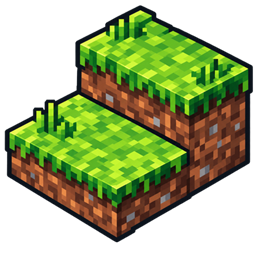
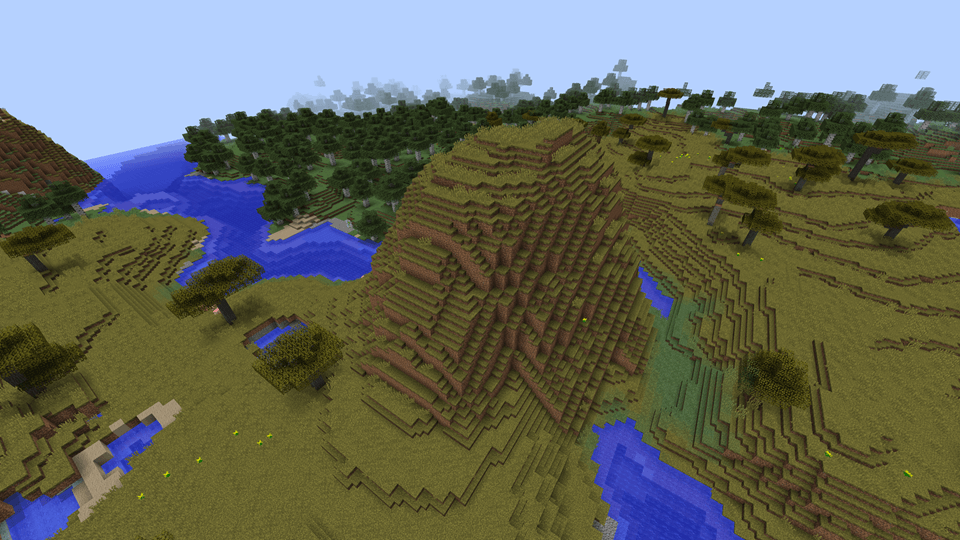
Sky's Terrain Smoother adds gentler transitions to Minecraft's hills, rocky slopes and cave floors using slabs, steps and corners. Grass stays grassy, stone uses matching stone pieces, and sandy slopes get sand slabs.
The result keeps Minecraft's blocky look while making the terrain easier to walk across.
Choose your smoothing level
There are three levels to choose from:
- Level 1: Slabs: simple half block transitions.
- Level 2: Slabs and steps: smaller pieces follow the edges of slopes more closely.
- Level 3: Slabs, steps and corners: the finest transitions, including small pieces around corners, this is the default.
Where a material only has slabs, the smoother continues using those at every level.
Above ground and underground
Smoothing applies to newly generated Overworld terrain, including dry cave floors with enough headroom and supports grass, dirt, natural stone variants, sandstone, sand and hardened clay.
Existing terrain isn't reshaped. In an established world, explore beyond the areas you've already generated to see the effect.
Mineralogy support
Mineralogy is supported automatically when installed, with no separate Mineralogy add-on needed.
The smoother uses Mineralogy's natural rock slabs alongside the matching rock steps and corners supplied by Sky's Building Pieces. You can turn this support off in the configuration.
For Biomes O' Plenty grass and soils, use the separate Sky's Terrain Smoother — Biomes O' Plenty add-on.
Requirements
Sky's Terrain Smoother requires:
- Sky's Grass Slabs
- Sky's Building Pieces
Install all three mods on both the client and server, using builds for the same Minecraft version. Mineralogy and the BOP add-on are optional.
Configuration
Open Mods → Sky's Terrain Smoother → Config to choose a smoothing level, turn smoothing on or off, or change Mineralogy support. Restart Minecraft after changing these settings.
On a dedicated server, edit config/skysterrainsmoother.cfg and restart the server.
Turning smoothing off leaves any pieces already generated in place. Keep the mods that provide those pieces installed, and back up your world before changing its mod list.
Sky’s Terrain Smoother Team
Owner