Sky's Realistic Weather
- By
Provides realistic weather and seasons for your world, which can be per Biome, universal overworld seasons or reflecting a real world location's weather in near real-time,
Description
Sky’s Realistic Weather
Spring rain, summer thunderstorms, autumn mist and the first snow on the hills. Sky’s Realistic Weather gives your Minecraft world a changing climate, with seasons that affect exploring, farming and the landscape around you.
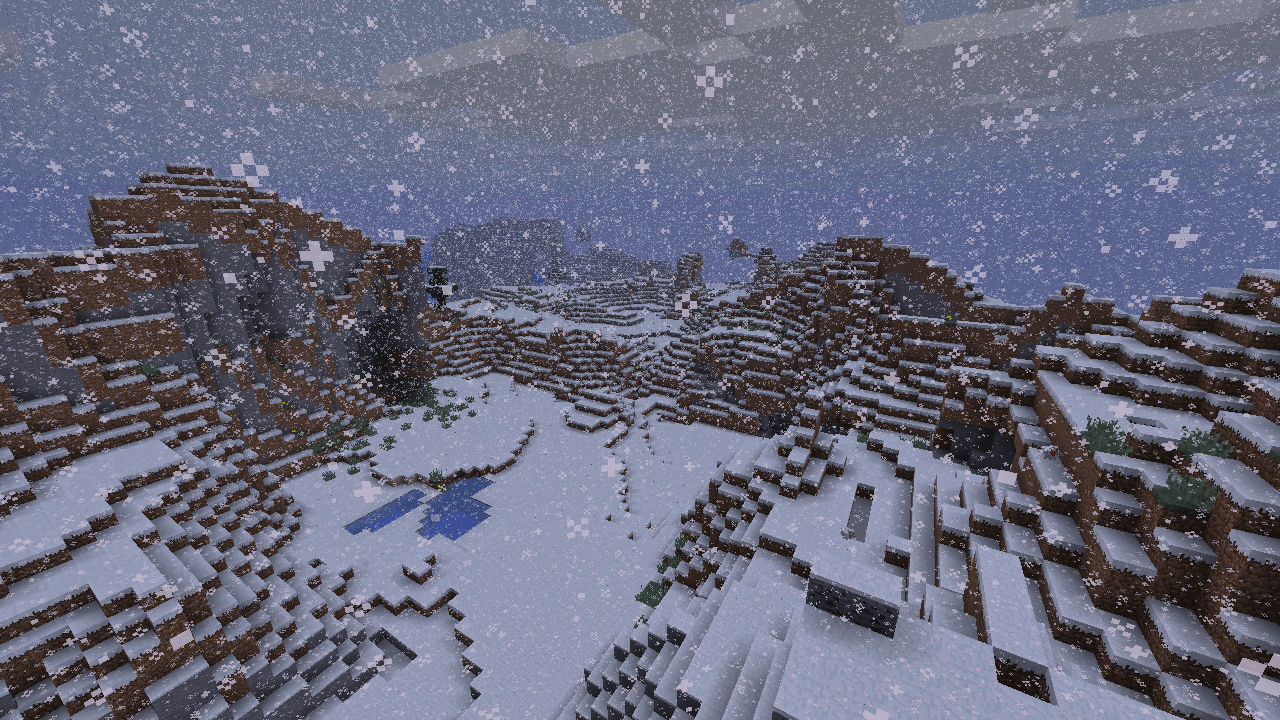
Weather responds to biome, altitude, season and time of day. The same storm might bring rain to a valley and snow to the mountains above it, while tropical forests and deserts follow their own weather patterns.
Seasons that suit your world
The default year lasts 365 Minecraft days, with shorter cycles available if you prefer seasons to move more quickly. Season lengths, strength, temperatures and weather patterns are configurable.
Choose how your world’s climate works:
- Per Biome Climate (default). Each biome receives an appropriate climate, allowing temperate forests, tropical regions, deserts and frozen landscapes to behave differently.
- Universal Climate. Choose one climate as the basis for the world, with local biome and elevation adjustments.
- Real World Climate. Use weather data for a configured real-world location, with a seasonal fallback when data is unavailable.
The editable preset library includes Mediterranean, British Isles, Central European, tropical monsoon, continental, desert, subarctic and alpine climates. Fantasy options include Winter Wonderland, Storm Coast, Mistwood, Thunderlands, Eternal Spring and Two Winters.
Presets can be edited, duplicated or added through the configuration screen, so you can build a climate that suits your world or modpack.
More than rain or sunshine
Different climates bring different combinations of passing showers, prolonged rain, thunderstorms, hail, fog, snow squalls, blizzards and dust storms. Cold snaps and heatwaves can change conditions between the usual seasonal transitions.
Rain and snow remain visible across biome boundaries, helping storms feel like part of the surrounding landscape.
Seasonal snow and ice can appear as new terrain generates, then gradually thaw as conditions warm. Special handling preserves the native snow and ice generation of polar and glacier biomes.
Farming with the seasons
Local temperature affects natural plant growth. Suitable conditions allow normal growth; less suitable temperatures slow it, and extreme cold or heat can pause it. Plants remain intact, while their usual soil, water, light and fertiliser requirements continue to apply.
Seed, sapling and crop tooltips show preferred temperatures and whether the current local conditions suit them. Readouts support Celsius or Fahrenheit, including the temperature HUD and inspection tools.
A craftable thermometer provides a temperature reading without operator permissions. Hold it in either hand for a small graphical HUD, or place it in the world. Its glass-and-mercury recipe accepts mercury ingots from Base Metals or another mod supplying the appropriate ore-dictionary ingredient.
Burning furnaces, fire, lava and ordinary torches provide configurable local warmth that fades with distance. Overlapping heaters use the strongest contribution. Heating currently uses a simple radius model; walls and glass do not provide insulation.
Mod integrations
All integrations are optional. The table lists the Minecraft versions each integration currently supports; install compatible releases of the mods you want to use. As ports become available, their supported integrations will be added here.
| Mod | Minecraft versions | Integration |
|---|---|---|
| Pam’s HarvestCraft | 1.10.2 | Temperature-sensitive natural growth for supported crops and fruit, including fruit logs and saplings. |
| AgriCraft | 1.10.2 | Climate suitability for natural crop-stick growth, using the planted seed’s identity while preserving genetics and cross-crop behaviour. |
| Forestry | 1.10.2 | Local temperature and seasonal humidity information for Forestry climate consumers. Forestry’s own controlled climates retain precedence. |
| Mystical Agriculture | 1.10.2 | Magical resource crops remain exempt by default, with configurable mappings available to bring them into the climate system. |
| Tough As Nails | 1.10.2 | Uses Sky’s local temperature as the environmental basis for its temperature system, while retaining body-temperature responses, clothing, wetness, thirst and other survival mechanics. |
| JEI | 1.10.2 | A Climate Requirements category showing recognised plants’ preferred temperatures and current local suitability. |
| Hwyla | 1.10.2 | Crop temperature requirements and growth status when looking at supported plants. |
| The One Probe | 1.10.2 | Crop temperature requirements and growth status when looking at supported plants. |
| CraftTweaker | 1.10.2 | Scripts can customise crop temperatures, exempt plants, map biomes to climates and query local conditions. |
| Biomes O’ Plenty | 1.10.2 | Biome climate mappings that give its supported biomes appropriate seasonal weather. |
| Thaumcraft | 1.10.2 | Climate mappings for supported Overworld biomes. |
| AbyssalCraft | 1.10.2 | Climate mappings for supported Overworld biomes. |
| Vampirism | 1.10.2 | Climate mappings for supported Overworld biomes. |
| GeographiCraft | 1.10.2 | Biome changes are respected when choosing climate defaults. |
| BiomeTweaker | 1.10.2 | Biome changes are respected when choosing climate defaults. |
| Realistic Terrain Generation | 1.10.2 | Seasonal snow and ice generation in RTG worlds. |
| Open Terrain Generator | 1.10.2 | Seasonal snow and ice generation in supported OTG terrain. |
| Biome Bundle | 1.10.2 | Seasonal snow and ice generation when used with Open Terrain Generator. |
| The Lost Cities | 1.10.2 | Seasonal snow and ice generation in Lost Cities worlds. |
| Base Metals | 1.10.2 | Supplies mercury for the thermometer recipe. Other mods providing the appropriate mercury ingredient can also be used. |
Tools for players and pack makers
The configuration screen brings together climate modes, presets, seasons, farming rules, display preferences and local heating.
Operators can use the Weather Controller or /skyweather gui to preview conditions, change settings and advance through seasons. Settings can be saved per world, while commands such as /skyweather climate, /skyweather crop and /skyweather validate help inspect local conditions and diagnose pack rules.
For other mod developers, the public Java API exposes runtime and world-generation climate information, plant-growth queries and temperature-zone registration. A companion mod can use it to manage heated rooms, greenhouses or other controlled spaces.
Find API documentation for your Minecraft version in the source repository.
Optional real-world weather and external requests
Real-world weather is opt-in. The default Per Biome Climate mode and Universal Climate mode work offline and do not make weather-service requests.
When Real World Climate is enabled, the world host contacts Open-Meteo over HTTPS when the feed starts, then approximately every 15 real-world minutes while the world is running. On a dedicated server, the server makes these requests; in single-player, they come from your computer.
Requests include the configured latitude and longitude and ask for temperature and weather-condition data. The mod does not automatically detect your location or include player names, UUIDs, world seeds or save files in those requests. Open-Meteo can see the connecting host’s public IP address and may retain request logs under its terms and privacy policy.
The feed uses weather-model data, which the mod translates into Minecraft conditions. Biomes and elevation still influence local effects, and seasons continue to follow Minecraft time. If the service is unavailable, a recent reading can remain in use before the configured seasonal fallback takes over.
Weather data is provided by Open-Meteo.com under CC BY 4.0, adapted into Minecraft weather. Its public free API is intended for non-commercial use; the provider’s terms and usage limits apply.
Sky's Realistic Weather Team

Owner