Praseodymium
- By
Client-side visual optimizations, connected glass and creative building tools, with zoom, light readings and a frame-time HUD in one Fabric mod.
Praseodymium
Praseodymium is a client-side mod for Minecraft Java 26.2 that combines visual optimizations, connected full-glass textures and creative building tools. This merged release includes Lens zoom, Light Meter and Pulse inside the same JAR. You do not need separate companion mods.
Visual performance, without reducing your distances
Conservative wall-occlusion checks can skip rendering fully hidden entities and particles. Adaptive visual settings and bounded particle counts reduce rendering work under load. Your chosen render distance and simulation distance stay unchanged. Server entity ticking, collisions, pushing, cramming and farms continue normally. Culling is deliberately conservative around gaps, glass and uncertain visibility.
Performance varies with the scene, hardware and other mods. The 35 FPS defense and 20 FPS emergency thresholds are controller targets, not guaranteed frame rates. This is not a replacement for every renderer optimization, and no universal culling percentage or fixed FPS improvement is promised.
Creative tools
Hold Left Alt to open nine persistent saved hotbars plus your live hotbar. Preview rows, save your current palette, edit slots, drag items, clear with confirmation and undo. The menu owns its scrolling and hotbar input, including custom Z/X/C/V bindings. Saved palettes stay local to your Minecraft profile.
The menu also includes permission-aware gamemode controls, creative flight speed, a block-display creator and a block-state editor. H runs a bounded enclosed-space check; Creative-only block scans search loaded chunks inside the smaller of your render and simulation distances. Scan results can be outlined through blocks. Use the menu scan button or assign an unused hold-to-scan key. Search/result limits are reported rather than silently claiming a complete scan. Server commands require normal permissions, and server rules still apply.
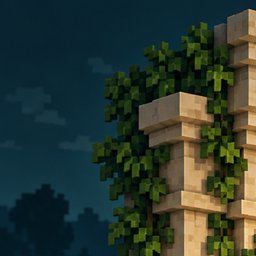
Connected glass removes supported internal seams on full glass blocks while retaining outer borders and corners. Support targets vanilla-style 16-pixel cube textures; glass panes, animated/high-resolution textures and unsupported custom models are left unchanged. Particle wall handling hides whole occluded sprites, not every partial intersection.
Built in: Lens, Light Meter and Pulse
- Lens: smooth hold-to-zoom without rewriting your FOV or mouse-sensitivity preferences.
- Light Meter: nearby loaded block and sky light readings. These readings alone are not a mob-spawn guarantee.
- Pulse: a bounded frame-time graph and rolling performance measurements. It measures performance rather than boosting FPS.
Open Help / setup in the menu to see your current controls and open Minecraft's key editor. Assign unused keys to Lens, Light Meter and Pulse; they normally start unbound and do not replace your existing bindings. Block scanning also starts unbound to avoid hotbar conflicts.
Install and update
Use Minecraft 26.2, Fabric Loader 0.19.3 or newer, Fabric API 0.154.0+26.2, and Java 25. Put the main Praseodymium JAR and Fabric API in the client's mods folder. Do not install the sources JAR. No server installation is needed.
When updating, remove older Praseodymium and standalone Lens, Light Meter and Pulse JARs from that profile first. Keep your configuration files and saved hotbars; existing key identifiers and storage paths are preserved. Duplicate standalone companions are rejected to prevent doubled hooks. Fabric API remains a separate dependency and is not merged into our code.
The mod uncaps FPS and turns off VSync once after startup options are available. Other temporary adaptive changes recover and restore player preferences when leaving a world.
Beta status and transparency
This is 0.2.0-beta.1. It does not provide the complete Axiom editor, arbitrary NBT editing, infinite reach, or guaranteed compatibility with every shader or rendering mod. Please report issues with your Minecraft version, mod list and a relevant crash log after removing private information.
Development and branding used AI assistance. Gameplay showcase images are actual in-game captures; the Pr logo is branding, not a gameplay screenshot. Source is licensed CC0-1.0, credited to tjtjklra529.
The Praseodymium Team