

PhantomMarket Link
- By
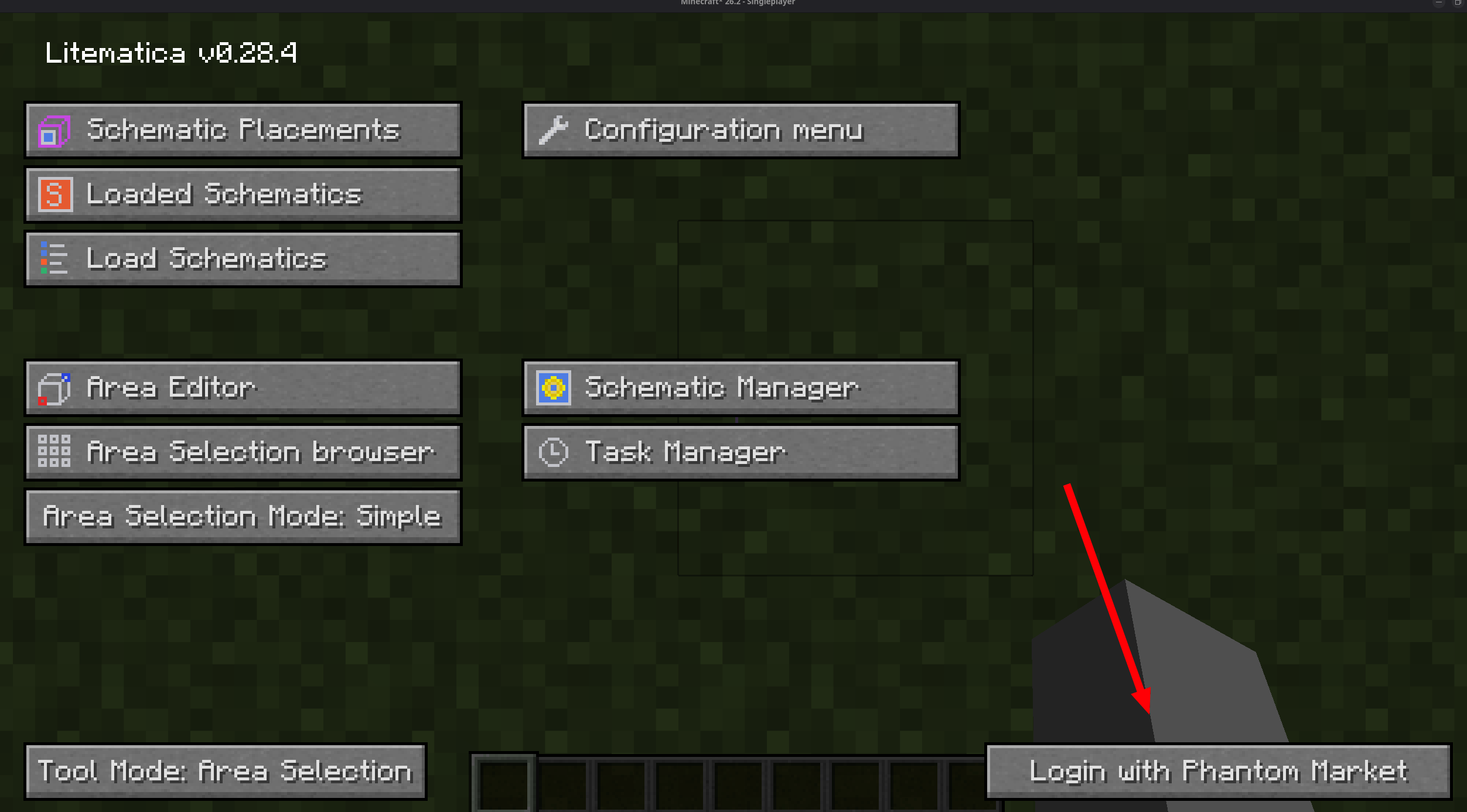
button in Litematica's main menu connects the mod to your PhantomMarket account.
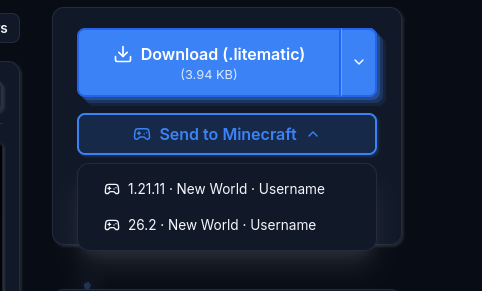
Found a build on the website? Pick one of your running game instances and send it straight in.
Description
PhantomMarket Link
Send Minecraft schematics from the web straight into your game.
PhantomMarket Link is a client-side Fabric addon for Litematica that connects Minecraft to your PhantomMarket account. Browse thousands of Minecraft builds, farms and schematics on the website, press "Send to Minecraft", and the .litematic file downloads directly into Litematica's schematics folder, already loaded as a placement at your feet, ready to build.
No more downloading schematic files in the browser, hunting for the right folder, or restarting menus. One click on the web, and the build is in your world.
How to send schematics to Minecraft
- Install the mod (plus Litematica, MaLiLib and Fabric API) and open Litematica's main menu. A new "Login with Phantom Market" button appears in the bottom-right corner.
- Click it once: your browser opens with a short device code. Approve it and the button switches to "Connected to your username".
- On any build page on PhantomMarket, press "Send to Minecraft" in the download section.
- The schematic is downloaded over HTTPS, saved into your schematics directory, and auto-loaded as a Litematica placement at your position.
Features
- One-click schematic delivery from the PhantomMarket website into Litematica
- Automatic placement: the schematic loads at your feet, selected and ready to build
- Multi-instance support: several game windows open? Choose exactly which Minecraft version, world or server receives the build
- Version-mismatch warning before sending a build to an incompatible Minecraft version
- Secure device-code login: you never type your password in game, and you can log out any time
- Auto-reconnect: the connection survives lag spikes, sleep and network drops
- Fully client-side: works in singleplayer and on any multiplayer server
Supported Minecraft versions
Fabric: One jar per version, matching the versions covered by Litematica itself.
Requirements
- Litematica (required)
- MaLiLib (required)
- Fabric API (required)
FAQ
Does it work on multiplayer servers? Yes. The mod is fully client-side, so it works in singleplayer and on any server, just like Litematica.
Where do downloaded schematics go?
Into Litematica's own schematics folder (.minecraft/schematics), named after the build. They stay there like any schematic you downloaded manually.
Is my account safe?
Login uses a device code flow, so your password never touches the game. The mod stores a session token locally in config/phantom-market-link.json, sends it only to PhantomMarket over HTTPS/WSS, never logs it, and revokes it when you log out. It can only access builds available to your own account.
Do I need this mod to use PhantomMarket? No. The website works standalone, and the mod just removes the download-and-drag-into-folder step.
Found a bug? Report it on the issue tracker.
The PhantomMarket Link Team
