Multiversal Worlds
- By
Multiple worlds on one NeoForge server. Create, import, load and delete them at runtime, each with its own rules.
Description
Multiversal
Multiple worlds on one NeoForge 1.21.1 server. Create, import, clone, load, unload and delete worlds while the server is running, move between them, and give each one its own rules.
Multiversal started from the idea of running a modded server the way Paper servers are run, with the tools that plugins usually provide. It takes the plugin Multiverse-Core as its reference; the name and code are original.
Who it is for
Servers that want to keep their world and their players' progress instead of starting over:
- New worldgen mods. Biomes, ores and structures added by a mod only appear in chunks that have never been generated. Create a new world with that generation and leave the main world untouched.
- Resource worlds. A separate world for mining and logging, regenerated with
/mv regenwhen it runs dry, while builds in the main world stay where they are. - Special worlds. A void world for building, a creative world, a world without monsters for events.
Inventories, experience and advancements belong to the player, so they travel with them from one world to another.
Installation
Install the mod on the server. Players do not need it: everything works through commands. Players who also install it on their client get the teleport menu in their inventory and, if they are administrators, the world panel.
World panel
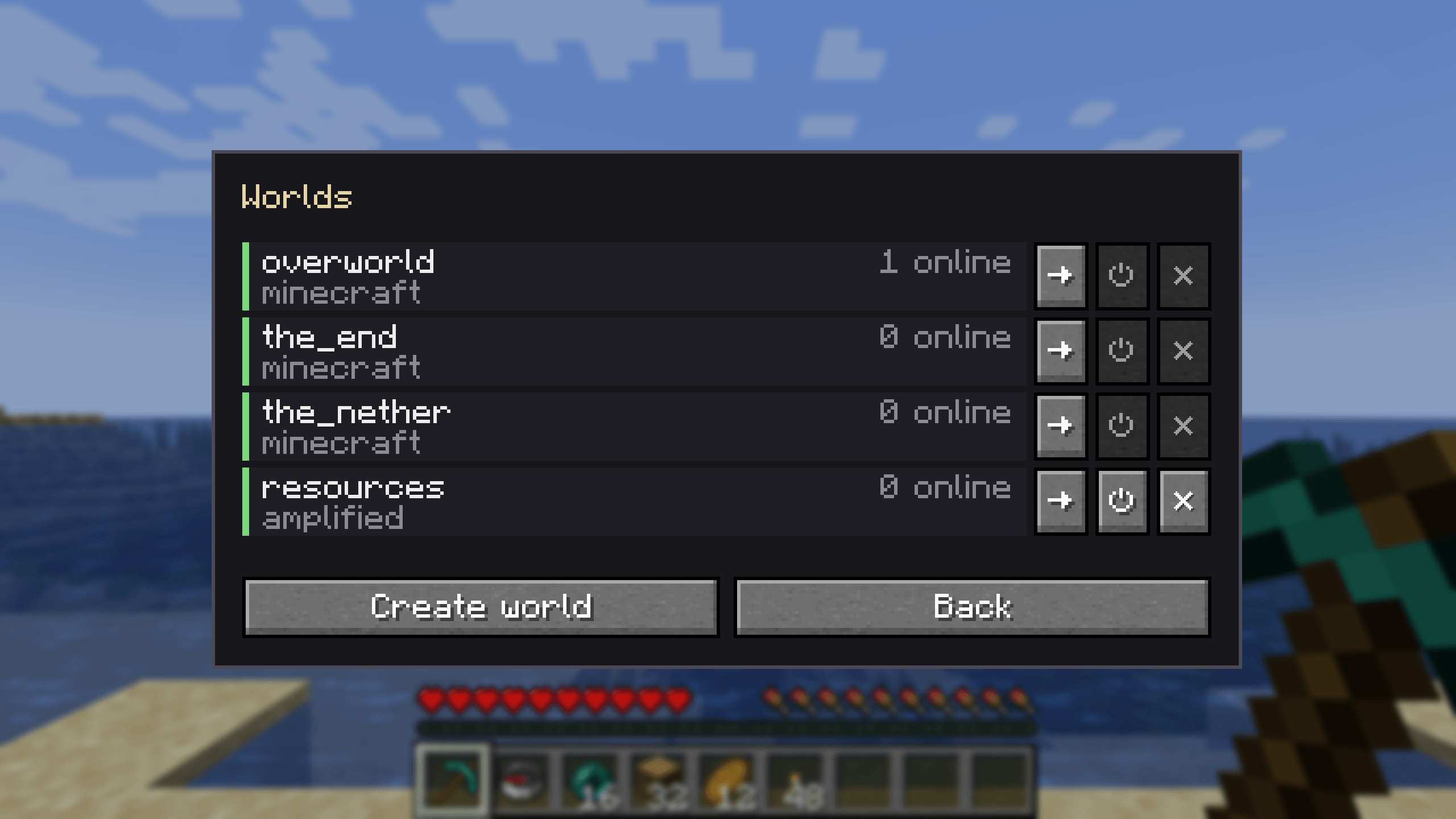
Administrators open it from the teleport menu with the Worlds button. It lists every world with its generator, its state and its player count, with buttons to teleport to its spawn, load or unload it, and delete it (deleting asks for a second click).
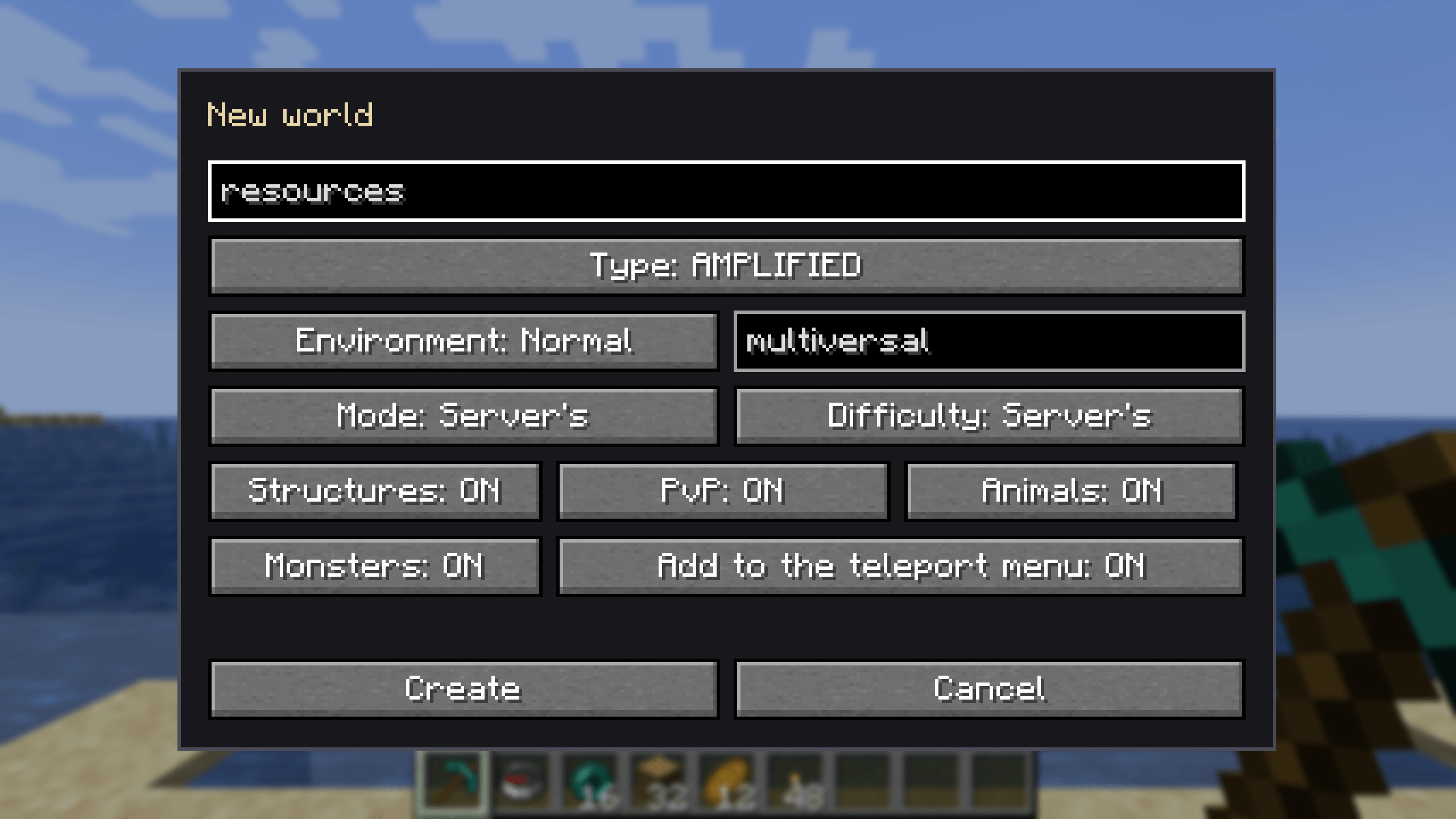
Create world opens a form with:
- Name
- Type: every world preset the server knows, including those added by mods and datapacks, plus Void, plus Copy of any loaded dimension, including modded ones. A copy reuses that dimension's generator with a new seed.
- Environment: Normal, Nether or End.
- Seed: a number or text, as in vanilla. Left empty, it is random.
- Game mode and difficulty: the server's, or a fixed one for that world.
- Structures, PvP, animals and monsters: on or off from the start.
- Add to the teleport menu
Teleport menu
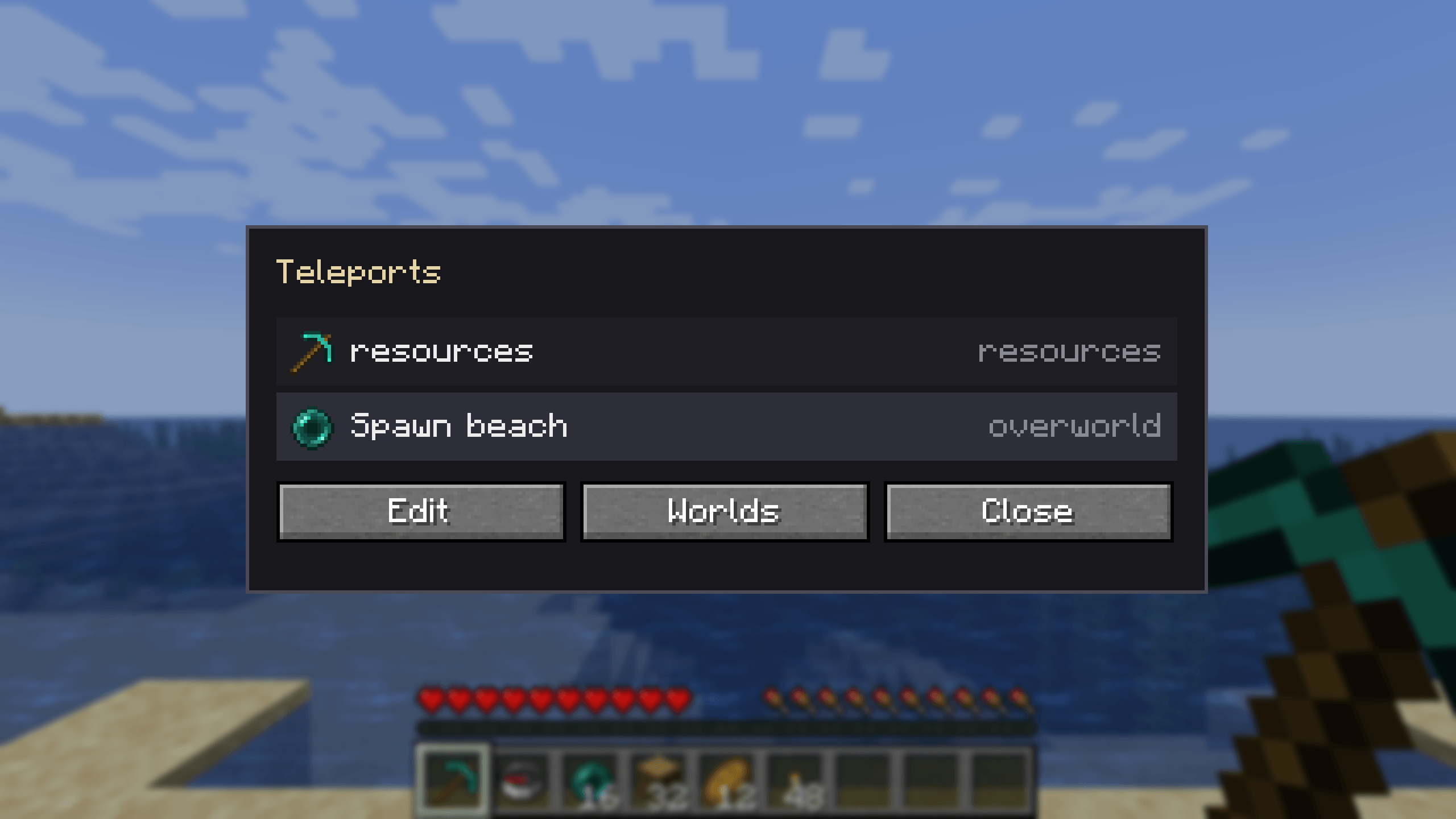
A small ender pearl button sits inside the inventory frame, above the crafting output, where it does not overlap the recipe book or the side panels of mods such as JEI and EMI. In creative mode it appears on the Inventory tab. It opens the list of destinations; one click teleports the player.
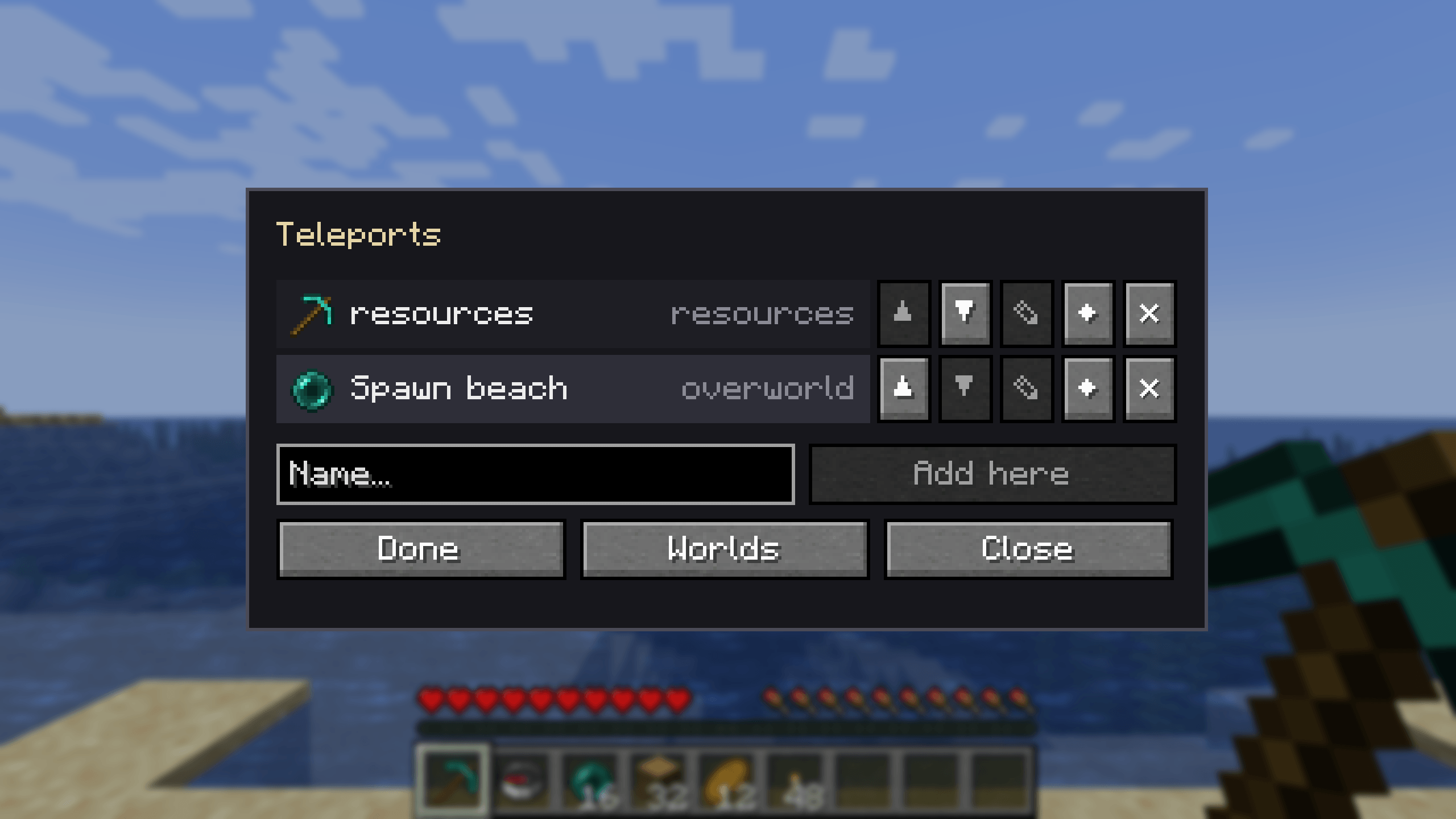
Destinations are chosen by administrators. In the menu, Edit lets them add their current position under a name, rename entries, use the held item as an icon, reorder entries and delete them. Players without the mod on their client can use the same menu in chat with /mv menu.
Portal-only dimensions
By default, the Nether, the End and dimensions added by other mods can only be reached through their portals, as in a game without cheats. The teleport menu and /mv tp only lead to the overworld and to worlds created with Multiversal. Administrators keep direct access through the multiversal.bypass.portals permission. Set portalOnlyDimensions = false in the server config to lift the restriction.
Commands
/mv and /multiversal are the same command.
| Command | Description |
|---|---|
/mv list |
Worlds, their type, state and player count. |
/mv info [world] |
Seed, spawn point and properties of a world. |
/mv tp <world> [players] |
Teleports to a world's spawn point. |
/mv spawn [players] · /mv setspawn |
Go to, or set, the spawn point of the current world. |
/mv create <name> <environment> [type] [seed] |
Creates a world from a world type. |
/mv create <name> from <dimension> [seed] |
Creates a world with another dimension's generator. |
/mv import <folder> <environment> [type] |
Brings in a vanilla or Bukkit/Paper world folder. |
/mv clone <world> <name> |
Copies a world with everything built in it. |
/mv load · /mv unload <world> |
Loads or unloads a world; it is saved when unloaded. |
/mv delete <world> · /mv regen <world> |
Deletes or regenerates a world. Both need /mv confirm. |
/mv modify <world> <property> [value] |
Changes or shows a per-world property. |
/mv menu |
Opens the teleport menu, or lists it in chat. |
Per-world properties
Game mode, difficulty, PvP, flight, hunger, animal and monster spawning, weather, player limit, alias, visibility in the list, respawn world and loading on startup. Difficulty, weather and loading on startup apply to worlds created with Multiversal; the rest also apply to vanilla and modded dimensions.
Permissions
Every action has its own node in NeoForge's permission API, so LuckPerms and similar mods can grant them. Without a permission mod, each node falls back to an operator level. The teleport menu is open to all players by default; editing it requires operator level 2.
Multiversal Worlds Team