Mettle - Each player picks their own difficulty
- By
Each player picks their own difficulty, and damage, hunger and monsters around them follow it.
Description
Mettle
Per-player difficulty for NeoForge 1.21.1 servers. Each player picks Peaceful, Easy, Normal or Hard for themselves, and the damage they take, their hunger and the monsters around them follow that choice instead of the server's.
Installation
Install the mod on the server. Players do not need it: they pick their difficulty with /mettle <difficulty> in chat. Players who also install it on their client get a selector when they type /mettle.
What your difficulty changes
| Difficulty | Damage from monsters | Hunger leaves you at |
|---|---|---|
| Peaceful | None, unless you hit them first | Never hungry, health regenerates |
| Easy | Half, plus half a heart | 5 hearts |
| Normal | Normal | Half a heart |
| Hard | +50% | Can kill you |
Damage here is the damage vanilla scales with difficulty: mob attacks, their projectiles and most explosions.
Monsters also follow the difficulty of the player they are about: the one they are chasing or, if they are chasing nobody, the nearest player within 128 blocks. That covers what vanilla ties to difficulty, such as natural spawning, the gear mobs spawn with, arrow damage and accuracy, cave spider and bee poison, and zombies breaking doors and calling reinforcements on Hard. A Peaceful world still gets monsters around a player on Hard.
Peaceful
Monsters still spawn around a player on Peaceful, but they leave that player alone. Hitting one, with a weapon or an arrow, lets that monster fight back with Easy damage until it dies. Monsters the player has not hit do no damage to them, not even a creeper exploding next to them. Hunger never drops, health regenerates, and Bad Omen does not start raids, as in vanilla Peaceful.
The selector
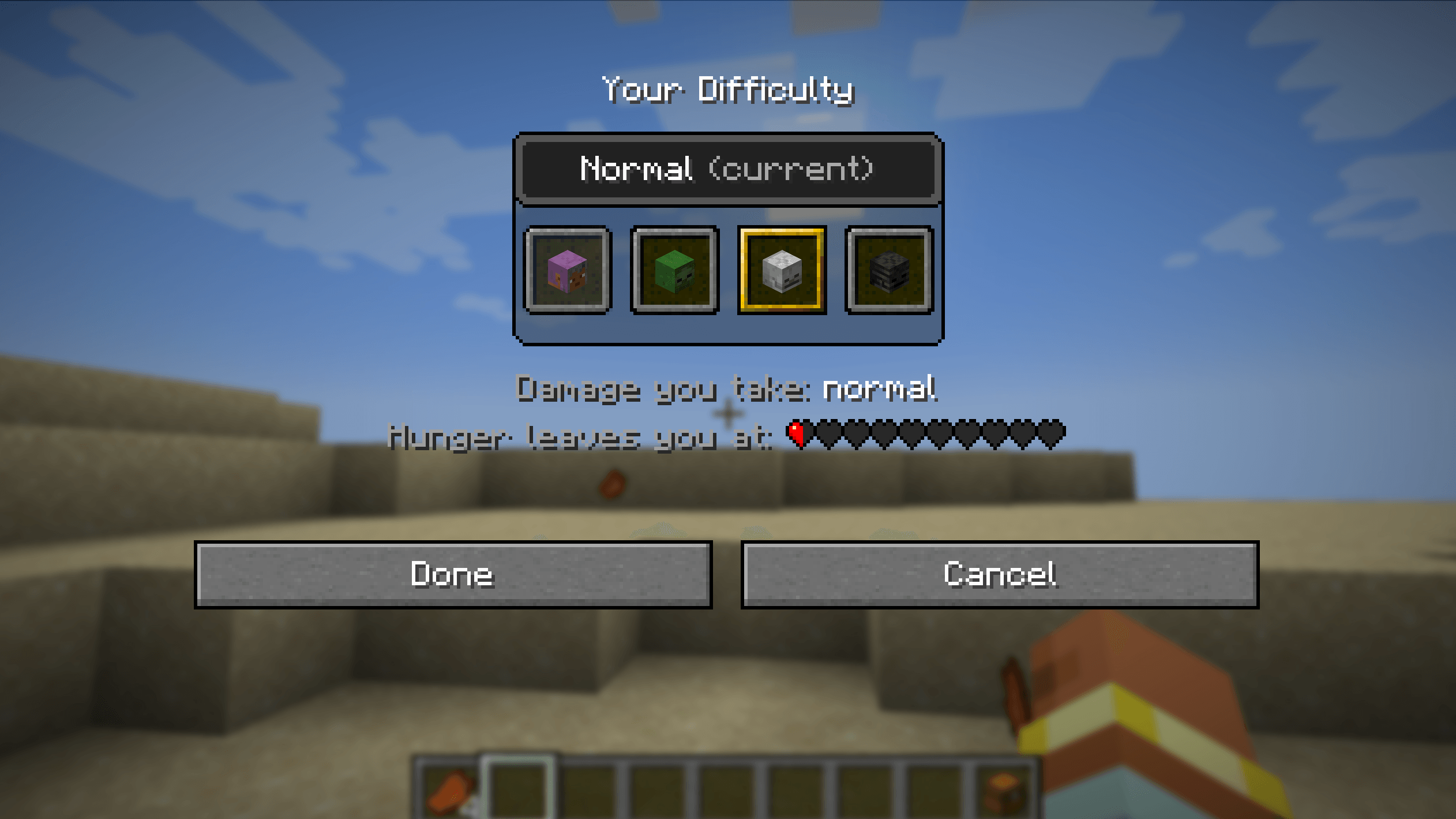
/mettle opens it for players with the mod on their client. It is built like the F3+F4 game mode switcher: four slots with the player's own head for Peaceful, a zombie head for Easy, a skeleton skull for Normal and a wither skeleton skull for Hard. Below them, the selected difficulty's damage and the hearts hunger leaves you at. Click a slot and Done, or double-click it; arrow keys and Enter work too.
In singleplayer and on a LAN host, the vanilla difficulty button in Options changes your own difficulty.
Commands
| Command | Who | Description |
|---|---|---|
/mettle |
Everyone | Opens the selector, or tells you your difficulty in chat. |
/mettle <peaceful/easy/normal/hard> |
Everyone | Sets your own difficulty. |
/mettle <difficulty> <players> |
Operators (level 2) | Sets other players' difficulty, also on worlds where it is locked. |
The server's difficulty
/difficulty still works. Players who have never picked one follow it; players who have keep theirs. On worlds with a locked difficulty, players cannot change their own. Hardcore worlds keep everyone on Hard.
Mettle - Each player picks their own difficulty Team