2026-11-08_19.31.36.png
2026-11-08_19.31.40.png
2026-11-08_19.31.42.png
2026-11-08_19.31.43.png
2026-11-08_19.31.54.png
Description
Press J to open or close this window
[ Done ]
· J opens and closes; the window does not pause single-player
· The language button cycles Auto -> 中文 -> English; only this mod's text changes
· One switch per feature, saved immediately
· Scroll wheel scrolls the list
================================================================
5. Free GUI scale (1.1.0)
================================================================
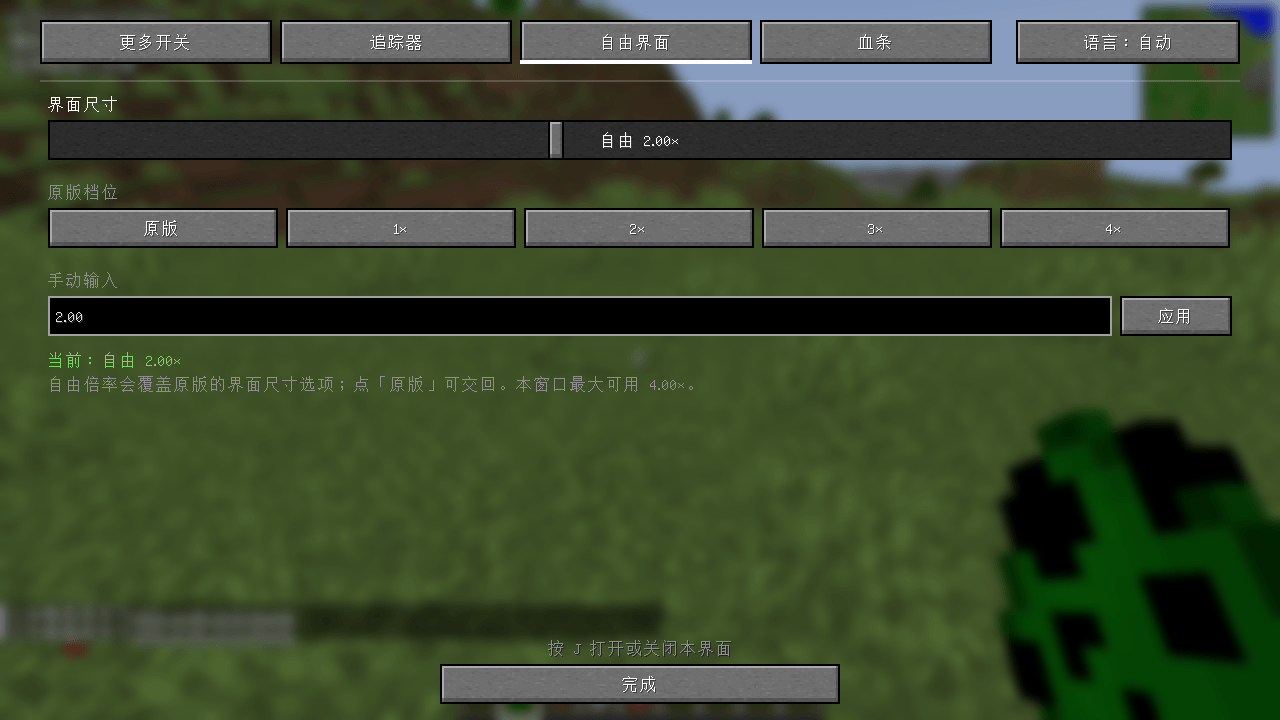
Replaces vanilla's four integer steps with anything from 0.5x to 8x.
· Slider: 0.05x steps, commits when you release
· Vanilla presets: Vanilla / 1x / 2x / 3x / 4x
· Manual input: decimals such as 1.75, then Apply
· The cap is derived from the window size, keeping at least a 320x180 GUI
"Vanilla" hands sizing back to the game. The scale is saved and restored on launch.
Note: fractional scales put glyphs on fractional pixels, so text edges look slightly
softer. Use an integer step if sharpness matters more than size.
================================================================
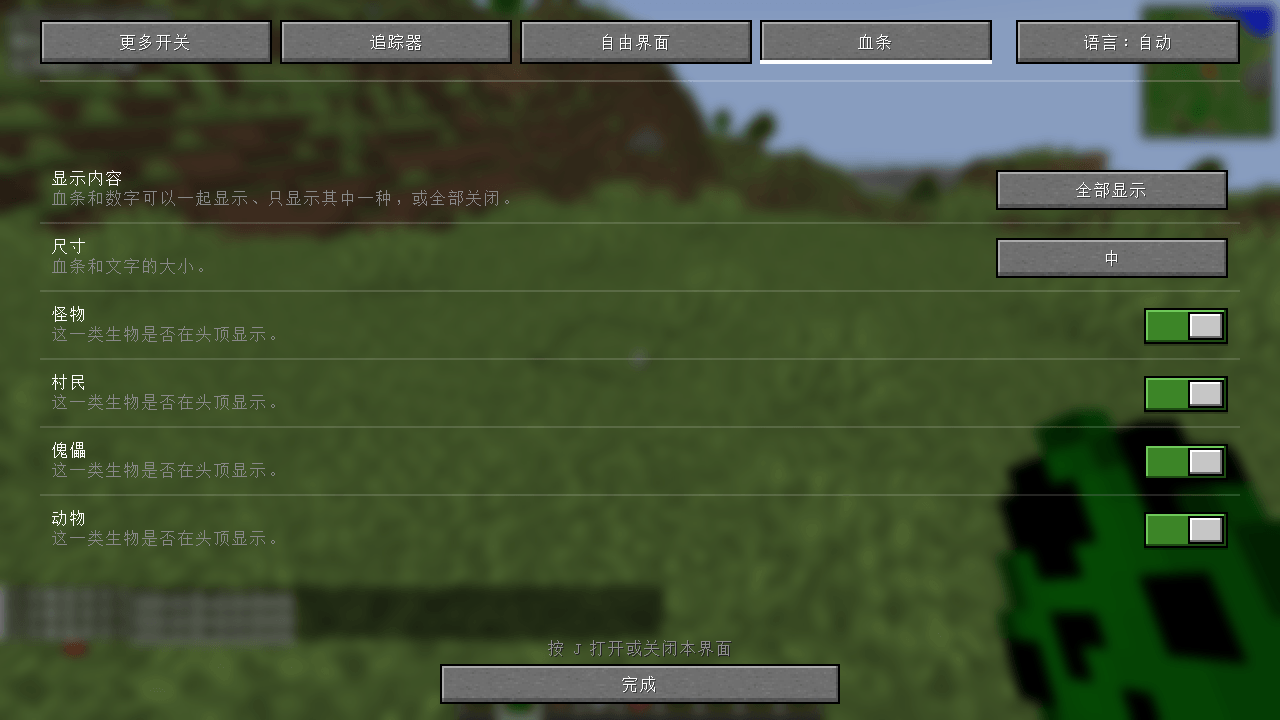
6. Health bar (1.2.0)
================================================================
A red bar with "current/max" above every creature.
· Show: Both / Bar only / Numbers only / Off
· Size: Large / Medium / Small, scaling bar and text together
· Categories: Monsters / Villagers / Golems / Animals, each switchable
The bar has a fixed size in blocks, so it shrinks with distance; range 48 blocks,
at most 48 bars at once. Drawn on the HUD, so it never stutters. Off by default.
================================================================
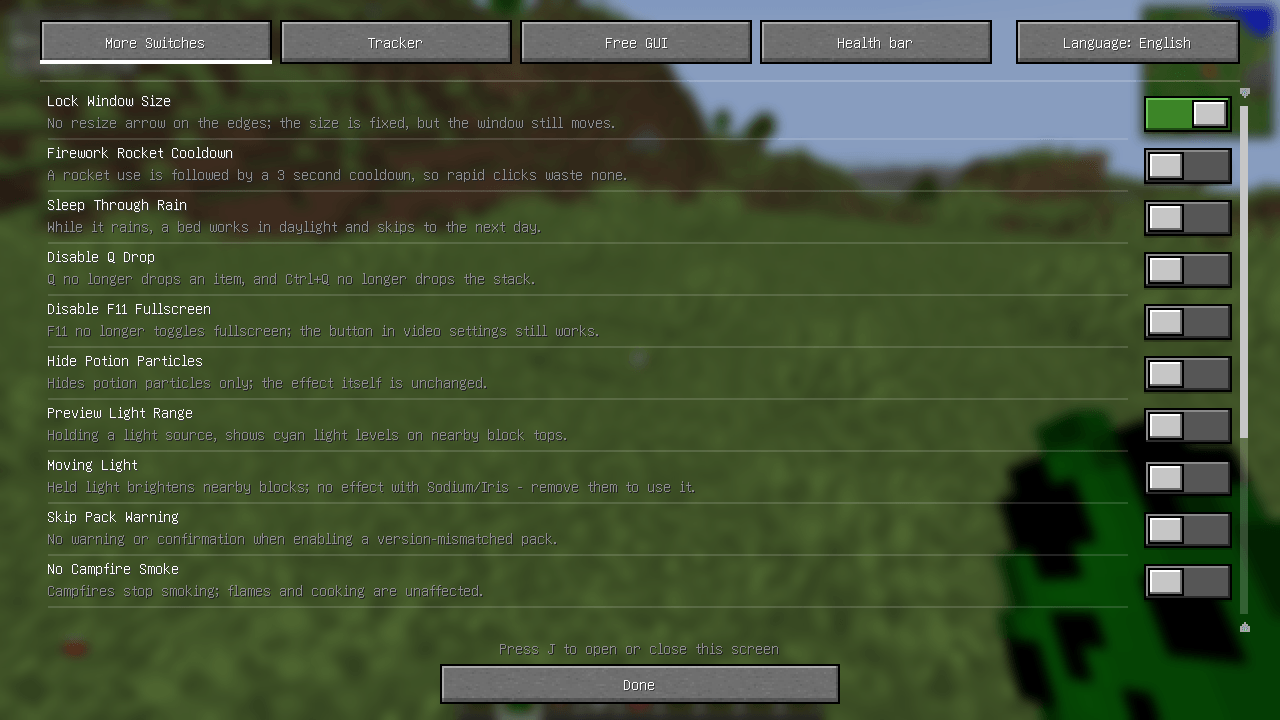
7. The 16 switches (all off by default)
================================================================
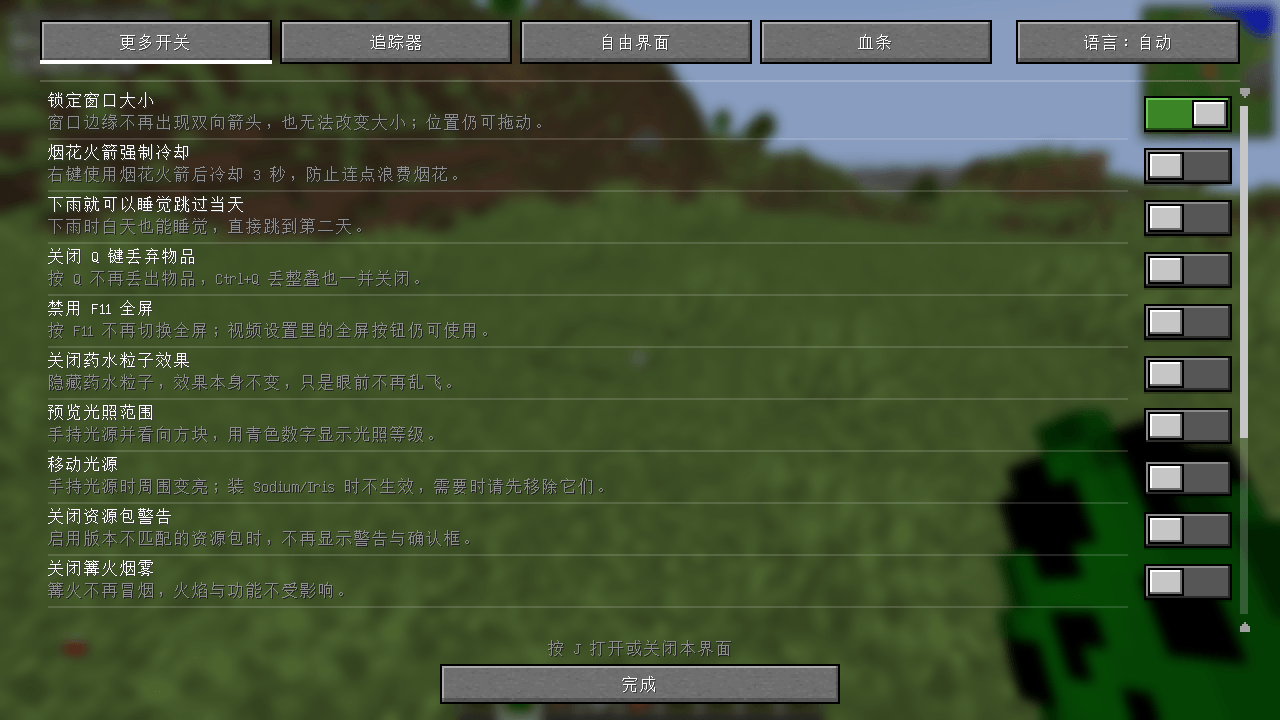
1 Lock window size Dragging can no longer resize the window
2 Firework rocket cooldown No second rocket for 3 seconds
3 Sleep when raining Sleep during the day while it rains
4 Disable Q drop Q / Ctrl+Q no longer drop items
5 Disable F11 fullscreen F11 no longer toggles fullscreen
6 Hide potion particles Particles hidden, effect unchanged
7 Light level preview Cyan light level while holding a light source
8 Dynamic light Brightness gradient around a held light source
9 Disable resource pack warning
10 Disable campfire smoke
11 Disable tutorial No tutorial or new-recipe pop-ups
12 Survival fake players Edits the Carpet config; rejoin the world
13 Auto-refill totem Moves a totem into the offhand
14 Mute explosions
15 Mute minecarts
16 Mute pistons
================================================================
8. The 12 trackers (only legacy tracking is on by default)
================================================================
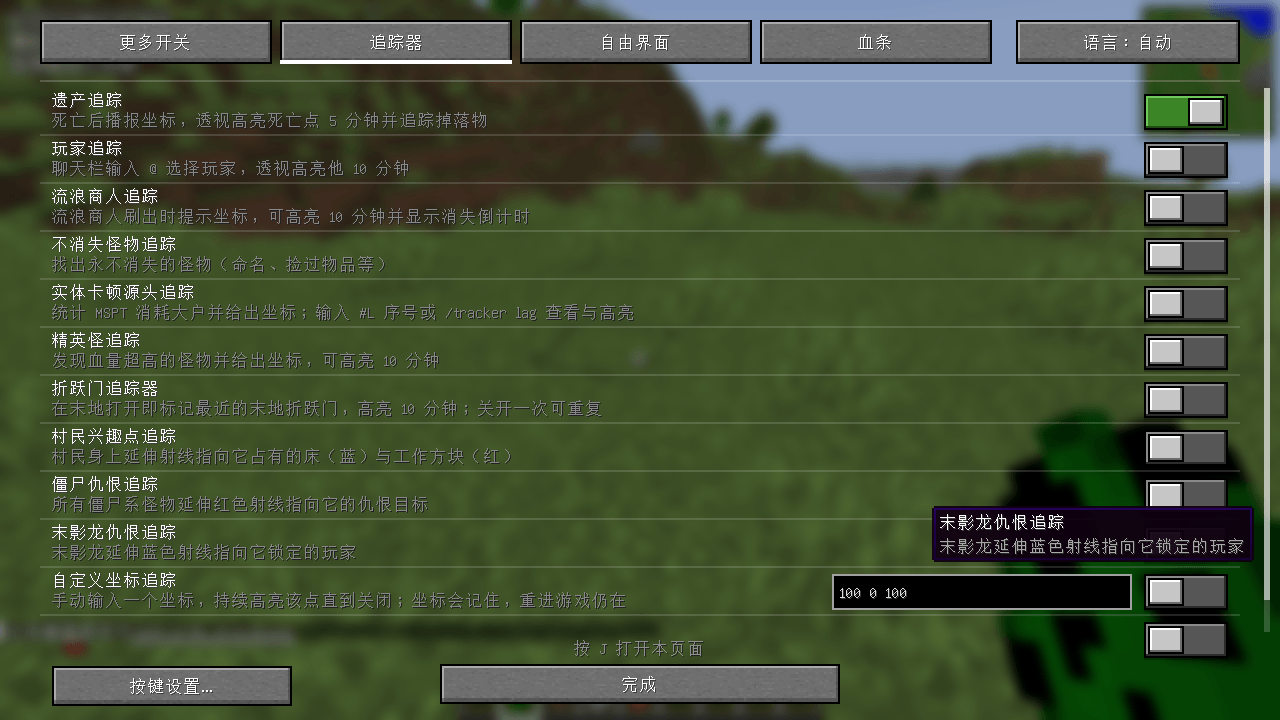
1 Legacy tracking Death point + drops highlighted for 5 minutes
2 Player tracking Type @name in chat to highlight for 10 minutes
3 Wandering trader Spawn notice, despawn countdown, highlight
4 Persistent mob tracking Finds mobs that never despawn
5 Lag source tracking Tick cost per entity / block entity / chunk
6 Elite mob tracking Highlights high-health mobs and shows health
7 End gateway tracking Marks the nearest end gateway
8 Villager POI tracking Lines from villagers to bed / workstation
9 Zombie aggro tracking Red line from a zombie to its target
10 Ender dragon aggro Blue line from the dragon to its target
11 Custom coordinate Enter x y z to highlight it; saved
12 Mob ESP Hostile mobs within 128 blocks glow
================================================================
9. Tracker commands
================================================================
/tracker show <id> re-highlight a death point
/tracker hide stop highlighting the current death point
/tracker list list recorded death points
/tracker trader <uuid> highlight a specific wandering trader
/tracker lag [id] list / highlight lag hotspots
/tracker sound preview the trader chime
/tracker elite [uuid] list / highlight elite mobs
/tracker gateway search for an end gateway
/tracker coord show and restore saved coordinates
/tracker coord <x> <y> <z> set coordinates and enable (supports ~)
/tracker coord off stop highlighting, keep the coordinates
/tracker coord clear clear the coordinates
Coordinates and ids printed in chat are clickable.
================================================================
10. Config files
================================================================
Two files under config/, independent of each other:
config/moreswitches.json the 16 toggles + language + free scale + health bar
config/tracker.json the 12 trackers + custom coordinates
Upgrading keeps your settings; no migration needed. Delete a file to restore defaults.
The health bar section looks like this:
"healthBar": {
"display": "both", // off / bar / numbers / both
"size": "medium", // small / medium / large
"monsters": true,
"villagers": true,
"golems": true,
"animals": true
}
[ 更多开关 ] [ 追踪器 ] [ 自由界面 ] [ 血条 ] [ 语言:自动 ]
------------------------------------------------------------------
当前选项卡的内容
------------------------------------------------------------------
按 J 打开或关闭本界面
[ 完成 ]
· J 打开 / 关闭,界面不暂停单人游戏
· 右上角语言按钮循环 自动 → 中文 → English,只改本模组的文字
· 每个功能一个独立开关,改动立即保存
· 鼠标滚轮滚动列表
================================================================
五、自由界面(1.1.0)
================================================================
把原版四档整数倍率(1×~4×)放开成 0.5×~8× 的无级调整。
· 拖动滑块:步长 0.05×,松手才生效
· 原版档位:原版 / 1× / 2× / 3× / 4×
· 手动输入:支持 1.75 这种小数,点「应用」
· 上限按窗口尺寸自动计算,保证界面至少 320×180
点「原版」把尺寸决定权交回游戏设置。倍率会保存,下次启动自动恢复。
注意:非整数倍率下文字边缘会略软,这是所有非整数缩放的固有代价。
在意清晰度就用 1×/2×/3×/4× 这类整数档位。
================================================================
六、血条(1.2.0)
================================================================
生物头顶显示一条红色血条,上方写「当前血量/总血量」。
· 显示内容:全部显示 / 仅血条 / 仅数字 / 关闭
· 尺寸:大 / 中 / 小,血条和文字一起缩放
· 分类:怪物 / 村民 / 傀儡 / 动物,四类独立开关
血条有固定的世界尺寸,所以远处小、近处大;范围 48 格,同屏最多 48 个。
画在 HUD 上,不随距离抖动。默认关闭。
================================================================
七、16 个实用开关(默认全关)
================================================================
1 锁定窗口大小 禁止拖拽改变窗口尺寸
2 烟花火箭强制冷却 使用后 3 秒内不能再放
3 下雨就可以睡觉 下雨时白天也能睡
4 关闭 Q 键丢弃物品 Q / Ctrl+Q 不再丢东西
5 禁用 F11 全屏 F11 不再切换全屏
6 关闭药水粒子效果 只隐藏粒子,效果不变
7 预览光照范围 手持光源时显示青色光照数字
8 移动光源 手持光源时周围有亮度渐变
9 关闭资源包警告 不再提示版本不匹配
10 关闭篝火烟雾 篝火不冒烟
11 关闭新手教程 不弹教程、不提醒新配方
12 生存使用假玩家 改 Carpet 配置,需重进世界
13 副手自动补充图腾 自动从背包补图腾到副手
14 关闭爆炸声
15 关闭矿车声音
16 关闭活塞声音
================================================================
八、12 个追踪功能(只有遗产追踪默认开)
================================================================
1 遗产追踪 死亡点 + 掉落物高亮 5 分钟,带倒计时
2 玩家追踪 聊天输入 @玩家 高亮 10 分钟
3 流浪商人追踪 刷新提示、消失倒计时、高亮
4 不消失怪物追踪 找出永不消失的怪物
5 实体卡顿源头追踪 按实体 / 方块实体 / 区块统计开销
6 精英怪追踪 高亮高血量怪物并显示血量
7 折跃门追踪器 标记最近的末地折跃门
8 村民兴趣点追踪 村民到床 / 工作方块的连线
9 僵尸仇恨追踪 僵尸到攻击目标的红线
10 末影龙仇恨追踪 末影龙到锁定玩家的蓝线
11 自定义坐标追踪 输入 x y z 持续高亮,坐标会保存
12 怪物透视 128 格内敌对怪物发光轮廓
================================================================
九、追踪器指令
================================================================
/tracker show <id> 重新高亮某个死亡点
/tracker hide 关闭当前死亡点高亮
/tracker list 列出记录的死亡点
/tracker trader <uuid> 高亮指定流浪商人
/tracker lag [id] 列出 / 高亮卡顿热点
/tracker sound 试听商人提示音
/tracker elite [uuid] 列出 / 高亮精英怪
/tracker gateway 搜索末地折跃门
/tracker coord 查看并恢复已保存坐标
/tracker coord <x> <y> <z> 设置坐标并自动开启(支持 ~)
/tracker coord off 关闭高亮,保留坐标
/tracker coord clear 清除坐标
聊天里的坐标和编号可以直接点击执行。
================================================================
十、配置文件
================================================================
两个文件都在 config/ 下,互不干扰:
config/moreswitches.json 16 个开关 + 语言 + 自由界面倍率 + 血条设置
config/tracker.json 12 个追踪开关 + 自定义坐标
从旧版升级时原有状态会继续使用,不需要迁移。
删掉对应文件即可恢复该部分默认值。
血条设置长这样:
"healthBar": {
"display": "both", // off / bar / numbers / both
"size": "medium", // small / medium / large
"monsters": true,
"villagers": true,
"golems": true,
"animals": true
}
More Switches Tracker Team