Minecraft Mineralogy
- By
A geology-inspired mod for Minecraft that adds various types of real-world rocks.
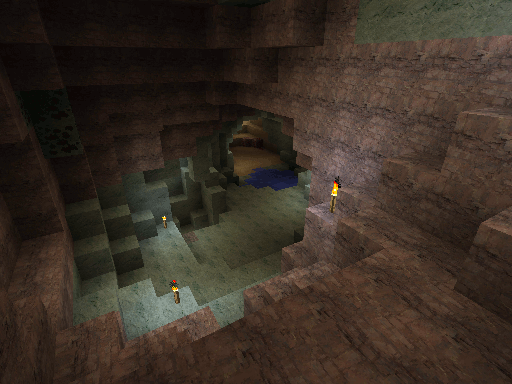
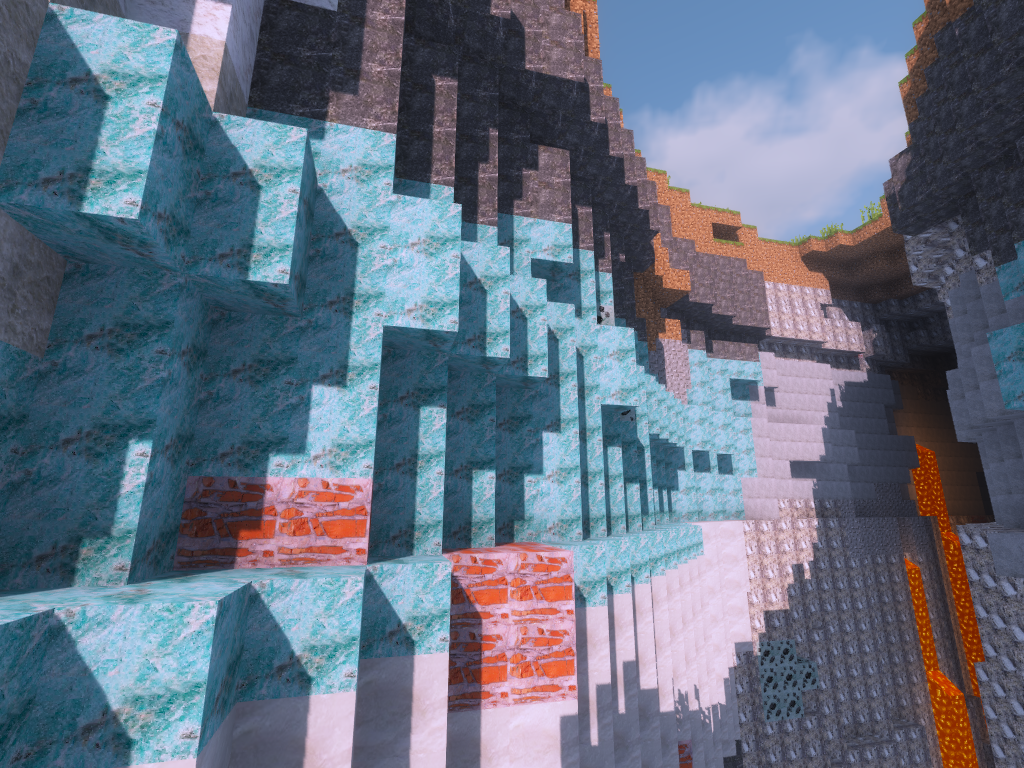
What caves look like with Minecraft Mineralogy
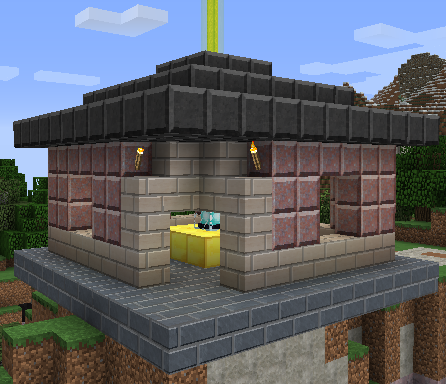
Most rocks can be crafted into polished versions and some can be crafted into brick versions. There are slab and stair versions of most blocks.
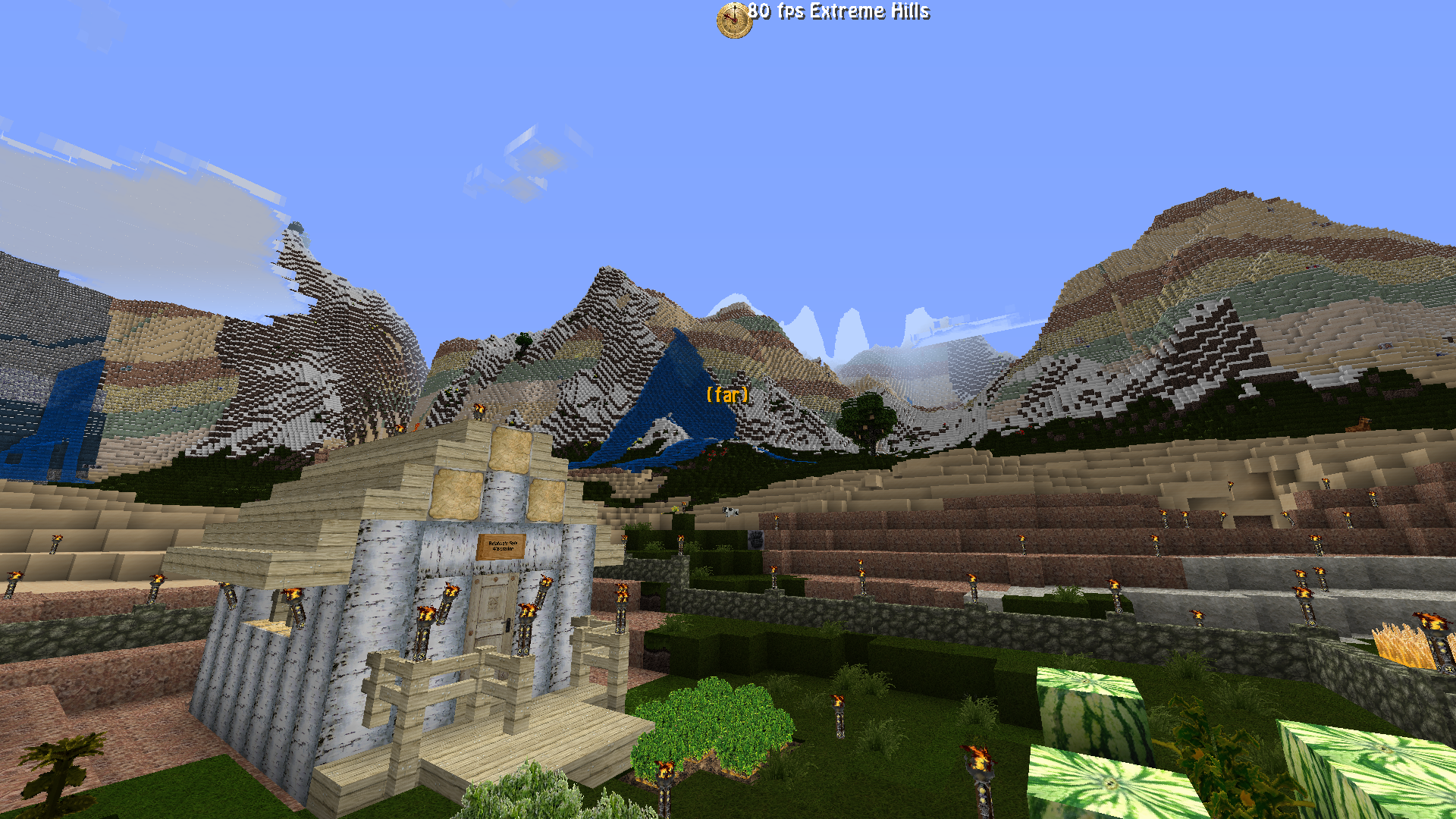
This beautiful screenshot was taken by a Minecraft Mineralogy user who is an expert in tweaking world generation settings.
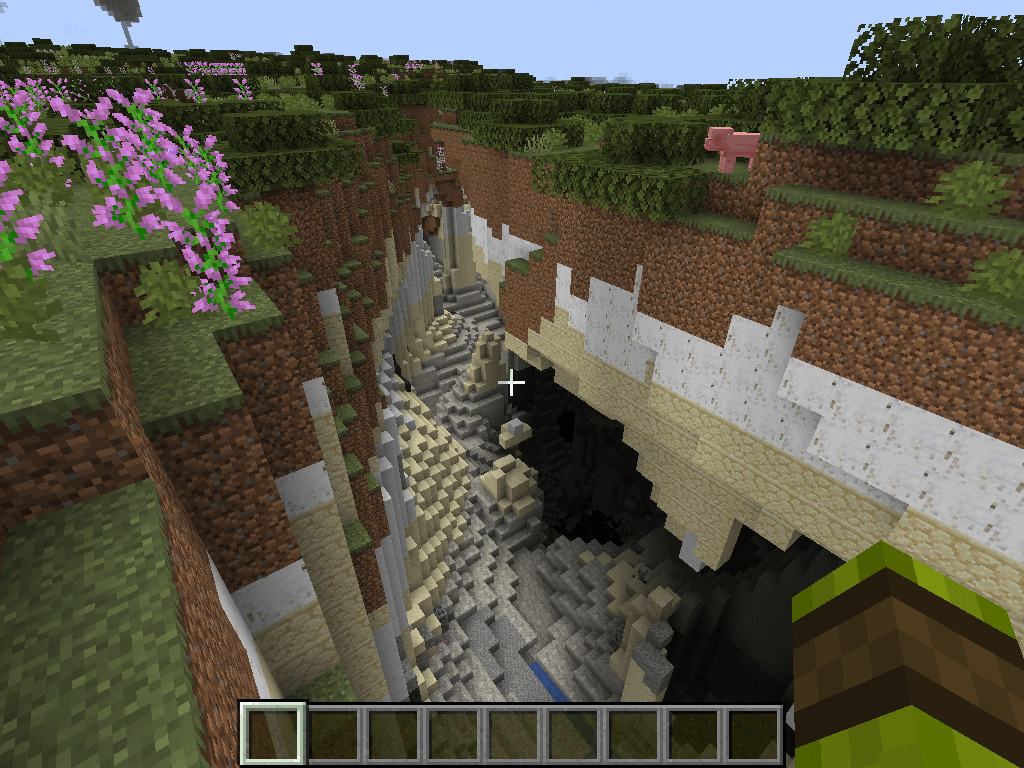
Mineralogy 1.18 with Biomes oh Plenty and Oh The Biomes You'll Go alongside
Description
Minecraft Mineralogy
Minecraft is a game about mining, but most of its underground is made from one material called stone. Mineralogy 6 does much more than replace it with a random selection of new blocks. It builds broad underground regions whose rocks are influenced by the landscape above them and by how high or deep they occur in the world.
A mountain is more likely to lead into mountain-belt geology. Oceans and beaches favour coastal shelves. Deserts and badlands lean towards arid and sedimentary basins, while cold peaks favour glacial highlands. Within those regions, sedimentary and volcanic rocks tend to occur higher up, while intrusive and metamorphic rocks become more likely deeper underground.
The result is an underground that has some agreement with the world above it, but still contains the broad layers, transitions, and surprises needed for exploration. Mineralogy is inspired by real rock families and geological relationships rather than claiming to be a scientific simulation.
Full Mineralogy 6 guide | Texture Packs | Source code | Issue tracker | MMD Discord
Mineralogy 6 and OreSpawn 4
Modern Mineralogy 6 releases use MMD OreSpawn 4 for world generation.
Mineralogy supplies the rocks, ores, crude oil, building blocks, recipes, textures, tags, and saved-world compatibility. OreSpawn 4 handles the geological regions, rock formations, ore and fluid placement, world profiles, configuration screens, and retrogen tools.
For players, the two mods work together as one experience. For modpack authors, this keeps Mineralogy's content separate from world generation and allows several compatible mods to share the same engine.
When installing Mineralogy 6: install the matching OreSpawn 4 build on both the client and server.
When installing Mineralogy 5 or an older release: follow the requirements shown for that specific file. Older versions do not all use OreSpawn 4.
The world above helps shape the geology below
The main idea behind Mineralogy 6 is the geome system provided by OreSpawn 4. A geome is a broad geological province beneath the ordinary Minecraft biomes.
Geomes are related to surface biomes, but they are not just biome-shaped columns. OreSpawn combines three influences:
- The biome at that location and its characteristics
- Broad regional variation that lets geological provinces span hundreds of blocks
- Irregular boundary variation that stops one province from ending in a perfectly straight line
That produces eight useful kinds of geological region:
- Stable cratons, which favour older intrusive and metamorphic foundations
- Mountain belts, which strongly favour metamorphic and intrusive rocks
- Volcanic arcs, where volcanic rocks become much more likely
- Sedimentary basins, dominated by layered sedimentary material
- Coastal shelves, which favour rocks such as limestone, chalk, and other sediments
- Arid basins, where Rock Salt, gypsum, sandstone, and related rocks become more likely
- Wetland basins, which favour sedimentary geology beneath wetter landscapes
- Glacial highlands, associated with cold and high-altitude terrain
For example, an ocean or beach strongly encourages a coastal-shelf geome, a mountain or peak encourages a mountain belt, and a swamp encourages a wetland basin. Regional variation is still part of the decision, so the underground does not turn into a hard copy of the biome map.
Each geome changes the chances of the four rock families and of the individual rocks within them. Basalt, Scoria, Pumice, and Basaltic Glass are strongly associated with volcanic arcs. Gneiss and Schist favour mountain belts. Limestone and Chalk favour coastal shelves, while Rock Salt and Gypsum favour arid basins.
In simple terms:
Surface biome + broad regional variation → geome → rock family at this depth → individual rock → stable formation
Rocks also have preferred depths
Mineralogy 6 does not treat every rock as equally likely from bedrock to the surface. OreSpawn applies a broad depth preference to each rock family, then a more specific preferred Y level and spread to each individual rock.
Sedimentary rocks are generally favoured through the upper underground. Sandstone prefers around Y 72, Chalk around Y 68, Shale around Y 62, and Limestone around Y 60. Volcanic rocks also favour higher levels, especially in raised or volcanic terrain.
Intrusive and metamorphic rocks become more likely deeper down. Granite prefers around Y 30, Pegmatite around Y 26, Gabbro around Y 20, and Peridotite around Y 10. Marble prefers around Y 32, while Schist, Gneiss, and Amphibolite favour lower levels.
These are preferences rather than hard cut-off points. Each rock has a spread around its preferred depth, and the stable-layer system turns the choices into broad, continuous, gently changing formations. You can cross a region, descend through it, and see its geology change without every layer appearing at exactly the same height.
This is what makes the new system more than a texture replacement. The surface influences the type of geological province, depth influences the rock family and individual material, and formation controls decide how those rocks continue through the world.
A 32-rock geological vocabulary
Mineralogy 6 gives OreSpawn 4 a catalogue of 32 rock choices, made from 26 Mineralogy rocks and six suitable vanilla materials. They are arranged into four broad families so the world forms recognisable areas and layers instead of changing to a random block every few steps.
Volcanic: Andesite, Basalt, Rhyolite, Basaltic Glass, Scoria, Tuff, and Pumice
Intrusive: Diorite, Granite, Pegmatite, Diabase, Gabbro, and Peridotite
Metamorphic: Amphibolite, Gneiss, Hornfels, Marble, Novaculite, Phyllite, Quartzite, Schist, and Slate
Sedimentary: Sandstone, Chalk, Chert, Conglomerate, Dolomite, Gypsum, Limestone, Rock Salt, Shale, and Siltstone
Minecraft now has its own andesite, basalt, diorite, granite, and tuff. Modern Mineralogy uses the vanilla blocks for these rocks in new terrain by default. Mineralogy's historical versions remain registered so that old worlds can still recognise them.
Most Mineralogy rocks work as stone or cobblestone where that makes sense, so ordinary tools and recipes can accept the stone you find locally.
Building with the rocks you mine
Mineralogy rocks are not just replacements for cave walls. Most of the standard rocks have a matching family of polished blocks, bricks, slabs, stairs, walls, and furnaces. There are also relief carvings and rock salt lights.
Polished stone and brick
Most rocks can be polished with sand, made into brick, or turned into polished brick. These variants can then be used for matching slabs, stairs, and walls.
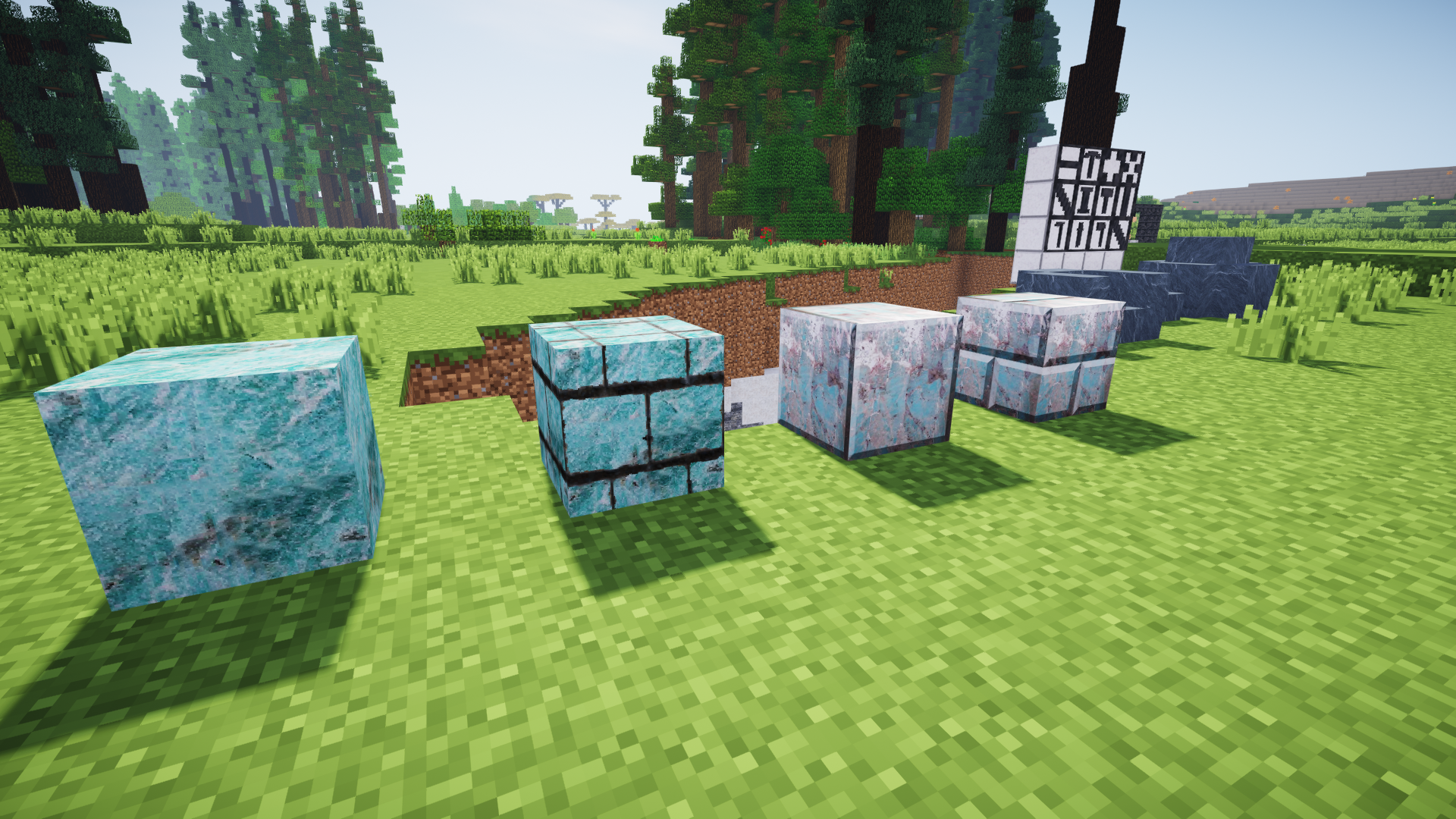
Slabs
Mineralogy slabs can be combined into double slabs and placed in different orientations.
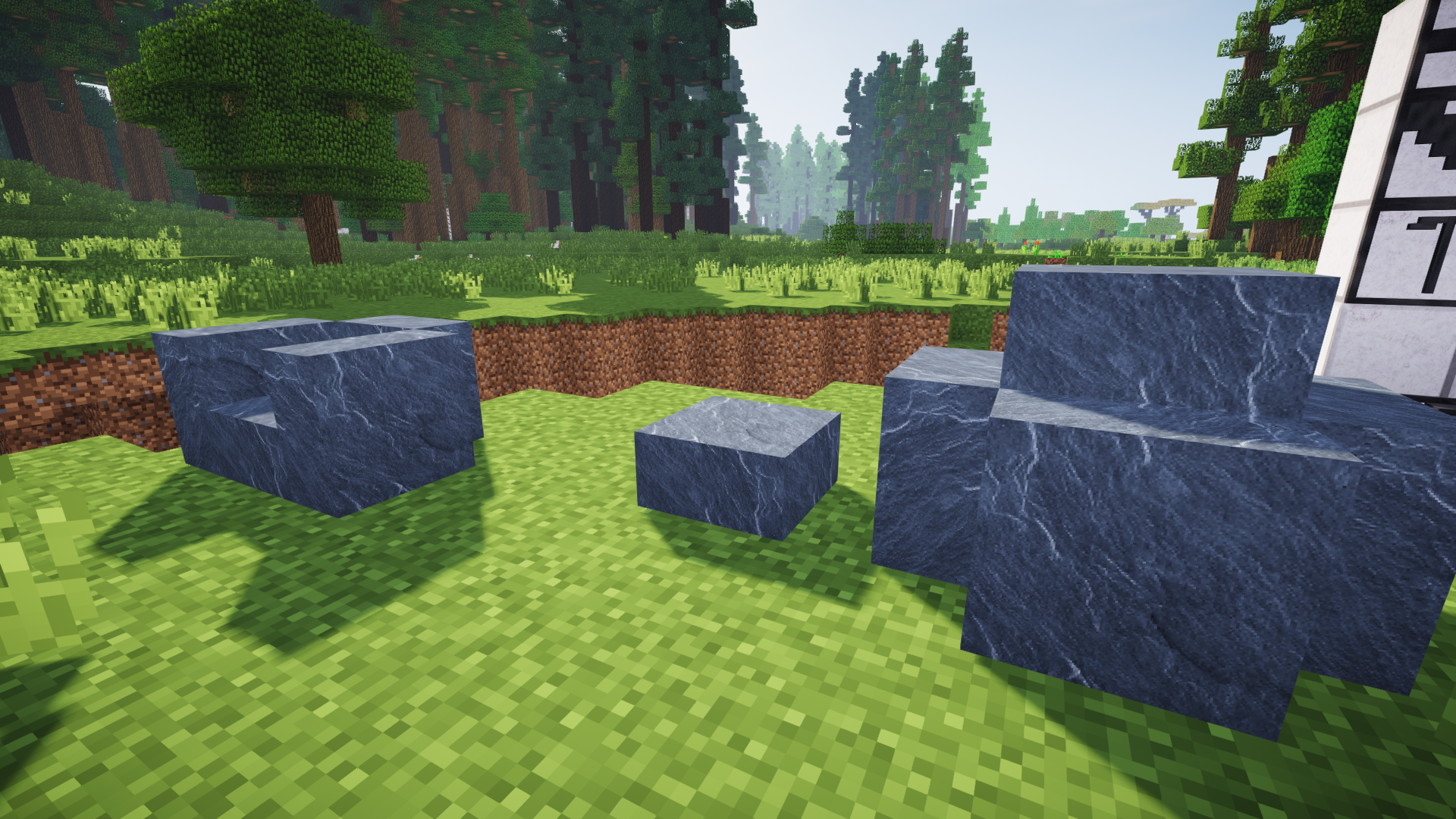
Stairs and walls
Most standard rocks can be made into matching stairs and walls.
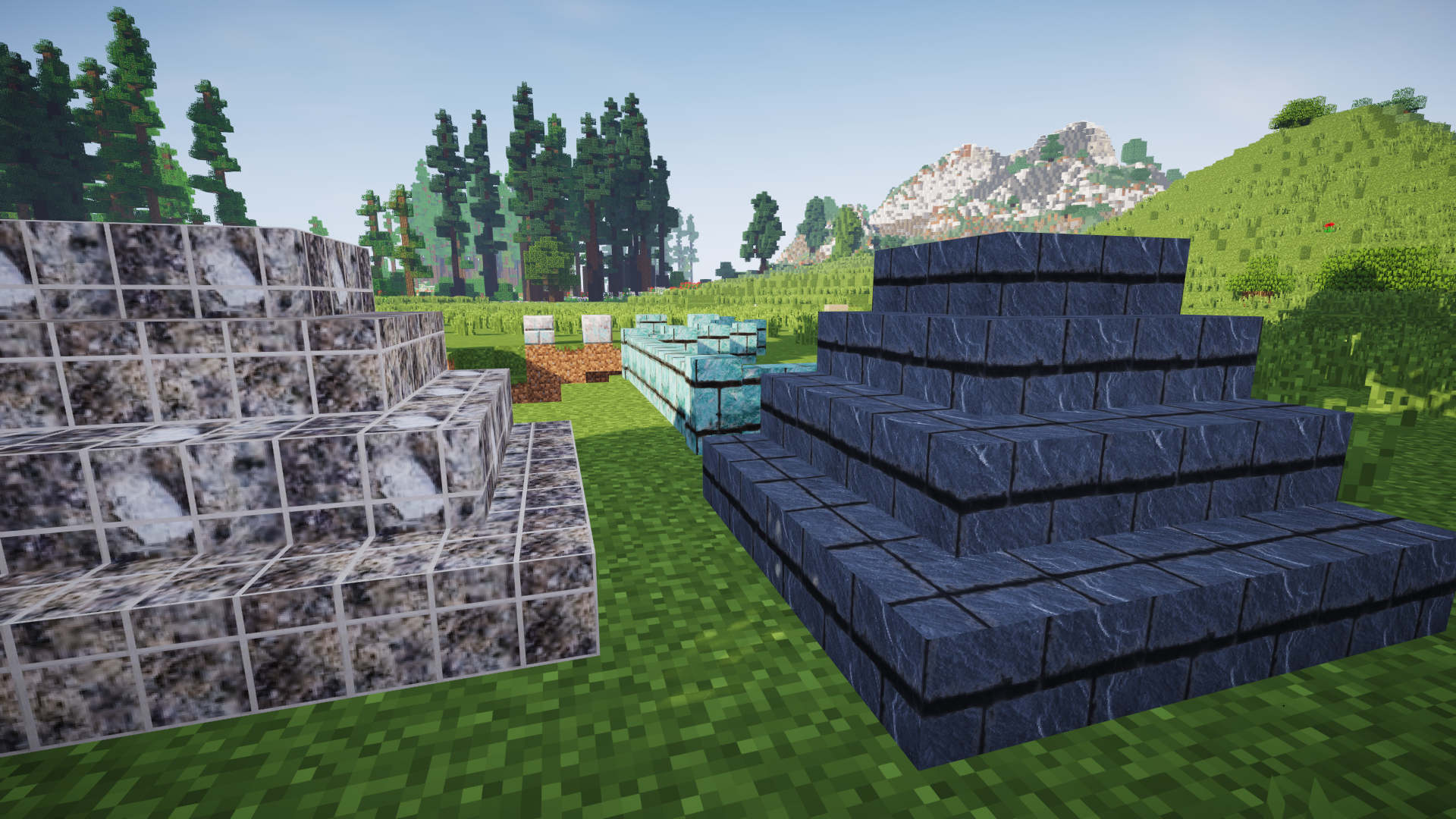
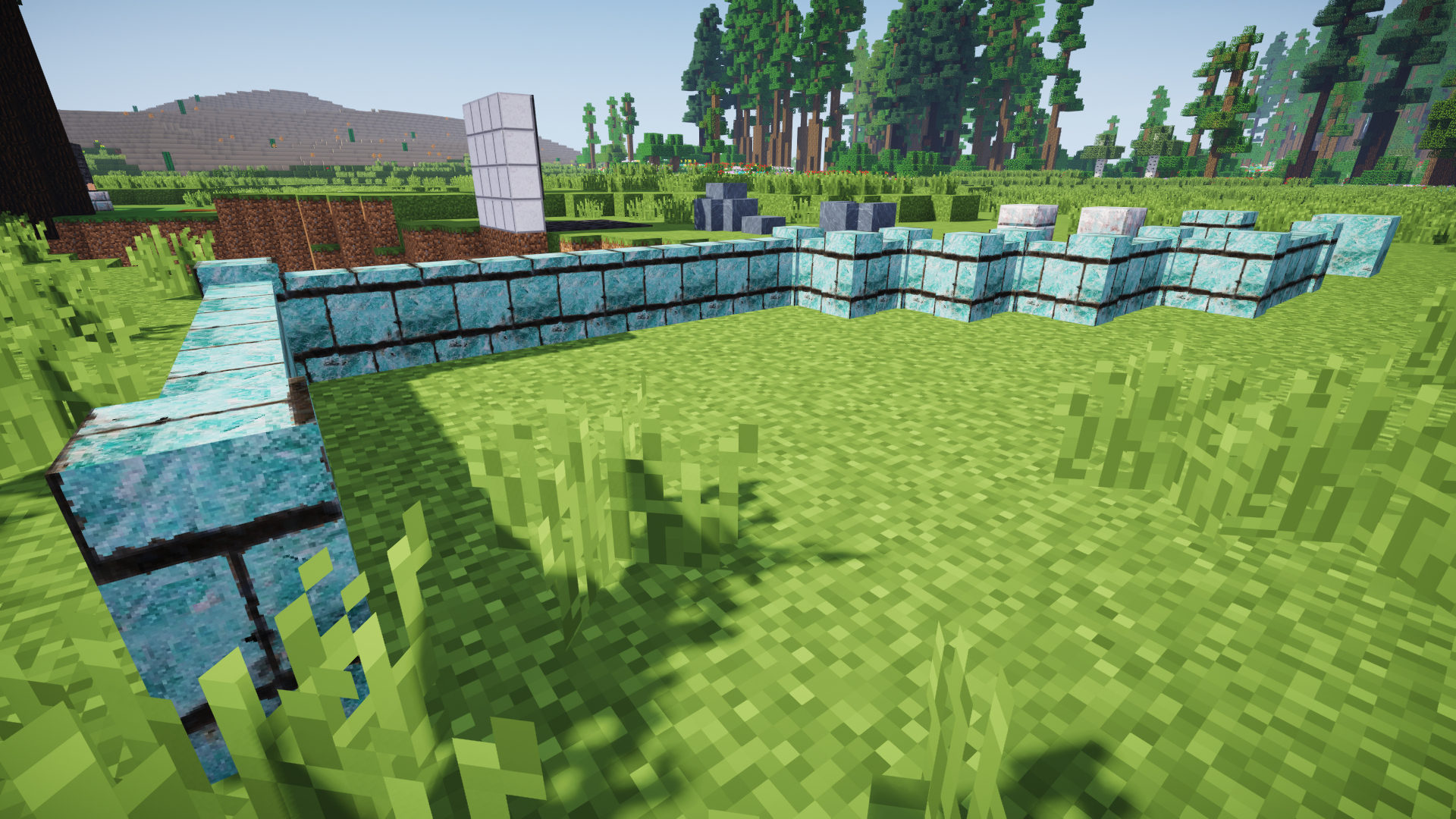
Relief carvings
Reliefs are shallow decorative stone carvings that can be used to add detail to floors, walls, monuments, and temples.
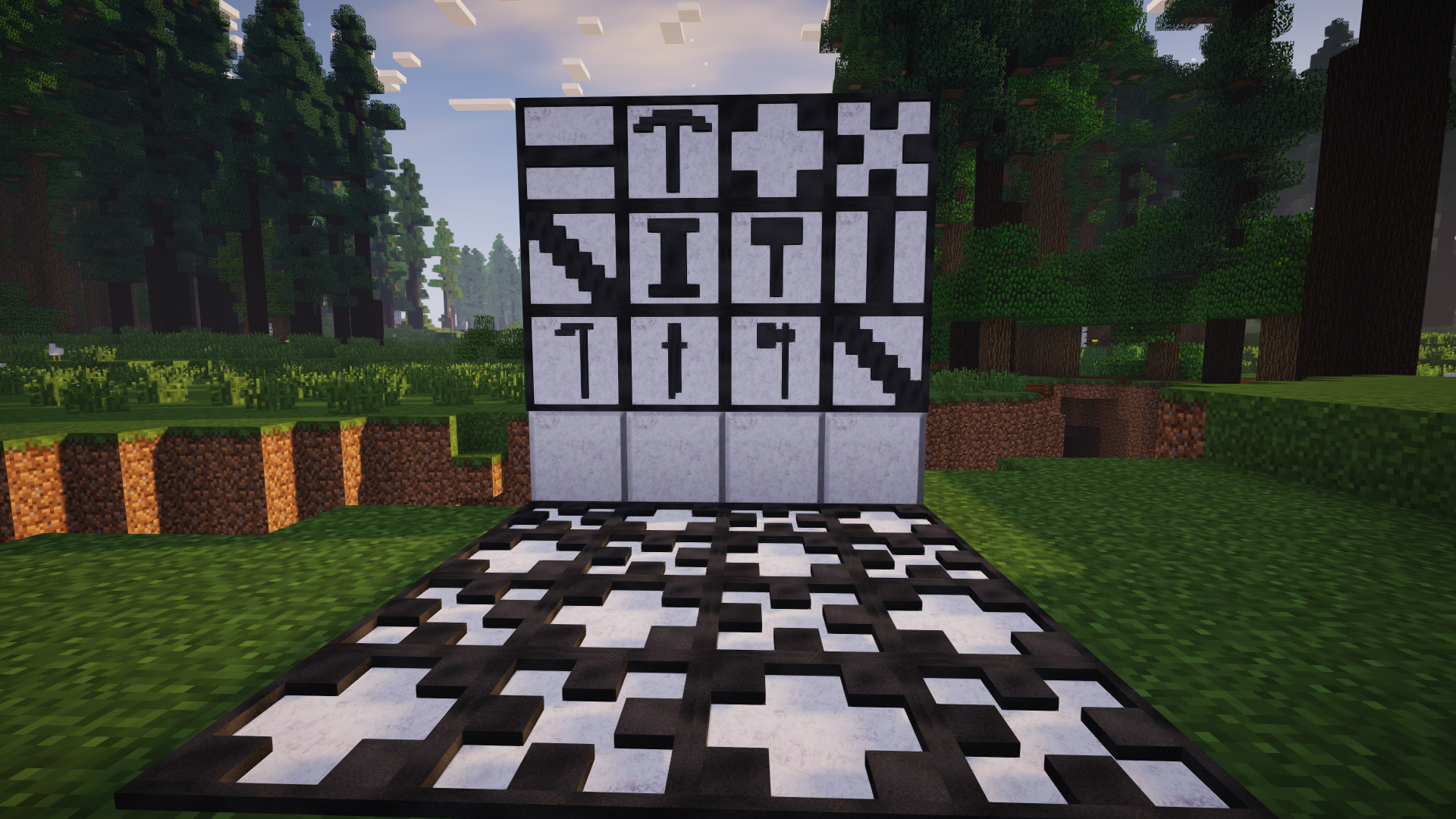
Rock furnaces
You can build a furnace from matching Mineralogy rock instead of having every workshop return to the same vanilla cobblestone block.
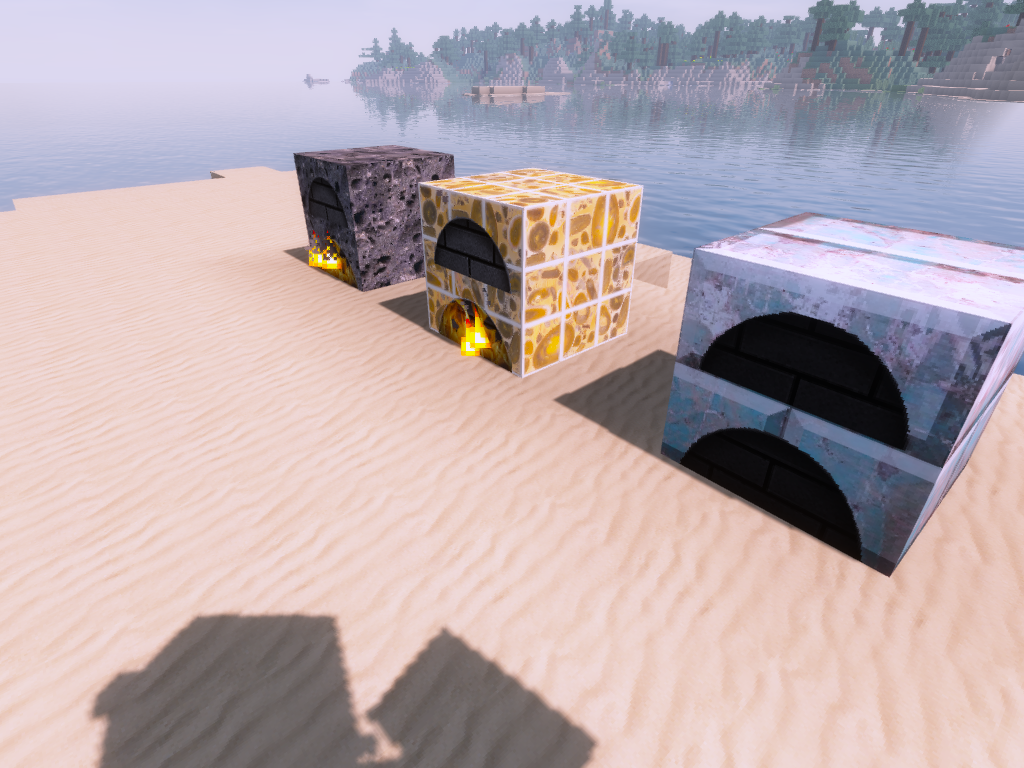
Rock salt lighting
Rock Salt can be made into warm lamps that attach to different surfaces, or into taller street lamps for paths and settlements.
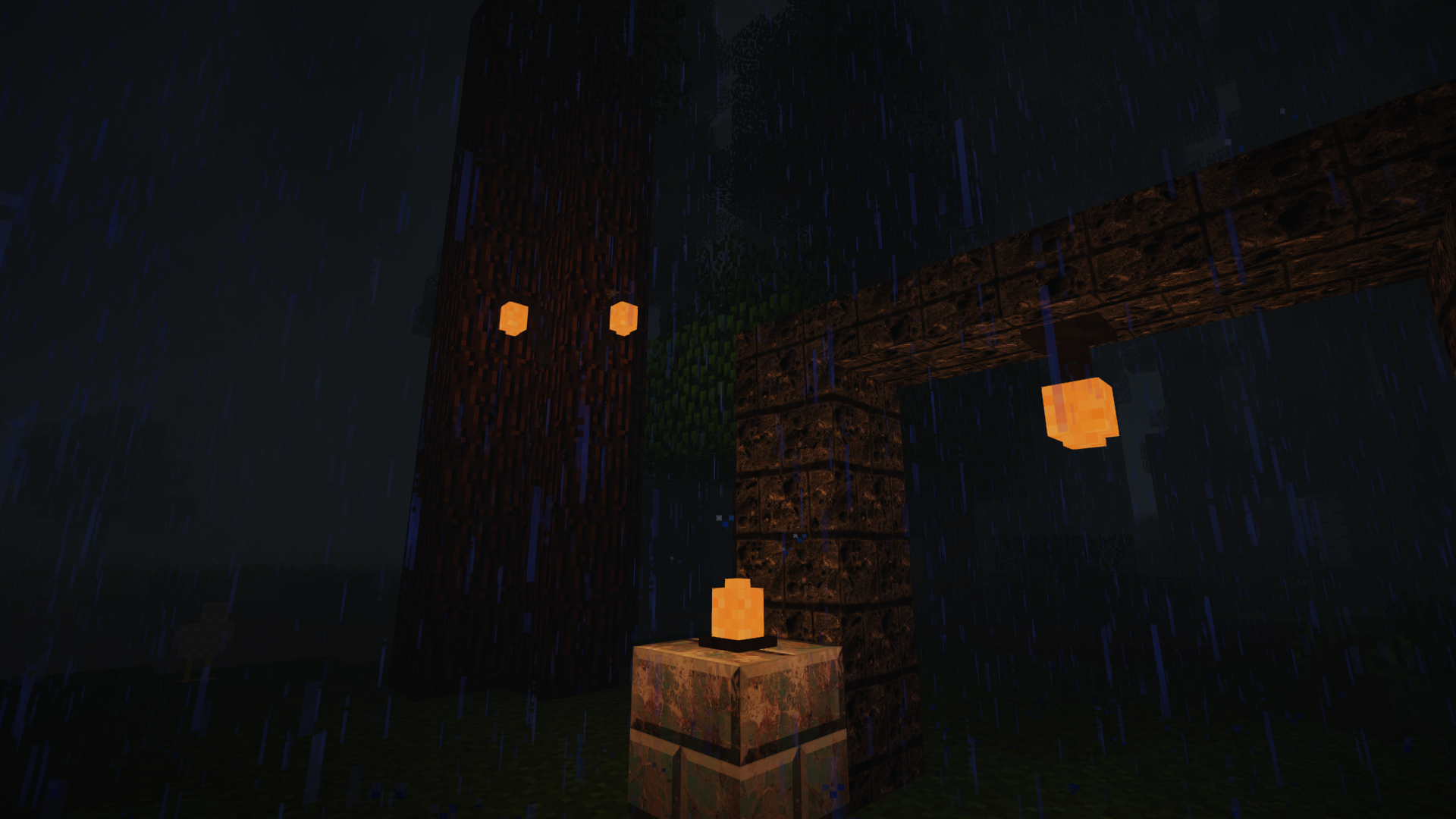
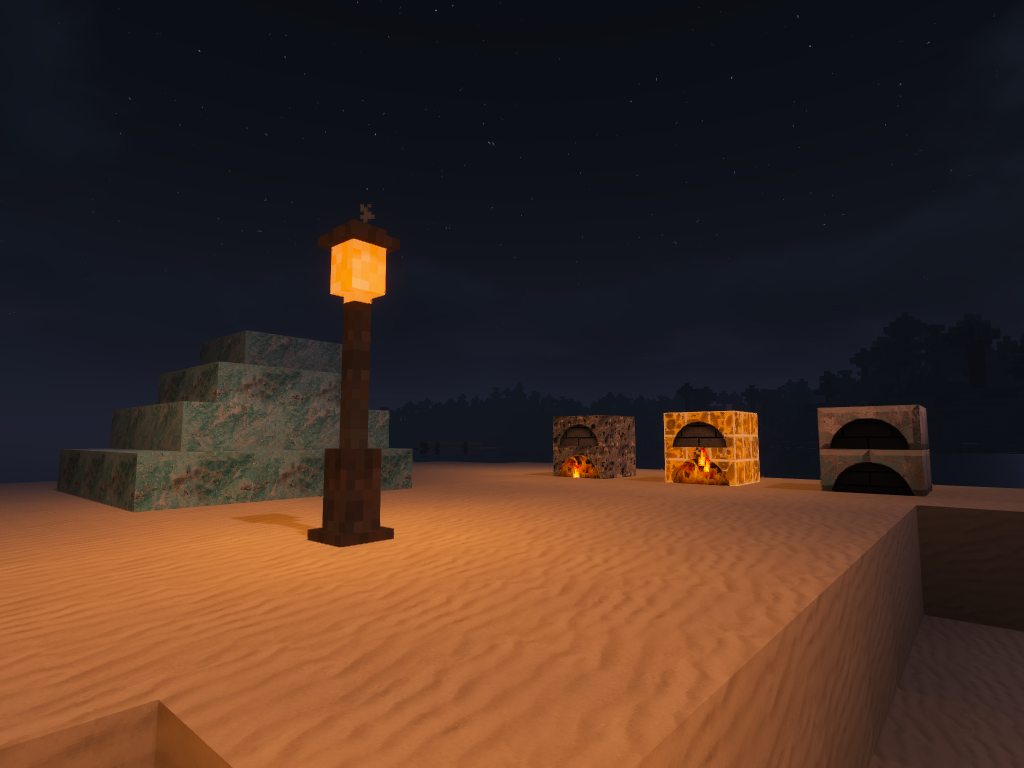
These older screenshots use the Mineralogy 128x texture pack, Chocapic13's V7 Low shader pack, and OptiFine. Current default textures and lighting will look different, but the screenshots still show the long-standing building features.
More than rocks
Mineralogy also adds:
- Sulfur, phosphorous, and nitrate ores
- Dusts, storage blocks, and mineral fertiliser recipes for those resources
- Gypsum and coloured drywall
- Rock Salt lamps and street lamps
- Crude oil and a crude-oil bucket
- Building families that can be enabled or disabled by the pack
In Mineralogy 6, OreSpawn 4 controls where the three ores and underground crude-oil deposits are placed. Crude oil is configured as a covered deposit beneath ocean biomes and requires suitable sedimentary host rock, so it follows both the surface setting and the geology around it. The supplied settings provide a ready-to-play world, while still giving players and pack authors room to change it.
Creating a Mineralogy 6 world
- Install matching Forge builds of Minecraft Mineralogy 6 and MMD OreSpawn 4.
- Install both mods on the client and server.
- Open OreSpawn World Generation while creating the world.
- Choose Recommended Defaults for the intended Mineralogy setup.
- If you want to customise the world, adjust the geology, formations, rocks, ores, or deposits before creating it.
- Use Help & Guide in the OreSpawn screen if you want an explanation of a setting.
The chosen world-generation settings are saved with the world. Moving that world to a dedicated server keeps the same profile when the same required mods are installed.
Changes to world-generation settings normally affect new chunks. Existing terrain is not silently replaced. Always back up a world before trying an upgrade or retrogen option.
For modpacks
Mineralogy works well as the main geology mod in a pack, but its content is also designed to cooperate with other mods.
- OreSpawn 4 coordinates Mineralogy's rocks, ores, and deposits through one saved world profile.
- Other OreSpawn 4 providers can add their own content without taking ownership of Mineralogy's blocks.
- On matching modern releases, Base Metals can use the same OreSpawn 4 setup to place its ores through Mineralogy terrain.
- Stone, cobblestone, rock-family, and crafting-material tags are available for recipes and integrations.
- Pack authors can replace Mineralogy's packaged OreSpawn provider without editing the mod jar.
- Decorative families can be trimmed separately from world-generation settings.
Exact compatibility depends on the Minecraft version and the combination of mods being used. If you are assembling a large pack, build the world profile with the complete mod list and test a fresh world before release.
Existing worlds and upgrades
Mineralogy has existed across many Minecraft versions, and the modern mod retains historical block names and aliases where possible. A safe upgrade still needs care:
- Back up the original world.
- Test the upgrade on a separate copy.
- Install every mod that owns blocks or items in that save.
- Check important builds, inventories, furnaces, and explored terrain.
- Keep the untouched backup until the upgraded world has been played successfully.
Mineralogy can preserve the content it owns. It cannot reconstruct blocks or items from another mod that has been removed.
Legacy Minecraft 1.12 packs
Mineralogy 1.12 can register a large number of blocks when all decorative families are enabled. Large 1.12 modpacks may approach that version's old block-ID limit. JustEnoughIDs can extend the available IDs, or unused decorative families such as reliefs can be disabled in the Mineralogy configuration before creating a world.
This warning applies to legacy 1.12 packs. It is not a limitation of modern flattened Minecraft versions.
Modern classic texture packs
Version-correct Mineralogy Classic Texture Packs are available for Minecraft 1.13.2 through 26.2 in 16x, 32x, 64x, and 128x. The same download works with Forge or NeoForge for the named Minecraft version; 64x is recommended for most players.
The modern packs include current Mineralogy content and synchronize matching vanilla andesite, diorite, granite, basalt, smooth basalt, and tuff surfaces. The original 1.10 and 1.12 downloads remain below.
Legacy texture packs
These downloads are for the older 1.10 and 1.12 releases shown in the screenshots. They are kept here for players maintaining those versions.
Minecraft 1.10: 16x | 32x | 64x | 128x
Minecraft 1.12: 16x | 32x | 64x | 128x
Legacy add-on
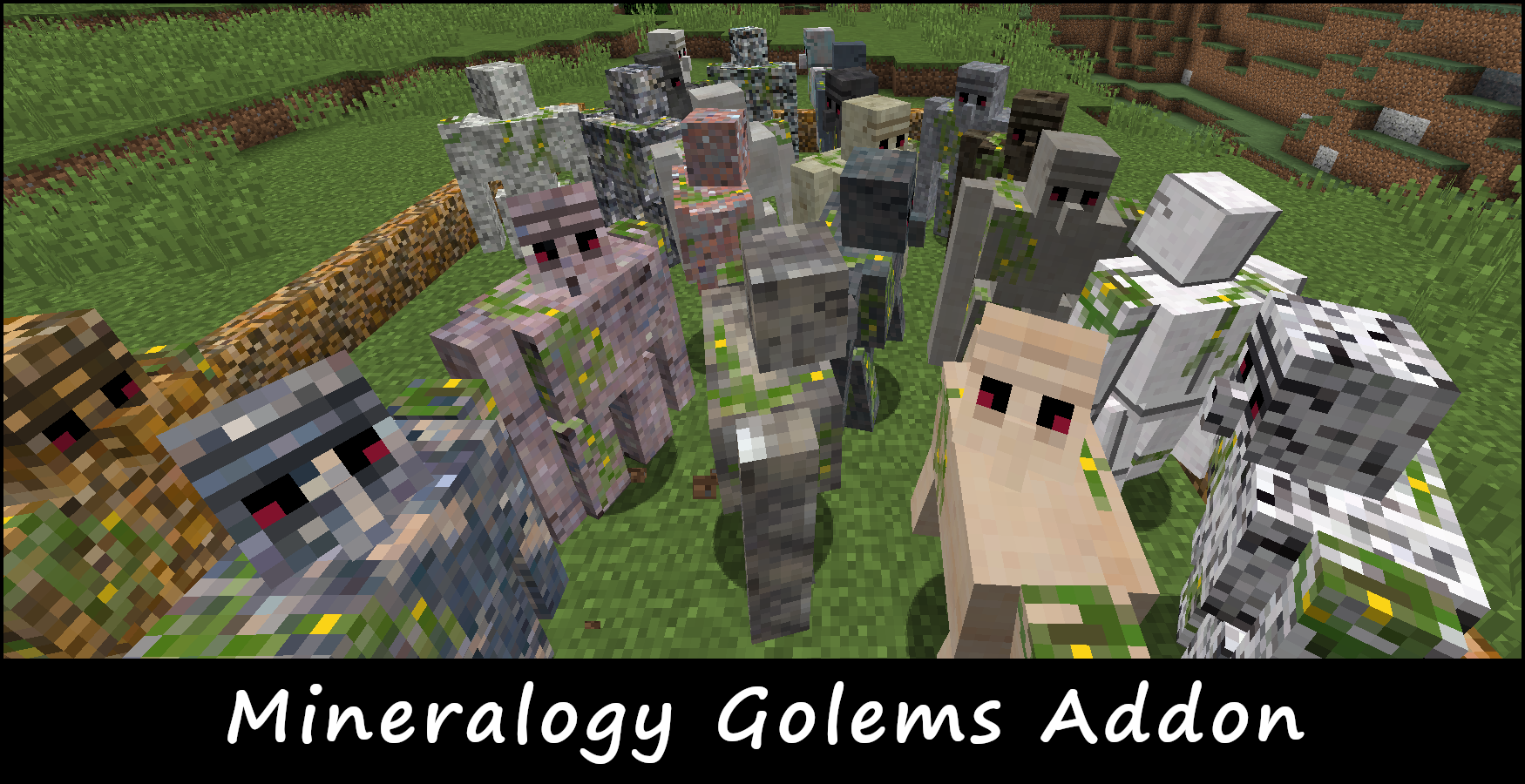
Mineralogy Golems Add-on, created by SkyJay, lets players build Extra Golems from Mineralogy rocks.
The released add-on is for Minecraft 1.12.2, so check its requirements before adding it to a pack.
Questions and answers
Why make this mod?
Minecraft involves a lot of mining but takes little inspiration from the variety of real geology. Mineralogy gives each trip underground more character and gives builders more useful stone choices when they return to the surface.
Where is the cobblestone?
On modern versions, suitable Mineralogy rocks are included in the normal stone and cobblestone tags. Recipes that accept any suitable stone should work with them.
Some legacy versions also let you smelt gravel into stone or craft cobblestone from rock and gravel. Recipe details can vary between Minecraft versions, so use a recipe viewer for the version you are playing.
Why do the ores look different?
Mineralogy ores are textured to fit among the different host rocks rather than always looking as though they are embedded in vanilla stone. A resource pack can change their appearance.
Will world generation cause lag?
Mineralogy changes a large amount of underground terrain, so generating a new chunk naturally involves more work than vanilla. Mineralogy 6 uses OreSpawn 4, which validates the profile and prepares the required rock and placement data before generation. Actual performance still depends on the Minecraft version, hardware, server settings, and the rest of the modpack.
Can I change the geology after starting a world?
Changes apply to newly generated chunks. Existing rock formations are left alone. OreSpawn 4 has deliberate retrogen tools for supported features, but you should always use them on a backed-up copy first.
Languages
Modern Mineralogy includes 16 locale files covering English, French, German, Spanish, Simplified Chinese, Japanese, Korean, Brazilian Portuguese, and Russian, including several regional variants.
Credits and links
Minecraft Mineralogy was created by Cyano and is now maintained by SkyBlade1978 and the Minecraft Mod Development community.
Minecraft Mineralogy Team

Owner