Maps and Quills - Maps with Shared Faction Maps & Waypoints
- By
One map for your whole faction: shared waypoints, drawings, pings and borders, saved on the server and shareable with allied factions.
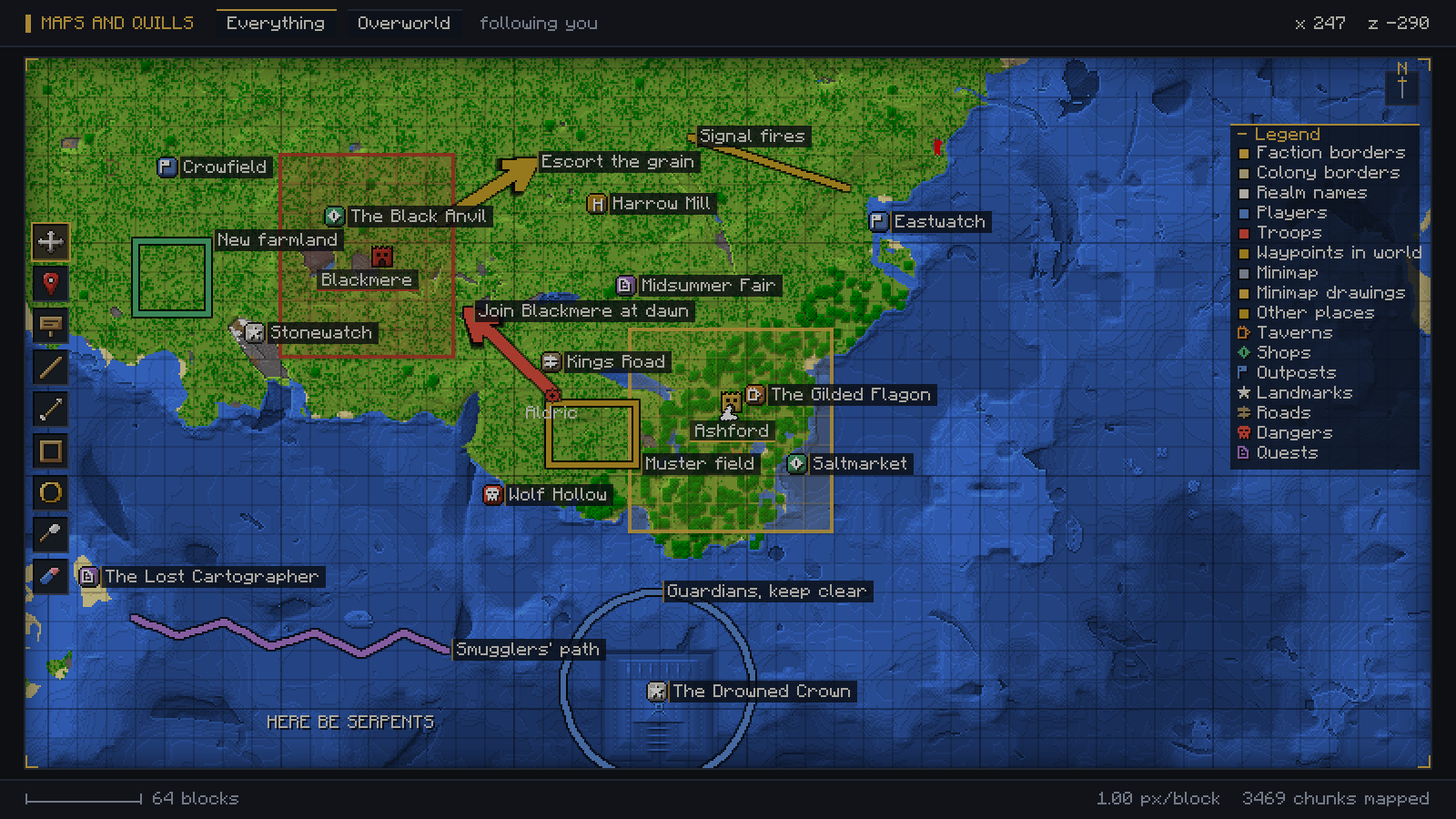
01-one-map-for-your-whole-faction.png
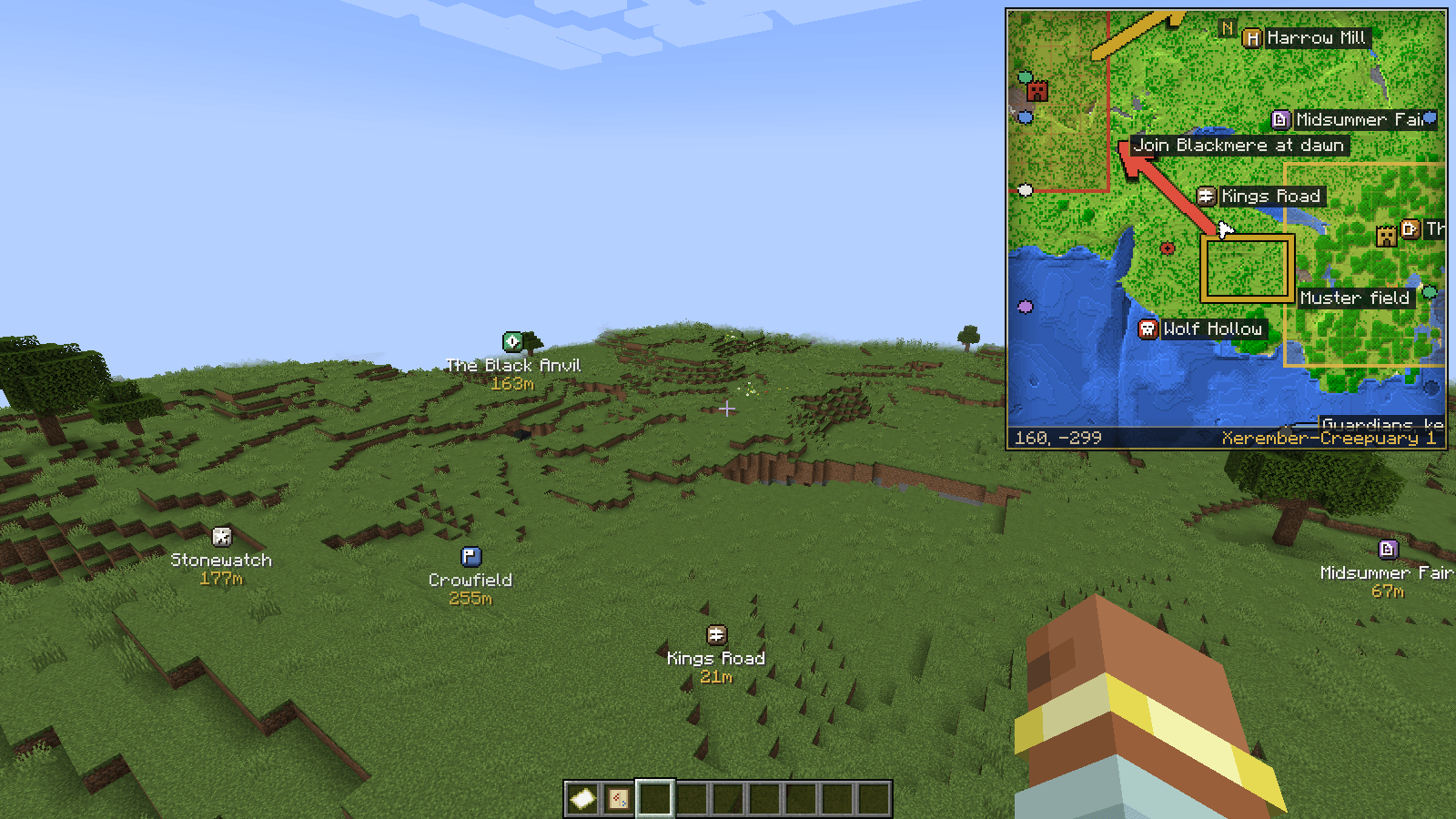
02-drawings-show-on-the-minimap-too.png
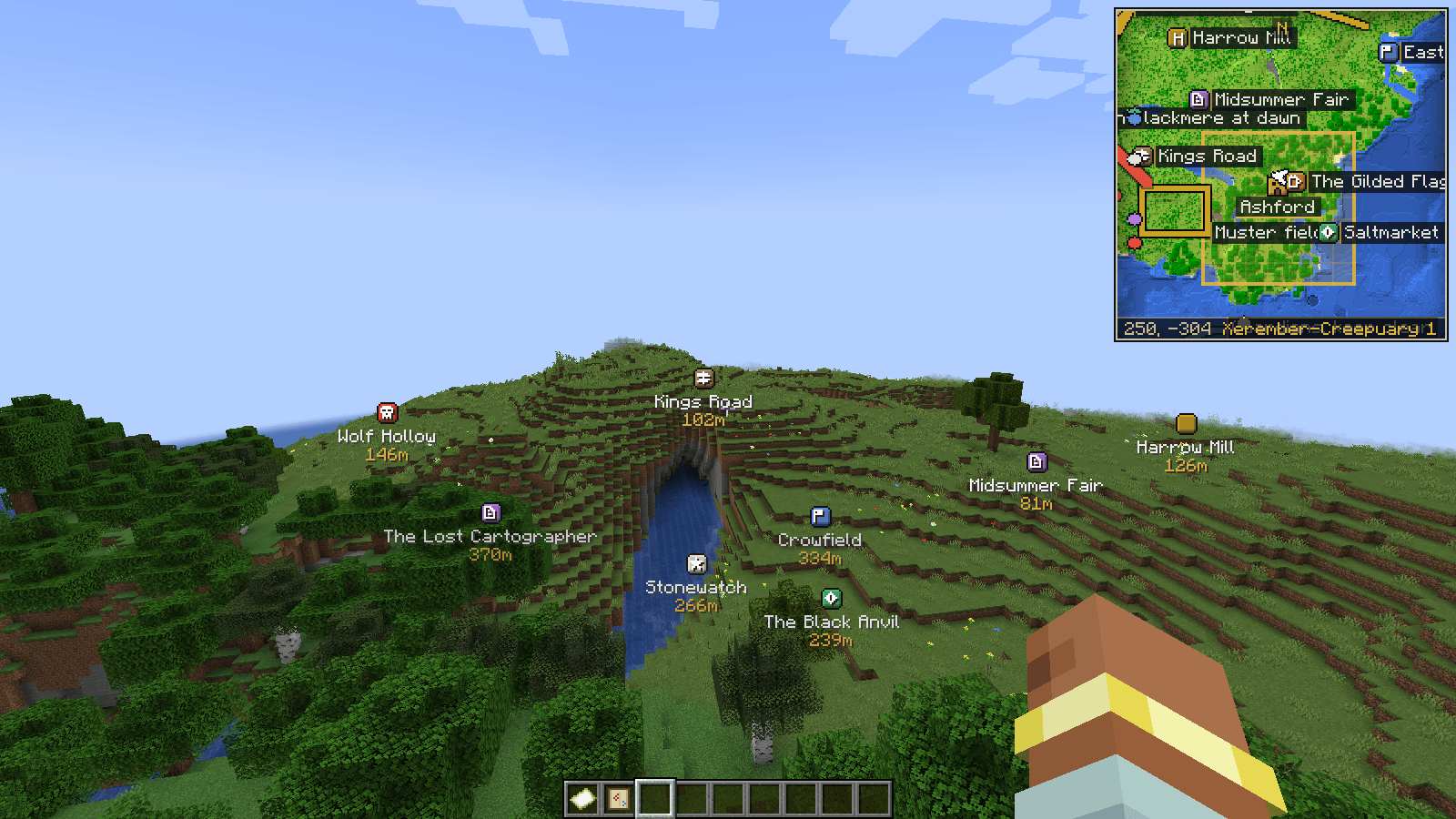
03-waypoints-out-in-the-world.png
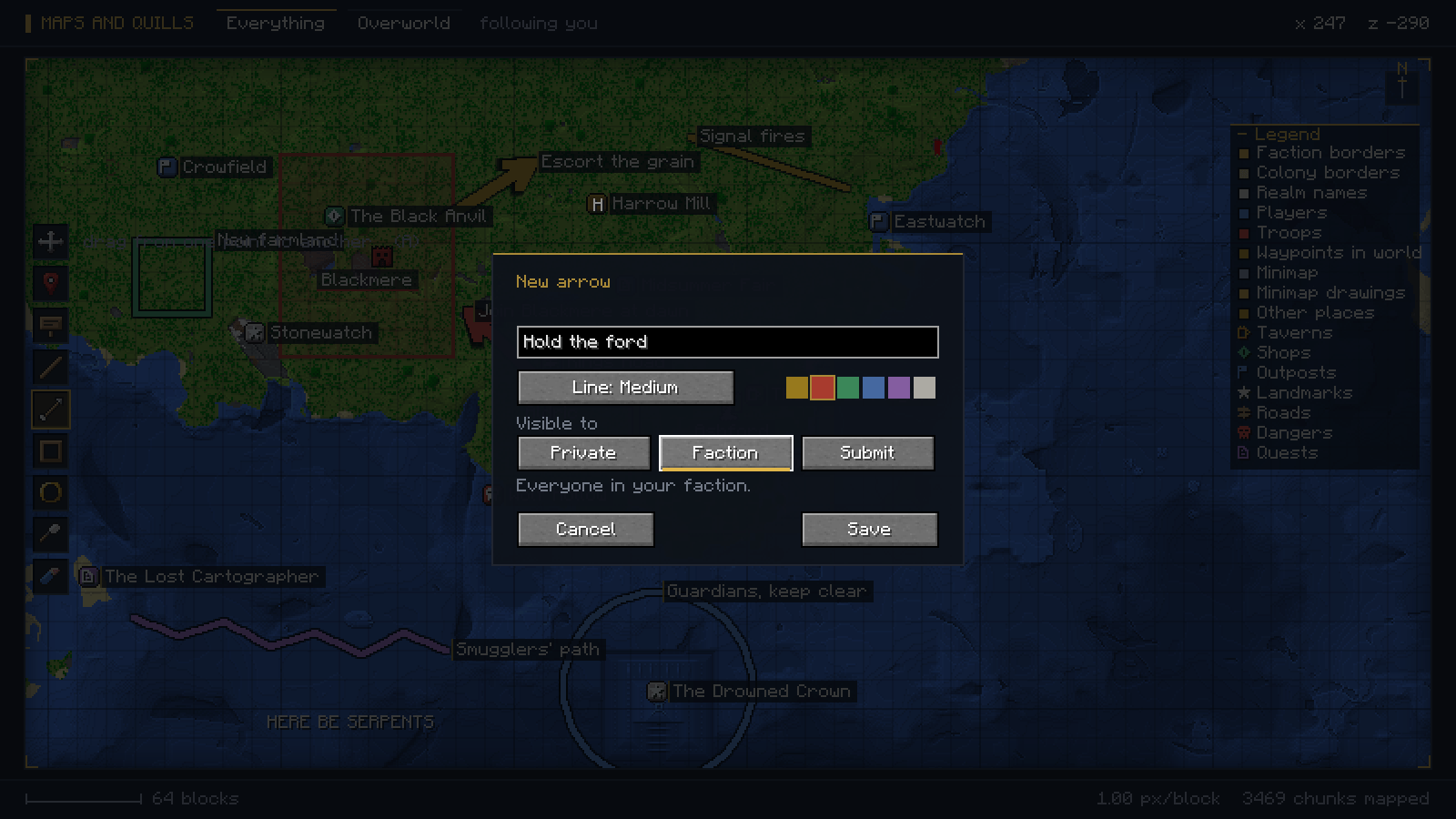
04-draw-it-and-choose-who-sees-it.png
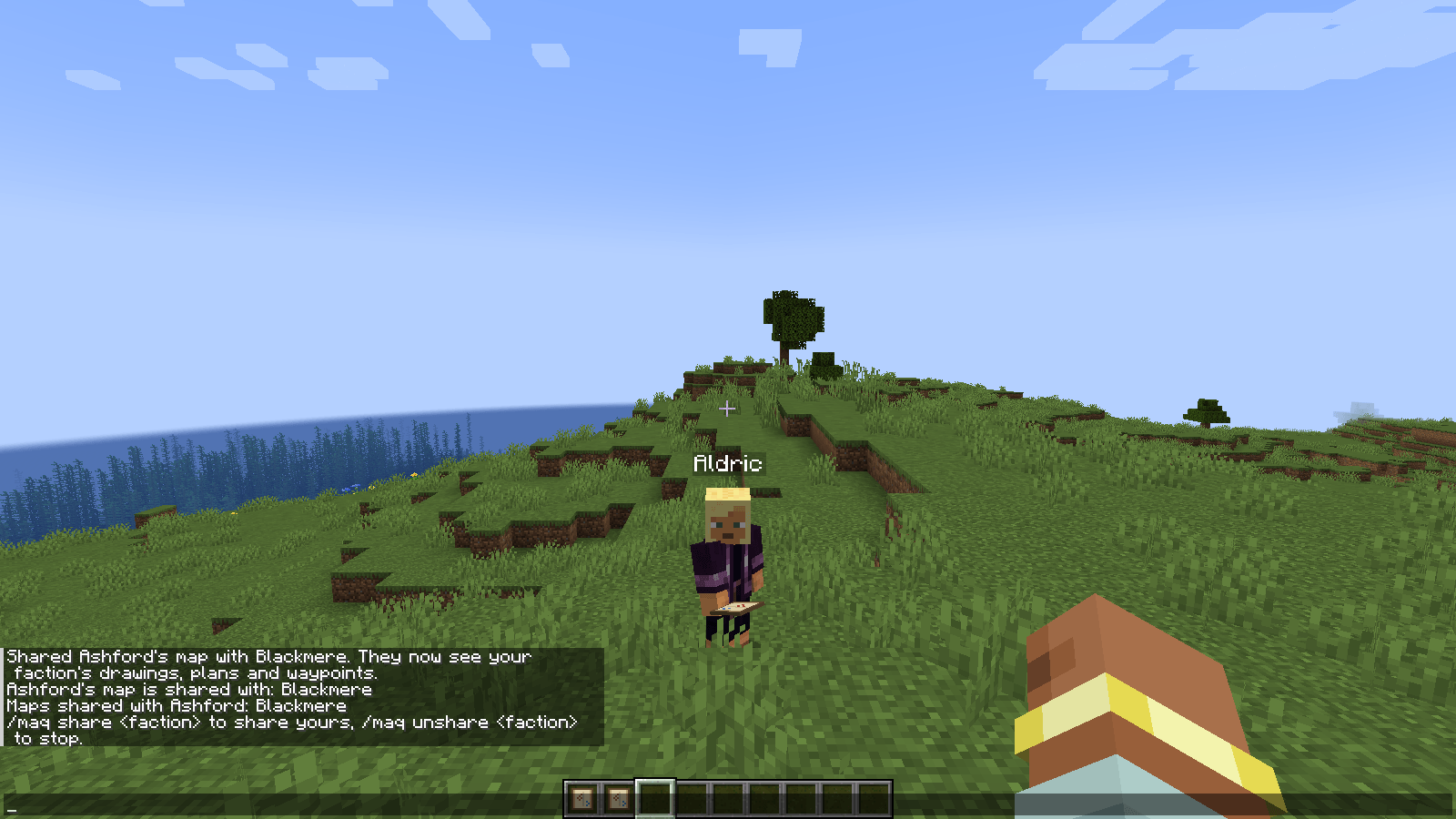
05-share-your-map-with-an-ally.png
Description
# Maps and Quills - Shared Faction Maps & Waypoints
One map for your whole faction. Pin waypoints, draw your plans, and share it all with the factions you trust.
Every other map mod gives each player a map of their own. In Maps and Quills your faction shares one. Pin the base, the mine and the enemy's gate, draw the route in with an arrow, and every member of your faction sees it a moment later: on their map, on their minimap, and out in the world as a waypoint with its distance.
Made a deal with another faction? Share your entire map with them in one command, and take it back just as fast.
Keep the Faction Map in your hotbar. That is what switches the mod on for you: the minimap, the waypoints in the world, pings, and the map key all need it there. Any map crafts into one.
Everything is saved on the server, not on your computer. Your map, your waypoints and your drawings live in the world save, so updating your modpack through CurseForge, reinstalling, or switching PCs never wipes anyone's map.
## Waypoints
- Pin a place on the map, or press the Mark the spot you are on key right where you stand.
- Every place shows out in the world with its badge, its name and how far away it is, nearest first, so you can walk straight to it.
- Give it a kind: Tavern, Shop, Outpost, Landmark, Road, Danger, Quest. Each has its own colour and symbol, and the legend switches any kind off.
- Waypoints your faction pins, and waypoints other factions share with you, are all there. How far out they show, and how many at once, is yours to set.
## Draw on it
Eight tools down the side of the map, each with its own key:
| tool | key | does |
|---|---|---|
| Place | P | a named waypoint |
| Text | T | words written straight onto the ground |
| Line | L | from one point to another |
| Arrow | A | a line with a head, for where you are going |
| Box | B | corner to corner |
| Circle | O | from the centre outward |
| Freehand | F | whatever you like |
| Eraser | E | click a mark to remove it |
Six colours, three line weights, a label on anything, and Ctrl+Z to take back your last mark. Every mark is stored in world coordinates, so it stays glued to the ground it was drawn over however far you pan, zoom or turn. Hover over any mark to see what it is, who drew it and whose map it belongs to.
## Your faction's map
Factions come straight from Easy Factions. When you save a mark you choose who it is for:
- Faction. Your whole faction, and any faction yours has shared its map with.
- Private. Only you. It never leaves the server, not even to admins.
- Submit. Sent to the admins. Once approved it is on everyone's map.
Switch between the Faction map, the Global map and everything at once with the chip at the top of the map, or press V.
## Share your map with another faction
| command | does |
|---|---|
| `/maq share <faction>` | the other faction sees your faction's drawings, plans and waypoints |
| `/maq unshare <faction>` | and now it doesn't |
| `/maq share` | who you share with, and who shares with you |
Only your faction's leader and officers can share, and sharing is one way: showing your map to an ally does not mean you see theirs until they share back. The other faction is told the moment it changes, and every map updates without anyone relogging.
Filtering happens on the server, never on your client. On a server with war on it, a faction's plans are intelligence. Your client is never even sent a mark it is not allowed to show, so a modified client has nothing to read.
## A real map, and a minimap that is the same map
- Full map screen. Drag to pan, scroll to zoom, a scale bar in real blocks, a compass, and coordinates under the cursor.
- Minimap in the corner while the Faction Map is in your hotbar, square or round. It turns with you and shows off-screen places on its rim so you know which way they are.
- Every dimension has its own map. Walk through a portal and the map follows you, or flip the full map to the Nether from the Overworld to plan a raid before you go.
## Borders and realms
Faction claims from Easy Factions and colony land from MineColonies are drawn as separate layers, each switchable. Every realm's name sits over its land, shortened to fit when the land is small, with a keep on each faction's seat and a house on each town hall.
## Pings
- Tap middle mouse to ping the spot you are looking at; hold it for a wheel: Here, Danger, Rally, Supplies.
- A ping shows out in the world with what it means, who sent it and how far away it is, and on the map and minimap too.
- Faction only, fades after a few seconds, never stored, rate limited on the server. `/maq mute <player>` stops someone's pings reaching you.
## Players and troops on the map
The server decides who you can see: nobody, your faction (the default), your allies, or everyone. With Hundred Years War installed, armies in the field show as a banner per commander with a soldier count, under the same rule.
## In the browser
Maps and Quills was built for servers with a website. Connected to one, the same map lives on your site too: places submitted from the browser, lore pages for every landmark, and approvals that land in game the moment an admin clicks.
No website? The map still opens in a browser. Turn on the built-in web map and /maq map hands you a private, temporary link to your map in the browser: the same ground, borders and marks you see in game, filtered exactly the same way. Links expire after an hour by default, `/maq map revoke` ends them early, and nothing can be changed from the browser. It needs one port open on your server and is off until you switch it on.
## Places and the approval queue
| command | does |
|---|---|
| `/maq pending` | submitted places, with approve and reject buttons |
| `/maq approve <id>` | puts it on everyone's map |
| `/maq reject <id> [reason]` | tells the author why; it stays on their own map |
## Built to cost nothing
- The server surveys ground on a time budget of 2 ms per tick, so it behaves the same on a cheap host as on a big one. Most ticks do no map work at all.
- Map data is saved in regions, so an autosave only writes the parts of the world people actually moved through.
- `/maq perf` prints what it costs on your own hardware.
## Getting the map
Put any map in a crafting grid, empty or already drawn, and it turns into a Faction Map. That is the whole recipe.
Keep it in your hotbar. The minimap, the waypoints in the world and pings only work while it is there. Open the full map by right-clicking it, or press M with it anywhere in your hotbar.
| control | does |
|---|---|
| Right-click the Faction Map, or M | open the map (the map must be in your hotbar) |
| Middle mouse | ping (hold for the wheel) |
| Drag / scroll | pan / zoom |
| R | back to where you are |
| V | Faction map, Global map, or both |
| D | next dimension |
| Ctrl+Z | undo your last mark |
M can be moved in the controls if another map mod already uses it. "Mark the spot you are on" is there too, unbound by default. Every command works as `/maq` or `/warpaint`.
## For server owners
Everything is in `config/warpaint-common.toml`: whether players may draw and submit, the per player mark limit, pings, who shows up on the map, and the `[webmap]` section for the browser map. Players tune their own map in `warpaint-client.toml`: minimap size and shape, waypoint range, and every layer.
## Requirements
| Minecraft | 1.21.1 |
| Loader | NeoForge |
| Side | Server and client |
| Required | Easy Factions |
| Optional | MineColonies (colony borders), Hundred Years War (troops) |
---
Draw the war before you fight it.
*Part of The Warborn Realm, by barunn*
Maps and Quills - Maps with Shared Faction Maps & Waypoints Team