Inventory Enhancements
- By
Quick Stack, inventory sorting, extra grouped storage, automatic hotbar refill, and organized crafting, brewing, and Creative guides.
Inventory Enhancements
Current release: 1.1.10 · Minecraft 26.3 · Fabric + Fabric API · Java 25
Less inventory work. More time playing!
Sort a messy chest, send matching items to storage, keep spare tools together, and browse grouped crafting and brewing recipes. Inventory Enhancements brings these features into Vanilla-inspired screens, with the same category approach in the Creative inventory.
- Quick Stack: deposit matching items into an open container, pull them back, or use nearby storage.
- Sort your way: A–Z, Type, Quantity, or Baseline, with a lock for your preferred mode.
- Carry grouped spares: five extra same-item storage slots attached to a full base stack.
- Find the recipe: expandable categories, search, ingredient filtering, and a remembered Craftable First preference.
- Keep building: automatically refill an exhausted selected hotbar slot from matching reserves.
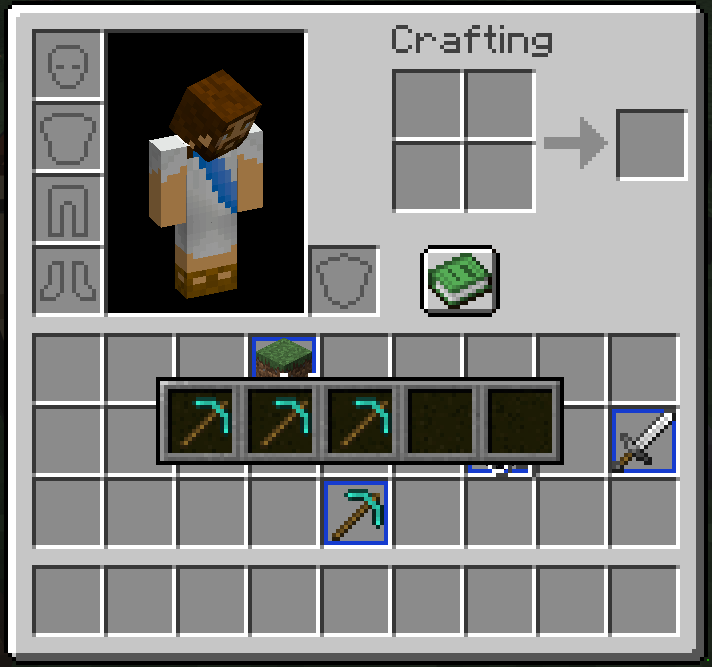
Keep multiple tools of the same item type together, including tools with different damage or enchantments.
Quick Stack
With a supported container open, use the small controls at the far right of the Inventory heading:
| Control | What it does |
|---|---|
| Up arrow — Quick Stack to Container | Moves eligible player inventory and hotbar items into the open container, only for item types already present there. |
| Down arrow — Quick Stack to Inventory | Moves eligible container items into your inventory, only for item types already present in the destination. |
Quick Stack respects capacity and item restrictions. It does not send every item into an empty chest, and different item components are not merged into one stack.
Quick Stack Nearby
Open your player inventory and click the chest icon beside the sort lock to deposit matching items into nearby storage without opening each container.
- Searches a 15-block spherical radius, including above and below you; nearest eligible storage is filled first.
- Supports vanilla Chests and Trapped Chests, Barrels, Shulker Boxes, Hoppers, Dispensers, and Droppers.
- Each destination must already contain the item type. Full or inaccessible storage is skipped.
- Checks locks, blocked lids, world interaction permissions, and Server Enhancements protection. Unopened loot containers are skipped.
- Uses already-loaded chunks; it does not load remote storage or move worn armour and offhand items.
- This feature is not available in Creative or Spectator mode. Arbitrary modded containers and third-party claim systems are not automatically supported.
Both client and server need the supporting build. The button stays disabled on unsupported servers.
Keep selected slots out of Quick Stack
Alt + right-click a main-inventory or hotbar slot to toggle Quick Stack Bypass. A gold star marks an excluded slot, even when it is empty.
Bypassed slots are excluded from both container arrows and Quick Stack Nearby, in both transfer directions. The setting belongs to the slot, not the item, and is saved separately for each player on each server or world. Sorting, manual moves, and automatic refill are unaffected.
Inventory Sorting and Sort Lock
Hover over a slot and press the Middle Mouse Button to sort that section. The main inventory, hotbar, and open container are handled independently.
| Mode | Behaviour |
|---|---|
| A–Z | Sorts alphabetically. |
| Type | Groups similar items and materials. |
| Quantity | Orders item types by their total quantity, largest first, keeping the same item types together. |
| Baseline | Returns to the arrangement from before the current sorting cycle. |
Compatible stacks are consolidated. A manual rearrangement becomes the next Baseline.
Middle-click cycles modes while unlocked. Choose a mode, then click the lock: later middle-clicks use that mode instead of advancing to another. Click again to unlock. The chosen mode and lock preference persist.
Optional automatic sorting on screen opening or closing is configurable in config/inventoryenhancements.properties; both triggers default to off. Restart Minecraft after changing the file.
Five-Slot Overlay Storage
A full base stack in the main 27-slot inventory can hold five additional stacks of the same item type. For Dirt that means a base stack of 64; for Ender Pearls, 16; for a non-stackable tool, one item.
- Shift + right-click the full base stack to open and pin its storage pane.
- Hover over a grouped item to preview the contents.
- An animated blue border identifies a group.
- Different names, enchantments, or damage values can be kept in separate stored stacks of the same item type.
- Group contents belong to the base item, not its old inventory slot. Moving or dropping the intact group, including on death, carries its contents with it.
- A compatible full stack can replace the base item while retaining the group.
Groups are moved as a whole. Their active inventory placement is restricted to the main inventory, not the hotbar; supported storage transfers keep the group intact. Remove contents from the pane when you want separate ordinary stacks.
Crafting, Processing, and Creative Guides
The custom guide supports the player inventory's 2×2 crafting grid, Crafting Tables, Furnaces, Blast Furnaces, Smokers, and Brewing Stands. Available recipes depend on the current station.
Crafting and Creative browsing share organized categories: Building Blocks, Tools, Crafting Stations, Storage, Redstone, Brewing, Food, and Misc where applicable. Misc — Yet to be organized holds items that have not yet been assigned to another category and always appears last.
Expandable groups reduce repeated entries. Browse block shapes and material families instead of a wall of variants; tools, armour, dyes, banner patterns, music discs, and other families have their own grouped selectors. Group icons cycle through their options.
The guide includes:
- Text search, paging, and ingredient filtering.
- A Craftable First preference that stays set between uses.
- Click-to-expand categories and nested groups.
- Ghost previews when ingredients are missing.
- Recipe placement using available ingredients; repeated clicks can add more of the same recipe, while Shift-click requests the maximum craftable placement.
- Compatible modded recipes through the recipe system, with Misc as a fallback. This is not a promise that every third-party custom recipe machine is supported.
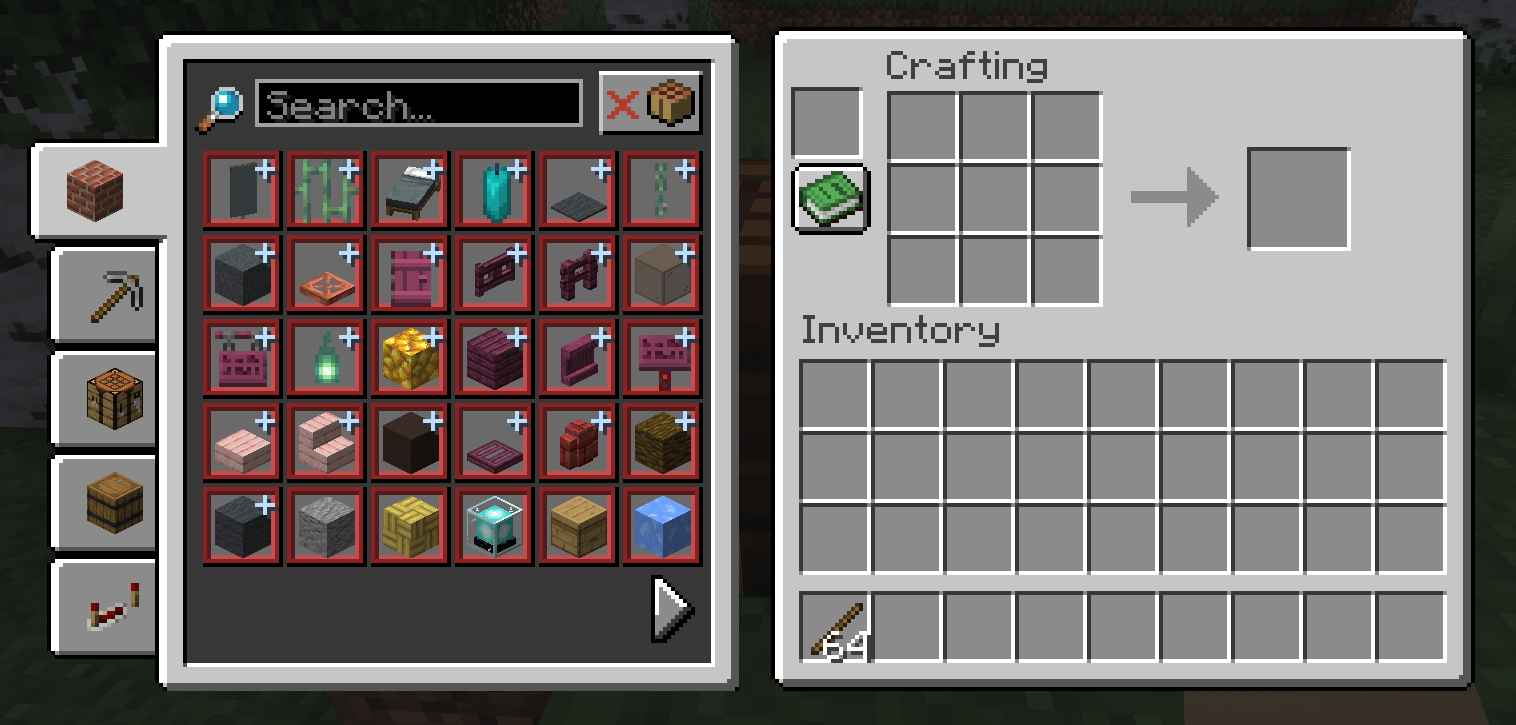
Existing gallery example of the grouped guide. Layout and available categories depend on the station and installed version.
Brewing Stand Guide
Browse Ability, Harming, and Healing potion routes, including available duration, strength, regular, Splash, and Lingering variants. Search or filter ingredients, preview the route, and select an available recipe to place bottles, ingredients, and required Blaze Powder.
Automatic Hotbar Refill
When normal placement, use, consumption, mining, or weapon use exhausts your selected hotbar stack, the mod can move a matching reserve stack into that slot without changing your selection.
It checks the main inventory first, then other hotbar slots. Names, enchantments, potion data, and other item components must match; a replacement damageable tool can have different current wear and keeps its actual wear.
Installation
Install matching versions of Inventory Enhancements and Fabric API on both the client and Fabric server. For single-player, install them in the client's mods folder.
Choose the file for your exact Minecraft version from the Files tab and match the server's mod version when playing multiplayer.
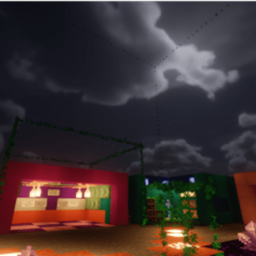
Recommended shaders — IterationT
IterationT fits the Vanilla Enhancements collection perfectly, and I strongly recommend playing with it! It completes the look of the pack while keeping Minecraft feeling like Minecraft. I'd love to include it in the pack, but I legally cannot redistribute it. Please download IterationT separately.
IterationT is not made by me and is not bundled with the mods or modpack. With a compatible shader loader installed, place the downloaded shader pack in your profile's shaderpacks folder and select it in-game. Shaders are optional; check compatibility with your Minecraft version and shader loader, and play without them if you need more performance.
Community and support
Explore the Vanilla Enhancements website for the full collection and guides, or join r/VanillaEnhancements to share your builds, ask questions, and follow updates.
Want the collection together? Get the Mineral Enhancements modpack and check its supported Minecraft version. The mods are also available individually.
These mods are developed by FireDragon1 as the Vanilla Enhancements collection.
Join mc.FireCrafting.net to play, or join the Discord for updates, questions, and bug reports.
For a bug report, include your Minecraft version, mod version, Fabric Loader version, the steps to reproduce it, and a relevant log or screenshot. Remove personal information and credentials from logs before sharing them.
Inventory Enhancements Team