Emerald Enhancements
- By
Emerald tools and armour with built-in Fortune, extra XP, visible-ore highlighting, Zombie Villager curing, and Trading Gems.
Emerald Enhancements
Current release: 1.1.4 · Minecraft 26.3 · Fabric + Fabric API · Java 25
Put your Emeralds to work!
Craft a mining-earned equipment tier with built-in Fortune, extra experience, and Diamond-level armour protection. Spot exposed ores with Fortune-Sense, cure Zombie Villagers with your Sword, and keep the Villager economy separate through Trading Gems.
- Mine more: tools add a built-in Fortune level that stacks with their Fortune enchantment.
- Notice exposed valuables: the full armour set highlights visible ores—not blocks hidden behind walls.
- Give Emeralds a purpose beyond trading: craft tools, weapons, armour, and an Emerald Spear.
- Keep trading useful: Villagers accept Emeralds or Trading Gems, but pay out Trading Gems.
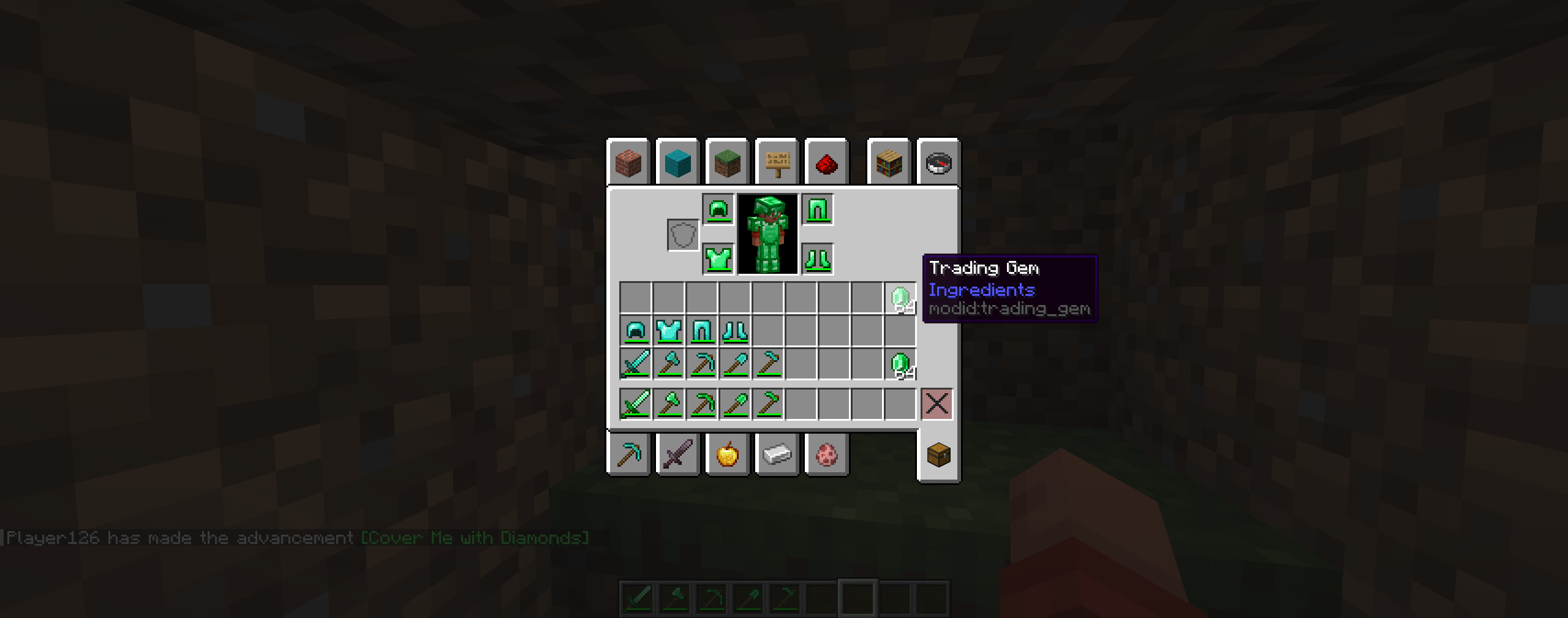
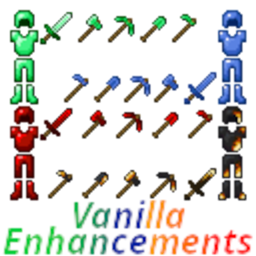
Equipment preview from the existing gallery; the current set also includes a Spear.
Getting started
Mine Emeralds, craft your equipment using its in-game recipe, and take it exploring! For Fortune-Sense, equip all four Emerald Armour pieces and press Alt + Shift. Trading Gems are currency, not a substitute for Emeralds in equipment recipes.
Emerald Sword
The Emerald Sword is stronger and more durable than its Diamond counterpart.
- Durability: 1,761 (+200 compared with Diamond!)
- Attack Damage: 8 (+1 compared with Diamond!)
- Attack Speed: 1.6
- Enchantability: 22 (+12 compared with Diamond!)
Zombie Villager Curing
Delivering what would otherwise be a lethal hit to a Zombie Villager with the Emerald Sword instantly cures it into a regular Villager!
The curing ability uses Minecraft's complete Villager conversion process, preserving applicable information such as:
- Profession
- Biome type
- Trades
- Villager experience
- Equipment
- Age
- Custom name
Experience Bonus
Killing any mob that normally drops experience provides approximately 1.5× the normal XP!
The Emerald Sword adds an additional 50% of the mob's base experience, rounded down where necessary.
| Normal XP | Additional XP | Total XP |
|---|---|---|
| 2 | +1 | 3 |
| 4 | +2 | 6 |
| 6 | +3 | 9 |
| 10 | +5 | 15 |
| 20 | +10 | 30 |
Emerald Axe, Pickaxe, Shovel, and Hoe
All Emerald Tools provide increased durability, strong combat statistics, excellent mining speed, high enchantability, built-in Fortune, and additional experience!
Shared Tool Statistics
- Durability: 1,761 (+200 compared with Diamond!)
- Mining Speed: 10 (+2 compared with Diamond!)
- Enchantability: 22 (+12 compared with Diamond!)
Attack Damage
| Tool | Attack Damage | Diamond Comparison |
|---|---|---|
| Emerald Axe | 10 | +1 |
| Emerald Pickaxe | 6 | +1 |
| Emerald Shovel | 6.5 | +1 |
| Emerald Hoe | 2 | +1 |
Attack Speed
| Tool | Attack Speed | Diamond Comparison |
|---|---|---|
| Emerald Axe | 1.3 | +0.3 |
| Emerald Pickaxe | 1.2 | Same |
| Emerald Shovel | 1.0 | Same |
| Emerald Hoe | 5.0 | +1.0 |
Built-In Fortune
Every Emerald Tool receives one built-in Fortune level!
This built-in bonus stacks with the Fortune enchantment already applied to the tool.
For blocks using Minecraft's standard single-drop Fortune calculation:
| Fortune Enchantment | Effective Fortune | Average Drops | Average Increase |
|---|---|---|---|
| None | Fortune I | 1.333 per block | +33.3% |
| Fortune I | Fortune II | 1.75 per block | +75% |
| Fortune II | Fortune III | 2.20 per block | +120% |
| Fortune III | Fortune IV | ≈2.667 per block | +166.7% |
Exact results can vary for blocks that use specialized loot rules.
Additional Block Experience
Breaking any block that normally drops experience with an Emerald Axe, Pickaxe, Shovel, or Hoe produces one additional experience point!
Emerald Hoe Crop Bonus
The Emerald Hoe receives the same built-in Fortune and experience bonuses as the other Emerald Tools.
It also produces one additional crop item when harvesting:
- Fully grown crops
- Fully grown Sweet Berry Bushes
Make sure to harvest your crops using the Emerald Hoe!
Emerald Armour
Emerald Armour provides Diamond-level protection with additional durability, toughness, and knockback resistance.
Armour Statistics
| Armour Piece | Durability | Diamond Comparison | Armour | Toughness | Knockback Resistance |
|---|---|---|---|---|---|
| Emerald Helmet | 563 | +200 | 3 | 3 | 0.1 |
| Emerald Chestplate | 728 | +200 | 8 | 3 | 0.1 |
| Emerald Leggings | 695 | +200 | 6 | 3 | 0.1 |
| Emerald Boots | 629 | +200 | 3 | 3 | 0.1 |
| Complete Set | — | — | 20 | 12 | 0.4 |
Each piece provides:
- 3 Armour Toughness (+1 compared with Diamond!)
- 0.1 Knockback Resistance, which Diamond Armour does not provide
Fortune-Sense
While wearing all four Emerald Armour pieces, press Alt + Shift to toggle Fortune-Sense!
Fortune-Sense draws a green outline around ores and selected valuable blocks that are directly visible within your field of view.
- Blocks hidden behind terrain are not revealed
- Fortune-Sense cannot be used as X-ray
- Removing any Emerald Armour piece automatically disables it
- Press Alt + Shift again to turn it off
Fortune-Sense helps you notice valuable blocks that may otherwise blend into caves, walls, and the surrounding terrain.
Trading Gems and Villager Trading
Trading Gems separate the Villager economy from the Emeralds required to craft Emerald Tools and Armour.
Trading Gems look and function similarly to Emeralds during Villager trading, but they cannot be used in Emerald equipment recipes.
Villager Trading
- Villagers accept either Emeralds or Trading Gems when a trade requires Emeralds
- Trades that normally reward Emeralds provide Trading Gems
- Trading Gems cannot replace Emeralds when crafting Emerald Tools or Armour
- Nine Trading Gems can be crafted into a Block of Trading Gem
- A Block of Trading Gem can be converted back into nine Trading Gems
Emerald Sources
| Emerald Source | Result |
|---|---|
| Mining Emerald Ore | Craftable Emerald |
| Villager trade payout | Trading Gem |
| Treasure and other non-block loot | Trading Gem |
| Raid-capable Illager drop | Trading Gem |
| Villager trade payment | Emerald or Trading Gem |
Enhanced Villager Interface
The Villager trading interface uses a wider, Vanilla-inspired layout that clearly displays Emerald and Trading Gem payment options.
The expanded interface keeps the following elements properly aligned:
- Trade items
- Item quantities
- Trading Gems
- Trade arrows
- Tooltips
- Scrolling controls
- Out-of-stock indicators
Emerald Equipment Progression
Emerald Tools and Armour are primarily earned through mining.
Villager trades, treasure loot, and raid-capable Illager drops provide Trading Gems, while Emeralds mined directly from Emerald Ore remain available for equipment crafting.
This makes the Emerald equipment set a valuable reward for exploration and dedicated mining while preserving Villagers as a useful economy.
Installation
Install Emerald Enhancements and a matching Fabric API build on both the client and Fabric server. In single-player, install them in the client's mods folder.
Choose the file for your exact Minecraft version in the Files tab. Match the server's mod versions when playing multiplayer.
Recommended shaders — IterationT
IterationT fits the Vanilla Enhancements collection perfectly, and I strongly recommend playing with it! It completes the look of the pack while keeping Minecraft feeling like Minecraft. I'd love to include it in the pack, but I legally cannot redistribute it. Please download IterationT separately.
IterationT is not made by me and is not bundled with the mods or modpack. With a compatible shader loader installed, place the downloaded shader pack in your profile's shaderpacks folder and select it in-game. Shaders are optional; check compatibility with your Minecraft version and shader loader, and play without them if you need more performance.
Community and support
Explore the Vanilla Enhancements website for the full collection and guides, or join r/VanillaEnhancements to share your builds, ask questions, and follow updates.
Want the collection together? Get the Mineral Enhancements modpack and check its supported Minecraft version. The mods are also available individually.
These mods are developed by FireDragon1 as the Vanilla Enhancements collection.
Join mc.FireCrafting.net to play, or join the Discord for updates, questions, and bug reports.
For a bug report, include your Minecraft version, mod version, Fabric Loader version, the steps to reproduce it, and a relevant log or screenshot. Remove personal information and credentials from logs before sharing them.
Emerald Enhancements Team