Mod version 1.3.0 and onward now require DarknessLib!
Overview
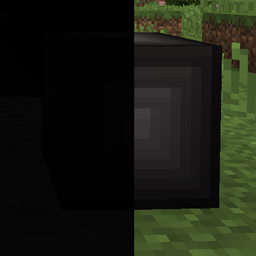
Hungering Darkness is a mod that aims to provide modpack makes as well as players another hazard to their world, darkness itself! Simply put, being in the dark for too long results in the player receiving damage, until they eventually die, consumed by darkness.
The mod comes with configuration options allowing you to control just about all aspects of it (see the section further down).
Features
This mod provides the following:
- Darkness is now a hazard, as being in a unlit area for too long starts to wear down your health
- A built-in timer that controls when you start to receive damage from the darkness (increases when you're in a dark enough area, then decreases when you're not)
- You can configure how long it takes before your start to take damage, the time between each hit, and how much damage is dealt
- You can configure in which dimension the darkness hurts you
- You can configure in which biome the darkness hurts you
- You can configure which light level is considered dark enough, and also a total darkness light level which speeds up the time before you take damage and doubles the damage dealt.
- You can define dimension-specific configurations for the majority of the config options (so the darkness could deal more damage in one dimension, do it much slower in another, etc)
- It has support for multiple variations of Dynamic Light through DarknessLib
- It has support for Game Stages, allowing you to define stages where the darkness doesn't hurt you, and stages where it does (there are two lists in the config where you assign a priority to a stage, and the stage with the highest priority currently present on the player decides if they are hurt or not)
Configuration
Here are the configuration options provided in Hungering Darkness:
Biome Whitelist:
Add biome IDs to this list if you want the darkness to damage players here. The list won't be used if it's empty.
Format: modid:name
S:"Biome Whitelist" <
>
Damage Amount:
The amount of damage (half hearts) you take from the darkness.
I:"Damage Amount"=2
Damage Delay:
The amount of time (in seconds) you have to spend in darkness before you begin to receive damage.
I:"Damage Delay"=10
Damage Frequency:
The amount of time (in seconds) between each hit when the darkness damages you.
I:"Damage Frequency"=5
Dimension Whitelist:
Add dimension IDs to this list if you want the darkness to damage players here.
I:"Dimension Whitelist" <
0
>
Dimension-specific Configuration:
Values added to this list will allow you to define dimension-specific configurations that override any of the corresponding global ones defined in the other options.
Format: dim_id:damage_frequency:damage:delay:light_level:total_darkness:height
Every value except dim_id can be substituted with def, which'll set the value to whatever the global config uses.
Example: '0:10:def:60:4:-1:128'
S:"Dimension-specific Configuration" <
>
Light Level:
The light level where it's considered dark enough that you begin to receive damage. [range: 0 ~ 15, default: 2]
I:"Light Level"=4
Total Darkness Light Level:
The light level that's considered total darkness. Being in this light level halves the time it takes before you start to receive damage, while also doubling the damage receieved. Disable by setting it to -1. [range: -1 ~ 15, default: 0]
I:"Total Darkness Light Level"=0
Hurting Stages:
If Game Stages is installed, this list can be used to specify stages where the darkness hurt you. Format is stage:priority, where stage is the stage name and the priority is an integer that determines if this takes effect over the non-hurting stages (higher number = higher priority).
S:"Hurting Stages" <
>
Non-hurting Stages:
If Game Stages is installed, this list can be used to specify stages where the darkness doesn't hurt you. Format is stage:priority, where stage is the stage name and the priority is an integer that determines if this takes effect over the hurting stages (higher number = higher priority).
S:"Non-hurting Stages" <
>
Unrealistic Light:
Toggles whether or not Dynamic Light behaves as if the player is fully lit up, rather than adding to the light level. Faking full brightness is what the old behavior did.
B:"Unrealistic Light"=false
Use Biome Blacklist:
Toggles whether or not to use the biome whitelist as a blacklist instead.
B:"Use Biome Blacklist"=false
Use Blacklist:
Toggles whether or not to use the dimension whitelist as a blacklist instead.
B:"Use Blacklist"=false
Donating
If you want to support the development of my mods, considering becoming a patron! You can click on the image below to visit my Patreon page.

Server hosting

I'm sponsored by Aim2Game, and you can use the following codes for discounts on your own server!
ABYSSAL25 - 25% off for life for new customers
ABYSSAL50 - 50% off first month for new customers
Modpacks
This mod may be redistributed as part of a modpack, provided proper credit to the author (me, Shinoow) is given, along with a link back to the Curse/CurseForge page for the mod. You are not allowed to redistribute the mod on third party websites (by mirroring the mod or creating a "mod installer"), and legal actions will be taken against websites found violating this.
Discord
I've set up a discord server for my mods (conveniently named "AbyssalCraft"). Click the image below to join!

The Hungering Darkness Team


Owner