GAROS UI - Resource Pack Manager
- By
Transforms Minecraft’s resource pack screen into a fast, categorized manager with drag-and-drop ordering, bulk actions, load-order presets, and customizable pack controls.
Garos | GAROS UI - Resource Pack M...
Create your game server with 

GAROS UI - Resource Pack Manager
Managing a large resource-pack collection should not mean fighting Minecraft's menu one pack at a time.
GAROS UI - Resource Pack Manager rebuilds the vanilla resource-pack screen into an organized workspace with automatic categories, full drag-and-drop ordering, bulk actions, reusable presets, and practical customization while retaining Minecraft's familiar visual style.
Organize Large Pack Libraries
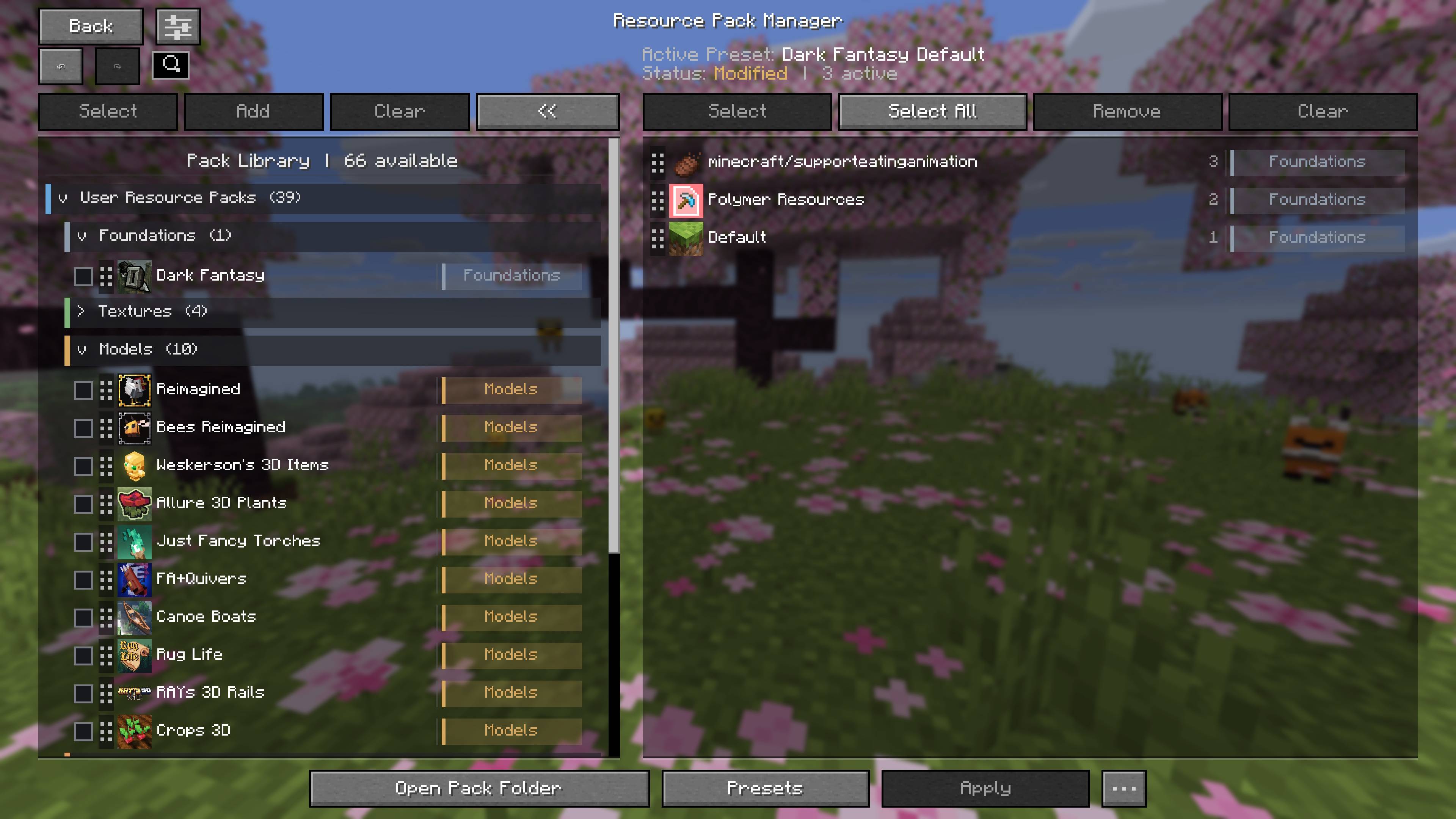
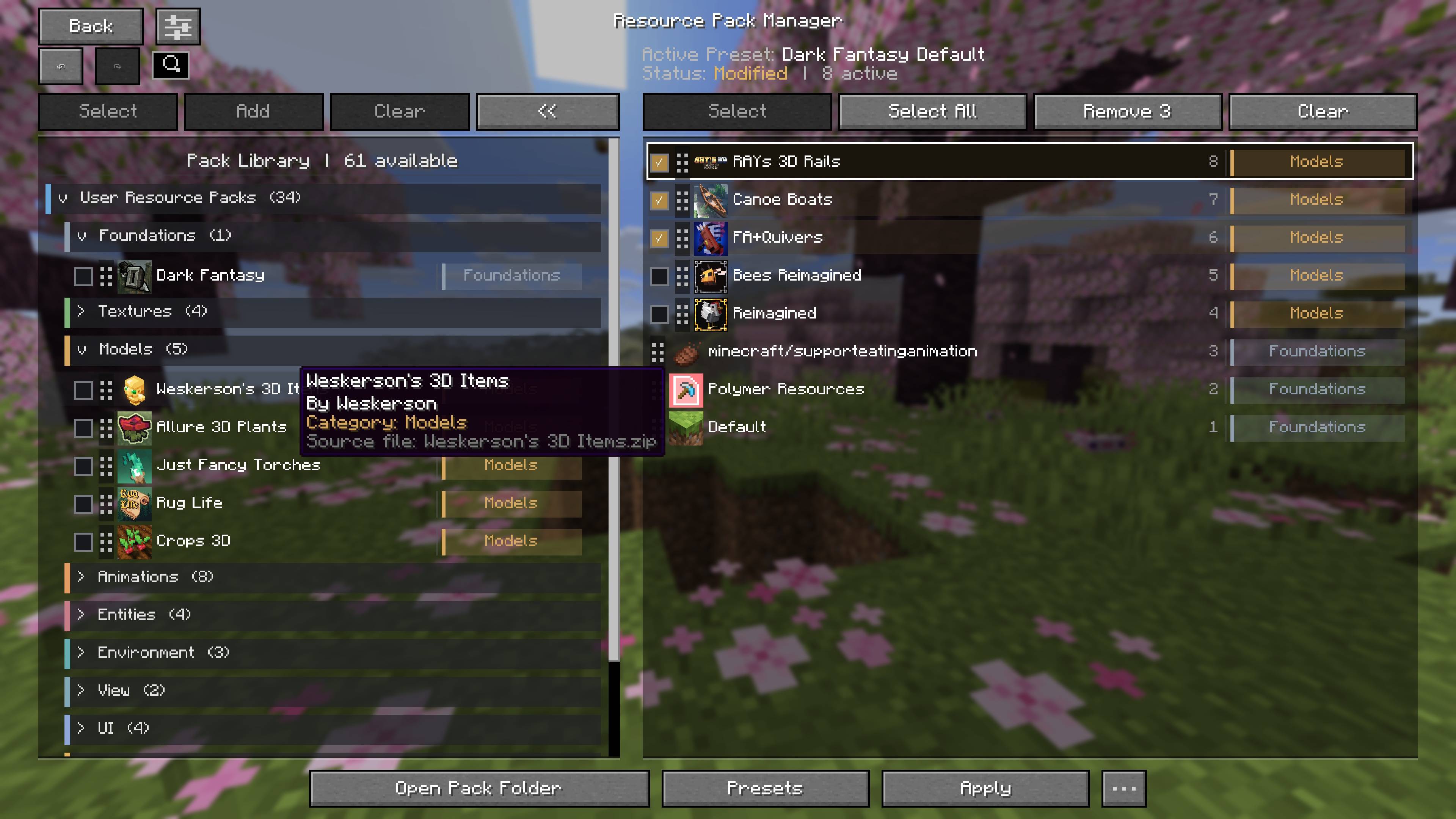
Resource packs are automatically sorted into meaningful categories such as Foundations, Textures, Models, Animations, Entities, Environment, UI, Patches, and more.
User-installed, mod-provided, and built-in Minecraft packs are identified clearly, making large collections far easier to understand and configure.
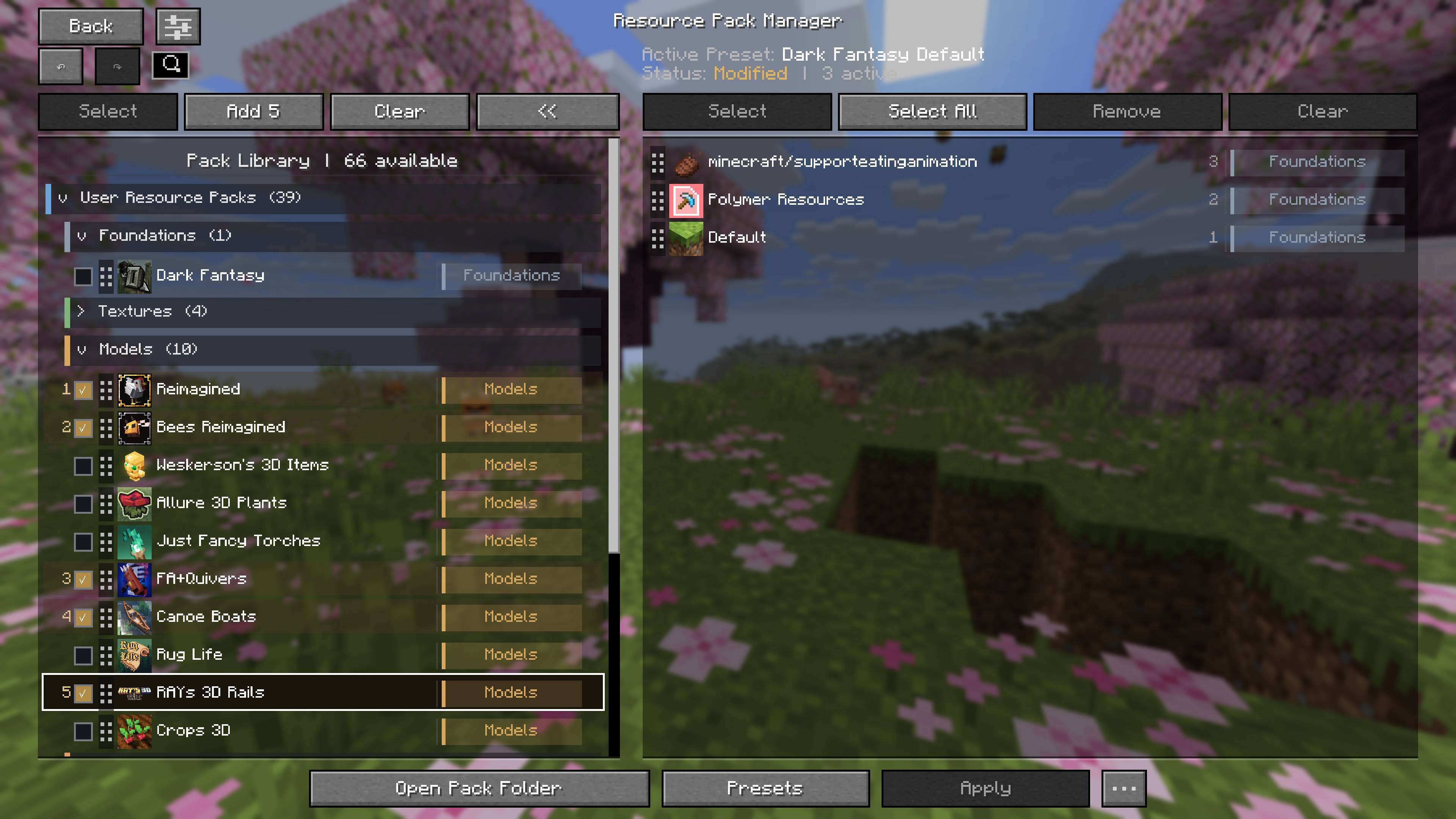
Build Load Orders Faster
Select multiple packs in the exact order you want and add the entire sequence at once. Active packs can also be selected and removed together without disturbing the rest of the load order.
Save Complete Presets
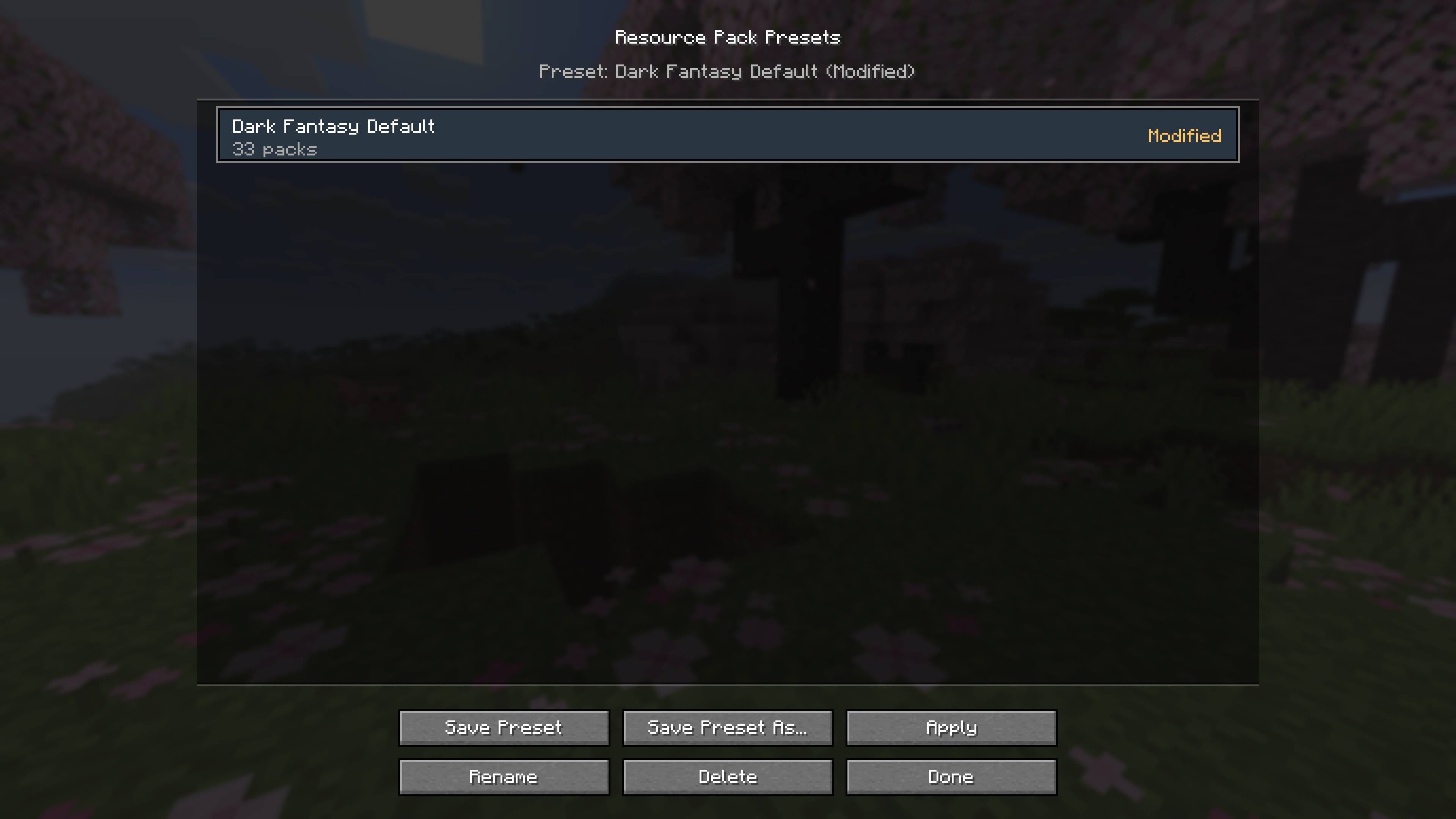
Save complete load orders as named presets and switch between different visual setups without rebuilding them manually.
Presets can be saved, overwritten, renamed, deleted, and applied at any time. The manager also reports modified presets and warns when required packs are missing.
Customize the Manager
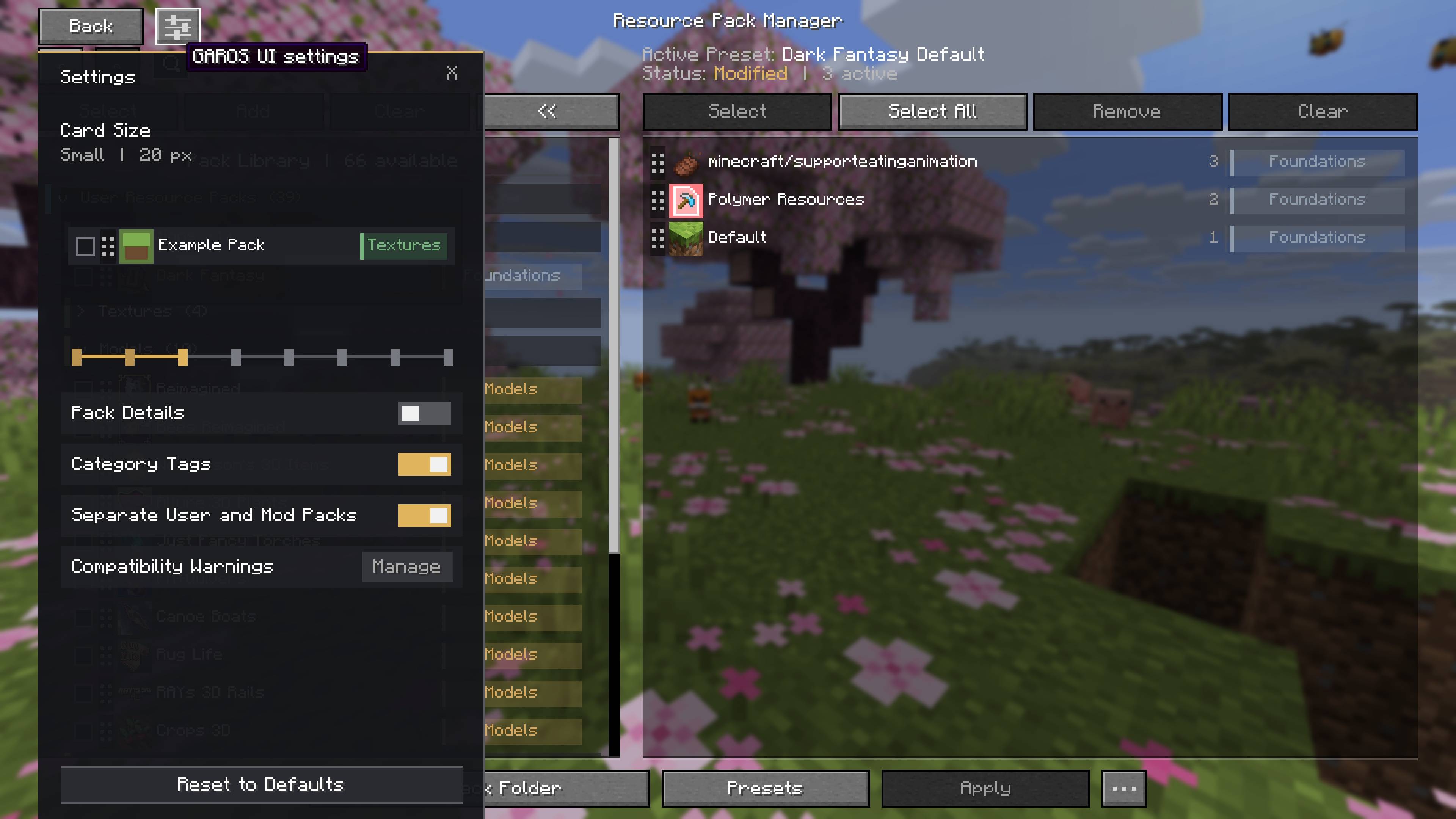
Adjust card density, pack information, category tags, pack grouping, and compatibility-warning visibility to suit your screen and collection.
Features
- Automatic resource-pack categorization
- Full-card drag-and-drop ordering
- Ordered bulk addition
- Bulk removal from the active load order
- Named load-order presets
- Missing-pack detection for presets
- Undo and redo
- Apply changes without closing the manager
- Adjustable card sizes
- Optional pack details and category tags
- Optional separation of user and mod-provided packs
- Individual and global compatibility-warning controls
- Search across installed and active packs
- Normalized, readable pack names
- Duplicate-pack detection
- Pack information tooltips
- Safe pack deletion with confirmation
- Integration menu for actions added by other mods
- Session classification caching for faster menu opening
- Client-side operation with no additional dependencies
The GAROS UI - Resource Pack Manager Team