Bloom Audio - Music Systems Overhaul
- By
Customize your music with editable albums, context-based playback, playlists, imported songs and an in-game controller.
Bloomstone Studio
Create your game server with 

Overview
Bloom Audio - Music Systems Overhaul rebuilds Minecraft's limited background-music controls into a complete music-management system. It lets you inspect, organize, customize and control vanilla, modded and imported music; decide what can play, where and when it plays, how tracks are selected and spaced, and manage live playback through an in-game controller.
Features
Playback Modes and Timing
- Use Contextual Music to assign albums to menus, dimensions, biomes and other discovered music situations.
- Use Playlist mode to play an editable custom album across the game.
- Choose Weighted, Shuffle or Ordered playback globally or for individual contexts.
- Keep vanilla frequency handling or configure minimum and maximum delays with the Bloom timing method.
- Let the current song finish when changing biome or context, then use the new context for the next selection.
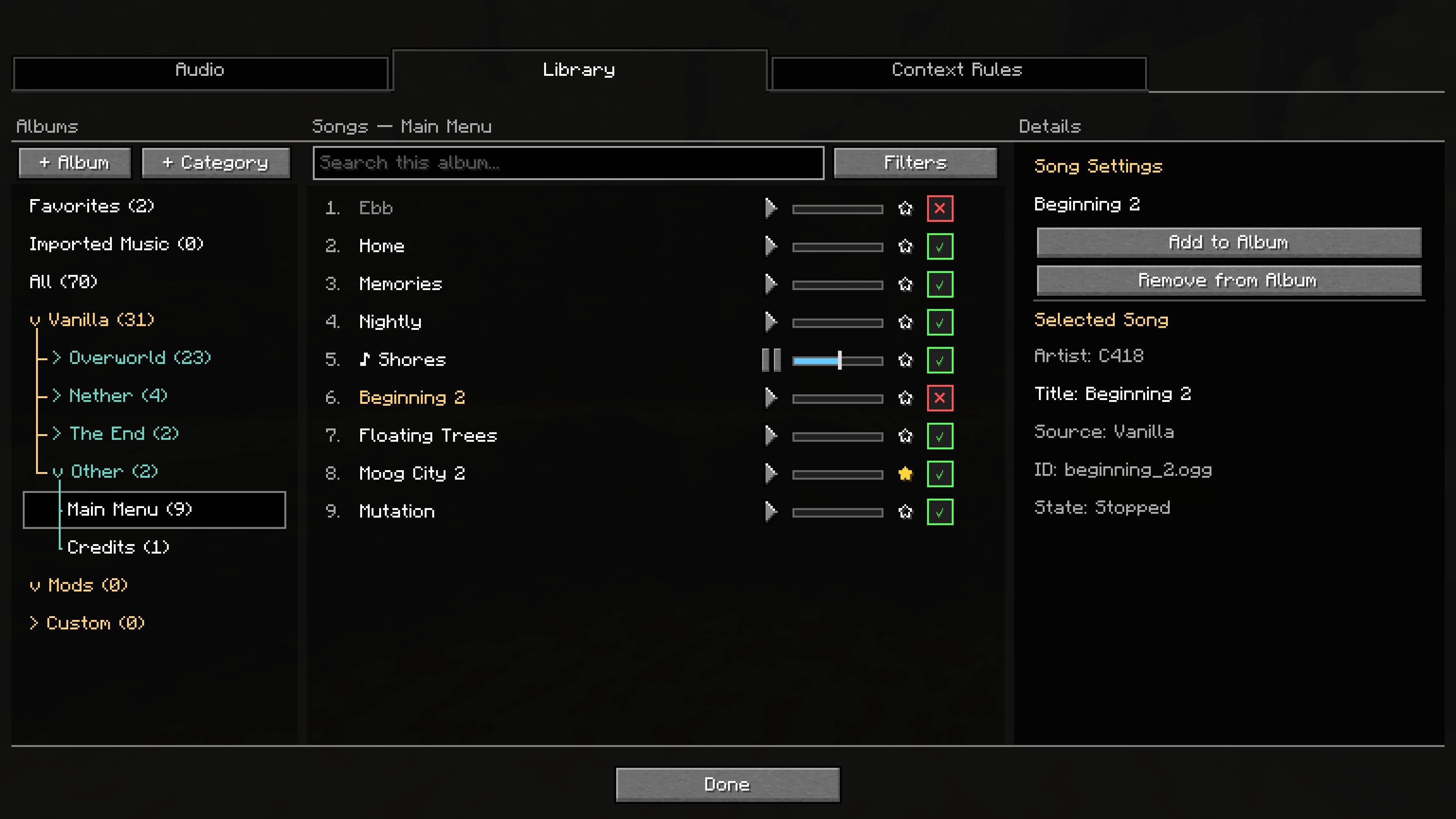
Music Library
- Browse vanilla, modded and imported tracks.
- Create albums and nested custom categories, with drag ordering, search and creator grouping.
- Favorite songs, enable tracks per album and restore edited built-in albums to their defaults.
- Import OGG music through a file picker or drag-and-drop.
- Read embedded titles and artists, edit imported metadata through restorable overrides, and safely delete imported files.
Context Rules
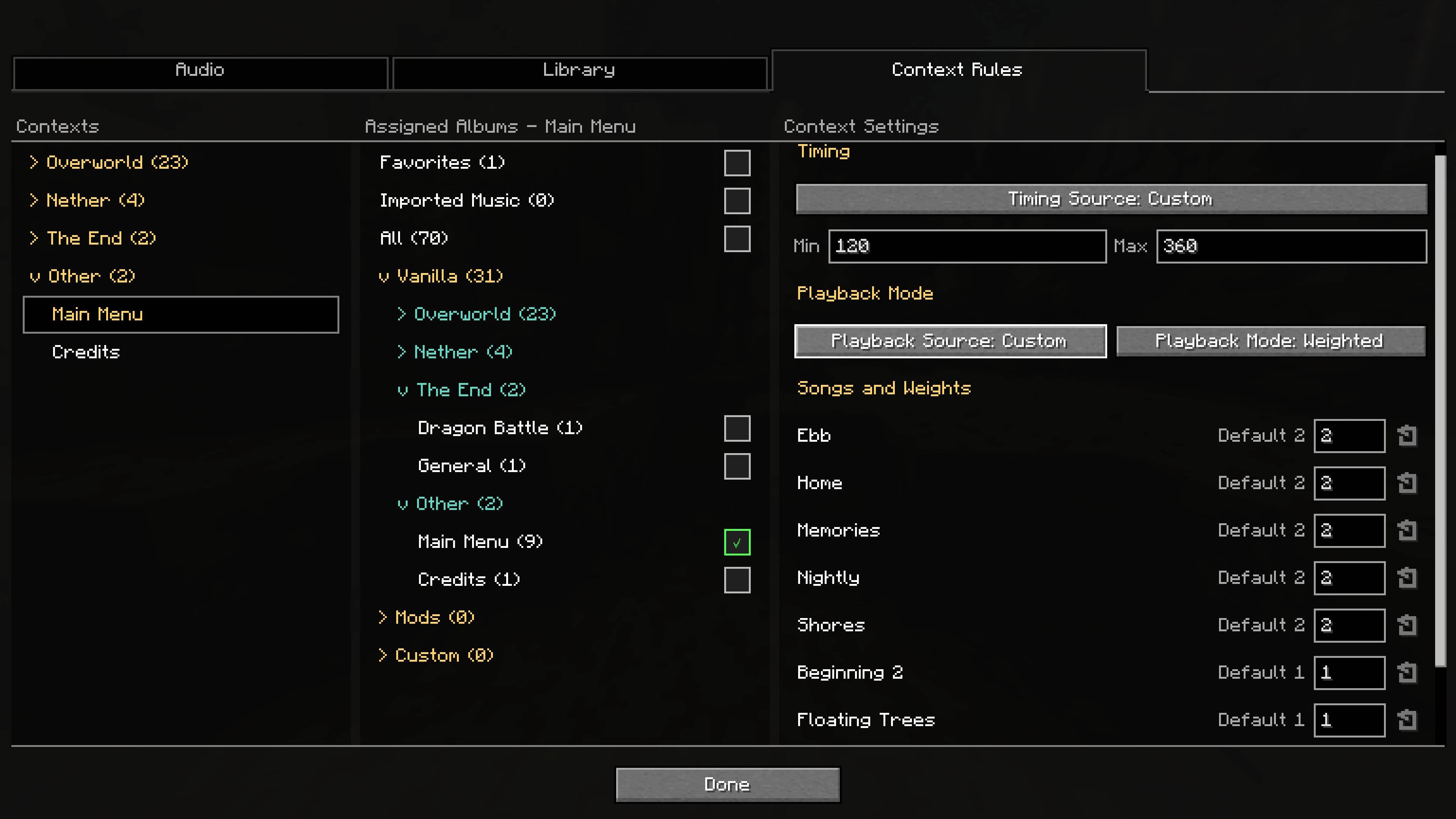
- Control which music can play in individual biomes, dimensions, menus and other discovered music situations.
- Assign one or more albums to each context, combining their enabled songs into a single pool without duplicates.
- Replace Minecraft's original music selection for a context with any combination of vanilla, modded or imported tracks.
- Let a context inherit the global timing and playback settings or give it its own delay, playback mode, song order and weights.
- Restore built-in context albums to their original songs and ordering whenever needed.
Preview and In-Game Controls
- Preview tracks independently of automatic music rotation and Music Toast.
- Pause and seek through previews or live playback.
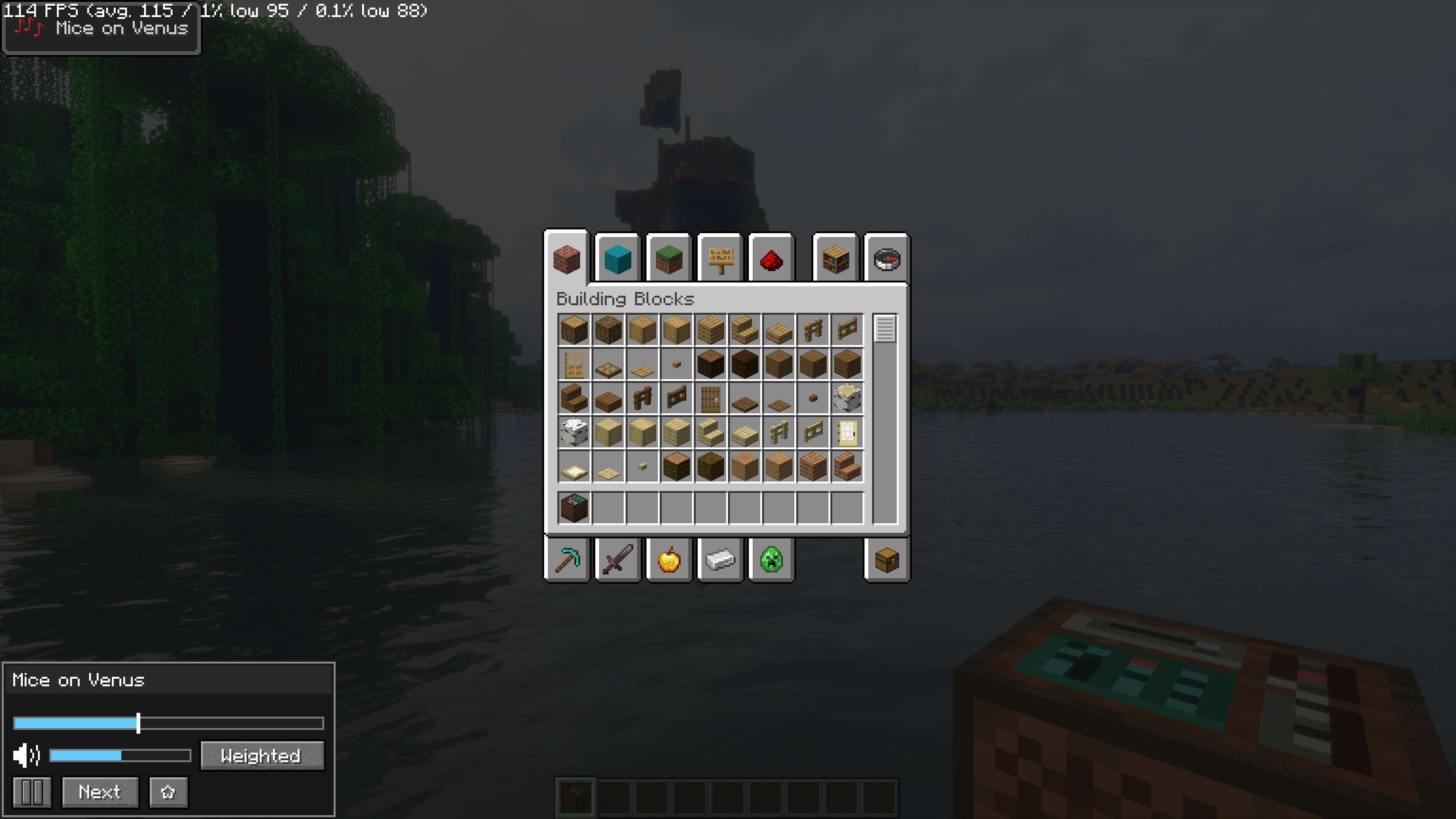
- Use the draggable In-Game Controller for whole-system pause, Next, favorites, volume, playback mode and wait countdowns.
- Open its dedicated playlist screen to select a custom album, add or remove songs and change their order.
- See an Interrupted by Jukebox status, with controller interactions disabled while the jukebox has priority.
Usage
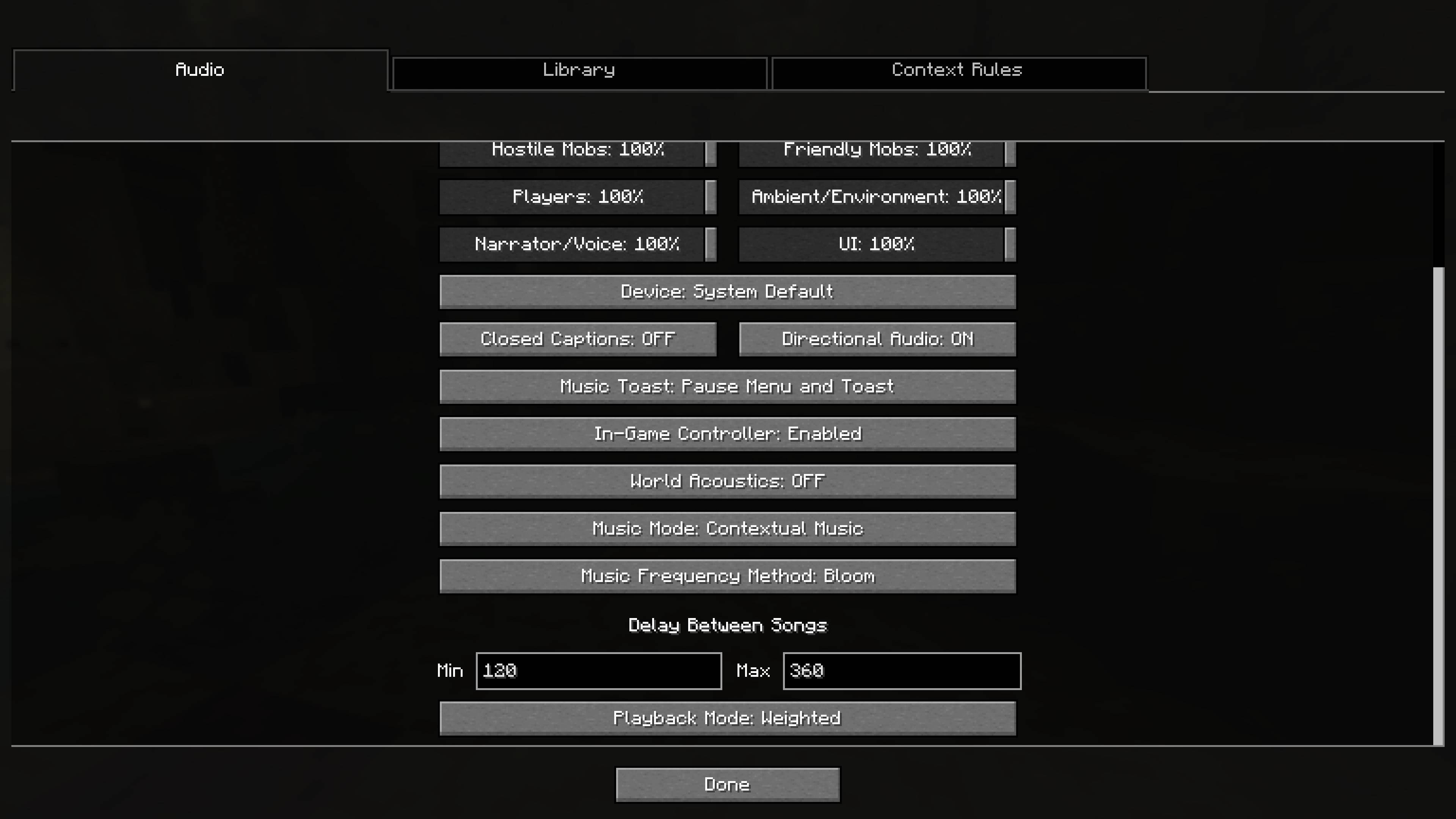
Open Options > Music & Sounds. The interface contains Audio, Library and Context Rules tabs.
Enable the In-Game Controller from the Audio tab to show it in the player inventory. Its size and interaction bounds adapt to small GUI canvases and window resizing.
Imported audio must be in OGG format. Packaged vanilla and mod tracks cannot be deleted; controller-managed imports can be deleted after confirmation.
Compatibility
The mod is client-side; multiplayer servers do not need to install it.
Compatible Bloom features can add their own audio settings to the Audio tab. Ordinary library previews remain separate from the actual background-music system controlled by the In-Game Controller.
Bloom Audio - Music Systems Overhaul Team