Bloom Audio - Jukebox+
- By
Transforms vanilla jukeboxes into persistent multi-disc music players with playlists, playback controls, repeat modes, per-jukebox volume and automation support.
Bloomstone Studio
Create your game server with 


Overview
Bloom Audio - Jukebox+ turns vanilla jukeboxes into persistent multi-disc music machines, with physical records, an analog-style interface and one local playlist per jukebox.
Features
Disc Library
- Store multiple physical discs without an arbitrary capacity ceiling.
- Select, drag to reorder and eject individual discs.
- Save the library, playback controls and per-jukebox volume with the world.
- Recover every stored disc when the jukebox is broken.
Playback Controls
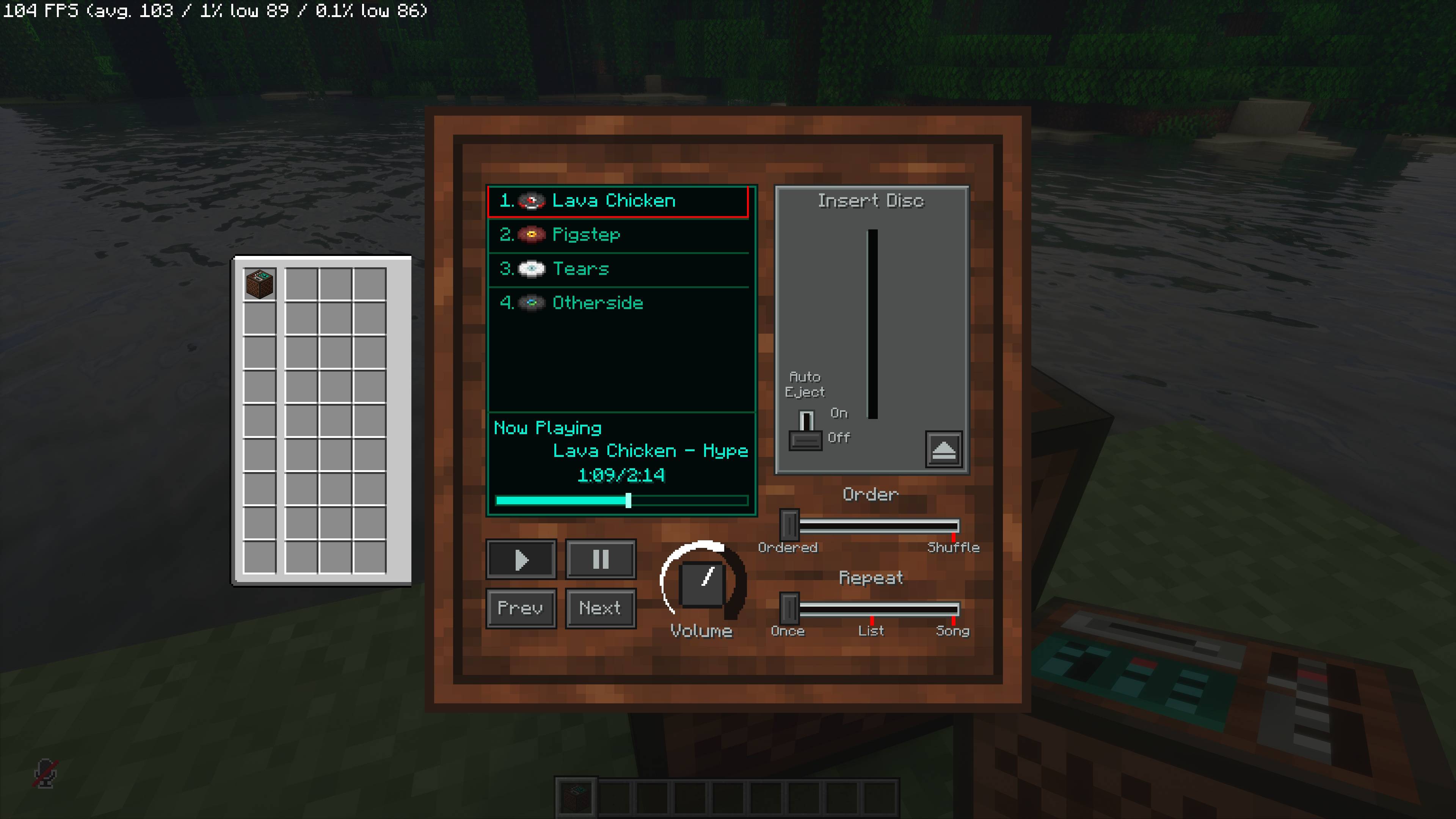
- Use separate Play and Pause buttons, plus Previous and Next.
- Choose Ordered or Shuffle playback.
- Play the playlist once, repeat the playlist or repeat one song.
- Seek through a song and view its title, artist, elapsed time and duration.
- Adjust one jukebox's volume without changing global Records volume.
- Follow actual playback history with Previous, including in Shuffle mode.
Automation and Redstone
- Let hoppers and droppers append discs while the jukebox is idle or playing.
- Arm Play in advance if inserted discs should start automatically; insertion does not press Play itself.
- Use Auto-Eject to send a naturally completed disc into an accepting hopper below, or eject it into the world.
- Read the active disc's vanilla signal strength with a comparator.
- Keep automated extraction blocked so hoppers cannot independently remove discs.
Interface and Playback Recovery
- Use a square machine interface with a connected library and Now Playing display.
- Fit the machine and detached inventory to smaller GUI canvases, including Auto scale, with aligned controls and slots.
- Restore missing audio at the current song position after returning to a jukebox's chunk, without reopening its interface.
Usage
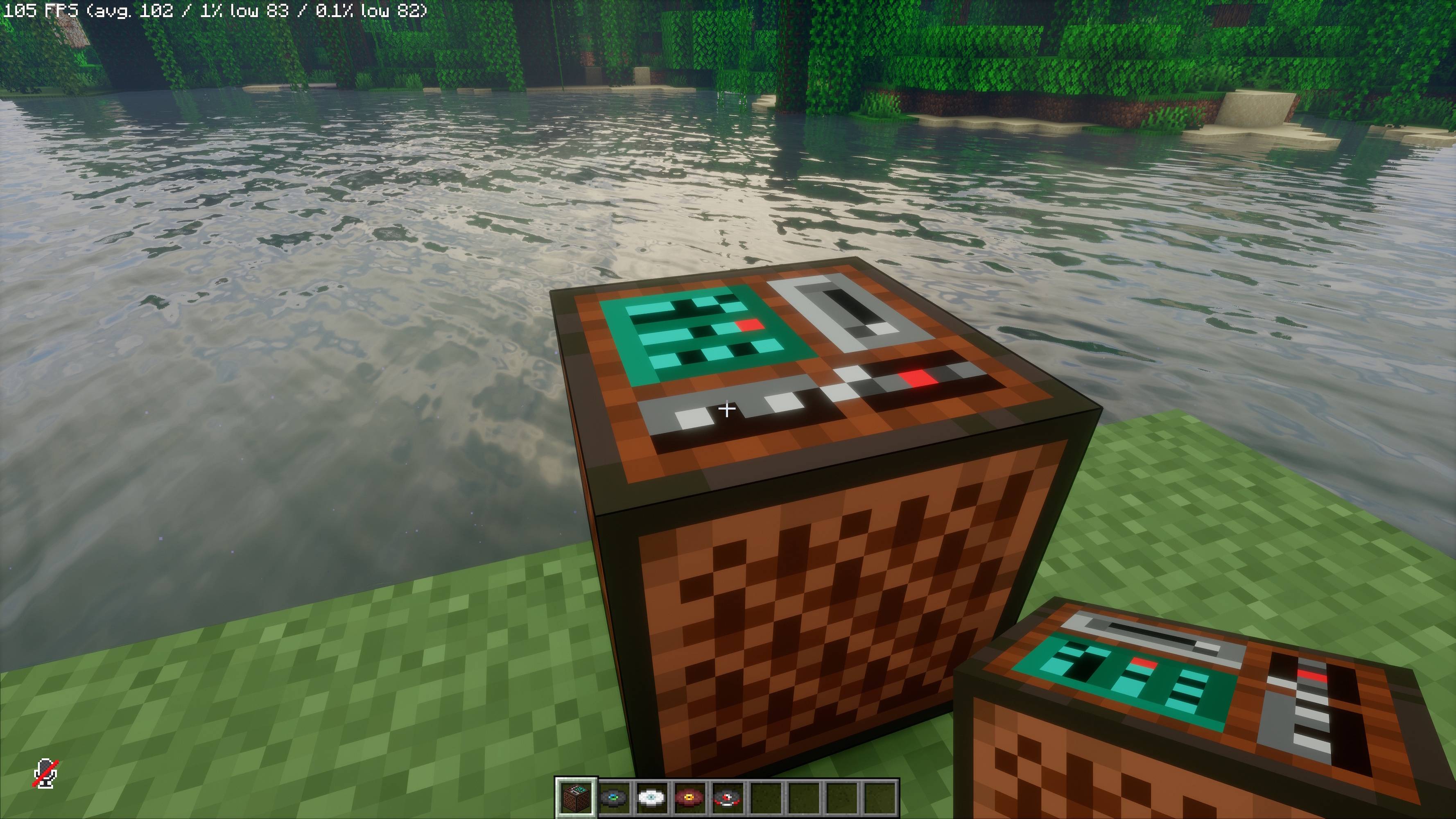
Interact with any face of a jukebox to open its controls, then place a disc into the insertion slot.
Play starts the selected song. Pause releases Play and holds the song position. Releasing Pause alone does not start playback; press Play to start or resume.
The Play state persists with the jukebox, including when its library is empty.
Compatibility
The mod runs on both client and server. Multiplayer use needs it on the server and connecting players' clients.
Playback stays positional at the jukebox. Inventory and playback settings are controlled by the server and synchronized with listeners.
Bloom Audio - Jukebox+ Team