looking at a wall
Description
Instead if holding two keys and scrolling through options, use radial menu (and keybinds) to quickly switch shape.
At a glance
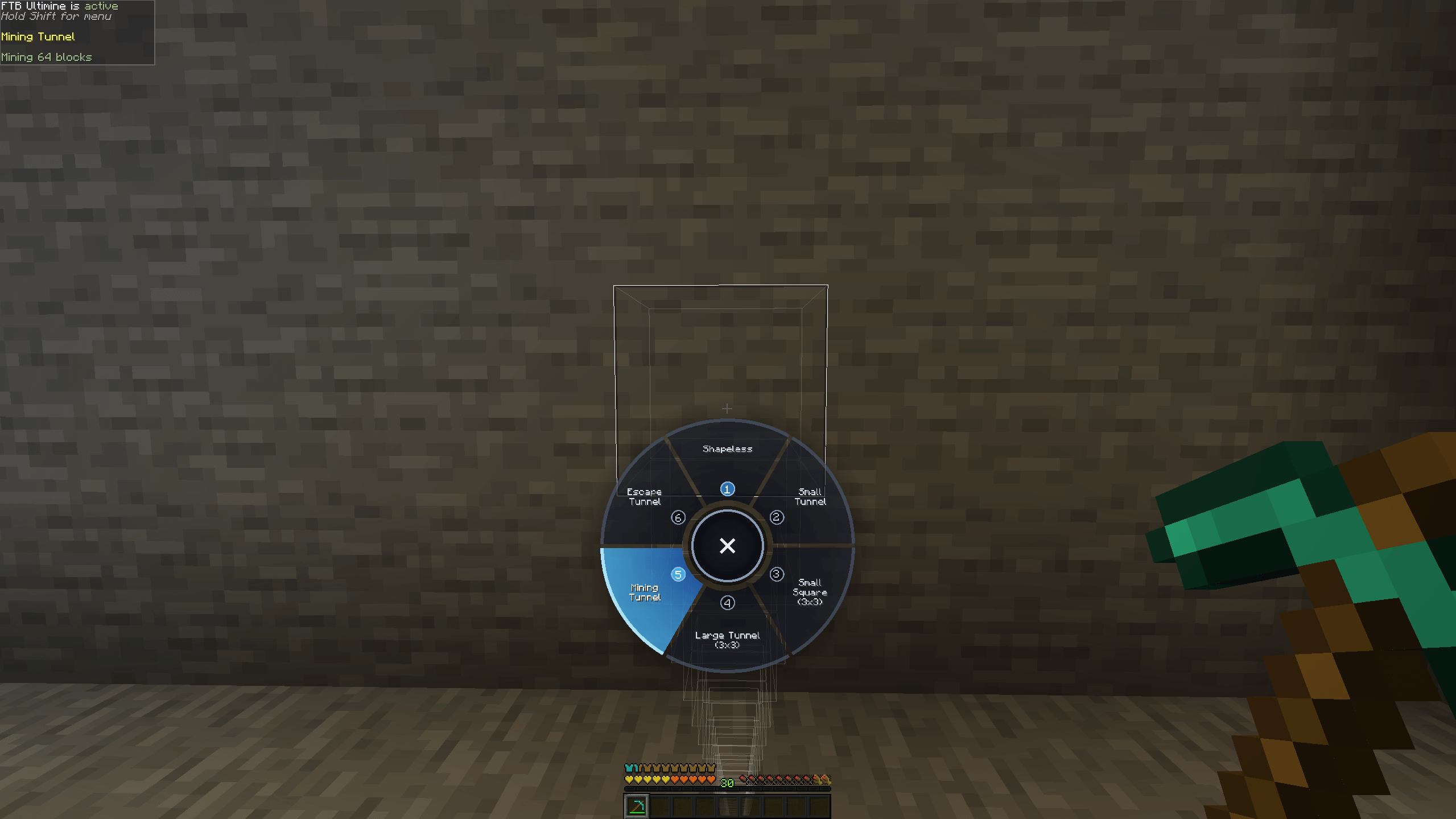
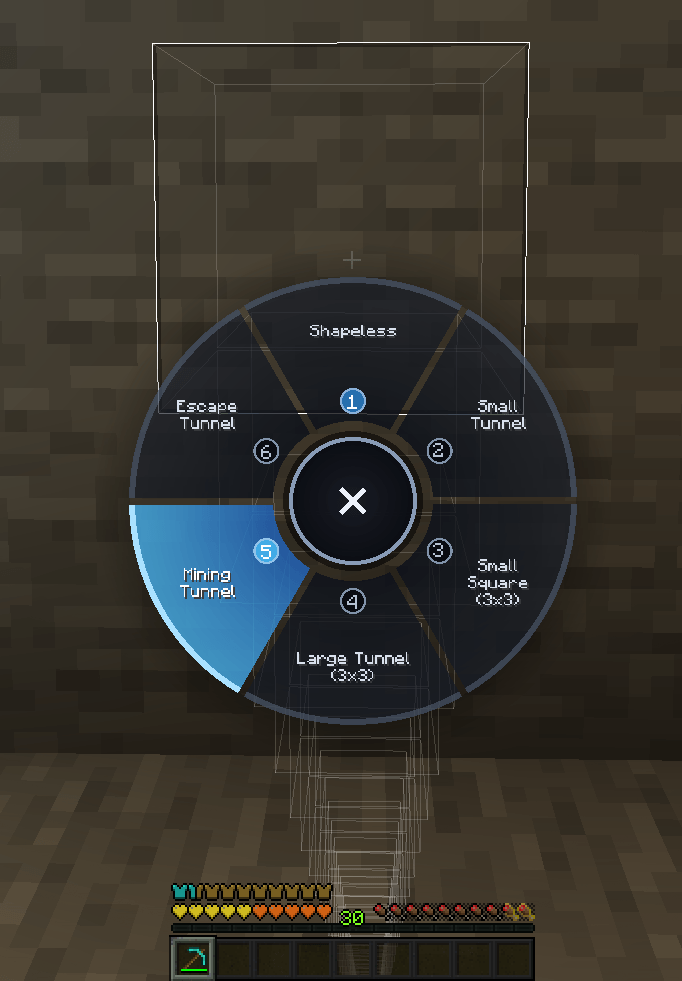
- Tap the Ultimine key and a radial menu of every shape pops up.
- Click a shape, or press its number key, to switch.
- Close it any way you like and nothing changes.
- Picks up shapes added by other mods, too.
- Client-side only. NeoForge 1.21.1.
Why I made this
I wanted to see all the options at once, jump more quickly to a specific one, and use keybindings that could become muscle memory, to quickly swap between shapes.
Setup
- Install FTB Ultimine (and its libraries).
- Drop this mod in your
modsfolder. - In game, tap your Ultimine key. Don't hold it.
How it works
- A tap is a quick press and release (under 250 ms by default) where you didn't mine anything. Hold the key as usual and Ultimine behaves exactly like before.
- The radial lists every shape in the same order the scroll wheel cycles. Your current shape is tinted blue, and each segment carries a number.
- Click a segment, or press 1 to 9, to switch. Shapes past the ninth are click-only.
- Esc, right-click or the center X closes the menu and leaves your shape alone.
- The menu is drawn in code, so there are no textures to clash with your resource pack.
Switching uses the same message as shift+scroll, so it works on servers just like the real thing.
You can change the tap length in the client config (tapThresholdMs).
Requirements
- FTB Ultimine 2101.1.15 or newer: required, this is an add-on.
- NeoForge 21.1 or newer, for Minecraft 1.21.1.
- I play with this mod added to ATM10-Aeronautics modpack.
Modpacks
Feel free to use my mods in your modpack, just don't forget to give proper credit.
Other Mods by me
I run these mods together:
- Applied Glyphs - AE2 Glyphs for Ars Nouveau
- Create: Take a seat, Piglin! - Automated Bartering - Addon for Create
- Create Safe Seating — addon for Create
- Empty Hand Keybind - Hold Onto THIS
- PAPA: Portable Aeronautics Physics Assembler — addon for Create Aeronautics
FTB Ultimine Shape Selector Team