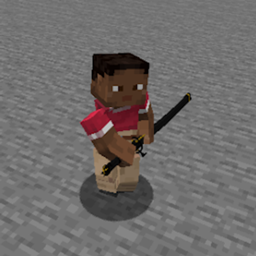
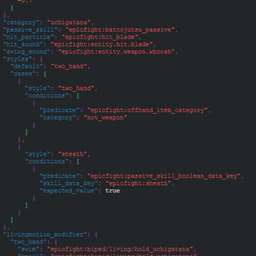
Epic Fight - Give Me more Animations
- By
Extends innate abilities and category, using animations from the "Epic Fight - Animations by asanginxst" resource pack, making it compatible for 1.20.1.
This little mod allows you to use the "Epicfight - Animations" by Asanginxst as Moveset and Category
Important:
- "Legacy" is now for Epic Fight 20.9.7↓ and those without that prefix are for Epic Fight 20.10.2↑
- the file name is "gma_more_animations" it is for Epic Fight 20.12.4↑
- If it ends in "universal" it is compatible with EF9, 10, 11, 12 y 12.5
Usage (Information valid only for Lazy Utilities 2.5 or higher):
You need to create the folder in your .minecraft "lazy_utilities/epicfight" or let this mod create it. (.minecraft/lazy_utilities/epicfight)
Add the "Epic Fight Animations" resource pack by Asanginxst there.
If you decided to add the file after the folder was created automatically, you will have to restart the game, so it is better to create the folder and add the file there.
After all that, this will allow THIS MOD (Lazy Utilities) to use it as a portable library. If you DON'T, this mod (GMA: More Animations) will not work correctly although you can still use it.
After this, a screen similar to the previous versions will appear, only now there are only 2, when everything is fine or when the file is missing.
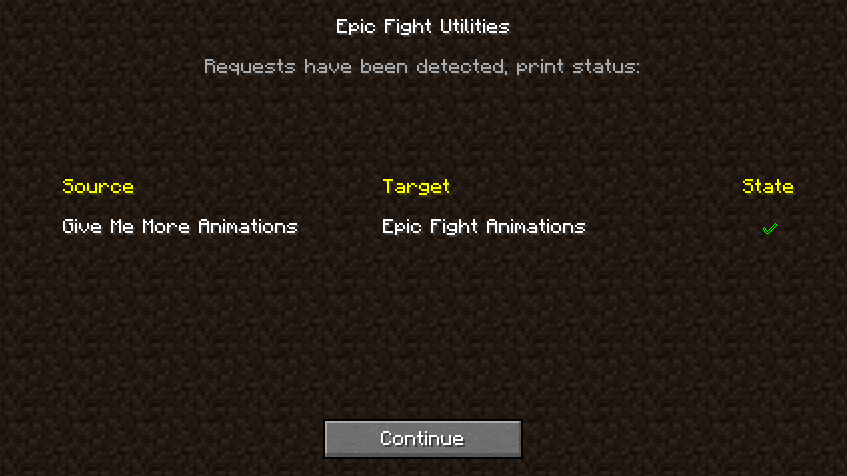
When everything is going well: This means that everything SHOULD work fine!
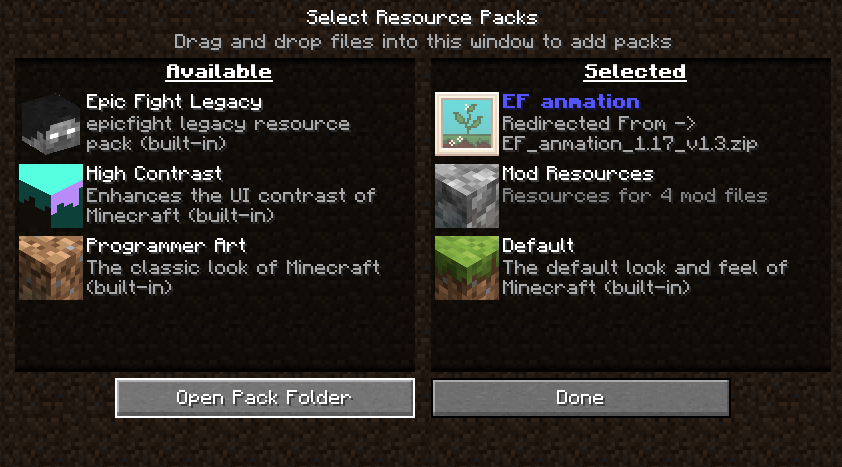
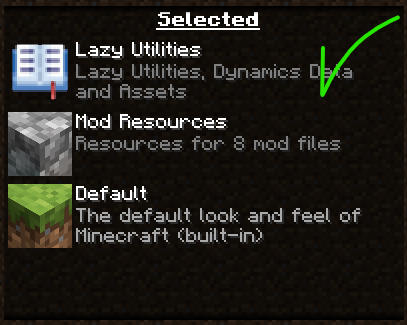
After this, it's always good to confirm that everything is okay. Look at your resources and you should see something like this:
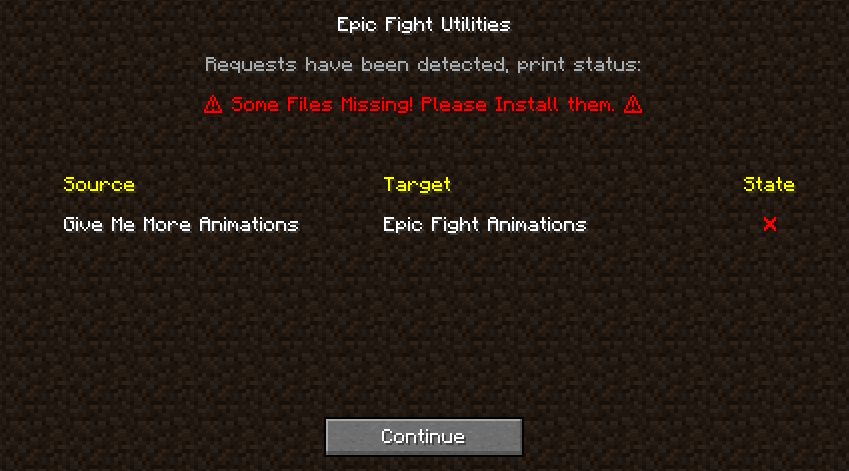
When you are missing a file: This screen will appear if you haven't installed the corresponding file.
Or if you've changed the file extension, modified internal files, and, if it's a .jar file, deleted the mods.toml file.
This indicates that the file to be manipulated doesn't exist or wasn't recognized, and therefore the mod won't be able to perform its functions or run animations.
remember the portable dependency goes in ".minecraft/lazy_utilities/epicfight" folder
Usage (Information valid only for Lazy Utilities 2.1.6 or higher and less than or equal to 2.4):
As these functions are legacy, expand here to see more.
Once this mod and its "Lazy Utilities" dependency are installed, a folder will be created in your "mods" folder.
"Lazy Utilities/epicfight"
Add the "Epic Fight Animations" resource pack by Asanginxst there.
This will allow THIS MOD (Lazy Utilities) to use it as a portable library. If you DON'T, this mod (Give Me More Animations) will not work correctly although you can still use it.
You can add the file to the (mods\Lazy Utilities\epicfight) folder even within the game; just remember to run the corresponding command to restart the mod, but be aware that this can be performance-intensive and ineffective in some cases.
Once you start the game: If this is your first time loading the mod or the mod's configuration has changed because you've added or removed files, you'll see this tab. Let me explain what each one does...
When everything is going well: This means that everything SHOULD work fine, if it fails the problem is beyond my control, but there are solutions, just look below...
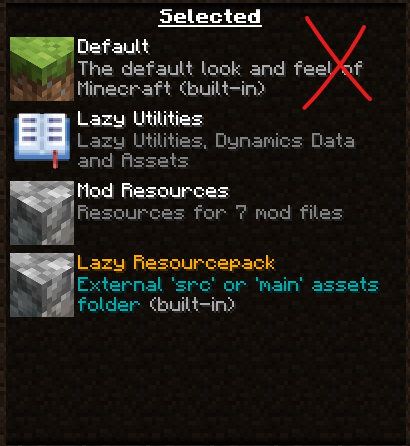
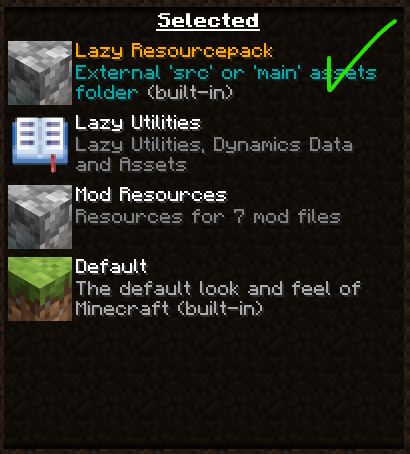
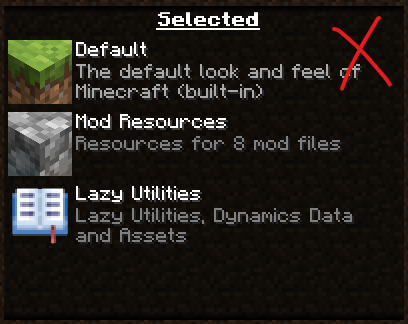
Since "everything is fine," it's a good idea to confirm the loading order of the resource packs, as if they are incorrect, this mod won't work properly.
Since there are two ways to operate, here is an example of what the order should be.
| Incorrect | Correct |
|---|---|
 |
 |
| Incorrect | Correct |
 |
 |
And the mod should look like this, in the mods tab...
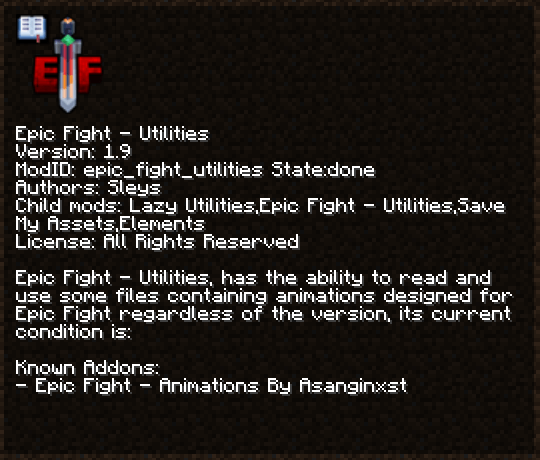
When you are missing a file: This screen will appear if you haven't installed the corresponding file.
Or if you've changed the file extension, modified internal files, and, if it's a .jar file, deleted the mods.toml file.
This indicates that the file to be manipulated doesn't exist or wasn't recognized, and therefore the mod won't be able to perform its functions or run animations.
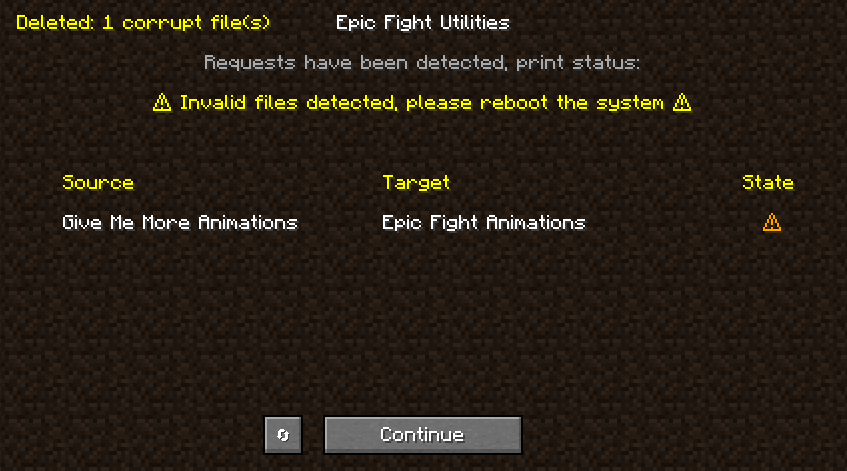
When it fails, but can be fixed: This screen appears if a file is invalid due to being written incorrectly. Typically, when a write fails, the file is emptied and deleted. If you click the button on the left, it will allow you to restart the builder. This allows you to rewrite the files, including the empty file and ignoring previously written files, making the restart process take less time than the initial load.
This error usually occurs if something is compromising your disk's write speed.
When the mod fails, serious: This means that during the execution process of the mod the system failed, this is usually accompanied by an Exception, therefore the continue button will not appear to you because the game has crashed during loading, in this case I am simply testing that is why the button appears.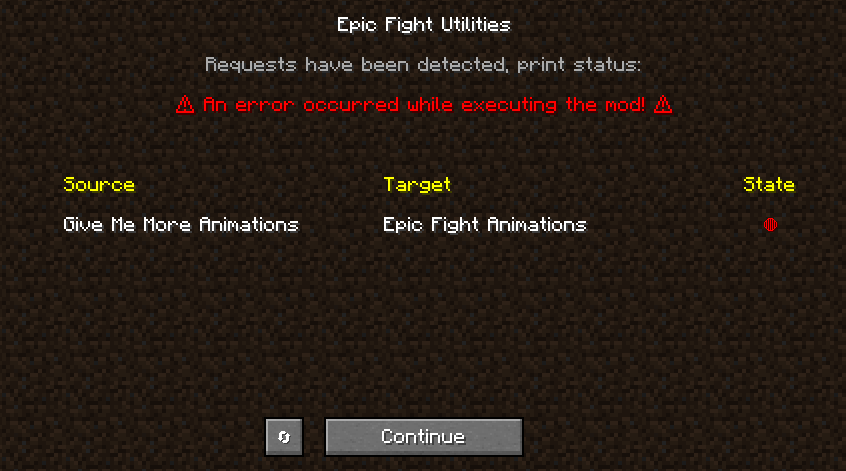
Additional concepts: If you choose to add the file before opening the game, nothing happens. You can run the following command:
"/lazy-utilities epicfight-utilities addons-client build"
If you want, you can run this command, which is more precise: "/lazy-utilities epicfight-utilities addons-client rebuild"
This will relaunch the mod once the process completes and the resources haven't been reloaded. Do this yourself using F3+T.
This mod also adds a command to replace its animations and mechanics with those from Epic Fight. Use this command "/lazy-utilities gamerules epicfight-utilities replaceEpicFightAnimations" to exit and enter the world. Keep in mind that this only lasts for the duration of your game session.
To configure it permanently, go to:
config -> lazy_utilities-common.toml -> replaceMoveset = true
Use and testing:
Additions:
This mod adds the following categories, moveset y innate skills
- Ef Sword:
- The sword consists of several sets of attacks, one if it is one-handed, one if it is two-handed and another if a shield is being carried, the innate ability for one hand is “Fast Blade” and for two it is “Twins Blade”.
- Ef Greatsword:
- The broadsword consists of a new set and the innate ability "Giant Whirlwind" which is very similar to the one already added by Epic Fight, only this one has more range.
- Ef Spear:
- The spear has 2 combat modes, one-handed and two-handed, the innate ability for one hand is "Thrust" and for two hands it is "Slash", in one you attack with your spear repeatedly 3 times, the other inflicts a double cut.
- Ef Dagger:
- The dagger consists of 3 sets of attacks, one with a shield, one-handed and two-handed, the innate one-handed ability is "Stab" which allows you to stab enemies and deal damage based on their missing life, the other is "Assault" which allows you to launch yourself at an enemy several times and if it is bipedal, execute it on the third launch.
- Ef Tachi:
- The tachi is the same as the one added by Epic Fight, the only difference is its innate ability which is "Lethal Slicing".
- Ef Katana:
- The katana has its own set of attacks, and its innate ability is "Fatal Draw" which, if it is static, executes a cut in front of the player; if it is running, it generates a cut + dash to the enemies it passes through.
- Ef Longsword:
- It only has its modified attack set, its innate ability is the same.
- Ef Axe:
- His innate ability is "Executor" which executes enemies with low health.
Config File:
If you want to replace the animations, you can go to "config\lazy_utilities\epicfight\GMA_more_animations.toml"
Fixed: replaceEpicFight to true.
This sometimes breaks if another mod loads after this one and decides to replace it in some way.
The Epic Fight - Give Me more Animations Team


Owner