ElytraHUD+
- By
Minimalist elytra HUD — durability, rockets, and flight speed at a glance. Fully customizable with a live preview.
Description


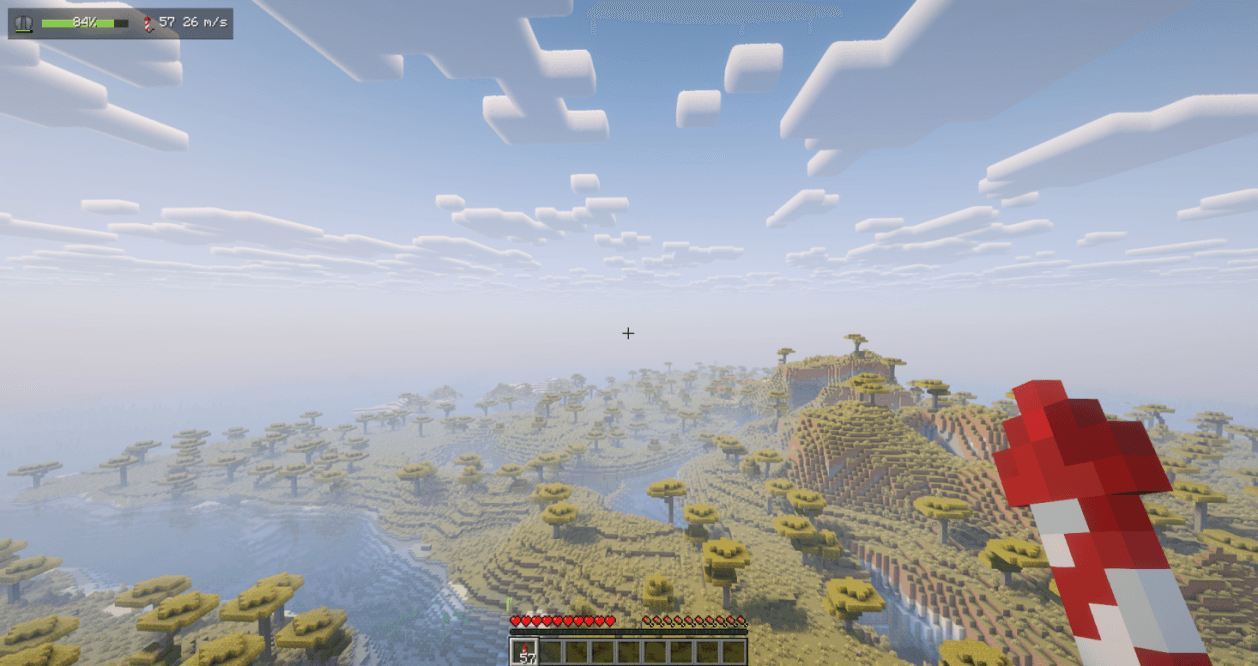
A clean, minimalist HUD that keeps the one thing that matters while flying — how much elytra you have left — right where you can see it, without cluttering your screen. At a glance it shows your elytra durability, how many firework rockets you are carrying, and your current flight speed, all in a single compact row.
Client-side only (no server installation required). Fully compatible with singleplayer and multiplayer. Dependencies: Fabric & NeoForge require Architectury API (and Fabric API on Fabric). Forge still needs only Forge.
Free to use in any modpack — public or private, no permission needed.
What it does
- Durability Bar — a live bar that smoothly shifts green → amber → red as your elytra wears down, with the remaining percentage or the exact value.
- Low-Durability Warning — a pulsing warning so you know when to land or swap wings (configurable threshold).
- Rocket Count — firework rockets in your inventory and offhand.
- Flight Speed — your current flight speed.
- Item Icons — real elytra and rocket item icons, drawn straight from the game.
- Accessory Slots — optional support for Trinkets, Accessories, Curios, and Trinkets Updated.
- Elytra Slot — optional support via Trinkets/Curios.
- Modded Gliders — optional support for chest-slot gliders (netherite, wooden, etc.).
Configuration
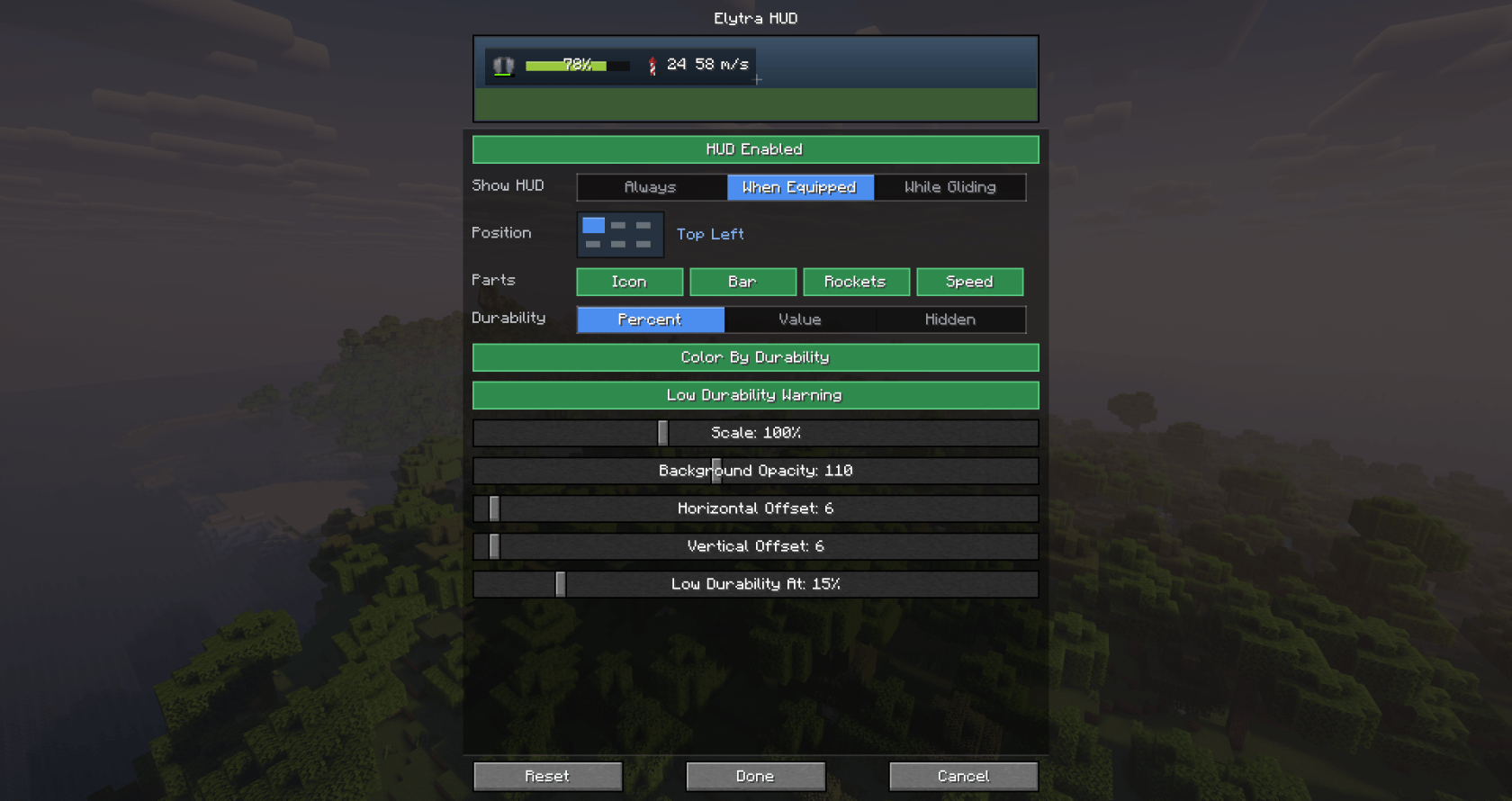
All HUD elements are fully customizable with a live in-settings preview — what you configure is exactly what you get in game. Choose when it appears (Always, only When Equipped, or only While Gliding), place it in any of six screen positions from a visual grid, with free offsets and 50–200% scaling, toggle each element (icon, bar, rockets, speed), switch durability text between percent, value, or hidden, and tune background opacity, color-by-durability, and the low-durability warning.
Open the settings screen with the /elytrahud command (alias /ehud) or a customizable hotkey. On NeoForge you can also open it from the in-game mod list.
Details
- Client-side only.
- All settings are stored locally in your client config folder (
config/elytrahud.json). - Available for Fabric, NeoForge, and Forge across a wide range of Minecraft versions.
- Fully translated into 10 languages: English, Russian, Simplified Chinese, Spanish, French, German, Japanese, Brazilian Portuguese, Korean, and Italian.
- No 1.1.0 builds for Minecraft 26.1 / 26.1.2 — stay on 1.0.0 for those.
Feedback
Please report any bugs, errors, or feature suggestions on Discord: https://discord.gg/HTkn94BXmA
More mods by Nikrecs: Auto Swap · PerformanceHUD
The ElytraHUD+ Team

Owner