DLSS STYLE
- By
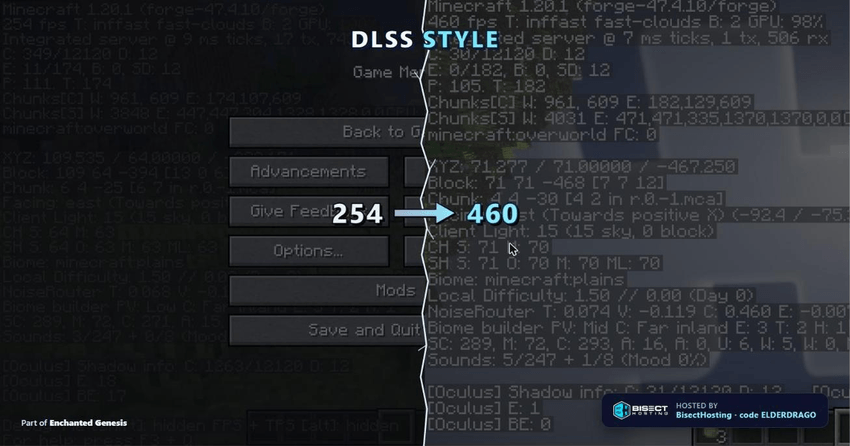
This is just my take on making Ground up DLSS to minecraft this is NOT DLSS port but works like it.
dlss_style_banner.png
Description
DLSS Style
Custom temporal upscaling and anti-aliasing, reverse-engineered from the ground up.
Not a wrapper. Not a fake blur-and-call-it-upscaling gimmick. The real technique — minus the neural network NVIDIA won't let anyone else near.
For the Enchanted Genesis modpack, now standing on its own. Actively being ported to more Minecraft versions — 1.20.1 is just the start. Will be making more Ver
This mod is upscaling only. Other performance systems (frame pacing, culling, etc.) ship as separate, standalone mods — check my other listings.
Presets
Ships in DLAA by default — native resolution, zero pixels traded away, just a cleaner image from the temporal pass. When you want the fps, switch presets:
- DLAA — native resolution, no upscaling at all. Pure temporal anti-aliasing, no quality lost. The default.
- Quality — renders at 67% per axis. Best-looking upscaled mode, smallest fps gain.
- Balanced — renders at 58% per axis. The middle ground.
- Performance — renders at 50% per axis. Bigger fps gain, still clean reconstruction.
- Dynamic — no fixed scale. Automatically adjusts resolution every tick to hold your target fps.
Also even wthout presets this mod will also speed up load up times and makes things run smoother like loading up a world for the first time etc.
Quality / Balanced / Performance sit at the same per-axis ratios NVIDIA uses for its own DLSS tiers.
How it reconstructs: every pixel's history is reprojected from where its surface was on screen last frame, using depth + camera matrices, with sub-pixel jitter each frame so detail actually accumulates instead of resampling the same spot. Static geometry sharpens up cleanly under camera motion; moving objects are neighbourhood-clamped so nothing smears.
This is also more then just DLSS but will also Speed up load time, less lag and more stable frames
Switching Presets
- Video Settings — a "DLSS Style" control cycles through every preset. Applies instantly.
- In-game hotkey — Ctrl+U cycles presets on the fly, with a chat confirmation each time.
Shader Pack Compatibility
Running Iris with a shader pack? DLSS Style detects it automatically and switches to a spatial-only resolve so it doesn't fight the pack's own temporal effects. Remove the shader pack and full temporal reconstruction comes back on its own — no settings to touch either way.
Quality Controls
- Sharpness control — tunable edge-aware sharpening pass on the reconstructed image.
- Automatic quality correction — reduced-scale rendering normally looks soft and dark (the GPU picks a blurrier mip level). Corrected automatically via mip LOD bias math, so scaled output never loses texture clarity.
Requirements
No special GPU required. This doesn't use NVIDIA NGX/RTX hardware features — it's a from-scratch reimplementation that runs on any GPU with shader support.

The DLSS STYLE Team