Banking Villagers
- By
Adds personal bank villagers, with shared storage, purchasable upgrades, and Bank Booth Job Block!

Give your village a banker and yourself more room.
Banking Villagers adds a personal storage system accessed through the new job of a banker for villagers. Right-click any banker to open your bank. Your items are shared between bankers in the same world, but every player has their own separate account. Just like an Ender Chest, but bigger and administered by Villagers!

A bank that grows with you
Start with 162 storage slots, spread across 3 pages. A search bar grays out items that do not match, making things easier to find.
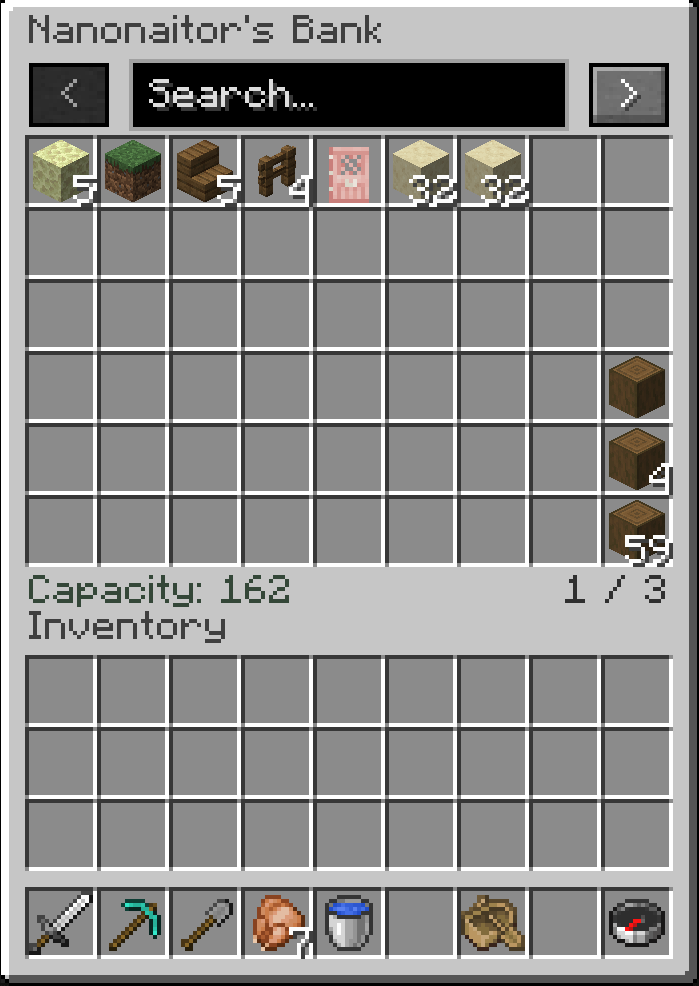
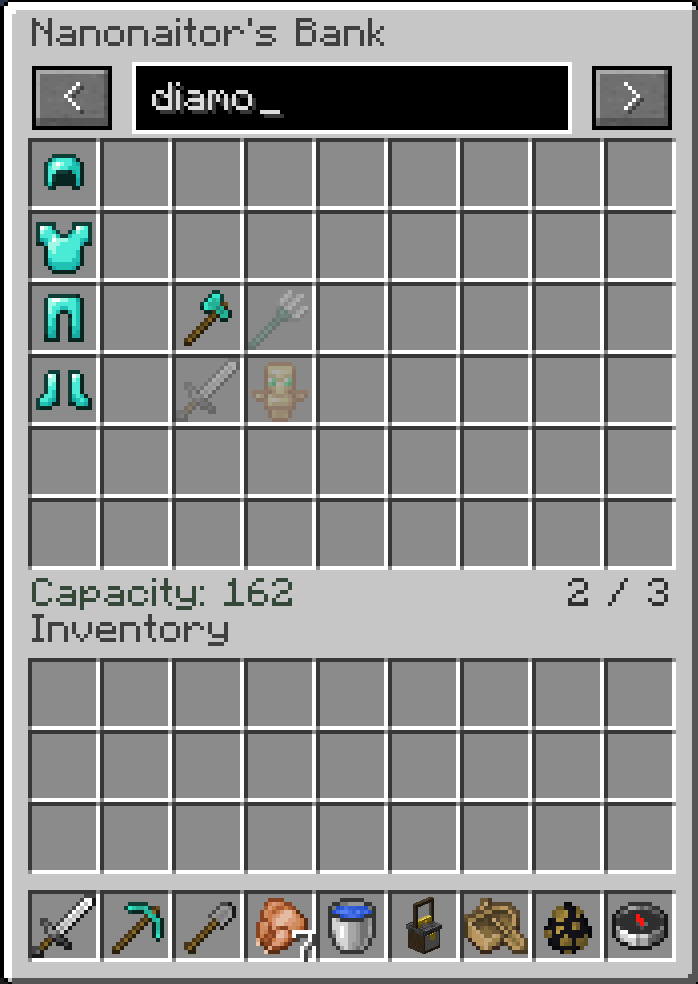
Buy two permanent upgrades at a Bank Booth:
- Bank Space: doubles your bank to 324 slots for 32 emeralds by default.
- Double Stacking: doubles how many matching items fit in each bank slot for 64 emeralds by default. Items return to normal stack sizes when taken out.
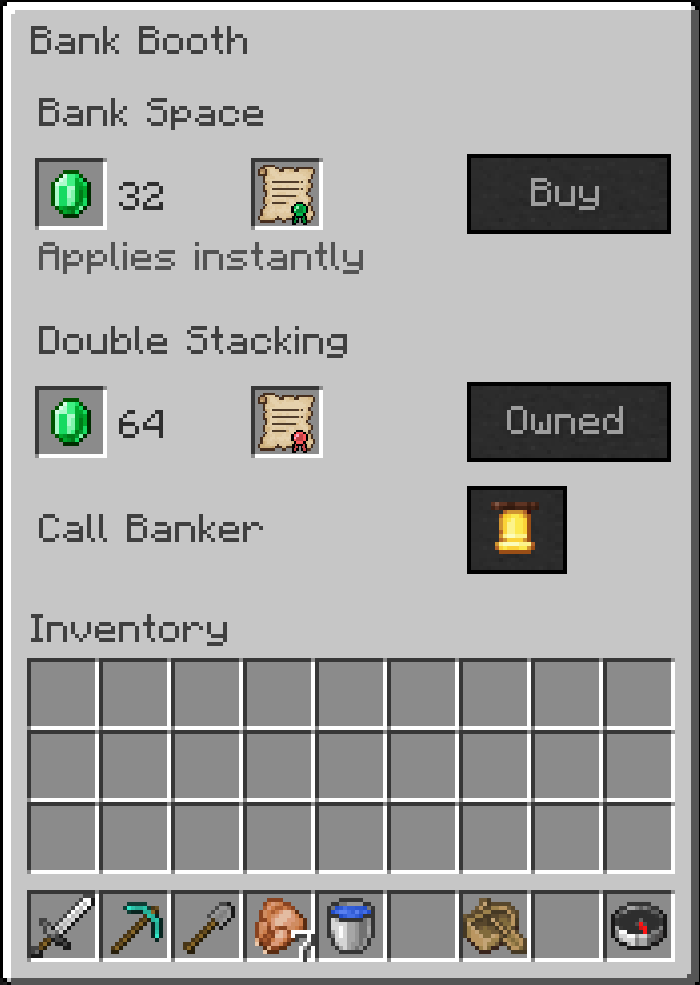
Upgrades apply as soon as you buy them.
Meet your banker

Craft a Bank Booth using planks, a glass pane, a gold ingot, and polished deepslate slabs. An unemployed adult villager can claim it and become a banker. Bank stalls can also appear in newly generated villages.
**Older MC Versions that do not use Job Blocks have Banker Villagers Added to possible job they spawn with. Bank Booth has same main functions.
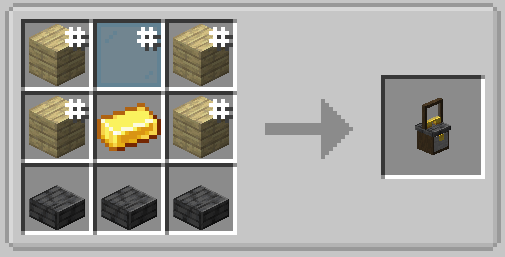
**Older MC Versions use Stone Slabs for crafting instead.
The booth's bell calls its assigned banker to a safe spot beside it. The banker must be in a loaded area, and a short cooldown keeps the bell from being spammed.
Make it fit your world
Change starting storage, upgrade sizes, prices, the payment item, and village generation settings. In singleplayer, open Mods > Banking Villagers > Config while a world is loaded. Server owners can edit the world's configuration file.
Lowering storage capacity does not delete items. Extra occupied slots remain available for withdrawals until emptied.
Versions Available
- Minecraft 1.20.1 & 1.12.2
- Forge 47.4.18 or newer for Minecraft 1.20.1
- Install on both client and server
The Banking Villagers Team