AI Companion Fabric
- By
An autonomous AI companion driven by your own LLM. It navigates, gathers, crafts, builds on request, and fights alongside you. Runs fully local with llama.cpp (nothing leaves your network) or any hosted OpenAI-compatible API. Singleplayer & LAN.
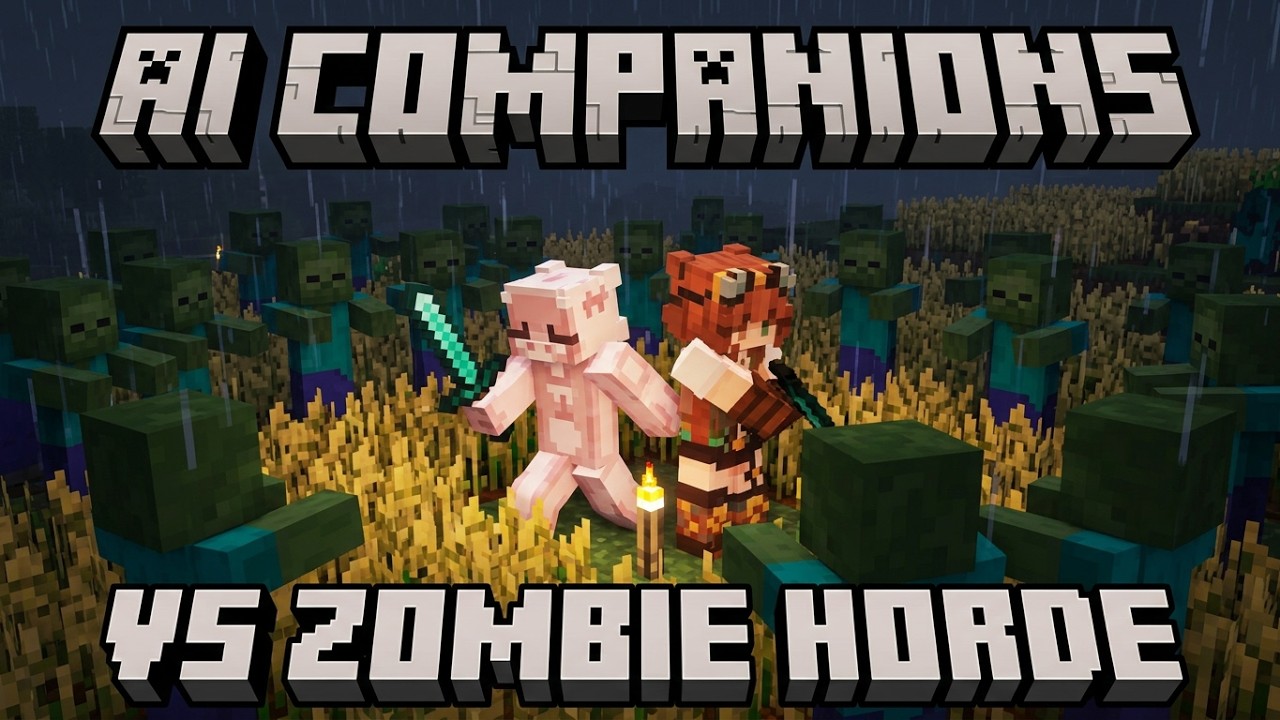
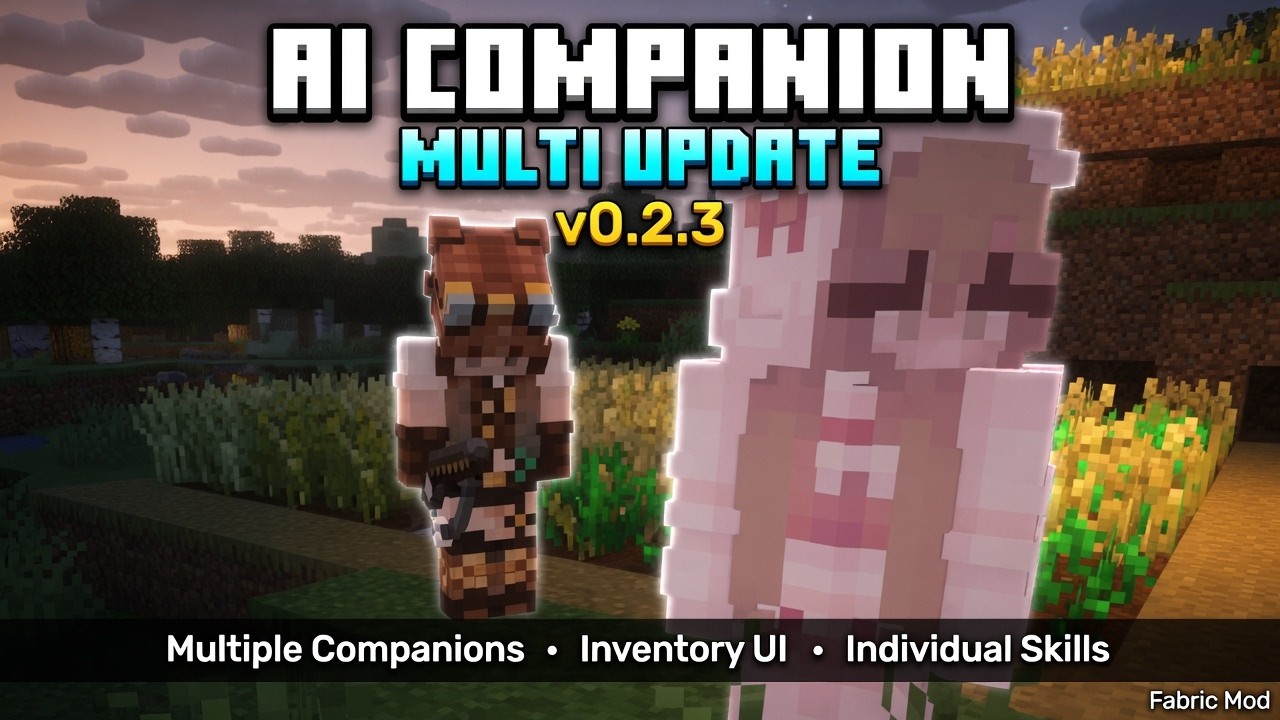
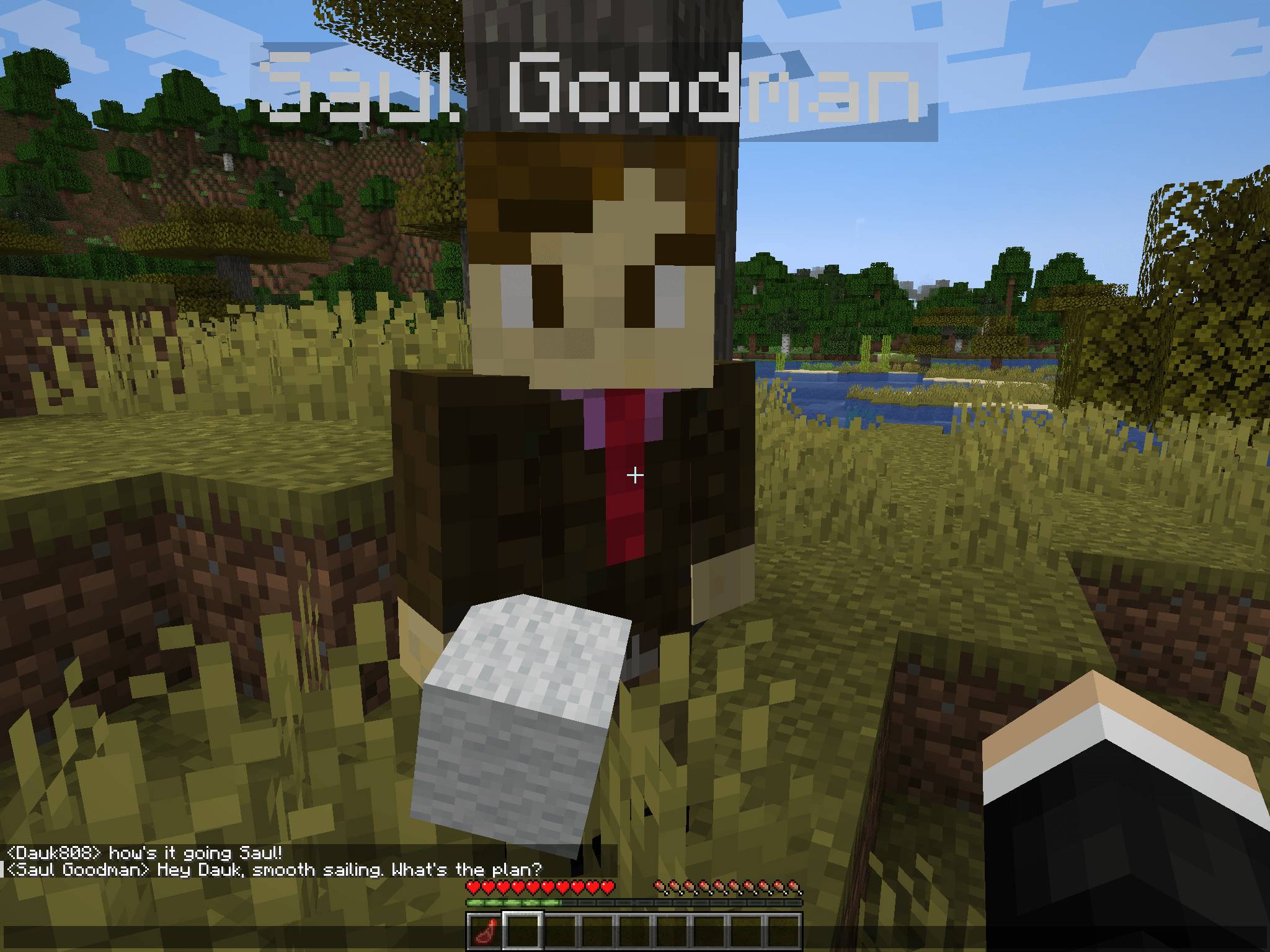
Chitty chitty chat chat — just hanging out talking with the companion.
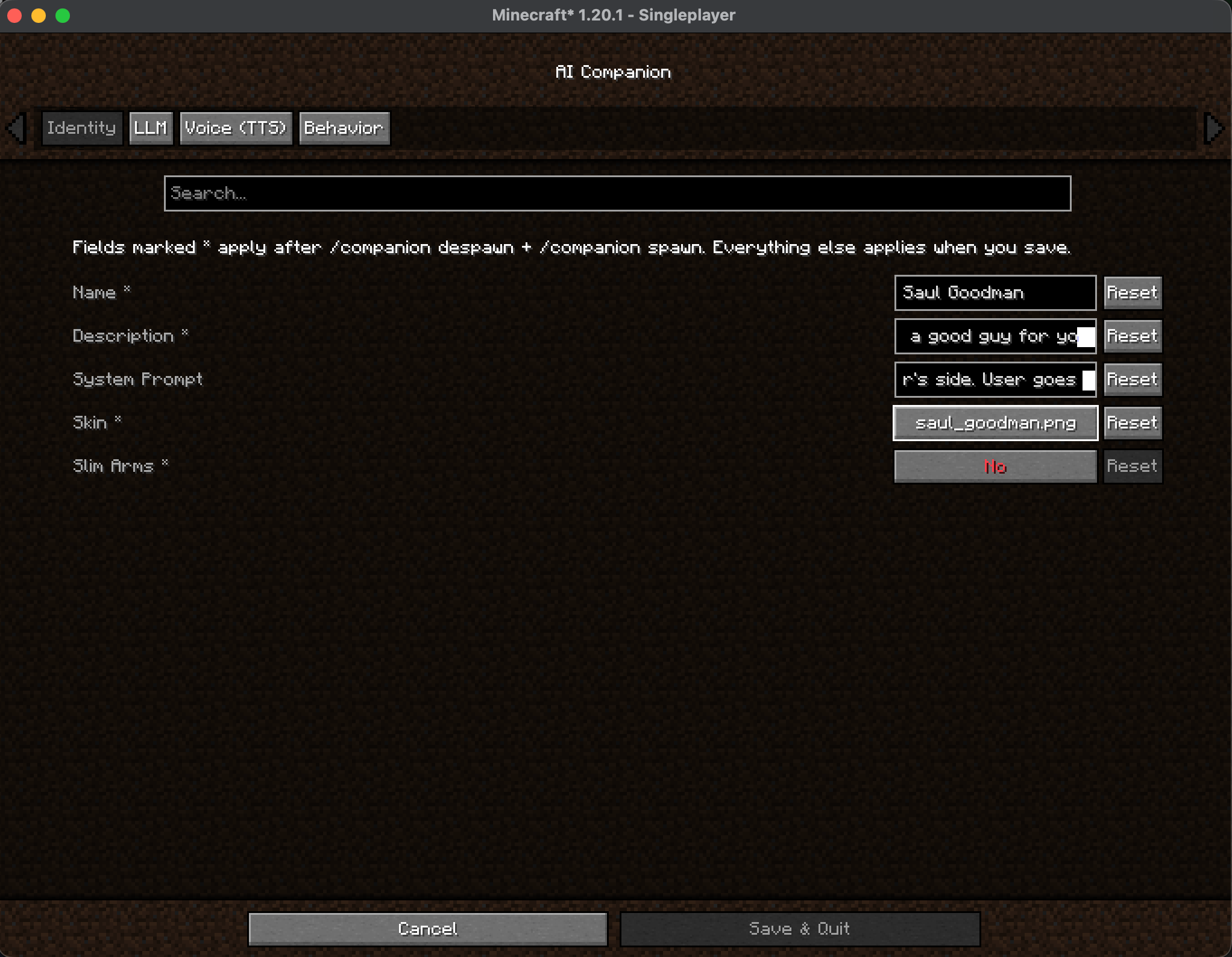
The Identity tab: set your companion's name, description, and system prompt to shape its personality, then pick a skin file and toggle slim arms to control its look.
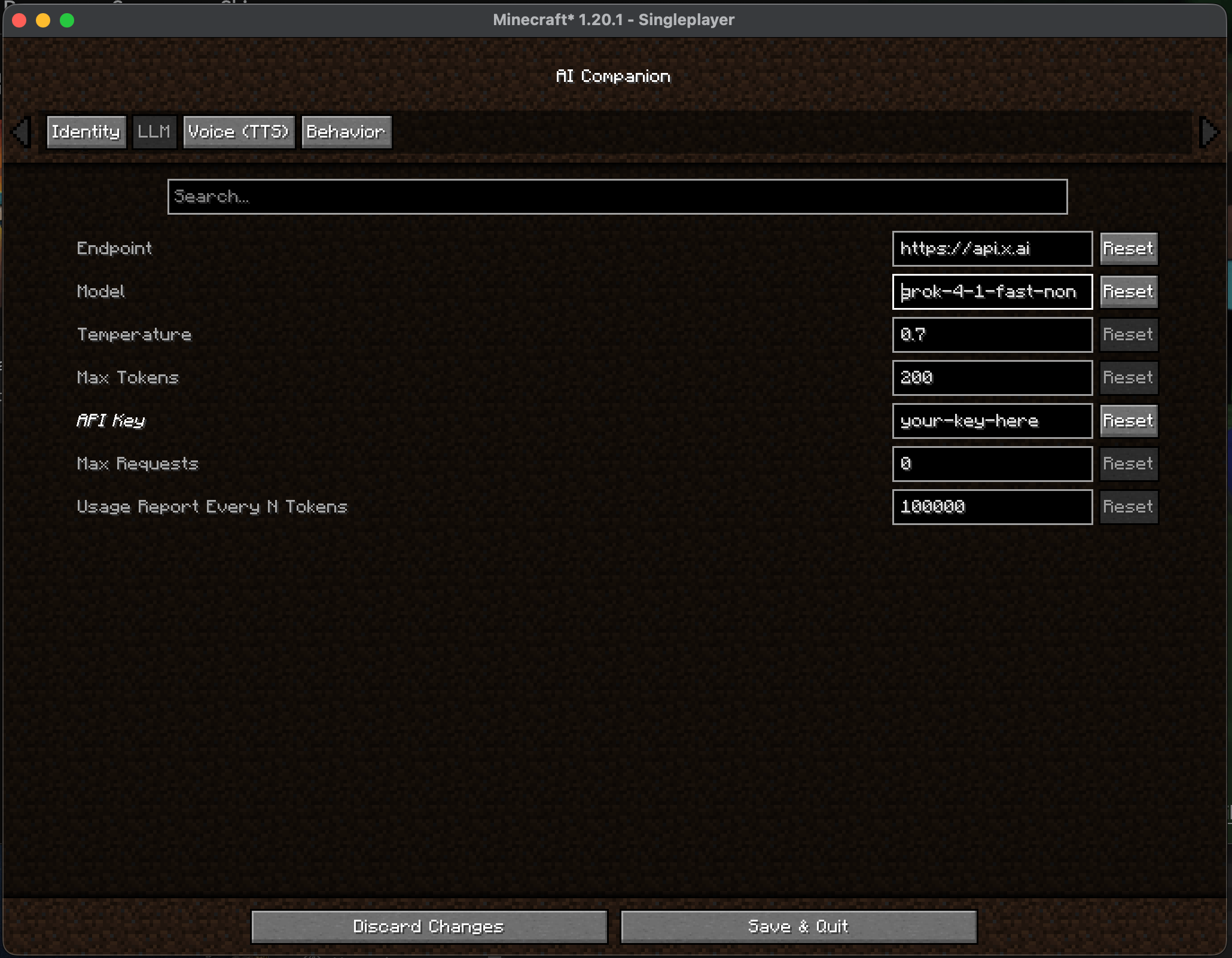
The LLM tab: connect the companion to any OpenAI-compatible endpoint — local llama.cpp or a hosted API like xAI. Set the model, temperature, max tokens, and API key, plus cost guardrails (per-session request cap and periodic token-usage reports).
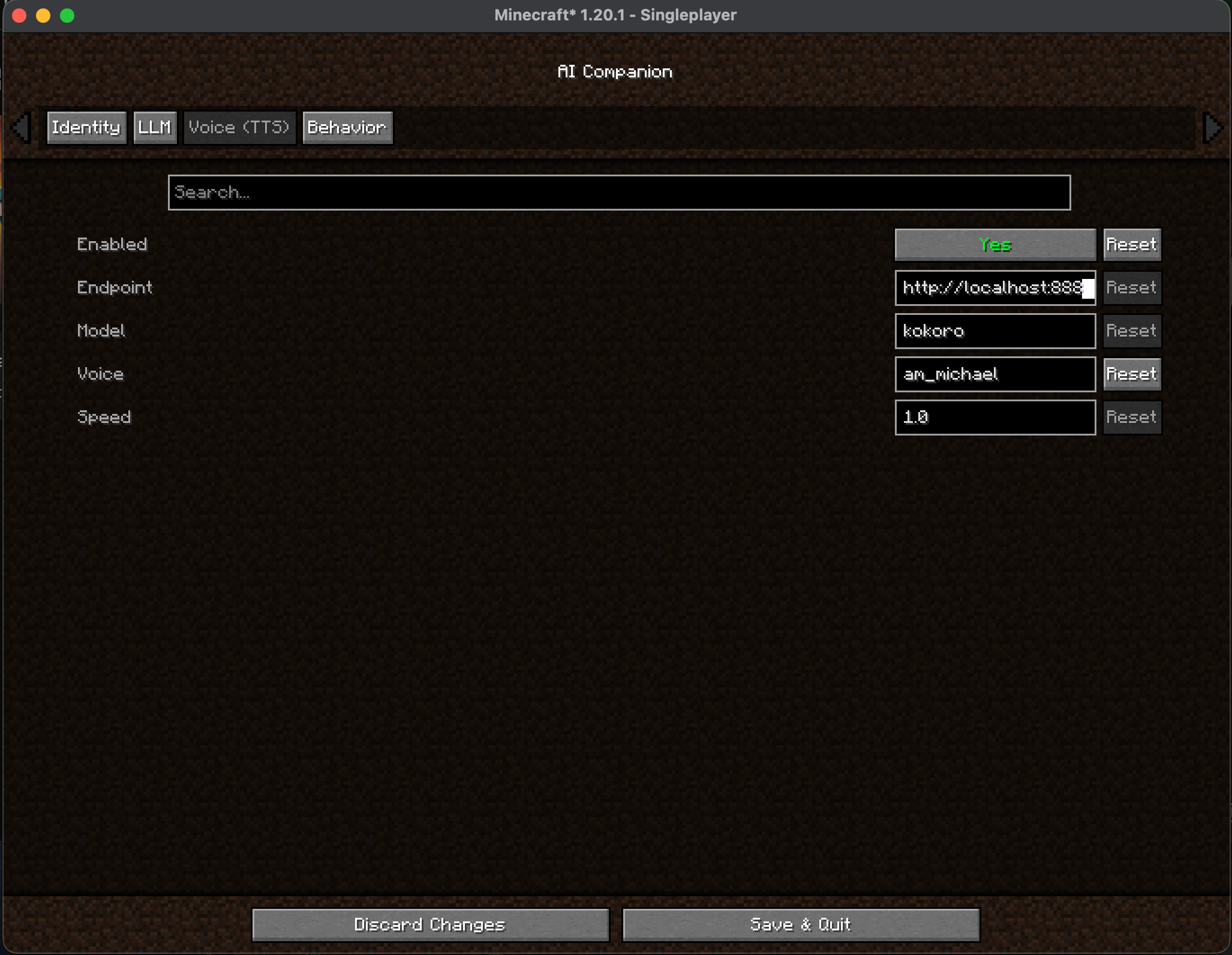
The TTS tab: give your companion a voice. Toggle it on, point the endpoint at your local Kokoro server (the included docker-compose file starts one), then pick a voice and playback speed. Fully local — no cloud, no API key.
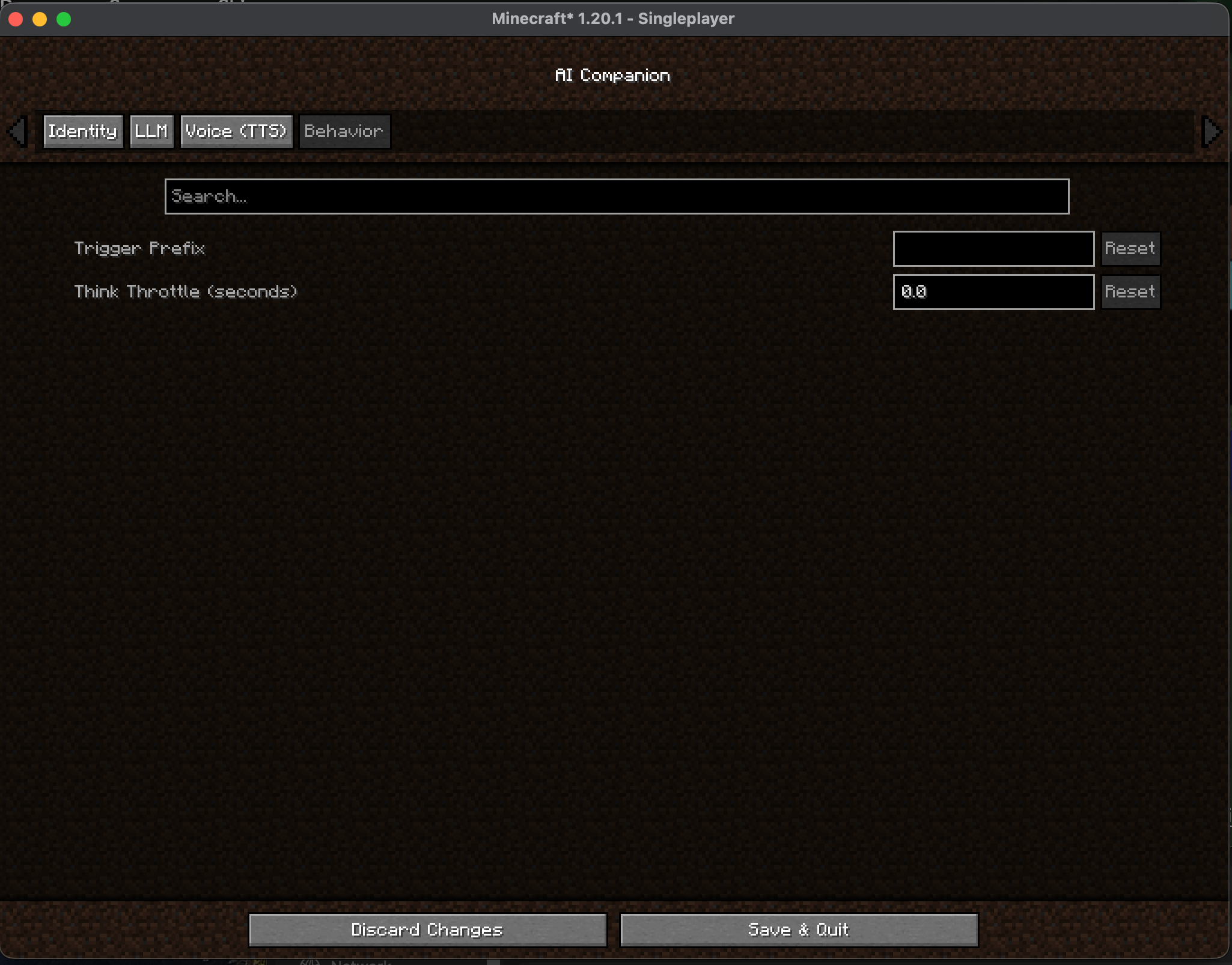
Behavior tab: trigger prefix (respond only when addressed, e.g. @Vetta) and think throttle (minimum seconds between LLM turns). Keeps a chatty server from running up your token bill.
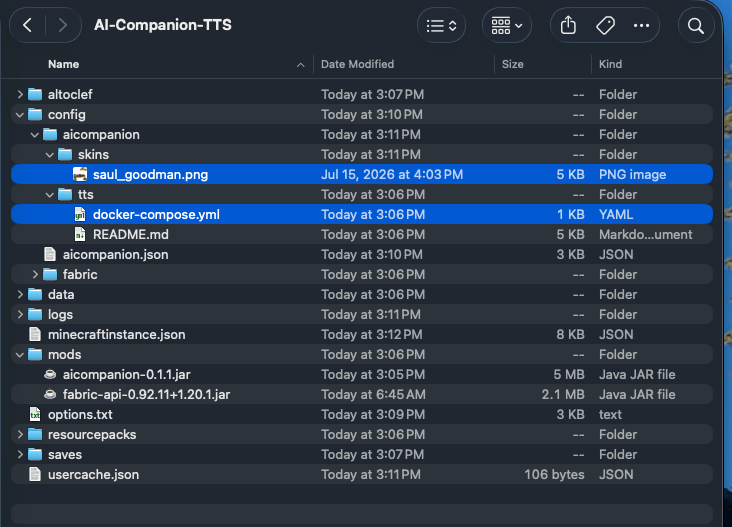
Where to find things in your CurseForge instance: run docker compose up -d in config/aicompanion/tts/ for voice output (enable TTS in the in-game config too), and drop custom skin PNGs into config/aicompanion/skins/.

I'm a solo dev. This mod runs on real AI tokens (local or paid APIs) which aren't free. Donations go straight to covering those costs so I can keep improving it. Even $1 helps more than you think. Thanks for the support!
Minecraft server hosting
Create your game server with 

Description
AI Companion
AI friends for your Minecraft world — not static NPCs, but active participants. They have objectives, tell friend from threat, autonomously navigate, gather and craft, build structures on request, and fight alongside you. Their "voice and judgment" come from a large language model that you run — a local OpenAI-compatible server (llama.cpp, Ollama, LM Studio, …) on your own machine, or any hosted OpenAI-compatible API (e.g. xAI/Grok, OpenAI) if you'd rather trade privacy for frontier-model quality.
The LLM decides what to do and what to say. The heavy lifting — pathfinding, task execution, world interaction — lives in engine code and keeps working even if the LLM is offline.
⚠️ Scope — singleplayer and LAN, not public servers
This is an alpha, and it is built and tested for singleplayer and Open to LAN worlds played with people you trust. It runs on a dedicated server as of 0.2.4, but it is not ready for a public multiplayer server, and I'd rather tell you why than let you find out:
- A companion is not a player, so land-claim and protection mods can't see it. Claim mods hook player-specific block-break events; a companion is a
LivingEntityand never fires them. On a protected server it could plausibly dig through claimed land. - One roster, server-wide. Names, personas, skins and voices come from a single server config file, so everyone draws from the same cast of characters.
- Replies go to everyone. Companion chat lines are sent to all online players regardless of distance.
- Cost caps are per-server, not per-player. One person's conversation spends everyone's budget.
Fixing these properly is the 1.0 milestone. Until then: singleplayer and trusted LAN. On a dedicated server the /companion command is op-gated, so it won't surprise you.
⚠️ Requirements — read this first
This mod does nothing on its own. It needs an OpenAI-compatible chat-completions endpoint to think. You provide one of:
- Local (private, free): a running OpenAI-compatible server on your machine/LAN —
llama.cpp, Ollama, LM Studio, or anything else that speaks the same API. Nothing leaves your network. - Cloud (frontier quality, paid): a hosted OpenAI-compatible API and an API key (e.g. xAI/Grok). An opt-in per-session request cap is built in so a runaway loop can't rack up spend.
Plus: Minecraft 1.20.1, Fabric Loader, and Fabric API. The pathfinding/task engine is bundled inside this jar — you do not need a separate download for it.
Voice output (companions speaking aloud) is optional and needs a small local Kokoro TTS container. Everything you need ships with the mod: on first launch it writes
config/aicompanion/tts/containingdocker-compose.ymland a fullREADME.md. Install Docker, rundocker compose up -din that folder, then enable TTS in the config. See Configuration below.Client/server split: audio is fetched and played client-side — the server only sends your game the text and the endpoint to fetch it from. So the container belongs on the player's machine, not the server's, and with the default
http://localhost:8880each player who wants voice runs their own. (One shared container works too: run it anywhere both reachable and settts.endpointto its LAN address instead oflocalhost.) The switch itself is server-side —tts.enabled,endpoint,model,voiceandspeedare read from the server'sconfig/aicompanion.jsonand pushed to the client, so editing them on your own machine while connected to a dedicated server changes nothing.
Features
- Autonomous agents, not scripts — they mine, collect, craft, engage in combat, and build structures via a proven task engine (Automatone/Baritone pathfinding + an AltoClef-derived task layer).
- More than one of them — keep a roster of companions, each with its own name, personality, skin and voice. Spawn them by name, and address one by name in chat (
Rook, go and scout north) or the whole group at once (all: back to base). - Your brain, your rules — one config file points them at a local server or a hosted frontier API. Swap between them anytime.
- Survives the LLM going away — navigation and task execution are engine-side; if the model is offline or slow, a companion doesn't freeze mid-world.
- Persona & identity — set each companion's name, description and personality in config; the persona is injected into a hardened prompt scaffold (it shapes voice, it doesn't get to override safety structure).
- Hand them things — right-click a companion to open its inventory and give it tools, weapons, armour or food, and take back what it has gathered.
- It wears what you give it — a companion puts on better armour out of its own pack without being asked, comparing defence, toughness and Protection so it never downgrades. It visibly wields tools and weapons in its main hand, and its held item is part of what the LLM "sees," so equips are confirmable.
- It can use a shield — a carried shield lives in the offhand and goes up against creepers, arrows and melee. It wears out and breaks the same way yours does.
- It gets hungry and eats — healing costs food exactly as it does for you, and a companion feeds itself: visibly, over the normal few seconds, topping up between fights rather than waiting until it's desperate. It'll pick up food it walks past and clear up after a kill. It won't starve to death.
- It isn't fussy about what it eats — raw meat and rotten flesh are perfectly good food for a companion. The Hunger effect that makes those a bad idea for you is player-only, so it lands on a companion and does nothing at all — which matters, because rotten flesh is exactly what the things it fights drop. Poison is not player-only, so spider eyes stay off the menu.
- Fights like a player, not a monster — player-parity attack damage, armour and weapon cooldown, so a companion is dangerous because of what it's holding. Want it tougher for a hard modpack? The four numbers are yours to raise, on purpose rather than by accident.
- Skills — reusable Markdown procedures (lumberjack, farming, fishing, harvest, home-guard, staircase-mine) invoked with
/companion skill <name>or just asked for conversationally. Edit the.mdfiles to write your own. - Reliable command output — tolerant JSON parsing with graceful fallback: a malformed model reply is spoken as chat instead of dropping the turn.
- Know what you're spending — a live HUD panel shows the session's token total, in/out split, and a tokens-per-minute graph for the last 30 minutes, so a paid endpoint never surprises you and a runaway companion is obvious within a minute (
/companion tokenshides it if you'd rather not see it). The running total is also reported to chat and the log every 100k tokens. Optional hard caps and a chat trigger prefix are there if you want them; both are off by default. - Know how they're doing — a status panel shows health and hunger per companion (with the saturation buffer above the hunger bar), appearing only when somebody is hurt or getting hungry and fading again once they're fine.
/companion hudcycles it to always-on, then off. Works at any distance. - Dies like a player — if a companion is killed it drops everything it was carrying, armour included, and tells you where. Nothing it gathered or you handed it is lost to the death; go and pick it up like you would your own. (Items still despawn on the usual five-minute timer, so don't dawdle.)
- Find it again — a locator bar HUD points toward your companion and works past entity-tracking range, so wandering off isn't a lost companion.
- Recall commands — call a wandered-off companion back, or ask where it is.
- In-game config screen —
/companion configopens a settings UI (companions, LLM, voice, behavior) right in the client; edits apply live, no restart./companion reloadre-reads the JSON file if you prefer editing by hand. With Mod Menu installed you also get a config button there (optional — nothing breaks without it). - Optional local voice — route spoken lines to a local Kokoro TTS endpoint, with a different voice per companion; only a companion's spoken
messageis ever voiced, never its reasoning or commands.
Commands
Every companion-specific subcommand takes an optional trailing name to say which one it means. Leave it off in a one-companion world.
| Command | What it does |
|---|---|
/companion spawn [name] |
Spawn a companion from your roster (bare = the first one that isn't already out). |
/companion list |
Show the roster and who's currently in the world. |
/companion goto <x> <y> <z> [name] |
Send it to specific coordinates. |
/companion come [name] |
Recall it to you, interrupting its current task. |
/companion where [name] |
Report its coordinates and distance from you. |
/companion stats [name] |
Report its health, hunger, hands and inventory. |
/companion despawn [name] |
Remove it from the world (e.g. if it gets stuck). |
/companion skills |
List loaded skills and where the files live. |
/companion skill [companion] <skill> |
Run a skill (name the companion first if you have several out). |
/companion radar |
Cycle the locator bar: ON / AUTO / OFF. |
/companion hud |
Cycle the health/hunger panel: AUTO / ON / OFF. |
/companion tokens |
Show or hide the token usage panel. |
/companion config |
Open the in-game settings screen. |
/companion reload |
Re-read config/aicompanion.json and apply it live. |
Beyond commands, just talk to them in chat — that's the primary way you direct them:
- By name:
Rook, go and scout northreaches only Rook, and the name is stripped before the model sees it. - The whole group: open with
all:,everyone:,both:orteam:and every companion in earshot gets it, each told the line went to the group so they divide the work instead of duplicating it. The colon (or comma) is required — otherwise "all good" would buy a reply from every companion you have. This is the one form that costs a reply per companion, so the game tells you who it went to.
Configuration
On first launch the mod writes config/aicompanion.json with documented defaults. You can edit it two ways: the in-game screen (/companion config, or the Mod Menu gear button) which applies changes live, or the JSON file by hand followed by /companion reload. Key settings:
- Companions: a
companionslist — each entry hasname,description,systemPrompt(persona),skin(file+slim) andvoice. Drop a 64×64 player-skin PNG intoconfig/aicompanion/skins/and name it inskin.file. - LLM:
endpoint(defaulthttp://localhost:3030),model,temperature,maxTokens(default1000),timeoutMs,useGrammar. - Cloud/frontier: set
endpointto a hosted API and supply the key via theAICOMPANION_LLM_APIKEYenvironment variable (preferred) or theapiKeyfield. Worked example for xAI/Grok:
"llm": {
  "endpoint": "https://api.x.ai",
  "model": "grok-4-1-fast-non-reasoning",
  "temperature": 0.7,
  "maxTokens": 1000,
  "apiKey": "xai-your-key-here"
}
endpointis the base URL only — no trailing slash and no/v1; the mod appends/v1/chat/completionsitself. And pick a non-reasoning model: reasoning models are slower and bill you for thinking tokens the companion never uses. Any other OpenAI-compatible provider works the same way.
Don't set
maxTokensbelow 1000. It's a cap, not a budget — you're billed for what is actually generated, so a high value costs nothing on short answers, while a low one silently breaks things: a skill hands the model a command to repeat verbatim, and a reply cut off mid-JSON means no command runs and the companion just stands there. Control spend withllm.maxRequestsandbehavior.maxAutonomousTurnsinstead.
Using OpenAI? Prefer
gpt-4.1-nano,gpt-4o-mini, orgpt-4.1. Thegpt-5.xando-series models are reasoning models whose hidden thinking counts againstmaxTokens— on a small budget they can spend the whole thing thinking and return an empty reply with no error, so the companion simply goes quiet. Give them2000+ or stay on a non-reasoning model. (They also ignoretemperature; the mod omits it for them automatically.)
- Spend awareness:
llm.usageReportEveryTokens(default100000) prints a running token total to chat;0silences it.llm.maxRequestsis a separate, opt-in hard cap that makes companions stop responding once hit — leave it at0unless you want a hard stop. - Chat gating:
behavior.triggerPrefix(blank by default) makes companions answer only messages starting with that prefix, so ambient chat costs nothing.behavior.thinkThrottleSecondssets a minimum gap between LLM turns — messages inside the window are queued, not dropped.behavior.aiCrossTalk(off by default) lets companions overhear and answer each other; every forwarded line is a full LLM turn, so leave it off unless turns are free. - No inventing chores: after finishing what you asked, a companion takes at most two more actions on its own initiative before waiting to be spoken to.
behavior.maxAutonomousTurnstunes it;0removes the cap. - Survival-honest building: companions pay for what they build out of their own inventory, one item per block, instead of conjuring blocks. Short of something? It goes and collects it, then builds — you just ask once. Set
behavior.buildCostsMaterialstofalsefor creative-style building. - Builds land where you asked: every plan is checked against the real terrain before a block is placed, so a structure can't end up buried out of sight — but "put it on top of the ground" still means on top, and towers still go up. Only a plan hallucinated far into the sky is refused, and it costs no materials. Rebuilding something that's already there spends nothing and says so instead of pretending.
behavior.buildGroundCheckturns the check off. - Building by hand:
behavior.buildPhysicalPlacement(on by default) makes a companion walk to the site and place blocks a couple per tick, only what it can reach, with arm swing and placement sound.behavior.buildBlocksPerTicksets the pace. Turn it off for the old instant behaviour. - Kit & upkeep:
behavior.autoEquipArmor(on) lets a companion put on better armour by itself.behavior.scavengeFood(on) makes it collect food dropped nearby, withinbehavior.scavengeRadius(16 blocks). - Defense:
behavior.mobsTargetCompanion(on) makes hostiles hunt companions the way they hunt you.defenseFightBack(on) anddefenseUseShield(on) control engagement and shielding.defenseFleeFromHostilesis off by default — turn it on for a companion that retreats when hurt, and tune how brave it is withdefenseBravery(2.0). - Combat parity: the
combatblock exposesattackDamageBase(1.0),armorBase(0.0),maxHealth(20.0) andfollowRange(16.0) — a player's stat line by default. Raise them if you want a tougher companion for a hard modpack; it applies to live companions on/companion reload. - Voice (optional): enable TTS and point
tts.endpointat a Kokoro server reachable from the player's machine — playback is client-side (see Requirements). Give each companion its ownvoiceso they can be told apart by ear. Only the companion's owner hears it. - Skills:
skills.advertiseInPrompt(on) tells companions each skill's name and description so you can ask for one conversationally. Skill bodies are injected only when invoked.
On a dedicated server,
/companion configedits the copy on your machine, not the server's — the screen says so, in red, on every tab. Editconfig/aicompanion.jsonon the server and run/companion reload. In singleplayer and on a LAN host the screen works normally.
What's bundled
This download is self-contained. It nests the mod's forked PlayerEngine (pathfinding + task engine) and the Cloth Config library (for the settings screen) inside its own jar — no separate downloads. The bundled skills and the Kokoro TTS setup files are unpacked into config/aicompanion/ on first launch.
Do not also install a standalone PlayerEngine jar in your
mods/folder — two copies of the engine will collide on load.
Credits & license
This mod is a fork/consumer of the excellent work of others, and is distributed under the GNU LGPL-3.0 in keeping with its upstream. Full credit:
- PlayerEngine by Goodbird-git — LGPL-3.0 — the framework this bundles and builds on.
- Automatone, a fork of Baritone (leijurv & contributors) — LGPL-3.0 — pathfinding/navigation.
- The task engine descends from the AltoClef (
adris.altoclef) lineage — mine/collect/craft/combat/build. - Brain integration adapted the LLM seam from PlayerEngine's Player2 path to a local/OpenAI-compatible endpoint. The reference consumer Player2NPC was studied for structure only; no Player2NPC source is reused (it carries no license).
Source code: the complete source for this mod and its modified engine is available at
https://github.com/adevivo/ai-companion — required by, and provided under, the LGPL-3.0.
Not affiliated with, or endorsed by, Mojang or Microsoft. "Minecraft" is a trademark of Mojang Synergies AB.
The AI Companion Fabric Team