Max Enchantments
- By
Break past vanilla limits with Max Enchantments! Push your favorite enchantments to insane levels, customize caps and XP costs, and turn ordinary gear into ridiculously powerful equipment.
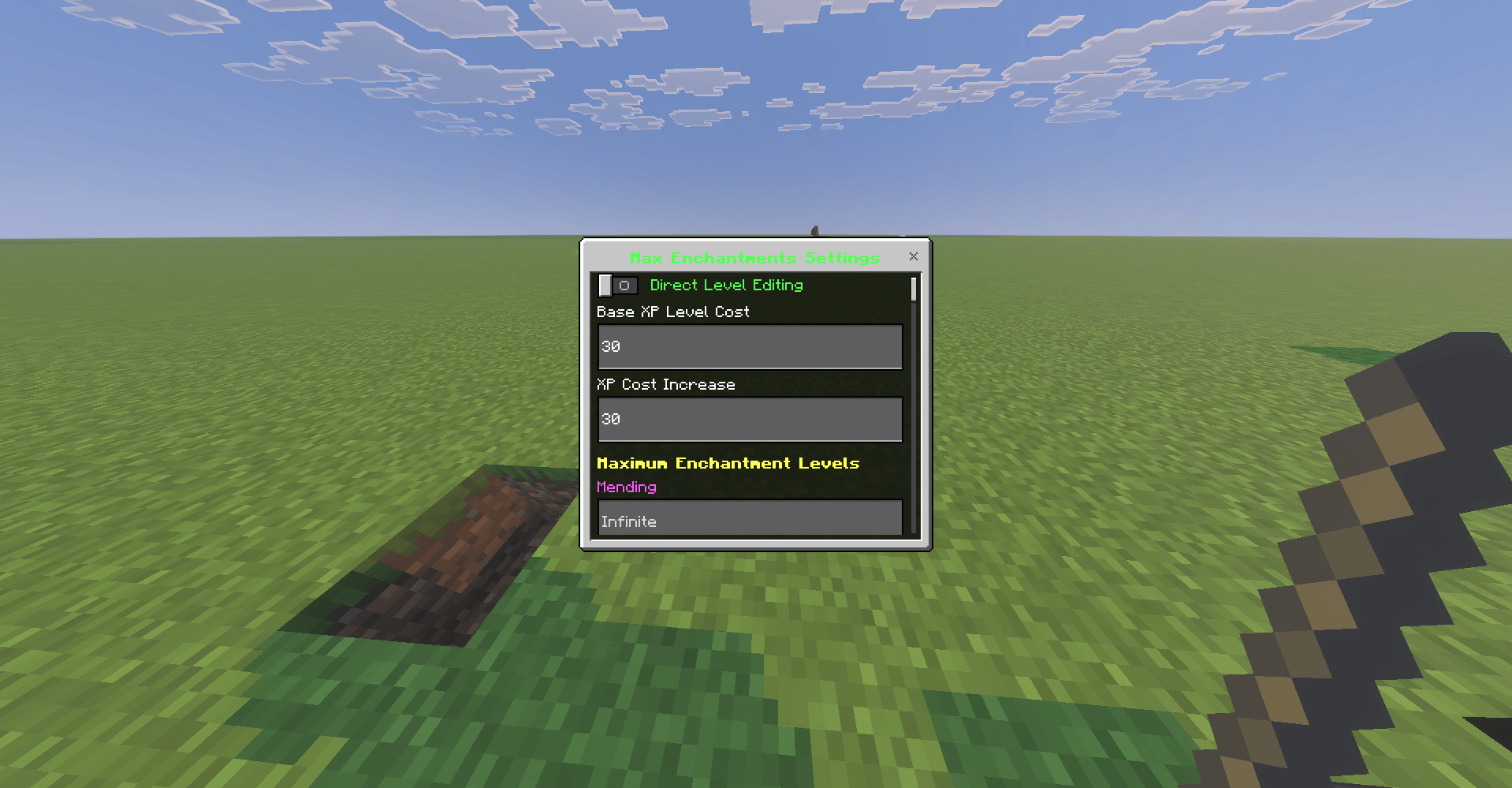
image_2026-09-30_142402429.png
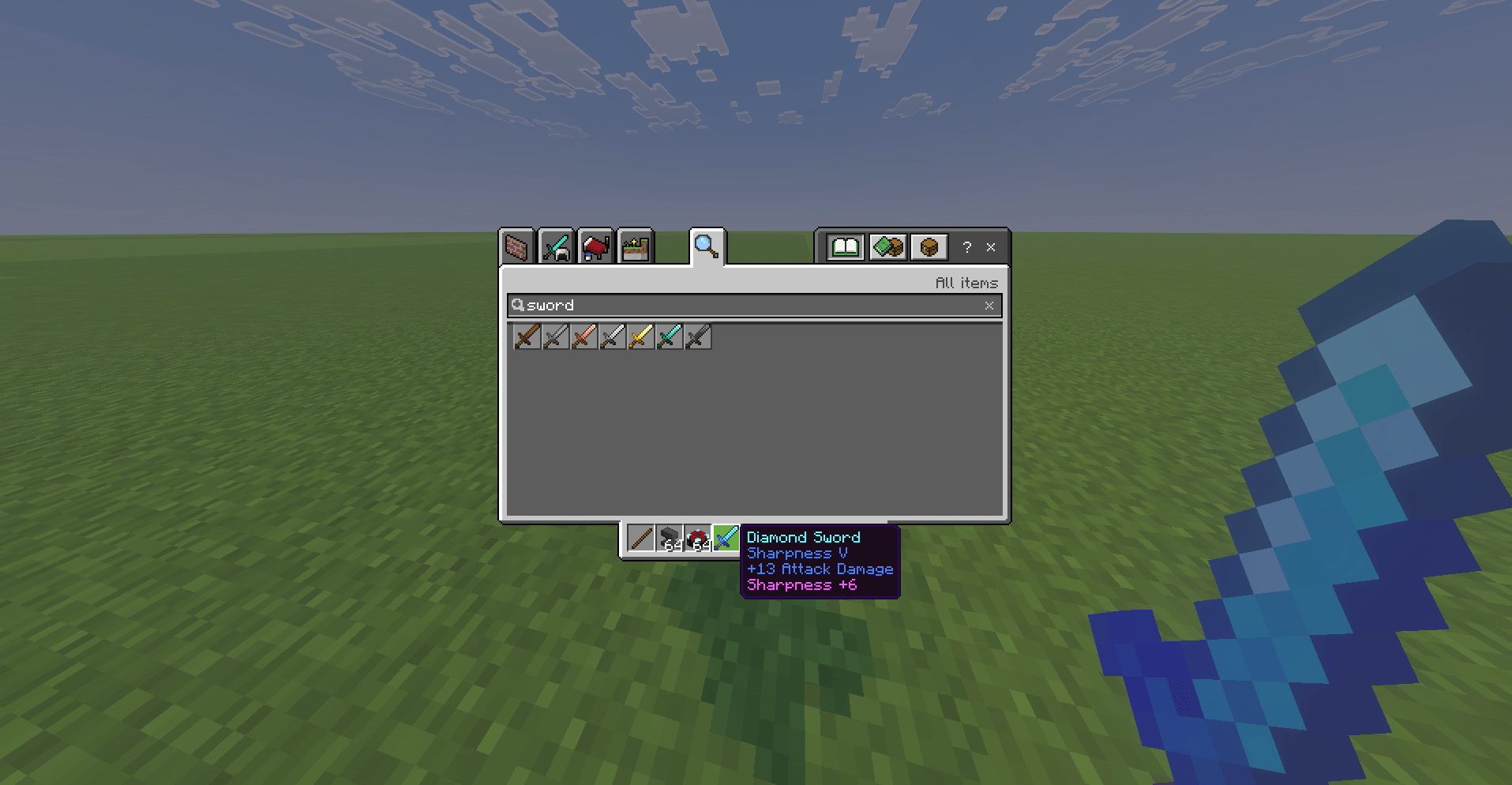
image_2026-09-30_142921058.png
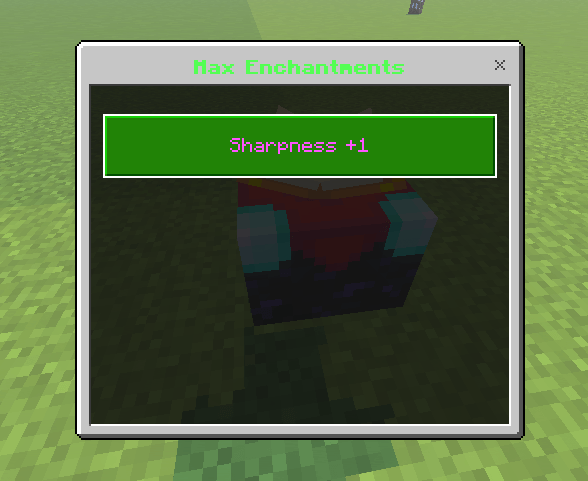
image_2026-09-30_142935615.png
Description
Max Enchantments
Max Enchantments is a Minecraft Bedrock Edition behavior pack by NexiumLabs that expands supported enchantments beyond their normal vanilla level limits.
Instead of stopping at the default maximum, compatible enchanted gear can be upgraded further through a custom enchanting-table interface. Server owners can also configure XP costs, maximum levels, and operator-only direct level editing.
Features
- Raise supported enchantments beyond vanilla maximum levels.
- Custom enchanting-table upgrade menu.
- Configurable base XP cost and per-level cost scaling.
- Optional maximum level for each supported enchantment.
- Operator-only direct enchantment level editor.
- Extended effects for combat, armor, movement, tools, bows, crossbows, and tridents.
- Supports enchantments such as Sharpness, Protection, Power, Looting, Fortune, Mending, Unbreaking, Swift Sneak, Soul Speed, Frost Walker, Riptide, Channeling, Density, Wind Burst, Lunge, and more.
- Designed for multiplayer worlds and dedicated Bedrock servers.
- Fresh package UUIDs and isolated NexiumLabs settings data.
How to Use
- Import
Max Enchantments.mcaddoninto Minecraft Bedrock Edition. - Activate Max Enchantments under your world's Behavior Packs.
- Make sure the world is using a Bedrock version compatible with the Script API dependencies included in the pack.
- Obtain an item with a supported vanilla enchantment.
- Interact with an Enchanting Table while holding the item.
- Select the enchantment you want to increase and pay the displayed XP-level cost.
Admin Settings
World operators can rename any item to:
MaxEnchantmentsSettings Use that renamed item to open the Max Enchantments settings menu.
The settings menu allows operators to configure:
- Direct Level Editing — directly set supported enchantment levels.
- Base XP Level Cost — starting cost for normal upgrades.
- XP Cost Increase — additional cost as levels become higher.
- Maximum Enchantment Levels — optional per-enchantment caps. Leave a value empty for no configured cap.
Supported Enchantments
Max Enchantments currently supports the following Minecraft Bedrock enchantments:
Mending, Unbreaking, Sharpness, Smite, Bane of Arthropods, Fire Aspect, Knockback, Looting, Power, Flame, Punch, Piercing, Impaling, Channeling, Riptide, Protection, Projectile Protection, Blast Protection, Fire Protection, Respiration, Swift Sneak, Feather Falling, Frost Walker, Soul Speed, Thorns, Fortune, Lunge, Density, and Wind Burst.
v1.1.0:
Efficiency
v1.2.0:
Aqua Affinity, Breach, Curse of Binding, Curse of Vanishing, Depth Strider, Infinity, Loyalty, Luck of the Sea, Lure, Multishot, Quick Charge, and Silk Touch.
Note: Some enchantments, such as Silk Touch, Infinity, and the curses, have effects that are inherently limited by Minecraft Bedrock's internal mechanics. Higher custom levels may therefore not provide additional vanilla effects for every enchantment.
Multiplayer / Server Notes
- Configuration is stored on the world using namespaced dynamic properties.
- Admin access is intended for operators only.
- Higher enchantment levels can become extremely powerful. Use per-enchantment caps for balanced survival servers.
- Back up important worlds before adding or removing gameplay-changing behavior packs.
Installation
Windows / Minecraft Bedrock
Double-click the .mcaddon file and allow Minecraft to import it. Then edit or create a world and enable Max Enchantments in Behavior Packs.
Dedicated Server
Extract/import the behavior pack into the server's behavior pack directory, add the pack to the target world, and restart the server. Exact steps depend on your Bedrock server panel or hosting setup.
Latest Version
1.2.0
Author
Developed and maintained by NexiumLabs.
Support
When reporting an issue, include your Minecraft Bedrock version, whether the world is single-player or dedicated-server hosted, the affected enchantment/item, and the steps needed to reproduce the problem. You may also join our discord to report issues.
The Max Enchantments Team