Durability+ – View Item Durability in Real-Time!
- By
A clean and customizable durability viewer for Minecraft Bedrock, featuring progress bars, alerts, and per-player settings.
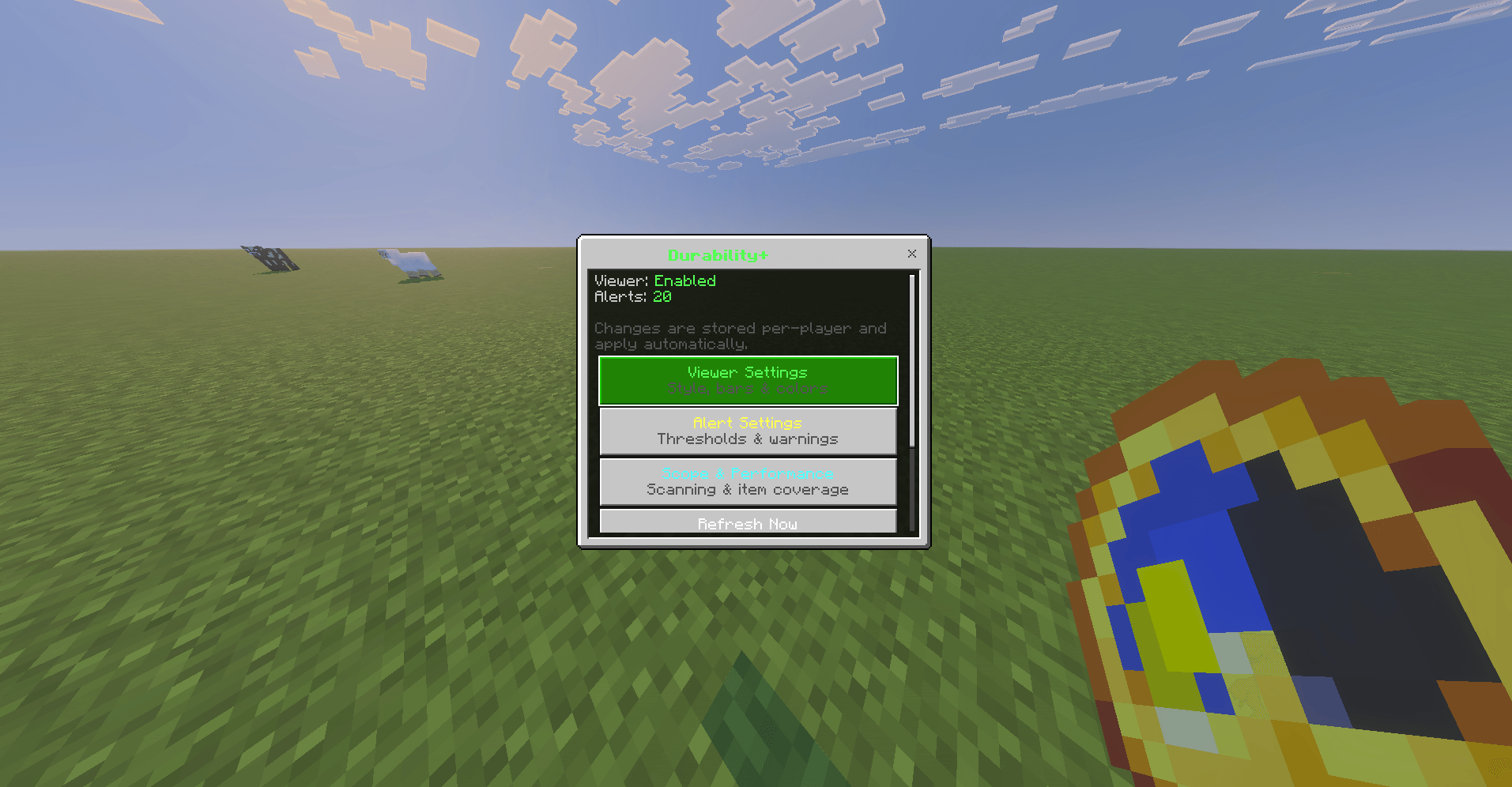
image_2026-09-30_140949071.png
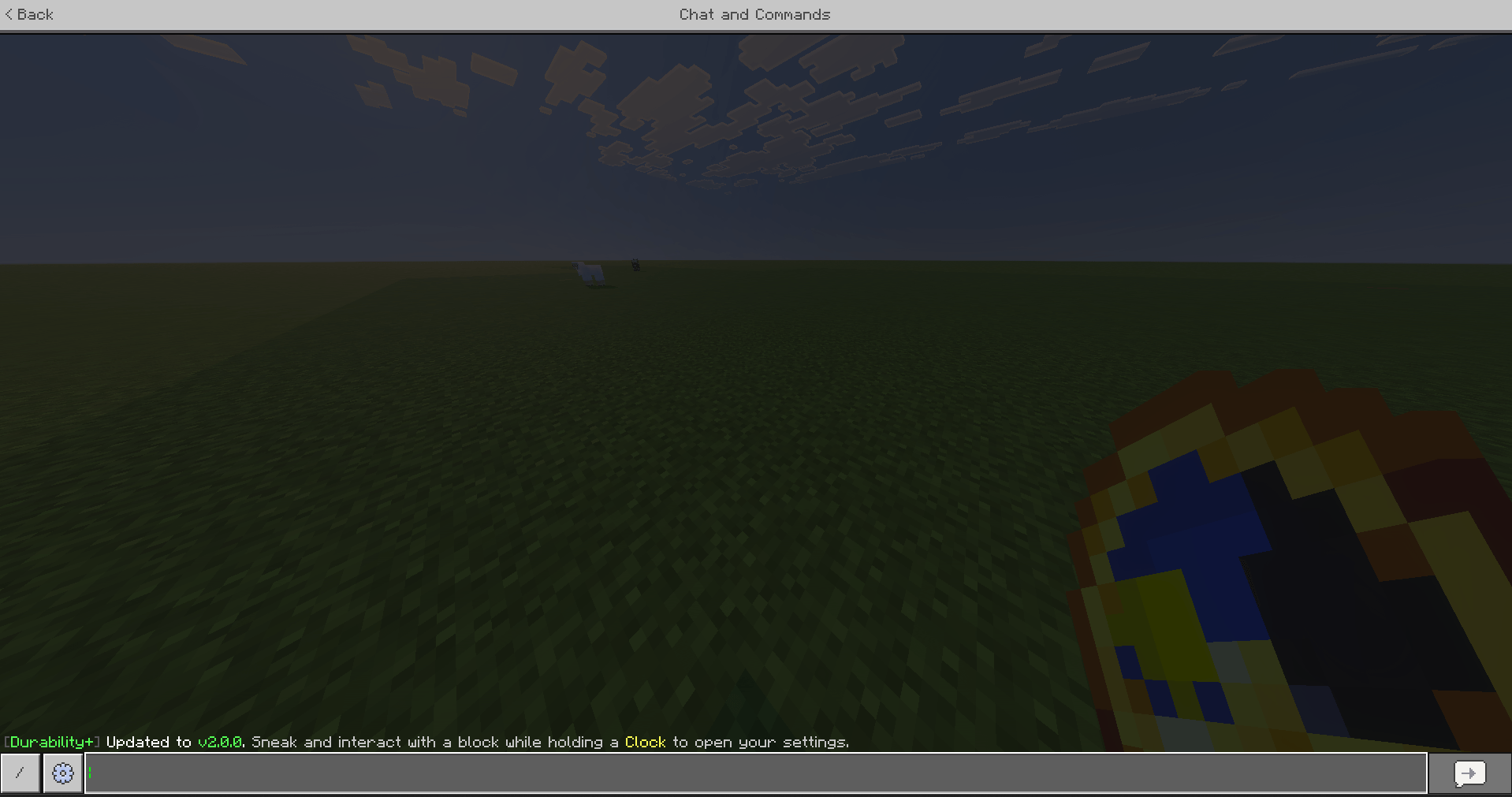
image_2026-09-30_141004059.png
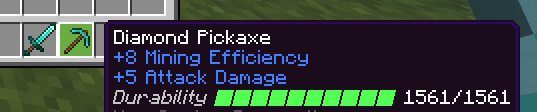
image_2026-09-30_141025510.png
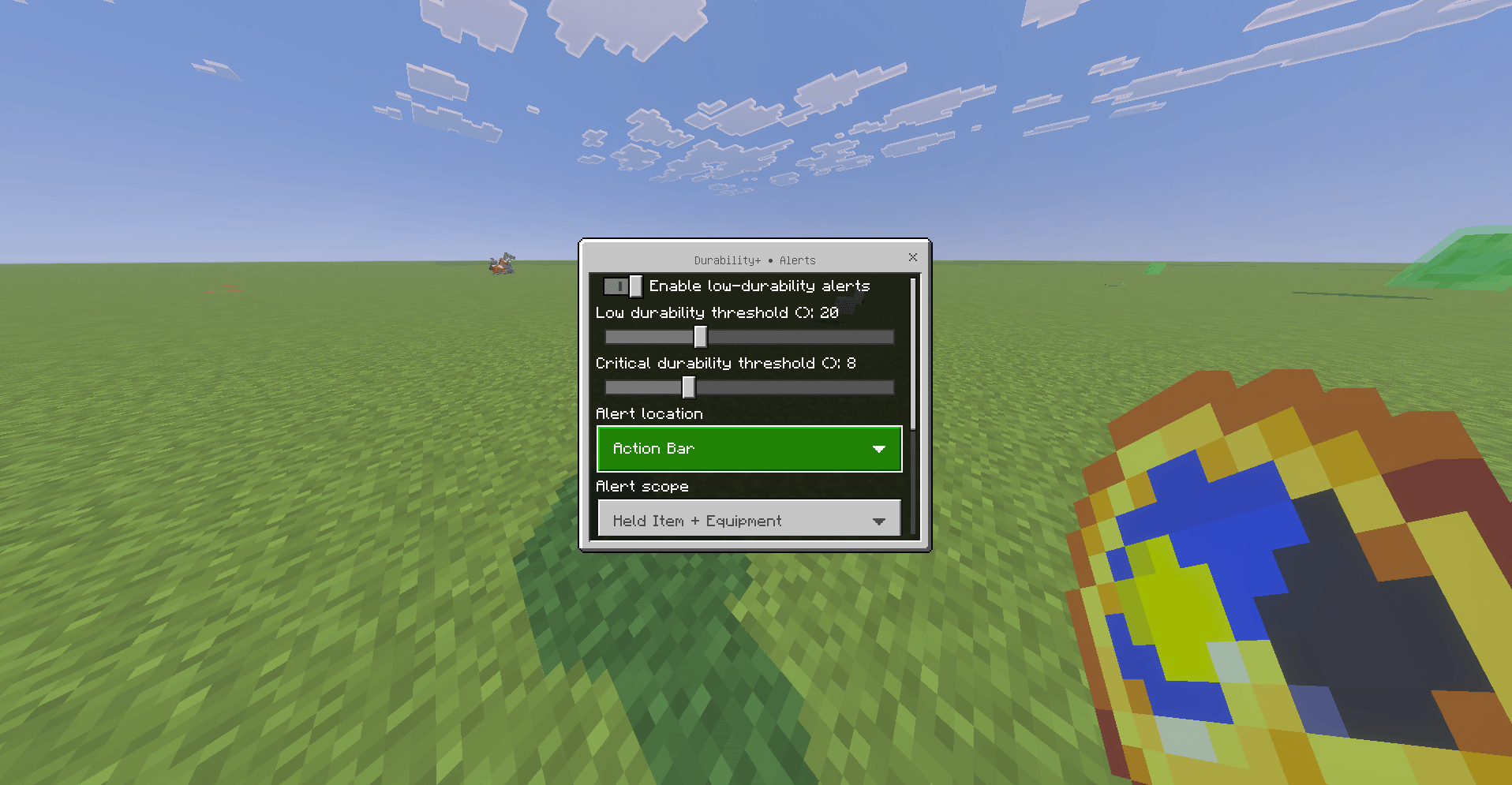
image_2026-09-30_141100421.png
Description
🛠️ Durability+ - The Most Advanced Durability Viewer!
[ ! Achievements Friendly ! ]
A modern, customizable durability viewer for Minecraft Bedrock Edition.
Durability+ gives you a clean and convenient way to monitor the durability of your tools, weapons, armor, and other damageable items directly from their item information.
Originally created under SasquatchStudios and now maintained by Nexium Labs, Durability+ v2.0 introduces a completely redesigned system focused on performance, customization, and ease of use.
Configure exactly how durability is displayed, choose which items should be monitored, receive warnings before valuable equipment breaks, and customize everything through an easy-to-use in-game settings menu.
✨ Features
📊 Customizable Durability Viewer
Durability+ can display the remaining durability of supported items directly in their lore.
Choose from multiple display styles:
- Progress Bar + Values
- Progress Bar + Percentage
- Progress Bar Only
- Durability Values Only
- Percentage Only
- Compact Display
Example:
Durability ███████░░░ 1487/2031You can also customize:
- Progress bar style
- Progress bar length
- Durability label visibility
- Adaptive durability colors
🎨 Multiple Progress Bar Styles
Choose the appearance that best fits your preference.
Available styles include:
████████░░
■■■■■■■■□□
||||||||||
Progress bars can be configured between 5 and 15 segments.
🌈 Adaptive Durability Colors
Durability+ can automatically change the durability display color depending on the condition of your item.
Items transition through different colors as their durability decreases, making damaged equipment much easier to notice at a glance.
Adaptive colors can also be disabled if you prefer a more consistent appearance.
⚠️ Low Durability Alerts
Never accidentally break an important tool again.
Durability+ includes a configurable warning system that can notify you when an item's durability becomes low or critical.
Alert options include:
- Custom Low Durability threshold
- Custom Critical Durability threshold
- Action Bar warnings
- Chat warnings
- Action Bar + Chat warnings
- Optional warning sounds
- Repeating alerts
- Configurable alert cooldowns
Example:
LOW DURABILITY • Diamond Pickaxe is at 312/1561 (20%)Critical items receive a more noticeable warning before they break.
🔔 Configurable Alert Scope
Choose which items should be monitored for warnings.
Available options:
- Held Item Only
- Held Item + Equipment
- All Viewed Items
This allows you to keep alerts minimal or monitor your entire loadout.
🎒 Item Monitoring Options
Durability+ can monitor much more than the item currently in your hand.
Choose between:
- Entire Inventory + Equipment
- Hotbar + Equipment
- Held Item + Equipment
You can also independently enable or disable:
- Equipped armor
- Offhand items
This means you can configure Durability+ for maximum information or keep it lightweight and minimal.
⚡ Optimized Performance
Durability+ v2.0 has been extensively redesigned with performance in mind.
Instead of relying entirely on constant inventory scanning, the addon reacts immediately to common durability-related events such as:
- Breaking blocks
- Using items
- Attacking entities
- Taking damage
- Changing hotbar slots
- Inventory changes
A lightweight fallback refresh system handles situations that do not provide a dedicated event.
Available performance modes:
- Responsive — 0.25 seconds
- Balanced — 0.5 seconds
- Efficient — 1 second
- Maximum Performance — 2 seconds
The default configuration uses the Efficient mode.
👤 Per-Player Settings
Every player can configure Durability+ independently.
Your settings are stored automatically, allowing different players on the same world or server to use completely different configurations.
One player can use detailed progress bars while another can use a simple percentage display.
⚙️ Opening the Settings Menu
Opening Durability+ settings is simple.
1. Obtain a Clock
Hold a normal Minecraft Clock.
2. Sneak
Hold your sneak/crouch button.
3. Interact With a Block
While sneaking and holding the Clock, interact with a block.
The Durability+ Settings menu will open.
🧭 Settings Menu
The main settings menu contains several categories.
🟢 Viewer Settings
Customize how durability information appears.
Configure:
- Enable or disable the durability viewer
- Display style
- Progress bar style
- Progress bar length
- Durability label
- Adaptive colors
🟡 Alert Settings
Configure durability warnings.
Options include:
- Enable or disable alerts
- Low durability percentage
- Critical durability percentage
- Alert location
- Alert scope
- Warning sounds
- Repeating alerts
- Alert cooldown
🔵 Scope & Performance
Control which items Durability+ monitors and how frequently fallback checks occur.
Configure:
- Inventory monitoring scope
- Armor monitoring
- Offhand monitoring
- Refresh interval
🔄 Refresh Now
Immediately rebuilds your durability displays.
This can be useful after changing settings or modifying items.
🔴 Reset Defaults
Restore all Durability+ options to their recommended default configuration.
🛡️ Existing Item Lore
Durability+ is designed to preserve existing custom item lore whenever possible.
Its durability information is managed independently instead of intentionally replacing unrelated custom lore added by other addons, commands, or systems.
Durability+ also recognizes durability formatting used by older releases and automatically replaces it with the new v2.0 display.
🧪 Experimental Features
Durability+ does not require Beta APIs.
The addon uses stable Minecraft Bedrock Script APIs and does not require the Beta APIs experiment to function.
Simply apply the addon to your world and begin playing.
📦 Installation
- Download the latest Durability+
.mcaddonfile. - Open the file with Minecraft Bedrock Edition.
- Allow Minecraft to import the addon.
- Edit or create your world.
- Open Behavior Packs.
- Activate Durability+.
- Enter the world.
Durability information will begin appearing automatically on supported damageable items.
🌐 Multiplayer
Durability+ is designed with multiplayer use in mind.
Settings are stored per player, meaning everyone can choose their own durability display, alerts, thresholds, and performance preferences.
For multiplayer servers, make sure the server supports Minecraft Bedrock behavior packs and scripting.
🔧 Supported Items
Durability+ automatically detects items that expose Minecraft's durability component.
This generally includes items such as:
- Pickaxes
- Axes
- Shovels
- Hoes
- Swords
- Armor
- Bows
- Crossbows
- Fishing Rods
- Shears
- Flint and Steel
- Shields
- Other compatible damageable items
Support is component-based rather than relying on a fixed list of item names.
💚 Designed to Stay Out of Your Way
Durability+ is intended to enhance Minecraft's existing inventory experience rather than completely replace it.
The default configuration provides useful durability information while remaining lightweight and unobtrusive.
Players who want more control can customize nearly every major part of the system.
📜 Version
Durability+ v2.0.0
Developed and maintained by Nexium Labs
Originally released under SasquatchStudios.
💬 Feedback & Issues
Found a bug, have a suggestion, or have an idea for a future Durability+ feature?
Feedback is always appreciated and helps improve future releases.
When reporting an issue, please include:
- Minecraft Bedrock version
- Durability+ version
- What you expected to happen
- What actually happened
- Steps to reproduce the issue, if possible
Thank you for using Durability+!
The Durability+ – View Item Durability in Real-Time! Team