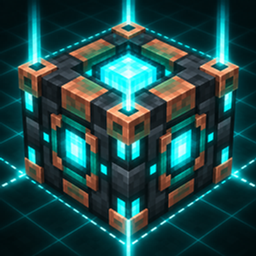
Trash Slot | Permanent Inventory Deletion
- By
Add a native-looking trash slot to Minecraft Bedrock inventories and permanently delete unwanted stacks instead of dropping them into the world.
About
Clear unwanted items directly from your inventory without leaving dropped entities behind.
Trash Slot adds a native-looking deletion slot to Minecraft Bedrock inventory screens. Pick up an unwanted stack with the cursor, click the trash slot, and the stack is permanently removed. An optional craftable item also provides a confirmation-based inventory menu for safer deletion.
Features
- Adds a compact trash slot that blends into supported inventory and container screens
- Permanently deletes the held stack instead of dropping it into the world
- Supports blocks, resources, tools, weapons, armor, enchanted gear, books, potions, and other non-stackable items
- Includes a craftable Trash Slot item with an inventory picker and confirmation step
- Verifies the exact selected stack before deleting it from the menu
- Keeps ordinary in-world Drop controls unchanged
- Works independently for each player in multiplayer worlds
- Includes a subtle centered deletion sound and clear visual feedback
- Contains no delete-all action
- Compatible with Vibrant Visuals
How to use
- Import the
.mcaddonfile into Minecraft Bedrock. - Activate both the Trash Slot Behavior Pack and Resource Pack in your world.
- Open a supported inventory or container screen.
- Pick up a stack with the cursor and click the trash slot below the inventory panel.
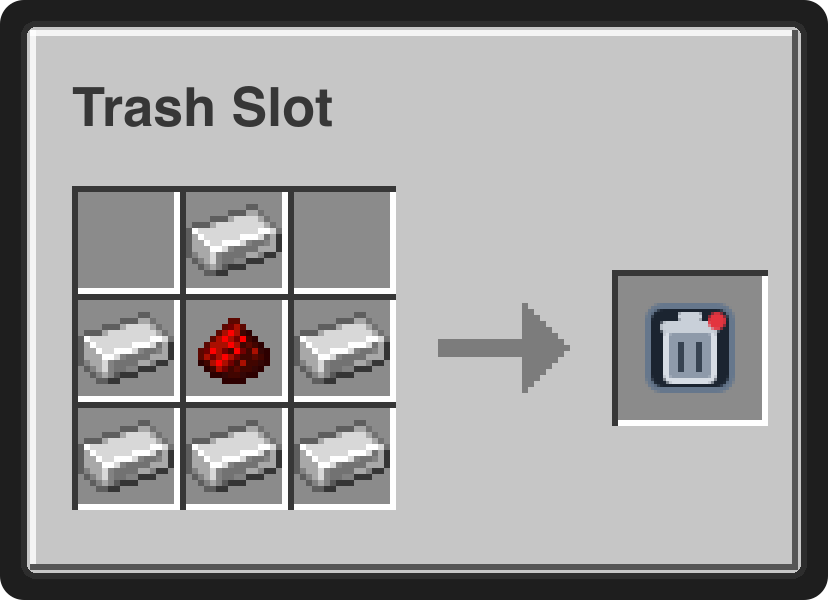
For a confirmation-based alternative, craft the Trash Slot item from six Iron Ingots and one Redstone Dust. Use the item, select a stack, and confirm its deletion.
Crafting
Recipes use the ingredients and quantities shown below.
Trash Slot
Notes
- Deleted items cannot be recovered. Store valuable items before using the trash slot.
- Dropping an item directly from the inventory cursor uses the same permanent-deletion path while the add-on is active.
- Both included packs are required: the Resource Pack adds the interface, while the Behavior Pack performs the deletion.
- No experimental toggles are required.
Requirements
- Minecraft Bedrock Edition 1.26.40 or newer
- Trash Slot Behavior Pack and Resource Pack must both be active
- No external add-ons required

Trash Slot | Permanent Inventory Deletion Team

Owner