Durability HUD Viewer
- By
Track the durability of held tools, armor, and off-hand equipment in a compact, configurable Minecraft Bedrock HUD.
Screen 1.jpg
Screen 3.jpg
Description
About
Durability HUD Viewer keeps the condition of your equipped gear visible without opening the inventory.
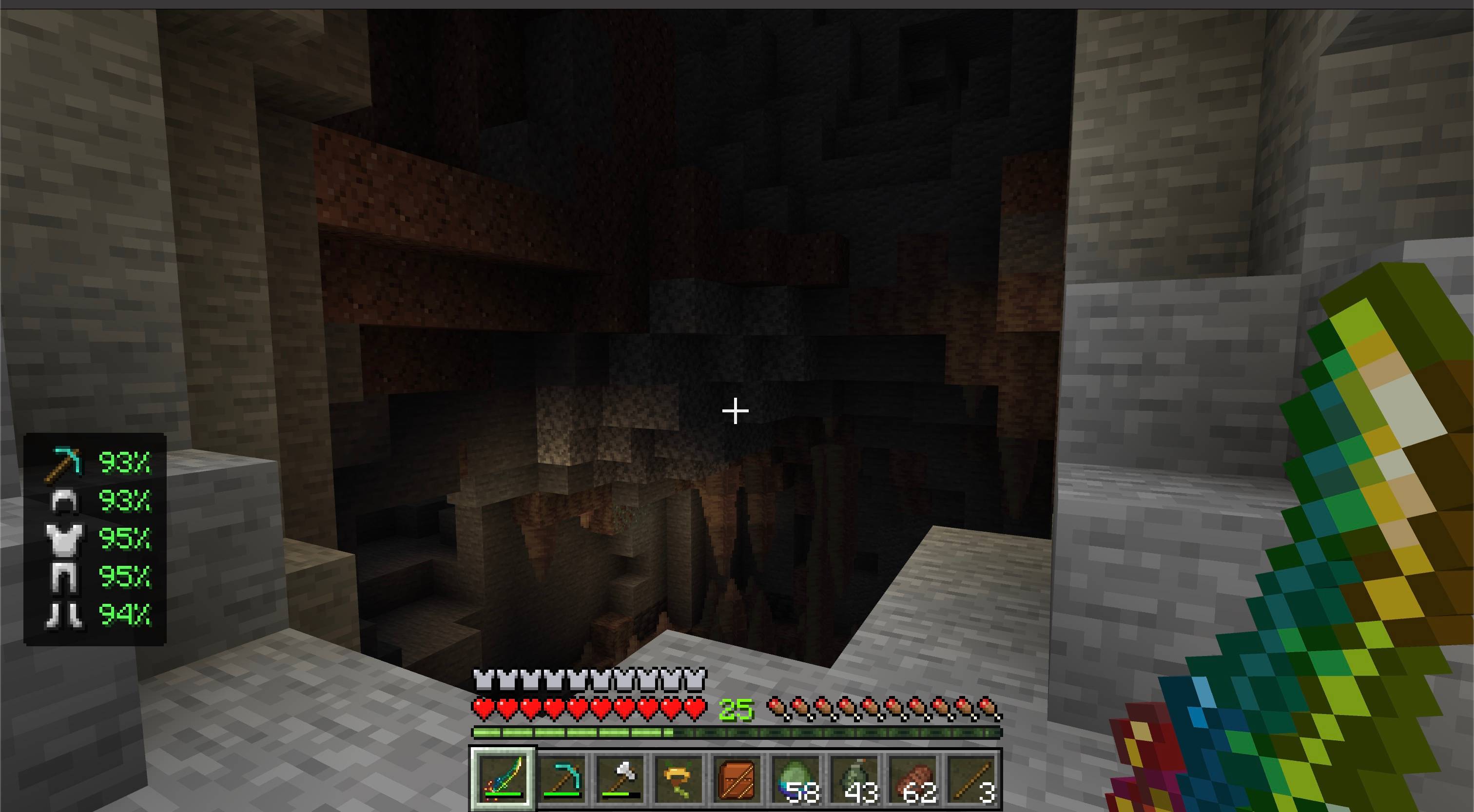
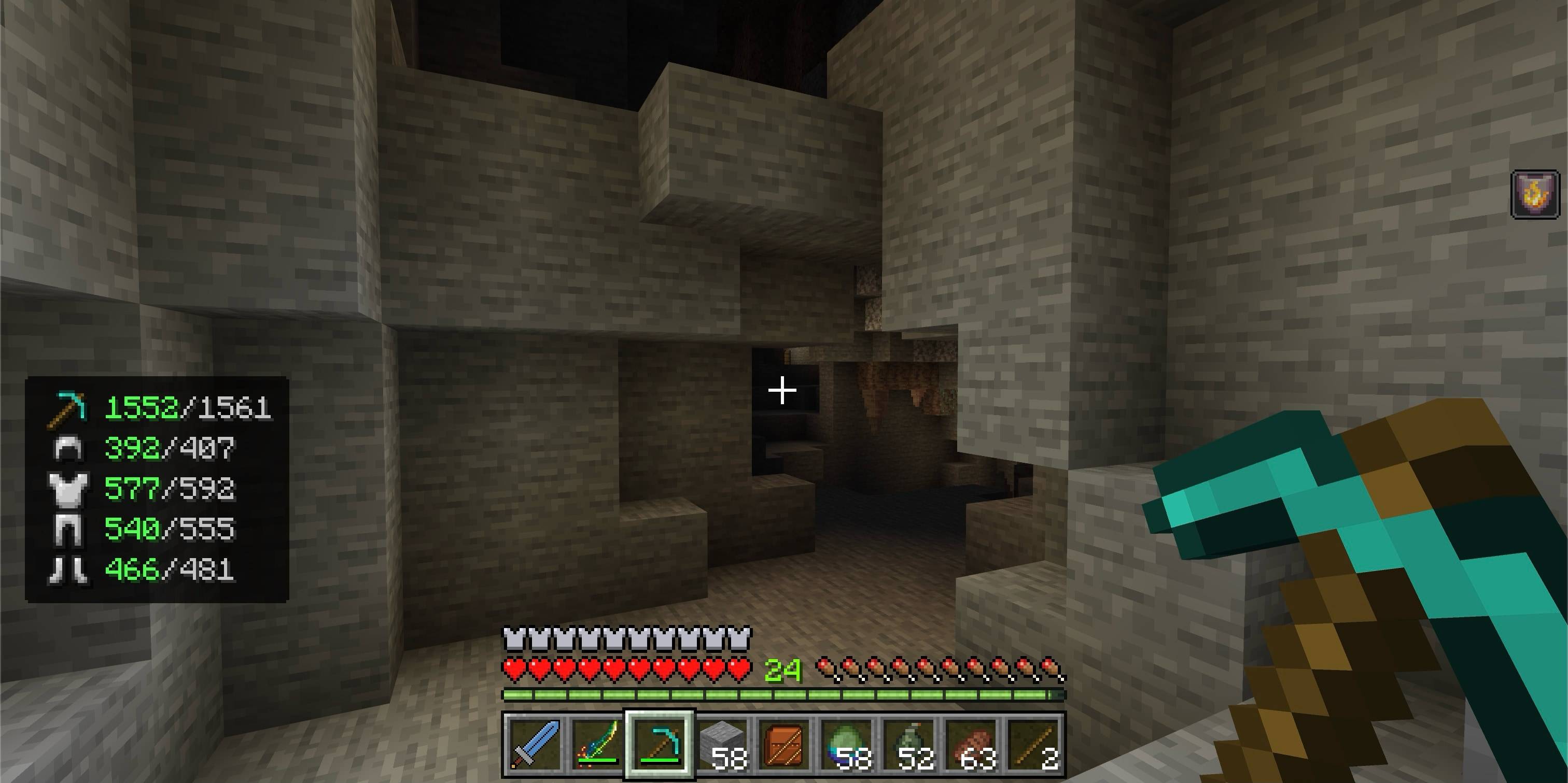
The compact panel shows the remaining durability percentage for your main-hand item, armor, and off-hand equipment. Color-coded values make worn gear easy to notice before it breaks, and an in-game settings screen can switch the HUD to exact current and maximum values.
Features
- Shows a compact durability percentage by default
- Lets Game Directors show or hide the HUD for the whole world
- Lets you separately show or hide the main-hand item, off-hand item, and armor
- Offers an alternative exact current/maximum durability format
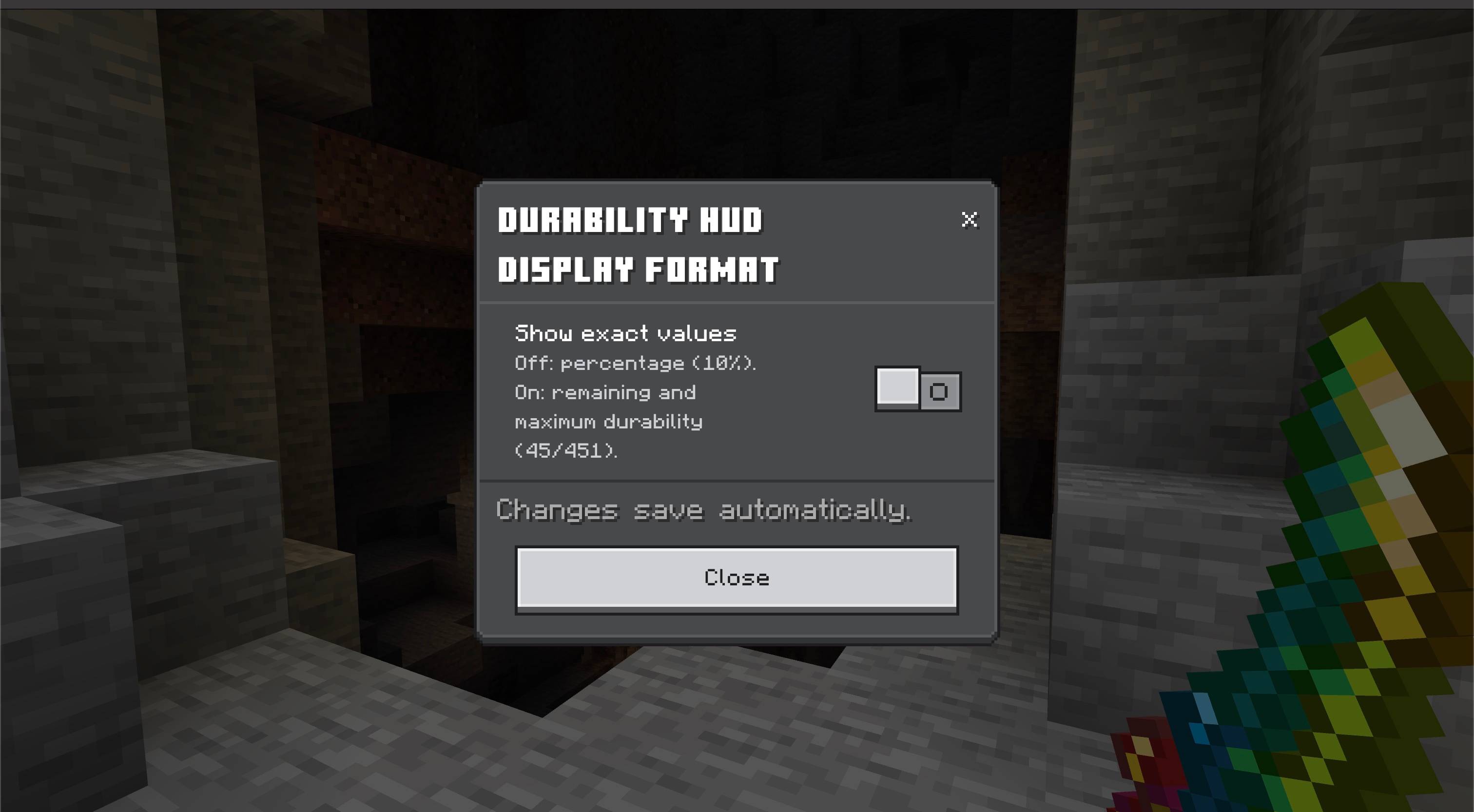
- Includes an auto-saving in-game settings screen
- Tracks the main-hand item, helmet, chestplate, leggings, boots, and off-hand item
- Uses compact equipment icons instead of letter labels
- Displays healthy durability in green, warning durability in yellow, and critical durability in red
- Updates automatically when equipment changes or takes damage
- Hides slots that do not contain a damageable item
- Supports compatible custom items that use the standard Bedrock durability component
- Works independently for every player in multiplayer worlds
- Uses a compact HUD panel designed to stay out of the way
- Compatible with Vibrant Visuals
How to use
- Import the
.mcaddonfile into Minecraft Bedrock. - Activate both the Durability HUD Viewer Behavior Pack and Resource Pack in your world.
- Equip armor or hold a damageable tool or weapon.
- The durability panel appears automatically in the lower-left corner.
Values remain green above 50% durability, turn yellow at 50% or below, and turn red at 20% or below.
Game Directors can run /durability-hud or /dh to open the settings screen and switch between percentage and exact-value formats. Three additional toggles control the main-hand item, off-hand item, and all armor slots; all three are enabled by default. The selected settings apply to the whole world and save automatically.
Notes
- Items without a durability component are not shown.
- Both included packs are required: the Behavior Pack reads equipment durability, while the Resource Pack renders the custom HUD and icons.
- The add-on does not change item durability, repair costs, enchantments, or gameplay balance.
Requirements
- Minecraft Bedrock Edition 1.26.50 or newer
- No experimental toggles required
- No external add-ons required

Durability HUD Viewer Team

Owner