![TC Death Chest – Never Lose Your Items [Achievement-Friendly] logo](https://media.forgecdn.net/avatars/thumbnails/1701/445/64/64/639080522926877858.jpg)
TC Death Chest – Never Lose Your Items [Achievement-Friendly]
- By
Achievement Friendly - Automatically creates a secure chest at player death, safely storing items with location display and elapsed time tracking
MCPEDL1
MCPEDL
Screenshot 2026-03-02 194250.png
Screenshot 2026-09-08 000324.png
Description
Never lose your items again!
| Death Chest Showcase |
|---|
 |
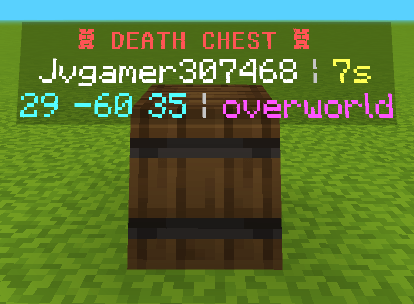
Death Chest is a complete death protection solution for Minecraft Bedrock. When you die, your entire inventory is instantly secured inside a protected container at your death location, ready for you to retrieve whenever you return.
Gallery Preview
 |
 |
| Beacon Beam and Highlights | |
|---|---|
 |
 |
Key Features
Smart Container Adaptation:
- The system automatically evaluates your inventory size.
- Standard inventories (27 item stacks or fewer) spawn inside a single compact Barrel.
- Large inventories (more than 27 item stacks) spawn inside an expanded Double Chest.
Full Void-Proof Protection:
- Dying in the void in any dimension (Overworld below Y -64, Nether below Y 0, or The End below Y 0) will snapshot your inventory.
- A secure platform and container are generated at valid world boundaries, keeping your gear safe from void destruction.
Hazard Defense:
- Lava, fire, and water immediately surrounding your death location are safely cleared upon death, preventing your equipment from burning or being swept away.
Anti-Theft and Anti-Grief Protection:
- Only the player who owns the death chest can unlock and retrieve the items.
- Containers are completely immune to explosions, creepers, and unauthorized block breaking.
Real-Time Floating Hologram:
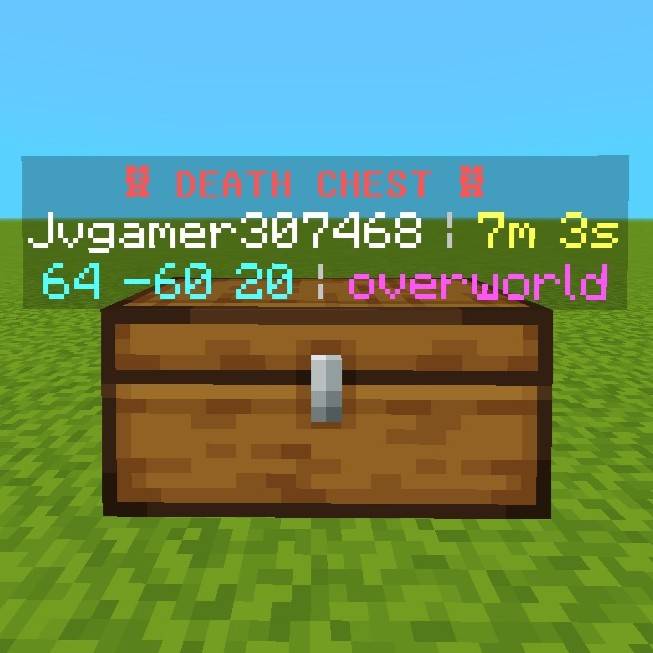
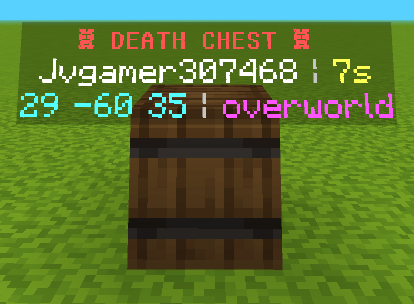
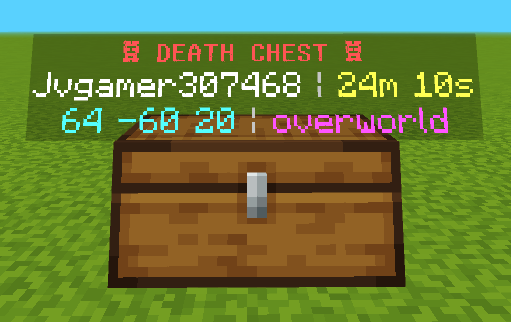
- Every death container is marked with a 3D hologram displaying the owner name, death coordinates, dimension, and an elapsed time counter.
Handheld Death Key and Waypoint Tracker:
- You receive a unique Death Key in your inventory upon respawning.
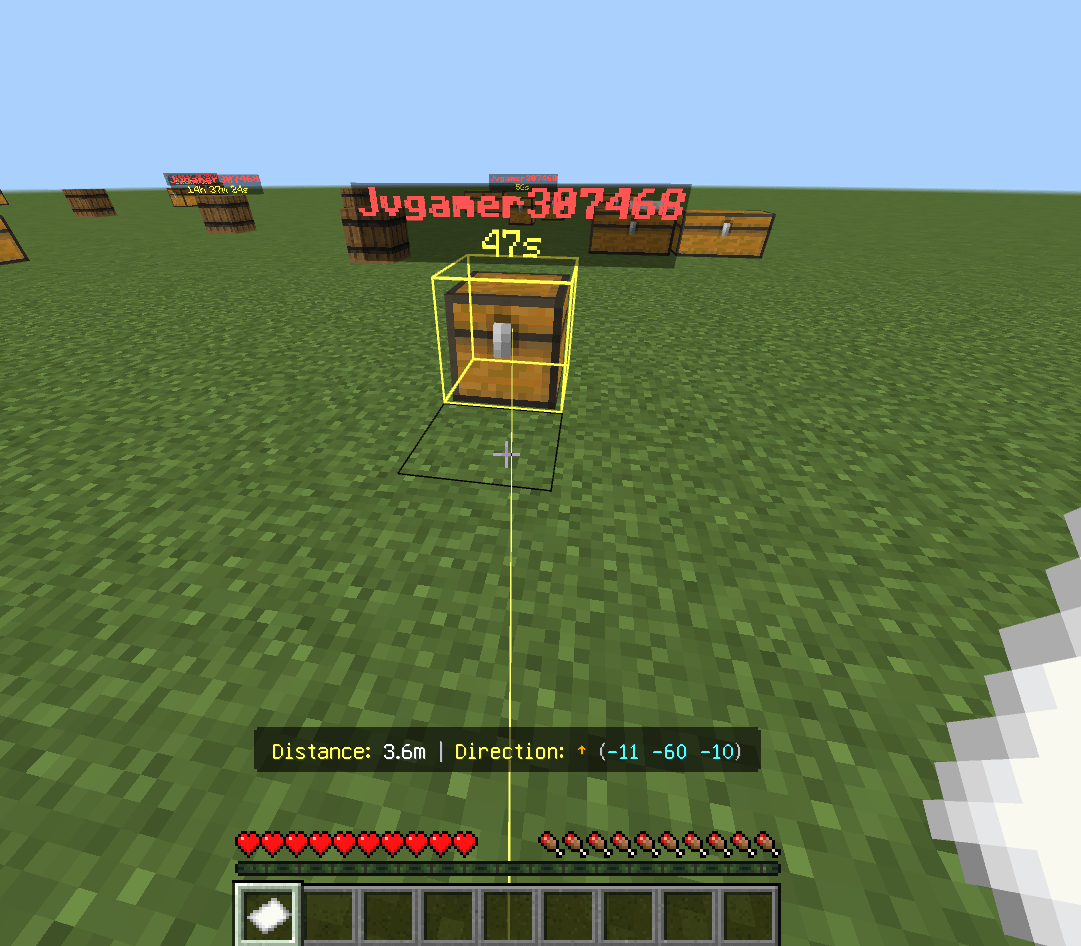
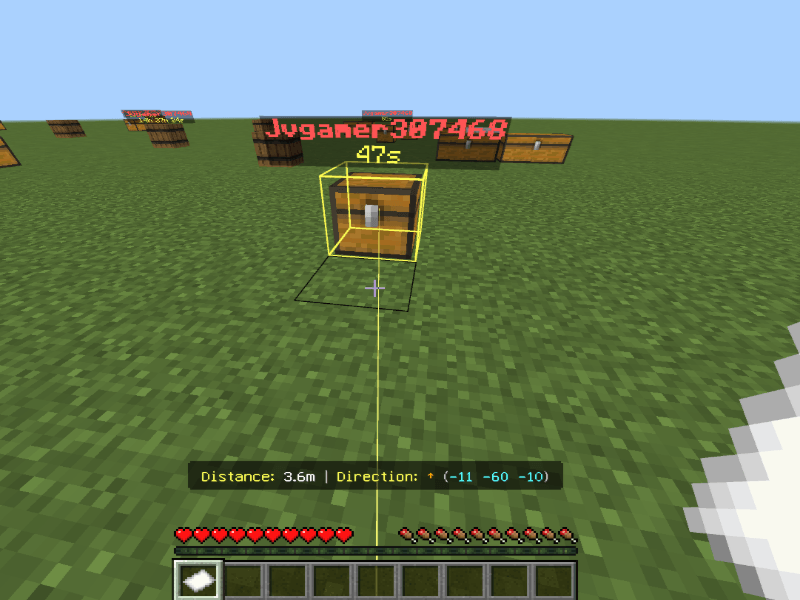
- Hold the Death Key in your main hand to activate the on-screen waypoint HUD showing real-time distance, a directional arrow, and coordinates.
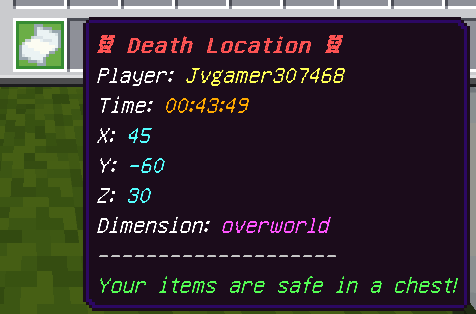
- Holding the key projects a vertical beacon light beam and renders a glowing highlight outline around your death container.
- Putting the key away or switching slots immediately turns off visual markers to keep your screen clear.
How to Use
- When you die, your items are placed safely into a Death Chest or Barrel at your death spot.
- Upon respawn, check your inventory for your Death Key.
- Hold the Death Key in your hand to follow the directional HUD arrow, sky beacon beam, and glowing outline.
- Interact with your container to open it, retrieve all your items, and automatically clean up the container and hologram.
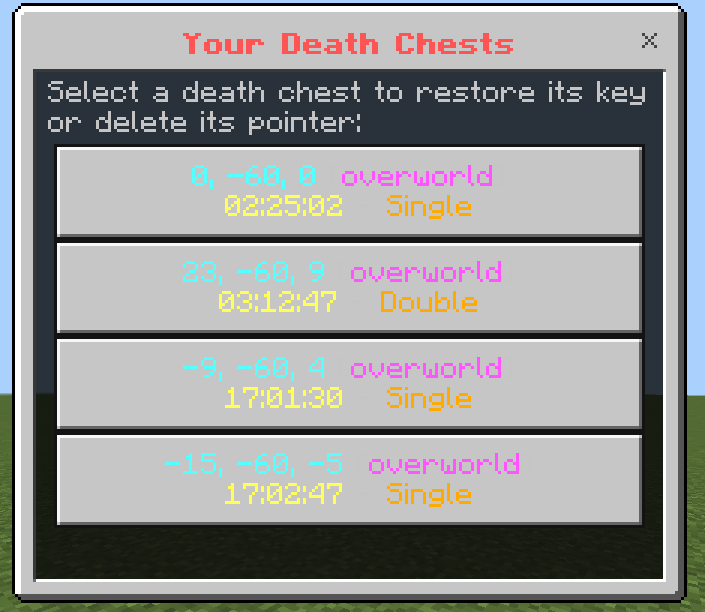
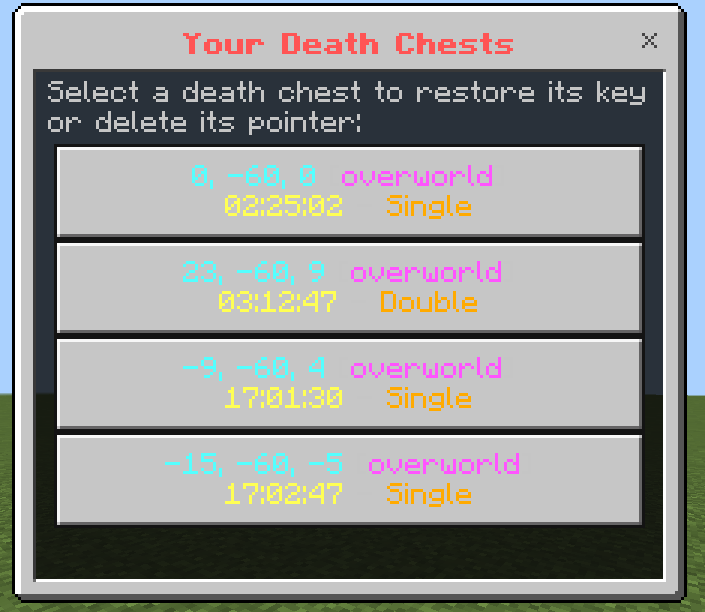
- If you lose your Death Key or need to check past death points, run /tc:deathlist to open your personal death log and recover your key.
Commands
Player Commands:
- /tc:deathlist : Opens your personal death history interface and recovers lost keys. Available to all players.
Administrator Commands:
- /tc:deathchest : Opens the global configuration menu. Operator permissions required.
Administrator Settings
| Configuration Menu Interface |
|---|
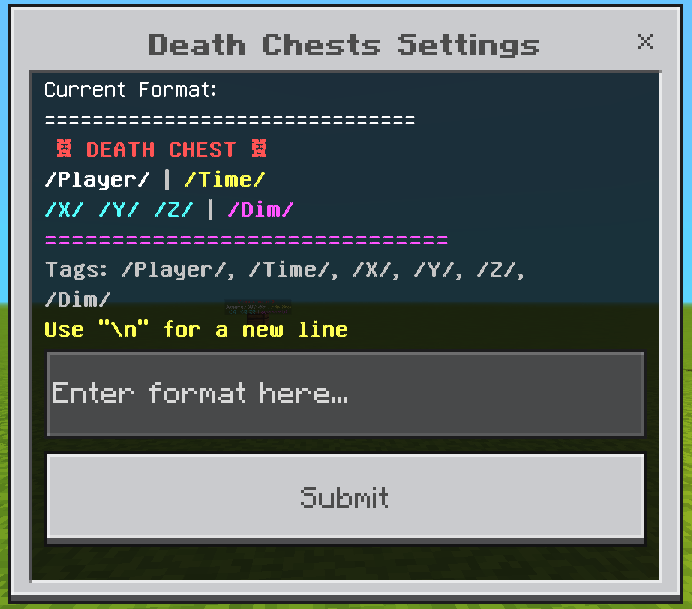 |
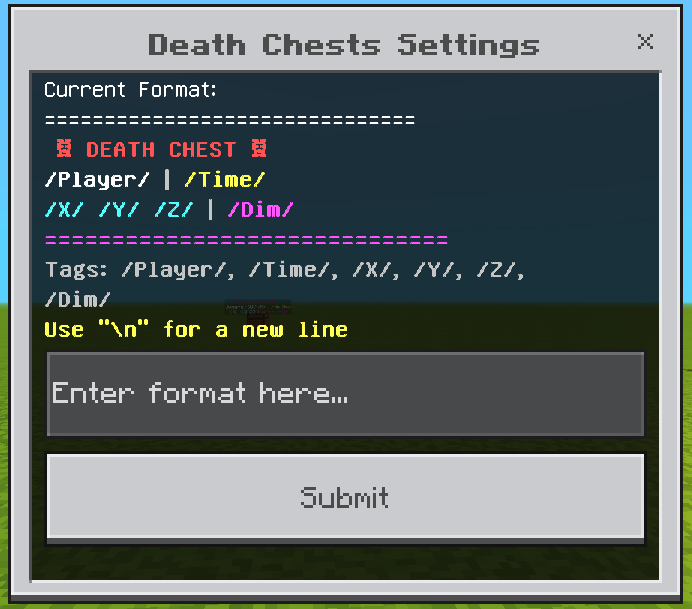
Server operators can customize the addon via /tc:deathchest:
- Hologram Format: Edit the hologram display text using dynamic placeholders (/Player/, /Time/, /X/, /Y/, /Z/, /Dim/) and line breaks (\n).
- Key Enforcement: Toggle whether a Death Key is strictly required to unlock containers.
- Visual Effects: Enable or disable beacon beams, highlight outlines, and adjust maximum beam render distance.
Installation and Compatibility
- No experimental toggles required.
- Compatible with Singleplayer, Realms, and Dedicated Bedrock Servers.
Support and Community
- Ko-fi: https://ko-fi.com/toancao
- YouTube: https://www.youtube.com/@toancaomc
- Discord: https://discord.gg/9rch87H9yM
- CurseForge: https://www.curseforge.com/members/toancao/projects
TC Death Chest – Never Lose Your Items [Achievement-Friendly] Team

Owner

![TC VeinGlow – RGB Ultimate VeinMiner,TreeCapitator, Ore Excavation & 45+ Mining Modes [Achievement friendly] project image](https://media.forgecdn.net/avatars/thumbnails/2121/762/256/256/639276940859090609.png)
![TC Fast Furnace – Instant Smelting for All Furnace Types [Achievement-Friendly] project image](https://media.forgecdn.net/avatars/thumbnails/1699/766/256/256/639079362180148907.png)