TagBoard - Achievement Friendly
- By
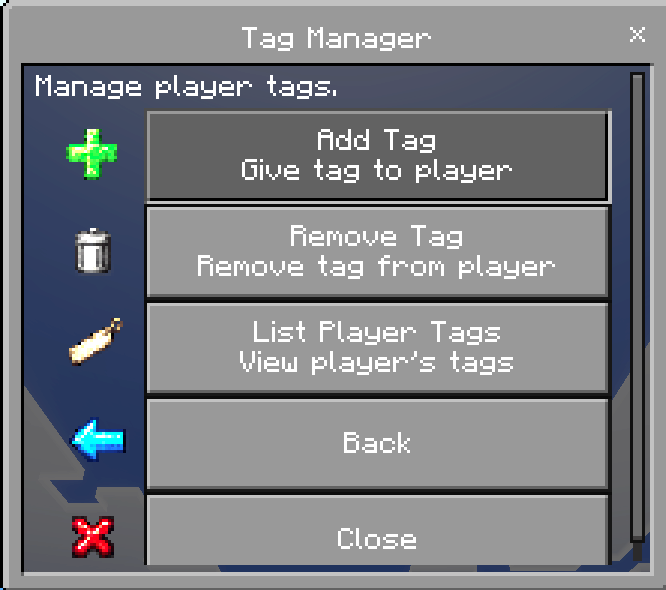
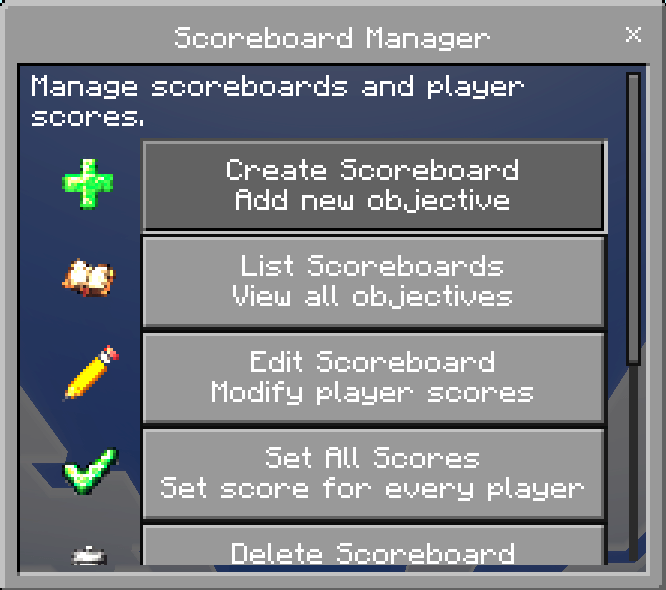
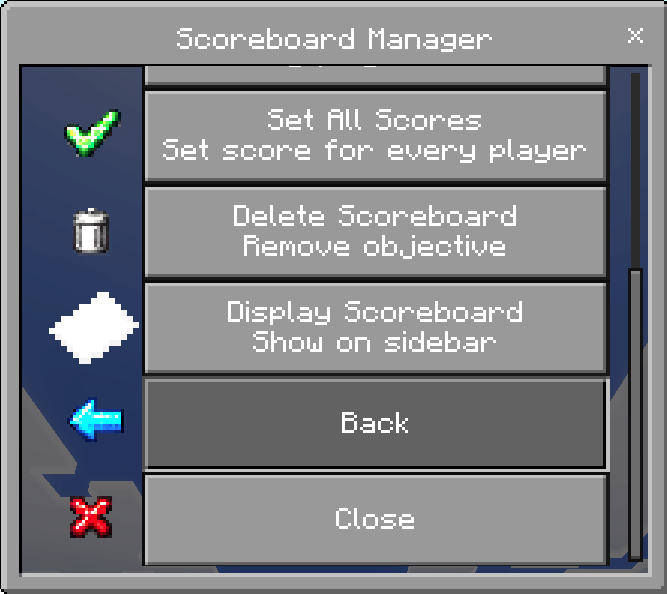
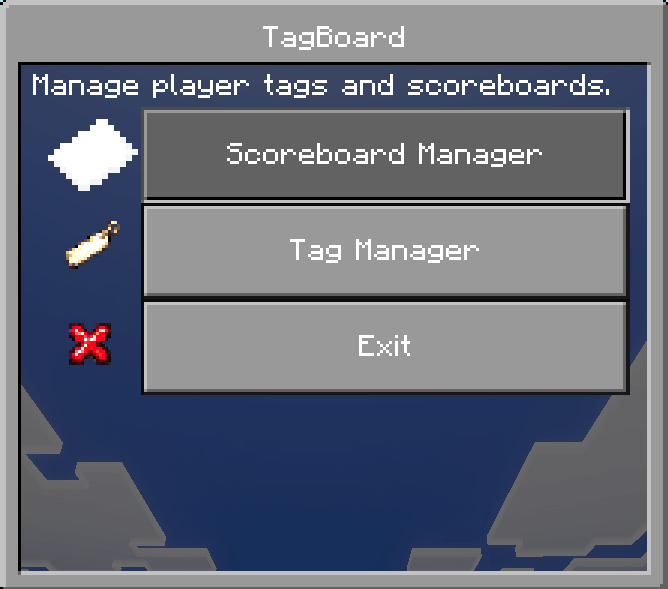
TagBoard is a powerful and easy-to-use Minecraft Bedrock addon that provides a graphical user interface for managing scoreboards and player tags directly in-game.
screenshot-4.png
screenshot-2.png
screenshot-3.png
screenshot-1.png
Description
TagBoard Addon
Description
TagBoard is a Minecraft Bedrock addon that gives server owners and admins an easy way to manage player tags and scoreboards from an in-game menu. It includes tools for creating, editing, listing, displaying, and deleting scoreboards, along with tag management features for adding, removing, and viewing player tags. The addon also includes a custom TagBoard Menu item and now uses a resource pack so the custom item displays with its own icon correctly in game.
Features
- In-game TagBoard menu
- Scoreboard creation and management
- Set and edit player scores
- Set all player scores at once
- Display scoreboards on the sidebar
- Add tags to players
- Remove multiple tags at once using toggles
- View player tags
- First admin setup using the tag `tagboard_admin`
- Automatically gives the first admin the TagBoard Menu item
- TagBoard Menu item is kept on death
- Now includes a resource pack for the custom menu item icon
How to Install or Update
1. Close Minecraft if it is open.
2. Uninstall or remove the old version of the TagBoard addon.
3. Install the new version of the addon.
4. Activate the new Behavior Pack on your world.
5. Activate the new Resource Pack on your world.
6. Load into the world.
7. The first player detected by the addon will receive the `tagboard_admin` tag if no admin has been assigned yet.
8. That admin will also receive the TagBoard Menu item.
Important Update Note
When updating TagBoard, you should remove the old addon version first before activating the new version. This helps prevent conflicts with outdated files and ensures the newest Behavior Pack and Resource Pack load correctly.
What’s Included
- Behavior Pack
- Resource Pack
Changelog v1.0.2
New Feature – Book Conversion System
- Added a new way to obtain the TagBoard Menu item using a vanilla Minecraft book
- Players with the tagboard_admin tag can rename a regular book to:
TagBoard Menu
- Using the renamed book will automatically convert it into the TagBoard Menu item
- The original book is removed and replaced with the custom menu item
- The menu item is given with keep_on_death enabled
- Added a confirmation message when the conversion is successful
- Added a permission check so only TagBoard admins can use this feature
How It Works
1. Get a regular Minecraft book
2. Rename it in an anvil to:
TagBoard Menu
3. Hold the book and use it (right click / tap)
4. The book will be removed
5. You will receive the TagBoard Menu item
Reset Stick Added
- Added a TagBoard Reset stick tool
- Can only be used by players with the tagboard_admin tag
- Removes the tagboard_admin tag from the player
- Clears saved TagBoard admin dynamic properties
- Clears the TagBoard menu item from the player
- Displays a reset summary after use
- Added error reporting if any part of the reset fails
- To use just rename a stick to TagBoard Reset and then click
Resource Pack Update
- Added full custom icon set for TagBoard menus
- This is the first version to include icons
- Added icons for:
- Back and Close buttons
- Scoreboard and Tag menus
- Add, Remove, Create, Edit, List, Delete, Display actions
- Player and objective selections
- Updated all menus to use the new icons for a cleaner UI experience
Changelog v1.0.1
- Added first-time admin setup using the `tagboard_admin` tag
- Added dynamic property system so admin setup only happens once
- Added automatic first-admin menu item give
- Changed menu item to custom item `tagboard:menu`
- Added keep on death to the TagBoard Menu item
- Updated Remove Tag menu to use toggles for selecting multiple tags
- Added support for removing multiple tags in one submit
- Added resource pack support for the custom TagBoard Menu icon
- Updated addon structure to require both Behavior Pack and Resource Pack
Images created using AI.
For support or suggestions join my Discord
The TagBoard - Achievement Friendly Team