Quick Chests Deposit | Fast Inventory Sorting
- By
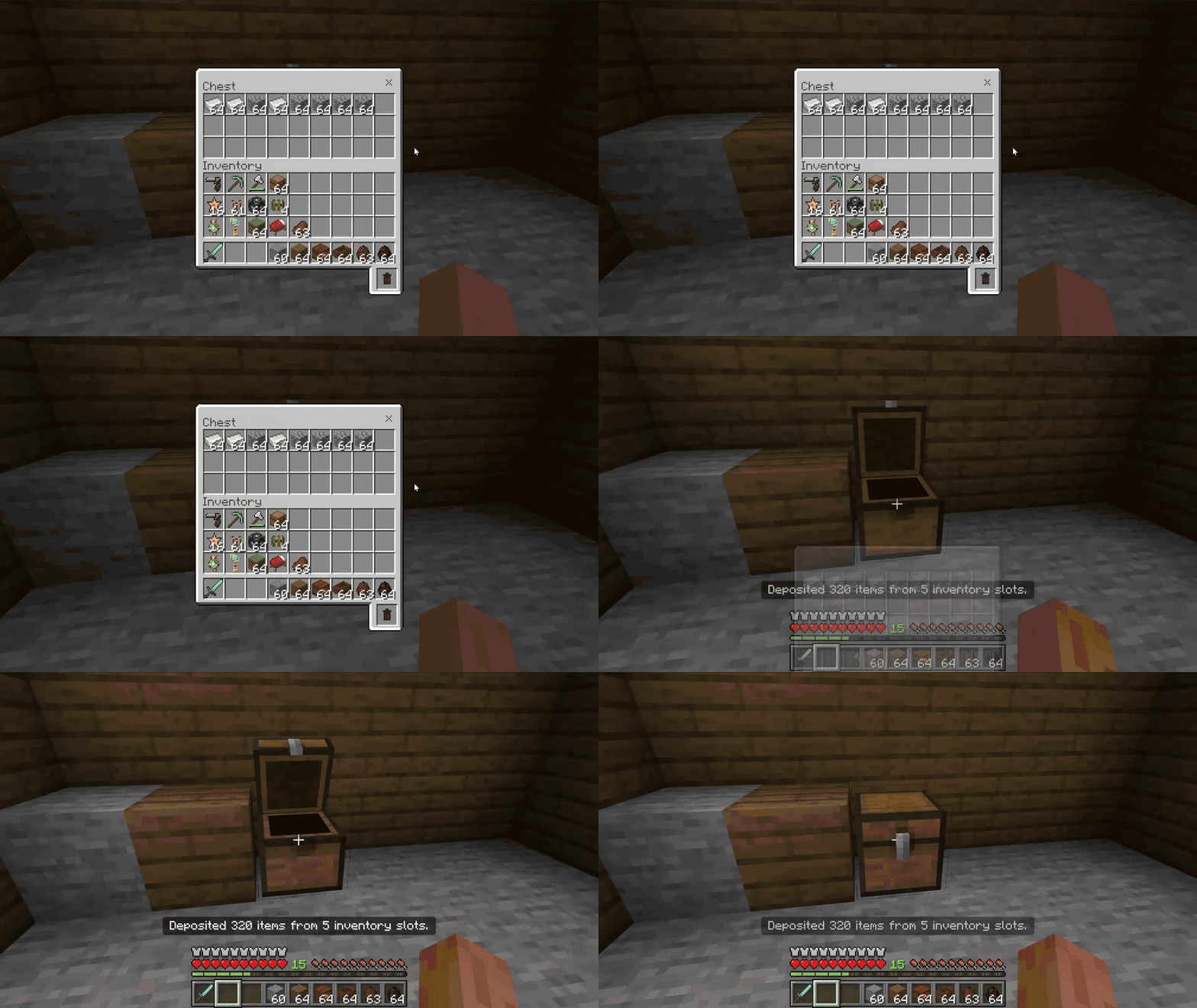
Quickly deposit only matching inventory items into chests with one sneak-interaction in Minecraft Bedrock.
Description
How to use: sneak and interact with a chest
About
Sort your inventory into existing storage with one quick interaction.
Quick Chests Deposit is a lightweight quality-of-life add-on for Minecraft Bedrock. Sneak and interact with a chest to move only items that already have an equivalent stack inside that chest. You can keep ordinary items such as tools, weapons, food, and resources in your hand.
Features
- No empty hotbar slot required — sneak and interact while holding an ordinary item to sort matching items immediately.
- Existing items only — leaves unrelated inventory items untouched instead of filling the chest with new item types.
- Exact stack matching — respects names, enchantments, durability, potions, written books, dyed items, custom data, and storage contents.
- Safe partial transfers — deposits as much as the chest can accept and leaves the remainder in the player's inventory.
- Preserves normal building — blocks and placement items keep their vanilla sneak-interactions for placing blocks, signs, item frames, hoppers, and similar objects against chests.
- Clear feedback — reports successful transfers, missing matches, and full storage through the action bar and sounds.
- Multiplayer friendly — handles each player's interaction independently.
- Lightweight — requires no menus, commands, custom items, recipes, external add-ons, or experimental toggles.
How to use
- Import the
.mcaddonfile into Minecraft Bedrock. - Activate both the Quick Chests Deposit Behavior Pack and Resource Pack for your world.
- Hold an ordinary item such as a tool, weapon, food, or resource, or leave your hand empty.
- Sneak and interact with a normal chest or trapped chest. If you are holding a block or another placement item, switch to an ordinary item first so Minecraft can preserve the vanilla placement action.
Matching items move immediately without opening the chest. Interact normally when you want to open and manage it by hand.
Notes
- Both the hotbar and main inventory are checked for matching items.
- An item must match a stack that was already inside the selected chest before the transfer began.
- Special items are moved only when their relevant data matches, protecting differently enchanted, named, damaged, dyed, written, filled, or customized items.
- If the chest becomes full, any untransferred items remain safely in the player's inventory.
- No experimental toggles are required.
Requirements
- Minecraft Bedrock Edition 26.40 or newer
- Quick Chests Deposit Behavior Pack and Resource Pack must both be active
- No external add-on dependency required

The Quick Chests Deposit | Fast Inventory Sorting Team


Owner