Hammer Time
- By
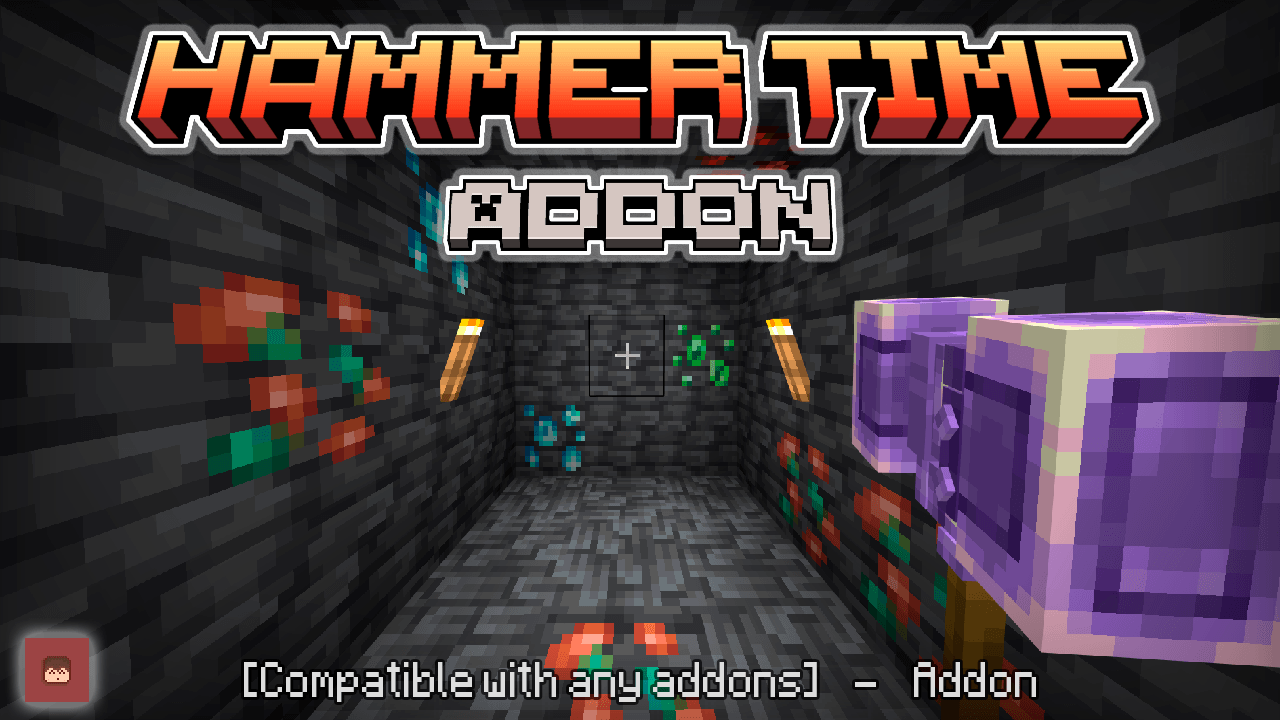
This addon is based on the Minecraft Java mod with the same name, adding hammers that cut 3x3, swords that damage areas, axes that break wood by breaking a block, and shovels that cut dirt 3x3, etc.
hammertime_2.png
hammer_time_new.png
Description
🔨 Hammer Time
⛏️ Mine More. Dig Faster. Cut Trees. Harvest Crops. Fight Groups.
Hammer Time expands Minecraft Bedrock with powerful tools designed to make repetitive Survival tasks faster while still giving you control over how their abilities work.
Inspired by the Minecraft Java mod of the same name, Hammer Time adds Hammers, Great Swords, Great Axes, Sickles and Great Shovels, each with its own unique mechanics.
✅ Compatibility
- ✅ Compatible with other Add-ons
- ✅ Realms Compatible
- ✅ No Experimental Features Required
- ✅ Does NOT use
player.json - ✅ Per-player configuration
- ✅ Translatable configuration
🌐 Visit My Official Website
⭐ What Does Hammer Time Add?
Hammer Time includes 5 main tool types:
- 🔨 Hammers — Area Mining, Tunnel Mining and Vein Mining
- ⚔️ Great Swords — Knockback and Cleave/Sweeping attacks
- 🪓 Great Axes — Fast tree cutting
- 🌾 Sickles — Leaf clearing, crop harvesting and Auto Replant
- 🥄 Great Shovels — Area digging, paths and farmland
Each tool is specialized for different Survival tasks, and many of their abilities can be customized directly in-game.

🔥 Hammer Time V3.1.0
A Major Upgrade for Every Tool
V3.1.0 greatly expands Hammer Time with new mining modes, a real-time mining preview, improved tools, better enchantment support, new combat mechanics, per-player settings and additional performance options.
⭐ What's New?
- ⛏️ Area, Tunnel and Vein Mining modes
- 📐 Mining sizes from 1x1 up to 7x7
- 🚇 Configurable tunnel size and depth
- 💎 Connected ore Vein Mining
- 🛡️ New Safe Mining
- 💠 Real-Time Mining Preview
- ✨ Improved Fortune, Silk Touch and Unbreaking
- 🔧 Configurable durability cost from 0.5 to 10
- 🪓 Improved Great Axe tree cutting
- 🌾 Area crop harvesting
- ♻️ Auto Replant
- 🥄 Improved Great Shovel mechanics
- ⚔️ New Cleave / Sweeping Attack
- 👤 Per-player configuration
- ⚙️ Independent settings for different tools
- 🚀 New performance options
- 🌐 Fully translatable new settings
-Video Review-
📖 Full V3.1.0 Details
⛏️ Hammer Mining Modes
Hammers now support three different mining modes, allowing you to change how your Hammer works depending on what you are doing.
🔲 Area Mining
Break multiple compatible blocks at once.
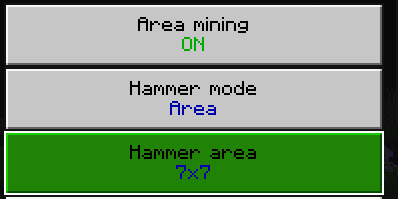
Available sizes:
- 1x1
- 3x3
- 5x5
- 7x7
Use smaller areas when you need precision or larger areas when clearing caves and large sections of terrain.
🚇 Tunnel Mining
Tunnel Mode is designed for quickly excavating underground passages.
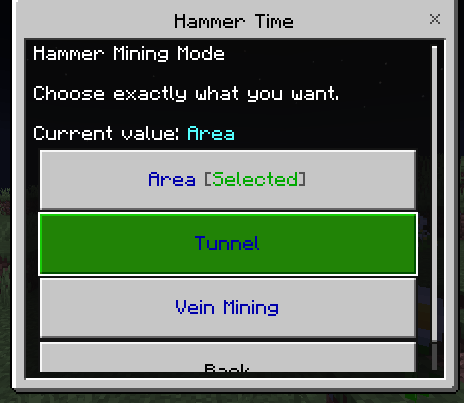
You can configure:
- Tunnel Size
- Tunnel Depth

This allows you to create tunnels much faster without manually breaking every block one by one.
💎 Vein Mining
Vein Mining detects connected ores and allows the Hammer to process them together.
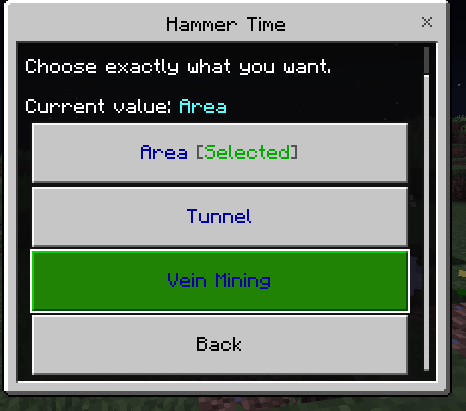
You can configure the maximum number of connected blocks that can be processed in a single action.

🛡️ Safe Mining
Large mining areas are powerful, but sometimes you don't want every nearby block to be destroyed.
Hammer Time now includes Safe Mining to help prevent certain important blocks from being accidentally broken.
Additional options include:
- Break only blocks of the same type
- Configurable mining limits
- Optional nearby ore protection
- Nearby ore protection is disabled by default

🔄 Quick Hammer Mode Switching
You don't need to constantly open the configuration menu to change your Hammer mode.
Use Sneak + Use while looking at a block to quickly switch between Hammer modes.
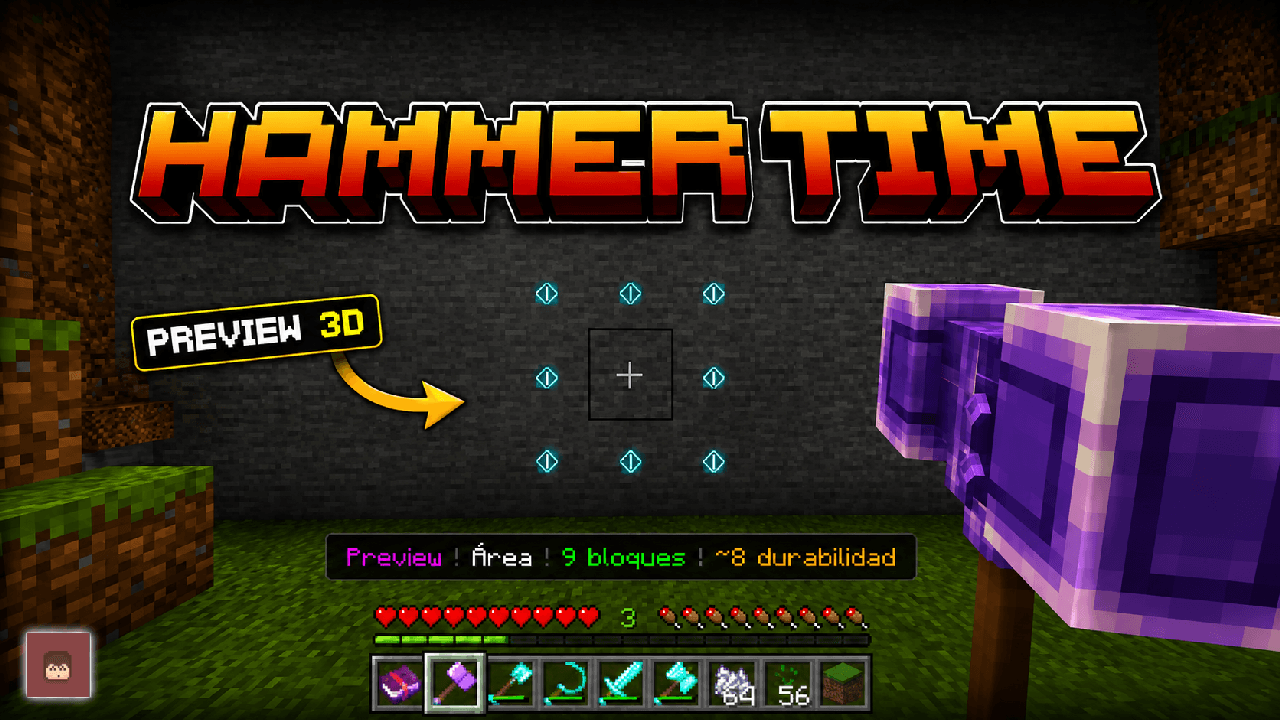
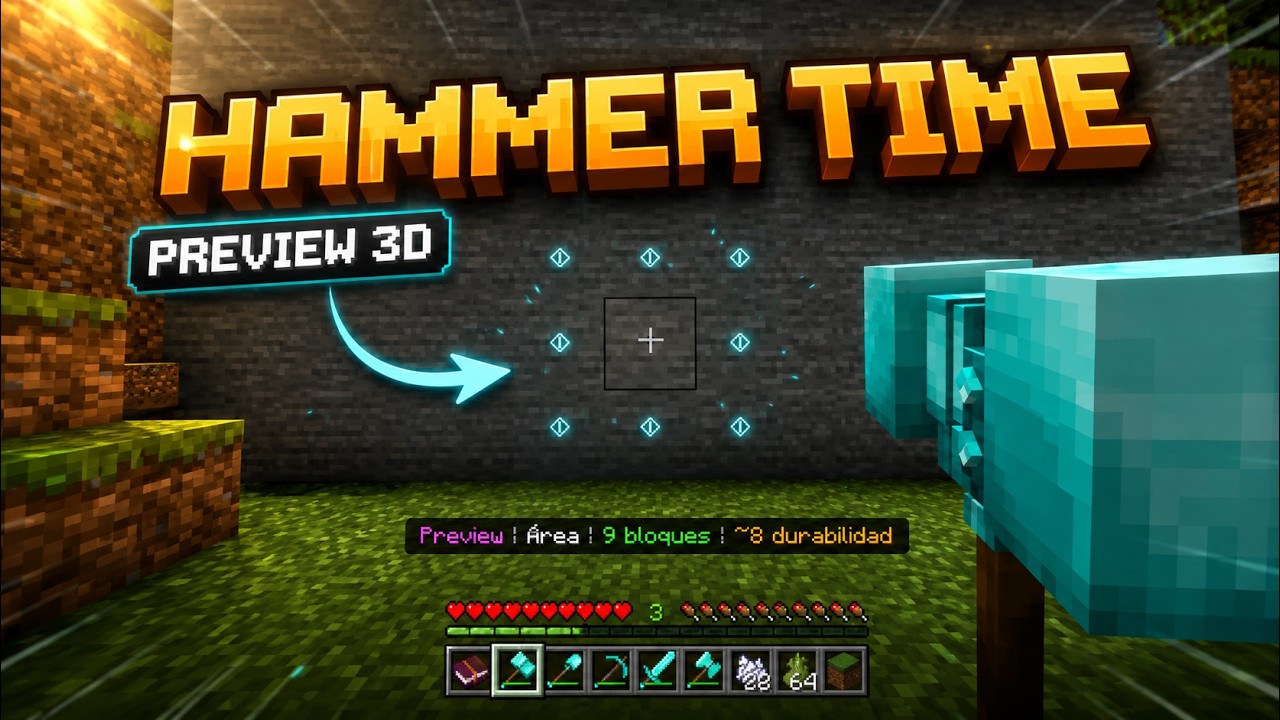
💠 Real-Time Mining Preview
V3.1.0 introduces a new real-time mining preview.
Before you begin mining, Hammer Time can show exactly which blocks will be affected by your current mining mode.

The preview works when mining:
- Walls
- Floors
- Ceilings
- From different directions
The preview does not interrupt or restart your normal block-breaking progress.
A cleaner selection particle is also used to make affected areas easier to understand without filling the screen with unnecessary particles.
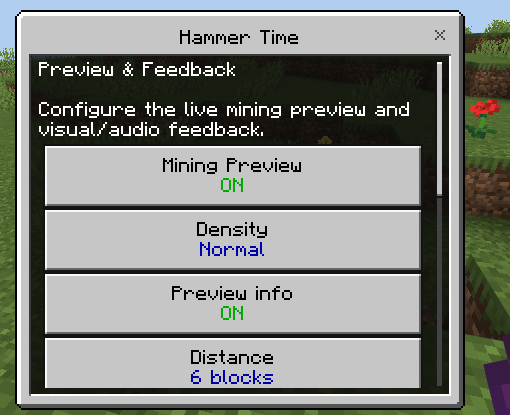
Preview Settings
- Preview Density
- Maximum Preview Distance
- Preview Update Frequency
- Actionbar Information
Preview information in the actionbar is enabled by default.
✨ Enchantments & Durability
💰 Fortune
Fortune behavior has been improved when processing multiple blocks.
🧊 Silk Touch
Silk Touch behavior has been improved for area mining.
✨ Ore XP
Experience drops from ores have been improved.
🛡️ Unbreaking
Unbreaking is now properly supported when multiple blocks are processed by Hammer Time abilities.
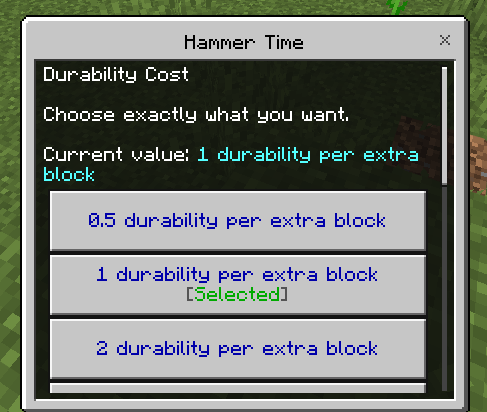
🔧 Durability Cost
Additional durability loss can now depend on the amount of blocks processed by a tool ability.
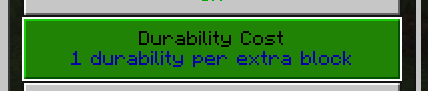
The durability cost per block can be configured from 0.5 to 10.
Decimal durability costs are automatically calculated and rounded when the final durability loss is applied.
🪓 Great Axe
The Great Axe tree-cutting system has been improved.
- Improved tree detection
- Support for more modern tree types
- Configurable maximum number of logs processed
- Options for controlling trees/logs of the same type
- Optional diagonal connections
🌾 Sickle
The Sickle can now be used for both vegetation clearing and farming.
🍃 Area Leaf Breaking
- Improved area leaf breaking
- Independently configurable leaf-breaking size
🌱 Area Crop Harvesting
The Sickle can now harvest multiple crops in an area.
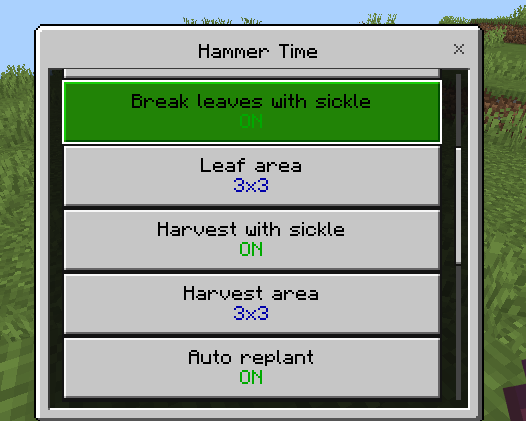
Supported crops include:
- Wheat
- Carrots
- Potatoes
- Beetroot
The crop harvesting area can be configured separately from the leaf-breaking area.
♻️ Auto Replant
Enable Auto Replant to automatically replant harvested crops.
The required item is consumed directly from the player's inventory before the crop is replanted.
🥄 Great Shovel
The Great Shovel area digging system has been improved.
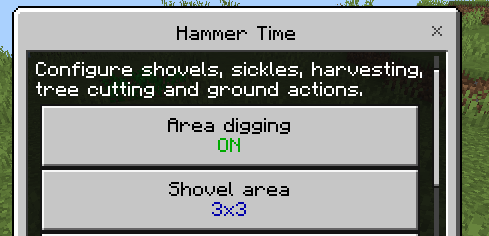
- Improved area digging
- Support for more shovel-compatible blocks
- Independently configurable digging size
- Improved path actions
- Improved farmland actions
⚔️ Great Sword
💥 Improved Knockback
The Great Sword knockback system has been improved and its power can be customized.
⚔️ Cleave / Sweeping Attack
Great Swords can now hit enemies near your primary target.
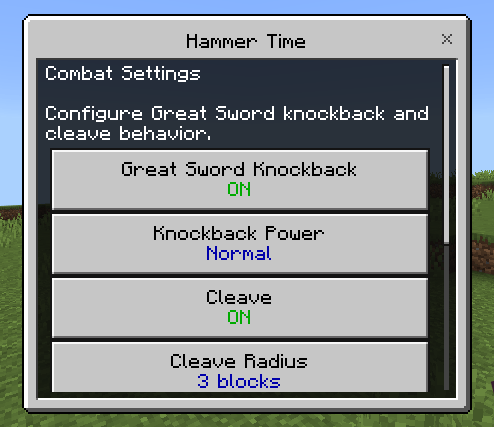
You can configure:
- Cleave Radius
- Maximum Targets
- Additional Damage
- PvP
- Knockback Power
The sweeping attack also uses a new visual animation/particle when activated.
⚙️ New Configuration System
Hammer Time configuration is now saved individually for each player.
This means players in the same world can use different settings depending on their preferred playstyle.
Each tool can also have its own independent settings.
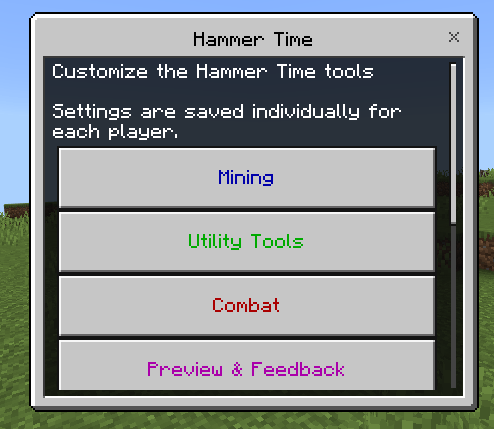
The configuration menu is organized into categories:
- ⛏️ Mining
- 🛠️ Tools
- ⚔️ Combat
- 💠 Preview & Feedback
- 🚀 Limits & Performance
Each option now has its own screen explaining what it does.
A general Help section has also been added.
The entire interface has been reorganized to improve readability and navigation.
Pressing Esc now correctly closes the menu without reopening previous configuration windows.
🚀 Performance & Limits
Large mining and tree-cutting actions can process many blocks at once.
V3.1.0 introduces processing modes designed to adapt Hammer Time to different devices.
Large actions can be distributed to help reduce performance problems.
Configurable limits are available for systems such as:
- Area Mining
- Vein Mining
- Tree Cutting
🌐 General Improvements
- Updated block support for different tools
- Improved compatibility with vanilla mechanics
- Fully translatable new configuration options
- Improved consistency between tool systems
- Improved Survival usability
- Improved configuration readability
- Numerous general adjustments and fixes
🛠️ 5 Powerful Tool Types
🔨 Hammers
Advanced mining tools featuring:
- Area Mining
- Tunnel Mining
- Vein Mining
- Real-Time Mining Preview
- Safe Mining
Perfect for caves, tunnels, resource gathering and large mining projects.
⚔️ Great Swords
Heavy combat weapons featuring:
- Knockback
- Cleave / Sweeping attacks
- Multi-target combat options
🪓 Great Axes
Designed for quickly cutting connected logs and processing trees.
🌾 Sickles
Designed for:
- Clearing leaves
- Harvesting crops in an area
- Automatically replanting crops
🥄 Great Shovels
Designed for:
- Area digging
- Terraforming
- Creating paths
- Preparing farmland
⚙️ Tools Config
Hammer Time includes an in-game Tools Config system that lets you customize how its special abilities work without manually editing addon files.
Configuration is saved individually for each player, and different tools can have independent settings.
Main categories include:
- ⛏️ Mining
- 🛠️ Tools
- ⚔️ Combat
- 💠 Preview & Feedback
- 🚀 Limits & Performance
📦 Installation Guide
Hammer Time requires both packs:
📘 Hammer Time BP
Contains the addon's behavior and mechanics.
🎨 Hammer Time RP
Contains the addon's resources and textures.
✅ Both packs are required for the addon to work correctly.
You do NOT need Experimental Gameplay.
Hammer Time also does NOT use player.json.
💎 Materials & Recipes
📖 Show Materials & Recipes
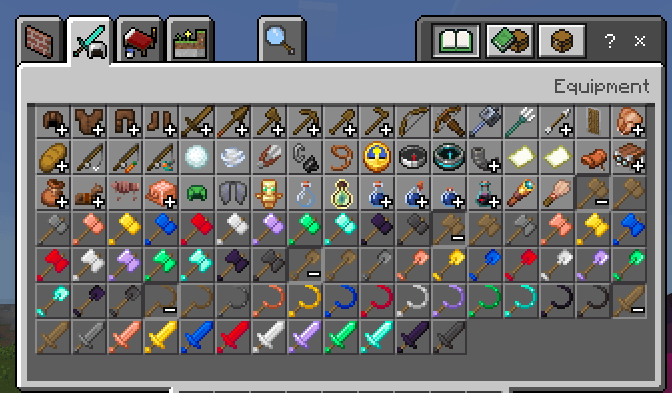
💎 Tool Materials
Hammer Time tools are available using multiple materials:
- Wood
- Stone
- Iron
- Gold
- Diamond
- Netherite
- Emerald
- Obsidian
- Redstone
- Lapis Lazuli
Different material versions vary in characteristics such as durability and mining performance.
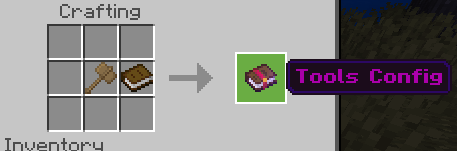
📖 Tools Config Recipe
Hammer Time includes a crafting recipe for the Tools Config item.
If you lose the configuration item, you can craft another one.
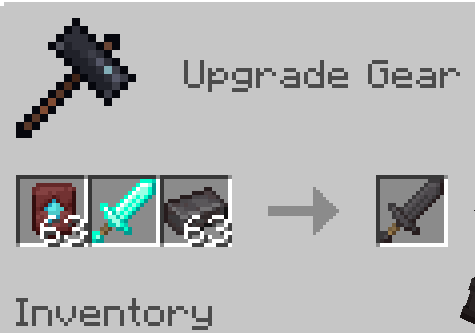
🔥 Netherite Tools
Netherite versions of Hammer Time tools use the following upgrade/crafting system:
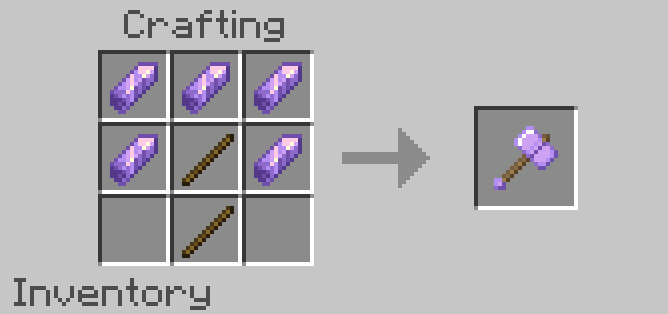
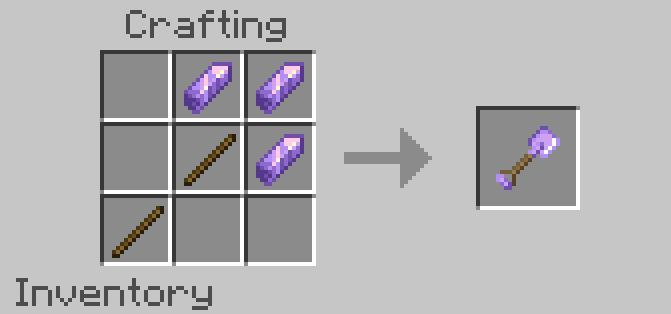
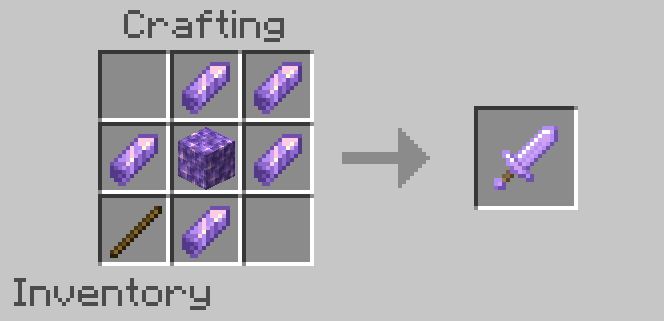
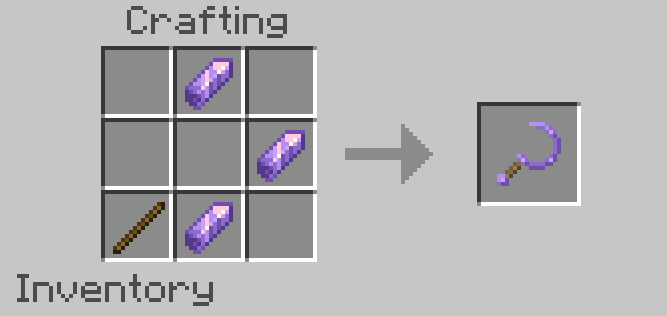
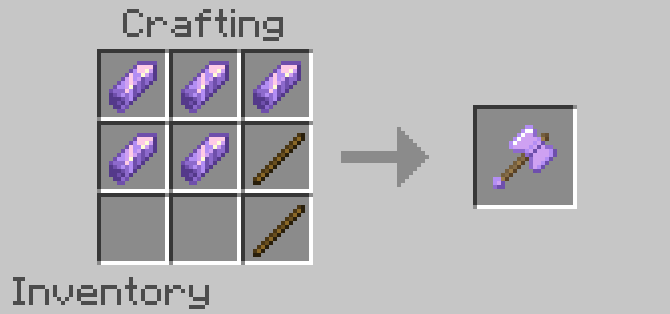
🧱 Recipe Examples
Below are recipe examples using one material. Other material variants follow the corresponding recipe format.
📜 Previous Updates
🕘 Show Previous Updates
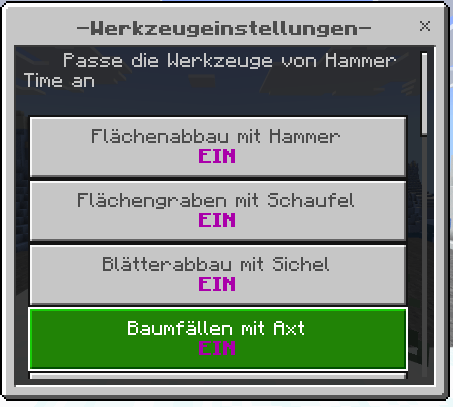
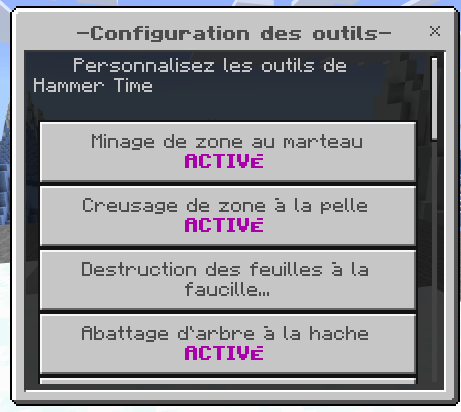
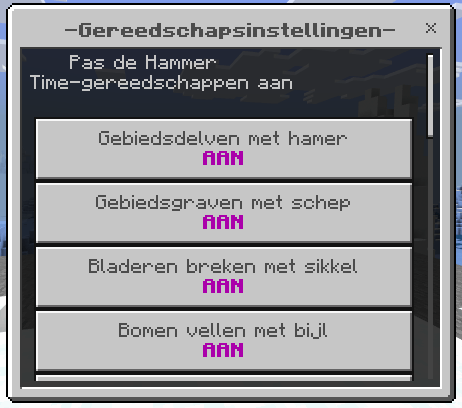
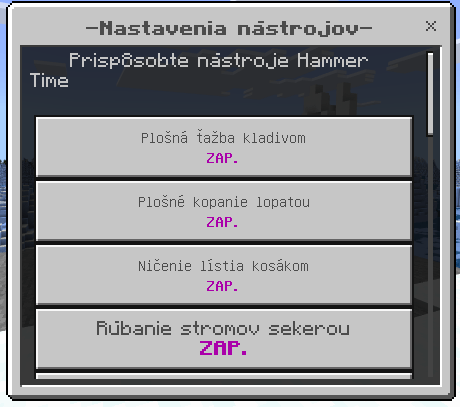
🌐 V3.0.4 — Translations
Added translations for all languages available in the game, including:
- Items
- Categories
- Configuration Book
- Configuration options
🔧 V3.0.3 — Durability Cost
Added the Durability Cost configuration option.
This allowed players to modify how much durability a tool loses when using its custom ability.
The durability system was later greatly expanded in V3.1.0.

⚙️ V3.0.2 — Tools Config
V3.0.2 introduced the in-game Tools Config system.
The original configuration included:
- Hammer Area Mining
- Shovel Area Digging
- Sickle Leaves Breaking
- Axe Tree Capitator
- Path / Farm Actions
- Drops
- Actionbar Counter
- Sounds
- Particles
- Custom Durability
- Activation Mode
- Area Size
- Area Block Limit
- Tree Block Limit
- Great Sword Knockback
- Knockback Power
- Reset Config
The configuration system has since been greatly expanded and reorganized in V3.1.0.
❤️ Built for Survival
Whether you want to:
- ⛏️ Mine large areas
- 🚇 Create tunnels
- 💎 Mine connected ore veins
- 🪓 Cut trees
- 🍃 Clear leaves
- 🌾 Harvest farms
- ♻️ Automatically replant crops
- 🥄 Terraform terrain
- 🌱 Prepare farmland
- ⚔️ Fight groups of enemies
Hammer Time gives you a specialized tool for the job.
And with its expanded configuration system, you decide how those tools work.
🌐 More Add-ons
Want to discover more Minecraft Bedrock Add-ons?
➜ Visit My Official Website
The Hammer Time Team


Owner