Sleeping Bag
- By
This addon adds sleeping bags just like the java mod, its use is more for multiplayer if one person sleeps it will be daytime regardless of the others not doing it, it is quite useful and it is also compatible with any addon, I hope you like it.
Join my Discord server 🚀
There you can request custom commissions, report bugs, see addon progress and stay updated with my new projects.
💤 Sleeping Bag Addon
Compatible with other addons || Realms || Multiplayer
This addon adds sleeping bags to Minecraft Bedrock, inspired by the classic Java mod idea.
It is especially useful for multiplayer worlds, Realms, adventures and long trips where you want to skip the night without placing a normal bed everywhere.
Just place the sleeping bag, interact with it at night, and after a short sleep sequence the world changes to morning.
The best part is that sleeping bags are made to be simple: they are easy to craft, come in 16 colors, do not require experimental gameplay, and do not use player.json.
🆕 Latest Update
This update improves the addon a lot without making it complicated.
Main changes
- Added a new Sleeping Bag Settings book
- Every player receives the Settings book once when joining
- Added a recipe to craft the Settings book again if you lose it
- Added personal settings for every player
- Added an in-game How to Use section
- Added sleep camera option
- Added optional sleep/status messages
- Added Sneak + Interact quick pickup
- Added recoloring for placed sleeping bags using dyes
- Improved the original sleeping camera movement
- Improved multiplayer sleep sessions
- Improved handling when two players try to use the same sleeping bag
- Fixed/improved two-block sleeping bag behavior
- Breaking one half now also clears the other half correctly
- The addon now avoids replacing blocks if there is no space to place the full sleeping bag
📘 Sleeping Bag Settings
Every player receives the Sleeping Bag Settings item the first time they join the world.
The item uses an enchanted book icon and opens a simple personal settings menu.
From this menu, each player can enable or disable:
- Sleep Camera
- Sleep Messages
- Sneak + Interact Pickup
- Recolor Placed Bags
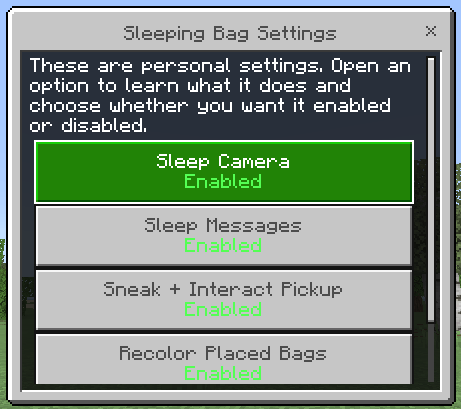
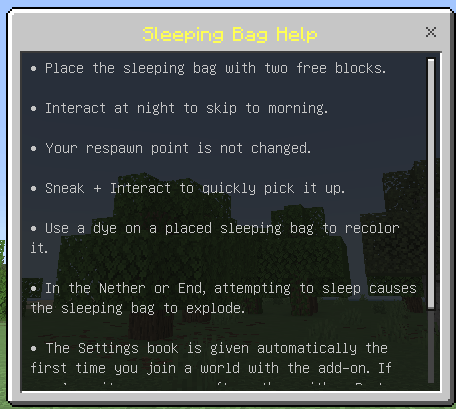
There is also a How to Use button that explains the basics directly in-game.
These are personal settings, so changing them only affects your own experience.
🎥 Sleep Camera
The addon includes a small sleep animation/camera effect.
When enabled, your movement and camera are briefly locked while the view tilts during the sleep sequence.
If you prefer a faster or cleaner experience, you can disable the Sleep Camera from the Settings book.

💬 Sleep Messages
Sleeping Bag can show useful actionbar/status messages, for example:
- Sleeping…
- You can only sleep at night
- The sleeping bag is already being used
- Your sleep was interrupted
- The sleeping bag is incomplete
If you do not want those messages, you can disable them from your personal settings.
🎒 Quick Pickup
If enabled, you can use:
Sneak + Interact
to quickly pack up a placed sleeping bag.
This is useful when traveling, exploring or moving your camp around.
If you prefer to always break it normally, you can disable this option.
🎨 Recolor Placed Sleeping Bags
You can now use vanilla dyes on a placed sleeping bag to change its color.
This recolors both halves of the sleeping bag.
In Survival, one dye is consumed.
This option can also be disabled from the Settings book.
🌙 How to Sleep
To use a sleeping bag:
- Place it on the ground.
- Make sure it has enough space for both parts.
- Interact with it at night.
- Wait for the sleep sequence.
- The world changes to morning.
The sleeping bag does not change your respawn point.
⚠️ Nether and End
Just like beds, sleeping bags are not safe in dimensions where sleeping is not allowed.
If you try to sleep with a sleeping bag in the Nether or The End, it can explode.
🧶 16 Colors
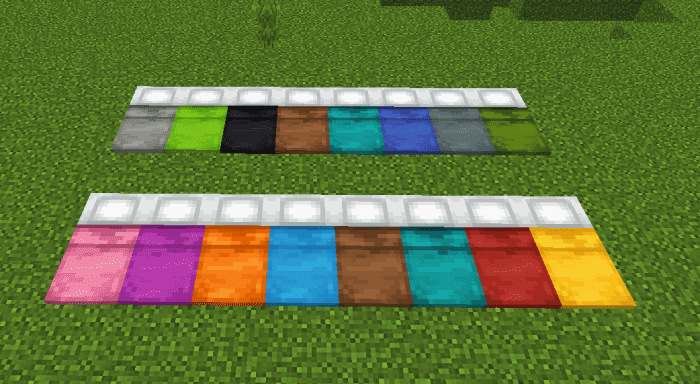
Sleeping bags are available in all 16 Minecraft wool colors.
This makes it easy to match your base, tent, camp or adventure style.
🧱 Recipes
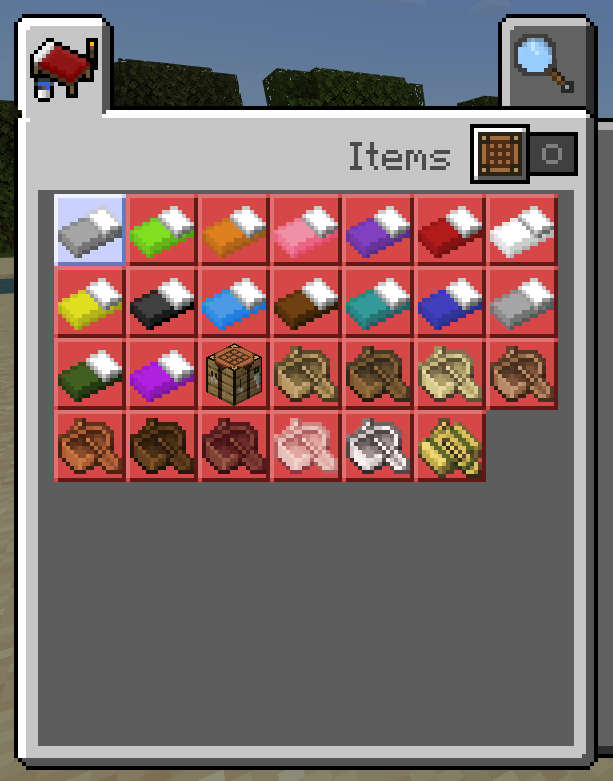
The basic recipe uses wool and is the same idea for the other colors.
Just change the wool color to craft the sleeping bag color you want.

You can also check the recipes from the crafting table.
📕 Lost the Settings Book?
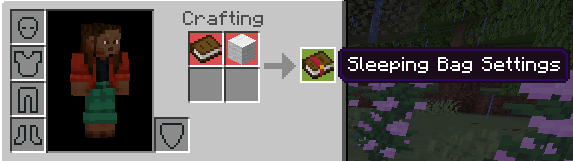
If you lose the Sleeping Bag Settings book, you can craft another one using:
- 1 Book
- 1 White Wool
✅ Compatibility
- ✅ Compatible with other addons
- ✅ Realms support
- ✅ Multiplayer support
- ✅ Does not disable achievements
- ✅ No experimental gameplay required
- 🚫 Does not use
player.json
🌐 Official Page
You can find my other addons and newer versions here:
Click Here!!
🎁 Support This Project
If you enjoy my addons and want to support future updates:
Donate
Thank you for your support 💖
Sleeping Bag Team

Owner