Imperial Equipment Armory: Build 0.02
The imperial armory with wide range of customization and custom weapon ballistics.
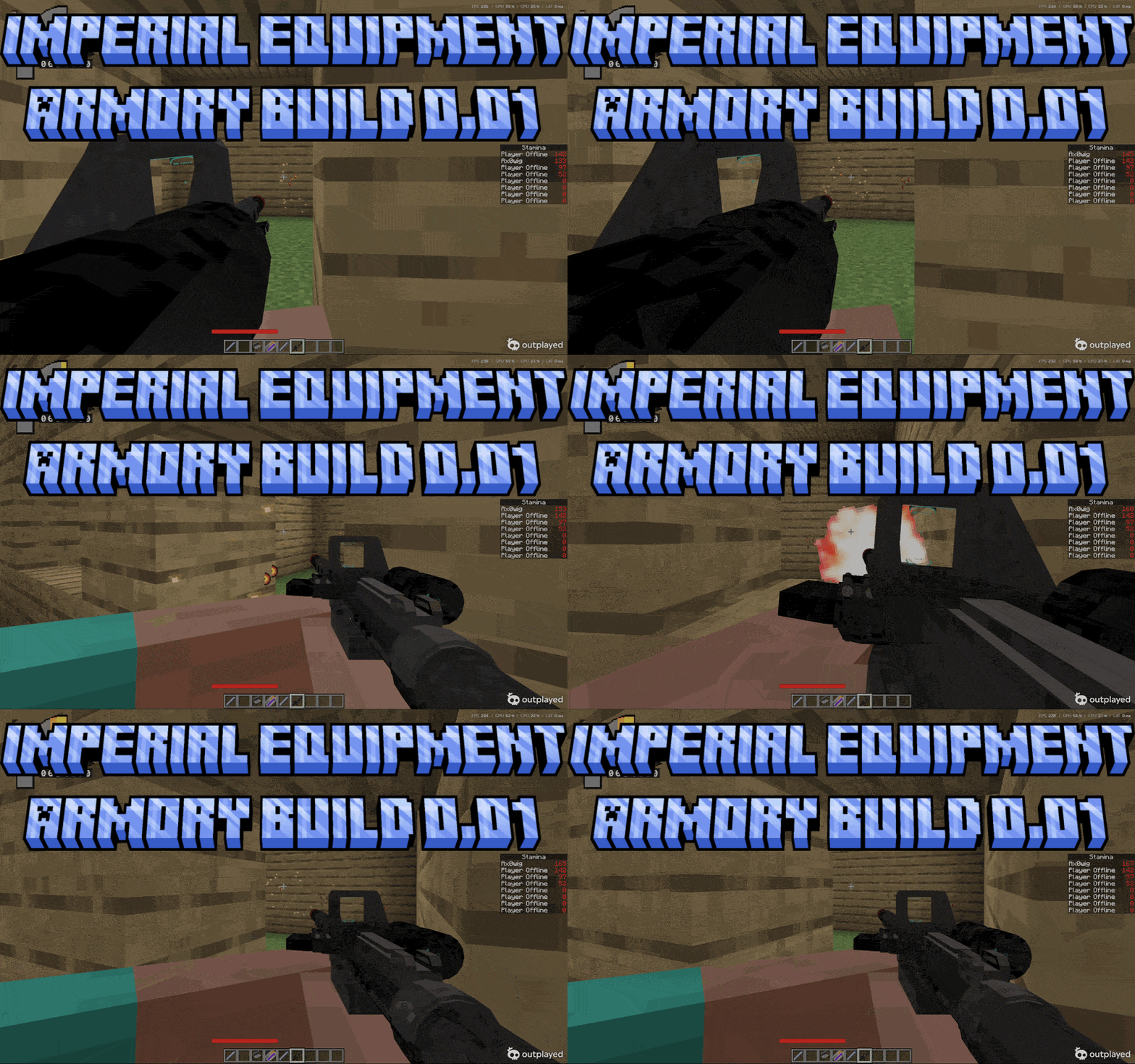
ezgif.com-optimize (4).gif
Description
Please Read Before Moving On
This add-on uses player.json and other a key files, to avoid conflicts with other addon put this above other addons. Experimentals are not required for this add-on nor needed.
This is an Alpha test version, this was basically a single devloped mod, beta tested by me and only me. If you find any bugs report in discord. Please and Thank you for your support.
The more support I get either by showing your appreciation, using my addon-on, helping with my add-on or joining my patron. All of this support will motivate me to continue updating this mod to something even better than anything. Thank you again!!!!
Use my other Add-ons with this to get the best experience. Some features are only accesible by combing with my other addons
JOIN THE DISCORD FOR MORE INFO, LATEST NEWS, BUG REPORTS AND A HOSTED SERVER TO ENJOY THE MOD WITH OTHER PEOPLE
https://discord.gg/4jh9KWqM8H
Alpha Version SWMC: Blasters & Equipment 0.1
SWMC: Blasters & Equipment brings a detailed Star Wars-inspired weapon and equipment system to Minecraft Bedrock Edition. The add-on is designed for survival worlds, military roleplay, multiplayer servers, and large-scale battles.
Customize your blasters with modular attachments, configure your equipment for different combat roles, and experience weapon mechanics built around recoil, aiming, stamina, projectile behavior, and tactical decision-making.
Features
- Custom Star Wars-inspired blasters
- Extensive modular attachment system
- Interactive weapon customization workbench
- Custom recoil and aiming sway
- Multiple optic types and zoom levels
- Alternate optic and magnifier modes
- Functional lasers and utility attachments
- Custom reload and ammunition mechanics
- Scripted weapon and equipment durability
- Multiplayer and dedicated-server support
- Performance-focused systems for larger battles
Blaster Customization
Blasters can be customized with a wide selection of compatible components. Different attachments can change both the appearance and performance of your weapon.
Available attachment categories may include:
- Frames
- Barrels
- Muzzles
- Suppressors
- Top-mounted optics
- Side-mounted optics
- Stocks
- Buffer tubes
- Grips and foregrips
- Handguards
- Rails
- Upper receivers
- Power cells
- Cooling systems
- Magazines
- Selectors
- Lasers
- Utility equipment
- Cosmetic paint options
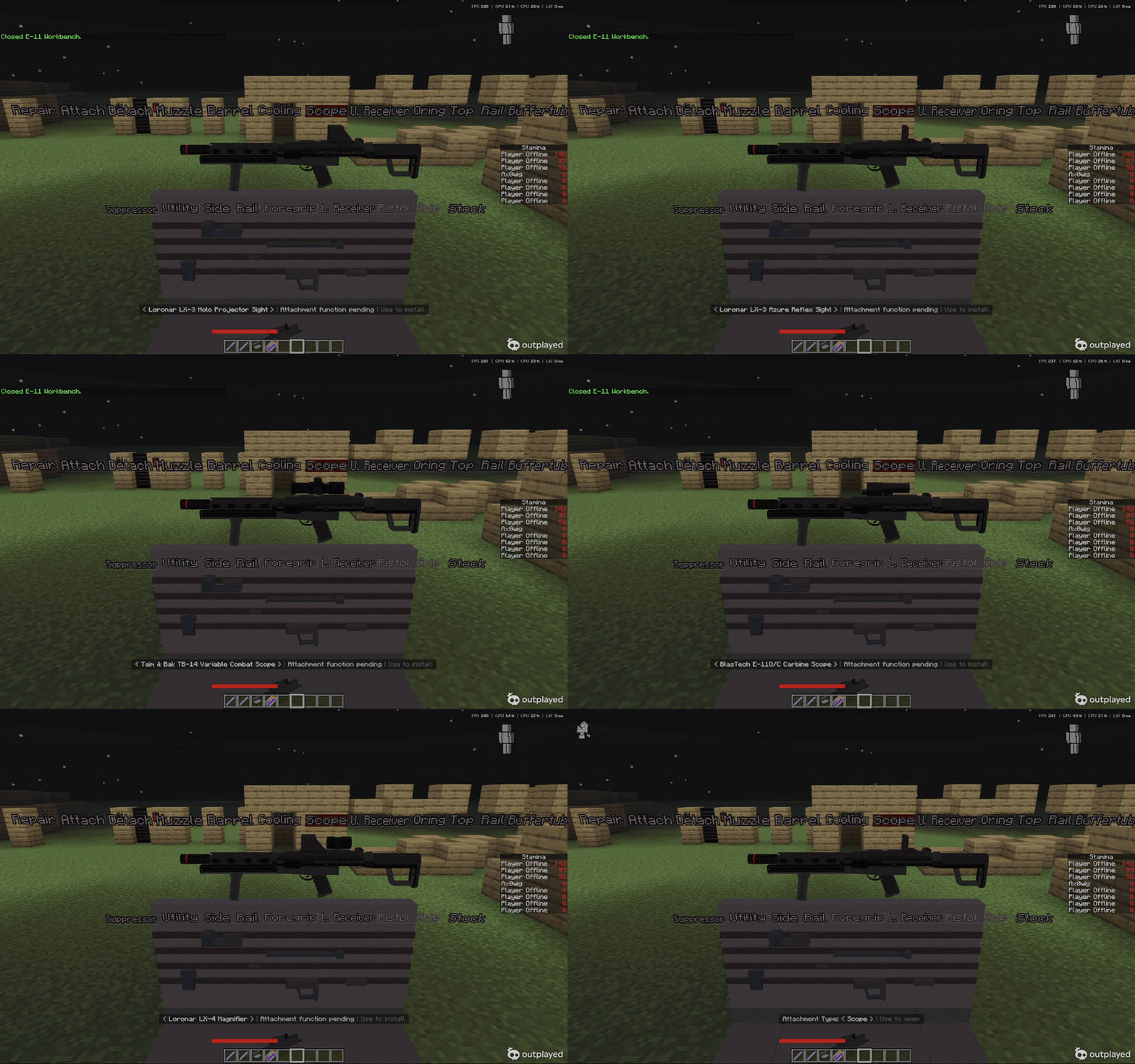
Each weapon has its own compatibility rules. Certain stocks, buffer tubes, rails, optics, and other components may only work with specific configurations.
This prevents unsupported combinations while still allowing players to create specialized builds for:
- Close-quarters combat
- Medium-range engagements
- Long-range combat
- Suppressive fire
- General-purpose use
- Lightweight mobility
- Heavy-duty stability
How to use the workbench!!!
- Put the blaster of your choice inside your offhand
- Right click on the workbench
- Use joycon, wasd or any movement to move around the workbench
- Right click to select an option
- To use the attach function you must have the attachment you need in your mainhand to attach it
Weapon Mechanics
Weapons use custom combat mechanics instead of relying entirely on Minecraft’s standard projectile system.
- Recoil increases with every shot
- Rapid fire causes recoil to accumulate
- Recoil gradually recovers when the player stops firing
- Horizontal and vertical recoil affect projectile direction
- Weapon sway influences both the weapon model and shot placement
- Aiming down sights improves weapon control
- Movement and stamina may affect accuracy
- Different attachments can alter weapon handling
- Zoomed optics provide tighter aiming
- Alternate optic modes can be selected on supported sights
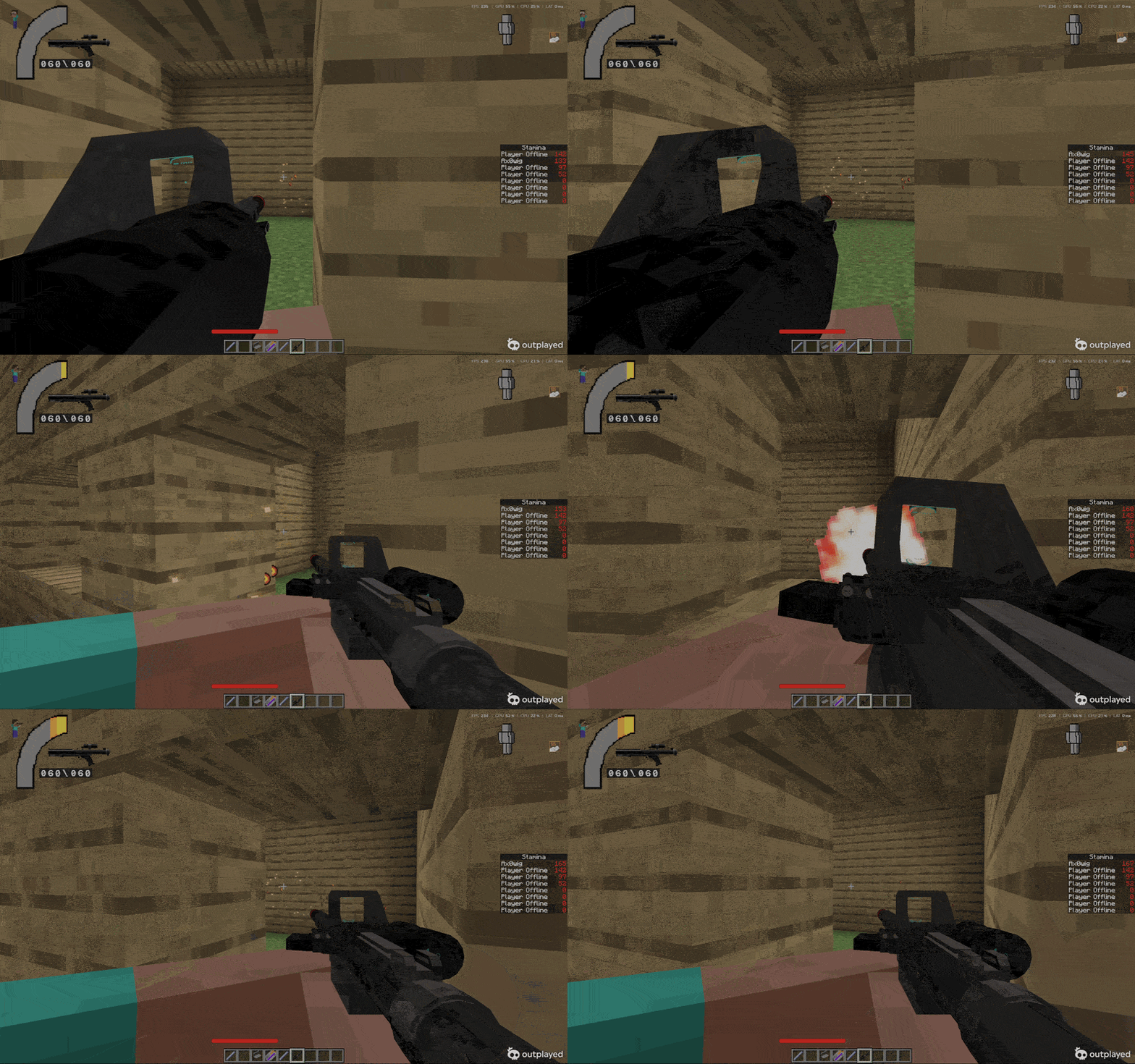
The goal is to make each blaster feel different while rewarding controlled fire, proper positioning, and thoughtful weapon customization.
Attachment Workbench
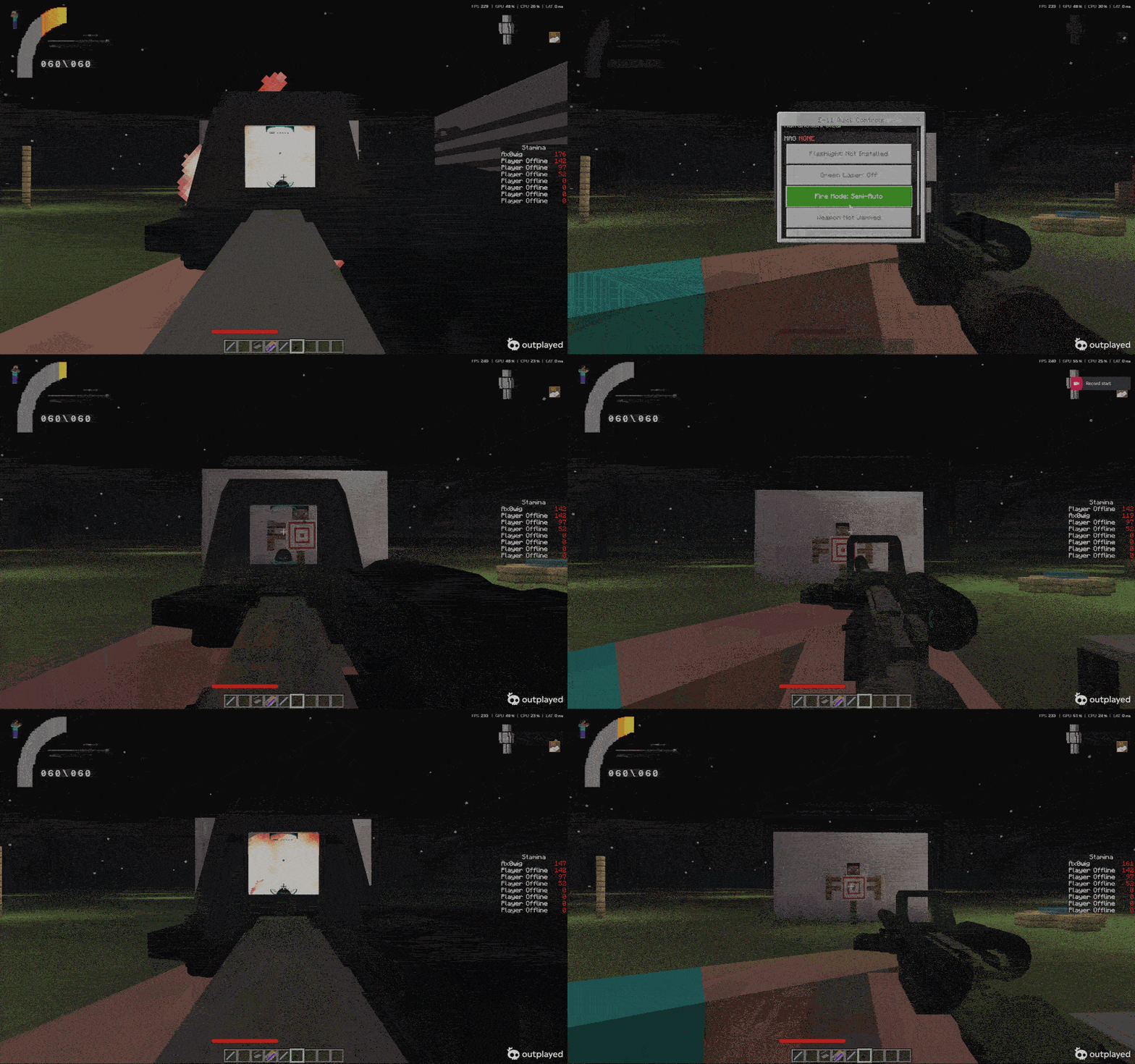
Weapons can be modified through a custom attachment workbench interface.
The workbench allows players to:
- Inspect their current weapon
- Navigate between attachment categories
- Install compatible attachments
- Remove installed attachments
- Change optic configurations
- Repair supported equipment
- Preview different weapon setups
- Return to previously selected categories
Attachments may need to be held in the appropriate inventory slot before they can be installed. Creative-mode players may have access to simplified attachment installation and unlimited ammunition.
Patreon Access
Support the continued development of SWMC: Blasters & Equipment through Patreon and gain access to exclusive content, faster updates, special tools, and the wider SWMC addon collection.
Patreon supporters receive:
- Early access to upcoming updates
- Faster bug fixes and emergency patches
- Smaller updates between major public releases
- Development previews and testing builds
- Exclusive Patreon-only weapons, attachments, equipment, cosmetics, and other custom content
- Full access to my other supported SWMC addons
- The same early-update, quick-fix, and exclusive-content benefits across those addons
- Access to the Admin Control Stick
Admin Control Stick
The Admin Control Stick is an exclusive in-game management and balancing tool designed for server owners, testers, event hosts, and campaign administrators.
It allows authorized users to control and customize the blaster system directly in-game without manually editing addon files.
The Admin Control Stick can:
- Enable or disable major systems such as blasters, attachments, ammunition, heat, recoil, spread, durability, malfunctions, armor penetration, muzzle flash, automatic leaning, and stun bolts
- Adjust global damage, projectile speed, recoil, spread, heat, durability drain, and armor-penetration multipliers
- Edit individual blaster statistics, including ammunition capacity, reload speed, recoil, accuracy, range, damage, reliability, heat, movement speed, and weapon weight
- Tune full-auto fire rate, recoil limits, recoil recovery, ADS behavior, spread, and overheating
- Modify the stat effects of individual attachments
- Adjust fire-mode and Tibanna gas statistics
- Configure stun chance and stun duration
- Reset individual settings or restore the entire blaster system to its original defaults
This tool makes it easier to balance private servers, prepare custom campaigns, run events, test new builds, or create unique combat settings for different game modes.
Access is restricted to Operators or players with the required SWMC administrator tag.
Exclusive Patreon Content
Patreon builds may include content that is not available in the standard public version, such as:
- Exclusive blasters and weapon variants
- Patreon-only attachments and optics
- Unique equipment and cosmetic items
- Custom supporter content
- Experimental mechanics and test features
- Special server and administration tools
- Early versions of future public features
Some content may remain exclusive to Patreon, while other features may be released publicly later after testing and balancing.
Access to Other SWMC Addons
Patreon supporters also receive full access to my other supported SWMC addons with the same general benefits:
- Early updates
- Faster bug-fix releases
- Experimental builds
- Exclusive content
- Development previews
- Supporter-only tools and features
The available addon collection and Patreon benefits may continue to expand as the SWMC project grows.
Important Information
Patreon support is completely optional and directly helps fund continued development, testing, optimization, new content, and bug fixing across the SWMC addon collection.
Early-access and experimental builds may contain unfinished features or unexpected bugs. Always create a backup of your world before installing a testing or early-access version.
Patreon files and exclusive content may not be reuploaded, resold, redistributed, or shared with non-supporters.
The add-on is designed to remain compatible with the other SWMC systems, including armor, medical mechanics, stamina, NPC combat, suppression, and faction-based gameplay.
About the Addon
SWMC: Armor introduces a complete Star Wars-inspired armor and uniform system to Minecraft Bedrock Edition.
The addon includes Imperial and Rebel armor sets, custom armor protection, body-zone damage reduction, independent equipment durability, repair items, helmet attachments, and integration with the SWMC Medical and Blaster systems.
Armor does more than add a visual uniform. Different pieces can provide different levels of:
- Direct-damage reduction
- Bleeding protection
- Fracture protection
- Blunt-impact protection
- Armor-penetration resistance
- Equipment durability
- Body-zone coverage
The addon is designed for survival worlds, military roleplay, PvP, cooperative campaigns, large battles, and multiplayer servers.
Main Features
- 40 wearable armor and uniform pieces
- Imperial and Rebel equipment
- Custom armor protection
- Body-part-based armor coverage
- Independent scripted armor durability
- Equipment condition shown through item lore
- Plastoid repair system
- Armor effectiveness decreases as equipment becomes damaged
- Armor penetration support
- Blunt-impact damage
- Bleeding and fracture protection
- Head, torso, arm, leg, side, and back protection
- Stormtrooper helmet attachment system
- Functional Microbinoculars
- Optional Microbinocular night vision
- Custom helmet attachment interface
- Armor hit sparks
- Standalone damage fallback
- SWMC Medical integration
- SWMC Blaster integration
- Attachable-based armor rendering
- Multiplayer-focused design
- Patreon-exclusive Armor Admin Control Tool
Included Imperial Equipment
Imperial equipment includes:
- Stormtrooper Helmet
- Stormtrooper Uniform
- 501st Stormtrooper Helmet
- 501st Stormtrooper Uniform
- Shadow Stormtrooper Helmet
- Shadow Stormtrooper Uniform
- Shadow Commander Helmet
- Shadow Commander Uniform
- Death Trooper Helmet
- Death Trooper Uniform
- Patrol Trooper Helmet
- Patrol Trooper Uniform
- Sandtrooper Helmet
- Sandtrooper Uniform
- Scout Trooper Helmet
- Scout Trooper Uniform
- Shock Trooper Helmet
- Shock Trooper Uniform
- Snowtrooper Helmet
- Snowtrooper Uniform
- TIE Fighter Pilot Helmet
- TIE Fighter Pilot Uniform
- Imperial Navy Trooper Helmet
- Imperial Navy Trooper Uniform
- Imperial Officer Hat
- Imperial Officer Uniform
- Imperial Officer Uniform in Olive
- Imperial ISB Officer Uniform
- Imperial Security Officer Uniform
Included Rebel Equipment
Rebel equipment includes:
- Rebel Commando Helmet
- Rebel Commando Uniform
- Rebel Hoth Trooper Hat
- Rebel Hoth Trooper Uniform
- Rebel Navy Trooper Helmet
- Rebel Navy Trooper Uniform
- Rebel Officer Hat
- Rebel Officer Uniform
- Rebel Navy Officer Uniform
- Rebel Pilot Helmet
- Rebel Pilot Uniform
Armor Protection
Armor protects different parts of the player’s body instead of applying one universal defense value.
Supported protection zones include:
- Head
- Upper torso
- Lower torso
- Back
- Side torso
- Arms
- Legs
A helmet normally protects the head, while uniforms and body armor can protect several torso and limb regions.
The final amount of damage depends on:
- The body part that was hit
- The armor piece covering that area
- The armor’s protection value
- The armor’s remaining condition
- The weapon’s armor penetration
- Blunt damage passing through the armor
- Other active SWMC systems
A hit against an unprotected area may deal significantly more damage than a hit against covered armor.
Bleeding and Fracture Protection
Armor can reduce more than direct damage.
Different armor pieces may also provide:
- Reduced bleeding chance
- Reduced leg-fracture chance
- Reduced blunt trauma
- Increased resistance to armor penetration
When used with SWMC: Medical, the Armor pack can send the final resolved injury to the Medical system after armor protection has been calculated.
Armor may stop most of the direct damage while still allowing some blunt trauma, pain, or injury to pass through.
Custom Durability
SWMC Armor uses a custom scripted condition system.
This allows armor condition to remain separate from visual attachment data and gives each armor piece its own durability values.
As armor becomes damaged:
- Its protection gradually becomes less effective
- Bleeding protection may decrease
- Fracture protection may decrease
- More damage may pass through
- The item’s remaining condition appears in its lore
When armor reaches zero condition, it no longer provides its normal protection until repaired.
Armor Repairs
Damaged plastoid armor can be repaired using Plastoid Repair Plaster.
Repair amounts may differ depending on the armor item and the current server configuration.
Repairing an item:
- Restores part of its custom condition
- Does not remove supported attachment data
- Does not replace the item with a new default copy
- Preserves the item’s existing information
Helmet Attachments
Compatible Imperial helmets support the SWMC helmet attachment interface.
To use the attachment system:
- Hold a supported helmet
- Left-click to begin opening the attachment interface
- Follow the action-bar instructions
- Interact with the temporary attachment menu
- Place the compatible attachment into the designated slot
- Close the interface to save the helmet
Supported helmet equipment currently includes:
- Stormtrooper Microbinoculars
- Plastoid Repair Plaster
Microbinoculars are rendered directly on supported helmets and may provide night vision while installed and worn.
Attachment information and actual helmet condition are stored separately so repairing the helmet does not remove the Microbinoculars.
Attachable-Based Rendering
SWMC Armor uses normal Minecraft attachables for its wearable models.
The pack does not need to replace the complete player entity to display its armor. This improves compatibility with many other packs that use custom player systems.
Conflicts may still occur with Resource Packs that replace:
- The same SWMC item identifiers
- The same attachables
- The same chest interface files
- The same custom HUD files
Test combinations in a copied world before using them on an important server.
Compatibility With Other SWMC Addons
SWMC: Blasters & Equipment
When both addons are active:
- Blaster damage can be reduced by armor
- Armor penetration can weaken protection
- Different projectile types may interact differently with armor
- Hit location influences the final damage
- Armor sparks can appear when protected areas are struck
SWMC: Medical
When both addons are active:
- Final post-armor damage is sent to Medical HP
- Armor can reduce bleeding chance
- Armor can reduce fracture chance
- Blunt trauma can contribute to pain
- The Medical system receives the resolved hit information
SWMC: NPCs & Command
The armor can be used during:
- Imperial and Rebel campaigns
- Large NPC battles
- Cooperative missions
- Base assaults
- PvP events
- Military roleplay
Installation
Installing the add-on is simple. First, download the newest version that supports your version of Minecraft Bedrock Edition.
After downloading the file, extract the ZIP folder if necessary. You should receive two pack files:
SWMC-Blasters-Equipment-BP.mcpackSWMC-Blasters-Equipment-RP.mcpack
The installation process depends on your device.
Windows
Open both .mcpack files with Minecraft. Minecraft should automatically import the Behavior Pack and Resource Pack.
Android
Use a supported file manager to locate and open both .mcpack files with Minecraft.
Some devices may require a third-party file manager if the default file application does not allow Minecraft pack files to be opened.
iOS and iPadOS
Open the files through the Files app or another supported document-management application, then select Minecraft when prompted.
Console
Direct installation of external add-ons may be limited on consoles. A world containing the add-on may need to be transferred through Minecraft Realms or another supported method.
World Setup
After importing the files:
- Create a new world or edit an existing world
- Open the Behavior Packs menu
- Activate the SWMC Behavior Pack
- Open the Resource Packs menu
- Activate the SWMC Resource Pack
- Make sure both packs are enabled before entering the world
Some versions may require specific experimental settings or Script API features. Check the version notes provided with the download before creating your world.
Always create a backup before updating an existing world.
Updating
When installing a newer version:
- Back up your world first
- Remove or deactivate the older pack version
- Import the updated Behavior Pack
- Import the updated Resource Pack
- Reactivate both updated packs
- Confirm that the pack versions match
Using mismatched Behavior Pack and Resource Pack versions may result in missing models, textures, animations, items, or scripts.
Important Notes
- This add-on is designed for Minecraft Bedrock Edition
- Performance may depend on the device and number of active players or entities
- Avoid combining the add-on with packs that replace the same interface, player animations, or weapon systems
- Always use matching Behavior Pack and Resource Pack versions
- Back up important worlds before updating
License
This add-on is licensed under Deed - Attribution-NonCommercial 3.0 Unported - Creative Commons
Unless additional permission is provided:
Distribution and Usage
- You CAN download and use this addon for personal, non-commercial gameplay.
- You CAN feature the addon in videos, livestreams, screenshots, and reviews with proper credit and a link to the official download page.
- You CAN use the addon on private or public Minecraft servers, provided access to the addon files is not sold or redistributed.
- You CANNOT reupload, redistribute, mirror, or directly share the addon files.
- You CANNOT sell the addon or place access to it behind payment, advertisements, subscriptions, or paid download links.
- You CANNOT modify and publicly distribute the addon or any edited version.
- You CANNOT extract, reuse, or redistribute the addon’s code, models, textures, animations, sounds, or other assets.
- You CANNOT claim the addon or any part of it as your own.
Videos and streams are allowed, but the description should include a link to the official MCPEDL page or another approved download location.
Plagiarism, unauthorized redistribution, asset theft, and false ownership claims are not allowed. Please respect the work that I went into creating the add-on.
Credits
Created by Ax0wig
Armor, Gun Sparks, and Muzzle Flash by 124c41
Thank you for downloading Imperial Equipment Armory. Build your loadout, prepare your equipment, and bring glory to the Age of the Empire into Minecraft Bedrock Edition.
undefined
JOIN THE DISCORD FOR MORE INFO, LATEST NEWS, BUG REPORTS AND A HOSTED SERVER TO ENJOY THE MOD WITH OTHER PEOPLE
https://discord.gg/4jh9KWqM8H
Imperial Equipment Armory: Build 0.02 Team