Block Builder
- By
World-editing tools for Bedrock in the spirit of Axiom and WorldEdit: selections, a magic wand, schematics with a live block preview, terrain brushes, extrude, paint, draw and stamp tools, build modes with mirrors, undo and redo. No experiments needed.
Description
Block Builder
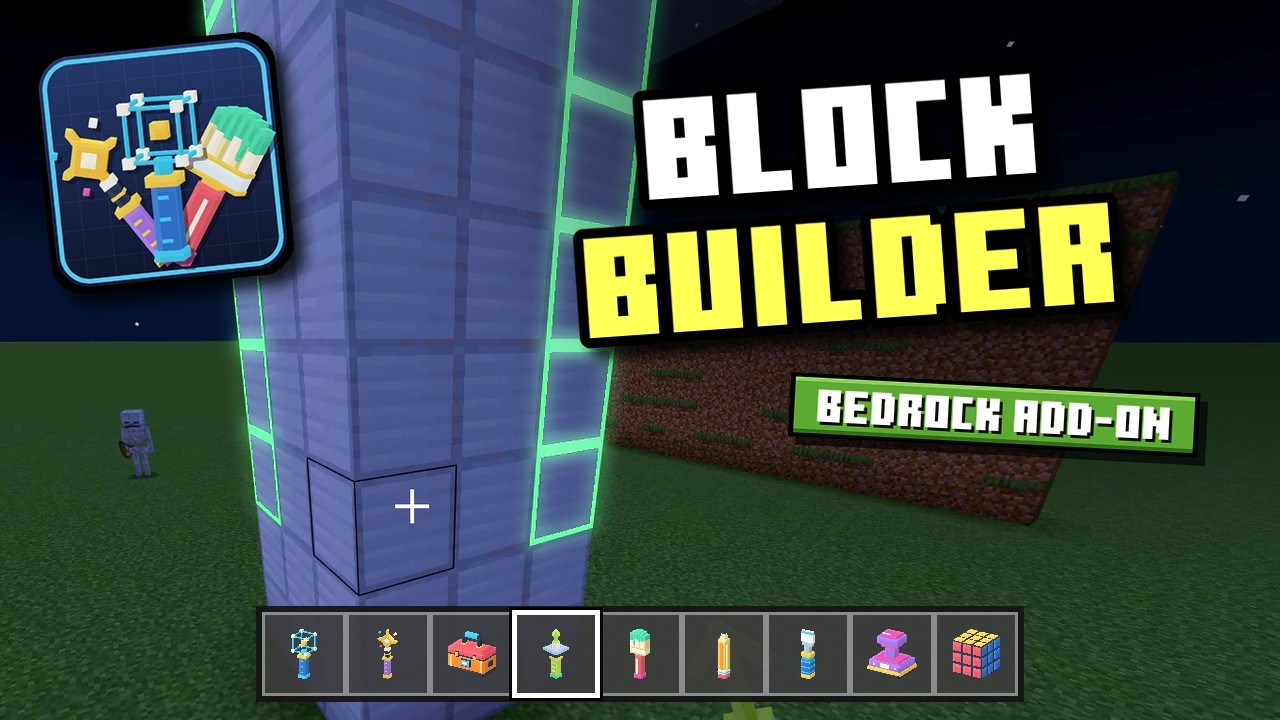
Block Builder is a world-editing kit for Minecraft Bedrock, in the spirit of Axiom and WorldEdit on Java. Select a region, or pick a whole tree or house with one click, then move it, copy it, stack it, hollow it or save it as a schematic. Shape the land with terrain brushes, push walls out with the Extrude Tool, and build lines, circles, spheres and curved paths from the block in your hand. Everything is done with eleven tools you hold, a menu, and commands if you like them. Every edit can be undone and redone.
It is one add-on with nothing else to install, and it runs on ordinary worlds with no experimental toggles.
The tools
Run /bb:tools to get them all.
- Selection Tool. Left-click a block for the first corner, right-click for the second. The box then grows handles: an arrow on each side to push it out or pull it in, and a knob on each corner to drag it. They can be clicked from up to 48 blocks away.
- Magic Wand. Use it on a block to pick everything joined to it: the same block, the same block in the same state, or the whole object, such as a tree or a house, without the ground. Left-click adds more. The picked blocks are outlined, and the selection tools then work on just those.
- Builder Tool. The menu: save and load schematics, the selection tools, fill, replace, undo, redo, settings. With a paste in hand it becomes the gizmo: move it with arrows, turn it with knobs, scale it, mirror it, and left-click to place.
- Extrude Tool. Aim at a wall, floor or roof and the flat surface around the block is outlined. Use pushes it out a block, left-click pulls it in.
- Terrain Tool. Six brushes for the ground: smooth, shave, raise, lower, flatten and roughen. Hold to keep going. Grass stays on top, the soil layers carry on underneath, plants and water follow, and trees and buildings are never touched.
- Draw Tool. Draws a sphere, cube, cylinder, pyramid or a lumpy rock that is different every time. Hold to sweep them along the ground.
- Paintbrush. Paints a block or a weighted mix onto what you look at, scattered or in patches.
- Stamp Tool. Drops a schematic, or a random one from a group, with random rotation and size. Good for trees and rocks.
- Build Modes. Place a block as usual and it becomes the first point of a line, wall, floor, cube, circle, cylinder, sphere, dome, cone or a curved path, shown as a live preview until you click the last point. Add mirror, array and radial copies.
Selection tools
Open the Builder Tool menu and choose Selection tools, or use the commands.
- Move and Clone pick the selection up as a preview standing exactly where the blocks are. Push it with the arrows, turn it, mirror it, scale it, then left-click to place. A move is one undo step.
- Stack repeats the selection end to end, with a gap if you want one. Smear drags its shape out a block at a time.
- Erase, Hollow, Walls, Outline, Drain (removes water and lava) and Count (lists what is inside).
- Fill and Replace take a block or a weighted mix such as 40% dirt, 20% grass, 40% moss.
Schematics and pasting
- Save any selection as a named schematic. It is kept with the world.
- A paste is a live preview that draws every block with its real model: stairs, torches, doors, flowers and lanterns, in the state they will be placed in.
- Turn it in 90 degree steps, tilt it, mirror it left to right or front to back, flip it upside down, scale it from a quarter to four times, and nudge it a block at a time. Stairs, slabs and doors turn and flip to match.
- Bedrock structures can come in and go out: import what a structure block saved, or export a schematic for
/structure load.
Getting started
- Download BlockBuilder_v0.13.0.mcaddon and open it. Minecraft imports both packs.
- In your world settings, turn on Block Builder BP under Behavior Packs. The resource pack is added with it.
- In the world, run
/bb:tools. - Left-click a block with the Selection Tool, right-click another, then use the Builder Tool for the menu.
Commands
Every command is a real slash command starting with /bb:, and /bb:help lists them in game.
- Region:
/bb:pos1,/bb:pos2,/bb:expand,/bb:contract,/bb:shift,/bb:desel - Selection:
/bb:moveregion,/bb:clone,/bb:stack,/bb:smear,/bb:erase,/bb:hollow,/bb:walls,/bb:outline,/bb:drain,/bb:count,/bb:magic - Blocks:
/bb:fill,/bb:replace,/bb:tinker(edit the states of the block you look at) - Schematics:
/bb:copy,/bb:paste,/bb:place,/bb:cancel,/bb:rotate,/bb:flip,/bb:scale,/bb:move,/bb:list,/bb:delete - Tools:
/bb:terrain,/bb:draw,/bb:shape,/bb:brush,/bb:stamp,/bb:extrude,/bb:wand,/bb:mode,/bb:mirror,/bb:array,/bb:radial - History:
/bb:undo,/bb:redo
A single block is typed as it is: /bb:fill stone. A list, a weighted mix or a name with a space goes in quotes, because that is how the game reads a command: /bb:fill "40%dirt,20%grass_block,40%moss_block". The menus take the same text without quotes.
Good to know
- Chest contents, sign text and banners are not copied. Add-ons cannot read them.
- Rotation is in 90 degree steps. A block can only face a few ways, so a 45 degree turn cannot be placed.
- Undo keeps the last six edits per player, up to 250,000 blocks each.
- A magic select stops at 20,000 blocks and an extrude at 8,000.
- A block newer than the preview's model data, or from another add-on, is previewed as a see-through blue cube. The block itself is placed correctly.
- The menus are restyled. If another add-on also restyles the game's forms, one of the two shows plain vanilla menus. Both still work.
- While you hold a tool, two small panels show its settings and your selection. They are made so they do not hide other add-ons' HUD displays, and they can be turned off in the settings.
- Each player has their own selection, tool settings and undo history. Schematics are shared by the world.
Requirements
- Minecraft Bedrock 1.26.40 or newer.
- No experimental toggles. Only the stable script API is used.
- Both packs are needed. The behavior pack asks for the resource pack by itself.
Credits
- The block preview uses the block model data, block atlas and face-particle technique of Construct by ForestOfLight, under the MIT License. The notice ships in both packs.
- Build Modes are modelled on what the Effortless Building mod does. They are this add-on's own code.
- Block Builder is not affiliated with Axiom, WorldEdit or Mojang.
Block Builder Team