Block Display
- By
Place any block as a floating display you can move, rotate and resize with in-world gizmos — like display entities, for Bedrock. No experiments needed.
Description
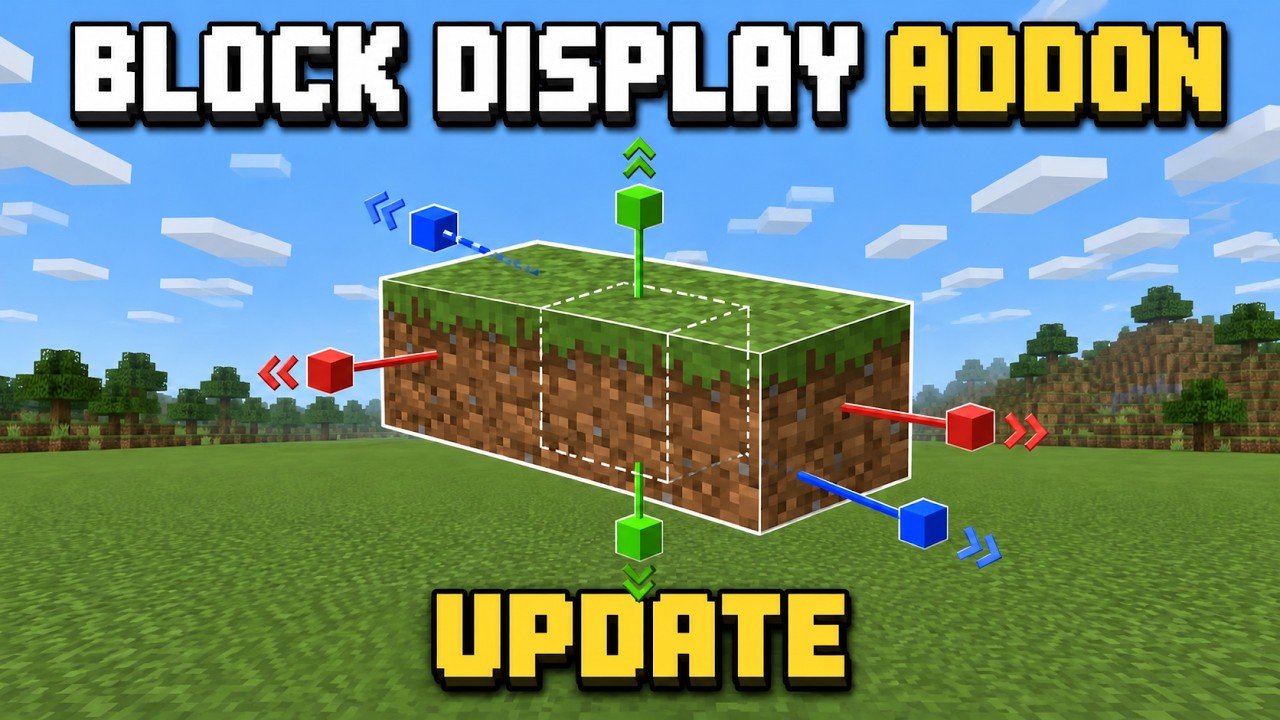
Block Display brings display-entity style building to Minecraft Bedrock. Spawn a block as a display, then move it, spin it and scale it freely — rotated stairs, tilted logs, giant cubes, tiny detail blocks, floating decorations — all with handles you click in the world, no commands to memorise.
What it does
- Any block, anywhere. Displays float exactly where you put them, even inside other blocks. No gravity, no collision, nothing pushes them, nothing hurts them.
- Move, rotate, scale with gizmos. Arrows, ring knobs and a corner handle appear around the selected display. Click to nudge by a step, sneak-click to go the other way, or switch on drag mode and pull them around by looking.
- Exact values. Type the position, rotation and size when you need precision.
- Real block models. Full cubes, slabs, stairs and fences (about 650 vanilla blocks) are drawn with their real textures at true block scale. Slabs, stairs and fences have shape variants: top/bottom, inner and outer corners, upside-down, fence post / panel / cross.
- Everything else too. Panes, doors, anvils, plants, items — any item can be shown.
- Sizes from 1/16 of a block to 16 blocks.
- Group Tool. Select many displays and move, rotate or resize them together as one object.
- No shadow blobs, no drift, survives restarts. Displays are saved with the world.
Getting started
- Add the behavior pack to your world (the resource pack is attached automatically). Works on standard worlds — no experimental toggles.
- Run
/scriptevent bd:wandfor the Block Display Wand and/scriptevent bd:groupfor the Group Tool. - Use the wand on empty air and pick Spawn a display here.
Controls
| Action | Result |
|---|---|
| Wand on empty air | main menu (spawn, nearby list, settings, calibration) |
| Wand on a display | select it |
| Wand on the selected display | its menu: set block, shape, exact values, duplicate, delete… |
| Sneak + wand | switch Move → Rotate → Scale (the wand's icon changes too) |
| Click a handle | nudge one step · sneak-click for the other direction |
| Drag mode (Settings) | click a handle to grab, look around to drag, use again or sneak to release |
| Right-click a display holding a block | it shows that block |
| Group Tool on displays | add / remove them from the selection |
| Group Tool on air | group menu (select by radius, select everything in view, clear) |
Steps for moving (1/32 … 1 block), rotating (1° … 90°) and sizing are in Settings.
Commands
/scriptevent bd:wand · bd:group · bd:tools · bd:spawn [block] · bd:mode move|rotate|scale · bd:list · bd:settings · bd:help
Good to know
- Modeled blocks always show their default look (a stair's direction comes from rotating the display). Animated blocks such as magma and sea lanterns fall back to the held-item look.
- Held-item blocks (panes, doors, anvils…) use a one-time alignment that ships pre-set. If one ever looks off-centre, Calibrate in the display menu fixes it for the whole world.
- Requires Minecraft Bedrock 1.26.40 or newer.
Block Display Team